1
Video Content Analysis
IPE1100 Installation Guide
4.4. Installing a Wireless USB Adapter (Optional)
i
A wireless USB adapter is sold separately as an optional kit. Please contact
system vendor to purchase a wireless USB adapter.
Note
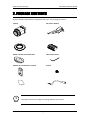
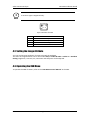
The kit includes:
•
•
•
USB cable
3M Double-coated tape
Wireless USB adapter
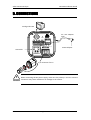
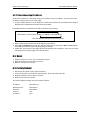
Perform the following steps to install a wireless USB adapter:
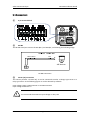
1. Connect one end of the USB cable to the camera.
2. Connect the other end of the USB cable to a wireless USB adapter.
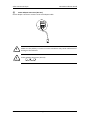
3. Use the enclosed double-coated tape to attach the wireless USB adapter to the desired area.
You can attach the adapter on the body (side, top, or bottom) of the camera, ceiling, or wall.
07A.00
Ex-Sight.Com
11