1
Fossil Version Control
A Users Guide
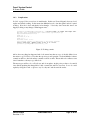
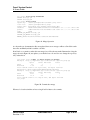
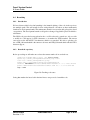
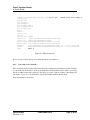
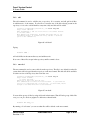
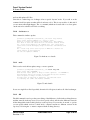
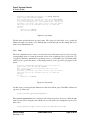
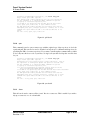
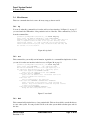
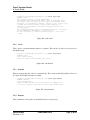
[Pandora-2:jschimpf/Public/FossilBook] jim% fossil help wiki
Usage: fossil wiki (export|create|commit|list) WikiName
Run various subcommands to work with wiki entries.
fossil wiki export PAGENAME ?FILE?
Sends the latest version of the PAGENAME wiki
entry to the given file or standard output.
fossil wiki commit PAGENAME ?FILE?
Commit changes to a wiki page from FILE or from standard
input.
fossil wiki create PAGENAME ?FILE?
Create a new wiki page with initial content taken from
FILE or from standard input.
fossil wiki list
Lists all wiki entries, one per line, ordered
case-insentively by name.
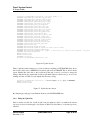
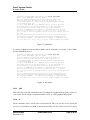
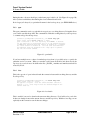
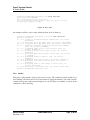
TODOs:
fossil wiki export ?-u ARTIFACT? WikiName ?FILE?
Outputs the selected version of WikiName.
fossil wiki delete ?-m MESSAGE? WikiName
The same as deleting a file entry, but i don’t know if fossil
supports a commit message for Wiki entries.
fossil wiki ?-u? ?-d? ?-s=[|]? list
Lists the artifact ID and/or Date of last change along with
each entry name, delimited by the -s char.
fossil wiki diff ?ARTIFACT? ?-f infile[=stdin]? EntryName
Diffs the local copy of a page with a given version (defaulting
to the head version).
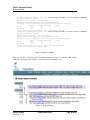
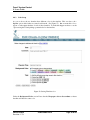
Figure 100: wiki detail
5.5
Advanced
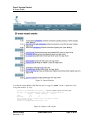
These are commands that you will rarely have to use. These are functions that are needed to do very
complicated things with Fossil. If you have to use these you are probably way beyond the audience
for this book.
5.5.1
scrub
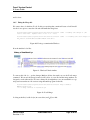
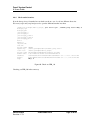
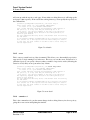
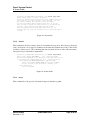
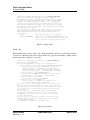
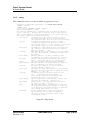
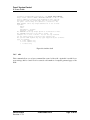
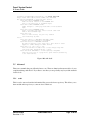
This is used to removed sensitive information like passwords from a repository. This allows you to
then send the whole repository to someone else for their use.
PAN-20100424
Revision: 1.79
28 December 2014
Page 74 of 85