1
Index
Fn+F3
Fn+F4
Fn+F6
Fn+F7
Fn+F8
Fn+F9
27
28
28
28
28
28
G
Getting started
18
H
Handling
data carriers 37
Hard disk:
restoring the contents 75
Hardware configuration 73
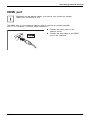
HDMI port 61
I
Important notes 14
Incorrect date/time 76
Indicator
Caps Lock 22
drive 22
Num Lock 22
Scroll Lock 22
Inserting
a data carrier 38
K
Key combinations 27
Keyboard 24
cleaning 17
keyboard backlight
Activate 27
Deactivate 27
L
LCD screen
cleaning 17
decrease brightness 28
difficult to read 76
notes 31
reflected glare 76
remains blank 76
LCD screen is too dark 76
Life, battery 33
Line feed 25
Fujitsu
M
Main memory
see Adding memory 66
Manual removal of data carrier 38
Mechanical backup 54
Memory card
handling 41
inserting 41
removing 41
Memory expansion
installing 68
removing 67
Memory module
important notes 66
installing 68
removing 67
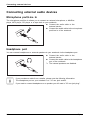
Microphone 42
Microphone, connecting 64
Mobile operation 16
Modular bay device
Removing 36
Modular bay devices 35
Modules 35
Monitor
connecting 60
drifting display 77
remains blank 77
Monitor port
see VGA connection socket 60
N
Notebook
cannot be started 78
cleaning 17
stops working 78
switching off 23
transporting 16–17
using 21
Notebook, operation 21
Notes 14
boards 65
cleaning 17
disposal / recycling 85
energy saving 15
LCD screen 31
Safety 14
transport 16
Num Lock
indicator 22, 26–27
Numeric keypad 24
see Separate numeric keypad 27
see Virtual numeric keypad 26
91