1
9 How to obtain and build the RU builder
User Manual
1
2
3
4
5
6
7
8
9
10
11
12
13
14
15
16
17
18
19
20
21
22
23
24
25
26
27
28
29
30
31
32
33
34
35
36
37
38
39
40
41
42
43
44
45
46
47
RU Builder
9 How to obtain and build the RU builder
This chapter is divided into two sections. The first explains how to obtain the RU builder source code and
the second explains how to build it. Both sections assume the following:
•
•
•
•
The user has already installed the XDAQ core framework
The user has defined the shell environment variable $XDAQ_ROOT to point to the root of their
XDAQ installation, in other words their TriDAS directory
The shell of the user is tsch
The user accesses the CMS CVS server as an anonymous read-only user
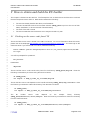
9.1 Checking out the source code from CVS
The RU builder source code is stored in the CMS CVS server. For more information about this server,
please look at the webpage http://cmsdoc.cern.ch/cmsoo/projects/cvs_server.html. You must login to the
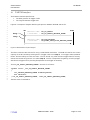
CMS CVS server if you wish to use it. To do so, enter the following:
setenv CVSROOT :pserver:[email protected]:/cvs_server/repositories/TriDAS
cvs login
You will be prompted for a password:
CVS password:
Please enter:
98passwd
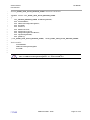
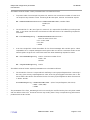
The RU builder source code needs to be placed in the directory $XDAQ_ROOT/daq/evb. Enter the
following commands to put it there using the CMS CVS server:
cd $XDAQ_ROOT/..
cvs export -r EVB_S_18305_V3_9 TriDAS/daq/evb
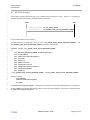
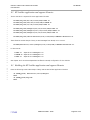
The RU builder source code depends on the interface directory $XDAQ_ROOT/daq/interface. Enter
the following commands to obtain this directory from the CMS CVS server.
cd $XDAQ_ROOT/..
cvs export –r EVB_S_18305_V3_9 TriDAS/daq/interface
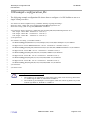
The
RU
builder
source
code
depends
on
the
xdaq2rc
library
directory
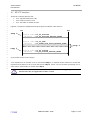
$XDAQ_ROOT/RunControl/tools/xdaq2rc. Enter the following commands to obtain this directory
from the CMS CVS server.
cd $XDAQ_ROOT/..
cvs export –r EVB_S_18305_V3_9 TriDAS/RunControl/tools/xdaq2rc
CERN PH/CMD - 2006
Page 28 of 34