1
Manufacturing Inventory Management User Manual
The sales information, recorded from the Accounts Receivable, Sales Order Entry or Point of Sale modules, includes
the date sold, the customer number, the sales invoice number and the sales price. This information can be obtained
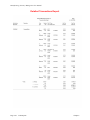
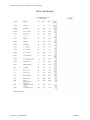
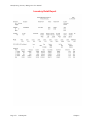
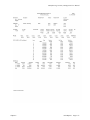
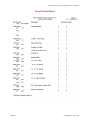
from the Inventory Detailed Transaction Report. The Detailed Transaction Report may be run using a “mask” on the
Serial Number. This will filter out all other transactions so that only those transactions matching the Serial Number
entered will be presented on the report.
Conceptually, there is only one part number created for a product which requires Serial Number assignment. This is
your main part number. When you set up your inventory, you will need to establish your initial cost layers for each
individual serialized item for that product.
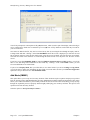
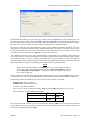
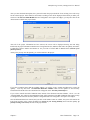
When you add new cost layers to a Serial Number type inventory item, the system will prompt you for additional
information about each individual Serial Number that you assign. This information includes the Serial Number
assignment, unit cost, an additional description line, a bin number, a warranty flag and two lines of comments. Once
your initial inventory is set up, normal daily processing will continue to prompt you for this additional information
whenever the system recognizes the purchase of a serialized item. At the time of recording receipts of inventory, the
system will request the Serial Numbers being added to your stock. When you sell a serialized item, the system will
request the Serial Numbers being withdrawn from your stock.
Serialized items can be flagged as “warranty” items. When these items are received into stock, they should be
recorded as having a warranty. There are comment lines available to describe the type of warranty or any other
pertinent information about this individual item. If an item is flagged as a “warranty” item, the system will retain all
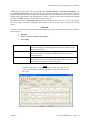
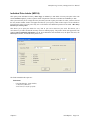
purchase and sales information about that individual item. This information can be viewed from the “View Sold
Serial/Lot Data” option in Set Up Initial Cost Layers.
Lot Inventory
Lot Inventory is a costing method normally associated with inventory items that are grouped together, having a
“likeness” which would categorize them as a “lot.”
Unlike Serialized Items, Lot Number items can be stored with multiple quantities. For example, you received four
(4) cases of red paint which was manufactured at two different plants. The manufacturer has marked on the cases the
Lot Numbers so that the paint can be sold in quantity with the same dye match. You can record the receipt of this
stock on two separate line items, two cases with Lot Number “123” and two cases with Lot Number “789.”
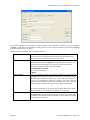
During the set up of Inventory Items, a “cost label” can be assigned to describe or distinguish the lots to be entered
for the item. For example, you may have a shoe store, which carries boots. The boots can be stored as lots with the
label “Style/Color/Sz.” The store may also carry accessories for boots, such as anklets or taps, which may only
require a cost label of “Style/Color.” Each “lot” inventory item can have a different cost label.
All Lot Number type inventory items will have purchase and sales information recorded automatically at the time
the transaction is entered into the system. The purchase information, recorded from the Accounts Payable or
Purchase Order modules, includes the date of purchase, the vendor number, the vendor's invoice number and the unit
cost.
Each lot or group of items should be recorded as separate line items so that the system can distinguish the difference
between groups within a specific inventory item number. The sales information, recorded from the Accounts
Receivable, Order Entry or Point of Sale modules, includes the date sold, the customer number, the sales invoice
number and the sales price.
When a sale is entered, the system will request the user to enter or select the “lot” to withdraw the items from. If
there is not a sufficient amount in that particular lot, the system will prompt the user to select another lot to
withdraw from. The system will continue to prompt for additional lot numbers until the quantity sold has been
sufficed.
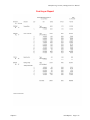
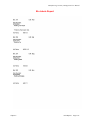
This information can be obtained from the Inventory Detailed Transaction Report. The Detailed Transaction Report
may be run using a “mask” on the Lot Number. This will filter out all other transactions so that only those
transactions matching the Lot Number entered will be presented on the report. Conceptually, there is only one part
number created for a product that requires Lot Number assignment. This is your main part number. When you set up
your inventory, you will need to establish your initial cost layers for each lot for that product.
Chapter 1
Introduction
Page 1-5