1
Alma Mater Studiorum · Università di Bologna
SCUOLA DI SCIENZE
Laurea Magistrale in Scienze di Internet
PARAMETRICS EDITORS
FOR
STRUCTURED DOCUMENTS
Tesi di Laurea in Interazione Persona Computer
Relatore:
Chiar.mo Prof.
Fabio Vitali
Presentata da:
Luca Cervone
Correlatore:
Chiar.ma Prof.ssa
Monica Palmirani
Sessione II
2012/2013
To my parents, Carmela and Emanuele, and to my
childhood town Sannicandro Garganico,
they built my hardware and developed my operating system.
To Bologna and the people that I have met here,
they have fixed so many bugs . . .
Contents
Contents
i
0 Introduzione
1
1 Introduction
5
2 The markup of structured documents
13
2.1
Structured documents . . . . . . . . . . . . . . . . . . . . . . 13
2.2
Markup languages for structured documents . . . . . . . . . . 15
2.3
Descriptive markup languages . . . . . . . . . . . . . . . . . . 18
2.4
2.3.1
The Standard Generalized Markup Language . . . . . . 18
2.3.2
The HyperText Markup Language . . . . . . . . . . . . 21
2.3.3
The eXtensible Markup Language . . . . . . . . . . . . 23
XML for the markup of text-based resources . . . . . . . . . . 24
3 Structural differences in XML dialects
27
3.1
Different dialects for different contexts . . . . . . . . . . . . . 27
3.2
Examples of dialects for textual resources . . . . . . . . . . . . 28
3.3
3.2.1
Text Encoding Initiative . . . . . . . . . . . . . . . . . 29
3.2.2
DocBook . . . . . . . . . . . . . . . . . . . . . . . . . . 32
Examples of dialects used in the legal context . . . . . . . . . 34
3.3.1
Norme In Rete . . . . . . . . . . . . . . . . . . . . . . 35
3.3.2
CEN/Metalex . . . . . . . . . . . . . . . . . . . . . . . 38
3.3.3
Akoma Ntoso . . . . . . . . . . . . . . . . . . . . . . . 41
i
CONTENTS
3.4
3.5
CONTENTS
Abstraction of the XML dialects . . . . . . . . . . . . . . . . . 45
3.4.1
Containers . . . . . . . . . . . . . . . . . . . . . . . . . 45
3.4.2
Hierarchical containers . . . . . . . . . . . . . . . . . . 46
3.4.3
Markers . . . . . . . . . . . . . . . . . . . . . . . . . . 47
3.4.4
Blocks . . . . . . . . . . . . . . . . . . . . . . . . . . . 48
3.4.5
Inline
3.4.6
Subflow . . . . . . . . . . . . . . . . . . . . . . . . . . 49
. . . . . . . . . . . . . . . . . . . . . . . . . . . 49
A generic markup process for distinct dialects . . . . . . . . . 50
4 Software for XML markup
53
4.1
WYSIWYG editors . . . . . . . . . . . . . . . . . . . . . . . . 53
4.2
Generic XML editors . . . . . . . . . . . . . . . . . . . . . . . 54
4.2.1
oXygen XML editor
. . . . . . . . . . . . . . . . . . . 55
4.3
Markup editors . . . . . . . . . . . . . . . . . . . . . . . . . . 57
4.4
Markup editors for the legal context . . . . . . . . . . . . . . . 58
4.5
4.4.1
Norma editor . . . . . . . . . . . . . . . . . . . . . . . 59
4.4.2
Bungeni Editor . . . . . . . . . . . . . . . . . . . . . . 60
4.4.3
LegisPro Web Editor . . . . . . . . . . . . . . . . . . . 62
Open issues in markup editors . . . . . . . . . . . . . . . . . . 63
5 LIME, a parametric editor for structured documents
65
5.1
The importance of being parametric . . . . . . . . . . . . . . . 65
5.2
Technologies for parametric markup editors
. . . . . . . . . . 66
5.2.1
Ajax, javascrip and HTLM5 for in-browser software . . 66
5.2.2
Frameworks for cross-browser software . . . . . . . . . 67
5.2.2.1
ExtJS . . . . . . . . . . . . . . . . . . . . . . 68
5.2.3
TinyMCE . . . . . . . . . . . . . . . . . . . . . . . . . 68
5.2.4
REST style communication . . . . . . . . . . . . . . . 68
5.2.5
eXist Database . . . . . . . . . . . . . . . . . . . . . . 69
5.2.6
5.2.5.1
FRBR storage . . . . . . . . . . . . . . . . . 69
5.2.5.2
XQuery language and XSLT . . . . . . . . . . 71
XML patterns and XML guidelines . . . . . . . . . . . 71
CONTENTS
5.2.7
iii
JSON . . . . . . . . . . . . . . . . . . . . . . . . . . . 71
5.3
LIME, a Language Independent Markup Editor . . . . . . . . 72
5.4
Overview of LIME features . . . . . . . . . . . . . . . . . . . . 73
5.5
LIME architecture . . . . . . . . . . . . . . . . . . . . . . . . 77
5.6
5.5.1
Client side components . . . . . . . . . . . . . . . . . . 79
5.5.2
Server side components . . . . . . . . . . . . . . . . . . 80
Three commandments to be parametric and language independent . . . . . . . . . . . . . . . . . . . . . . . . . . . . . . 81
5.6.1
5.6.2
XML guidelines and patterns used by LIME . . . . . . 81
5.6.1.1
Patternless, the patterns’ wildcard . . . . . . 82
5.6.1.2
Guidelines for elements’ unique identifiers . . 83
5.6.1.3
Guidelines for elements’ classes . . . . . . . . 83
JSON configuration files . . . . . . . . . . . . . . . . . 84
5.6.2.1
5.7
LIME language plugins
. . . . . . . . . . . . 85
Evaluating markup editors’ usability . . . . . . . . . . . . . . 87
6 Evaluation of LIME’s user experience
89
6.1
The study of the user experience
6.2
Goals of the test . . . . . . . . . . . . . . . . . . . . . . . . . 90
6.3
6.4
6.5
. . . . . . . . . . . . . . . . 89
6.2.1
Examining the efficacy . . . . . . . . . . . . . . . . . . 91
6.2.2
Examining the efficiency . . . . . . . . . . . . . . . . . 91
6.2.3
Examining the users’ satisfaction . . . . . . . . . . . . 93
The LIME’s user experience test . . . . . . . . . . . . . . . . . 94
6.3.1
Methodology . . . . . . . . . . . . . . . . . . . . . . . 95
6.3.2
Choosing the testers . . . . . . . . . . . . . . . . . . . 96
6.3.3
The complete test . . . . . . . . . . . . . . . . . . . . . 96
Analysis of the results . . . . . . . . . . . . . . . . . . . . . . 103
6.4.1
Summary of the testers . . . . . . . . . . . . . . . . . . 103
6.4.2
Analysis of the efficacy . . . . . . . . . . . . . . . . . . 105
6.4.3
Analysis of the efficiency . . . . . . . . . . . . . . . . . 107
6.4.4
Analysis of the users’ satisfaction . . . . . . . . . . . . 113
LIME’s strengths and weaknesses . . . . . . . . . . . . . . . . 116
iv
CONTENTS
7 Conclusions
119
Bibliography
123
List of Figures
133
List of Tables
135
Listings
138
Chapter 0
Introduzione
Lo scopo di questa dissertazione è di identificare le tecnologie più appropriate per la creazione di editor parametrici per documenti strutturati e di
descrivere LIME, un editor di markup parametrico e indipendente dal linguaggio.
La recente evoluzione delle tecnologie XML ha portato ad un utilizzo
sempre più consistente di documenti strutturati. Oggigiorno, questi vengono
utilizzati sia per scopi tipografici sia per l’interscambio di dati nella rete
internet. Per questa ragione, sempre più persone hanno a che fare con documenti XML nel lavoro quotidiano. Alcuni dialetti XML, tuttavia, non sono
semplici da comprendere e da utilizzare e, per questo motivo, si rendono necessari editor XML che possano guidare gli autori di documenti XML durante
tutto il processo di markup.
In alcuni contesti, specialmente in quello dell’informatica giuridica, sono
stati introdotti i markup editor, software WYSIWYG che assistono l’utente
nella creazione di documenti corretti. Questi editor possono essere utilizzati
anche da persone che non conoscono a fondo XML ma, d’altra parte, sono
solitamente basati su uno specifico linguaggio XML. Questo significa che sono
necessarie molte risorse, in termini di programmazione, per poterli adattare
ad altri linguaggi XML o ad altri contesti.
Basando l’architettura degli editor di markup su parametri, è possibile
1
2
0. Introduzione
progettare e sviluppare software che non dipendono da uno specifico linguaggio XML e che possono essere personalizzati al fine di utilizzarli in svariati
contesti.
A tale scopo è necessario innanzitutto caratterizzare i documenti strutturati. I documenti strutturati sono documenti che contengono altre informazioni in aggiunta al loro contenuto. Queste informazioni supplementari
servono per descrivere la struttura logica del documento, ossia gli oggetti che
lo compongono, e le relazioni fra questi oggetti.
Esistono diverse tipologie di linguaggi di markup per la marcatura dei
documenti strutturati ma i linguaggi più appropriati a questo scopo sono i
linguaggi descrittivi e XML è, attualmente, il più completo in questo genere.
Negli ultimi dieci anni sono stati sviluppati svariati dialetti XML per la marcatura di documenti testuali appartenenti a molti contesti. Questi linguaggi
devono essere specifici ma allo stesso tempo flessibili per permettere di descrivere al meglio tutte le varie tipologie di documento che si possono incontrare
in uno specifico contesto.
Uno dei contesti più insidiosi è quello giuridico. I documenti legali e legislativi possono avere strutture molto differenti anche se creati dalla stessa
istituzione. Ad esempio la struttura delle leggi italiane può essere differente
dalla struttura delle proposte di legge. Per questo sono stati creati negli anni
molti linguaggi XML per la marcatura di documenti legali. Attualmente, il
più completo è Akoma Ntoso, che con la sua architettura basata su pattern,
può essere utilizzato per la marcatura di documenti provenienti da tutte le
istituzioni.
Gli esperti di informatica giuridica sono stati pionieri nella creazione di
editor di markup. In questo contesto, infatti, gli autori di documenti debbono
concentrarsi sulla struttura dei documenti e non possono essere distratti dalla
complessa sintassi XML. Insieme a linguaggi XML specifici sono stati creati
anche editor di markup per le varie istituzioni. Solitamente, essi sono sviluppati come plug-in di processori di testo esistenti, come Microsoft Word o
apache OpenOffice. Questo è molto importante in quanto fornisce agli autori
0.0
3
un’interfaccia grafica già nota e con la quale si sentono a loro agio. Tuttavia, è molto difficile adattare questi software alla marcatura di documenti
provenienti da istituzioni per le quali il software non è stato originariamente
pensato. Partendo dall’analisi di questi software è possibile progettare e implementare un editor di markup indipendente dal linguaggio XML utilizzato.
LIME è un editor di markup open-source, parametrico e indipendente
da qualsiasi linguaggio XML. La sua architettura è basata sui pattern XML,
su alcune linee guida per la creazione di documenti XML e, soprattutto, su
parametri inseriti all’interno di file di configurazione JSON. L’idea alla base
di LIME è che è possibile astrarre un linguaggio XML assegnando ad ognuno dei suoi content model uno dei pattern utilizzati dal linguaggio Akoma
Ntoso. Questa astrazione può essere descritta con parametri (array associativi) all’interno di file di configurazione JSON. In questo modo, in LIME, è
possibile abilitare altri linguaggi XML semplicemente scrivendo un insieme
di file JSON impacchettati in un modo comprensibile al software. Questo
significa anche che ogni eventuale estensione non necessita di competenze
specifiche in nessun linguaggio di programmazione.
Altro scopo di questa dissertazione è quello di identificare un test di usabilità adatto agli editor di markup e utilizzarlo per testare LIME. Il test è
stato creato al fine di valutare l’efficacia e l’efficienza degli editor di markup
e la soddisfazione degli utenti nell’usare le loro funzionalità. Il test è stato
sottomesso a dieci utenti per valutare LIME e ha evidenziato l’eccellente usabilità della maggior parte delle sue funzionalità.
Numerose istituzioni parlamentare, politiche e apolitiche, attendono il rilascio della prima versione beta di LIME per il markup dei loro documenti
legali e legislativi.
I successivi capitoli di questa dissertazione verranno redatti in lingua inglese per facilitare la comprensione a ricercatori e sviluppatori non italiani.
4
0. Introduzione
Chapter 1
Introduction
The purpose of this dissertation is to pinpoint the proper technologies
for the development of parametric editors for structured documents and to
characterize LIME, a parametric and language independent markup editor.
The recent evolution of XML-related technologies has led to a massive
use of structured documents both for typographical and for data interchange
purposes and, in the last decade, several XML languages have been developed
in order to meet the requirements of an incredibly diverse set of contexts.
Due to this, many people, with many different skills, started to handle XML
documents in their everyday work. But specific XML dialects can be difficult
to understand and to be used properly and, for this reason, XML editors that
allow users to markup documents in a proper way are needed.
In specific contexts, especially the legal one, XML drafters find help in
markup editors. Markup editors are WYSIWYG software that assist users in
the creation correct XML documents, by driving drafters through the correct
workflow of markup. On the one hand, these are powerful tools that can be
used even by people that have no knowledge of the XML syntax and XML
dialects. But, on the other hand, these software are strictly dependent from
the XML language they use to format documents and from the context they
belong to. This means that, in order to use these software in other contexts,
customization is needed and this can be expensive if the editor was not de5
6
1. Introduction
signed adequately in the first place.
By relying the architecture of markup editors on parameters, it is possible
to create markup editors that are independent from any specific XML language and that can be adapted to several contexts with the minimum effort
in terms of coding.
In order to create a parametric editor for structured documents, it is important to understand what structured documents are. Structured documents
are documents that contain other information in addition to their content.
This information adds semantic meaning to documents or to fragments of
them and describe documents’ logical structure.
The logical structure is a description of the objects that compose a document and of the relations among them. It is ascribed to documents by using
appropriate and standardized markup languages. Different kinds of markup
languages were developed in the course of time, but descriptive markup languages are the most suitable ones for the description of documents’ logical
structure.
Descriptive markup languages allow authors to describe objects and the
relations between them by labeling them with tags. In this way, authors can
focus on documents’ logical structure regardless of any particular treatment
of their rendition.
The first really standardized descriptive markup language was the Standard Generalized Markup Language, whose purpose was to define a generalized markup language for documents. By using SGML it is possible to
markup structured documents according to a Document Type Declaration.
SGML laid the foundations for the two most common descriptive markup
languages: Hyper Text Markup Language and eXtensible Markup Language.
HTML is currently the most suitable technology to create web pages.
Web browsers interpret the HTML tags in the documents and present the
whole document in a readable or audible way. HTML and chiefly HTML 5
are good descriptive markup languages, but they are not intended to markup
documents that must have their specific in-context semantically relevant el-
1.0
7
ements. In these situations XML must be used.
XML defines a set of rules aimed to produce human-readable and
machine-readable documents. It was originally designed to allow a large-scale
electronic publishing, but it is currently also used to exchange data on the
web.
There are many XML dialects used for the markup of text-based resources. These XML languages must be specific but at the same time they
must be as flexible as possible, in order to hit all the peculiarities of the different areas in the same context. For example, a novel has a quite different
structure from a scientific paper.
One of the most challenging context is the legal one. Even if legal and
legislative documents rely on recurrent structures, they have to meet the requirements of a large set of different traditions, rules and users. Moreover,
different kinds of legislative documents of a single country can have different
structures. For instance, Italian bills can be quite different from Italian acts.
In the last ten years, many effective XML languages for the legal context
were developed. Some of them were designed to meet the requirements of
specific countries, like Norme In Rete, that was designed for the Italian legislative documents. Other languages, like CEN/Metalex and Akoma Ntoso,
have a more flexible architecture and can describe documents coming from
a variety of countries. These languages try to abstract documents’ structure
by using XML patterns.
Like programming languages’ patterns, XML patterns describe recurrent markup situations. Akoma Ntoso architecture relies on six XML patterns: containers, hierarchical containers, markers, blocks, inline and subflow. These patterns are the most descriptive and the most common ones
and, even if other languages do not have a patternized architecture, it is
possible to abstract them and to assign one of these patterns to their content
models. XML patterns are the keystone for language independent markup
editors.
In legal context, markup editors are widely used and in the last two
8
1. Introduction
decades many editors were developed. As a matter of fact, legal informatics’
experts were pioneers in the markup editors’ field. They immediately understood that XML is a powerful technology to ensure interchange, reusability,
and portability of legal and legislative documents. But they also understood
that legal and law experts can not rely on pure XML editors because of
the difficulty to write a proper XML legal document by using XML syntax.
Through legal markup editors, legal drafters are not in charge of checking
XML well-form and XML validity. They focus on the structure of the law
and the editor drive them to create a correct XML too.
The most common legal markup editors are built as plug-ins of wellknown word processors, like Microsoft Word or Apache OpenOffice. In this
way, users are facilitate in their work because they use an interface they are
already familiar with. By using macros, legal drafters ascribe the logical
structure to legal documents; the legal markup editor prompts them the correct macros to be used and, eventually, it creates the final XML document
by transforming the word processors’ format into XML.
The other side of the coin is that these software are hardly customizable
because of three reasons. Firstly, they are built on the top of other complex
software and this means that any attempt to change the business logic or
the interface of the software would be very expensive. Secondly, they are
built to comply very specific markup workflows that derive from the legal
tradition of the country where they are used. Last but not least, they rely
on a specific XML language and it is often difficult to adapt them to other
XML standards.
Starting from the analysis of legal markup editors, it is possible to design
and implement a markup editor whose architecture revolves on parameters,
in order to ensure the customizability and the independence from any XML
markup language.
LIME (Language Independent Markup Editor ) is a parametric and language independent markup editor aimed to be used with a wide variety of
different XML languages. It relies on a set of parameters that are used to
1.0
9
describe the XML languages that must be used and the markup workflow
related to the languages. It solves many of the problems of current legal
markup editor and aims to be used in any context in which XML can bring
innovation.
LIME is an open-source stand-alone web application and its architecture
is based on a set of technologies that ensure its independence from any XML
language. Firstly and most importantly, LIME relies on XML patterns. In
order to be used in LIME, XML languages must be analyzed and a pattern
must be assigned to each content model. Secondly, LIME follows specific
XML guidelines in order to create homogeneous XML documents. Thirdly,
LIME parameters are specified in JSON configuration files. To create the
configuration for a new XML language, a language plugin must be written. A language plugin is a set of configuration files packaged in a specific
way that LIME can understand. This means that LIME configuration files
are independent from the programming language used to develop LIME and
it is possible to create a LIME language plugin without any skill in code
developing. Lastly, LIME stores files in a native XML database and assigns them URI according to the Functional Requirements for Bibliographic
Records (FRBR). In this way, produced documents are immediately published on the web and can be accessed by humans and machines by using the
Representational State Transfer (REST).
As a markup editor, LIME drives users to create XML files even if they
do not have any knowledge of XML, and moreover, even if they do not have
any knowledge of the specif XML language they are using to markup documents. Users select the parts of the text they want to markup and the editor
displays the elements that they can use to markup these parts. For example,
when users are marking up an act in Akoma Ntoso language and they select
a text inside an article, the editor allows to markup it as a section and does
not allow to create another article inside it.
By creating LIME configuration files it is also possible to define the
markup workflow associated to each XML language. This means that it
10
1. Introduction
is also possible to modify a part of the LIME business logic without any
effort in terms of coding.
The other challenge for LIME is to ensure users a great user experience.
Since users are driven by the editor to create a proper XML file, in some
situations they may feel frustrated because this can be interpreted as a lack
of freedom during the markup workflow. To evaluate the LIME interface’s
usability a usability test appropriate for markup editors was created.
The usability test was submitted to ten users during a hackaton held
at CIRSFID (Centro Interdipartimentale di Ricerca in Storia del Diritto,
Filosofia e Sociologia del Diritto e Informatica Giuridica) of the University
of Bologna. The hackaton was also intended to find the bugs of the first alpha
version of LIME. The test was performed on LIME with its Akoma Ntoso
configuration. After a brief introduction to LIME overall features and to the
structure of legislative documents, two questionnaires were submitted to the
users and they were asked to perform nineteen tasks in order to evaluate the
LIME efficacy, the LIME efficiency and the users’ satisfaction while they
use LIME.
The test’ results demonstrate that users are able to easily use the LIME
features related to the navigation system, such as import, export files, open
files and save them. It also demonstrated that, even if users have no knowledge of legislative documents, they are able to simply markup the main
structure of acts and bills, such as their preface, their preamble and their
article and sections. The test also highlighted that users are quite satisfied
while using LIME. They were asked to foresee the expected effort to complete
some tasks and, after the completion, they were asked to indicate the real
effort they experienced. The majority of the users found the main part of
the tasks as simple as they expected or, in some situations, they found them
even simpler.
The test also highlighted some issues related to the LIME usability and
some bugs that will be fixed in the next version of the editor.
LIME is currently requested by several parliaments, political and apoliti-
1.0
cal organizations from overall the world, to markup their legal and legislative
documents. It is also requested by history scholars to markup descriptions
and transcriptions of ancient manuscripts. Hopefully, after the release of the
first beta version, many language plugins will be developed by third parties
and that LIME will be widely used both in the legal context and in other
contexts.
11
12
1. Introduction
Chapter 2
The markup of structured
documents
The aim of this chapter is to give an introduction about structured documents, about their evolution in time and about the markup languages used
to create them.
In the first section I will produce a definition of structured documents.
The second section aims to briefly navigate through the history of the markup,
exploring the different styles of markup. The third section is about the descriptive markup languages and explores examples of them. Finally, in the
fourth section, I will introduce some notions about the markup of text based
resources and the currently most used languages to markup them.
2.1
Structured documents
A structured document is an electronic document which embeds other
information in addition to its content. This supplementary information is
used to give semantic meaning to the whole document or to specific parts of
it and is fitted in the document using some kind of embedded coding, such
as markup.
1
1
.
Extracted from the wikipedia’s definition of structured document.
13
14
2. The markup of structured documents
Typically, a document contains at least three different conceptual structures 2 . The first one is the logical structure, that is a description of the
objects that compose the document and the relations among them. Then
there is the layout structure, that specifies the document’s layout, i.e. the
pages’ format, the elements that must be underlined or the text’s parts that
must be centered. Last but not least is the physical structure that describes,
for example, the fact that a book must be divided into pages and that a page
must be divided into sections 3 . In any type of document, including paper
ones, it is possible to identify these three conceptual frameworks.
In a structured document, the focus is on the logical structure of the
document, with no concerns about how it must be printed. For this reason a
structured document contains a lot of semantic information about its logical
structure, which can be easily interpreted by computers in order to create
different kinds of presentations suitable for a variety of devices (computers’
screens, mobile phones, paper sheets and so on), or in order to perform complex computations on large sets of documents.
Such structure can be ascribed to the document using appropriate and
standardized markup languages that are used to add semantic markup to
each section of the document that is relevant to its logical organization.
In the next section I will explain how these languages can be used to
create the logical structure of the document and the differences among the
most known markup languages used to create structured documents.
2
Although some studies highlight four conceptual structures, for example the one of
Nenad Marovac [Mar92], this research is focused on only three of them.
3
It is important not to confuse the logical structure, that refers to the organization as
it is seen by the author, and the physical structure that is the organization as it is seen
by the publisher.
2.2
15
2.2
Markup languages for structured documents
A markup language is a language used to annotate some parts of the text
in order to highlight its logical structure and to make this structure understandable both by software and, if the markup language is human readable,
by human beings [Gol81].
The term markup is derived from the publishing practice of markingup a manuscript[CRD87] according to which a reviewer adds some instructions, usually with a blue pencil, on the margins and on the text of a paper
manuscript to indicate what typeface, style and size should be applied to
each part of the text 4 . In electronic markup the blue pencil was replaced by
some kind of instructions that are embedded in the text in binary format or
surround the text like labels.
There are three categories of electronic markup, the presentational markup,
the procedural markup and the descriptive markup [Gol81, CRD87].
The presentational markup is the markup used by traditional words’ processing systems (such as Microsoft Word’s versions prior to 2002 5 ). These
kinds of software embed the markup in the text in binary code. Such markup
is intended to be hidden from the author and the editors.
With the procedural markup, the markup is embedded in the text and
provides information for programs that need to process the text. The text
is marked up in a visible way and directly manipulated by the author and
usually, during the compiling phase, the software runs through the text from
the beginning to the end following the instruction as encountered. First examples in the history of procedural markup languages can be roff, nroff and
troff, all typesetting packages for the UNIX operating system that read a file
written with a special syntax and output another file suitable for the presentation. For example, the listing 2.1 shows how to set a line spacing and how
4
See the markup language page on wikipedia to read more about the history of the
markup.
5
Read more about Microsoft Word on the word web page.
16
2. The markup of structured documents
to center the text using groff, a Linux porting of nroff and troff 6 .
Listing 2.1: An example of groff markup language
.ls 2
.ce 1
Hello world! I’m a centered text in a document
with a specific line spacing
Another typesetting program, introduced in 1978, is TeX, that uses the metafont language for font description and the modern typefaces to allow the users
to produce well formatted documents with a minimum effort. Later in time,
in early 1980s, LaTeX was introduced, a document markup language for the
TeX typesetting program. LaTeX allows to create high-quality documents
with a reasonably simple syntax [Lam86]. For instance, the code in listing
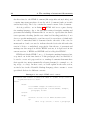
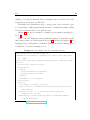
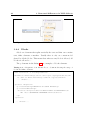
2.2 produces the document in figure 2.1 7 .
Procedural markup languages was massively used in the 1980s and 1990s
and LaTeX remains till today the most used instrument to edit scientific
papers (this dissertation is written in LaTeX too).
Even if both procedural markup languages and presentational markup
languages are useful to decouple the logical structure from the document
content, this work focuses on the descriptive markup languages that I will
extensively explain in the next section.
6
7
For more information read the groff’s project page.
Courtesy of wikipedia.
2.3
17
Figure 2.1: The output generated by the lines of code in the listing 2.2
Listing 2.2: An example of LaTeX markup language
\documentclass[12pt]{article}
\usepackage{amsmath}
\title{\LaTeX}
\date{}
\begin{document}
\maketitle
\LaTeX{} is a document preparation system for the \TeX{}
typesetting program. It offers programmable desktop
publishing features and extensive
facilities for automating most aspects of typesetting and
desktop publishing, including numbering and cross-referencing
, tables and figures,
page layout, bibliographies, and much more. \LaTeX{} was
originally written in 1984 by Leslie Lamport and has become
the dominant method for using
\TeX; few people write in plain \TeX{} anymore. The current
version is \LaTeXe.
\end{document}
18
2. The markup of structured documents
2.3
Descriptive markup languages
Descriptive markup is used to ascribe a semantic meaning to each part of
the document through labels (called tags). In this way, the author can focus
on the document’s logical structure, regardless of any particular treatment
of rendition of it. Unlike the procedural or the presentational markup, the
goal of the descriptive markup languages is to institute a one to one mapping
between the logical structure of the text and the markup of elements that
constitute it 8 .
A first attempt of markup standardization for the encoding and analysis
of literary texts was made by the COCOA encoding scheme [Van04] that was
originally developed for the COCOA program in the 1960s and 1970s [Rus67],
but that was later used as an input standard by the Oxford Concordance Program in the 1980s [HM88] and by the Textual Analysis Computing Tools in
the 1990s [LBM+ 96]. Another language that reached a certain level of standardization was the Beta-transcription/encoding system, that was used to
transcript and encode the classical Greek texts [BSJ86].
The first descriptive markup language that was really standardized and
that accomplished to the task of formally separating information from metadata, also ensuring interchange, reusability, and portability, was the Standard
Generalized Markup Language; as I will explain in the next sections, this permitted the creation of the HyperText Markup Language and later evolved into
the eXtensible Markup Language.
2.3.1
The Standard Generalized Markup Language
The Standard Generalized Markup Language [Bry88] (henceforth referred
to as SGML) is an ISO-standard technology 9 whose purpose is to define generalized markup languages for documents. It is important to underline that
8
A more detailed reading about the differences between the procedural and the descriptive markup languages can be found on the TEI’s manual page.
9
ISO 8879:1986, Information processing – Text and office systems – Standard Generalized Markup Language (SGML)
2.3
19
the ISO standard also introduced for the first time a definition of generalized
markup. According to the standard, a generalized markup should be declarative, because it must describe the document’s structure rather than specify
the processing to be performed on it, and it should be rigorous in order to
allow computer programs to process the documents in the right way.
SGML descends from the Generalized Markup Language that was developed in the 1960s by Charles Goldfarb, Edward Mosher, and Raymond Lorie
[Gol91]. It was originally designed to mark up large set of documents in a
machine readable format. These documents should be preserved in time and
should be easily shared between public offices and industries.
The standard defines that each document intended to be compliant to
SGML must be composed of three parts. the SGML declaration, the prologue containing a DOCTYPE definition that refers to a Document Type
Definition, and the content itself, that is composed by a root element containing all the other elements of the document.
The document type declaration defines the rules that the logical structure of the document must follow and other information that is useful for
the documents’ processors, such as the attribute values and their types. It
is used to check one of the two validity kinds of the SGML documents: the
so-called type-validity. In order to be type-valid, a SGML document must be
compliant to its document type declaration. A fragment of a document type
declaration is reported in listing 2.3
Although the document can be type-valid, it should also be tag-valid in
order to be full-valid. To accomplish this, the text in the document must be
completely tagged.
It is important to keep in mind that the type validity check is the first
one to be performed because a failure means that the document is not syntactically correct, so it is not possible to process it in any way. On the other
hand, even if the type validity check can be performed or not, it is the most
important one because, if the documents does not follow the rules specified
in its document type declaration, it has no semantic meaning.
20
2. The markup of structured documents
Listing 2.4 reports a SGML document that is tag valid and type valid
according to the document type declaration in listing 2.3
10
.
SGML is still used for small-scale and general purpose applications. One
of its derivative is the HyperText Markup Language that is described in the
next section.
Listing 2.3: A fragment of a document type declaration
<!ELEMENT anthology
<!ELEMENT poem - -
- -
(poem+)>
(title?, stanza+)>
<!ELEMENT title - O (#PCDATA) >
<!ELEMENT stanza - O
<!ELEMENT line O O
(line+)
>
(#PCDATA) >
Listing 2.4: A type and tag valid SGML document
<!DOCTYPE anthology SYSTEM "anthology.dtd">
<anthology>
<poem>
<title>The SICK ROSE</title>
<stanza>
<line>O Rose thou art sick.</line>
<line>The invisible worm,</line>
<line>That flies in the night</line>
<line>In the howling storm:</line>
</stanza>
<stanza>
<line>Has found out thy bed</line>
<line>Of crimson joy:</line>
<line>And his dark secret love</line>
<line>Does thy life destroy.</line>
</stanza>
</poem>
<!-- more poems go here
</anthology>
10
Courtesy of the stanford.edu site
-->
2.3
21
2.3.2
The HyperText Markup Language
The HyperText Markup Language [BLC95] (hereafter HTML) is a World
Wide Web Consortium recommendation
11
and it is the most used markup
language to create web pages. Web browsers interpret the HTML tags in the
documents and present the whole document in a readable or audible way.
The history of HTML started in 1980 when Tim Berners-Lee proposed
ENRIQUE, a system whose purpose was to allow researchers to share documents. Later, in 1989, Berners-Lee wrote an article where he advanced the
idea of an internet based hypertext system [BL89] . In 1990 he designed
HTML and developed the language and the first web browser that was able
to read HTML documents. The first article related to HTML was published
in 1991, it was called ”HTML tags” and described eighteen elements and a
first simple design of HTLM [BLB]. The first HTML standardized specification was completed in 1995, when HTML 2.0 was released [BLC95]. Since
1996, the HTML specifications have been maintained by the World Wide
Web Consortium
dard
13
12
but in 2000 HTML also became an international stan-
. The current stable standardized version is HTML 4.01, that was
published in 2001. In 2004 development began on HTML 5
14
, that will
be officially released in 2014. The design of HTML was inspired by SGML
and, still nowadays, it has SGML-based specification. But on January 26,
2000 the World Wide Web Consortium released XHTML 1.0 [P+ 00], that
has XML-based specification. XHTML is intended to be identical to HTML
4.01 except where limitations of XML over the more complex SGML require
workarounds.
The content of a HTML document is usually formed by a head element
and a body element. The head contains information abut where to retrieve
11
See the W3C’s page for HTML 4.01 specification
The World Wide Web Consortium (W3C) is an international community that develops
open standards to ensure the long-term growth of the Web.
13
ISO/IEC 15445:2000 Information technology – Document description and processing
languages – HyperText Markup Language (HTML).
14
HTML 5.1 Nightly, A vocabulary and associated APIs for HTML and XHTML, Editor’s Draft 23 September 2013.
12
22
2. The markup of structured documents
the files related to the HTML document (like script files and style files), and
contains important metadata about the whole document (such as its title
and its keywords). The body contains the actual content of the document.
As is it possible to see in listing 2.5, HTML 4.01 is not a pure descriptive markup language, due to the fact that it mixes descriptive markup and
presentational markup. Elements like h1 are used to specify that the inside
text represents a heading (in this case a first level heading) and they do not
denote a specific markup style, even if most web browsers have a default style
in order to format these kind of elements. On the other side of the coin, elements such as b and u are used to indicate that the devices should render the
text in bold face or underlined, respectively. But the use of presentational
markup was discouraged in all the HTML versions, it is deprecated in the
current versions of HTML and XHTML and it is illegal in HTML 5.
HTML and chiefly HTML 5 are good descriptive markup languages but,
as pointed out in the introduction of this paragraph, they are intended to
be used to create web pages and not to markup documents that must have
their specific in-context semantically relevant elements (for example a cooking recipe or a law). In these cases, as I will explain in the next section,
we find solace in the eXtensible Markup Language, that consents to create
specialized dialects for different contexts.
Listing 2.5: An sample HTML 4.01 document
<!DOCTYPE HTML PUBLIC "-//W3C//DTD HTML 4.01//EN" "http://www.w3
.org/TR/html4/strict.dtd">
<html>
<head>
<title>HTML example document</title>
<meta name="keywords" content="HTML, example,
paragraph, bold">
</head>
<body>
<h1>Hello wolrd! I’m an HTML document</h1>
<p>
This is my content. I have a paragraph
2.3
23
and a <b>bold face</b> text inside!
</p>
</body>
</html>
2.3.3
The eXtensible Markup Language
The eXtensible Markup Language (henceforth referred to as XML) is a
simple and flexible descriptive markup language derived from SGML [BB+ 99].
It defines a set of rules aimed to producing human-readable and machinereadable documents and it was originally designed to allow a large-scale electronic publishing, but it is currently also used to exchange a large variety of
data on the web.
The first version of XML (XML 1.0) was defined in 1998 and it is currently in its fifth edition, published on November 26th, 2008. The second
version of XML (XML 1.1) was published on February 4th, 2004 and it is
currently in its second edition published on August 16th, 2006. Prior to the
fifth edition XML 1.0 differed from XML 1.1 because it had stricter requirements for characters used in elements’ names, attribute names and unique
identifiers. The fifth edition adopted the mechanism of XML 1.1, specifying
that only certain characters are forbidden in names and everything else is
allowed. Even if no organization has announced plans to work on an hypothetical version 2.0, a skunkworks written by one of the XML developers
15
contains some ideas of what an XML 2.0 could be.
As I said previously, a big part of XML comes from SGML unchanged.
XML, like SGML, uses the angle-brackets syntax, it separates the logical and
the physical structure of the document, and it supports a grammar-based validity through a document type declaration. It also allows mixed content and
processing instructions (used to separate the processing from the representation) and it permits the separation of data and metadata by using elements
15
Extensible Markup Language - SW (XML-SW), Skunkworks 10 February 2002, Tim
Bray.
24
2. The markup of structured documents
and attributes. The differences between the two standards regard the SGML
declaration, that in XML is substituted by the XML own declaration, and
the character set, because XML adopts unicode [US91].
Like SGML, valid XML documents must pass two kinds of validation, the
well-formed validation and the schema validation. The well-formed validation is a kind of syntax validation. For example, it ensures that the document
has a unique root container and that all elements are formed by an opening
tag and a closing tag. The schema validation checks if the document follows the rules that are defined in the schema referred by its document type
declaration. The schema of XML documents can be created using different
technologies such as DTD, XML Schema [Tho04, BMC+ 04], RELAX NG
[CM01], Schematron [Jel01] and others.
XML is nowadays the most used descriptive markup language and it is
used to markup a large variety of documents ranging from the documents
that describe user interfaces
16
to the documents that express actions within
business processes 17 , but it is especially suitable for the markup of text-based
resources.
2.4
XML for the markup of text-based resources
In this chapter we have seen that a structured document, both a procedural one and a text-based one, is a resource formed at least by a logical
structure, a human readable content and some other background information usually referred as metadata. Earlier in section 2.1 I gave a definition
of logical structure, that must be intended as the description of the objects
forming the document and the relations between them. The content of a
textual resource is obviously the readable text inside it and the metadata are
16
The XML User Interface Language, is a markup language developed by Mozilla, whose
aim is creating user interfaces of applications like the Firefox web browser.
17
The Business Process Execution Language is an OASIS standard executable language
that enables users to describe business process activities.
2.4
25
data that describe other data. In some situations metadata can be mixed
in the content of the document but they are often peripheral data contained
in resources related to the main one, for example a book’s cover, or in a
specific part of the document that, if missing, does not jeopardize the actual
readability of the document.
For instance, a book is constituted by chapters, sections, the actual text
of the chapters and of the sections and by other relevant information like its
author, the publication date and the publisher’s name. On the other hand,
a law is made by sections and their text, pointed lists and their text, and by
a lot of legal info such as the efficacy date, the number of the law and the
law’s proponent.
In section 2.2 I described three different families of markup languages
and in section 2.3 I explained thoroughly the descriptive markup languages
that are the currently most adopted languages for the markup of structured
documents.
The rest of this research is focused on XML and on the textual resources.
XML, due to its intrinsic nature and syntax, is the best suitable choice for
the markup of text-based documents. It allows to characterize their structure
by using elements, it enables the creation of metadata by using elements’ attributes and, last but not least, thanks to XML it is possible to evidence the
document’s structure without changing or disassembling the textual content
of the document.
In chapter 3 I will explore various XML dialects in order to highlight
differences and similarities between them.
26
2. The markup of structured documents
Chapter 3
Structural differences in XML
dialects
In this chapter I will deeply explore the use of XML to markup textual
resources. In the first section I will give an introduction about the differences
among the XML dialects that are used for documents belonging to different
contexts. In the second section I will examine some examples of dialects that
are used for the markup of generic textual resources and then, in the third
section, I will show the most popular XML dialects that are used to create
structured laws. In section 3.4 I will the describe how it is possible to abstract
the logical structure of the documents using patterns. I will conclude this
chapter examining the possibility to identify a generic markup process that
can be used for the markup of all the textual based resources.
3.1
Different dialects for different contexts
Currently, there are a lot of XML
1
dialects used in a large variety of
contexts.
Many of them are used for the markup of text-based resources. There
1
At the time of writing, it is possible to count two hundred twenty-two languages in
the wikipidia’s page, that lists the most known XML dialects.
27
28
3. Structural differences in XML dialects
are XML used for the markup of medical resources [GNK+ 99] (that enable,
for example, predictive medicine) [TDK+ 99], there are XML dialects used
for markup recipes
2
(that are useful for the creation of internationalized
cookbooks) [Raa03], and there are even languages used for the markup of
theological texts [Cov00] (that should be suitable for online sharing of sermons).
Some of these languages are really specific for the context they belong
to and, for this reason, are composed by elements and attributes that describe exactly the items of their framework. Other languages need to be
more generic because, even if they are intended for the markup of textual
resources residing in a clear-cut area, they have to face up a big set of differences, due, for instance, to the diversity of the traditions of the documents’
creators or to the laws that regulate that kind of documents in the country
of the documents’ writers’.
In the next sections I will show some examples of XML languages that
are used for the markup of generic textual resources and for the markup of
legal resources.
3.2
Examples of dialects for textual resources
A book, a technical manual, or a description of an ancient manuscript are
all examples of textual resources. For the markup of these documents XML
languages are needed. These must be specific but at same time as flexible as
possible, in order to hit all the peculiarities of the different areas in the same
context.
For example, a book about Oscar Wilde’s aphorisms [Wil98] has a quite
different structure from a novel regarding a pseudoscientific book that promises
everlasting life [Tho10]. Similarly the structure of a technical manual about
2
RecipeML, also known as DESSERT (Document Encoding and Structuring Specification for Electronic Recipe Transfer), is an XML language created in 2000 by the company
FormatData and provides detailed markup for ingredients, cooking time and so on.
3.2
29
a programming language
3
is completely different from the structure of a
manual about an airplane made with LEGO(TM) construction toys. Differences can also be identified in ancient manuscripts and for this reason, using
a specific XML dialect that I will describe in the next section, it is possible
to markup the description of extremely different manuscripts, i.e the description of the Voynich manuscript [D’I78] and the description of a legal ancient
manuscript [PC13].
3.2.1
Text Encoding Initiative
The Text Encoding Initiative [IV95] (hereafter TEI) is a community created in the 1980s that aims to support the digitization of texts, chiefly in the
humanities, social sciences and linguistics. The result of the collaboration is
an XML standard [Prz09] and a set of guidelines [SMB+ 94] for the creation
of digital text.
The first version of the TEI guidelines was released in 1990, but the third
version of the guidelines (P3), released in 1994, was the first to be widely
used. XML was introduced in 2001 with the release of the fourth version of
the standard (P5). The latest version (P5) was published in 2001.
The task of flexibility is achieved by TEI standard because it does not
specify a fixed set of rules but it is intended to be customized both for the
users that need to select subsets of TEI’s elements, and for users that have
to add elements for the particular features that they need in order to markup
their texts. TEI permits local variation of usage and it is not different human
languages; it supports idiomatic usage, dialects and local usage.
TEI is extensively used to markup detailed descriptive information about
ancient manuscripts because it supplies a specific module that is generic
enough to permit to describe any kind of handwritten resource 4 . The standard also permits to create electronic documents for different purposes; for
3
See the PHP’s documentation page to have an idea of how programming language’s
documentation are written.
4
See the TEI’s module’s documentation page to read more about this module and its
usage.
30
3. Structural differences in XML dialects
example, it is suitable both for those projects that may simply wish to translate an existing catalogue into a format that can be displayed on the web,
and for the projects whose aim is to create detailed databases of highly structured information that are useful for the quantitative codicology
5
A TEI P5 document contains a msDesc root element in which it is possible to specify information like its cataloging (with the msIdentifier element),
its content (using msContents elements) and its history (marked up whit the
physDesc element). Listing 3.1 shows the markup of the sample manuscript’s
description in figure 3.1 6 .
The TEI standard is approved by a lot of organizations like the National
Endowment for the Humanities
7
and the Modern Language Association
8
and should be used in the future to create a big standardized online digital
library.
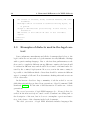
Figure 3.1: A sample of a manuscript’s description
Listing 3.1: A TEI document describing the source in figure 3.1
<msDesc>
<msIdentifier>
5
The quantitative codicology is the ability to make complex queries on large sets of
manuscripts’ description such as: ”Find all manuscripts that have the same distribution
of jer letters and the same watermarks”, ”Find all manuscripts that share at least three
descriptive features with one another” and so on.
6
Courtesy of the Text Encoding Initiative
7
The National Endowment for the Humanities is an independent federal agency and is
one of the largest funders of humanity programs in the United States.
8
The Modern Language Association is an association founded in 1983 by teachers and
scholars that promotes the study and the teaching of languages.
3.2
31
<settlement>Oxford</settlement>
<repository>Bodleian Library</repository>
<idno>MS. Add. A. 61</idno>
<altIdentifier type="SC">
<idno>28843</idno>
</altIdentifier>
</msIdentifier>
<msContents>
<p>
<quote>Hic incipit Bruitus Anglie,</quote> the
<title>De origine et gestis Regum Angliae</title>
of Geoffrey of Monmouth (Galfridus Monumetensis):
beg. <quote>Cum mecum multa & de multis.</quote>
In Latin.</p>
</msContents>
<physDesc>
<p>
<material>Parchment</material>: written in
more than one hand: 7 1/4 x 5 3/8 in., i + 55 leaves, in
double
columns: with a few coloured capitals.</p>
</physDesc>
<history>
<p>Written in
<origPlace>England</origPlace> in the
<origDate>13th cent.</origDate> On fol. 54v very faint is
<quote>Iste liber est fratris guillelmi de buria de ...
Roberti
ordinis fratrum Pred[icatorum],</quote> 14th cent. (?):
<quote>hanauilla</quote> is written at the foot of the page
(15th cent.). Bought from the rev. W. D. Macray on March
17, 1863, for
L 1 10s.</p>
</history>
</msDesc>
32
3. Structural differences in XML dialects
3.2.2
DocBook
DocBook [Wal99] is a descriptive and semantic markup language that
aims to allow the creation of technical documentations. Originally it was intended for the markup of programming languages’ documentation but, currently, it can be used for any kind of technical documentation or also for
other purposes, such as the markup of e-learning materials [MOMGSFM06].
O’ Reilly
9
and HaL Computer Systems
10
started the developing of Doc-
Book in 1991 in a discussion group on Usenet
11
and moved in 1998 to the
SGML Open Consortium which is now known as OASIS. DocBook started
as a SGML application but, later, an equivalent version in XML (that now
has replaced the SGML one for the majority of the uses) was developed. The
latest version of DocBook is the 5.1 and it is still maintained by OASIS
12
.
The DocBook language is defined by a RELAX-NG schema and by a set
of Schematron rules that are integrated in the main schema. Like the other
descriptive markup languages, its aim is to give tools to describe the meaning
of the content rather than the way in which it should be presented. DocBook’s elements can be clustered in three main groups: the structural-level
elements, the block-level elements, and the inline-level elements.
The structural-level elements are those ones that are used to describe the
logical structure of the document. To this category belong elements like article that is used to markup unnumbered collections of block-level elements,
chapter, that is used to define numbered collections of block-level elements,
and part, that is used to markup a titled collection of chapters.
Block-level elements are used to markup sequential parts of the content
but they can or they can not contain text. Paragraphs, lists and titles are
9
O’Reilly is an American media company that publishes books and web sites and
produces technical conferences regarding computer technology.
10
HaL Computer Systems is a Californian computer company funded in 1990 by Andrew
Heller whose goal was to build computers for the commercial market.
11
Usenet is a worldwide distributed discussion system that enables users to create and
follow discussions about new technologies, reading and posting messages on the system.
12
At write moment, the technical committee is discussing the version 5.1b2 of the standard.
3.2
33
samples of block-level elements. These elements cause a vertical break of the
text in the position they are fitted in.
The inline-level elements are used to wrap a part of the text and to give
to it some kind of different presentational rules or semantic meaning. Unlike
block-level elements they do not split the text.
Listing 3.2 reports an example of a simple resource marked up using DocBook
13
.
The DocBook’s distinction among different clusters of elements is really
important because, as I will discuss in section 3.4 and later in chapter 5, the
languages based on this kind of element’s abstraction lay the foundations for
a definition of a generic markup process.
Listing 3.2: An example of DocBook markup language
<?xml version="1.0" encoding="UTF-8"?>
<!DOCTYPE article PUBLIC "-//OASIS//DTD Simplified DocBook XML
V1.0//EN"
"http://www.oasis-open.org/docbook/xml/simple/1.0/sdocbook.dtd">
<article>
<title>DocBook Tutorial</title>
<articleinfo>
<author>
<firstname>Adrian</firstname>
<surname>Giurca</surname>
</author>
<date>April 5, 2005</date>
</articleinfo>
<section>
<title>What is DocBook ?</title>
<para>DocBook is an SGML dialect developed by O’Reilly and
HaL Computer
Systems in 1991. It is currently maintained by the
Organization for the
Advancement of Structured Information Standards (OASIS).
DocBook describes
13
Courtesy of www.informatik.tu-cottbus.de
34
3. Structural differences in XML dialects
the content of articles, books, technical manuals, and other
documents.
Although DocBook is focused on technical writing styles, it
is general
enough to describe most prose writing. In this article, I’ll
discuss an
XML variant of the DocBook DTD that is also available.
</para>
</section>
</article>
3.3
Examples of dialects used in the legal context
Laws, judgments, amendments and all the documents that belong to the
legal context are resources whose logical structure is really difficult to markup
with a generic markup language. Due to the fact that parliamentary workflows can be completely different among different countries, the laws should
be written in different ways and should follow formal or informal rules dictated by the country’s legal system. Moreover, even in the same country, it
is possible to find different kinds of laws that should be written in different
ways, for example a bill can follow determinate drafting rules and an act can
follow other rules.
In the last two decades a large community of scholar worked to accomplish this task and they produced four generations of legal documents’ XML
standards [PCR09]. For the aim of this dissertation I consider two of these
generations.
The second generation of legal XML languages (i.e. Norme In Rete described in the next section) is focused on the document’s modelling and on
the description of the text, but it does not contemplate a previous abstraction of the classes of the elements in the legal documents.
The third generation of legal XML standards includes languages like
3.3
35
CEN/Metalex and Akoma Ntoso (described in section 3.3.2 and 3.3.3 respectively), that are based on patterns. This means that all the elements
that belong to the standard are grouped in classes (henceforth referred to as
patterns). Each of these patterns has its own semantic meaning, behavior
and hierarchy in respect to the other classes.
The XML dialects that belong to the third generation are the perfect test
case for the purpose of this research. Indeed, a legal XML standard that
hopes to be widely used in the world must be very flexible and extensible
to hit all the countries’ needs and should also be able to abstract a generic
logical structure of the laws. This inspires the design of a generic markup
process for all the laws and legal resources.
3.3.1
Norme In Rete
Norma In Rete (hereafter NIR) is an XML standard, created in 1999,
financed by the Italian Authority for Information Technology in the Public
Administration
14
and it was coordinated in conjunction with the Italian
Ministry of Justice [BFST03].
The NIR standard was designed around the Italian legislative system and
its schema is specified using DTD. NIR supplies three different schemata
that are used for specific purposes. The flexible DTD (nirloose) does not
specify any mandatory rule and is used for those documents that do not
have to follow drafting rules. The basic DTD (nirlight) is a subset of the
complete schema and is used for purposes other than the legal drafting, for
example for teaching purposes. The complete DTD (nirstrict) contains about
one hundred and eighty elements, specifies a lot of mandatory legal drafting
rules, and permits to completely markup the Italian laws.
As a second-generation legal XML standard, NIR does not try to abstract
the logical structure of the laws in order to be reused. I have to point out
14
AIPA, Autorità per l’informatica nella pubblica amministrazione . Currently it is
known as CNIPA, Centro nazionale per l’informatica nella pubblica amministrazione (National Center For The Information Technology in the Public Administration).
36
3. Structural differences in XML dialects
that this does not mean that NIR is not able to markup the structure of the
document: of course it can, because it is a descriptive markup language. But
NIR identifies the logical structure of Italian laws and uses elements that are
specific for the Italian legal system. In the example reported in listing 3.3,
it is possible to see that the main body of an Italian law is marked up with
the element articolato, that is basically a container of numbered hierarchical
structure.
These kinds of numbered hierarchical structure are used all over the world
for drafting laws, even if other terms are used. For this reason it is possible to
generalize the schema and the legal XML standards of the third generation
try to introduce an abstraction layer in order to guarantee the reusability of
the standard.
Listing 3.3: A fragment extracted from an Italian law marked up using NIR
<?xml version="1.0" encoding="UTF-8"?>
<NIR xmlns="http://www.normeinrete.it/nir/2.2/"
xmlns:dsp="http://www.normeinrete.it/nir/disposizioni/2.2/"
xmlns:h="http://www.w3.org/HTML/1998/html4"
xmlns:xlink="http://www.w3.org/1999/xlink"
tipo="monovigente">
<Legge>
<meta>
<descrittori>
<pubblicazione norm="20130831" num="204" tipo="
"/>
<redazione id="13G00144" nome="" norm=""/>
<urn valore="urn:"/>
</descrittori>
</meta>
<intestazione>
<tipoDoc>monovigente</tipoDoc>
<dataDoc norm="20130831">31 agosto 2013</dataDoc>
<numDoc>101</numDoc>
<titoloDoc>Disposizioni
di
obiettivi
urgenti
per
il
perseguimento
di
razionalizzazione nelle pubbliche amministrazioni. (13G00144)
3.3
37
</titoloDoc>
</intestazione>
<formulainiziale/>
<articolato>
<capo id="1">
<num>
CAPO I Disposizioni urgenti per il perseguimento di obiettivi di
razionalizzazione della spesa nelle pubbliche
amministrazioni e nelle societa’ partecipate
</num>
<articolo id="1">
<num> Art. 1 .</num>
<comma id="art1-com1">
<num>1</num>
<corpo>
<h:p h:style="text-align: center;">IL
PRESIDENTE DELLA REPUBBLICA</h:p>
<h:br/>
<h:p h:style="padding-left:2px;">Visti gli
articoli 77 e 87 della Costituzione;</h:p>
<h:p h:style="padding-left:2px;">
Ritenuta la straordinaria necessita’ ed urgenza di emanare
disposizioni in materia di pubblico impiego al fine di
razionalizzare e ottimizzare i meccanismi assunzionali e di
favorire la mobilita’, nonche’ di garantire gli standard
operativi e i livelli di efficienza ed efficacia dell’
attivita’ svolta dal Corpo nazionale dei vigili del fuoco e
in altri settori della pubblica amministrazione;
</h:p>
... omissis ....
</comma>
... omissis ...
</articolo>
... omissis ...
</capo>
... omissis ...
</articolato>
</Legge>
38
3. Structural differences in XML dialects
<NIR>
3.3.2
CEN/Metalex
The CEN/Metalex [BHV+ 08] standard is a standard proposed in 2006
during the CEN workshop on an Open XML interchange format for legal
and legislative resources
15
. The first version of the standard was released in
April 2007 and the final version was released later in January 2010.
Originally, the CEN/Metalex standard was not intended for the actual
markup of legal documents, but it aimed to be an interchange format for legal and legislative resources. This is useful when public administrations need
to manage sets of documents coming from different countries. For instance,
the European Parliament needs to receive documents from all the European
countries, that format them with their favorite standard, and needs to translate them into another format, i. e. Akoma Ntoso [PC09].
To accomplish this, CEN/Metalex strongly relies on the concepts of “content models instead of elements”. With this approach the elements’ names
are not semantically-charged (as they have to do according to the descriptive
markup philosophy) because they do not exactly specify the elements’ role in
the logical structure of the document, but they simply are labels that identify
the content model they belong to.
Introducing content models like hierarchical containers, containers, blocks
and inlines, and elements with names that strongly reflect their content
model like hcontainer, container, block and inline, CEN/Metalex aims to
completely separate the descriptive role of the element from its role in the logical structure of the document. It is possible to see an example of CEN/Metalex in listing 3.4.
The CEN/Metalex approach could seem perfect for legal drafting, but
15
The CEN Workshop on Open XML interchange format for legal documents (WS/METALEX) officially started on July 7th 2006 and ended in April 2007. The second
phase of the meeting started on June the 4th 2008 and ended in January 2010 with the
release of the final version of the Metalex standard.
3.3
39
this has a long tradition and countries often have their own standard that
has to be strictly followed. On the other hand, there are a lot of exceptions in
concrete examples of laws and the possibility to rely on very generic elements
would be a real godsend. Akoma Ntoso tries to fill the gap between complete
elements’ abstraction and strict descriptive markup.
Listing 3.4:
A fragment extracted from an Italian law marked up using
CEN/Metalex
<?xml version="1.0" encoding="utf-8"?>
<root name="NIR" id="metalex_EA" tipo="originale" xmlns="metalex
" xmlns:xs="http://www.w3.org/2001/XMLSchema-instance" xs:
schemaLocation="metalex ../../../../DTD/e_fork_four.xsd">
<container name="DecretoLegislativo" id="1992_01_25_dlgs_84"
xml:lang="it">
<container name="meta" id="metalex_EFAA">
<mcontainer name="descrittori" id="metalex_ECFAA">
<mcontainer name="pubblicazione" id="metalex_EDCFAA" >
<meta id="metalex_ACDCFAA" name="pubblicazione-tipo" ></
meta>
<meta id="metalex_ABDCFAA" name="pubblicazione-num"></meta>
<meta id="metalex_AADCFAA" name="pubblicazione-norm"></meta
>
</mcontainer>
</mcontainer>
</container>
<basic name="intestazione" id="metalex_EEAA" >
<htitle name="tipoDoc" id="metalex_EFEAA">DECRETO LEGISLATIVO
</htitle> 25 gennaio 1992, n.
<inline name="numDoc" id="metalex_ECEAA">84</inline>
<milestone name="h:br" id="metalex_EBEAA" xml:lang="it"></
milestone>
<htitle name="titoloDoc" id="titolo" xml:lang="it">
Attuazione delle direttive n. 85/611/CEE e n. 88/220/CEE
relative agli organismi di investimento collettivo in
valori mobiliari,
operanti nella forma di societa’ di investimento a capitale
variabile (SICAV).
40
3. Structural differences in XML dialects
</htitle>
</basic>
... omissis ...
<basic name="articolato" id="metalex_ECAA">
<hcontainer name="articolo">
<htitle name="num" id="metalex_EEPCAA">Art. 1.</htitle>
<htitle name="rubrica">
Societa’ di investimento a capitale variabile e
autorizzazione alla costituzione
</htitle>
<hcontainer name="comma">
<htitle name="num" id="metalex_EBCPCAA">1.</htitle>
<basic name="corpo" id="metalex_EACPCAA">
La societa’ per azioni costituita ed operante in
conformita’ alle disposizioni
del presente decreto, che ha per oggetto esclusivo l’
investimento
collettivo in valori mobiliari del patrimonio raccolto
mediante
l’offerta al pubblico in via continuativa di proprie
azioni,
e’ denominata societa’ di investimento a capitale
variabile (SICAV).
</basic>
</hcontainer>
... omissis ...
</hcontainer>
... omissis ...
</basic>
... omissis ...
</container>
... omissis ...
</root>
3.3
41
3.3.3
Akoma Ntoso
Akoma Ntoso
16
is an XML standard developed in 2005 under a project
of the United Nations Department for Economics and Social Affairs
17
whose
aim is to aid the African legislatures to better accomplish their democratic
functions using the information technologies [VZ07].
The standard went through various versions till today and, nowadays, it
is in its third version and is an OASIS’ standard. In order to match the naming convention of the OASIS’ XML standard, the Akoma Ntoso namespace
was renamed in LegalDocumentML but it is still referred to as Akoma Ntoso
in literature and in technical documentations.
Akoma Ntoso has a lot of features that make it usable in a large variety
of countries respecting their specific legal system: it separates the authoritative content from the non-authoritative one, it clearly separates the metadata
from the data, and above all it is constituted by simple and reusable patternbased content models [BPVC11].
The pattern-based design has two purposes. On the one hand, it allows
future extensions of the schema to be carried out in a simple and backwardcompatible way. On the other hand, it permits to specify a small set of
patterns to which all the elements of the schema must belong to in order to
define, in a way as simple as possible, how every element interacts with the
other. For example, elements that belong to the block pattern can contain
elements that belong to the inline pattern, but can not contain other block
elements. I will describe deeply the Akoma Ntoso patterns in the next section.
The Akoma Ntoso standard differs from the CEN/Metalex standard, because it does not supply only very generic elements that reflect the patternbased content models. It also supplies a full legal vocabulary that can be
16
Akoma Ntoso means ”united hearts” in Akan language of West Africa and it is
an acronym for Architecture for Knowledge-Oriented Management of African Normative
Texts using Open Standards and Ontologies.
17
UNDESA, a department of the United Nations that helps countries around the world
to meet their economic, social and environmental goals.
42
3. Structural differences in XML dialects
used by the majority of legal drafters from all over the world. For instance,
Akoma Ntoso supplies elements for the creation of sections and articles and
it provides elements for the markup of the preamble and the preface of the
laws. But, like CEN/Metalex, it also supplies generic elements with the same
name of the patterns in order to allow also the markup of elements that are
not provided as basic elements by the schema.
For instance, the comma element that is largely used in the Italian laws
is not supported by Akoma Ntoso but it can be marked up using the line of
code in the listing 3.5 that have exactly the same semantic meaning of the
markup in listing 3.6.
Listing 3.5: A sample of Akoma Ntoso for the markup of a comma of an Italian
law using the hcontainer element
<article id="art1">
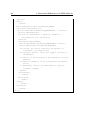
<hcontainer name="comma" id="art1_com1">
<num>comma 1</num>
<content>A hierarchical container with the name "comma" is
equivalent to
a "comma" element</content>
</hcontainer>
</article>
Listing 3.6: A sample of Akoma Ntoso for the markup of a comma of an Italian
law using the comma element
<article id="art1">
<comma name="comma" id="art1_com1">
<num>comma 1</num>
<content>A hierarchical container with the name "comma" is
equivalent to
a "comma" element</content>
</comma>
</article>
The fragment of document in listing 3.7 is a full example of Akoma Ntoso and
it is extracted by a markup of a Swiss law. In this example it is possible to
see how the use of patterns in the markup makes immediately identifiable all
the hierarchical containers and how it harmonizes the whole markup. In the
3.3
43
next section I will explain how to abstract the logical structure of documents
starting by the identification of the patterns that they contain.
Listing 3.7: A sample of Akoma Ntoso for the markup of a comma of an Italian
law using the comma element
<?xml version="1.0" encoding="UTF-8"?>
<akomaNtoso
xmlns="http://docs.oasis-open.org/legaldocml/ns/akn/3.0/
CSD05"
xmlns:html="http://www.w3.org/1999/xhtml">
<bill>
<meta>
<identification source="#somebody">
<FRBRWork>
<FRBRthis value="/za/bill/2003-09-04/76/main"/>
<FRBRuri value="/za/bill/2003-09-04/76"/>
<FRBRdate name="enactment" date="2003-09-04"/>
<FRBRauthor as="#author" href="#parliament"/>
<FRBRcountry value="za"/>
</FRBRWork>
... omissis ...
</identification>
</meta>
<preface id="prfc1">
<p class="heading">REPUBLIC OF SOUTH AFRICA</p>
<p class="subheading">
<docTitle id="prfc1-dcTtl1">TRADITIONAL LEADERSHIP AND
GOVERNANCE FRAMEWORK BILL</docTitle>
</p>
... omissis ...
</preface>
... omissis ...
<body id="bdy1">
<chapter id="cha1">
<num id="cha1-nm1">CHAPTER 1</num>
<heading id="cha1-hdng1">INTERPRETATION AND APPLICATION</
heading>
44
3. Structural differences in XML dialects
<section id="sct1">
<num id="sct1-nm1">1.</num>
<heading id="sct1-hdng1">Definitions and application</
heading>
<clause id="sct1-cla1">
<num id="sct1-cla1-nm1">(1)</num>
<content>
<blockList id="sct1-cla1-ul1">
<listIntroduction id="sct1-cla1-ul1-lstntrdctn1">In
this Act, unless the context indicates otherwise</
listIntroduction>
<item id="sct1-cla1-itm1">
<def id="sct1-cla1-itm1-df1">"area of jurisdiction"</
def>means the area of jurisdiction designated for
a traditional community and traditional council
that have been recognised as provided for in
... omissis ...
</item>
</blockList>
</content>
</clause>
<clause id="sct1-cla2">
<num id="sct1-cla2-nm1">(2)</num>
<content>
<p>Nothing contained in this Act may be construed as
precluding members of a traditional community from
addressing a traditional leader by the traditional
title accorded to him or her by custom, but such
traditional title does not derogate from, or add
anything to, the status, role and functions of a
traditional leader as provided for in this Act.</p>
</content>
</clause>
</section>
</chapter>
... omissis ...
</body>
</bill>
3.4
45
</akomaNtoso>
3.4
Abstraction of the XML dialects
The XML patterns are the key element for the abstraction of documents’
logical structure. Indeed, in order to abstract the logical structure of a document, we need to highlight the parts of its structure that recurs several times,
and we need to markup them in the same (or in a similar) way. And, identify
a pattern means exactly the same think. We find content models that are
shared between more elements.
There are a lot of officially recognized patterns 18 that can describe, more
or less, all the most used content models. Akoma Ntoso uses six of these
patterns that I will describe in the following sections.
3.4.1
Containers
A container is an element that contains sequences of specific elements.
Each container has its specific list of contained element. For this reason, it is
not possible to create a generic content type for all the containers, but they
share the same basic characteristics: Some of the elements that they contain
can be optional and they can not contain directly text.
An example of container in Akoma Ntoso is the act element that is used
to markup the main container of an act. Figure 3.2 shows the content model’s
diagram of the act element as extracted from the Akoma Ntoso schema.
18
The XML patterns’ community currently lists twenty-eight patterns.
46
3. Structural differences in XML dialects
Figure 3.2: The content model of the act element in Akoma Ntoso
3.4.2
Hierarchical containers
A hierarchical container is a set of titled and numbered nested sections.
Each section can contain other sections or a container (if it is the last in the
hierarchy). Like the containers, no text is allowed directly in the hierarchy.
The diagrams in figure 3.3 shows a part of the content model of article
elements in Akoma Ntoso and the main hierarchical elements allowed inside
them.
3.4
47
Figure 3.3: The content model of the article elements in Akoma Ntoso
3.4.3
Markers
Markers are elements with empty content model that are meaningful for
their name, their attributes, or their position in the text. They are used to
insert metadata in the document or to markup placeholders in the text.
The figure 3.4 displays the content model of the Akoma Ntoso noteRef
element that is used to markup a reference to a note.
48
3. Structural differences in XML dialects
Figure 3.4: The content model of the noteRef elements in Akoma Ntoso
3.4.4
Blocks
Blocks are elements that splits vertically the text and that can contains
text, inline elements or markers. Usually there is only one content model
shared by all the blocks. This means that wherever any block is allowed, all
blocks are allowed too.
The p elements in the listing 3.8 are examples of blocks elements.
Listing 3.8: A fragment of an Akoma Notoso document showing the usage of
blocks and inline elements
<?xml version="1.0" encoding="UTF-8"?>
<akomaNtoso xmlns="http://docs.oasis-open.org/legaldocml/ns/akn
/3.0/CSD05" xmlns:html="http://www.w3.org/1999/xhtml">
... omissis ...
<preface id="prfc1">
<p class="heading">REPUBLIC OF SOUTH AFRICA</p>
<p class="subheading">
<docTitle id="prfc1-dcTtl1">TRADITIONAL <b>LEADERSHIP</b>
AND <br/> GOVERNANCE FRAMEWORK BILL</docTitle>
</p>
</preface>
... omissis ...
3.4
49
</akomaNtoso>
3.4.5
Inline
Inline elements are similar to blocks elements because they can contain
other inline, text and markers. Unlike block elements they do not split the
text but are used to add presentational markup to the document or to give
specific semantic meaning to specific parts of text.
The docTitle element and the b element in the listing 3.8 are examples of
inline elements.
3.4.6
Subflow
Subflow elements are containers appearing in the middle of sentences but
containing full structures. They are used when a foreign structured text,
with its own markup rules, must be inserted in the middle of the text of the
document.
The fragment of markup in listing 3.9 shows the usage of the Akoma
Ntoso mod element.
Listing 3.9: A fragment of an Akoma Notoso document showing the usage of the
mod element
<?xml version="1.0" encoding="UTF-8"?>
<akomaNtoso xmlns="http://docs.oasis-open.org/legaldocml/ns/akn
/3.0/CSD05" xmlns:html="http://www.w3.org/1999/xhtml">
... omissis ...
<body>
<article id="art1">
<num> Article 1</num>
... omissis ...
<content>
<p> by inserting the following new subsection immediately
after
50
3. Structural differences in XML dialects
<ref id="ref5" href="/ak/act/2010-08-27/1/main#sec47A-sub3
">subsection (3)</ref> -<mod id="sec2-lst1-itmb-mod1">
"<quotedStructure id="sec2-lst1-itmb-mod1-qtd1">
<section id="sec2-lst1-itmb-mod1-qtdS1-sec47A-sub3">
<num>(3A) </num>
<content>
<p>Notwithstanding the provisions of this section,
but without prejudice to
<ref id="ref6" href="/ak/act/2010-08-27/1/main#
sec47A-sub2-itmb">(2) (b)</ref>, an
Act of Parliament may provide for re-publication of the
draft Constitution and its re-introduction into the
National Assembly for re-consideration.</p>
</content>
</section>
</quotedStructure>’";
</mod>
</p>
</content>
... omissis ...
</article>
... omissis ...
</body>
... omissis ...
</akomaNtoso>
3.5
A generic markup process for distinct dialects
In this chapter I pointed out differences and similarities among different
XML languages. I described examples of dialects used to markup textual
resources and examples of standards used for the markup of legal and legislative documents. I ended my XML languages review with Akoma Ntoso
3.5
51
that supplies a well pattern-based architecture.
Patterns are really important concepts. If used correctly, they enable a
generic markup process for distinct documents marked up with different dialects. The Akoma Ntoso developers are strongly convinced that the logical
structure of every kind of document can be described using only six patterns. Nothing more true than this. Even if a schema is not designed to be
pattern-based, we can abstract its content models and we can assign one of
these six patterns to each element. In chapter 5, section 5.6.1.1 I will explain
that exceptions, i.e. elements that do not belong to any pattern, can simply
be labeled as patternless, and this does not jeopardize a hypothetical generic
markup process.
But well-designed schemata are not the only think that we need in order to enable such kind of markup process. We need powerful and usable
software that guide us thorough a markup process that results in documents
compliant to the specific schema and to the patterns.
As for the legal’ standards, in the last two decades, example of software
were produced. These software aim to allow the users to markup legal and
legislative documents even if they do not know the XML syntax. In the next
chapter I will describe some of the legislative markup software and I will
compare them to the software used for the pure XML editing.
52
3. Structural differences in XML dialects
Chapter 4
Software for XML markup
This chapter aims to introduce the software used for XML markup.
Firstly, I will give an introduction about WYSIWYG editors. In the second section I will describe generic editors for XML documents. In section
4.3, I will introduce markup editors and later, in section 4.4, I will describe
the most common markup editors used to markup legal and legislative documents. Lastly, in section 4.5 I will discuss the challenges that markup editors
still have to meet in order to be independent from a specific markup language.
4.1
WYSIWYG editors
WYSIWYG (What You See Is What You Get) describes document editors in which the document displayed during the editing mode is quite similar
to the one that will be eventually printed on paper.
The first software that incorporated WYSIWYG features was the BRAVO
editor [New12] developed in 1974 at Xerox PARC 1 . It was intended to be
used with a specific monitor in which users could see a full page of text.
Doing so, users can adjust the document’s layout while they are editing the
page and, then, they can print it out obtaining a similar result that they saw
1
Xerox PARC is a research and development company located in Palo Alto, California,
that is the mind behind a lot of innovative products such as graphical user interfaces, laser
printing and object-oriented programming.
53
54
4. Software for XML markup
on the screen. The phrase WYSIWYG was later coined in 1982 by Larry
Sinclair, an engineer at Triple I
2
to express the idea that what users see on
the screen is what they finally get on paper.
In the XML context, the WYSIWYG paradigm is used in two different
ways. The first type includes the ones that allow users to create XML documents, by directly editing XML elements and attributes. Other editors
(markup editors) do not allow users to directly manipulate XML code, but
they allow users both to describe the logical structure of the document (according to the XML dialect which the document must be compliant to), and
to format the document in the exact way they want to present it.
In the next section I will describe an example of generic XML editors
belonging to the first category and in section 4.4 I will describe the most
common editors that are used in the legal context and that belong to the
second category.
4.2
Generic XML editors
Generic XML editors are independent from the XML dialects used for
document markup. They let users create any kind of XML document and
they can to check the well-formedness and the validity of the document (if a
document type declaration is set).
While using this kind of editors, users are focused on the quality of the
created XML and not on the final presentation of the document. For this
reason, here the WYSIWYG ability indicates that users can directly manipulate the XML code and that the final result will be exactly the XML
document that they created.
These editors assume that users have a perfect knowledge of XML and
of the XML dialect they are using, but they can supply some kind of tools
to help users to create a correct markup. For example, parsing the schema
of the XML language, editors are able to give hints about the elements that
2
Triple-i is a computer company located in Los Angeles, California.
4.2
55
can be inserted in a specific position of the document or they can give the
list of the attributes allowed in each element.
Generic XML editors are usually used by XML experts because they are
comfortable with the XML syntax. However, the use of these editors is discouraged when a lot of documents must be created. The following section
describes the Oxygen XML editor that is one of the most used generic XML
editors.
4.2.1
oXygen XML editor
The Oxygen XML editor [Sof03] is a multi-platform software written in
Java. It runs on Windows, Mac OS X, and Linux as a standalone software or
it can be installed as an Eclipse IDE’s plugin 3 . It is a proprietary software
and has been developed since 2002 by SyncRO Soft 4 . Oxygen is currently
released in its 15.1 version.
Oxygen offers a lot of features for editing XML documents. As a generic
XML editor it supplies tools to check the well-formness and to validate them
against a schema. Schema compliance can be checked both when the document is completely marked up or while it is being edited. It is also possible
to create plug-in software in order to extend the Oxygen’s native validation
system.
Oxygen supplies three different views that users can exploit to edit XML
documents. The first one is the classical text view. It simply shows the XML
document as text and users can directly manipulate the code finding solace
in tags’ auto-completion or live validation. The grid view displays the document like a spreadsheet. The left column shows the document’s elements,
while the right column displays a contextual list of the children and the attributes of the element selected in the left column. The author view is an
intermediate view between the regular text view and a WYSIWYG markup
3
Eclipse is a free and open source Integrated Development Environment (IDE). It supplies a base workspace and can be extended or customized using its plug-in system
4
Syncro Soft is a software development company located in Craiova, SW of Romania.
It is specialized in developing Java-based XML solutions
56
4. Software for XML markup
editor. Indeed, in author view, XML elements are presented in a more human
readable way, but the semantic and the nesting of XML documents remain
clear and accessible. In figure 4.1
5
and figure 4.2
6
it is possible to see the
oxygen grid and author view respectively.
Oxygen natively supports the most popular XML dialects (including DocBook, TEI and XHTML) and, currently, it is widely used both by XML
experts and by new XML users.
Figure 4.1: The grid view in Oxygen editor
5
6
Courtesy of oxygenxml.com.
Courtesy of brothersoft.com.
4.3
57
Figure 4.2: The author view in Oxygen editor
4.3
Markup editors
Markup editors are WYSIWYG editors that do not allow users to directly modify the XML code. On the one hand, markup editors are identical
to classical WYSIWYG words’ processors because, during the edit mode,
documents are displayed in a view that is very similar to the final result. On
the other hand, they differ from other WYSIWYG editors because they force
users to create documents that are compliant to the XML schema, but they
assure at the same time a certain freedom of editing.
The difference between markup editors and the Oxygen’s author view is
that users are not required to have any knowledge of the rules specified by
the document type declaration.
58
4. Software for XML markup
For example, if a user is editing a TEI document, the editor does not allow him to insert a physDesc element inside a msContents element (because
the TEI schema does not allow this) but it is the editor’s interface itself that
guides the user not to do it.
In the same way, markup editors drive users to create documents that
are also semantically correct. For instance, the Akoma Ntoso schema allows
to insert articles inside paragraphs. This is not semantically correct, but
Akoma Ntoso creators allowed it for the sake of modularity, extensibility and
customizability. In these situations, inexperienced users can make semantic
mistakes and, moreover, if the editor is limited to infer the rules from the
schema, it would not be able to report these kinds of errors.
For these reasons it is very difficult to design markup editors that can
be used with more than one XML schema or that can be used in different
contexts. In the next section I will describe the most used markup editors in
the legal context.
4.4
Markup editors for the legal context
In the last two decades, a lot of markup editors for legislative and legal
documents were produced. The legal context is one of the most difficult to
handle because there are many constraints originated by parliaments and
public offices. Moreover, users of legal markup editors have their own traditions and have to follow either stricter or looser workflows. This means,
for example, that editors of the Italian Camera dei Deputati should use a
markup editor in a completely different way from the one of the drafters
belonging to the Italian Senato.
For these reasons, legal markup editors are usually created to permit the
markup of the legislative and legal documents of a specific tradition. In the
next sections, I will describe three legal markup editors created for the Italian parliament, the African parliaments, and the United States parliaments
respectively.
4.4
59
4.4.1
Norma editor
The Norma editor [PB03] was developed starting by 2002 as a component of the Norma-System project [PB02]. It is built on Microsoft Word
and allows the creation of XML documents compliant to the NIR XML standard. The software was intended to be used by the Italian parliament’s legal
drafters and by legal drafters from many Italian public offices (such as the
ones from the Italian Supreme Court of Cassation).
The Norma editor can acquire all the unstructured formats that Microsoft
Word supports, as well as documents already marked up in Norma format.
Users can then markup the document and insert all the elements of the Italian laws’ structure. For example they can insert the basic information of the
laws such as the opening formula, the closing formula and the main body of
the law, and then they can refine the markup by adding more articles and
sections to the laws’ body.
The editor supports either a manual markup of the law and a semiautomatic markup. Through the manual markup, users select the fragment
of the text they need to markup and then they use a toolbar to assign to it
the correct label and semantic meaning. They repeat these actions until the
document is completely marked up and valid against the NIR schema.
The semi-automatic markup tries to parse the document in order to understand its structure. This is possible because all the Italian laws contain
some keywords in specific parts of the document. For example articles start
with the word articolo and some pointed lists start with the words i seguenti
punti. After the parser finished their job, the drafter can integrate or modify
the inferred markup.
The Norma editor lacks in modularity and portability because it is widely
based on Microsoft Word macros and for the same reason it can not be distributed as an open source software 7 . Another problem of the Norma editor
is that it does not manage documents using directly the NIR XML. Doc7
The Italian law nr. 4 of 2004 January 9th (also known as Legge Stanca) and the
European parliament encourage Italian public offices to use open source software.
60
4. Software for XML markup
uments are edited and saved in the Microsoft Word format and only in a
second step they are translated to NIR.
However, this editor was the first noteworthy legal markup editor. It is
still used in some Italian public offices and some of its ideas (like the use of
an interface the users are comfortable with and the legal document parsing)
lay the foundations for more recent legal editors.
Figure 4.3: A screenshot of the Norma editor
4.4.2
Bungeni Editor
The Bungeni editor is the successor of the Norma Editor [BvE11] and it
is a markup editor built on the Apache OpenOffice 8 suite. It is a component
of the Bungeni project
8
9
and was developed under the supervision of the
Apache Open Office is an open-source software suite for word processing. It stores the
data in an international open standard format called Open Document Format (ODF)
9
Bungeni is a Parliamentary and Legislative Information System that aims to make
Parliaments more accessible to citizens
4.4
61
United Nations Department for Economics and Social Affairs.
The Bungeni editor solved many problems of the Norma editor. First
of all, it was created on the Apache OpenOffice suite. This means that
the editor can be released as an open source software because OpenOffice is
released under the apache license [Ros04]. This also means that documents
are natively stored in an XML format (the ODF format) and this is of great
help, because they can be simply translated into any other XML format using
XML related technologies, like XSLT
10
.
Another improvement in the Bungeni editor is that it is designed around
Akoma Ntoso. In this way, the editor can be adapted to a lot of legal tradition
simply modifying some of its interface’s components and the XSLT that
transforms the final document into an Akoma Ntoso document.
The other side of the coin is that the Bungeni editor still carries some
problems because it is created as an extension of an existing software, like
Norma editor. Its interface is strictly related to the OpenOffice’s one. For
this reason users can get confused because they can find a lot of tools that
are not useful in the legal context. This also forces designers and developers
to use the technologies that OpenOffice supports. Last but not least, as a
desktop software, it must be installed on the computer it will be used on. In
some complex situation, like a parliament, this can be a big problem because
it must be installed on hundreds of machines.
The Bungeni editor is used in a lot of African parliaments and its open
source-ness makes it the most reliable solution in case a desktop application
is strictly needed.
10
XSLT is a language used to transform document from many formats (XML, plain text,
HTML and so on) to any XML dialects.
62
4. Software for XML markup
Figure 4.4: A screenshot of the Bungeni editor
4.4.3
LegisPro Web Editor
LegisPro - WebAuthor is a in-browser markup editor developed by Xecntial
11
. It is based on LegisPro - Author, an XML editing tool used to
markup the authoring and amending of local, state and federal government
legislation. It has been developed using HTML5, designed to work natively
with Akoma Ntoso, and it can run in the most recent web browsers.
On the one hand, LegisPro was the first legal markup editor completely
in-browser and resolved the issues of the Norma and the Bungeni editors related to the easiness of customization and portability. Also, its interface was
not derived from the one of a word-processor software and, for this reason,
it is focused on the legal drafters’ needs.
On the other hand, LegisPro is not an open-source software and, as said
in section 4.4.1, this is a big problem if the editor aims to be used in European parliaments. Another criticism about LegisPro is that, even if it is
based on Akoma Ntoso, it does not exploit the patterns specified by Akoma
Notoso and, as I will explain in the next section, this could be the keystone
to create a language independent editor.
11
Xcential is a Californian vendor of legislative products and services to governmental
bodies at all levels.
4.5
63
LegisPro is currently used for the bill drafting and publishing system
in the State of California and many American and world’s parliaments are
considering using the software for their drafting purposes.
Figure 4.5: A screenshot of the LegisPro Web editor
4.5
Open issues in markup editors
In this chapter I described existing WYSIWYG editors and markup editors. I analyzed some of the most used markup editors for legal and legislative
documents.
The legal context is the perfect use case to understand the problems that
the markup editors have to face if they aim to be completely customizable
and portable. Even if they allow users to markup documents using just one
XML language, they need to be extremely modular in order to fit all the
specifics needs of the legal traditions.
Current markup editors have some strengths and some weaknesses. Some
of them are not open-source software and can not be used in some parliaments in which open-sourceness is required. Others are hardly customizable
64
4. Software for XML markup
because they are built on desktop software and are strictly related to a specific XML language. Most recent legal markup editors are based on Akoma
Ntoso and this give to them a certain portability and customizability, but
their can not be used with other markup languages (maybe not related to
the legal context).
My challenge is to create a language independent editor that can be used
both in the legal context and in other contexts where XML can bring innovation.
In the next chapter I will explain how, starting by the experience gained
in the legal context, we created a parametric editor that is suitable for the
creation of structured documents marked up with any XML dialect.
Chapter 5
LIME, a parametric editor for
structured documents
In this chapter I will describe LIME, a parametric editor for structured
document that is independent from the markup language. In the first section
I will describe what I mean for parametric. The second section is aimed to describe the technologies that can be used for the development of a parametric
editor. Then, in section 5.3, I will deeply describe LIME and its architecture. The last section of this chapter makes a brief introduction about the
methodology that should be used to evaluate the usability of markup editors.
5.1
The importance of being parametric
A parametric software is a software that relies on a set of parameters to
ensure customization. For example, a software aimed to forecast the sales of
a videogame should be built around specific parameters like the videogame
type, the area in which it must be sold, the gamers’ attitudes of that area
and so on. In this way the software can be easily adapted to be used for any
videogame.
In the same way, a parametric markup editors must rely on a set of parameters that abstract the structure of XML dialects. Doing so, it is possible
65
66
5. LIME, a parametric editor for structured documents
to use the same editor with all XML languages without changing its code,
but simply modifying its parameters.
There are a lot of technologies suitable for the creation of a language independent markup editor. In the next section I will describe the requirements
that these technologies must meet.
5.2
Technologies for parametric markup editors
A good parametric markup editor must meet many requirements.
First of all, It must be an open-source software because it should be
used in contexts where open-sourceness is required. It must also be an online in-browser software so that users can avoid installing software on their
computers, but at the same time it must run correctly on all the most used
browsers. Moreover, the editor must have a Model View Controller (MVC)
[KP+ 88] architecture because its interface must be easily modifiable in order to meet the users’ requirements. Furthermore, the software must use
an XML storage because it is intended to manage XML files and all the
communication with the database must be done using a REST [RR08] style
infrastructure. It must also exploit all the XML patterns to abstract XML
languages and, last but not least, all of its parameters must be specified in
configurations files that must be read and edited also by those who have no
knowledge in programming languages.
In the next sections I will describe the technologies that can be used in
order to create a markup editor that follows all the above requirements.
5.2.1
Ajax, javascrip and HTLM5 for in-browser software
Ajax [G+ 05], javascript [GME07] and HTML5 [HH10] are the leading
technologies used for developing in-browser software.
5.2
67
Ajax (Asynchronous Javascript and XML) is a programming paradigm
according to which a group of interrelated technologies are used to create
web applications. By using javascript and HTML5 with the Ajax paradigm,
it is possible to create dynamic in-browser applications. Ajax application
can send data to or retrieve data from the server without interfering with
the behavior of the page displayed on the browser.
HTML5 supplies some interesting features that are useful for creating of
in-browser markup editors. For example, HTML5 allows web applications’
users to directly modify elements of web pages displayed in the browser and
provides some technologies for in-browser storage. Moreover, HTML5 documents are already structured documents compliant to some XML patterns.
Javascript is the most used script language for the developing of dynamic
in-browser applications but, because it is an interpreted language, different
browsers can execute it in different ways. For this reason it is important to
use javascript cross-browser frameworks that ensures the same application’s
behavior in the most known browsers.
5.2.2
Frameworks for cross-browser software
Javascript syntax can be very verbose and difficult to understand. Moreover, since it is an interpreted language and each browser has its own interpreter, sometimes a javascript code that works on a browser could not work
properly on another browser.
Javascript frameworks supply objects and methods that abstract the original javascript’s ones and behave in the same way on different browsers.
Most recent frameworks also allow to quickly create animations, visual
effects, and to easily communicate with the server side of the software.
Other javascript frameworks, known as component-based frameworks [Lew98],
allow developers to create, with few lines of code, visual elements that are
similar to the ones used in desktop applications. These are the most suitable
ones for the creation of a parametric markup editor.
68
5. LIME, a parametric editor for structured documents
5.2.2.1
ExtJS
ExtJS [OPKJ09] is a component-based javascript framework for building
interactive web applications. It allows to create easily the core of the application by following the Model View Controller pattern.
ExtJS comes along with a big range of user interface widgets, but it is
possible to extend it by creating new components and these can be combined
with the default ones to create rich user interfaces.
ExtJS is completely cross-browser and applications that exploit Ext JS
can be used both on all browsers (running on all operating systems), and on
modern tablets and smart phones.
5.2.3
TinyMCE
TinyMCE [AH08] is a platform-independent web-based javascript HTML
WYSIWYG editor control. It can convert HTML5 text area fields or other
HTML5 elements into editor instances.
It relies on an user interface very similar to the one of the most used word
processors, like Microsoft Word and Open Office. The editor offers the most
common formatting tools, like bold, italic, underline, lists and so on, and can
be configured in order to display only subsets of these tools.
TiniMCE is designed to be easily integrated in content management systems, but it is possible to integrate it in ExtJS, by developing a new component. This component preserves all the functionality of TinyMCE editor but
the effects of them are intercepted by the core of the ExtJS application.
5.2.4
REST style communication
REST stands for Representational State Transfer and is the foundation of
the RESTful architecture [Fie00]. It emphasizes the abstraction of data and
services as resources that can be requested by clients, by using the resources’
name and address, specified as a Uniform Resource Locator (URL).
It revolves around five fundamental notions: a resource (e.g., a document
5.2
69
or image), the representation of a resource, synchronous request-response
interaction over HTTP to obtain or modify such representations, a web page
as an instance of the application state, and engines (e.g., browser, crawler)
to move from one state to the next.
REST specifies a client-stateless-server architecture in which each request
is independent from the previous ones, inducing the property of scalability.
For example, the following request:
DELETE /photos/17
will be mapped to the photo whose ID is seventeen, and will perform the
desired action, so it will delete that resource.
REST is a natural style for the architecture of web applications.
5.2.5
eXist Database
eXist is a native XML database [Mei03] that is completely built on XML
technology.
The database interacts with Ajax applications, by supplying a RESTful
interface. A unique resource locator (URI) is assigned to each resource in
the database, which can be accessed using it. This is important because, by
using a standard conceptual schema for the creation of the URI, for instance
FRBR, it is possible to navigate the storage without using a query language.
The query language must be used to perform more complex actions, for
instance to modify specific fragments of documents or to retrieve specific
subsets of documents.
Unlike relational database management systems, eXist uses XQuery to
access and manage the data that are stored in it.
5.2.5.1
FRBR storage
FRBR (Functional Requirements for Bibliographic Records) [O’N02] is
a conceptual entity-relationship model that allows users, for example, to
retrieve and access resources in an online library by using a human-friendly
70
5. LIME, a parametric editor for structured documents
syntax.
FRBR provides hierarchical links to navigate resources that are composed
by a specific set of items. The main entities in FRBR are the work, the
expression, the manifestation and the item.
The work ”represents a distinct intellectual or artistic creation” [Pla98].
For example, in video game contexts the concept The Legend of Zelda (TM) is
a work. In a FRBR URI this concept must be expressed as the following:
/jp/zelda/21-02-1986
The URI expresses that Zelda is a work, published in Japan on February the
21st, 1986.
The expression is ”the specific intellectual or artistic form that a work
takes each time it is realized” [Pla98]. In Zelda example, an expression
can describe the Ocarina of the time (TM) episode of the game released in
November 1998 in Japanese. The URI of this expression is the following:
/jp/zelda/21-02-1986/ocarina/jp@11-1998
The manifestation is ”the physical embodiment of an expression of a work. As
an entity, manifestation represents all the physical objects that bear the same
characteristics, in respect to both intellectual content and physical form.”
[Pla98]. For the Zelda work, a manifestation can be the Ocarina of the time
version stored on Nintendo Optical Disk (TM) , released for Nintendo Game
Cube (TM) . The URI of this manifestation can be the following:
/jp/zelda/21-02-1986/ocarina/jp@11-1998/game.nod
The item is ”a single exemplar of a manifestation. The entity defined as
item is a concrete entity.” [Pla98]. For example an item of Zelda Ocarina of
the Time(TM) , in its Game Cube(TM) version, can be the file character.png,
describing the physical file that contains the art of the main character of the
game. Items can be expressed in URI format as the following:
/jp/zelda/21-02-1986/ocarina/jp@11-1998/game.nod/Link.png
5.2
71
5.2.5.2
XQuery language and XSLT
XQuery [RCDS] is a functional programming language used to query large
sets of structured documents in XML format. It relies on a set of XPath
[CD+ 99] expression used to address specific fragments of XML documents.
XQuery can also be used to create or modify XML documents; indeed, it
supplies functions to dynamically or statically create nodes and attributes.
Even if, like XSLT, XQuery can be used to transform XML documents
into other XML documents, it is better to rely on XQuery only to query,
create and modify documents. This because XSLT is stronger for simple
tasks, such as to transform all div elements to span elements. Moreover, the
template architecture of XSLT is perfectly suitable for transformations based
on patterns.
5.2.6
XML patterns and XML guidelines
As said in section 3.4, XML patterns are powerful instruments that can
be used to abstract XML dialects. A parametric markup editor must rely
on patterns in order to specify common procedures for elements belonging
to the same pattern.
Also XML guidelines are useful in the design and the developing of a parametric markup editor. XML guidelines specify requirements for the usage of
XML that are not strictly required by the schema, but that simplify the production of homogeneous documents. A parametric markup editor that aims
to be used for the markup of many XML languages must specify and follow
some XML guidelines; these are useful, for example, to create generic parser
and generic queries for documents retrieval.
5.2.7
JSON
JSON (JavaScript Object Notation) [Cro06] is a text-based and humanreadable open standard used for data interchange. It is specifically designed
to represent data structures using associative arrays.
72
5. LIME, a parametric editor for structured documents
Even if JSON is language-independent and there are many parser available for many programming languages, it was derived from Javascript and,
for this reason, it is the leading solution used for javasript applications’ configurations files.
JSON is also often used in Ajax applications to pass data from the server
to the client and viceversa. This is useful for parametric editors because
JSON is less verbose than XML and this results in smaller files.
An in-browser parametric markup editor must use XML to describe structured documents and JSON to describe all the configuration files both for
the client and the server side of the software and all the applications’ data
that must be interchanged between the two sides.
5.3
LIME, a Language Independent Markup
Editor
LIME is the parametric web-based language independent markup editor
that I designed and partially developed to prove my thesis. It drives users
through the markup of non-structured documents into well-formed (optionally valid) structured XML documents compliant to the XML language chosen by the user.
The LIME editor is an open-source software and relies on many opensource technologies. It is currently under development by CIRSFID
1
and
the University of Bologna.
Works on LIME started when some parliaments asked professor Monica
Palmirani and professor Fabio Vitali to create a web markup editor to markup
their legal and legislative documents. At the same time, some scholars of history requested a markup editor that would be able to markup descriptions
of ancient manuscripts.
1
CIRSFID is an inter-departmental research center of the University of Bologna. Its
main legal researches are focused on legal informatics, law and philosophy and sociology
of law
5.4
73
Even if the two contexts are completely different, by revolving on our
experience on XML languages, we started to imagine a markup editor that
would be suitable for all XML dialects without the need to modify the code.
We started to focus on the legal context and, by using the technologies
reviewed in previous sections, we designed and developed the first parametric
and language independent markup editor.
Figure 5.1: A screenshoot of the LIME editor
5.4
Overview of LIME features
The LIME editor permits to markup documents in various XML languages by using an interface that is quite similar to the one of desktop word
processors.
LIME allows users to register and to create and save their documents (no
matter the language they are marked up) in the cloud. So users can import
documents, edit them and save them in their dedicated eXist database space.
These functionality are all managed using the top toolbar of LIME that is
showed in figure 5.2.
74
5. LIME, a parametric editor for structured documents
Figure 5.2: A screenshoot of the LIME top bar
In order to enable documents markup and to write new documents, LIME
supplies an editor displayed in the center of the application’s main window
(figure 5.3). This also supplies buttons for cross-language markup features
like buttons for bold text, inline text and so on. The document that users
see in this editor is formatted in HTML5, because it is currently the best
suitable format for the visualization of pages on browsers. When users save
documents, they are immediately translated to the markup language users
are using.
In this part of the application is it also possible (if enabled in configuration
files) to see the preview of the final XML result and the PDF preview of the
document.
As said before, LIME does not simply allow users to markup documents,
but also drives them to create a correct markup even if they do not have a
5.4
75
deep knowledge of the XML language they are using.
Figure 5.3: A screenshoot of the LIME word processor
In order to allow users to do it, LIME supplies a markup menu in the right
side of the interface that is contextual to the part of the document users are
editing. For example, if users are marking up an Akoma Ntoso document,
in the first step of the markup the menu will display the top level elements
made available by Akoma Ntoso. Later, when they have already marked
up some chapters or articles, users can position the mouse’s cursor inside
these elements and the markup menu will display the elements enabled in
that position. Figure 5.4 displays the LIME markup menu for Akoma Ntoso
documents.
The last part of the LIME editor’s interface is the document outline,
which is displayed in figure 5.5. It is used to display the outline of the
76
5. LIME, a parametric editor for structured documents
document. This is useful to see the hierarchical nesting of the already marked
up document and to quickly navigate among them.
Figure 5.4: A screenshoot of the LIME markup menu
5.5
77
Figure 5.5: A screenshoot of the LIME documents’ outline
LIME architecture revolves on the getting real method [God06]. For this
reason we started from the application interface and created the system architecture on it.
5.5
LIME architecture
LIME is based on a four tier architecture. The application logic of LIME
completely relies on its client side components and the server side components are charged to manage documents and database transaction.
LIME uses two database. The first one is a classic relational MySQL
database and it stores information related to users and statistic information
about the access to the system. The second database is an eXist database
instance and is used to store the XML documents marked up through the
editor. This database is hosted by a Tomcat Application Server and resides
on a separate machine from the one that hosts the server side script of the
applications.
78
5. LIME, a parametric editor for structured documents
The server side components are hosted by an Apache web server and are
responsible for the parsing of the documents and act as proxy for the two
database of the software.
The client components have in charge the business logic of the system.
They draw the user interface, intercept the interaction of the user with it,
supply the features for the markup of documents, and interact with the server
side components to manage documents and users.
Figure 5.6 shows the LIME architecture. In the next sections I will deeply
explain the roles of the client side components and of the server side components
Figure 5.6: The LIME editor architecture
5.5
79
5.5.1
Client side components
The core of the application is constituted by a small set of ExtJS components. When the application starts the main viewport is loaded by the
application and the editor, the marking menu, the explorer and the main
toolbar are instantiated inside it.
The editor is the central part of the application, but when something happens to the document, the editor fires events that are handled by the other
components of the application. By doing so, even if the editor is currently
based on TinyMCE and is the most important component of the application,
it can be easily substituted by other third parts WYSIWYG editors.
The explorer is the component of LIME that has in charge to display the
hierarchical structure of marked up documents. When a part of the document is marked using the marking menu, the editor also asks the explorer to
update itself.
The marking menu is the component that creates the buttons used to
markup documents. When users click buttons in marking menu, it asks the
editor to modify the displayed document and the editor replies updating the
marking menu.
The main toolbar aims to supply all the common operations of a WYSIWYG editor, such as the operations to load and save files and the operations
to change users’ preferences.
The JSON configuration files are the client side components of LIME that
allow to specify its parameters. I will describe them later in section 5.6.2.
Figure 5.7 shows how the client side components interact among themselves.
80
5. LIME, a parametric editor for structured documents
Figure 5.7: The interaction among LIME client side components
5.5.2
Server side components
The server side components have three main tasks; proxying, parsing and
translating.
The requests proxy is a PHP module that simply dispatches the requests
towards the two kinds of database used by the application. When a document is requested (or must be saved), the module retrieves (or sends) the
document to the web services built on the top of the eXist database. When
users’ information must be retrieved (or must be saved) from the MySQL
database, it sends the request to the MySQL server and returns the information to the client.
The document parsing component is used for the smart markup functionality provided by the editor. This permits to parse the document trying to
automatically find and markup some parts of the document. For instance, if
5.6
81
a law file opened in the editor contains some references to other laws, they
will be found and labeled as ref elements.
The document translations component is the module that translates the
document from the HTML version created in the editor into the XML format
that users need.
5.6
Three commandments to be parametric
and language independent
In order to be parametric and language independent, LIME relies on
three main concepts; XML guidelines, XML patterns and JSON configurations files.
Guidelines and patterns are used to abstract XML languages and to allow LIME to markup many of them. When a document is marked up on
LIME, a pattern is assigned to each element and its behavior is described by
parameters stored in JSON configurations’ files.
5.6.1
XML guidelines and patterns used by LIME
The LIME editor relies on six patterns, the same used by Akoma Ntoso.
When a LIME configuration for a specific language is created, the contents
model of the language are matched with one of the following patterns: inline,
block, hierarchical container, container, marker or subflow.
Sometimes a content model can not be abstracted using one of the above
patterns. In this situation the elements using that content model are labeled
as patternless elements.
LIME also follows XML guidelines for the creation of elements’ unique
identifiers and elements’ classes.
82
5. LIME, a parametric editor for structured documents
5.6.1.1
Patternless, the patterns’ wildcard
A patternless element is an element that does not belong to any known
markup pattern. Patternless elements are really complicated to manage but
are also useful to abstract XML languages that have not a patternized architecture.
An example of patternless elements can be seen in the listing 5.1. In
the example the element called patternlessExample is obviously a patternless
element because it contains text, a block and a hierarchical container and,
for this reason, it does not belong to any of the six XML patterns supported
by LIME.
LIME manages patternless elements by simply transforming them into
structures that are compliant to HTML. So the example in listing 5.1 is
translated into the markup in listing 5.2.
In a nutshell, patternless elements are wildcards that can be used everywhere and that do not follow any rule.
Listing 5.1: An example of patternless element
<?xml version="1.0" encoding="UTF-8"?>
<root>
<patternlessExample>
Hello <block> world!</block>
<hcontainer>
<inline>I am</inline>
<container><block>a patternless element</block></
container>
</hcontainer>
</patternlessExample>
</root>
Listing 5.2: A translated patternless element
<?xml version="1.0" encoding="UTF-8"?>
<root>
<div>
5.6
83
Hello <div> world!</div>
<div>
<div>I am</div>
<div><div>a patternless element</div></div>
</div>
</div>
</root>
5.6.1.2
Guidelines for elements’ unique identifiers
LIME follows guidelines for elements’ unique identifiers. Unique identifiers are built in specific ways that allow both to infer some semantic information of the document just looking at them, and to aid automatic processes
that have to parse documents.
First of all, all elements in a LIME document have unique identifiers that
are composed by three letters of the element’s name and by a sequential
number. In this way documents parser can analyze the unique identifiers of
the element and can immediately understand what is the type of the element
and the numbers of the same elements in the document.
The other guideline that LIME follows is the one that specifies that elements must have unique identifiers that explicate their nesting. This allow
to understand the nesting of the document and the relations among the elements in the documents.
In listing 5.3 it is possible to see examples of the unique identifiers assigned to elements belonging to an Akoma Ntoso document in editing mode.
5.6.1.3
Guidelines for elements’ classes
LIME also relies on guidelines for elements’ classes. Classes in LIME
documents contain the name of the element that users want to create and
the pattern it belongs to.
This is useful because in this way it is possible to create generic XSLT
stylesheets to translate the document displayed in edit mode into the final
84
5. LIME, a parametric editor for structured documents
one, independently from the language to which the final document must be
compliant to.
In listing 5.3 it is possible to see how LIME assigns classes to documents’
elements.
Listing 5.3: A sample of the elements’ unique identifiers and elements’ classes
assigned to a LIME document
<div class="akomaNtoso container">
<div id="bll1" class="bill container">
... omissis ...
<div id="bll1-bdy1" class="body container">
<div id="bll1-bdy1-cha1" class="chapter hcontainer">
<span id="bll1-bdy1-cha1-nm1" class="num inline">CHAPTER 1</
span>
<span id="bll1-bdy1-cha1-hdng1" class="heading inline">
INTERPRETATION AND APPLICATION</span>
<div id="bll1-bdy1-cha1-sct1" class="section inline">
... omissis ...
</div>
<div id="bll1-bdy1-cha1-sct2" class="section inline">
... omissis ...
</div>
</div>
<div id="bll1-bdy1-cha2" class="chapter inline">
... omissis ...
</div>
... omissis ...
</div>
</div>
</div>
5.6.2
JSON configuration files
JSON configuration files are used to specify LIME parameters for each
XML language. These files are collected in packages called language plugins.
A language plugin is a collection of settings regarding both the language
5.6
85
used to markup documents and the behavior of the user interface when that
language is used. Each element specified in the plugin is connected with one
or more buttons and one or more markup elements. Many buttons can be
inserted in a single configuration file.
5.6.2.1
LIME language plugins
A language plugin is not made of just one file of configuration. Each plugin provides a set of well-structured directories and JSON files that describe
the whole plugin. Each file describes a different layer of the plugin: from the
user interface to the patterns mapped to each element and the set of elements
specified by the language.
The root directory of all languages’ configurations files is languagesPlugins in which some directories and one file are stored. The resources contained
in the languagesPlugins folders are the following:
• One or more directories having the name of the XML language whose
markup must be enabled in the editor. These directories contain two
nested folders and a file:
– client: an optional folder containing plugins written in pure javascript.
– interface: the main folder of language configuration.
– structure.json: a JSON file containing the structure of interface
folder.
• default: this is a directory containing a dummy language which contains some default files that every language can override
• config.json A configuration file that contains the list of the languages
enabled in the editor.
The interface directory contains all the files used to describe the configuration
of a specific XML language. It contains the following files:
86
5. LIME, a parametric editor for structured documents
• viewConfigs.json: a file containing configurations about views in the
editor, it allows to enable or disable views.
• markupMenu.json: in this file all the elements of the language with
their patterns are stored.
• markupMenu rules.json: a file that contains the specific configura-
tion for each element and the hierarchy to be used for the buttons in
the markup menu.
• custom buttons.json: a file containing custom style rules regarding
buttons and elements marked by it. It also contains optional rules
regarding the structure of the document.
• custom patterns.json: a file that allows to specify custom patterns
and to customize the ones already existing.
All these files can be inserted in nested directories to specify different configurations for different sub-types of documents. For example, Akoma Ntoso
allows to create bills, acts, judgments and other document types. The configuration for these documents’ types is different from one another and, for this
reason, it is possible to create a different folder for each document type inside the interface directory. This folder must contain all the above described
configuration files.
System administrators that want to enable LIME to markup other XML
languages have simply to write these configuration files and to package them
properly inside a language plugin folder. The configuration files are really
simple to read and modify but at the same time are very powerful.
In listing 5.4 it is possible to see a fragment of a configuration file used in
the Akoma Ntoso language plugin. With few lines of human readable code,
the fragment describes a button called act that has some children buttons.
When these buttons are clicked, the editor must markup the text selected
by users with an element having the same name of the button. The other
described button is docTitle that, when pressed, must markup the selected
5.7
87
text with the docTitle element and must display a widget asking for a short
title. Then, the text that users input in the widget will be inserted in the
docTitle element’s attribute called shortTitle.
Listing 5.4: Am example of a LIME configuration file
"elements": {
act: {
"children": [preface, preamble, ..., conclusions]
},
...
docTitle: {
"askFor": {
docTitle: {
"label": "short title"
"type": "text"
"insert": {
"attribute": {
"name": "shortTitle"
}
}
},
}
}
}
5.7
Evaluating markup editors’ usability
In this chapter I described the technologies suitable for the creation of a
parametric markup editor and I explained how we used these technologies
to design and develop LIME, that is the first in-browser parametric and
language independent markup editor.
LIME is not simply a markup editor. It is also supposed to drive the
documents’ drafters to obtain a correct markup, even if they do not know
the XML language they are using. The second challenge of my thesis is to
88
5. LIME, a parametric editor for structured documents
demonstrate that LIME is absolutely suitable for this task because it relies
on a usable user interface.
In the next chapter I will describe how I created a usability test for
markup editors and I will show the results that I obtained applying it to
LIME.
Chapter 6
Evaluation of LIME’s user
experience
The aim of this chapter is to describe the process for the evaluation of
LIME’s user experience. In the first section I will synthetically explain what
is user experience and what are the goals of a generic user experience’s test.
In the second section I will show the goals of LIME’s user experience’s test,
and in the third section I will deeply describe the methodologies used to
develop the test, to submit it, and to collect the data that it produces. In
the fourth section I will analyze the results of the test and, eventually, I will
point out the strengths and the weaknesses of the LIME editor.
6.1
The study of the user experience
Even if many scholars gave their own definition of user experience (hereafter UX) [LRV+ 08], the most of them agree that it describes the thoughts,
the feelings, and the perceptions that result from an interaction between a
human and an artifact (no matter if it is a computer or a corkscrew) [TA08].
For this reason, the aim of a user experience’s test is to collect the behaviors, the attitudes, and the emotions that emerge from an interaction with a
system.
89
90
6. Evaluation of LIME’s user experience
For example, if we are analyzing the user experience of a person who
wants to bake parmigiana, we will count how many movements he performs
in order to open the oven, put the dish inside it, and set the oven to one
hundred seventy degrees. We will also check if he expected the oven handle
on the right side and his feelings during the whole process (for example we
check if he feels frustrated because he can not figure out how to set the alarm
clock of the oven).
In the same way, the aim of a user experience’s test on a markup editor,
is, generally speaking, to check three different things. Firstly, we need to
examine the actions that the user performs in order to open, save and close
files; secondly, his behavior in documents’ markup; and last but not least,
his feelings during the overall process.
This test must then be refined for specific editors in order to identify the
issues related to their specific context. In the next section I will explain the
goals of the user experience’s test created to evaluate LIME editor.
6.2
Goals of the test
The aim of this test is to evaluate the usability of LIME. The test is
structured as a summative usability test [TA08]. Therefore, it is created to
examine how well the editor and its functionality meet their objectives. In
order to do this, the efficacy and the efficiency of the editor, and the satisfaction of the users will be evaluated [Sha91].
Efficacy and efficiency are about what users actually do when they interact with the editor, trying to accomplish a task. In the sections 6.2.1 and
6.2.2 I will explain the tasks that where chosen to examine these characteristics.
Satisfaction is about the users’ feelings while they interact with the editor or when they are performing tasks. In section 6.2.3 I will explain how I
examined users’ satisfaction.
6.2
91
6.2.1
Examining the efficacy
The aim of this part of the test is to evaluate the editor’s navigation
system that should be used to navigate and manage files and to handle the
editor’s interface. The navigation system is the very first part of the software
to which the users are exposed.
To evaluate this part of the software I have chosen to submit to users
nine tasks that are fairly representative of the interaction with the navigation
system. The nine tasks are listed below:
• Can you sign up to the system?
• Can you log in with your account?
• Can you change the editor’s language to your preferred one?
• Can you import a Microsoft word’s file from your desktop?
• Can you open one of the examples supplied by the editor?
• Can you save the file under a different name?
• Can you open the XML preview of the example you are looking at?
• Can you save the XML version of the document on your desktop?
• Can you log out?
These are critical tasks that users must complete successfully. Therefore it
is important to check both that the user can complete the tasks (because a
negative response results in a fatal interaction’s issue), and the ease of the
interaction (because an uneasy interaction with the navigation system can
lead the user to think that the editor is not working properly).
6.2.2
Examining the efficiency
This part of the test is intended to evaluate how much effort users make
when they use the editor to markup a legislative document. In order to
92
6. Evaluation of LIME’s user experience
markup a legislative document, users must identify the legal parts of the
document and must assign to each of them the correct label. On the one
hand, the markup’s tasks are secondary because the users start to use them
only after they feel comfortable with the navigation system. On the other
hand, they are fundamental tasks because they are performed to accomplish
the editor’s main objective.
In order to evaluate the markup features of the editor, I asked the testers
to perform the following tasks:
• After a partially marked-up document was opened:
– Can you set the preface of this document?
– Can you set the document date?
– Can you set the main body of the document?
– Can you set an article, its number, and its heading?
– Can you markup a bold text in the article that you created?
– Can you create a table in the article that you created?
– Can you set a quoted structure in the article that you created?
• After a complete marked-up example was opened:
– Can you show me the subsection 2 of the section 3 of this document?
– Can you un-mark the preface of this document and all the elements
that it contains?
– Can you save this document as a new expression in the same
work?
In order to evaluate the efficiency, it is important to check how much time
users need to complete these tasks and the actions that they perform in
order to do that. It is important to underline that a failure in these tasks
is admissible because it should not result in user’s frustration, but leads the
6.2
93
user to find a different way to markup the document. For example, if users
are not able to markup bold text, they can simply decide to skip it (maybe
because they think that the editor does not supply this feature), or they can
try other strategies to achieve a similar result (for example using a generic
inline and setting its class to bold).
This does not mean that failures must be ignored, indeed a lot of failures
can make the user to feel frustrated and abandon the system. Therefore, in
this part of the test, it is important to check the number of successes, the
number of failures, and the users’ behavior while they perform the tasks.
6.2.3
Examining the users’ satisfaction
Satisfaction is evaluated collecting a set of users’ self-reported data. Selfreported data are really important because they capture users’ actual feelings
while they are using the system. Indeed, the data that come out of a summative usability test can be very different from the data that come out of users’
self-reported data, and in some situations the latter can be more significant.
For example, a task can be rated as dreadful by the usability expert because
it takes five minutes rather than the expected one minute. But then the
users can rate the same task as amazing because they had a lot of fun while
performing it and, as said before, in some situations this can be the only
thing that matters.
The testers where asked to answer two sets of questions. The first questionnaire was completed before they performed the tasks listed in section
6.2.1 and section 6.2.2. The second one was compiled after they have completed the tasks. The following are two examples of questions asked before
and after the task completion respectively:
94
6. Evaluation of LIME’s user experience
An example of a question submitted before the users completed
the task
1a. How difficult do you expect it will be to sign up to the
system?
Very difficult !—!—!—!—!—!—! Very easy
An example of a question submitted after the users completed the
task
1c. How difficult was to complete this task?
Very difficult !—!—!—!—!—!—! Very easy
After each task was completed, users were asked to indicate the degree
of difficulty they found in the task’s completion using the same scale they
used in foreseeing their effort for the same task. The complete questionnaire
is reported in section 6.3.3.
Thanks to this kind of tests it is possible to compare the expectation
rating and the experience rating [TA08]; this can be used to improve the
user experience.
6.3
The LIME’s user experience test
The LIME’s user experience test was built on Akoma Ntoso markup language and was intended to capture both users’ performance and satisfaction.
For these reasons it was submitted using specific methodologies and users
were chosen in order to meet specific requirements. In this section I will
explain the methodologies that I used to submit the tests, how I chose the
testers and, eventually, I will report the complete questionnaires submitted
to the subjects.
6.3
95
6.3.1
Methodology
The user experience’s test was divided in four sessions: A registration
session, a presentation session, an effort foresee session and a task performing session. All the subjects were volunteers and I will explain in the next
section how I recruited them.
For the registration I asked testers their age, their degree of experience in
certain fields, and how often they uses some kinds of software. I have chosen
not to ask their name and their surname in order to ensure their anonymity
during the results’ evaluation, and for this reason, I assigned to each of them
an individual ID number. The other information were asked in order to make
it possible to cluster the results and infer more specific data.
During the presentation session, a teacher in legal informatics and creator of Akoma Ntoso (Monica Palmirani) explained testers the basis of the
language and shared all the knowledge needed in order to accomplish the
simple test’s tasks. This session lasted thirty minutes and was performed in
a lab of the University of Bologna.
After the presentation, during the foresee session, users were asked to
compile a questionnaire in which they foresaw the effort that they presumed
to make to accomplish all the test’s tasks. I gave them a copy of the questionnaire and I asked them to sign it with the ID they had previously received.
This session had no time limit.
In the last session, I asked the users to individually perform some tasks
while I was observing and timing them. For this session I produced my personal sheet in which I reported the information related to users while they
were performing the task. I divided the tasks into two groups.
The first group contained the tasks developed to examine the navigation
system. Tasks in this group was labeled with a NS ID, and was treated as
binary data [TA08]; for this reason I assigned them a time limit. If users
finished the task in time I rated it as accomplished, otherwise I rated it as
not accomplished.
The second group contained the tasks used to examine LIME’s efficiency.
96
6. Evaluation of LIME’s user experience
Tasks in this group were labeled with a MU ID, and were treated as time
tasks [TA08]. For items in this group I simply reported the time users spent
to accomplish the task.
After the completion of each task, I asked the users to report the degree
of difficulty they found in accomplishing the task.
In section 6.3.3 I will report the questionnaires and the sheet that I used
to collect the information.
6.3.2
Choosing the testers
In order to recruit the testers we, at CIRSFID, organized a hackaton 1 .
Its objective was to markup, by using Akoma Ntoso, as many documents as
possible in five hours.
During the hackaton I asked the users to join me in a separate room to
perform the fourth session of the user experience’s test.
Ten people joined the hackaton and ten people agreed to do the test. In
section 6.4.1 I will summarize the users information.
6.3.3
The complete test
The following are the questionnaires submitted to the users and the sheets
that I used to report information.
The questionnaire submitted before the users’ performed the tasks
About you
1. Your ID number:
2. How old are you? I am
years old.
3. What is your knowledge in computer science?
1
None !—!—!—!—!—!—! I’m an expert
A hackaton is an event in which individuals are involved to collaboratively contribute
to a project. A lot of software or software’ functionality were prototyped or implemented
during hackatons, for example the Facebook’s chat [PL09].
6.3
97
4. What is your knowledge in law and jurisprudence?
None !—!—!—!—!—!—! I’m an expert
5. What is your knowledge in legal informatics?
None !—!—!—!—!—!—! I’m an expert
6. How often do you use computers?
Never !—!—!—!—!—!—! Very often
7. How often do you navigate the web?
Never !—!—!—!—!—!—! Very often
8. How often do you use desktop applications?
Never !—!—!—!—!—!—! Very often
9. How often do you use online applications?
Never !—!—!—!—!—!—! Very often
10. How often do you use desktop word processors (i.e. word,
open office)?
Never !—!—!—!—!—!—! Very often
11. How often do you use in browser word processors (i.e. google
docs)?
Never !—!—!—!—!—!—! Very often
12. How often do you use desktop XML editors (i.e. oxygen
XML, altova XML spy)?
Never !—!—!—!—!—!—! Very often
13. How often do you use legislative markup editors (i.e. NIR
editor, bungeni editor)?
Never !—!—!—!—!—!—! Very often
Foresee the effort you will make to complete the following tasks
1a. How difficult do you expect it will be to sign up to the
system?
Very difficult !—!—!—!—!—!—! Very easy
2a. How difficult do you expect it will be to log in to the system?
Very difficult !—!—!—!—!—!—! Very easy
98
6. Evaluation of LIME’s user experience
3a. How difficult do you expect it will be to change the editor’s
language to your preferred one?
Very difficult !—!—!—!—!—!—! Very easy
4a. How difficult do you expect it will be to import a Microsoft
word’s file from your desktop?
Very difficult !—!—!—!—!—!—! Very easy
5a. How difficult do you expect it will be to open one of the
examples supplied by the editor?
Very difficult !—!—!—!—!—!—! Very easy
6a. How difficult do you expect it will be to save a file under a
different name?
Very difficult !—!—!—!—!—!—! Very easy
7a. How difficult do you expect it will be to open the XML
preview of a document?
Very difficult !—!—!—!—!—!—! Very easy
8a. How difficult do you expect it will be to save the XML version of a document on your desktop?
Very difficult !—!—!—!—!—!—! Very easy
9a. How difficult do you expect it will be to log out from the
system?
Very difficult !—!—!—!—!—!—! Very easy
10a. Having a partially marked-up document, how difficult do
you expect it will be to markup its preface?
Very difficult !—!—!—!—!—!—! Very easy
11a. Having a partially marked-up document, how difficult do
you expect it will be to markup its document date?
Very difficult !—!—!—!—!—!—! Very easy
12a. Having a partially marked-up document, how difficult do
you expect it will be to markup its main body ?
Very difficult !—!—!—!—!—!—! Very easy
6.3
99
13a. Having a partially marked-up document, how difficult do
you expect it will be to markup one of its articles with its
number and its heading ?
Very difficult !—!—!—!—!—!—! Very easy
14a. Having a marked-up article, how difficult do you expect it
will be to markup a bold text inside it?
Very difficult !—!—!—!—!—!—! Very easy
15a. Having a marked-up article, how difficult do you expect it
will be to markup a table inside it?
Very difficult !—!—!—!—!—!—! Very easy
16a. Having a marked-up article, how difficult do you expect it
will be to markup a quoted structure inside it?
Very difficult !—!—!—!—!—!—! Very easy
17a. How difficult do you expect it will be to find the subsection
2 of section 3 in a complete marked-up document?
Very difficult !—!—!—!—!—!—! Very easy
18a. Having a complete marked-up document, how difficult do
you expect it will be to un-mark the preface and all the
elements inside it?
Very difficult !—!—!—!—!—!—! Very easy
19a. Having a complete marked-up document, how difficult do
you expect it will be to save it as a new expression in the
same work?
Very difficult !—!—!—!—!—!—! Very easy
The task submitted to users and the questionnaire the compiled
after the tasks’ completion
1b. Can you sign up to the system?
1c. How difficult was to complete this task?
Very difficult !—!—!—!—!—!—! Very easy
2b. Can you log in with your account?
100
6. Evaluation of LIME’s user experience
2c. How difficult was to complete this task?
Very difficult !—!—!—!—!—!—! Very easy
3b. Can you change the editor’s language to your preferred one?
3c. How difficult was to complete this task?
Very difficult !—!—!—!—!—!—! Very easy
4b. Can you import a Microsoft word’s file from your desktop?
4c. How difficult was to complete this task?
Very difficult !—!—!—!—!—!—! Very easy
5b. Can you open one of the examples supplied by the editor?
5c. How difficult was to complete this task?
Very difficult !—!—!—!—!—!—! Very easy
6b. Can you save the file under a different name?
6c. How difficult was to complete this task?
Very difficult !—!—!—!—!—!—! Very easy
7b. Can you open the XML preview of the example you are
looking at?
7c. How difficult was to complete this task?
Very difficult !—!—!—!—!—!—! Very easy
8b. Can you save the XML version of the document on your
desktop?
8c. How difficult was to complete this task?
Very difficult !—!—!—!—!—!—! Very easy
9b. Can you log out?
9c. How difficult was to complete this task?
Very difficult !—!—!—!—!—!—! Very easy
10b. Can you set the preface of this document?
10c. How difficult was to complete this task?
Very difficult !—!—!—!—!—!—! Very easy
11b. Can you set the document date?
11c. How difficult was to complete this task?
Very difficult !—!—!—!—!—!—! Very easy
12b. Can you set the main body of the document?
6.3
101
12c. How difficult was to complete this task?
Very difficult !—!—!—!—!—!—! Very easy
13b. Can you set an article, its number, and its heading ?
13c. How difficult was to complete this task?
Very difficult !—!—!—!—!—!—! Very easy
14b. Can you markup a bold text in the article that you created?
14c. How difficult was to complete this task?
Very difficult !—!—!—!—!—!—! Very easy
15b. Can you create a table in the article that you created?
15c. How difficult was to complete this task?
Very difficult !—!—!—!—!—!—! Very easy
16b. Can you set a quoted structure in the article that you created?
16c. How difficult was to complete this task?
Very difficult !—!—!—!—!—!—! Very easy
17b. Can you show me the subsection 2 of the section 3 of this
document?
17c. How difficult was to complete this task?
Very difficult !—!—!—!—!—!—! Very easy
18b. Can you un-mark the preface of this document and all the
elements that it contains?
18c. How difficult was to complete this task?
Very difficult !—!—!—!—!—!—! Very easy
19b. Can you save this document as a
new expression in the
same work?
19c. How difficult was to complete this task?
Very difficult !—!—!—!—!—!—! Very easy
NS
NS
NS
NS
NS
NS
NS
NS
NS
MU
MU
MU
MU
MU
MU
MU
MU
MU
MU
task 2b
task 3b
task 4b
task 5b
task 6b
task 7b
task 8b
task 9b
task 10b
task 11b
task 12b
task 13b
task 14b
task 15b
task 16b
task 17b
task 18b
task 19b
Task type
Task number
task 1b
Start time:
User ID:
NA
NA
NA
NA
NA
NA
NA
NA
NA
NA
30
60
60
60
60
120
120
30
180
Time Limit (sec.)
Elapsed time (sec.)
End time:
Task accomplished (yes or no)
102
6. Evaluation of LIME’s user experience
Table 6.1: The sheet used to collect user’s data
6.4
103
6.4
Analysis of the results
The usability test was successfully completed in six hours and all questionnaires except one were filled in properly. Indeed, an user completely
forgot to fill in the questionnaire related to the evaluation of satisfaction and
I excluded it in the analysis of the results. So, for the analysis of the results,
I used the remaining nine tests.
6.4.1
Summary of the testers
The information about users show that my sample of users was quite
representative of the scenario in which a legal markup editor should be used.
I expected the users of a new legal markup editor to be professionals and to
have a good knowledge of computer science or laws and jurisprudence. I also
expected them to be skilled in computers, online and desktop applications,
and words processors and that some of them also had some knowledge of
legal informatics and XML editors.
Indeed, we can see in table 6.2 that the average age of the users was
thirty-three years old. Almost all of them use often computers, web, desktop
applications, web applications and desktop words processors. The majority
of them have a good experience in computer science or law and use quite often
online word processors. The minority of them are experts of legal informatics
and use desktop XML editors.
I failed to recruit enough people skilled in other existent legal markup
editors. This would have been useful to compare the LIME usability to the
one of the other editor. However, as already said, this was intended to be a
summative usability test and not a comparative test and for this reason the
testers were enough reliable for my purposes.
104
6. Evaluation of LIME’s user experience
Table 6.2: The summary of the testers
Question
p1
p2
p3
p4
p5
p6
p7
p8
p9
Average
age
37
38
29
30
39
26
25
38
37
33
knoweledge in
computer
science
5
4
4
5
2
7
6
4
7
4.9
knoweledge in
law and
jurisprudence
6
7
7
1
7
1
1
7
3
4.4
knoweledge in
legal
informatics
3
4
5
1
5
1
5
6
4
3.8
use of
computers
7
7
7
7
7
7
7
7
7
7
use of web
7
7
6
7
7
7
7
7
7
6.9
use of desktop
applications
7
7
6
7
6
7
7
7
7
6.8
use of online
applications
7
3
5
7
6
7
7
7
6
6.1
use of desktop
word
processors
7
7
6
7
7
5
7
7
5
6.4
use of online
word
processors
5
7
3
2
6
5
7
6
3
4.9
use of desktop
XML editors
6
3
2
7
2
7
1
1
3
3.6
use of
legislative
markup
editors
1
3
1
1
2
1
1
2
3
1.8
6.4
105
6.4.2
Analysis of the efficacy
The efficacy of the editor was evaluated asking the users to complete nine
binary tasks. These tasks had a time limit and if users did not complete
them in time, the task was classified as not completed. Table 6.3 shows the
tasks used to evaluate the editor efficacy, their time limit and their code.
Table 6.3: The tasks used to evaluate LIME efficacy
Task
Task code
Time limit (sec)
Sign up to the system
T1b
180
Log in to the system
T2b
30
Change the editor’s language
T3b
30
Import a Microsoft word’s file from
the user’s desktop
T4b
120
Open one of the examples supplied by
the editor
T5b
60
Save a file under a different name
T6b
60
Open the XML preview of a file
T7b
60
Save the XML version of a document
on the user’s desktop
T8b
60
Log out from the system
T9b
30
In table 6.4 and in figure 6.1 the results of the efficacy evaluation are
displayed.
106
6. Evaluation of LIME’s user experience
Table 6.4: The summary of the tasks completed by users (1 indicates completed
tasks, 0 indicates not completed task)
T1b
T2b
T3b
T4b
T5b
T6b
T7b
T8b
T9b
avg
p1
0
1
1
1
0
1
1
1
1
78%
p2
1
1
1
1
0
1
1
1
1
89%
p3
1
1
1
1
1
0
1
1
1
89%
p4
0
0
1
1
0
1
1
1
1
67%
p5
1
1
1
0
1
1
1
1
1
89%
p6
1
1
1
1
0
1
1
1
1
89%
p7
1
1
1
1
1
1
1
1
1
100%
p8
1
1
1
1
0
1
1
0
1
78%
9
1
1
1
1
0
0
1
1
1
78%
78%
89%
100%
89%
33%
78%
100%
89%
100%
84%
avg
The eighty-four percent of the tasks was successfully completed. More
than fifty percent of the task was successfully completed by all users.
The only exception was found when the users were asked to open one of
the marked-up examples supplied by the editor. The majority of the users
were not able to figure out how to do it.
In order to open an example in LIME, users have to click on the file
menu and then on the open menu. Examples are stored in a folder called
example and can be opened like any other file. When I asked the users to
open a marked-up example, they seemed puzzled and started to look for the
example allover the application, except in the open menu.
Other two tasks were completed only by seventy-eight percent of the
users. Some users got confused when they had to sign up to the system
and when they had to save the file under a different name. I expected this
difficulty because the LIME registration mask is still a prototype and the
save functionality needs a certain expertise in FRBR.
Overall, the efficacy evaluation of LIME gave good results. Except for
6.4
107
one critical issue and two improvable functionality, I can consider LIME an
effective markup editor.
Figure 6.1: The efficacy evaluation by tasks
6.4.3
Analysis of the efficiency
To evaluate the efficiency of LIME I asked the users to complete nineteen
tasks. In addition to the tasks described in the previous section, I asked
the users to perform ten additional tasks. All tasks were treated as timed
task. For this reason, I timed the users and reported the time that it took
to complete the tasks. Table 6.5 lists the tasks and their code.
108
6. Evaluation of LIME’s user experience
Table 6.5: The tasks used to evaluate the LIME efficiency
Task
Task code
Sign up to the system
T1b
Log in to the system
T2b
Change the editor’s language
T3b
Import a Microsoft word’s file from the user’s desktop
T4b
Open one of the examples supplied by the editor
T5b
Save a file under a different name
T6b
Open the XML preview of a file
T7b
Save the XML version of a document on the user’s desktop
T8b
Log out from the system
T9b
Markup the preface of a document
T10b
Markup the document’s date
T11b
Markup the main body of the document
T12b
Markup an article, its number, and its heading
T13b
Markup a bold text
T14b
Create a table
T15b
Markup a quoted structure
T16b
Find the subsection 2 of the section 3 of a document
T17b
Unmark the preface of a document and all the contained elements
T18b
Save a document as a new expression in the same work
T19b
As said in the previous section, the first nine tasks were considered completed if users respected the time limit. The other tasks did not have a time
limit. They were considered completed if users properly finished them independently from the time it took. Tasks were considered not finished if users
abandoned them before their completion. Table 6.6 lists the completed and
not completed tasks.
6.4
109
Table 6.6: The summary of the tasks performed by users (1 indicates completed
tasks, 0 indicates not completed tasks)
p1
p2
p3
p4
p5
p6
p7
p8
p9
avg
T1b
0
1
1
0
1
1
1
1
1
78%
T2b
1
1
1
0
1
1
1
1
1
89%
T3b
1
1
1
1
1
1
1
1
1
100%
T4b
1
1
1
1
0
1
1
1
1
89%
T5b
0
0
1
0
1
0
1
0
0
33%
T6b
1
1
0
1
1
1
1
1
0
78%
T7b
1
1
1
1
1
1
1
1
1
100%
T8b
1
1
1
1
1
1
1
0
1
89%
T9b
1
1
1
1
1
1
1
1
1
100%
T10b
1
1
1
1
0
1
1
1
1
89%
T11b
1
1
1
0
1
1
1
1
1
89%
T12b
0
1
1
1
1
1
1
1
1
89%
T13b
1
0
1
1
1
0
1
1
1
78%
T14b
1
1
1
1
0
1
1
0
1
78%
T15b
0
1
1
1
1
1
1
1
1
89%
T16b
1
1
1
1
1
0
1
1
0
78%
T17b
1
0
1
1
1
1
1
1
1
89%
T18b
0
1
1
1
1
1
1
1
1
89%
T19b
1
1
1
1
1
1
0
1
0
78%
As table 6.7 shows, I took the time each user needed to complete each
task and the average time needed by all users.
110
6. Evaluation of LIME’s user experience
The average completion time and the task completion rate allow us to
measure the efficiency of the editor. The Common Industry Format For
Usability Reports specifies that the ”core measure of efficiency” is the ratio
of the task completion rate to the mean time per task [TA08]. Table 6.8 and
figure 6.2 show the efficiency task by task.
Table 6.7: the average time in seconds for completion of tasks (NC indicates the
tasks that were not completed)
p1
p2
p3
p4
p5
p6
p7
p8
p9
avg
T1b
NC
100
87
NC
118
163
65
89
151
110
T2b
6
5
12
NC
27
17
11
5
11
12
T3b
17
10
8
5
9
15
4
13
4
10
T4b
20
14
23
11
NC
12
15
10
16
15
T5b
NC
NC
24
NC
48
NC
11
NC
NC
28
T6b
13
15
NC
14
17
11
15
14
NC
14
T7b
7
8
23
10
15
11
6
16
21
13
T8b
12
9
38
6
7
17
8
NC
12
13
T9b
6
17
23
22
4
18
15
21
11
15
T10b
13
10
14
15
NC
15
12
37
8
15
T11b
6
5
33
NC
5
43
13
4
7
14
T12b
NC
11
13
13
13
20
16
7
23
14
T13b
3
NC
41
19
26
NC
17
20
28
22
T14b
10
12
10
5
NC
6
4
NC
50
14
T15b
NC
13
10
16
12
13
8
16
16
13
T16b
24
12
48
10
18
NC
78
35
NC
32
T17b
7
0
11
31
20
11
11
20
17
14
T18b
NC
7
30
23
6
10
10
8
19
14
T19b
23
17
25
18
15
26
NC
31
NC
22
6.4
111
Table 6.8: The evaluation of LIME efficiency
Task completion rate
Task time (cs)
Efficiency (%)
T1b
78%
1100
7
T2b
89%
120
74
T3b
100%
100
100
T4b
89%
150
59
T5b
33%
280
11
T6b
78%
140
55
T7b
100%
130
76
T8b
89%
130
68
T9b
100%
150
66
T10b
89%
150
59
T11b
89%
140
63
T12b
89%
140
63
T13b
78%
220
35
T14b
78%
140
55
T15b
89%
130
68
T16b
78%
320
24
T17b
89%
140
63
T18b
89%
140
63
T19b
78%
220
35
112
6. Evaluation of LIME’s user experience
Figure 6.2: The efficiency evaluation by tasks
The evaluation of the LIME efficiency proves that, for the majority of the
tasks, LIME is efficient. Only five of the nineteen tasks had an evaluation
below fifty percent. The inefficiency (and inefficacy) of two of these tasks
(T1b and T5b) was already proved by the LIME efficacy evaluation. This
means that the parts of the LIME user interface involved in these tasks must
severely be redesigned.
Another task that revealed big issues in usability was the one that involved the user in the creation of a new version (expression) of a document.
Like in the efficacy evaluation, users failed again in using the save system of
the LIME editor and spent a lot of time to completely save new versions of
the document. This is surely related to the complexity of the FRBR notation,
but the test proved that this part of the LIME interface must be improved.
The other two tasks that were rated less than fifty percent were the ones
that involved the user in the markup of legal elements of documents. I no-
6.4
113
ticed slowdowns when users had to markup an article with its number and
its heading and when they had to markup an element called quoted structure.
In order to markup an article, its number and its heading, users had to
select the text of the article in the document and click the set article button
on the right. Then they had to select the number of the article and click
the button set num in the markup toolbar and, again, they had to select the
heading of the article and click the button set heading in the markup toolbar.
The problem in this workflow was that, even if users had no problem marking
up the article, they struggled to find the buttons to markup the number and
the heading.
In order to markup a quoted structure, users had to select the text that
had to be marked up and then they had to click on a toolbar called common elements; finally, they had to find and click the button called set quoted
structure. The common elements’ toolbar contains buttons grouped by their
thematic area. Users failed to find the button to markup a quoted structure
because the majority of them did not know which was the correct thematic
area that had to be open and abandoned before they had inspected all the
areas.
There are other parts of the interface that must be surely improved, but
must not be considered as problematic. These are the ones involved in those
tasks that got an efficacy rating barely above fifty-percent.
The test meets my requirements and demonstrates that, overall, LIME is
an efficient markup editor specially in the legal context.
6.4.4
Analysis of the users’ satisfaction
In order to measure the users’ satisfaction, I asked them to foresee the
effort needed to complete the nineteen tasks. Then, after they completed
each task, I asked them how difficult it had been to complete the task. Table
6.9 lists the average expectation and experience ratings for each task.
114
6. Evaluation of LIME’s user experience
Table 6.9: the average expectation rating and the average experience rating
Task
Expectation rating (avg)
Experience rating (avg)
T1b
6.4
3.4
T2b
6.7
6.3
T3b
6.7
6.6
T4b
6.1
3
T5b
6.4
3
T6b
6.6
4.7
T7b
6.3
6.6
T8b
6.8
6.0
T9b
5.2
6.9
T10b
3.2
6.0
T11b
2.7
5.4
T12b
2.8
5.7
T13b
3.3
3.5
T14b
5.7
6.9
T15b
4.7
6.8
T16b
5.4
5.2
T17b
5.8
6.3
T18b
5.4
6.7
T19b
2.7
2.8
After this phase, I inserted the average expectation and average experience ratings in the scatterplot as shown in figure 6.3.
6.4
115
Figure 6.3: Average Expectation and Experience Ratings per Task
The diagram in the figure above must be divided in four sectors in order
to be read properly .
In the lower-right sectors, there are the tasks that users thought would
be easy but actually turned out to be difficult. These are the problematic
tasks already highlighted by the efficacy and efficiency measurements and
precisely: the tasks where users were asked to sign up to the system, to open
examples and to save documents under a different name. The fact that they
are in the lower-right sectors means that they need to be fixed as soon as
possible.
In the upper-left sectors there are the tasks that users thought would be
difficult and were actually easy. In these tasks users were asked to markup
legal parts of documents, such as the preface, the documents data and their
main body. This is a very useful data because, even these tasks do not have
a very high efficiency score (fifty-nine percent, sixty-three percent and sixty-
116
6. Evaluation of LIME’s user experience
three percent respectively), the fact that they belong to the upper-left sector
of the scatterplot means that they must be promoted and, maybe, improved.
Very difficult tasks to analyze are the ones belonging to the lower-left
sector of the diagram. In this sector there are the tasks where users had to
markup an article, its number and its heading and the one where users were
asked to save documents as new expressions. Users thought that these tasks
would be difficult and, indeed, they were so. This data means that there are
no big surprises here, although combining this data with the one received in
the efficiency evaluation of the same tasks, it is clear that there are many
opportunities of improvement.
The last sector is the upper-right one. To this sector belong tasks that
users thought would be easy and, indeed, they were. This means that these
features of LIME must not be changed and that it is already usable for the
completion of those tasks.
Having eleven points in the upper-right sector of the diagram and three
points in the upper-left sector, I can conclude that, except for five tasks,
users are overall satisfied when they use LIME.
6.5
LIME’s strengths and weaknesses
In this chapter I analyzed the LIME usability. Firstly, I described the
usability test that I created to evaluate markup editors and then I described
the results that I obtained applying it to LIME.
Results demonstrated that LIME is effective and efficient and that users
are quite satisfied when they use it. LIME seems to be very usable for
markup. Users take advantage of its functionality to quickly mark up the
structure of legal documents. Except for some tasks, they feel comfortable
with the markup toolbar supplied by the editor. Moreover, they can use
easily the interface when they have to navigate through documents and their
various views.
However, other tasks, like the save system, frustrated users. This is due
6.5
117
both to the particular LIME storage system and to the interface that is
probably not simple to understand.
Future versions of LIME will try to fix these issues and to improve the
LIME overall usability.
Chapter 7
Conclusions
In this essay I described how to create a parametric editor for structured
documents and then I described LIME, a parametric and language independent markup editor.
Currently, there are many software suitable for the creation of structured
documents. Some of them are able to markup all XML languages but users
need a good knowledge of the XML language they wish to use.These editors
are the WYSIWYG editors.
Other editors permit to markup XML documents without a deep knowledge of the XML language, but they are created for only one specific dialect.
These are called markup editors and some of these are used in the legal context.
LIME is a mix of these two types of editors. On the one hand, LIME
allows users to markup documents through many XML languages and, on
the other hand, it drives users to create a correct markup, even if they do
not know the XML language.
In order to be independent, LIME relies on parameters. Its architecture
is completely based on JSON configuration files and, by creating packages
of these files, called language plugins, it is possible to allow LIME users to
markup documents through any XML language. Currently LIME supports
three XML languages, Akoma Ntoso (in its 2.0 and 3.0 versions), TEI, and
119
120
7. Conclusions
legal RuleML. Even if this demonstrates that the requirement of independence was met, LIME could be improved in many ways. For example, two of
the most requested features are the possibility not to use the FRBR storage
system and the independence of the LIME core from its interface.
The FRBR storage is one of the mandatory LIME requirements because,
for example, parliaments’ legal drafters want both to markup documents and
to easily catalog resources. This is true, but it is also true that, creating a
LIME API would enable the creation of plugins. In this way, LIME should
continue to use the FRBR storage system but plugins can be created with
the purpose to override the LIME default storage system and supply storage
system more suitable for other specific contexts.
The independence of the LIME core from its interface is not a trivial task,
but it can be achieved because LIME relies on the Model View Controller
architectural style. For this reason, it is possible to detach LIME from its
interface and to supply a LIME core framework that others can use with
their own interface.
However, the current LIME interface is specifically designed to meet the
second requirement of a markup editor. A markup editor must drive users
to correctly markup XML documents.
To evaluate the LIME interface I designed an usability test for markup
editors and applied it to LIME. The test inspected the efficacy and the efficiency of LIME and the satisfaction of users when they were using it.
The test highlighted that for the majority of the tasks LIME is usable.
Even if users have no experience in Akoma Ntoso, they were able to markup
documents using many of the elements that the standard supplies. This
proves that the LIME interface actually guides users through a markup process that results in a complete and, if needed, valid XML document. The
usability test also pointed out some LIME weaknesses. Not all users were
able to use properly the save functionality and some of them failed to figure
out how to markup some elements specifically related to the legal context.
The problems of the storage system, as said before, can technically be
7.0
121
solved by enabling plugins. But this would not fix the usability issues related to the interface’s parts that allow users to save documents by taking
advantage of FRBR notation. It would be ideal if LIME users could properly use the storage system even they are not skilled in FRBR. This can
be achieved by improving the save functions’ parts of the interface and by
making them, in some way, more easily learnable. By doing so, users would
spend few minutes to learn the usage of the interface, but then they could
take advantage of it. In order to understand how to create a learnable interface, I will organize other hackatons and comparative usability tests in which
I will ask users to exploit different interfaces to complete the same task.
Usability issues related to the difficulty of marking up specific legal elements can probably be fixed by observing large sets of legal experts during
the markup workflow. Next usability tests can be divided in usability tests
with legal drafting experts and usability tests without them. In this way, I
will be able to understand what are the issues strictly related to the legal
context.
The hackaton during which I proposed the usability test was also the
first time in which LIME was massively used. This highlighted many bugs:
indeed, over thirty bugs were reported by users. This was expected because
the software is in its alpha version but, of course, I cataloged each bug and
rated it in a severity scale and scheduled their fix.
Several parliaments and many political and apolitical institutions are currently waiting the first official LIME release to markup their legal and legislative documents. Also some history scholars are waiting a first stable version
of LIME to markup ancient manuscripts’ descriptions and transcriptions. In
the future, I will create language plugins for many common XML languages
and I hope that LIME will be used by business and common people to markup
all kind of XML documents.
122
7. Conclusions
Bibliography
[AH08] Andy Austin and Christopher Harris. Chapter 9: Case
studies. Library Technology Reports, 44(4):31–36, 2008.
[BB+ 99] Jon Bosak, Tim Bray, et al. Xml and the second-generation
web. Scientific American, 280(5):89–93, 1999.
[BFST03] C Biagioli, E Francesconi, P Spinosa, and M Taddei. The
nir project: Standards and tools for legislative drafting and
legal document web publication. In Proceedings of ICAIL
workshop on e-government: modelling norms and concepts
as key issues, pages 69–78, 2003.
[BHV+ 08] Alexander Boer, Erik Hupkes, Fabio Vitali, Monica Palmirani, and Balazs Ratai. Metalex cen workshop proposal.
Technical report, CEN Workshop on an Open XML Interchange Format for Legal and Legislative Resources (Metalex), 2008.
[BL89] Tim Berners-Lee. Information management: A proposal.
1989.
[BLB] Tim Berners-Lee and XHTML Basic. First specifications.
[BLC95] Tim Berners-Lee and Dan Connolly. Hypertext markup
language-2.0. Technical report, RFC 1866, November, 1995.
123
124
BIBLIOGRAPHY
[BMC+ 04] Paul Biron, Ashok Malhotra, World Wide Web Consortium, et al.
Xml schema part 2: Datatypes.
World
Wide Web Consortium Recommendation REC-xmlschema2-20041028, 2004.
[BPVC11] Gioele Barabucci, Monica Palmirani, Fabio Vitali, and
Luca Cervone.
Long-term preservation of legal re-
sources. In KimNormann Andersen, Enrico Francesconi,
Ake Grönlund, and TomM. Engers, editors, Electronic Government and the Information Systems Perspective, volume
6866 of Lecture Notes in Computer Science, pages 78–93.
Springer Berlin Heidelberg, 2011.
[Bry88] Martin Bryan. SGML. Addison-Wesley, 1988.
[BSJ86] Luci Berkowitz, Karl A Squitier, and William Allen Johnson. Thesaurus Linguae Graecae canon of Greek authors
and works. Oxford University Press, 1986.
[BvE11] Alexander Boer and Tom van Engers.
A metalex and
metadata primer: Concepts, use, and implementation. In
Legislative XML for the Semantic Web, pages 131–149.
Springer, 2011.
[CD+ 99] James Clark, Steve DeRose, et al. Xml path language
(xpath), 1999.
[CM01] James Clark and Makoto Murata. {Relax NG} specification. 2001.
[Cov00] R Cover. Theological markup language (thml). The XML
Cover Pages (http://www. oasis-open. org/cover/thml.
html), 2000.
7.0
125
[CRD87] James H. Coombs, Allen H. Renear, and Steven J. DeRose.
Markup systems and the future of scholarly text processing.
Commun. ACM, 30(11):933–947, November 1987.
[Cro06] Douglas Crockford. The application/json media type for
javascript object notation (json). 2006.
[D’I78] Mary E D’Imperio. The voynich manuscript: an elegant
enigma. Technical report, DTIC Document, 1978.
[Fie00] Roy Thomas Fielding. Architectural Styles and the Design
of Network-based Software Architectures. PhD thesis, UNIVERSITY OF CALIFORNIA, IRVINE, 2000.
[G+ 05] Jesse James Garrett et al. Ajax: A new approach to web
applications, 2005.
[GME07] Danny Goodman, Michael Morrison, and Brendan Eich.
R bible. John Wiley & Sons, Inc., 2007.
Javascript!
[GNK+ 99] David T Gering, Arya Nabavi, Ron Kikinis, W Eric L
Grimson, Noby Hata, Peter Everett, Ferenc Jolesz, and
William M Wells. An integrated visualization system for
surgical planning and guidance using image fusion and interventional imaging. In Medical Image Computing and
Computer-Assisted Intervention–MICCAI’99, pages 809–
819. Springer, 1999.
[God06] Seth Godin. Getting Real. 37signals, 2006.
[Gol81] C. F. Goldfarb.
A generalized approach to document
markup. In Proceedings of the ACM SIGPLAN SIGOA
symposium on Text manipulation, pages 68–73, New York,
NY, USA, 1981. ACM.
[Gol91] Charles F Goldfarb. The sgml handbook. 1991.
126
BIBLIOGRAPHY
[HH10] David Hyatt and Ian Hickson. Html 5. World Wide Web
Consortium WD WD-html5-20100304, 2010.
[HM88] Susan Hockey and Jeremy Martin. Oxford Concordance
Program: User’s Manual: Version 2. Oxford University
Computing Service, 1988.
[HPH10] Dracine Hodges, Cyndi Preston, and Marsha J Hamilton.
Resolving the challenge of e-books. Collection Management,
35(3-4):196–200, 2010.
[IV95] Nancy M Ide and Jean Véronis. Text encoding initiative:
Background and contexts, volume 29. Springer, 1995.
[Jel01] Rick Jelliffe. The schematron: An xml structure validation
language using patterns in trees. URL: http://xml. ascc.
net/resource/schematron/schematron. html, 2001.
[KP+ 88] Glenn E Krasner, Stephen T Pope, et al. A description
of the model-view-controller user interface paradigm in the
smalltalk-80 system. Journal of object oriented programming, 1(3):26–49, 1988.
[Lam86] Leslie Lamport. LaTeX: A Document Preparation System.
Addison-Wesley, 1 edition, 1986.
[LBM+ 96] Ian Lancashire, John Bradley, Willard McCarty, Michael
Stairs, and TR Wooldridge. Using TACT with Electronic
Texts: A Guide to Text-analysis Computing Tools: Version
2.1 for MS-DOS and PC DOS. Modern Language Association of America, 1996.
[Lew98] Scott M Lewandowski.
Frameworks for component-
based client/server computing. ACM Computing Surveys
(CSUR), 30(1):3–27, 1998.
7.0
127
[LRV+ 08] Effie Law, Virpi Roto, Arnold P.O.S. Vermeeren, Joke Kort,
and Marc Hassenzahl. Towards a shared definition of user
experience. In CHI ’08 Extended Abstracts on Human Factors in Computing Systems, CHI EA ’08, pages 2395–2398,
New York, NY, USA, 2008. ACM.
[Mar92] Nenad Marovac. Document recognition: concepts and implementations. SIGOIS Bull., 13(3):28–38, December 1992.
[Mar94] Fred Garth Martin. Circuits to control: Learning engineering by designing LEGO robots. PhD thesis, Massachusetts
Institute of Technology, 1994.
[Mei03] Wolfgang Meier.
exist:
An open source native xml
database. In Web, Web-Services, and Database Systems,
pages 169–183. Springer, 2003.
[MOMGSFM06] Iván Martı́nez-Ortiz, Pablo Moreno-Ger, José Luis Sierra,
and Baltasar Fernández-Manjón. Using docbook and xml
technologies to create adaptive learning content in technical
domains. IJCSA, 3(2):91–108, 2006.
[Mye98] Brad A Myers. A brief history of human-computer interaction technology. interactions, 5(2):44–54, 1998.
[New12] William Newman. Design case study: the bravo text editor.
interactions, 19(1):75–80, 2012.
[O’N02] Edward T O’Neill. Frbr: Functional requirements for bibliographic records. Library resources and technical services,
46(4):150–159, 2002.
[OPKJ09] Leslie M Orchard, Ara Pehlivanian, Scott Koon, and Harley
Jones.
Professional JavaScript Frameworks: Prototype,
YUI, ExtJS, Dojo and MooTools. Wrox Press Ltd., 2009.
128
BIBLIOGRAPHY
[P+ 00] Steven Pemberton et al. XhtmlTM 1.0 the extensible hypertext markup language. W3C Recommendations, pages
1–11, 2000.
[PB02] Monica Palmirani and Raffaella Brighi. Norma-system: A
legal document system for managing consolidated acts. In
Database and Expert Systems Applications, pages 310–320.
Springer, 2002.
[PB03] Monica Palmirani and Raffaella Brighi. An xml editor for
legal information management. In Electronic government,
pages 421–429. Springer, 2003.
[PC09] Monica Palmirani and Luca Cervone. Legal change management with a native xml repository. In Proceedings of
the 2009 conference on Legal Knowledge and Information
Systems: JURIX 2009: The Twenty-Second Annual Conference, pages 146–155, Amsterdam, The Netherlands, The
Netherlands, 2009. IOS Press.
[PC13] Monica Palmirani and Luca Cervone. A multi-layer digital
library for mediaeval legal manuscripts. In Digital Libraries
and Archives, pages 81–92. Springer, 2013.
[PCR09] Monica Palmirani, Giuseppe Contissa, and Rossella Rubino. Fill the gap in the legal knowledge modelling. In
Guido Governatori, John Hall, and Adrian Paschke, editors,
Rule Interchange and Applications, volume 5858 of Lecture
Notes in Computer Science, pages 305–314. Springer Berlin
Heidelberg, 2009.
[PL09] Christopher Piro and Eugene Letuchy. Functional programming at facebook. In Commercial Users of Functional Programming Conference, 2009.
7.0
129
[Pla98] Marie-France Plassard. Functional requirements for bibliographic records: Final report. IFLA Study Group on
the Functional Requirements for Bibliographic Records, KG
Saur Verlag GmbH & Co. KG, München, 1998.
[Prz09] Adam Przepiórkowski. Tei p5 as an xml standard for treebank encoding. In Proceedings of the Eighth International
Workshop on Treebanks and Linguistic Theories (TLT8),
pages 149–160, 2009.
[Raa03] Sebastian Raaphorst. Cookbook: A usability study. 2003.
[RCDS] J Robie,
son.
D Chamberlin,
Xquery 3.0:
M Dyck,
and J Snel-
An xml query language, 2011.
Availab le: http://www. w3. org/TR/2011/WD-xquery-3020111213/(visited on 01/11/2012).
[Ros04] Lawrence Rosen. Open source licensing. Prentice Hall PTR,
2004.
[RR08] Leonard Richardson and Sam Ruby. RESTful web services.
O’Reilly, 2008.
[Rus67] DB Russel. Cocoa: A word count and concordance generator for atlas. Atlas Computer Laboratory: Chilton, 1967.
[Sha91] Brian Shackel. Usability-context, framework, definition, design and evaluation. Human factors for informatics usability, pages 21–37, 1991.
[SMB+ 94] C Michael Sperberg-McQueen, Lou Burnard, et al. Guidelines for electronic text encoding and interchange, volume 1.
Text Encoding Initiative Chicago and Oxford, 1994.
[Sof03] SyncRo Soft. oxygen/¿ xml editor, 2003.
130
BIBLIOGRAPHY
[TA08] Tom Tullis and Bill Albert. Measuring the user experience. Collecting, Analyzing, and Presenting Usability Metrics, 2008.
[TDK+ 99] Charles A Taylor, Mary T Draney, Joy P Ku, David Parker,
Brooke N Steele, Ken Wang, and Christopher K Zarins.
Predictive medicine: computational techniques in therapeutic decision-making. Computer Aided Surgery, 4(5):231–
247, 1999.
[Tho04] Henry S Thompson. Xml schema part 1: Structures second
edition, 2004.
[Tho10] Scarlett Thomas. Our tragic universe. Canongate Books,
2010.
[US91] CORPORATE Unicode Staff.
The Unicode Standard:
Worldwide Character Encoding. Addison-Wesley Longman
Publishing Co., Inc., 1991.
[Van04] Edward Vanhoutte. An introduction to the tei and the tei
consortium. Literary and linguistic computing, 19(1):9–16,
2004.
[VZ07] Fabio Vitali and Flavio Zeni.
Towards a country-
independent data format: the akoma ntoso experience. In
Proceedings of the V legislative XML workshop, pages 67–
86. Florence, Italy: European Press Academic Publishing,
2007.
[Wal99] Norman Walsh. DocBook: the definitive guide, volume 1.
Oreilly & Associates Incorporated, 1999.
[Wil98] Oscar Wilde. Oscar Wilde’s wit and wisdom: A book of
quotations. Courier Dover Publications, 1998.
7.0
131
[WKLW98] Stuart Weibel, John Kunze, Carl Lagoze, and Misha Wolf.
Dublin core metadata for resource discovery. Internet Engineering Task Force RFC, 2413:222, 1998.
132
BIBLIOGRAPHY
List of Figures
2.1
The output generated by the lines of code in the listing 2.2 . . 17
3.1
A sample of a manuscript’s description . . . . . . . . . . . . . 30
3.2
The content model of the act element in Akoma Ntoso . . . . 46
3.3
The content model of the article elements in Akoma Ntoso . . 47
3.4
The content model of the noteRef elements in Akoma Ntoso . 48
4.1
The grid view in Oxygen editor . . . . . . . . . . . . . . . . . 56
4.2
The author view in Oxygen editor . . . . . . . . . . . . . . . . 57
4.3
A screenshot of the Norma editor . . . . . . . . . . . . . . . . 60
4.4
A screenshot of the Bungeni editor . . . . . . . . . . . . . . . 62
4.5
A screenshot of the LegisPro Web editor . . . . . . . . . . . . 63
5.1
A screenshoot of the LIME editor . . . . . . . . . . . . . . . . 73
5.2
A screenshoot of the LIME top bar . . . . . . . . . . . . . . . 74
5.3
A screenshoot of the LIME word processor . . . . . . . . . . . 75
5.4
A screenshoot of the LIME markup menu
5.5
A screenshoot of the LIME documents’ outline . . . . . . . . . 77
5.6
The LIME editor architecture . . . . . . . . . . . . . . . . . . 78
5.7
The interaction among LIME client side components . . . . . 80
6.1
The efficacy evaluation by tasks . . . . . . . . . . . . . . . . . 107
6.2
The efficiency evaluation by tasks . . . . . . . . . . . . . . . . 112
6.3
Average Expectation and Experience Ratings per Task . . . . 115
133
. . . . . . . . . . . 76
134
LIST OF FIGURES
List of Tables
6.1
The sheet used to collect user’s data . . . . . . . . . . . . . . 102
6.2
The summary of the testers . . . . . . . . . . . . . . . . . . . 104
6.3
The tasks used to evaluate LIME efficacy . . . . . . . . . . . . 105
6.4
The summary of the tasks completed by users (1 indicates
completed tasks, 0 indicates not completed task) . . . . . . . . 106
6.5
The tasks used to evaluate the LIME efficiency . . . . . . . . . 108
6.6
The summary of the tasks performed by users (1 indicates
completed tasks, 0 indicates not completed tasks) . . . . . . . 109
6.7
the average time in seconds for completion of tasks (NC indicates the tasks that were not completed) . . . . . . . . . . . . 110
6.8
The evaluation of LIME efficiency . . . . . . . . . . . . . . . . 111
6.9
the average expectation rating and the average experience rating114
135
136
LIST OF TABLES
Listings
2.1
An example of groff markup language . . . . . . . . . . . . . . 16
2.2
An example of LaTeX markup language . . . . . . . . . . . . 17
2.3
A fragment of a document type declaration . . . . . . . . . . . 20
2.4
A type and tag valid SGML document . . . . . . . . . . . . . 20
2.5
An sample HTML 4.01 document . . . . . . . . . . . . . . . . 22
3.1
A TEI document describing the source in figure 3.1 . . . . . . 30
3.2
An example of DocBook markup language . . . . . . . . . . . 33
3.3
A fragment extracted from an Italian law marked up using NIR 36
3.4
A fragment extracted from an Italian law marked up using
CEN/Metalex . . . . . . . . . . . . . . . . . . . . . . . . . . . 39
3.5
A sample of Akoma Ntoso for the markup of a comma of an
Italian law using the hcontainer element . . . . . . . . . . . . 42
3.6
A sample of Akoma Ntoso for the markup of a comma of an
Italian law using the comma element . . . . . . . . . . . . . . 42
3.7
A sample of Akoma Ntoso for the markup of a comma of an
Italian law using the comma element . . . . . . . . . . . . . . 43
3.8
A fragment of an Akoma Notoso document showing the usage
of blocks and inline elements . . . . . . . . . . . . . . . . . . . 48
3.9
A fragment of an Akoma Notoso document showing the usage
of the mod element . . . . . . . . . . . . . . . . . . . . . . . . 49
5.1
An example of patternless element . . . . . . . . . . . . . . . . 82
5.2
A translated patternless element . . . . . . . . . . . . . . . . . 82
137
138
LISTINGS
5.3
A sample of the elements’ unique identifiers and elements’
classes assigned to a LIME document . . . . . . . . . . . . . . 84
5.4
Am example of a LIME configuration file . . . . . . . . . . . . 87
Special thanks
I apologize to those who do not speak Italian. But what I have to say here
must be said in my mother tongue. Anyway, thanks for reading this essay
and if you fell in love with me while reading you can give me a call at +39
3482627545.
Tutto cominciò con un commodore 16. Ma che bella invenzione! Passavo ore
a giocare con quell’artefatto. Io, lui, mio fratello Angelo e scimmia magica
formavamo un quartetto perfetto. Poi arrivarono l’Amiga 500, super frog e
sensible soccer. Spettacolo! Ma con l’Amiga non c’erano solo i giochi, c’erano
anche QBasic e l’enciclopedia del computer. Diamine, quei cosi rettangolari
non servivano solo per giocare. Si potevano programmare! Ringrazierò per
sempre i miei genitori per avermeli comperati.
Frequentai le scuole medie e le superiori, arrivò la playstation e il mio
486. Conobbi un losco figuro col nome francese, il fratello di un’amica di
famigla e suo padre che mi insegnarono a fare il vino (e a berlo), e con alcuni
cugini e cugine imparai che le feste non erano poi cosı̀ male. E intanto gli
anni delle superiori passavano, ero curioso e sperimentavo tutto. Anche le
cose più pericolose. Tipo perdere un anno di scuola.
E arrivò la dreamcast e la prima connessione internet. E arrivò la prima
chat con una tizia che mi disse: ”faccio la webmaster a Londra e mi pagano
molto bene”. La webmaster! Porca paletta, c’è gente che si guadagna da
vivere con questa roba. Quel piccolo paesino che tanto mi aveva dato, non
poteva insegnarmi a diventare uno scienziato dei computer. Dovevo andare
139
140
LISTINGS
via.
E Bologna fu! Bologna, Bologna, Bologna, quanti bei giorni che mi hai
regalato! A cominciare da quella prima casa al Lunetta Gamberini, con le
sue partite di calcio in corridoio, il mio compagno di stanza e la luce rossa
e la ciabatta, il biondo e la 500 e sempre la luce rossa mentre dormiva. E
quelle amiche delle Marche, e una in particolare, con le birre il venerdı̀ e far
mattina al sabato.
E dopo un po’ è arrivata anche la laurea triennale. E con essa il lavoro
all’università e quei docenti che mi hanno insegnato a fare lo scienziato anche
quando scienziato (certificato) non ero. E sono arrivati quei colleghi e amici
che mi hanno ricordato che in fondo se sei nerd non conta se fai il dottorato
in Olanda o la popstar. Nerd si nasce. Ed io lo nacqui! Come anche mio
fratello che mi ha regalato una giappognata e un nippotino ma sempre nerd
rimane.
E intanto è arrivata un’amica toscana, la Toscana, l’olio d’oliva e i lavoretti in campagna. Ed è arrivata Arianna. É anche grazie a lei se questa
dissertazione è scritta in un inglese (spero) perfetto. Mi ha insegnato tanto
e non solo della lingua inglese.
Per ora la fine è questa. Ma si sa, un punto fa morale, e sono abbastanza sicuro che la storia continuerà. Ma intanto cos’altro potrei dirvi per
ringraziarvi tutti di cuore?
“I’m not crazy, my mother had me tested!”
Sheldon Cooper