1
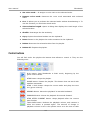
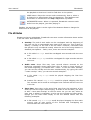
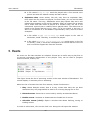
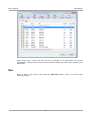
User manual ZaraStudio the playback to that level. Look for Talk Over in the options. LOOP button. Plays the current audio continuously, that is, when it is finished it is played again from the beginning. This happens until this button is unchecked or the Stop + Play button is pressed. AUTODELETE button. When it is pressed, ZaraStudio removes each audio from the playlist, just after playing it. Besides, the track bar which is at the right of the buttons allows to change the audio level of the playlist. File attributes Despite not having a database, ZaraStudio can store certain information about audios in the file name. Such data are: ● ● ● Overlap. The end of each audio can be overlapped with the beginning of the next one for a customizable time interval for each cut. This is done by adding “~overlap” at the end of the file name. However, remember that this period is only considered exactly when the end of the song detector is disabled (see Options – Fade). Here, there are several examples: A file called Id~0.mp3 would be overlapped zero seconds with the next one. A file called Song~8.mp3 would be overlapped for eight seconds with the next one. Audio start. Some files may have several silence seconds at the beginning, especially songs ripped from CDs. In order to jump directly to the audio beginning, you should add “~start-” to the file name. Besides, you can set the overlap and the start simultaneously, by typing the suffix “~start-overlap”. Here, you can see several examples: A file called Song~4-.mp3 would be played skipping the first four seconds. Another file named Song~4-9.mp3 would be played skipping the first four seconds and it would be overlapped nine seconds with the next cut in the list. Intro time. Intro time is the period that goes from the beginning of the audio file until the singer starts singing. In order to set this time, you have to add “~intro-start-overlap” to the file name. As you can see, when an intro time is added is mandatory to also set the overlap and start points, though you can leave them empty to use the default values. See the following examples: A file named Song~4-1-10.mp3 would be played skipping the first audio second, with an intro period of four seconds and overlapping ten seconds with the next audio cut. 15