1
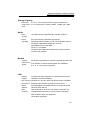
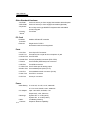
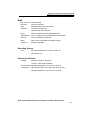
TABLE OF CONTENTS
PREFACE
Symbols and Conventions
Protecting Your Notebook - Avoid Abus ive Handling and Adverse Environment
Section S ummaries
1.
GETTI NG TO KNOW THE BASICS
Perf ormance Features (1-2,3)
System at a Glance (1-4)
Top View (1-4,5,6)
Rear View (1-7,8,9)
Bottom View (1-10,11)
AC Adapter (1-11)
LED Status I ndicators (1-12,13)
Function (Hot) K eys (1-14)
Windows Keys and Embedded Numeric Key Pad (1-15)
Touch Pad (1-16)
Display (1-17)
Adjusting the Brightness (1-17)
Extending the Life of the TFT Display Device (1-17)
Graphic Controller (1-18)
Color Adjustment Function (1-18)
Opening and Closing the Display Panel (1-18)
Audio Devices (1-19)
Adjusting the Volume Manually (1-19)
Adjusting the Volume in Windows (1-19)
Voice Rec ording (1-19)
Modem (1-20)
Network Adapter (1-21)
2.
BIOS SETUP AND SECURITY
Entering the BIOS Setup Screen (2-3)
Leaving the BIOS Setup Screen (2-3)
BIOS Action Keys (2-3)
Modifying the BIOS Settings (2-4)
The Main Menu (2-4)
The Standard CMOS Setup (2-5)
iii