1
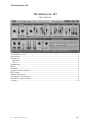
TAL-BassLine-101
Introduction
The TAL-BassLine-101 is a Virtual Analog software synthesizer plugin that supports
all common sample rates higher or equal 44100Hz.
The synth was designed to emulate the analog hardware as accurate as possible
and brings the synth sound of the 80’s back into your DAW. This synth does not use
any samples and computes all sounds in real-time.
It’s tested and works within the most common audio hosts as Ableton Live, Cubase,
Logic Pro, Garage Band, Reaper and DSP-Quattro. No standalone version available.
Try the unregistered demo version to be sure that the plugin works in your
environment.
Please use at your own risk. We take no responsibility for any damage caused by our
VST and AU (Audio Unit) plug-ins.
Installation
Windows
Requirements:
-
SSE compatible processor (Pentium II or higher is required or an AMD
equivalent)
Windows XP or higher.
A VST 2.4 compatible host.
Installation:
-
Download the file install_TAL-BassLine-101.zip and unzip it.
-
Execute install_vst_32.exe if you want to install the 32 bit version of the plugin
or install_vst_64.exe if you have a 64bit host (sequencer). Please read the
manual of your sequencer to find out whether it needs 32 or 64 bit plugins. It’s
also possible to install both versions of the plugin.
-
Step through the wizard and choose the path where you want to install the
plugin. Please read the manual of your host to get more information where this
directory is.
In hosts like Cubase, the plugin will show up after a restart. Some hosts need
a plugin rescan. If you use Ableton Live and the plugin does not show up
after a VST plugin rescan, try to disable and re-enable VST plugin support.
Uninstall:
Just delete the plugin to uninstall it.
TAL - Togu Audio Line © 2013
2/11