1
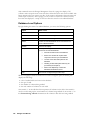
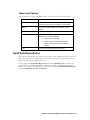
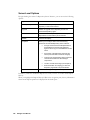
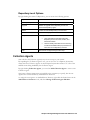
Chapter 2: Installing Entegra Before You Install Setting up Entegra on your system involves the installation of several software components that may reside on numerous machines. To facilitate a smooth installation process, this chapter outlines the decisions you need to make and the hardware, software, and network components that you need before you install Entegra. Overview You need to configure a set of server machines to run the various components of the Entegra system. The following conditions and restrictions apply: • A Collection Agent may be installed on the same machine as the databases being audited or it may run on a separate machine. • A Repository Agent is automatically installed on the same machine as the Repository for which it is responsible. • The Management Console and Web Server may be installed on any machine that has sufficient connectivity to the other components’ machines. • Audit data can be viewed in an ordinary Web browser on any machine that has access to the Web Server machine. All components – the Agents, Audited Server Instance, Repository, and Management Console – may reside on the same machine. However, for optimal performance, it is recommended that you place at least the Repository on a different machine from the audited server. Note: If you are installing the Entegra product in a clustered environment, refer to the information in Appendix B Restrictions/Limitations. For an example of how to install in a clustered environment, see Chapter 3, example 4. Entegra components require a server-class operating system such as Windows 2000 or XP. The only exceptions are the client machine being used to browse the Repository (this machine may run any operating system capable of running the required Web browser; see below) and the machine hosting the Audited Server (Entegra supports Windows NT 4.0 with Service Pack 6 for this machine, in addition to Windows 2000 and XP). For obvious reasons, all machines in the Entegra environment must be able to reach each other over a network connection, although they need not all be in the same Windows domain. Chapter 2: Installing Entegra 9