1
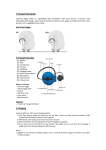
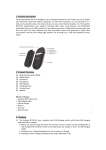
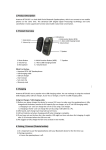
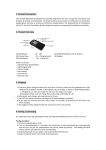
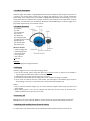
5.1 Pairing procedure: A. Ensure the headset is off. B. Press and hold the MFB button (about 7-10 seconds) until the LED blinks blue and red alternately. C. Search for the headset from your phone. D. Once “Avantree Jogger Pro’’ is found in the search list, follow the indicated steps and enter pin code 0000 to pair (some phones do not request the pin code). E. Connect the headset to your phone. F. Your headset is now ready for use. Once paired and connected, the headset will be automatically connected to your phone whenever you turn the headset on again, provided your phone is within range. We find most of the online technical support questions are caused by improper pairing between the headset and the Bluetooth device. Please follow the above instructions step-by-step. 5.2 Basic Operations: ● Answer a call: To answer a call: Press “MFB” once to answer the call. To answer a second call: Press “MFB” once to answer a second call and end the first call simultaneously. ● End a call: Press the “MFB” button once to end a call. ● Reject a call: Reject a call: Press and hold the “MFB” button for 3 seconds to reject a call. Reject a second call: Press the “Previous” button once to reject a second call. ● Voice Dial: Short press both ”V+” and “V-” whilst in standby mode, then say the voice tag you wish to call. (Note: Make sure your phone supports voice dialing.) ● Last number redialing: In standby mode, double click the “MFB” button. ● To Switch a call between headset and mobile phone: From Headset to Mobile Phone: During a call, press and hold “MFB” for 2 seconds to transfer the call to your mobile phone. From Mobile Phone to Headset: During a call, press and hold “MFB” for 2 seconds to transfer the call to your headset. ● To Mute & Unmute during a conversation: Mute the microphone: Press and hold the “Next” button until you hear a short beep. In mute status, you will hear two short beeps every 3 seconds. Unmute the microphone: Press and hold the “Next” button again until you hear a further short beep. ● To Restore Default Settings: In standby mode (just turn it on), press and hold “Next” button for 8 seconds until the indicator flashes blue and red. The headphone has now been reset to its original settings. After being powered on again, it will enter pairing mode automatically. 5.3 Music Streaming Please activate your phone’s music player before listening to music on the headset. For some phones, music will automatically be heard on your headset, other phones you will need to manually transfer music from your phone to the headset. Volume Up: Press and hold the “Volume +” button, or for small incremental increases, short press the “Volume +” button. Volume Down: Press and hold the “Volume -“ button, or for small incremental decreases, short press “Volume-“ button. To Play Music : Press the “MFB” button. Pause : Press the “MFB” button again. Previous Track: Press the “Previous” button. Next Track: Press the “Next” button.