1
HOW TO TEST
TESTING PROGRAMS AVAILABLE
•BATTERY – Reveals a battery’s current charge level.
•START POWER – Monitors a battery’s output during the strain of engine cranking, to
evaluate overall condition.
•ALTERNATOR – Establishes whether a vehicle’s charging system is correctly
charging the battery or not.
BEFORE TESTING
1.Read the SAFETY section in the manual to make sure you connect/disconnect the unit
to the battery/safely.
2.Before doing the START POWER or ALTERNATOR tests, make sure the battery is
fully charged. If it isn’t, false results may occur. Before doing a BATTERY test, ensure
ambient temperature is at least 5°C and that the battery has not been charged – by a
mains charger or the vehicle – for at least an hour before testing.
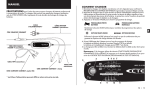
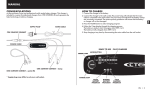
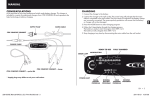
3.Lamp 4, 5, and 6, show the results. 4 (red) indicates BAD, 5 (orange) FAIR,
6 (green) OK.
TESTING
(MAINS POWER NOT REQUIRED)
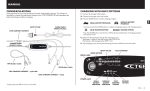
1.Connect the charger to the battery. Lamp 4, 5, and 6 illuminate in sequence to show
the charger is in Testing Mode and ready.
2.Press the MODE-button (3) to move between the test programs: BATTERY (9),
START POWER (10), ALTERNATOR (11).
BATTERY
1.Select BATTERY (9) using MODE-button (3).
2.After a few seconds the unit will show the results.
BAD (4) recharge the battery as soon as possible. FAIR (5) charging is recommended for maximum battery life.
OK (6) the battery is at a high state of charge.
START POWER
1.Select START POWER (10) using MODE-button (3).
2.Crank the engine over as soon as possible. Continue cranking for a few seconds, or
until the engine starts.
BAD (4) recharge the battery as soon as possible. FAIR (5) charging is recommended for maximum battery life.
OK (6) the battery is at a high state of charge.
4 • EN
ALTERNATOR
1.Select ALTERNATOR (11) using MODE-button (3)
2.Start the engine, hold it at 2000 RPM, and monitor the results.
BAD (4) Charging System fault. FAIR (5) Charging system fault.
OK (6) Vehicle Charging system working OK.
TIPS
1.If the error lamp (2) immediately illuminates, the battery is incorrectly connected. Unplug
the charger, correct the connections to the battery, and return to step 1.
2.If the lamp don’t illuminate, this may be because the battery is so discharged it cannot
support the unit. If so, fully charge the battery.
3.If mains mains voltage is detected, the MXS 5.0 TEST&CHARGE automatically enters
Charging Mode. Press the MODE-button (3) for two seconds to switch back to Testing
Mode, as signified by an illumination sequence in lamp 4–6.
4.Start Power Test
OK (6) will illuminate at the start of the test, but may drop down to BAD (4). Before
discarding a battery, it’s worth charging it using the charger’s Recond Mode and trying
the START POWER test again. Batteries failing this test in warm weather will almost
certainly fail completely when temperatures drop.
CHECK THE RESULT LAMPS
BAD
FAIR
OK
12.4–12.6V
above 12.6V
If the result lamp is lit:
BATTERY
below 12.4V
START POWER
below 9.6V
9.6–10.5V
above 10.5V
ALTERNATOR
below 13.3V
13.3–14.0V
above 14.0V