1
NetSure™ Control Unit (NCU)
User Manual, UM1M830BNA
•
•
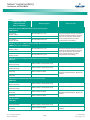
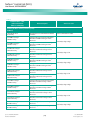
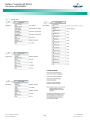
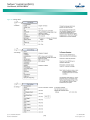
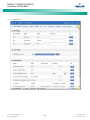
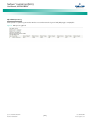
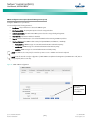
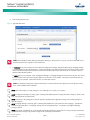
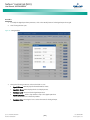
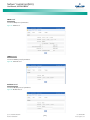
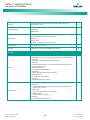
Privilege: Select Enabled (if email authentication is required) or Disabled as required (see your IT department). When enabled,
set the following parameters.
o
SMTP Account: SMTP account number. Obtain from your IT department.
o
SMTP Password: SMTP password. Obtain from your IT department.
Alarm Report Level: Select the level of alarm reports you want to receive.
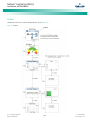
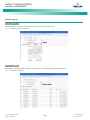
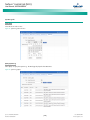
Forget Password Feature
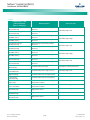
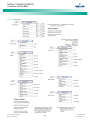
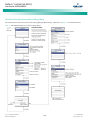
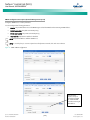
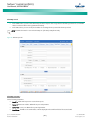
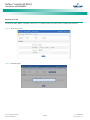
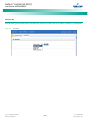
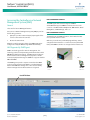
Set the following parameters. Also set an E-Mail address in the User tab. This is the email the password will be sent to.
•
Email To: Any valid email recipient. This can be the same email address set in the User tab if not also using the alarm report
feature.
•
Server IP: IPV4 Server address. Obtain from your IT department.
•
Server Port: Server port. Obtain from your IT department.
•
Email From: The NCU or Site email address. Will be displayed in the email from field of the received email.
•
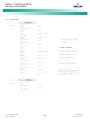
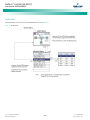
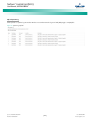
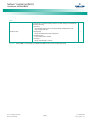
Privilege: Select Enabled (if email authentication is required) or Disabled as required (see your IT department). When enabled,
set the following parameters.
•
o
SMTP Account: SMTP account number. Obtain from your IT department.
o
SMTP Password: SMTP password. Obtain from your IT department.
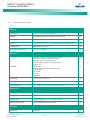
Alarm Report Level: If you only want to use the Forgot Password Feature, set the Alarm Report Level to None.
Spec. No: 1M830BNA, 1M830DNA
Model No: M830B, M830D
[166]
Code: UM1M830BNA
Revision F, July 20, 2015