1
LP Stage II User’s Manual - The Basics
Set up
Make sure you have an adequate place to set up your Little Phatty. You will need a sturdy keyboard stand
or table that will support a 22 lb. analog synthesizer and will not topple if you play hard. Use caution when
lifting the Little Phatty out of the carton, and be sure to save the carton and all packing material in case you
need to ship the Little Phatty for any reason.
Connect to Power
Connect the Little Phatty’s power receptacle (on the side panel) to a wall outlet using the supplied AC power
cord. The Little Phatty’s universal power supply will operate with a power source from 90 to 250 Volts AC,
50/60Hz.
Power up
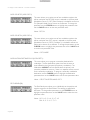
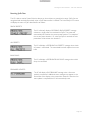
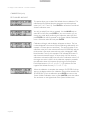
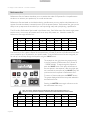
Turn the power on. You will see the LCD screen light up and display the message:
Little Phatty
Version X.x
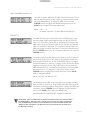
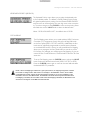
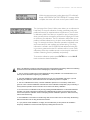
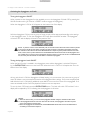
After a few seconds the start-up screen will disappear and the current preset will appear in the display. The
PRESET button will be illuminated in amber, the name of the current preset location and preset name will be
displayed on the top line of the LCD screen, and the message ‘PRESET ACTIVE’ will be displayed on the lower
line of the LCD screen.
Connect to Amplifier
Set the Little Phatty’s Volume control to minimum before connecting to an amplifier or headphones. Adjust the
amplifier level for a comfortable listening level, and then slowly bring up the Little Phatty’s volume. Make sure
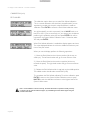
the OUTPUT ON/OFF switch is illuminated red – this means the output is turned on.
Start Playing
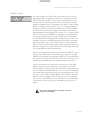
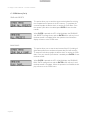
Use the VALUE knob to scroll through the presets. All preset locations (00 – 99) are loaded with sounds from
the factory. There are a total of 100 locations in memory for presets – all are user programmable. Note that
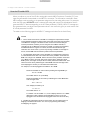
once a preset is called up, you can tweak the parameters to your liking using the front panel controls. Any
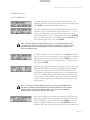
changes made to the current preset will cause the PRESET button to change its illumination from amber to red,
and the lower line of the LCD screen will change to ‘PANEL ACTIVE’. If you make changes to a preset and want
to return to the original sound, press PRESET. You can toggle between the stored preset and the current edited
preset by pressing the PRESET button until you change presets. If you wish to save your changes – refer to the
section on Storing Presets on page 23. Any changes made to a preset will be lost if they are not saved once you
change to a new preset.
Warranty registration
Moog’s on-line warranty registration system is the best way to activate your warranty. Access the Moog
web site at www.moogmusic.com and click on the “Product Register” tab. If you complete all the requested
information, Moog Music will send you a complimentary gift.
NOTE: The Little Phatty is recommended for an operating temperature between about 50 and
100 degrees Fahrenheit. It is safe to operate the synthesizer outside of this range (between 0
and 125 degrees F), but the LP’s voltage controlled oscillators (VCOs) may not remain in tune.
It is recommended that a warm up period of about 15 minutes be allowed before using the LP.
The LP’s VCOs use a heated chip design that take a short time to warm up. The warm up period
may be longer if the LP has been stored outside the recommended operating temperature range.
Page 6