1
FLB851-PFQX2175YA-en.book Page 12 Thursday, September 8, 2005 2:24 PM
1. Introduction and Installation
3
Installation
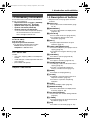
1.5 Toner cartridge and
drum unit
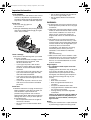
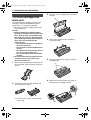
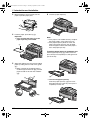
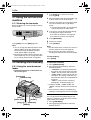
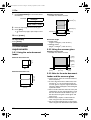
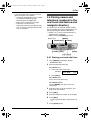
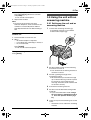
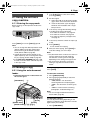
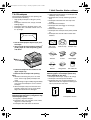
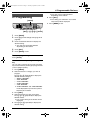
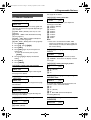
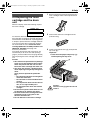
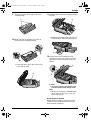
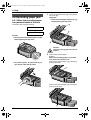
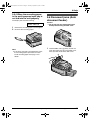
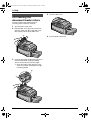
Place the toner cartridge (1) into the drum
unit (2).
1
The included toner cartridge is a starter toner
cartridge. It will print about 800 letter-sized
pages with a 5 % image area (page 93).
L To replace the toner cartridge and the drum
unit, see page 79.
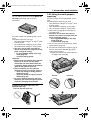
Caution:
L Read the following instructions before
you begin installation. After you have read
them, open the drum unit protection bag.
The drum unit contains a photosensitive
drum. Exposing it to light may damage the
drum. Once you have opened the
protection bag:
– Do not expose the drum unit to light for
more than 5 minutes.
– Do not touch or scratch the black drum
surface.
– Do not place the drum unit near dust or
dirt, or in a high humidity area.
– Do not expose the drum unit to direct
sunlight.
L Do not leave the toner cartridge out of the
protection bag for a long time. It will
decrease the toner life.
1
2
4
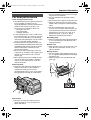
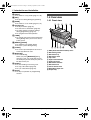
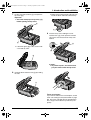
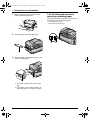
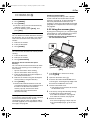
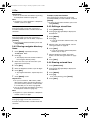
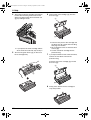
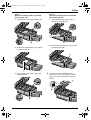
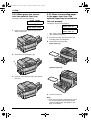
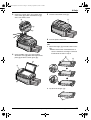
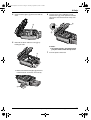
Firmly press down the toner cartridge to
snap into position.
5
Turn the two green levers (1) on the toner
cartridge firmly.
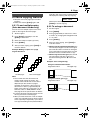
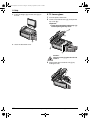
Before opening the protection bag of the new
toner cartridge, shake it vertically more than
5 times.
1
6
2
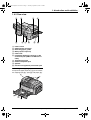
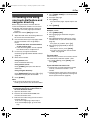
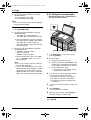
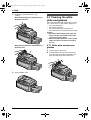
Remove the toner cartridge and drum unit
from the protection bags.
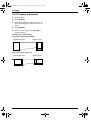
Make sure that the triangles (1) match to
install the toner cartridge correctly.
1
1
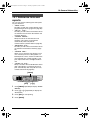
L Do not touch or scratch the black drum
surface (1).
12
1
For assistance, please visit http://www.panasonic.com/consumersupport