1
The Check Status Menu
The first menu that you will see when you start up is the Check Status menu. This shows you
several things about your Eggtimer TRS unit:
• Battery voltage
• Drogue channel continuity
• Main channel continuity
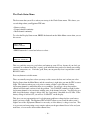
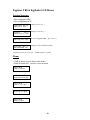
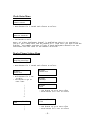
To select the Display Status menu, PRESS the button from the Main Menu screen when you see
this screen:
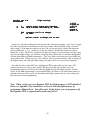
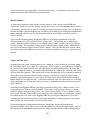
Main Menu
Check Status
• PRESS button for 1 second and release to select…
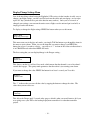
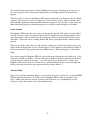
Status: 8.1V
DRO:OFF MAIN:ON
This is a good first screen to go to before you button-up your AV bay, because if you don’t get
continuity on a channel then that’s a pretty good indication that you need to check your wiring,
batteries, connectors, etc. If it looks good, then you can generally close it up and take it to the
RSO/LCO table.
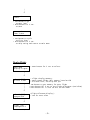
Press any button to exit this menu.
There are actually two places where you may see this screen, the first one is when you select
Display Status from the Main Menu, and the second one is right after you arm the TRS to start a
flight. The behavior when you see it prior to starting a flight is a bit different, if either
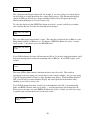
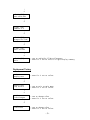
deployment channel is enabled but there is no continuity, you will get a beep alert and the
channel will flash until you have fixed the problem. You CANNOT continue a flight if either
deployment channel is not consistent with the state of the channel selection. You will also get a
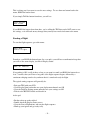
hard-stop if the battery voltage is below 6.6V, the “low battery” threshold for a 2S LiPo. If the
battery voltage is below 6.6V, you will see “LO BATT” on the display.
This gives you two opportunities to fix a deployment problem or charge/replace your battery
before you start a flight. The Eggtimer TRS will NOT allow to you to arm the unit to start a
flight if one of the deployment channels is not ready, or if the battery’s voltage is too low. This
is to prevent you from getting a nasty surprise when your drogue channel doesn’t fire and your
main does, or even worse when neither channel fires.
- 18 -