1
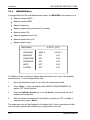
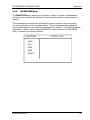
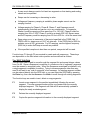
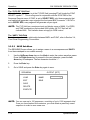
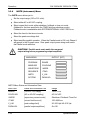
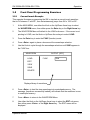
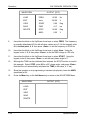
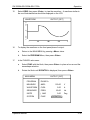
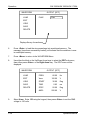
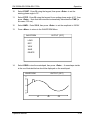
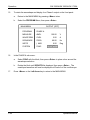
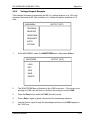
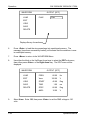
SW 5250A•SW 3500A•SW 1750A Operation WAVEFORM OUTPUT [OFF] LOAD FREQ 60.00 Hz EDIT Vrms 120.00 V VIEW START 0.00 Deg SAVE TIME 4.17 ms DELETE STOP 90.00 Deg AMPL 0.00 V 9. Use either the Knob or the Up/Down Arrow keys to select FREQ. The frequency is normally defaulted at 60 Hz with all other values set to 0. On the keypad, enter 6, 0, decimal point, 0, 0, then press <Enter> to set the frequency to 60.00 Hz. 10. Use either the Knob or the Up/Down Arrow keys to select Vrms. Using the keypad, enter 1, 2, 0, then press <Enter> to set the RMS voltage to 120 volts. 11. Use either the Knob or the Up/Down Arrow keys to select START. Using the keypad, enter 0, then press <Enter> to set the start phase angle to 0°. 12. Although the TIME can be calculated then entered, the STOP function is used in this example. Select STOP, enter 90 for a 90° phase angle, and press <Enter>. Note that the unit automatically calculates the TIME (in this case, 4.17 ms). 13. Since the operator is not programming a transient (drop/spike), leave the AMPL (amplitude) at 0V. 14. Press the Menu key or the Left Arrow key to return to the WAVEFORM Menu. WAVEFORM OUTPUT [OFF] LOAD EDIT VIEW SAVE DELETE 3-34 Operation Manual