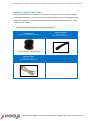
1
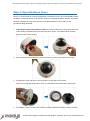
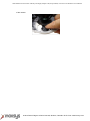
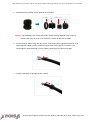
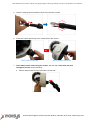
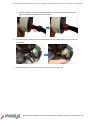
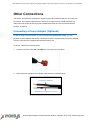
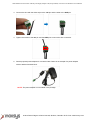
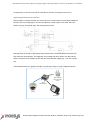
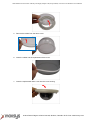
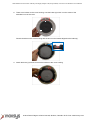
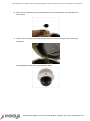
2MP Outdoor Zoom Dome with Day and Night, Adaptive IR, Super WDR, 3x Zoom Lens Hardware User Manual Other Adjustments and Accessories Replacing the Dome Cover For more discrete surveillance needs, the bundled dome cover can be replaced with a smoke, vandal proof cover available for purchase. To replace the dome cover, do the following: 1. Loosen the three (3) screws to open the dome cover. 2. Using a screwdriver, remove the screw securing the spring wire to the dome cover. NOTE: Hold the spring wire as the screw is being removed to avoid the sudden release of the screw and cause it to fly in the air. 3. Remove the three (3) screws to detach the cover bracket. 4. Remove dome cover from the cover housing. 8272 Pascal Gagnon Saint-Leonard, Quebec, Canada H1P 1Y4 www.inaxsys.com