1
g.
h.
i.
j.
k.
l.
m.
n.
o.
p.
q.
r.
s.
t.
u.
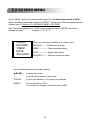
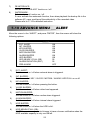
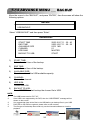
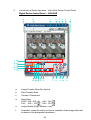
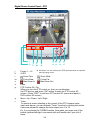
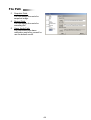
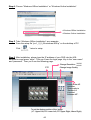
Record : press this button, the video web server will start to record, and press this
button again to stop record. The recording files will be saved to PC. Each
recording file can up to 18,000 frames. When the recording file capacity is full,
the new recorded file will be saved to the second file.
Besides, if the HDD space is less than 200MB, the program will stop recording.
System Config: press this button to enter the setting page of the video web server.
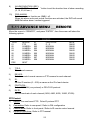
Number of Online Users
CH 1 ~ 16
4, 9, 16 Channel Display
Search
Record
Stop / Fast Rewind / Fast Forward / Pause / Slow Playback / Play
+
-
Digital Zoom
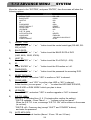
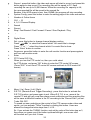
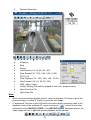
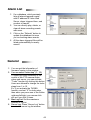
Set : press this button to change channel display position.
Press “▲▼◄►” to select the channel which You would like to change.
Press “+” or “-” select the channel which You would like to show.
Press “Enter” button to confirm.
Sequence: press this button to enter the call monitor function and press again to
exit from call monitor mode.
Enter
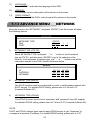
PTZ Control Off / On:
When you turn the PTZ control on, then you could select
the PTZ device, and press “OK” button to enter the PTZ control AP screen.
(Press “ESC” to exit from PTZ control AP screen and back to DVR control AP
screen)
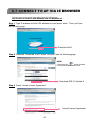
60.121.46.236
v.
w.
x.
Menu / Up / Down / Left / Right
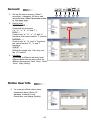
R.E.T.R. (Remote Event Trigger Recording) : press this button to activate the
R.E.T.R function, and press again to exit. When R.E.T.R. is on, users at the
remote PC side will get a real time alarm sound notification and the recording files
will be save at different location in the PC according to the “Record Path” you set.
Turbo ON/ OFF:
To speed up menu selecting or the control of the PTZ camera under video web
server, you can activate "Turbo" function by clicking this button. Users are
allowed to change the turbo steps from 1 to 10. .
Ex. If you activate the TURBO function, and set the value of the turbo step as 3,
then when you press one of the button up/down/left/right, one mouse click
will function as if you click 3 times.
33