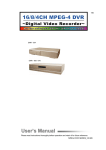
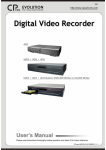
1
150 4CH 16CH / 8CH / 4CH 16CH / 8CH / 4CH Built-in DVD-RW Writer or CD-RW Writer User’s Manual Please read instructions thoroughly before operation and retain it for future reference. MPEG4 DVR SERIES_V1.1 IMPORTANT SAFEGUARD CAUTION RISK OF ELECTRIC SHOCK CAUTION: To reduce the risk of electric shock, do not expose this apparatus to rain or moisture. Only operate this apparatus from the type of power source indicated on the label. The company shall not be liable for any damages arising out of any improper use, even if we have been advised of the possibility of such damages. The lightning flash with arrowhead symbol, within an equilateral triangle, is intended to alert the user to the presence of uninsulated “dangerous voltage” within the product’s enclosure that may be of sufficient magnitude to constitute a risk of electric shock to persons. This exclamation point within an equilateral triangle is intended to alert the user to the presence of important operating and maintenance (servicing) instructions in the literature accompanying the appliance. CE Mark This apparatus is manufactured to comply with the radio interference requirements. The company does not warrant that this manual will be uninterrupted or error-free. We reserve the right to revise or remove any content in this manual at any time. THIS PRODUCT IS LICENSED UNDER THE MPEG-4 VISUAL PATENT PORTFOLIO LICENSE FOR THE PERSONAL AND NON-COMMERCIAL USE OF A CONSUMER FOR (i) ENCODING VIDEO IN COMPLIANCE WITH THE MPEG-4 VISUAL STANDARD (“MPEG-4 VIDEO”) AND/OR (ii) DECODING MPEG-4 VIDEO THAT WAS ENCODED BY A CONSUMER ENGAGED IN A PERSONAL AND NONCOMMERCIAL ACTIVITY AND/OR WAS OBTAINED FROM A VIDEO PROVIDER LICENSED BY MPEG LA TO PROVIDE MPEG-4 VIDEO. NO LICENSE IS GRANTED OR SHALL BE IMPLIED FOR ANY OTHER USE. ADDITIONAL INFORMATION INCLUDING THAT RELATING TO PROMOTIONAL INTERNAL AND COMMERCIAL USES AND LICENSING MAY BE OBTAINED FROM MPEG LA, LLC. SEE HTTP://WWW.MPEGLA.COM. Note: Firmware Version: 1066-10-J4-04-AA-12; AP Version: 1046 Note: For any changes of AP, please refer to your distributor. Note: Any changes of this manual made to the actual product are subjects to no further notification. TABLE OF CONTENTS PARTS AND FEATURES 1.1 1.2 1.3 1.4 1.5 FEATURES ------------------------------------------------------------------------------------------------------------------------PACKAGE CONTENTS --------------------------------------------------------------------------------------------------------SPECIFICATION -----------------------------------------------------------------------------------------------------------------FRONT PANEL -------------------------------------------------------------------------------------------------------------------REAR PANEL ---------------------------------------------------------------------------------------------------------------------- 1 1 2 4 8 GETTING STARTED 2.1 GETTING STARTED ------------------------------------------------------------------------------------------------------------- 10 BASIC OPERATION 3.1 RECORDING ----------------------------------------------------------------------------------------------------------------------- 11 3.2 PLAYBACK ------------------------------------------------------------------------------------------------------------------------- 12 DETAILED MENU CONFIGURATION 4.1 4.2 4.3 4.4 4.5 4.6 4.7 4.8 4.9 4.10 4.11 4.12 4.13 4.14 4.15 MENU TREE ---------------------------------------------------------------------------------------------------------------------MAIN MENU OPTIONS_ RECORD ----------------------------------------------------------------------------------------MAIN MENU OPTIONS_ TIMER -------------------------------------------------------------------------------------------MAIN MENU OPTIONS_ DATE --------------------------------------------------------------------------------------------MAIN MENU OPTIONS_ ADVANCE --------------------------------------------------------------------------------------ADVANCE MENU_ CAMERA -----------------------------------------------------------------------------------------------ADVANCE MENU_ DETECTION -------------------------------------------------------------------------------------------ADVANCE MENU_ DISPLAY -----------------------------------------------------------------------------------------------ADVANCE MENU_ ALERT --------------------------------------------------------------------------------------------------ADVANCE MENU_ REMOTE -----------------------------------------------------------------------------------------------ADVANCE MENU_ SYSTEM ------------------------------------------------------------------------------------------------ADVANCE MENU_ NETWORK --------------------------------------------------------------------------------------------ADVANCE MENU_ BACKUP -----------------------------------------------------------------------------------------------ADVANCE MENU_ HDD INFO ---------------------------------------------------------------------------------------------ADVANCE MENU_ EVENT LOG -------------------------------------------------------------------------------------------- ADDITIONAL OPERATION 5.1 5.2 5.3 5.4 5.5 5.6 SEARCH ----------------------------------------------------------------------------------------------------------------------------2X DIGITAL ZOOM --------------------------------------------------------------------------------------------------------------KEY LOCK -------------------------------------------------------------------------------------------------------------------------SWITCH THE N/P SYSTEM ---------------------------------------------------------------------------------------------------USB UPGRADE-------------------------------------------------------------------------------------------------------------------LICENSED SOFTWARE AP---------------------------------------------------------------------------------------------------INSTALL THE SOFTWARE ----------------------------------------------------------------------------------------------AP BASIC OPERATION --------------------------------------------------------------------------------------------------AP ADVANCED SETTING ------------------------------------------------------------------------------------------------Network -----------------------------------------------------------------------------------------------------------DDNS ---------------------------------------------------------------------------------------------------------------MAIL ----------------------------------------------------------------------------------------------------------------FTP -----------------------------------------------------------------------------------------------------------------DVR-CAMERA SETTING -------------------------------------------------------------------------------------DEVICE ------------------------------------------------------------------------------------------------------------DETECTION ------------------------------------------------------------------------------------------------------NETWORK BACKUP & PLAYBACK ---------------------------------------------------------------------SEARCH LIST ---------------------------------------------------------------------------------------------------TIMER RECORD ------------------------------------------------------------------------------------------------DATE ---------------------------------------------------------------------------------------------------------------RECORD SETTING ---------------------------------------------------------------------------------------------ALARM -------------------------------------------------------------------------------------------------------------GENERAL ---------------------------------------------------------------------------------------------------------ACCOUNT ---------------------------------------------------------------------------------------------------------ONLINE USER INFO -------------------------------------------------------------------------------------------FILE PATH --------------------------------------------------------------------------------------------------------5.7 OPERATION VIA IE BROWSER ---------------------------------------------------------------------------------------------5.8 OPTIONAL PHERIPHERALS -------------------------------------------------------------------------------------------------- 14 15 16 17 18 18 19 21 22 23 24 25 26 28 28 29 30 30 30 31 31 31 32 37 37 38 39 39 40 40 41 42 43 43 44 44 45 45 46 46 46 47 48 TROUBLE SHOOTING 6.1 FAQ ----------------------------------------------------------------------------------------------------------------------------------- 48 APPENDIX #1 APPENDIX #2 APPENDIX #3 #3 APPENDIX #3 #3 APPENDIX #4 #4 APPENDIX #5 #5 INSTALL THE HDD ----------------------------------------------------------------------------------------------------------PIN CONFIGURATION -----------------------------------------------------------------------------------------------------RS232 PROTOCOL ----------------------------------------------------------------------------------------------------------RECORDING TIME TABLE -----------------------------------------------------------------------------------------------COMPATIBLE USB BRAND ----------------------------------------------------------------------------------------------COMPATIBLE HDD BRAND ----------------------------------------------------------------------------------------------- 49 51 53 54 55 56 PARTS AND FEATURES 1.1 FEATURES MPEG4 DVR Technology: Compression format providing crystal clear images with real time performance Multiplex: Allow live display, record, playback, backup, and network all at the same time LongLong-Recording Hours: 500GB can record more than 4 days. (16CH, Frame Best Quality, 120IPS) Connect to Independent Disk Array (optional) to have more storage capacity Backup Function: Support file backup with a USB flash drive, DVD WRITER or CD WRITER, and network remote recording & backup The backup file via DVD Writer or CD Writer can be played directly in your PC via the supplied licensed AP, or via other media players (Ex: Windows Media Player or RealPlayer) after the file is converted to “AVI” format. Remote Surveillance: Support remote surveillance with the licensed software AP and IE browser Web surveillance supports 5 users simultaneously Intelligent Motion Trigger Recording: With advanced motion detection function, scheduled motion detection recording (4 different adjustable factors for motion detection sensitivity) and convenient search function, customized security environments are achieved Alarm trigger recording will send alerts with images to designated e-mails and the FTP address Support pre-alarm recording (8MB) Covert Recording: A mask replaces the live image with a blank screen & the monitor shows nothing but recording is still on A/V Support: Support 4 audio-in, 2 audio-out to record sounds Support VGA output to monitor (optional) General: Support multi-language OSD System auto recovery after power reconnected IR remote control of the system and PTZ through RS-485 Support daylight saving function Support manual / timer / motion / alarm / network remote recording functions Watermark function ensures the authentication of the recorded images Support TCP/IP, PPPoE, DHCP and DDNS network connection 1.2 PACKAGE CONTENTS MODEL 16CH 8CH 4CH 16CH / 8CH / 4CH DVD-RW / CD-RW Digital Video Recorder ˇ ˇ ˇ ˇ Adapter ˇ ˇ ˇ ˇ Licensed Software AP ˇ ˇ ˇ ˇ IR Transmitter and IR Receiver ˇ ˇ Optional ˇ Power and Data Bus ˇ ˇ ˇ ˇ DSUB PIN Connector ˇ ˇ ˇ ˇ Screws ˇ ˇ ˇ ˇ NOTE: Please check the package contents to make sure that you receive all accessories shown above. 1 1.3 SPECIFICATION MODEL 16CH / 16CH (D) 8CH / 8CH (D) Video System NTSC / PAL (switchable) Video Compression Format Video Input (Composite video signal 1 Vp-p 75Ω BNC) Video Loop Out (Composite video signal 1 Vp-p 75Ω BNC) Video Output 4CH / 4CH (D) MPEG 4 16 Channels 8 Channels 4 Channels 16 Channels 8 Channels 4 Channels Main Monitor Output: Composite video signal 1 Vp-p 75Ω BNC Call Monitor Output: Composite video signal 1 Vp-p 75Ω BNC Maximum Recording Rate (Frame) 720 × 480 pixels with 120 IPS〈NTSC〉 720 × 576 pixels with 100 IPS 〈PAL〉 720 × 480 pixels with 60 IPS〈NTSC〉 720 × 576 pixels with 50 IPS 〈PAL〉 720 × 480 pixels with 30 IPS〈NTSC〉 720 × 576 pixels with 25 IPS 〈PAL〉 Maximum Recording Rate (CIF) 352 × 240 pixels with 480 IPS〈NTSC〉 352 × 288 pixels with 400 IPS 〈PAL〉 352 × 240 pixels with 240 IPS〈NTSC〉 352 × 288 pixels with 200 IPS 〈PAL〉 352 × 240 pixels with 120 IPS〈NTSC〉 352 × 288 pixels with 100 IPS 〈PAL〉 Adjustable Recording Speed (Frame) 120, 60, 30, 15 IPS <NTSC> 100, 50, 25, 12 IPS <PAL> 60, 30, 15, 7 IPS <NTSC> 50, 25, 12, 6 IPS <PAL> 30, 15, 7, 3 IPS <NTSC> 25, 12, 6, 3 IPS <PAL> Adjustable Recording Speed (CIF) 480, 240, 120, 60 IPS <NTSC> 400, 200, 100, 50 IPS <PAL> 240, 120, 60, 30 IPS <NTSC> 200, 100, 50, 25 IPS <PAL> 120, 60, 30, 15 IPS <NTSC> 100, 50, 25, 12 IPS <PAL> Image Quality Setting Hard Disk Storage (IDE type, ATA66) (over 400GB) HDD Quick Cleaning Best, High, Normal, and Basic 8CH: support HDD * 2 8CH (D): support HDD *1 16CH: support HDD * 2 16CH (D): support HDD *1 Quick clean up the “index system” of the recorded files. 250GB under 2 seconds Manual/Timer/Motion/Alarm/Remote Network Recording Mode Watermark Refresh Rate Yes 240 IPS for NTSC 200 IPS for PAL 480 IPS for NTSC 400 IPS for PAL Multiplex Operation 4 audio inputs, 2 audio outputs (Mono) Motion Detection Area 16 × 12 grids per camera for all channels 4 adjustable variables with precise calculation for motion detection Yes (8 MB) Pre-alarm Recording Backup Device USB Interface Support USB 1.1/ 2.0 flash drive backup and network remote backup 16CH (D) / 8CH (D) / 4CH (D) models also support DVD-WRITER or CD-WRITER backup front panel * 1, back panel * 1 Web Transmitting Compression Format Ethernet 10/100 Base-T. Support remote control and live view via Ethernet Support licensed software AP, and IE browser E-mail images, and upload images to FTP site’s specific account Network Protocol IR transmitter TCP/IP, PPPoE, DHCP and DDNS Remotely control DVR and PTZ via IR transmitter (RS-485) PTZ control (4CH: Optional) Support PELCO-D protocol Dwell Time (Sequential Channel Switch) Alarm I/O front panel * 1 Motion JPEG Web Interface Remote Alarm Notification 120 IPS for NTSC 100 IPS for PAL live display, record, playback, backup, and network Audio I/O Motion Detection Sensitivity 4CH: support HDD * 1 4CH (D): support HDD *1 Programmable with adjustable dwell time (2, 4, 8, 16 sec.) 16 inputs, 1 output 8 inputs, 1 output Picture Zoom Support 2X digital zoom function 2 4 inputs, 1 output MODEL 8CH / 8CH (D) 16CH / 16CH (D) 4CH / 4CH (D) Specification Continued … Key Lock Yes Video Loss Detection Yes Camera Title Support up to 6 letters Video Adjustable Date Display Format Hue/Color/Contrast/ Brightness YY/MM/DD, DD/MM/YY, MM/DD/YY, and Off Daylight Saving Yes Power Source Power Consumption DC 19V 4CH: <42 W ; <64 W Operating Temperature 10℃ ~ 40℃ (50℉~104℉) Dimensions (mm) 432mm (W) × 90mm (H) × 326mm (D) System Recovery Optional Peripherals 4CH (D): <64 W 4CH: 343mm (W) × 59mm (H) × 223mm (D) 4CH (D): 432mm (W) × 90mm (H) × 326mm (D) System auto recovery after power reconnected Independent Disk Array ; VGA Converter Independent Disk Array ; VGA Converter ; IR Remote Control Any modifications made to the actual product are subject to change without notice. 3 1.4 FRONT PANEL 16CH / 8CH 16CH (D) / 8CH (D) / 4CH (D) 1) POWER: Press “POWER” button to turn on/ turn off the DVR. (Under the recording mode, please stop recording before turning off the DVR) 2) MENU: Press “MENU” button to enter the main menu. 3) ENTER / RECORD: Press “ENTER” button to confirm. Press “RECORD” to activate the manual recording 4) “+ “ “ - ” : Press “+“ or “-” button to change the setting in the menu / to select the channel. Press “+“ and “-” buttons simultaneously to open / close the DVD / CD WRITER. 5) USB: Support firmware update and file backup. 6) LED LIGHT: POWER: Power on STANDBY: Standby HDD: HDD is reading or recording HDD Full: HDD is full. ALARM: Once the alarm is triggered TIMER: When timer recording is turned on. REC: Under the recording status PLAY: Under the playing status 7) MODE : Press “MODE ” button to switch the channel display mode. 4 8) 9) “ ”: Press “ ” button to pause playing files. “ ”: Press “ ” button to stop playing files. 10) “ “: Under the playback mode, press “ ” button to fast rewind. 11) “ “: Under the playback mode, press “ ” to fast forward. 12) “ZOOM” : Press “ZOOM” button to enlarge the picture of the selected channel (2X digital zoom). 13) “PLAY” : Press “PLAY” button to play the recorded files. 14) “▲▼◄►“ : Press “▲▼◄►” to move the cursor up / down / left / right. 15) “SHIFT” + “SEQ” : Press “SHIFT” + “SEQ” to activate the call monitor function and press “SEQ” to escape the call monitor mode. 16) “SHIFT” + “AUDIO“ : Press “SHIFT” + “AUDIO“ to select live or playback sounds of the 4 audio channels. 17) “SHIFT” + “SLOW“ : Under the playback mode, press “SHIFT” + “SLOW“ to show slow playback. 18) “SHIFT” + “CH- “ or “CH+” : Press “SHIFT” + “CH- “ or “CH+” to change the setting in the menu / to select the channel. 19) “SHIFT” + “SET” : Press “SHIFT” + “SET” to change the position of the channel display. Press “▲▼◄►” to select the channel you would like to change. Press “+” or “-” to select the channel you would like to show. Press “ENTER” button to confirm. 20) “SHIFT” + “SEARCH” : Press “SHIFT” + “SEARCH” buttons to enter the search mode. 21) “ ”+“ Press “ mode. ”: ”+“ ” buttons at the same time to enter / exit the PTZ control 22) “◄” or “►” + “POWER” Press and hold “◄” or “►”, and press “POWER” to switch to NTSC or PAL system. Please see “5.4 SWITCHING THE N/P SYSTEM” at P.30. 5 1.4 FRONT PANEL Continued… 4CH 1) “HDD Cartridge Lock” : Lock / Unlock the cartridge of the HDD. 2) “USB” : Support firmware update and file backup. 3) “LED LIGHT” : HDD: HDD is reading or recording HDD Full: HDD is full. ALARM: Once the alarm is triggered TIMER: When timer recording is turned on PLAY: Under the playing status REC: Under the recording status 4) “MENU” : Press “MENU” button to enter the main menu. 5) “ENTER” / “SET” : Press “ENTER” button to confirm. Press “SET” to change the position of the channel display. Press “▲▼◄►“ to select the channel you would like to change. Press “+” or “-” to select the channel You would like to show. 6) “SEARCH ” : Press “SEARCH” button to enter the search mode. 7) “SLOW ” : Under the playback mode, press “SLOW“ button to show slow playback. 6 8) “ZOOM ” : Press “ZOOM” button to enlarge the picture of the selected channel (2X digital zoom). 9) “ ”/“-”: Press “ “ button to show the 4 channel display mode. Press “ - ” button to change the setting in the menu. 10) “SEQ” / “ + ” : Press “SEQ” button to activate the call monitor function and press “SEQ” button again to escape the call monitor mode. Press “+ ” button to change the setting in the menu. 11) “POWER” : Press this button to turn on / turn off the DVR. (Under the recording mode, please stop recording before turning off the DVR). 12) “CH1 ” “CH2 ” “CH3 ” “CH4 ” : Press the button “1”, “2”, “3” or “4” to select the desired channel. 13) “REC” : Press “REC” button to activate the manual recording. 14) “PLAY” : Press “PLAY” button to playback the recorded files. 15) “UP / PAUSE , DOWN / STOP, LEFT / FAST REWIND, RIGHT / FAST FORWARD“ : Press “▲▼◄►“ to move the cursor up / down / left / right. Under the playback mode, press “ Under the playback mode, press “ Under the playback mode, press “ Under the playback mode, press “ 16) “ “ button to pause playback. “ button to stop playback. “ button to fast rewind. “ button to fast forward. ”: Press these two buttons to select live or playback sounds of the 4 audio channels. 17) “ ”: Press these two buttons at the same time to enter / exit the PTZ control mode. 18) “◄” or “►” + “POWER” Press and hold “◄” or “►”, and press “POWER” to switch to NTSC or PAL system. Please see “5.4 SWITCHING THE N/P SYSTEM” at P.30. 7 1.5 REAR PANEL 14 16CH / 16CH (D) 13 12 1 LOOP 2 3 4 5 6 7 8 9 16 15 10 11 12 13 14 15 16 MONITOR INPUT 1 75? 8 16 CALL 1 3 2 4 HI-IMPEDANCE RS 485 DISKARRAY 75? 9 HI-IMPEDANCE 17 EXTERNAL I/O IR LAN D/V USB LINK ACT. DC19V 1 3 2 4 5 6 9 8 7 8CH / 8CH (D) 15 12 13 3 14 LOOP INPUT LOOP INPUT 11 LOOP INPUT LOOP LOOP INPUT INPUT LOOP LOOP INPUT EXTERNAL I/O IR DISK ARRAY 1 3 2 4 INPUT CALL RS 485 17 16 MONITOR LOOP INPUT 10 LAN D/V USB LINK ACT. DC 19V 1 2 3 4 5 6 7 8 10 9 11 4CH / 4CH (D) 12 13 4 75? 1 HI-IMPEDANCE 14 LOOP INPUT LOOP 1 INPUT LOOP 2 9 15 INPUT 3 LOOP INPUT MONITOR 16 17 1 CALL 4 IN 2 3 OUT 4 LINK ACT. D/ V 6 IR 2 EXTERNAL I/O DISK ARRAY 1 LAN 7 4 8 DC 19V 8 10 11 1) DISK ARRAY PORT: Connect to one disk array for extending HDD capacity. 2) IR PORT: Connect to the IR receiver. 3) RS485 PORT: 1234 Connect to external devices (such as PTZ camera) with RS485-A and RS485-B. 4) EXTERNAL I/O PORT: Insert the supplied 15PIN DSUB to this port for connecting external devices (alarm input, external alarm, PTZ camera). For detailed I/O port PIN configuration, please refer to Appendix #2. 5) USB PORT: Support firmware update and file backup. 6) D/V PORT (Digital Video Port): Connect to a VGA converter card. 7) LAN: Connect to Internet by a LAN cable. 8) LINK / ACT LED light: When the Internet is activated, the LED light will be on. 9) CALL MONITOR: Connect to CALL monitor. Show the channel switch display. When the alarm is triggered, the call monitor will show the image of the triggered channel for a period of time. 10) POWER: Connect to the provided adapter. 11) FAN: For ventilation. 12) VIDEO INPUT (CHANNEL 1 – 16 / CHANNEL 1 – 8 / CHANNEL 1 – 4): Connect to video sources, such as cameras. 13) LOOP (CHANNEL 1 – 16 / CHANNEL 1 – 8 / CHANNEL 1 – 4): Video output. 14) 75Ω / HI-IMPEDANCE: When using Loop function, please switch to HI-IMPEDANCE. When you don’t use Loop function, please switch to 75Ω. 15) MONITOR: Connect to the Main monitor. 16) AUDIO IN (1-4): Connect to audio sources, such as cameras equipped with the audio function. When users start the recording function, the audio input will be recorded. 17) AUDIO OUT: Connect to a monitor or speaker with 2 mono audio outputs from the same source. 2: RS485B 3: RS485A 9 GETTING STARTED 2.1 GETTING STARTED Connect all the devices to construct a surveillance. 1) Install HDD: The HDD must be installed before the DVR is turned on. Please refer to Appendix #1 for HDD installation instructions. 2) Connect cameras, monitors and external devices. Please refer to “Section 1.5 Rear Panel” for connection, and Appendix#2 for pin configurations of the external I/O port. NOTE: Be sure the cameras are connected and power-supplied before the DVR is powered on. Otherwise the DVR will not be able to detect N/P system automatically. 3) Connect the AC power cord to power adapter and plug into an electrical outlet. The standby LED would be on as red. Press the “POWER” button. The power LED will be on as red. It takes approximately 10 to 15 seconds to boot the system. Take 16CH as an example Available Capacity of Internal HDDs System Time Under HDD Overwrite Mode Channel Title 10 BASIC OPERATION 3.1 RECORDING The DVR offers three recording modes: manual record, event record and timer record. If the power is off accidentally, recorded video files will still be stored in the HDDs. The DVR will return to its original recording status after the power is on again. 1) MANUAL RECORDING (continuous recording): Recording is initiated by manually pressing the “REC” button, indicated by the sign “●”. 2) EVENT RECORDING (triggered by motion and external alarm): When this function is activated, the recording is triggered by a motion or external alarm, indicated by the sign “ ” (motion) and “ ” (external alarm). 3) TIMER RECORDING (scheduled time): Recording is scheduled by Timer, indicated by the words “TIMER RECORD”. There must be at least 8192 images of recorded data for playback to work properly. If not, your DVR will stop the playback. For example, if the IPS is set to 30, the recording time should be at least 273 seconds (8192 images / 30 IPS) for the playback to work properly. Take 16CH as an example NOTE : When the HDD is full under O/W recording mode, previous recorded files may be overwritten without further warning notices. Under "Overwrite" mode, DVR will clear 8GB data from the oldest for overwriting once the HDD is full. Under Recording 11 3.2 PLAYBACK 16CH / 8CH 16CH (D) / 8CH (D) / 4CH (D) Press “ PLAY ” button, and the DVR will display the last recorded video. 1) FAST FORWARD (F.F. ) & FAST REWIND (REW): You can increase the speed for fast forward and rewind on the DVR. In the playback mode, * Press ” ” once to get 4X speed forward and press twice to get 8X speed, etc., and the maximum speed is 32X. * Press ” ” once to get 4X speed rewind and press twice to get 8X speed, etc., and the maximum speed is 32X. * The type of recorded image size (Frame or CIF) will also be shown on the screen. 2) PAUSE / IMAGE JOG: Press “ ” button to pause the current image displayed on the screen. In the Pause mode, * Press ” ” once to get one frame forward. * Press ” ” once to get one frame rewind. 3) STOP: Pressing “ mode. 4) ” button under all circumstances will return DVR to live monitoring CHANNEL SHIFT: * Display mode: Press MODE “ ” button to select the display mode. * Full Screen Switch: Press “+” or “-” button to show the channel in the full screen. * Channel display switch: Press “ ”+“ ” buttons. Press “▲” “▼” “◄” “►” to select the channel you would like to change. Press “+” or “-” select the channel you would like to show. Press “ENTER” button to confirm the setting. 5) 6) SLOW PLAYBACK: Press “ ”+“ to get 1/8X speed. ” button to get 1/4X speed playback and press twice AUDIO: Press “ channels. “ to select live or playback sounds of the 4 audio ”+“ * AUDIO 1 (L) -- audio channel 1, live audio / AUDIO 1 (P) -- audio channel 1, playback audio * AUDIO 2 (L) -- audio channel 2, live audio / AUDIO 2 (P) -- audio channel 2, playback audio * AUDIO 3 (L) -- audio channel 3, live audio / AUDIO 3 (P) -- audio channel 3, playback audio * AUDIO 4 (L) -- audio channel 4, live audio / AUDIO 4 (P) -- audio channel 4, playback audio Note: For the playback of the DVD or CD backup file, please refer to “Section 4.13 ADVANCE MENU_BACKUP” for details. 12 4CH Press “ PLAY ” button, and the DVR will display the last recorded video. 1) FAST FORWARD (F.F. ) & FAST REWIND (REW): You can increase speed for fast forward and rewind on the DVR. In the playback mode, * Press “ “ once to get 4X speed forward and press twice to get 8X speed, etc., and the maximum speed is 32X. * Press “ “ once to get 4X speed rewind and press twice to get 8X speed, etc., and the maximum speed is 32X. * The type of recorded image size (Frame or CIF) will also be shown on the screen. 2) PAUSE / IMAGE JOG: Press “ “ button to pause the current image displayed on the screen. In the Pause mode, * Press “ “ once to get one frame forward. * Press “ “ once to get one frame rewind. 3) STOP: Pressing “ mode. 4) “ button under all circumstances will return DVR to live monitoring CHANNEL SHIFT: * Display mode: Press MODE “ ” button to 4-channel display. * Full Screen Switch: Press “+” or “-” button to show the channel in the full screen. * Channel display switch: Press “SET” to change the display position of the channel. Press “▲▼◄►“ to select the channel you would like to change. Press “+” or “-” to select the channel you would like show. Press “ENTER” button to confirm the setting. 5) SLOW PLAYBACK: Press “SLOW” button to get 1/4X speed playback and press twice to get 1/8X. 6) AUDIO: Press “ ” to select live or playback sounds of the 4 audio channels. * AUDIO 1 (L) -- audio channel 1, live audio / AUDIO 1 (P) -- audio channel 1, playback audio * AUDIO 2 (L) -- audio channel 2, live audio / AUDIO 2 (P) -- audio channel 2, playback audio * AUDIO 3 (L) -- audio channel 3, live audio / AUDIO 3 (P) -- audio channel 3, playback audio * AUDIO 4 (L) -- audio channel 4, live audio / AUDIO 4 (P) -- audio channel 4, playback audio 13 DETAILED MENU CONFIGURATION 4.1 MENU TREE MENU TITLE RECORD TIMER DATE ADVANCE CAMERA MANUAL RECORD ENABLE EVENT RECORD ENABLE TIMER RECORD ENABLE DATE DATE: YEAR MONTH DAY HUE START HH : MM TIME: HOUR MIN SEC COV END HH : MM FORMAT: YY-M-D … REC DETECTION AREA DISPLAY LS ALERT MANUAL RECORD IPS EVENT RECORD IPS TIMER RECORD IPS TOTAL IPS SHARE TITLE DET OVERWRITE RECORD QUALITY CONT SATU DAYLIGHT SAVING RECORD IMG SIZE BRIG TITLE DISPLAY DATE DISPLAY SS EXT. ALERT HDD INFO INT. BUZZER LOSS SCREEN KEY BUZZER PLAYBACK INFO DWELL DURATION (SEC) DEDEINTERLACE MONITOR OUT OSD WATERMARK REMOTE TS RE ALARM VLOSS BUZZER MOTION BUZZER ALARM BUZZER SYSTEM SERIAL TYPE HDD BUZZER BAUD RATE HDD NEARLY FULL (GB) HOST ID ALARM DURATION (SEC) PREPRE-ALARM NETWORK TITLE DEVICE PASSWORD ID RESET DEFAULT CLEAR HDD UPGRADE AUTO KEYLOCK BACKUP HDD INFO EVENT LOG 14 DETECTION TIMER LANGUAGE VERSION VIDEO FORMAT PROTOCOL RATE 4.2 MAIN MENU OPTIONS___RECORD Press “MENU” button to enter the main menu list. The default admin password is 0000. Enter the default password and press “ENTER”. (Users could alter the password later. Please refer to “Section 4.11 ADVANCE MENU_SYSTEM”) Move the cursor to “RECORD”, press ”ENTER”, and the screen will show the following options. RECORD MANUAL RECORD ENABLE EVENT RECORD ENABLE TIMER RECORD ENABLE OVERWRITE RECORD IMG SIZE RECORD QUALITY MANUAL RECORD IPS EVENT RECORD IPS TIMER RECORD IPS TOTAL IPS SHARE (MENU) ► RECORD TIMER DATE ADVANCE Use the following buttons for menu setting: “▲▼◄► “ to move the cursor “+ , -” to choose the numbers / selections “ ENTER “ to go to the submenu / to confirm the selection “ MENU “ to go to the menu OSD / to confirm the change / to exit the menu OSD 1) MANUAL RECORD ENABLE: Start / stop the manual recording function. 2) EVENT RECORD ENABLE: Start / stop the event recording function. When this function is activated, the recording will be triggered by the motion or external alarm. 3) TIMER RECORD ENABLE: Start / stop the timer recording function. 4) OVERWRITE: Select to overwrite the previous recorded video in HDD. When the HDD is full under O/W recording mode, previous recorded files will be overwritten without further warning notices. 5) RECORD IMG SIZE: There are two recording options: FRAME & CIF. If they want to change the record image size, users need to stop recording first. 6) RECORD QUALITY: There are four quality settings: BEST, HIGH, NORMAL & BASIC. The following (7) ~ (9) sections are for 16-channel DVRs. For 8-channel DVRs, divide the IPS by 2. For 4-channel DVRs, divide the IPS by 4. 7) MANUAL RECORD IPS: Recording is activated by pressing the “REC” button. Select the images per second for manual recording. The options are as the followings: NTSC: PAL: NTSC FRAME: 120, 60, 30, 15 PAL FRAME: 100, 50, 25, 12 CIF: 480, 240, 120, 60 CIF: 400, 200, 100, 50 15 8) EVENT RECORD IPS: Recording is activated by events (alarm and motion trigger). Select the images per second for event recording. The options are as the followings: NTSC: PAL: NTSC FRAME: 120, 60, 30, 15 PAL FRAME: 100, 50, 25, 12 CIF: 480, 240, 120, 60 CIF: 400, 200, 100, 50 9) TIMER RECORD IPS: Recording is activated by the timer schedule. Select the images per second for timer recording. The options are as the followings: NTSC: PAL: NTSC FRAME: 120, 60, 30, 15 PAL FRAME: 100, 50, 25, 12 CIF: 480, 240, 120, 60 CIF: 400, 200, 100, 50 10) TOTAL IPS SHARE: There are two IPS settings: (Take 16ch as an example) FIX: FIX IPS per channel = RECORD IPS ÷ 16 channels Group 1 : CH 01 ~ 04 ● GROUP: GROUP Every 4 channels will form a group. IPS per channel = RECORD IPS ÷ 4 ÷ number of channels under recording within the group. 01 ● ● 05 06 Ex.: If you set the record IPS as 120 IPS, then: Channel 01 will get 30 IPS (120 / 4 / 1 = 30) Channel 05 and 06 each will get 15 IPS (120 / 4 / 2 = 15) “ ● “ means under recording Group 2 : CH 05 ~ 08 Group 3 : CH 09 ~ 12 Group 4 : CH 13 ~ 16 NOTE: When users choose the image size as “CIF”, the total IPS share will be fixed. That means IPS per channel will be equal to record IPS divided by 16 channels. 4.3 MAIN MENU OPTIONS___TIMER (MENU) RECORD ► TIMER DATE ADVANCE Move the cursor to “TIMER”, press ”ENTER”, and the screen will show the following options. RECORD DATE OFF DAILY SUN MON-FRI OFF OFF OFF START 00 : 00 08 : 00 06 : 00 00 : 00 00 : 00 00 : 00 00 : 00 16 - END 00 : 18 : 23 : 00 : 00 : 00 : 00 : 00 00 00 00 00 00 00 1) DATE: A scheduled record date (SUN/MON/TUE/ WED/ THU/ FRI/ SAT/ MON–FRI / SAT-SUN / DAILY/OFF) could be set to activate the timer recording. NOTE 1 : Specific date could be changed by “+” or “-” button. NOTE 2 : If you plan to set the timer recording across the midnight, there are two ways for setting the timer recording schedule. Please follow the instructions below. Example 1 : If you only want to set the recording timer schedule from every Sunday 23:30 to Monday 23:30, then you could set it as Sunday from 23:30 to 23:30. Example 2 : If you plan to set the timer recording from Sunday 08:00 to Monday 15:00, then you could set it as Sunday from 08:00 to 00:00, and Monday 00:00 to 15:00. Note: Please turn on “TIMER RECORD ENABLE” in RECORD menu (refer to P.15). 2) START: Select the start time for recording. 3) END: Select the end time for recording. 4.4 MAIN MENU OPTIONS___DATE (MENU) RECORD TIMER ► DATE ADVANCE Move the cursor to “DATE”, press ”ENTER”, and the screen will show the following options. DATE DATE FORMAT DAYLIGHT SAVING 2006-MAR-28 14:30:00 Y-M-D ON 1) DATE: Set the correct time of the DVR ( YEAR / MONTH / DAY / HOUR / MIN / SEC). 2) FORMAT: There are three date formats: Y-M-D, M-D-Y, D-M-Y. 3) DAYLIGHT SAVING: Specify whether to use daylight saving time and time period. ( START / END) Daylight saving time can be adjusted manually. Enter the daylight saving menu to set the start/end time, and adjust the hour of the daylight saving. DAYLIGHT SAVING START END ADJUST 4TH-SUN-MAR 01: 00: 00 4TH-SUN-OCT 01: 00: 00 01 : 00 NOTE: The illustrated setting means: During the daylight saving time period (start from the 4th Sunday of March, end on the 4th Sunday of October), the DVR system time will plus one hour. 17 4.5 MAIN MENU OPTIONS___ADVANCE ADVANCE CAMERA DETECTION DISPLAY ALERT REMOTE SYSTEM NETWORK BACKUP HDD INFO EVENT LOG (MENU) RECORD TIMER DATE ► ADVANCE Move the cursor to “ADVANCE”, press ”ENTER”, and the screen will show the following options. 4.6 ADVANCE MENU ___CAMERA Move the cursor to “CAMERA”, press ”ENTER”, and the screen will show the following options. Take 16CH as an example TITLE 01 02 03 04 05 06 07 08 PREV BRIG 110 110 110 110 110 110 110 110 NEXT CAMERA CONT 128 128 128 128 128 128 128 128 SATU 128 128 128 128 128 128 128 128 HUE 128 128 128 128 128 128 128 128 COV NO NO NO NO NO NO NO NO REC YES YES YES YES YES YES YES YES 1) TITLE: Move the cursor to the title you want to change, and press “ENTER” to access the setting screen. Assign each channel a title (up to six characters (letters or symbols…)). The default title is the channel number. 2) BRIG / CONT / SATU / HUE: Adjust the Brightness/Contrast/Saturation/Hue of each channel. The level is from 0 to 255. The default value of BRIG is 110, and others are128. 3) COV (COVERT): Select “YES” to mask the selected channel which is under recording. When this function is activated, the “COV” word will be shown on the screen. 4) REC (RECORD): Select “YES” to enable the record function. Select “NO” to disable the recording. 5) PREV / NEXT: Select “PRE” to go to the previous page. Select “NEXT” to go the next page. 18 4.7 ADVANCE MENU ___DETECTION Move the cursor to “DETECTION”, press ”ENTER”, and the screen will show the following options. DETECTION DETECTION SETUP DETECTION TIMER 1) DETECTION SETUP: Take 16CH as an example TITLE 01 02 03 04 05 06 07 08 PREV DET ON ON ON ON ON ON ON ON NEXT AREA SETUP SETUP SETUP SETUP SETUP SETUP SETUP SETUP DETECTION LS 07 07 07 07 07 07 07 07 SS 03 03 03 03 03 03 03 03 TS 02 02 02 02 02 02 02 02 RE 10 10 10 10 10 10 10 10 ALARM OFF LOW HIGH OFF OFF OFF OFF OFF a) TITLE: Show the title of each channel of the camera. b) DET: Select “ON” to activate the motion detection function of each channel. Select “OFF” to inactivate the motion detection function of each channel. c) AREA: Press the “ENTER” button to set the detection area. Pink blocks represent the area that is not being detected while the transparent blocks are the area that is under detection. Press “ENTER” to confirm the start area Multi-detected areas Press ◄ or ► to choose the width of the area Press ◄ or ► to choose the height of the area, and press “ENTER” again to confirm. Press “-” to set the whole area under detection Press “+” to set the whole undetected 19 ▲▼◄►: navigates between targets. d) LS : The sensitivity of comparing two different images. The smaller the value, the higher the sensitivity for motion detection. The highest sensitivity setting is 00, and the lowest sensitivity setting is 15. The default value is 07. e) SS : The sensitivity towards the size of the triggered object on the screen (the number of motion detection grids). The smaller the value, the higher the sensitivity for motion detection. The highest sensitivity setting is 00, and the lowest sensitivity setting is 15. The default setting is 03. Note: The default setting of Spatial Sensitivity (SS) is 03, which means when 3 grids are detected for any motion at one time, the system will get triggered. So the value of Spatial Sensitivity must be less than the number of grids which you set up for the motion detection area. 2) f) TS : The sensitivity towards how long the object gets triggered. The smaller the value, the higher the sensitivity for motion detection. The highest sensitivity setting is 00, and the lowest sensitivity setting is 15. The default setting is 02. g) RE : The value of RE is a reference for detection. The default value is 10, which means the DVR will compare 10 continuous images at one time according to the sensitivity of LS, SS, TS simultaneously. Therefore, the bigger the value, the higher the sensitivity for motion detection. The highest sensitivity is 61. h) ALARM : Select LOW / HIGH for the alarm polarity. The default alarm value is OFF. i) PRE / NEXT: Select “PRE” to go to the previous page; Select “NEXT” to go the next page. Targets set in the AREA. DETECTION TIMER: Set the date and start/end time of the detection function. DETECTION TIMER DATE OFF DAILY SUN MON-FRI OFF OFF OFF START 00 : 00 08 : 00 06 : 00 00 : 00 00 : 00 00 : 00 00 : 00 - 20 END 00 : 18 : 23 : 00 : 00 : 00 : 00 : 00 00 00 00 00 00 00 4.8 ADVANCE MENU ___DISPLAY Move the cursor to “DISPLAY”, press ”ENTER”, and the screen will show the following options. DISPLAY TITLE DISPLAY DATE DISPLAY HDD INFO LOSS SCREEN PLAYBACK INFO DWELL DURATION (SEC) DE-INTERLACE MONITOR OUT OSD WATERMARK ON ON ON BLUE NORMAL 2 ON MAIN SETUP ON 1) TITLE DISPLAY: Turn the channel title display on / off. 2) DATE DISPLAY: Turn the date display on / off. 3) HDD INFO: Turn the display information of internal HDD on / off. 4) LOSS SCREEN: Set the color of the video loss screen (blue or black) 5) PLAYBACK INFO: Set the position where playback information will be indicated on the left hand side of the bottom screen (center or normal). 6) DWELL DURATION (SEC): Set the duration time of each channel for CALL MONITOR (2, 4, 8, 16 sec.) 7) DE-INTERLACE: Set the “DE-INTERLACE” function on / off. 8) MONITOR OUT: Select Select "MAIN" when the video output device is CRT monitor. Select "VGA" when the video output device is LCD monitor. Note: If the connected video output device is LCD monitor, but the setting here is "MAIN", motion detection area setting will be disabled. 9) OSD: Customize OSD color. 10) WATERMARK: In the playback mode of the software AP, users could prove the authenticity of the BACKUP VIDEO. If the BACKUP VIDEO had been altered, the video image will turn to light red and the playback will be paused. Please refer to P. 36 for detailed instruction. 21 4.9 ADVANCE MENU ___ALERT Move the cursor to “ALERT”, press ”ENTER”, and the screen will show the following options. ALERT EXT. ALERT INT. BUZZER KEY BUZZER VLOSS BUZZER MOTION BUZZER ALARM BUZZER HDD BUZZER HDD NEARLY FULL (GB) ALARM DURATION (SEC) PRE-ALARM ON ON ON ON ON ON ON 05 05 OFF 1) EXT. ALERT: Set the sound on / off when the external alarm is triggered. 2) INT. BUZZER: Set the sound of KEY / VLOSS / MOTION / ALARM / HDD FULL on or off. 3) KEY BUZZER: Set the sound on / off when pressing the button. 4) VLOSS BUZZER: Set the sound on / off when any video loss happened. 5) MOTION BUZZER: Set the sound on / off when any motion alarm is triggered. 6) ALARM BUZZER: Set the sound on / off when any internal alarm is triggered. 7) HDD BUZZER: Set the sound on / off when the HDD is full. 8) HDD NEARLYFULL (GB): If HDD BUZZER is on, you could choose to have a buzzer notification when the HDD available capacity is only xxx GB left. 9) ALARM DURATION (SEC): Press “ENTER” or “+” or “-” button to set the duration time of alarm recording (5, 10, 20, 40 sec.). 10) PRE-ALARM: Set the pre-alarm function on (8MB) / off. When pre-alarm and event recording functions are activated, the DVR will record 8MB file before any alarm / motion is triggered. 22 4.10 ADVANCE MENU ___REMOTE Move the cursor to “REMOTE”, press ”ENTER”, and the screen will show the following options. Take 16CH as an example TITLE 01 02 03 04 05 06 07 08 PREV DEVICE PTZ CAMERA CAMERA CAMERA CAMERA CAMERA CAMERA CAMERA NEXT REMOTE ID 001 002 003 004 005 006 007 008 PROTOCOL P-D NORMAL NORMAL NORMAL NORMAL NORMAL NORMAL NORMAL RATE 02400 02400 02400 02400 02400 02400 02400 02400 1) TITLE: Title of each camera. 2) DEVICE: Select to control a normal camera or PTZ camera for each channel. 3) ID: Set the ID number (0 ~ 255) of the PTZ camera. Note: After connecting to a PTZ camera correctly, the default ID of the PTZ camera will be shown on the screen. Note: Please refer to the instruction “PTZ Connection and Control” below. 4) PROTOCOL: Select NORMAL (our protocol) or PELCO-D protocol. 5) RATE: Set the baud rate of each channel (2400, 4800, 9600, 19200, 57600). For the connected cameras, such as PTZ and speed dome cameras, etc., please make sure the baud rate setting is the same as the setting here. ***PTZ Connection and Control: *** 1) Device: Device Our own brand PTZ / Pelco-D protocol PTZ 2) Connection: Connection For detailed connection and instructions, please refer to your PTZ camera manual. Note: As for “RS485A and RS485B Port” connection, please refer to “Section 1.5 Rear Panel”, or refer to “Appendix #2 PIN Configuration”. 3) Control Mode: Mode Refer to the front panel or your IR remote control manual. 23 4.11 ADVANCE MENU___SYSTEM Move the cursor to “SYSTEM”, press ”ENTER”, and the screen will show the following options. SYSTEM SERIAL TYPE BAUD RATE HOST ID IR PASSWORD RESET DEFAULT CLEAR HDD UPGRADE AUTO KEYLOCK LANGUAGE VERSION VIDEO FORMAT RS - 485 02400 003 ON SETUP RESET MASTER NO NEVER ENGLISH 1066-10-J4-04-AA-1 NTSC 1) SERIAL TYPE: Press “ENTER” or “+” or “-” button to set the control serial type (RS-485, RS-232) of DVR. 2) BAUD RATE: Press “ENTER” or “+” or “-” button to set the BAUD RATE of DVR (2400, 9600, 19200, 57600). 3) HOST ID: Press “ENTER” or “+” or “-” button to set the ID of DVR (0 ~ 255). 4) IR: Press “ENTER” or “+” or “-” button to set the IR function on / off. 5) PASSWORD: Press “ENTER” to set the password for accessing DVR (The default admin password is 0000 and the default guest password is 1111). Users who use guest password to access the DVR will be only allowed to view the live streaming video and sequence display, shift the channel display, and lock keys. 6) RESET DEFAULT: Press “ENTER”, and select “YES” to confirm or “NO” to cancel. 7) CLEAR HDD: Press “ENTER” and “YES” to confirm clear HDD or “NO” to cancel. In this function, you can press “+” or “-” to select the HDD MASTER HDD, SLAVE HDD or DISK ARRAY which you plan to clear. 8) UPGRADE: Press “ENTER”, and select “YES” to confirm upgrade or “NO” to cancel. 9) AUTO KEYLOCK: Set the time-out after which the key lock function is activated. (Never / 10 sec / 30 sec / 60 sec) 10) LANGUAGE (support multi-language): Press “ENTER”, and select the language of the OSD. 11) VERSION: The firmware version information will be shown on the screen. 12) VIDEO FORMAT: The information of the DVR’s video format will be shown on the screen. 24 4.12 ADVANCE MENU___NETWORK Move the cursor to “NETWORK”, press ”ENTER”, and the screen will show the following options. NETWORK NETWORK TYPE DNS PORT 1) STATIC 168. 95. 0080 1. 1 NETWORK TYPE (STATIC): Select NETWORK TYPE, press “+” or “-” button to set the network type as STATIC, and then press “ENTER” to go to the submenu of the network. In the submenu of the network type, use “+” or “-” button to set all the information needed in the DVR. See the illustration below. STATIC IP GATEWAY NETMASK 2) 60. 121. 46. 236 60. 121. 46. 226 255. 255. 255. 254 NETWORK TYPE (DHCP): This DHCP function needs to be supported by a router or cable modem network with DHCP service. For detailed DHCP settings, please refer to P.37 and P.38 (Licensed Software AP). 3) NETWORK TYPE (PPPoE): This PPPoE function needs to have “username” and “password” subscribed from one ISP supplier. For detailed PPPoE settings, please refer to P.37 and P.38 (Licensed Software AP). NOTE: DHCP and PPPoE network types need to apply DDNS service to get “Hostname” to correspond to the dynamic IP address. For detailed DDNS settings, please refer to P.38. 25 4.13 ADVANCE MENU___ BACKUP 16CH / 8CH / 4CH 16CH (D) / 8CH (D) / 4CH (D) Move the cursor to “BACKUP”, press ”ENTER”, and the screen will show the following options. BACKUP USB BACKUP Select “USB BACKUP” and then press “Enter”. USB BACKUP START TIME END TIME AVAILABLE SIZE CHANNEL HDD NUM BACKUP TO USB 2006-05-12 16 : 00 : 00 2006-05-12 21 : 00 : 00 4083 MB ● 01 ● 02 X 03 X 05 X 06 X 07 X 09 X 10 X 11 X 13 X 14 X 15 MASTER START X 04 X 08 X 12 X 16 1) START TIME: Select the start time of the backup. 2) END TIME: Select the end time of the backup. 3) AVAILABLE SIZE: Display the available capacity in the inserted USB flash drive. 4) CHANNEL: Select channels by pressing “ENTER” button to change the symbol in front of the channel number. Symbol “X” means that this channel is not selected. Symbol “●” means that this channel is selected. 5) HDD NUM: Choose the HDD. 6) BACKUP TO USB: Press “ENTER” to start backup the chosen file to the inserted USB flash drive. 7) Backup Image with Audio: Only 4 channels support audio backup. If you want to backup images with audio, please connect the camera to the correct channels. 16CH / 16CH(D) models: CH13, CH14 , CH15 and CH16 8CH / 8CH(D) models: CH5, CH6, CH7 and CH8 4CH / 4CH(D) models: CH1, CH2, CH3 and CH4 NOTE: c Please use PC to format the USB flash drive as "FAT 32". d If the USB flash drive is not supported by the DVR, then the “USB ERROR” message will be shown on the screen. e We recommend to clear all the files in the USB flash drive before you backup files in your USB flash drive. f The backup files can be viewed on the licensed software AP. Or users can convert the recorded file to AVI format. For detailed AP playback, please refer to P.36. 26 16CH (D) / 8CH (D) / 4CH (D) Move the cursor to “BACKUP”, press ”ENTER”, and the screen will show the following options. BACKUP USB BACKUP DISK BACKUP Select “DISK BACKUP” and then press “Enter”. DISK BACKUP START TIME END TIME AVAILABLE SIZE CHANNEL HDD NUM BACKUP TO DISK 2006-05-12 16 : 00 : 00 2006-05-12 21 : 00 : 00 4083 MB ● 01 ● 02 X 03 X 05 X 06 X 07 X 09 X 10 X 11 X 13 X 14 X 15 MASTER START X 04 X 08 X 12 X 16 1) Press “+” and “-” buttons to open the DVD / CD WRITER. Put the DISK into DVD / CD WRITER, and press “+” and “-” buttons again to close. (NOTE: Use DVDDVD-R DISK only) 2) Go to “DISK BACKUP” menu and set the start time, end time, channels and HDD number. Note: Select channels by pressing “ENTER” button to change the symbol in front of the channel number. Symbol “X” means that this channel is not selected. Symbol “●” means that this channel is selected. Only 4 channels support audio backup. If you want to backup images with audio, please connect the camera to the correct channels. 16CH / 16CH(D) models: CH13, CH14 , CH15 and CH16 8CH / 8CH(D) models: CH5, CH6, CH7 and CH8 4CH / 4CH(D) models: CH1, CH2, CH3 and CH4 3) After setting up the backup information, move the cursor to “START”, and press “ENTER”. While the files are backing up to DISK, users will see the backup completed percentage on the screen. 4) After backup files to DISK, “DISK BURN FINISH” message will be prompted on the screen. Press “+” and “-” to eject the DISK from DVD / CD WRITER. 5) Put DISK into the DVD / CD -ROM of your PC. (O/S system: Windows XP and Windows2000). And then double click the file Æ Convert the file Æ Play the backup file at PC side. NOTE: 1. 2. The maximum number of backup files in the CD is 41. The backup file can be played directly in your PC via the supplied licensed AP, or via other media players (Ex: Windows Media Player or RealPlayer) after the file is converted to “AVI” format. 27 4.14 ADVANCE MENU___HDD INFO You can get all the capacity information of the connected HDD. HDD INFO HDD NUM MASTER EXT001 EXT003 EXT005 EXT007 EXT009 EXT011 HDD SIZE 400.517 400.517 400.517 NO HDD NO HDD NO HDD NO HDD HDD NUM SLAVE EXT 002 EXT 004 EXT 006 EXT 008 EXT 010 EXT 012 HDD SIZE NO HDD 400.517 NO HDD NO HDD NO HDD NO HDD NO HDD 4.15 ADVANCE MENU___EVENT LOG You can get all the information (event type, time, and channel) of the event list, including video loss list, net list, other lists (such as power on / off, key unlock, reset to default). Select the event list you want to see and press “ENTER”. EVENT LOG VLOSS NET OTHERS CLEAN LIST LIST ALL 1) VLOSS LIST: Show the information of the video loss time. 2) NET LIST: Show the information of the net login time. 3) OTHERS: Show the information of “power on / off”, “unlock”, and “reset to default” time. 4) CLEAN ALL: Clear all the event log lists. 28 5.1 SEARCH ADDITIONAL OPERATION 16CH / 8CH 16CH (D) / 8CH (D) / 4CH (D) Press “ ”+“ ” buttons on the front panel of the DVR to enter the search mode. Then the screen will show the following options. 4CH Press “SEARCH” button on the front panel of the DVR to enter the search mode. Then the screen will show the following options. 1) HDD: Master HDD. 2) FULL LIST: Show the time list for all types of the recorded files. The capital letters stand for the following: R: RECORD / S: SYSTEM / A: ALARM / MS: MOTION / T: TIMER. 3) RECORD LIST: List the time of manual recorded files. 4) SYSTEM LIST: List the time of system recorded files. Under the manual recording mode, the DVR system will save one recorded file every one hour. 5) ALARM LIST: List the time of alarm trigger recorded files. 6) MOTION LIST: List the time of motion trigger recorded files. 7) EVENT SEARCH: Search the recorded files by the specific time period (YEAR / MONTH / DAY / HOUR / MIN), channel, HDD, and event type (motion / alarm triggered recording). When you playback the recorded videos, they will be played with the fast speed. 8) TIME SEARCH: Search the recorded files by the specific time period (YEAR / MONTH / DAY / HOUR / MIN). SEARCH HDD FULL RECORD SYSTEM ALARM MOTION EVENT TIME MASTER LIST LIST LIST LIST LIST SEARCH SEARCH NOTE: Move the cursor to the specific recorded file and press “ENTER” to play the video. Press stop “ ” button to return the live display. 29 5.2 2X DIGITAL ZOOM Press “ZOOM” button on the front panel of the DVR to enlarge the picture of selected channel (2X digital zoom). You will have ¼ view size of the enlarged picture. Therefore use the “ ▲▼◄► “ to navigate. Normal View Zoom View 1) Press “ZOOM” button again to exit the zooming. 2) Press “ ▲▼◄► “ button to move the zoom position. 3) Users can also press “Digital Zoom” button on the IR remote control. 5.3 KEY LOCK 1) Key Lock On: On c d e Press “MENU” + “ENTER” buttons on the DVR front panel to lock keys. Press “F2” button on the IR remote control to lock keys. Auto key lock: refer to “Section 4.11 ADVANCE MENU_SYSTEM”. 2) Key Lock Off: Off Press any key (except “SHIFT” and “POWER” buttons) and then key in the password to exit Key Lock mode. 3) Password: Password For the password setting, please refer to “5) PASSWORD” in “Section 4.11 ADVANCE MENU_SYSTEM” at P.24. 5.4 SWITCH THE N/P SYSTEM 1) Press “POWER” button on the DVR front panel to shutdown. Then press and hold “►“ first, and press “POWER” to switch to PAL system. (Press the buttons till the monitor shows the video image of the DVR) 2) Press “POWER” button on the DVR front panel to shutdown. Then press and hold “◄“ first, and press “POWER” to switch to NTSC system. (Press the buttons till the monitor shows the video image of the DVR.) 30 5.5 USB UPGRADE Users can use USB flash drives to upgrade. Please format the USB memory device as FAT 32 format first. 1) Get the upgrade files from your distributor. 2) Save the upgrade files in your USB device (Do not change the file name). 3) Go to the “MENU – SYSTEM - UPGRADE” , and press “ENTER”. 4) Select “YES”, and press “ENTER” again to confirm upgrade. 1 WARNING 2 WARNING 3 WARNING UPGRADE ARE YOU SURE? PLEASE WAIT… UPGRADE KERNEL PLEASE WAIT… UPGRADE BOOT YES NO OK OK 4 5 WARNING WARNING 6 WARNING PLEASE WAIT… UPGRADE HTML UPGRADE SUCCESS REBOOT SHUTDOWN PLEASE WAIT… OK OK OK NOTE: c Please use PC to format your USB flash drive as "FAT 32". d If the USB flash drive can’t be detected by the DVR, the “USB ERROR” message will be shown on the screen. 5.6 LICENSED SOFTWARE AP 1) Install the Software: Software c d Place the attached CD into one CD-ROM drive and install application programs into PC (Including AP and JAVA program). After setup, users will see “ “ icon on the desktop. NOTE: For the latest version of the software AP, please refer to your distributor, or refer to “Section 5.7 OPERATION VIA IE BROWSER”. 31 2) AP Basic Operation: Operation c Connect your DVR to PC via RJ45 network line. d LAN Setting : The default DVR IP is “192.168.1.10”, and default “username” and “password” are both “admin”. Users should set PC’s IP address as “IP:192.168.1.XXX” XXX (1~255, except 10) in order to make the PC and DVR under the same domain. e Double click to enter login page. Key in IP address (192.168.1.10), your username (admin), password (admin), port (80) in the login page. After connecting to the DVR with local LAN, users could modify the network settings in the DVR or in “SYSTEM CONFIG” menu of the licensed software AP. f Network Type ~ Static IP : Set the network information in the DVR menu (Section 4.12) or in “SYSTEM CONFIG” menu of the licensed software AP (P.37). Network Type ~ Dynamic IP (DHCP and PPPoE) : Set the Network information in “SYSTEM CONFIG” menu of the licensed software AP. For detailed DHCP and PPPoE settings, please refer to P.37 and P.38. g After setting up the network information, double click to enter login page. Key in “Username”, “ Password”, “IP” (Static IP) or “Host name” (Dynamic IP), and “Port”. And then click the green button to connect. h LOGIN AP Icon Explanation Address Book: Press this button to add a new IP into the IP Address Book or choose any preset IP address to access the software AP. Search: Search available DVR IP addresses in the local area network and modify the network setting of the DVR. Player: Press this button to access and play the recorded files that are saved in your PC. Copy: Press this button to copy all the software installation files, so users can keep all the settings of the video web server for next software installation on other PC. Upgrade Firmware: Press this button to upgrade DVR firmware or OSD language files. The provided firmware and OSD files should be saved at PC first. NOTE: The version of the licensed software will shown on the login page. 32 AP Control Panel i Digital Device Control Panel ~ Take 16CH DVR as an example a c d e b f g h i j. k. l. m. n. o. p. q. r. s. t. u. a. Image Transfer Rate Per Second b. Data Transfer Rate c. Connect / Disconnect d. Resolution: NTSC: 320 × 228 PAL: 320 × 276 v. w. ; 640 × 456 ; 640 × 552 e. Image Quality (High, Medium, Low) f. Snapshot : press this button to have a snapshot of the image which will be saved in the designated destination you set in “SYSTEM CONFIG – FILE PATH – Snapshot Path”. 33 g. h. i. j. k. l. m. n. o. p. q. r. s. t. u. v. w. Record : press this button to start recording, and press this button again to stop recording. The recorded files will be saved to the designed path on the PC. Each recording file can be up to 18,000 frames. When the recorded file is full, the new recorded file will be saved as the second file. If the HDD space is less than 200MB, the program will stop recording. SYSTEM CONFIG: press this button to enter the setting page of the software AP. Number of Online Users CH 1 ~ 16 4, 9, 16 Channel Display Search Record Stop / Fast Rewind / Fast Forward / Pause / Slow Playback / Play +: for changing system settings and switching channels -: for changing system settings and switching channels Digital Zoom: digital zoom in/out Set: Press this button to change the position of the channel display. Press “▲▼◄►” to select the channel you would like to change. Press “+” or “-” select the channel you would like to show. Press “Enter” button to confirm the setting. Sequence: Press this button to enter the call monitor function and press again to exit from the call monitor mode. When any motion is detected, the monitor will switch to the channel which is motion-triggered. Enter: for confirming the system settings or entering your selection PTZ Control On / Off: When the PTZ control turned on, users could select the PTZ device, and press “OK” button to enter the PTZ control AP screen. (Press “ESC” to exit from the PTZ control AP screen and return to DVR control AP screen) Menu / Up / Down / Left / Right Turbo ON/ OFF: To speed up menu selection or the control of the PTZ camera under software AP, users can activate TURBO function by clicking this button. Users are allowed to change the turbo steps from 1 to 10. Ex: If users activate TURBO function, and set the value of the turbo step as 3, then when users press one of the button up/down/left/right, one mouse click will function as clicking 3 times. 34 Digital Device Control Panel ~ PTZ j. k. l. j. k. l. m. n. o. p. q. r. m. o. p. q. n. r. Preset 1 ~ 16 AUTO Zoom Tele Zoom Wide Focus Near Focus Far Max Zoom In Max Zoom Out Enter PTZ Control On / Off: When the PTZ control mode is turned on, users can select the PTZ device and press “OK” button to enter the PTZ control AP screen. (Press “ESC” to exit from the PTZ control AP screen and return to DVR control AP screen) Menu / Up / Down / Left / Right Turbo: To speed up menu selection or the control of the PTZ camera under the software AP, users can activate TURBO function by clicking this button. Users are allowed to change the turbo steps from 1 to 10. Ex: If users activate the TURBO function, and set the value of the turbo step as 3, then when users press one of the button up/down/left/right, one mouse click will function as clicking 3 times. 35 j AP Playback Operation AP Playback Window : One click to activate AP Config. Setting Box : • De-interlace • De-blocking • OSD • AVI Convert • Config. Setting • Watermark • Open Previous File • Open Next File A B A. Playback Information : Display information such as “Date”, “Time”, “Resolution”, “ Rewind / Forward Speed”, “Status” and “Functions”, etc. B. Time Progress Bar : Show the playback progress status. C. C D E F To snap a video clip, right-click of the mouse to make a starting point (red) and click one more time to make a ending point. Then right-click to convert to AVI format. Functions : De-interlace: Reduce the vibration of the paused picture. De-blocking: Reduce the video mosaic phenomenon. OSD: Display the OSD of the AP playback window. AVI convertion: Convert the entire recorded file to AVI format. Config. Setting: Enter AP config. setting box, and set the file path, text color, and text color of progress status. * Mute: Mute Play the video only (without audio). * AV sync.: sync. Play with the audio and video synchronously. Watermark: Proof the authenticity of the backup video. Open Previous File: Open the previous backup video. Open Next File: Open the next backup video. Note: • When users pause the playback picture, press D. Playback Control Buttons : “ ” button to go to the previous frame, or press Play / Stop / Pause / Fast Rewind / “ ” button to go to the next frame. Fast Forward • In the playback mode of the software AP, users could press ” “ button to check the authenticity of the E. Snapshot : BACKUP VIDEO. If the BACKUP VIDEO had been Press this button to take a snapshot altered, the video image will turn to light red and the of the current image which will be playback will be paused. saved in the designated destination. Note: • When users use remote AP recording, the watermark F. Close the Player function is not supported. 36 3) AP Advanced Setting: Setting Press “System Config ” button to enter the system setting page. Network The network configuration allows the DVR to connect to an Ethernet network or dial-up network. c Static IP: Enter the “Server IP”, “Gateway”, “Net Mask” and “Web Port”, then press “APPLY” to confirm. d PPPoE: Enter the “User Name” and “Password” provided by your ISP (Internet Service Provider) supplier, then press “APPLY” to confirm. e DHCP: This DHCP function need to be supported by a router or cable modem network with DHCP services. Choose “DHCP” IP type and press “APPLY” to confirm. ***Note***: PPPoE and DHCP network connection types will require to apply DDNS service to get a “Hostname” Hostname to correspond to dynamic IP address. Please refer to P.38 for details. ***Note***: Some router brands may need to restart the DVR to get the IP address. f Web Port: The DVR can be viewed over the network with the software AP or a web browser. Typically, the TCP port used by HTTP is 80. However in some cases, it is better to change this port number for added flexibility or security. The valid number ranges from 1 to 9999. 37 DDNS c d e f DDNS is a service for transforming the dynamic IP corresponding to a specific “Hostname”. DDNS Apply: Go to a website which provide free DDNS services and apply a “Hostname”. See the example below. Enable the DDNS function: function Enter your DDNS user name into “User Name” column. Enter your DDNS password into “Password” column. Enter your host name into “Domain” column. Choose one DDNS system name from “System Name” column. After setting, press “APPLY” to confirm. Auto: When using DHCP network connection, the "AUTO" check box will appear on this window. The system will automatically get DNS information from the Internet if this check box is selected. DDNS APPLY EXAMPLE: Go to a website which provides free DDNS services. For example, “http://www.dyndns.org”. Create an account in DynDNS. After created your account, users will receive a confirmation e-mail within few minutes. To complete registration, please follow the instructions received. Users must complete these steps within 48 hours to complete the registration. If the confirmation e-mail is not received within an hour, request “password reset” (http://www.dyndns.org/account/resetpass/). Use the DDNS username and password to login the DynDNS. Create Hostname: Login → “Account” → “My Service” → “Add Host Services” → “Add Dynamic DNS Host” → Enter and choose the hostname → Click on “Add Host” → DDNS Hostname created. YourHostName 1 2 4 YourHostName 3 5 38 Mail c When the recording is triggered by an alarm or a motion, a video copy file can be captured. The DVR will send an e-mail notification to the assigned recipients (up to 5 recipients). ***Note***: To activate the e-mail notification function, please enable the function of e-mail notification in the “Alarm” setting first (page 43). d Add the recipients’ email accounts in “Mail Account” column. For detailed information (SMTP server, username and password), please get from your e-mail system supplier. e Please type the entire email address in the “Mail from” column to ensure emails will not be blocked by SMTP. f In some cases, mail servers require to verify password. Please enter the “user name” and “password”. g After finishing the settings, press “APPLY” to confirm. FTP c When the recording is triggered by an alarm or a motion, a video copy file can be captured. And the DVR will upload the captured images to the assigned FTP site. d Enter the detailed FTP information. ***Note***: To activate the FTP notification function, please enable the function of FTP notification in the “Alarm” setting first. c After setting, press “APPLY” to confirm. 39 DVR – Camera Setting c Each camera channel can be adjusted independently. d Select the desired camera channel. Press “Edit” Edit to enter the setting box. e Title: Enter the camera channel name up to 6 characters. f Adjustment: Adjust the BR (brightness) / CT (contrast) / SU (saturation) / HU (hue) / REC (recording) of the camera. g After setting, press “OK” and then press “APPLY” to confirm. Take 16CH as an example Device c Select the desired channel of the installed external device. Press “Edit” Edit to enter the setting box. d Device Type: Type Choose either general camera or PTZ camera. e ID No. : Set the ID number (0 ~ 255) of the installed external PTZ device. f Protocol Type : Choose “NORMAL” NORMAL protocol for our own brand camera. Choose “P-D” protocol for PELCO-D protocol camera. g Baud Rate : Set the baud rate of each channel (2400, 4800, 9600, 19200, 38400, 57600, 115200). h After setting, press “OK” and then press “APPLY” to confirm. Take 16CH as an example 40 Detection c Select the desired channel, and press “Edit” Edit to enter the motion detection sensitivity and area setting box. d Motion Detection Sensitivity: Sensitivity Set the detection sensitivity in 4 different adjustable factors. LS: The sensitivity of comparing two different images. The smaller the value, the higher the sensitivity for motion detection. SS: The sensitivity towards the size of the triggered object on the screen (the number of motion detection grids). The smaller the value, the higher the sensitivity for motion detection. TS: The sensitivity towards how long the object stays in the detection area to get triggered. The smaller the value, the higher the sensitivity for motion detection. RE: The value of RE is a reference for the detection. The bigger the value is, the higher the sensitivity for motion detection. e Alarm: Select LOW / HIGH for the alarm polarity. f Motion Detection Area: Area By clicking the area with your mouse, one can choose the motion area to be detected. The underdetected area is in transparent while the undetected area is in pink color. *Click the “Select All” to activate the detection area as full area. *Click the “Clear All” to clean the previously selected detection area. g After setting, press “OK” and then press “APPLY” to confirm. Take 16CH as an example Note: Enable the motion detection function. When any motion is detected, a “ ” icon will be shown on the screen. And the software AP will start recording automatically. 41 Network Backup & Playback c Backup the recorded files from your DVR to your PC via network. d Enter the backup information and then press "Start" button. When the backup is succeeded, "DVR-Network Backup" pop-up window will show. Then, press "PLAY“ button to directly convert and play the file. 1 2 1. Playback Information 3 (1) De-interlace (2) De-blocking (3) OSD (4) AVI Conversion (5) Config. Setting (6) Watermark (7) Open Previous (8) Open Next File 5 6 4. Playback Control Buttons : Play / Stop / Pause / Fast Rewind / Fast Forward 2. Time Progress Bar 3. Functions : 4 5. Snapshot 6. Close the Player NOTE: 1. During the file backup process, users can still see the live image at the same time. 2. The maximum size per file for Network Backup is 500MB. 42 Search List c HDD Number: Number Select one HDD (Master). d List Type: Type Select one list type (All/ Manual/ System/ Alarm/ Motion). e Max List Number: Number Maximum number of the list (128) f Download HDD List: List Press this button to start downloading the list. Timer Record In this menu, you can schedule 7 different sets of time for recording. c DATE: DATE Choose a day from “DATE” dropdown menu. The options are OFF, SUN, MON,TUE, WED, THU, FRI, SAT, MON-FRI, SAT-SUN and DAILY. d START: START Enter the start time of timer recording. e END: END Enter the end time of timer recording. Press “APPLY” if the settings are correct; press “EXIT” to quit without saving. 43 Date In this menu, you can set the date for your DVR. c DATE: DATE Choose the current date from “DATE” drop-down menu and enter the current time. When you click the dropdown menu, a calendar like the picture below shows for you to set the current date. d FORMAT: FORMAT Choose the format for date display from the three options: Y-M-D, D-M-Y and M-D-Y. e DAYLIGHT SAVING: SAVING Specify whether to use daylight saving time (ON / OFF), time period (START / END), and adjust the daylight saving time in hour (ADJUST). Record Setting c MANUAL RECORD: RECORD Specify whether to use manual recording (YES / ON) and set IPS number. d EVENT RECORD: RECORD Specify whether to user event recording (YES / ON) and set IPS number. e TIMER RECORD: RECORD Specify whether to use timer recording (YES / ON) and set IPS number. f OVER WRITE: WRITE Specify whether to overwrite the HDD capacity when the HDD is full (YES / NO). h RECORD QUALITY: QUALITY 4 options are available from the drop-down menu: BEST, HIGH, NORMAL and BASIC. g RECORD IMG SIZE: SIZE Choose “FRAME” or “CIF”. This selection will affect the available IPS options in the 3 recording modes described above. i TOTAL IPS SHARE: SHARE Choose the IPS share as FIX or GROUP. 44 Alarm c d e f g Alarm Trigger: Trigger Enable or disable Email and FTP notification function. Alarm Method: Method Two notification methods — Email and / or FTP. Post Numbers: Numbers Set MJPEG pictures (1-10 pictures). Alarm Duration: Duration Set the duration time of motion trigger recording (5 SEC, 10 SEC, 20 SEC, 40 SEC). Alarm Refresh: Refresh Clean the alarm message “ ” which is shown on the screen. Note: Email Notification: MJPEG pictures will be made at your designated space set in “File Path”, plus an e-mail contained with the MJPEG pictures (1-10 pictures) to be sent to the address which is set under “Mail”. FTP Notification: MJPEG pictures will be made at your designated space set in “File Path”, plus a FTP file contained with the MJPEG pictures (1-10 pictures) to be sent to the address which is set under “FTP”. General c Get the information of the DVR firmware version in this window. d Select “Turbo Step” (1 - 10) To speed up menu selection or the control of the PTZ camera under video web servers, users can activate "TURBO" function by clicking this button. Users are allowed to change the turbo steps from 1 to 10. Ex: If the value of turbo step is “5“, it means that when users press one of the button up/down/left/right, one click is as clicking 5 times. e MAX LOG LIST: LIST Set the maximum number of log list. f Server Log: Log Press “Server Log” button to enter the server log list window. g Title: Title Name the title which will be shown on the top of the AP live viewer (up to 8 characters). 45 Account c Set up the user’s account ( Max 5 accounts), password, life time, and authority level (Max 5 users on line at the same time). time d User’s level: SUPERVISOR — Control all the functions (“a”, “b”, “c”, “d”, “e” and “f” ). HIGH — Control only “a”, “b”, “c”, “d” and “e” functions, but cannot control “f” function. NORMAL — Control only “a”, “d”, and “e” functions, but cannot control “b”, “c” and “f” functions. GUEST — Watch the image only. Only “a” function can be used. e Life time : According to different authority levels, different accounts can stay online for different time periods (1 Min, 5 Min, 10 Min, 1 Hour, 1 Day, INFINITY). a Online User Info c Get all the current online users’ information list (Name, IP Address, Authority Level, Resolution and Image Quality). File Path Snapshot Path: Path Assign the route for saving the snapshot picture. d Record Path: Path Assign the route for saving the manually recorded file. c 46 b c d e f 5.7 OPERATION VIA IE BROWSER The surveillance images can also be viewed over the network with IE web browser. Please install the licensed software AP first. *** This function is suitable in both Windows 2000 and Windows XP XP *** Step 1: 1 Type one IP address into the URL address box and press Enter. Then you’ll see the following page. NOTE: If the TCP port number is not 80, see the example below. IP address: 60.121.46.236 ; Port number: 888 Æ Key in “http://60.121.46.236 :888” into the URL address box and press Enter. Download JAVA Program 1) Press “Download Java” button to go to JAVA website. 2) Select “Java Runtime Environment (JRE) 5.0 Update 7”, and press “Download”. 3) Press “Accept License Agreement”. 4) Choose “Windows offline installation” or “Windows online installation”. 5) Take “Windows offline installation” for an example. After downloading the setup file, run the setup file on the PC. NOTE: Users can download the latest AP version and update the JAVA program from the website. The latest version of JAVA program is JRE 5.0 Update 7 at the time this manual goes to press. Step 2: 2 Key in “Username” and “Password” to login. Change Resolution Change Image Quality PTZ Same as the AP operation. Please refer to “Section 6.6 Licensed Software AP” AP”. Set the display position of the image (LT: Upper Left; LD: Lower Left; RT: Upper Right; Lower Right) 47 5.8 OPTIONAL PERIPHERALS For the operation of the following peripherals, please refer to their manuals individually. 1) IDA (independent disk array) 2) VGA converter 3) IR Remote Control (4CH DVR only) TROUBLESHOOTING 6.1 FAQ Please refer to the FAQ table below for easy troubleshooting. The table below describes some typical problems and also their solutions. Please check them before calling your DVR dealer. PROBLEM No power SOLUTION Check power cord connection. Confirm that there is power at the outlet. Not working when pressing any button Press any key and then enter the password to exit “Key Lock” mode. Timer record is not working Check if the “RECORD ENABLE” is set to “YES”. No live video Check the camera’s video cable and connections. Check the monitor’s video cable and connections. Confirm the camera is power supplied. Check the setting of the camera lens. No recorded video Check if the HDD is installed and connected properly DVR keeps rebooting Make sure the power connector and HDD are connected closely, or change another suitable HDD. Detect HDD fail Change another HDD for testing. Change another HDD cable for testing. Make sure HDD “Master”, “Slave” mode is correctly set. Can’t detect your USB flash drive Change another USB flash drive to test. When two Seagate’s power-saving HDDs are installed, DVR can’t be turned on successfully. Please don’t use 2 Seagate’s power-saving HDDs simultaneously. Can’t view the DVR images over the network with IE web browser Update the JAVA program Update the firmware of the software AP Can’t play the recorded file on my DVR. There must be at least 8192 images of recorded data for playback to work properly. If not, your DVR will stop the playback. For example, if the IPS is set to 30, the recording time should be at least 273 seconds (8192 images / 30 IPS) for the playback to work properly. 48 APPENDIX #1 APPENDIX #1 – INSTALL THE HDD 16CH / 8CH 16CH (D) / 8CH (D) / 4CH (D) Carefully follow the steps to ensure correct installation. *** Note: If you want to install two HDDs, please set one HDD to “Master Mode” or “Single Mode”, and the other one to “Slave Mode”. *** 1 2 1) Open the upper cover of the DVR and screw out the bracket. 2) Screw HDD to the HDD bracket. 3 ~ 8 3) Connect the HDD to the power connector and IDE BUS (make sure to align the HDD precisely to the pin connection). 9 ~ 14 4) Close the upper cover of the DVR. 49 ~ 4CH Carefully follow the steps to ensure correct installation. *** Note: Please set one HDD to “Master Mode” or “Single Mode” *** • Step 1 Connect the connector with the HDD (Pic. 1). • Step 2 Put HDD into the HDD cartridge with the pins facing outside (Pic. 2). • Step 3 Fasten the HDD to the cartridge. Before you fasten the HDD, please be aware that you must to align the pins of the HDD with the pin marks of the cartridge. Then fasten the HDD correctly (Pic. 3 & 4). You must precisely align the hard disk to the pin connection to ensure correct installation. • Step 4 Reverse the HDD and put it into DVR (Pic. 5, 6 & 7). • Step 5 Lock the HDD slot by turning the key clockwise (Pic. 8). A ( locked ) B ( unlocked ) Note : If you do not lock the HDD slot, the DVR system will not function properly. • Step 6 Close the cap (Pic. 9). 50 APPENDIX #2 APPENDIX #2 – PIN CONFIGURATION 16CH / 8CH 16CH (D) / 8CH (D) PIN FUNCTION DESCRIPTION 1 GND GROUND 2~9 ALARM INPUT When connecting the wire from ALARM INPUT (PIN 2 -- 9) to GND (PIN 1) connector, DVR will start recording and the buzzer will be on. When “MENU -> CAMERA -> ALARM” is set to “Low” : When the alarm input signal is “ Low ”, the unit starts to record and buzzer. When “MENU -> CAMERA -> ALARM” is set to “High” : When the alarm input signal is “ High ”, the unit starts to record and buzzer. 10 PIN OFF 11 TXD232 DVR can be controlled remotely by the keyboard of PC by using RS-232 serial communication signals. 12 RS485-A DVR can be controlled remotely by the keyboard of PC by using RS-485 serial communication signals. 13 EXTERNAL ALARM NO. Under the normal operation, COM disconnects with NO. But when any alarm is triggered, COM connects with NO. Attention: The voltage restriction is under AV/DC 30V. 14 PIN OFF 15~22 ALARM INPUT When connecting the wire from ALARM INPUT (PIN 15 -- 22) to GND (PIN 1) connector, DVR will start recording and the buzzer will be on. When “MENU -> CAMERA -> ALARM” is set to “Low” : When the alarm input signal is “ Low ”, the unit starts to record and buzzer. When “MENU -> CAMERA -> ALARM” is set to “High” : When the alarm input signal is “ High ”, the unit starts to record and buzzer. 23 RXD232 DVR can be controlled remotely by the keyboard of PC by using RS-232 serial communication signals. 24 RS485-B DVR can be controlled remotely by the keyboard of PC by using RS-485 serial communication signals. 25 EXTERNAL ALARM COM Under the normal operation, COM disconnects with NO. But when any alarm is triggered, COM connects with NO. Attention: The voltage restriction is under AV/DC 30V. DC12V + GND When the magnetic contact is opened, the alarm will be triggered and the recording is on. At the same time, COM connects with NO and the siren with strobe starts wailing and flashing. DC12V + GND NOTE: Please go to MENU -> ADVANCE -> DETECTION -> DETECTION SETUP, and set ALARM to LOW on the local machine. Solder Side of DSUB 25 PIN 13 12 11 10 9 8 7 6 5 4 3 2 1 25 24 23 22 21 20 19 18 17 16 15 14 PIN Connection Application 51 4CH / 4CH (D) Solder Side of DSUB 15 PIN 8 7 6 5 4 3 2 1 15 14 13 12 11 10 9 16 17 PIN FUNCTION DESCRIPTION 1 RS232-TX DVR can be controlled remotely by the keyboard of PC by using RS-232 serial communication signals. 2 RS232-RX DVR can be controlled remotely by the keyboard of PC by using RS-232 serial communication signals. 3~6 ALARM INPUT To connect the wire from ALARM INPUT ( PIN 3 -- 6 ) to GND ( PIN 9 ) connector, DVR will start recording and the buzzer will be on. When “MENU -> CAMERA -> ALARM” is set to “Low” : When the alarm input signal is “ Low ”, the unit starts to record and buzzer. When “MENU -> CAMERA -> ALARM” is set to “High” : When the alarm input signal is “ High ”, the unit starts to record and buzzer. 7 EXTERNAL ALARM NC Under the normal operation, COM connects with NC and disconnects from NO. But when any alarm is triggered, COM disconnects with NC and connects with NO. Attention: The voltage restriction is under AV/DC 30V. 8 EXTERNAL ALARM NO. Under the normal operation, COM disconnects with NO. But when any alarm is triggered, COM connects with NO. Attention: The voltage restriction is under AV/DC 30V. 9 GND Signal GND. 10 RS485-B DVR can be controlled remotely by the keyboard of PC by using RS-485 serial communication signals. 11 RS485-A DVR can be controlled remotely by the keyboard of PC by using RS-485 serial communication signals. 12~13 PIN OFF 14 ALARM RESET Connecting the wire from ALARM RESET (PIN 14) to GND (PIN 9) connector will disable alarms. An external signal to ALARM RESET (PIN 14) can be used to reset both ALARM OUTPUT signal and DVR’s internal buzzer. When any alarm has been triggered, the signal becomes “Low”, and all alarm activities will be stopped. Under the normal operation, the signal remains “High”. 15 EXTERNAL ALARM COM Under the normal operation, COM disconnects with NO. But when any alarm is triggered, COM connects with NO. Attention: The voltage restriction is under AV/DC 30V. 16~17 GND Earth GND 52 APPENDIX #3 APPENDIX #3 – RS-232 Protocol 1) Use PC keyboards to simulate DVR keypads. 2) Data: REMOTE PROTOCOL uses 8 bit data, 1 start bit, 1 stop bit. FUNCTION CODE ASCII KEY_MENU 0x4D M KEY_ENTER 0x0D ENTER KEY_4 CUT 0x61 a KEY_ZOOM 0x5A z KEY_SLOW 0x53 S KEY_REC 0x72 r KEY_LEFT 0x4C L KEY_UP 0x55 U KEY_PLAY 0x50 P KEY_DOWN 0x4E N KEY_RIGHT 0x52 R KEY_POWER 0x57 W KEY_KEY LOCK 0x4B K KEY_CH1 0x31 1 KEY_CH2 0x32 2 KEY_CH3 0x33 3 KEY_CH4 0x34 4 53 APPENDIX #4 APPENDIX #4 – RECORDING TIME TABLE Take 16CH as an example 1) Recording time varies depending on the following factors: * Different camera quality * Different picture composition (such as frequency of the object movement) 2) Record day for 8CH: please multiply “Record day” by 2. Record day for 4CH: please multiply “Record day” by 4. Record mode Frame Quality IPS Best 120 60 30 15 120 60 30 15 120 60 30 15 120 60 30 15 480 240 120 60 480 240 120 60 480 240 120 60 480 240 120 60 High Normal Basic CIF Best High Normal Basic 500GB record time(hour) 109 192 349 565 138 243 442 714 182 319 581 939 293 516 939 1517 130 229 417 673 184 323 587 949 242 424 773 1249 335 588 1071 1730 54 Record day 4.6 8.0 14.6 23.5 5.8 10.1 18.4 29.8 7.6 13.3 24.2 39.1 12.2 21.5 39.1 63.2 5.4 9.5 17.4 28.0 7.6 13.4 24.5 39.5 10.1 17.7 32.2 52.0 13.9 24.5 44.6 72.1 APPENDIX #5 APPENDIX #5 – COMPATIBLE USB BRAND Please upgrade the firmware of the DVR to the latest version to ensure the accuracy of the following table. If the USB flash drive is not supported by the DVR, the "USB ERROR" message will be shown on the screen. NOTE: Please use PC to format the USB flash drive as "FAT 32". Manufacturer Model Capacity Transcend JetFlash 110 256MB Transcend JetFlash 110 512MB Kingston DataTraveler DTI KUSBDTI/256FE 256MB Kingston DataTraveler DTI KUSBDTI/256FE 512MB PQI Cool Drive (U339) 256MB PQI Cool Drive (U339) 512MB Apacer HANDY STENO HF202 256MB Apacer HANDY STENO HF202 512MB SanDisk Cruzer Micro 128MB SanDisk Cruzer Micro 256MB SanDisk Cruzer Micro 512MB 55 APPENDIX #6 APPENDIX #6 – COMPATIBLE HDD BRAND Please upgrade the firmware of the DVR to the latest version to ensure the accuracy of the following table. Brand Name Model Capacity Rotation HITACHI Deskstar HDS728080PLAT20 80GB 7200 rpm HITACHI Deskstar 180 GXP 120GB 7200 rpm HITACHI Deskstar 7K250, HDS722516VLAT20 160GB 7200 rpm HITACHI HDS722516VLAT80 160GB 7200 rpm HITACHI HDS722516DLAT80 160GB 7200 rpm HITACHI Deskstar 7K250, HDS722525VLAT80 250GB 7200 rpm HITACHI Deskstar 511DHT0021 500GB 7200 rpm IBM Deskstar 120GXP (80GB) 80GB 7200 rpm IBM Deskstar 120GXP (120GB) 120GB 7200 rpm Maxtor DiamondMax 536DX(60GB) 4W060H4 60GB 5400 rpm Maxtor DiamondMax Plus 9 80GB 7200 rpm Maxtor DiamondMax Plus 9, Model#6Y120L 120GB 7200 rpm Maxtor DiamondMax Plus 9, Model#6Y160L0 160GB 7200 rpm Maxtor DiamondMax 10 6L120PO 120GB 7200 rpm Maxtor DiamondMax 10 6L160R0 160GB 7200 rpm Maxtor DiamondMax 10 6L200R0 200GB 7200 rpm Maxtor DiamondMax 10 6L200PO 200GB 7200 rpm Maxtor MaxLine Plus Ⅱ, Model#7Y250P0 250GB 7200 rpm Maxtor DiamondMax 10 6L250R0-3 250GB 7200 rpm Seagate Barracuda ATA IV, ST380021A 80GB 7200 rpm Seagate Barracuda ATA V, ST3120023A 120GB 7200 rpm Seagate Barracuda 7200.7 Plus, ST3160023A 160GB 7200 rpm Seagate Barracuda 7200.8 ST3200826A 200GB 7200 rpm Seagate Barracuda 7200.8 ST3250826A 250GB 7200 rpm Seagate Barracuda 7200.8 ST3300831A/P 300GB 7200 rpm Seagate Barracuda 7200.8 ST3400832A/P 400GB 7200 rpm Western Digital Caviar WD1200BB-00CAA1 120GB 7200 rpm Western Digital Caviar SE WD1200JB 120GB 7200 rpm Western Digital Caviar SE WD1600JB 160GB 7200 rpm Western Digital Caviar WD2000BB-00DWA0 200GB 7200 rpm Western Digital CaviarSE WD2500JB 250GB 7200 rpm 56