1
Connection to PC
Anaerobic testing
To connect a PC to the bike, use a 0-modem cable
(RS232) with 9-pin D-sub connector (female) at
both ends. If no RS232 Serial port is available on the
computer use a USB serial converter to connect to an
USB port on the computer instead.
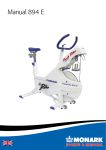
Model 894 E has a computer for anaerobic testing
and makes the bike possible to connect to an external
PC, PC-cable is included. A Windows application,
included in the bike, makes it possible to make a lot
of different type of anaerobic tests for ex. Wingate
tests and so forth. The anaerobic tests can easily be
set from 5 up to 300 seconds duration. For a closer
explanation of the application look in the program
manual, ”Monark Anaerobic Test Software User
Manual”.
Before installing the Monark Software for your
ergometer, you must take the following steps.
1. Locate the USB adaptor.
2. Inside the USB adaptor packaging, there is a miniCD.
3. Insert the mini-CD into the CD-ROM drive and
install the driver software. If there is no CD drive
on your computer, driver software is available for
download from the website (http:www.vscom.de/
USB-CD).
4. Finalize the driver software installation by
inserting the USB adaptor.
5. Install the Monark Software disk.
6. Connect the USB Adaptor to the Serial Cable and
proceed with testing.
NOTE!
To carry out anaerobic tests must cycle computer
equipped with power from a wall outlet. Connect
the supplied power adaptor into an appropriate
wall outlet (230V). The circular connector on the
secondary cable from the power adaptor is connected
to the corresponding socket on the cycle under
the instrument cover on the right side. PC cable is
connected into the serial port underneath and to a
serial port on an external PC. See Fig: Brake device in
section ”Adjusting the break cord/belt tension”. The
LED (2) on the front of the instrument panel, see fig:
Workload adjustments in section ”Workload device",
indicates both that there is power to the unit and that
the weight basket is in its upper locked position. If the
weight basket produces resistance it must be moved
up in its upper locked position where it does not give
any workload. Then the LED is lit - with a delay of
about five seconds - indicating that the computer and
cycle is in a ready position for a test.
Monark 894 E
7