1
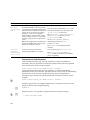
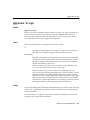
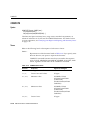
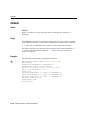
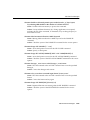
@ (“at” sign)
@ (“at” sign)
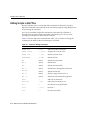
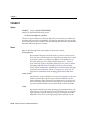
Syntax
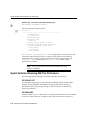
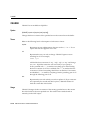
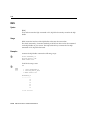
@{url|file_name[.ext] } [arg...]
Runs the SQL*Plus statements in the specified script. The script can be called from
the local file system or from a web server. Only the url form is supported in
iSQL*Plus.
Terms
Refer to the following for a description of the term or clause:
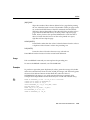
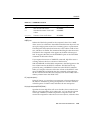
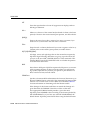
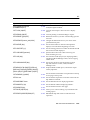
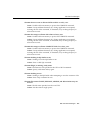
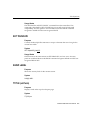
url
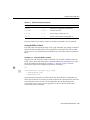
Specifies the Uniform Resource Locator of a script to run on the specified web server. SQL*Plus supports HTTP and FTP protocols.
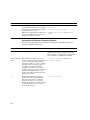
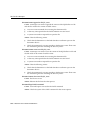
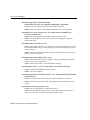
file_name[.ext]
Represents the script you wish to run. If you omit ext, SQL*Plus
assumes the default command-file extension (normally SQL). For information on changing the default extension, see the SUFFIX variable of
the SET command on page 13-121.
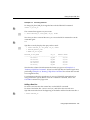
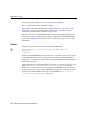
When you enter @file_name.ext, SQL*Plus searches for a file with the
filename and extension you specify in the current default directory. If
SQL*Plus does not find such a file, SQL*Plus will search a system-dependent path to find the file. Some operating systems may not
support the path search. See the Oracle installation and user’s manual(s) provided for your operating system for specific information
related to your operating system environment.
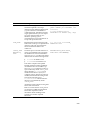
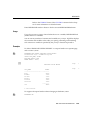
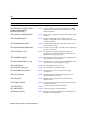
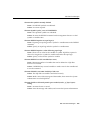
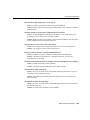
arg...
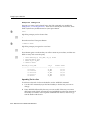
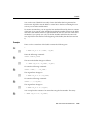
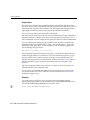
Represent data items you wish to pass to parameters in the script. If
you enter one or more arguments, SQL*Plus substitutes the values into
the parameters (&1, &2, and so forth) in the script. The first argument
replaces each occurrence of &1, the second replaces each occurrence of
&2, and so forth.
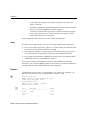
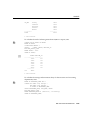
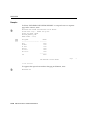
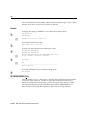
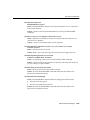
The @ command DEFINEs the parameters with the values of the arguments; if you run the script again in this session, you can enter new
arguments or omit the arguments to use the current values.
SQL*Plus Command Reference 13-5