1
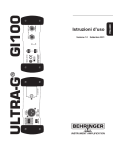
User Manual ULTRA-G GI100 Active Guitar DI-Box with Speaker Simulation 2 ULTRA-G GI100 User Manual Table of Contents Thank you.................................................................................. 2 Important Safety Instructions................................................. 3 Legal Disclaimer........................................................................ 4 Limited Warranty...................................................................... 5 1. Controls............................................................................... 10 2. Connection Examples........................................................ 12 2.1 Conversion of guitar signals...................................................... 12 2.2 Picking up a bass guitar or keyboard signal........................ 13 2.3 Converting a microphone signal from high-impedance unbalanced to low-impedance balanced................................................................... 14 2.4 Picking up a signal from a loudspeaker output................. 14 3. Specifications..................................................................... 15 Thank you Thank you for showing your confidence in us by purchasing the ULTRA-GI GI100. 3 ULTRA-G GI100 User Manual Important Safety Instructions Terminals marked with this symbol carry electrical current of sufficient magnitude to constitute risk of electric shock. Use only high-quality commercially-available speaker cables with ¼" TS plugs pre-installed. All other installation or modification should be performed only by qualified personnel. This symbol, wherever it appears, alerts you to the presence of uninsulated dangerous voltage inside the enclosure - voltage that may be sufficient to constitute a risk of shock. This symbol, wherever it appears, alerts you to important operating and maintenance instructions in the accompanying literature. Please read the manual. Caution To reduce the risk of electric shock, do not remove the top cover (or the rear section). No user serviceable parts inside. Refer servicing to qualified personnel. Caution To reduce the risk of fire or electric shock, do not expose this appliance to rain and moisture. The apparatus shall not be exposed to dripping or splashing liquids and no objects filled with liquids, such as vases, shall be placed on the apparatus. Caution These service instructions are for use by qualified service personnel only. To reduce the risk of electric shock do not perform any servicing other than that contained in the operation instructions. Repairs have to be performed by qualified service personnel. 1. Read these instructions. 2. Keep these instructions. 3. Heed all warnings. 4. Follow all instructions. 5. Do not use this apparatus near water. 6. Clean only with dry cloth. 7. Do not block any ventilation openings. Install in accordance with the manufacturer’s instructions. 8. Do not install near any heat sources such as radiators, heat registers, stoves, or other apparatus (including amplifiers) that produce heat. 4 ULTRA-G GI100 User Manual 9. Do not defeat the safety purpose of the polarized or grounding-type plug. A polarized plug has two blades with one wider than the other. A grounding-type plug has two blades and a third grounding prong. The wide blade or the third prong are provided for your safety. If the provided plug does not fit into your outlet, consult an electrician for replacement of the obsolete outlet. 10. Protect the power cord from being walked on or pinched particularly at plugs, convenience receptacles, and the point where they exit from the apparatus. 11. Use only attachments/accessories specified by the manufacturer. 12. Use only with the cart, stand, tripod, bracket, or table specified by the manufacturer, or sold with the apparatus. When a cart is used, use caution when moving the cart/ apparatus combination to avoid injury from tip-over. 13. Unplug this apparatus during lightning storms or when unused for long periods of time. 14. Refer all servicing to qualified service personnel. Servicing is required when the apparatus has been damaged in any way, such as power supply cord or plug is damaged, liquid has been spilled or objects have fallen into the apparatus, the apparatus has been exposed to rain or moisture, does not operate normally, or has been dropped. 15. The apparatus shall be connected to a MAINS socket outlet with a protective earthing connection. 16. Where the MAINS plug or an appliance coupler is used as the disconnect device, the disconnect device shall remain readily operable. Legal Disclaimer Technical specifications and appearance are subject to change without notice. The information contained herein is correct at the time of printing. All trademarks are the property of their respective owners. MUSIC Group accepts no liability for any loss which may be suffered by any person who relies either wholly or in part upon any description, photograph or statement contained herein. Colors and specifications may vary slightly from product. BEHRINGER products are sold through authorized dealers only. Distributors and dealers are not agents of MUSIC Group and have absolutely no authority to bind MUSIC Group by any express or implied undertaking or representation. This manual is copyrighted. No part of this manual may be reproduced or transmitted in any form or by any means, electronic or mechanical, including photocopying and recording of any kind, for any purpose, without the express written permission of Red Chip Company Ltd. ALL RIGHTS RESERVED. © 2010 Red Chip Company Ltd. Trident Chambers, Wickhams Cay, P.O. Box 146, Road Town, Tortola, British Virgin Islands 5 ULTRA-G GI100 User Manual Limited Warranty § 1 Warranty (1) This limited warranty is valid only if you purchased the product from a BEHRINGER authorized dealer in the country of purchase. A list of authorized dealers can be found on BEHRINGER’s website behringer. com under “Where to Buy“, or you can contact the BEHRINGER office closest to you. (2) MUSIC Group* warrants the mechanical and electronic components of this product to be free of defects in material and workmanship if used under normal operating conditions for a period of one (1) year from the original date of purchase (see the Limited Warranty terms in § 4 below), unless a longer minimum warranty period is mandated by applicable local laws. If the product shows any defects within the specified warranty period and that defect is not excluded under § 4, MUSIC Group shall, at its discretion, either replace or repair the product using suitable new or reconditioned product or parts. In case MUSIC Group decides to replace the entire product, this limited warranty shall apply to the replacement product for the remaining initial warranty period, i.e., one (1) year (or otherwise applicable minimum warranty period) from the date of purchase of the original product. (3) Upon validation of the warranty claim, the repaired or replacement product will be returned to the user freight prepaid by MUSIC Group. (4) Warranty claims other than those indicated above are expressly excluded. PLEASE RETAIN YOUR SALES RECEIPT. IT IS YOUR PROOF OF PURCHASE COVERING YOUR LIMITED WARRANTY. THIS LIMITED WARRANTY IS VOID WITHOUT SUCH PROOF OF PURCHASE. § 2 Online registration Please do remember to register your new BEHRINGER equipment right after your purchase at behringer. com under “Support” and kindly read the terms and conditions of our limited warranty carefully. Registering your purchase and equipment with us helps us process your repair claims quicker and more efficiently. Thank you for your cooperation! § 3 Return materials authorization (1) To obtain warranty service, please contact the retailer from whom the equipment was purchased. Should your BEHRINGER dealer not be located in your vicinity, you may contact the BEHRINGER distributor for your country listed under “Support” at behringer. com. If your country is not listed, please check if your problem can be dealt with by our “Online Support” which may also be found under “Support” at behringer. com. Alternatively, please submit an online warranty claim at behringer. com BEFORE returning the product. All inquiries must be accompanied by a description of the problem and the serial number of the product. After verifying the product’s warranty eligibility with the original sales receipt, MUSIC Group will then issue a Return Materials Authorization (“RMA”) number. 6 ULTRA-G GI100 User Manual (2) Subsequently, the product must be returned in its original shipping carton, together with the return authorization number to the address indicated by MUSIC Group. (3) Shipments without freight prepaid will not be accepted. § 4 Warranty Exclusions (1) This limited warranty does not cover consumable parts including, but not limited to, fuses and batteries. Where applicable, MUSIC Group warrants the valves or meters contained in the product to be free from defects in material and workmanship for a period of ninety (90) days from date of purchase. (2) This limited warranty does not cover the product if it has been electronically or mechanically modified in any way. If the product needs to be modified or adapted in order to comply with applicable technical or safety standards on a national or local level, in any country which is not the country for which the product was originally developed and manufactured, this modification/adaptation shall not be considered a defect in materials or workmanship. This limited warranty does not cover any such modification/adaptation, regardless of whether it was carried out properly or not. Under the terms of this limited warranty, MUSIC Group shall not be held responsible for any cost resulting from such a modification/adaptation. (3) This limited warranty covers only the product hardware. It does not cover technical assistance for hardware or software usage and it does not cover any software products whether or not contained in the product. Any such software is provided “AS IS” unless expressly provided for in any enclosed software limited warranty. (4) This limited warranty is invalid if the factory-applied serial number has been altered or removed from the product. (5) Free inspections and maintenance/repair work are expressly excluded from this limited warranty, in particular, if caused by improper handling of the product by the user. This also applies to defects caused by normal wear and tear, in particular, of faders, crossfaders, potentiometers, keys/buttons, guitar strings, illuminants and similar parts. (6) Damage/defects caused by the following conditions are not covered by this limited warranty: • improper handling, neglect or failure to operate the unit in compliance with the instructions given in BEHRINGER user or service manuals; • connection or operation of the unit in any way that does not comply with the technical or safety regulations applicable in the country where the product is used; • damage/defects caused by acts of God/ Nature (accident, fire, flood, etc) or any other condition that is beyond the control of MUSIC Group. 7 ULTRA-G GI100 User Manual (7) Any repair or opening of the unit carried out by unauthorized personnel (user included) will void the limited warranty. (8) If an inspection of the product by MUSIC Group shows that the defect in question is not covered by the limited warranty, the inspection costs are payable by the customer. (9) Products which do not meet the terms of this limited warranty will be repaired exclusively at the buyer’s expense. MUSIC Group or its authorized service center will inform the buyer of any such circumstance. If the buyer fails to submit a written repair order within 6 weeks after notification, MUSIC Group will return the unit C.O.D. with a separate invoice for freight and packing. Such costs will also be invoiced separately when the buyer has sent in a written repair order. (10) Authorized BEHRINGER dealers do not sell new products directly in online auctions. Purchases made through an online auction are on a “buyer beware” basis. Online auction confirmations or sales receipts are not accepted for warranty verification and MUSIC Group will not repair or replace any product purchased through an online auction. § 5 Warranty transferability This limited warranty is extended exclusively to the original buyer (customer of authorized retail dealer) and is not transferable to anyone who may subsequently purchase this product. No other person (retail dealer, etc.) shall be entitled to give any warranty promise on behalf of MUSIC Group. § 6 Claim for damage Subject only to the operation of mandatory applicable local laws, MUSIC Group shall have no liability to the buyer under this warranty for any consequential or indirect loss or damage of any kind. In no event shall the liability of MUSIC Group under this limited warranty exceed the invoiced value of the product. § 7 Limitation of liability This limited warranty is the complete and exclusive warranty between you and MUSIC Group. It supersedes all other written or oral communications related to this product. MUSIC Group provides no other warranties for this product. § 8 Other warranty rights and national law (1) This limited warranty does not exclude or limit the buyer’s statutory rights as a consumer in any way. (2) The limited warranty regulations mentioned herein are applicable unless they constitute an infringement of applicable mandatory local laws. (3) This warranty does not detract from the seller’s obligations in regard to any lack of conformity of the product and any hidden defect. 8 ULTRA-G GI100 User Manual § 9 Amendment Warranty service conditions are subject to change without notice. For the latest warranty terms and conditions and additional information regarding MUSIC Group’s limited warranty, please see complete details online at behringer. com. * MUSIC Group Macao Commercial Offshore Limited of Rue de Pequim No. 202-A, Macau Finance Centre 9/J, Macau, including all MUSIC Group companies 9 ULTRA-G GI100 User Manual Welcome to BEHRINGER! In addition to the numerous advantages of an excellent DI box, the GI100 features an extremely authentic, pure analog simulation of a 4 x 12" guitar speaker cabinet. On stage and in the studio, it is often desirable to directly connect sound sources with the console. Although this method has many advantages, it also has its technical hurdles. Keyboards rarely offer balanced outputs, and it’s simply not possible to connect electric guitars or basses directly to a console. Although common practice, placing a microphone in front of the speaker cabinet is not really an ideal solution, since the mic tends to pick up signals from other instruments and creates another potential source of feedback. A DI (Direct Injection) box allows you to pick up a signal directly from an unbalanced, high impedance output, like that of an electric guitar, and inject it into the console, without using a microphone. There are of course several situations that call for feeding an unbalanced sound source directly into a console—preferably in a balanced form. That’s exactly what a DI box is for. Basically, there are two types of DI boxes: passive and active. A passive DI box contains much simpler circuitry and requires no batteries, making it is less expensive. On the other hand, its performance is dependent on the impedance of the connected gear. A change in impedance on the output side will cause the input impedance to change. Among other things, the impedance ratings greatly effect the frequency response. A passive DI box only works correctly when impedance specifications are adhered to (in short: high-Z input, low-Z output). Active DI boxes, which use an amplifier to buffer the input signal, are not subject to these limitations. The ULTRA-G’s input impedance is extremely high, so it lets the input signal pass through with virtually no coloring. At the other end, its balanced output has a particularly low impedance, making the signal much less susceptible to hum and noise. The GI100 is an active DI box and performs optimally regardless of the impedance ratings of the connected gear. The ULTRA-G is based on the proven BEHRINGER OT-1 transformer, which ensures crystal-clear, distortion-free sound and a wide, linear frequency response. In addition, it can be powered by the console’s phantom power or by an internal battery. The battery is automatically “disconnected” when phantom power is present to preserve battery life. ◊ In order to avoid damage to your loudspeakers, always mute the corresponding channel on the consoles before connecting the GI100. The same applies when switching between phantom and battery power. 10 ULTRA-G GI100 User Manual The GI100 features a switchable speaker simulation, developed in collaboration with renowned amp designer Jürgen Rath, which adds the sound of a 4 x 12" cabinet to your direct guitar signal at the touch of a button. Analog speaker simulations, offering the possibility to get a typical guitar cabinet sound to tape or to a PA without the necessity of cabinets or microphones, have been available since the mid-80’s. Since then, the appeal of “instant sound” via simulation as a means of reducing equipment and hassle has continuously grown. Having developed a great deal of convincing guitar gear with various manufacturers, Jürgen Rath was an obvious choice for us in developing our VIRTUAL 4 x 12" CABINET speaker simulation. In the words of Germany’s top specialty publication GITARRE & BASS, “The Virtual Cabinet delivers an authentic 4 x 12" simulation with impressive sound, cutting power and clear reproduction.” (Michael Dommers, 8/97) 1. Controls (1) (2) (5) (3) (4) (6) (7) (8) Fig. 1.1: The GI100’s front and back panels (1) The VIRTUAL 4 x 12" CAB speaker simulation can be switched on and off with the SIMULATOR ON/OFF switch. (2) When activated, the GND LIFT breaks the ground connection between input and output. Depending on the grounding of the connected equipment, this can eliminate hum or ground loops. (3) OUTPUT TO MIXER is the GI100’s balanced, mic level output. Use a high-quality, balanced XLR (microphone) cable to connect the ULTRA-G to a console. ◊ You should never connect pins 2 or 3 with pin 1 or remove the shield from pin 1. Otherwise, it will not be possible to operate the unit with phantom power. 11 ULTRA-G GI100 User Manual (4) Battery compartment. To install or replace the 9 V battery, remove the screw and lift the lid. (5) The CLIP LED lights up when the input signal level is too high. (6) The two -20 dB PAD switches noticeably increase the operating range of the ULTRA-G, allowing it to accept anything from the low-level signal of a high-impedance microphone or guitar to the loudspeaker output of a guitar amp. These switches have repeatedly proven themselves in the BEHRINGER ULTRA-DI DI100. Pressing both switches results in a gain reduction of 40 dB. ◊ Before using the PAD switches, be sure that the ULTRA-G is clipping, and not the mic preamp on the console. You should only attenuate the input signal via the GI100’s PAD switches if its CLIP LED lights up frequently or remains lit. If this is not the case and distortion occurs, check the console settings. It is always best to avoid attenuation of the DI input to ensure an optimal signal-to-noise ratio. (7) INPUT. Use this 1/4" mono jack to connect the signal source, e.g. your guitar, with a high-quality standard instrument cable. ◊ The GI100 is switched on as soon as you insert a plug into the INPUT. The battery is “disconnected” when the plug is removed. For this reason, the GI100 has no on/off switch. To preserve battery life, always disconnect the input when the ULTRA-G is not in use. (8) The DIRECT LINK TO CABINET is a direct output of the input signal, allowing you for example to simultaneously run your instrument through the GI100 and complete your normal signal path by connecting the DIRECT LINK to an amp or speaker cabinet. ◊ The Input and DIRECT LINK sockets are directly connected. When connecting the speaker output of a tube amp to the input of the GI100, please be sure to connect a guitar speaker or other appropriate impedance load to the DIRECT LINK socket in order to avoid possible damage to your amplifier. 12 ULTRA-G GI100 User Manual 2. Connection examples The following section illustrates various applications of the ULTRA-G GI100. 2.1 Conversion of guitar signals VIRTUAL 4 x 12" CAB Simulation ON/OFF OUT IN Mic Inputs VIRTUAL 4 x 12" CAB Simulation ON IN Power Amp OUT IN OUT DIRECT LINK TO CABINET Fig. 2.1: 1. Guitar GI100 Console 2. Guitar Tube amplifier GI100 Loudspeaker/Console This diagram illustrates two common applications in which unbalanced guitar signals are converted into balanced signals. In the first example the guitar is connected directly to the GI100, which in turn feeds the console. No guitar amp is used. In this case, the PAD switches should be deactivated with the VIRTUAL CAB switched on or off depending on the sound desired. The second example shows the GI100 being driven by the loudspeaker output of a guitar amp. If you’re using a tube amp, it’s very important to connect an impedance load—preferably a speaker—to the DIRECT LINK TO CABINET output in order to prevent damage to your amp. For this application, start with one PAD switch depressed and the GND LIFT switch activated. We also recommend using the VIRTUAL CAB speaker simulation for an authentic guitar sound. 13 ULTRA-G GI100 User Manual 2.2 Picking up a bass guitar or keyboard signal IN VIRTUAL 4 x 12" CAB Simulation ON/OFF Monitor Amp OUT DIRECT LINK Mic Inputs Bass Amp DIRECT LINK OUT IN VIRTUAL 4 x 12" CAB Simulation ON/OFF Fig. 2.2: 1. Bass guitar GI100 Amplifier/Console 2. Keyboard GI100 Amplifier/Console This diagram illustrates two standard DI applications. The signal going to the amp via the DIRECT LINK is unaffected; it is simply picked up and additionally fed, as a balanced, low-impedance signal, to the mic inputs of the mixing console. This is particularly advantageous with bass guitars, since microphones that reproduce high-energy bass frequencies in a halfway linear manner are rare—and expensive. When using effects or other outboard processors, these should be connected in front of the ULTRA-G in the signal path, so that its output includes these signals. Few keyboards have balanced outputs. Here, a quality DI box such as the GI100 is indispensable to ensure clean signals, especially when using long cables. 14 ULTRA-G GI100 User Manual 2.3 Converting a microphone signal from high-impedance unbalanced to low-impedance balanced Many inexpensive microphones have unbalanced high-impedance outputs. With the ULTRA-G, these microphones can be used in spite of long cable runs without the danger of hum or other interference. Simply insert the GI100 between the microphone and the console. For this application, you will most likely want to switch the VIRTUAL CAB speaker simulation off. 2.4 Picking up a signal from a loudspeaker output There are times when picking up a signal after amplifier processing is desirable to achieve a certain sound, but no direct out is available. Thanks to the GI100’s two -20 dB PAD switches, you can feed a console from the loudspeaker output of an amplifier with a power rating of up to 3,000 Watts (4 Ohm) without overloading the ULTRA-G. When using a tube amp, be sure to connect a speaker or other impedance load to the DIRECT LINK output. We recommend using the VIRTUAL CAB speaker simulation in these applications, when signals from electric guitars are transmitted. + Red or positive post - Black or negative post Fig. 2.3: Connection to an amplifier’s output ◊ Before connection to a loudspeaker output, always make sure that the GND LIFT switch is activated (depressed) to prevent accidental short-circuiting of the amplifier output. The metal casing of the GI100 should not have direct contact with other equipment. The tip of the output socket should be connected to the positive (red) loudspeaker pole. 15 ULTRA-G GI100 User Manual 3. Specifications Frequency response 10 Hz to 160 kHz Noise -99.2 dBu Distortion < 0.014% (1 kHz, 0 dBu in) Input resistance > 250 kOhm Connection impedance > 600 Ohm Input1/4" mono jack Output XLR balanced Max. input level +8/ +28/ +48 dBu (Simulation OFF) -2/ +18/ +38 dBu (Simulation ON) Supply: Phantom supply 18 V DC to 48 V DC Battery 9 V 6LR91 Dimensions 6 x 5 x 2.4" 150 x 130 x 60 mm Weight approx. 650 g BEHRINGER is constantly striving to maintain the highest professional standards. As a result of these efforts, modifications may be made from time to time to existing products without prior notice. Specifications and appearance may therefore differ from those listed or shown.