1
Installation
The first steps
Basic requirements:
An operating system: Windows 2000/XP or Windows NT 4.0 SP3
An IBM compatible PC with Intel® Pentium III- CPU 1GHz, 512MB RAM, Graphic
card with a Resolution of 1280x1024, Bi-Directional Soundcard.
Other minimum requirements are stipulated by the system.
IMPORTANT
If you want to use an ICOM PCR1500 / 2500, read the ICOM Manual carefully and
follow ALL the instructions until it’s completely installed. After the succeed
Installation, the ICOM Driver change the Soundcard settings and you can’t hear
other Sounds anymore. To change it back, go to standard settings:
Start\Setting\Control Panel\Sounds and Multimedia Click “AUDIO” and choose
under “Sound Playback” the Soundcard of the PC and do the same with “Sound
Recording”.
DON’T USE THE ICOM SOFTWARE WHILE USING RadioCom!!!
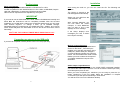
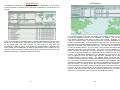
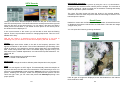
After turning the radio on, you can now insert the CD. The following window
appears:
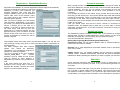
The CD-Key is burned on the
CD and appears automatically.
Select now your radio from the
„radio selection“ list.
With „Comport Selection“ you
can now select the correct
Comport, in case RadioCom
was not able to find it and
displays an error message.
If the Setup displays error
messages you have to select
the Comport manually.
Connecting an antenna to the SSB radio
If you have an amplified antenna please connect it in the proper way.
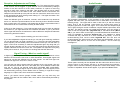
Manual Comport Selection
„Find serial port“ will prompt RadioCom to
search for the Radio. „Test serial port“
enables you to test the connectivity of the
COM-port. „Select serial port“ assigns a
concrete COM-port number to a particular
device. For the ICOM PCR/R 1500 or 2500
Radios you have to select the Comport of
your Radio instead the Comport of the
Switchbox.
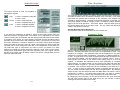
Audio Output / Input Selection:
If you have different Soundcards or the ICOM PCR/R 1500/2500 installed, you
can choose the Audio Input Card here. You can choose the Audio Input Jack (Line
IN or Microphone) here as well.
When you have completed your selections you are ready to press the „install“
button. RadioCom 6 will now install. When the installation is complete, a
connection layout will open automatically in PDF format.
You will have one icon on the Windows desktop.
1
2










![Stealth Protect Series catalogue 2011_We[...]](http://vs1.manualzilla.com/store/data/005809212_1-caf297493bfcf938dba2b64bb0d79842-150x150.png)