1
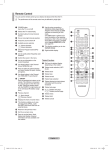
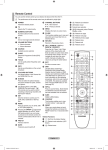
Viewing the Remote Control The performance of the remote control may be affected by bright light. 1 POWER button (turns the TV on and off) 2 Selects the TV and DTV mode directly 3 Number buttons for direct channel access 4 One/Two-digit channel selection 5 Temporary sound switch-off 6 Volume increase Volume decrease 7 Electronic Program Guide (EPG) display 8 Use to quickly select frequently used functions. 9 Control the cursor in the menu 0 Use to see information on the current broadcast # Press to select the optional display and sound modes for sports, cinema and games. $ VCR/DVD Function (Rewind, Stop, Play/Pause, Fast/ Forward) % Available source selection ^ Previous channel & Next channel Previous channel * Displays the main on-screen menu ( This function enables you to view and play photo (JPEG) and audio files (MP3) from an external device. (See page 45 (JPEG), 48 (MP3)) ) Returns to the previous menu a Exit the on-screen menu b Picture size selection c Use this when connecting a SAMSUNG DMA (Digital Media Adapter) device through an HDMI interface and switching to DMA mode. (The DMA button is optional.) For more information on the operating procedures, refer to the user manual of the DMA. This button is available when “Anynet+(HDMI-CEC)" is “On” (see page 52) d Digital subtitle display e Channel control button (Refer to page 15) Teletext Functions (Refer to page 55) 2 Exit from the teletext display (depending on the model) 7 Teletext store 8 Teletext size 0 Teletext reveal ! Fastext topic selection @ Teletext display/mix both teletext information and the normal broadcast % Teletext mode selection (LIST/FLOF) ^ Teletext sub page & P :Teletext next page P :Teletext previous page * Teletext index ) Teletext hold a Teletext cancel Continued... English - BN68-01427A-Eng.indb 8 2008-03-10 오후 3:14:17 Previewing the DTV Menu System company does not guarantee the normal operation The of the DTV menu for countries other than the 8 supported countries (United Kingdom, France, Germany, Italy, Netherlands, Spain, Switzerland, Austria) because only these country standards are supported. In addition, when the country of the broadcast stream differs from the country selected by the current user, the string appearing in the channel banner, Info, Guide, Channel List, etc. may not be displayed properly. Available in DTV mode. Preset to the DTV mode by using the TV/DTV button on your remote control. To help you navigate around the on-screen menu system and adjust the various settings available, refer to the following illustration. Press the MENU button to display the menu. Press the ▲ or ▼ button to select Digital Menu, then press the ENTER button. Guide Now & Next Guide Full Guide Scheduled List Default Guide Now/Next Full Guide Digital Channel Country Auto Store Manual Store Edit Favourite Channels Channel List All Favourites Default All Favourites Setup Menu Transparency High Medium Low Opaque Change PIN Parental Lock Parental Rating Subtitle Off On Subtitle Mode Normal Hard of hearing Audio Format PCM Dolby Digital Audio Description Audio Description Volume Digital Text Disable Enable Time Zone Common Interface System Product Information Signal Information Software Upgrade Reset English - 31 BN68-01427A-Eng.indb 31 TV Digital Menu Guide Digital Channel Setup Language Move DTV Enter Return Guide Now & Next Guide Full Guide Scheduled List Default Guide :Full Guide Move DTV Enter Return Channel Country :United Kingdom Auto Store Manual Store Edit Favourite Channels Channel List Move DTV Enter Return Setup Menu Transparency: Medium Change PIN Parental Lock Subtitle : On Subtitle Mode Move Enter Return Continued... 2008-03-10 오후 3:14:45 Operating the DTV Menu Viewing the DTV Menu After installing your antenna system and TV with appropriate connectors. Plug in the AC main power and switch on the TV. Press the MENU button to display the menu. Press the ▲ or ▼ button to select Digital Menu, then press the ENTER button. The main menu appears on the screen. Its left side has four icons: Guide, Digital Channel, Setup, and Language. TV Press the ENTER button. The Country menu is displayed. Select your country by pressing the ▲ or ▼ button, then press the ENTER button. Even though you have changed the country setting in this menu, the country setting for Analog TV is not changed.(Refer to page 10) 1.3 Manual Store You can specify the channel for a fast channel search. − Channel Press the ▲, ▼ or numeric buttons (0~9) to select a channel. The available channels are 21~68. The corresponding frequency for the selected channel is automatically set. − Frequency If you do not know the exact frequency, follow the above step to select the frequency automatically using channel. − Bandwidth The available bandwidths are 7 and 8 MHz. Enter DTV Exit Channel Country :United Kingdom Auto Store Manual Store Edit Favourite Channels Channel List Move Enter DTV Return Channel Country :United Kingdom Auto Store Manual Store Edit Favourite Channels Channel List 1.2 Auto Store You can update the channel list when the broadcaster adds new services or if you move the TV to a new location. Press the ENTER button to select Auto Store. Press the ENTER button again to start the search. When it has finished, the number of scanned services will be displayed. − The existing favourite channel list will not be deleted when the channel list is updated. − To stop the scan before it has finished, press the ENTER button with Stop selected. If the signal status is poor, No service found! Check the aerial connection. message is displayed. Move 1. Digital Channel This menu consists of 5 sub-menus: Country, Auto Store, Manual Store, Edit Favourite Channels, and Channel List. Press the ▲ or ▼ button to select Channel, then press the ENTER button. The Channel menu is displayed. 1.1 Country Digital Menu Guide Digital Channel Setup Language Move DTV Enter Return Auto Store 0% Services found: 0 Channel: - Start Return DTV Channel Country :United Kingdom Auto Store Manual Store Edit Favourite Channels Channel List Move DTV Enter Return Manual Store Channel 5 Frequency Bandwidth 177500 KHz 7 MHz Search Adjust Return Continued... English - 33 BN68-01427A-Eng.indb 33 2008-03-10 오후 3:14:49