1
CFMGR
Users Manual
Copy/Move/Delete/Type/Print/Prot/Unprot/Rename
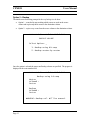
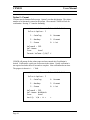
This option requires a volume number to be entered. The volume number must be 1 to
maximum number of volumes (see Misc. Utilities – CF Geometry). In the example
below, volume 1 is entered. Pressing ENTER causes the volume information to load.
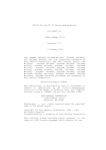
-= F I L E
U T I L I T I E S =-
Select Option: n
1. Copy/Move/Delete/Type/Print
Prot/Unprot/Rename
Volume# : 1
Vol.Name:
Free
Used
The subsequent action will display all files found in the volume as shown on the next
page in the file-listing screen.
Page 5