1
AW900x
User’s Manual
Point-to-point
Industrial-grade, ultra-long-range 900 MHz
non-line-of-sight wireless Ethernet systems
AW900x
User’s Manual
Non-line-of-sight :: 900 MHz
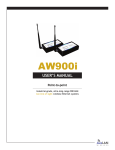
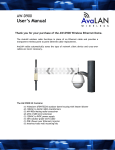
AW900x Kit
Thank you for your purchase of the AW900x
point-to-point wireless Ethernet bridge.
Long-range 900 MHz wireless outdoor Ethernet
bridge. Kit includes:
n
— (2) AW900x outdoor radios
n
— (2) 110 VAC to 12 VDC power adapters
n
— (2) Power over Ethernet injectors
If you have any questions when configuring
your AvaLAN system, please send an e-mail
to [email protected].
For a live technician, please call technical
support at (650) 384-0000.
Requires antennae: Use with AW2, AW5H-900, AW5P-900, AW6,
AW10, AW11, or AW15 — all FCC approved
For advanced installation information,
please visit www.avalanwireless.com.
Operational summary
The AW900x replaces costly wiring with a wireless Ethernet bridge that can enable remote Wi-Fi access points, Ethernet pan/tilt/zoom
security cameras, VoIP phones, or Internet kiosks. AvaLAN’s product offers the ideal combination of price, range, data rate, security,
interference avoidance, quality-of-service, and ease-of-use.
The AW900x is the best solution when:
— a Broadband Ethernet drop will cost too much or is impractical to install
— guaranteed DSL-rate throughput is required (kiosks/Wi-Fi access points/PTZ cameras)
n
— guaranteed latency for voice or video is required (PTZ cameras/VoIP)
n
— Wi-Fi is too slow due to saturation or 2.4 GHz interference (airport/mall/PTZ cameras)
n
— ultra-low current consumption is required (1 Watt/solar powered systems)
n
n
Features include:
— foliage penetrating, non-line-of-sight wireless Ethernet bridging
— does not interfere with Wi-Fi networks
n
— Highest Quality of Service (QoS) available — synchronous point-to-point protocol enables extremely low data latency and
— jitter
n
— 128 bit encrypted payload protection provides secure data delivery
n
— simple plug and play — pre-configured as matched pairs with no user programming required
n
— power over Ethernet enabled
n
— operates in the 902-928 MHz band and does not require an FCC license to operate or install
n
— VLAN extensions supported
n
n
Technical support :: (650) 384.0000
PAGE 2
www.avalanwireless.com
User’s Manual
AW900x
Quick setup
1) Plug in the AW900x using the supplied injector and power adapter.
2) Connect an Ethernet cable from each AW900x to a network device.
3) Send Ethernet traffic. For troubleshooting, see Page 4.
System diagram
Each AW900x radio automatically selects the best radio channel, encrypts the Ethernet traffic, and transports the data wirelessly to its
mate. Any Ethernet device can be connected to the AW900x. The AW900x functions in place of an Ethernet cable and provides a transparent wireless point-to-point Ethernet cable replacement. Crossover cables are not necessary as the AW900x automatically senses
the device (client or switch).
Power adapter
110 VAC
Power
9 to 48 VDC
Power over
Ethernet injector
RF connector
RP-TNC
Data
CAT5 cable
(not included)
AW900x
CAT5 cable
(not included)
900 MHz
digital
Ethernet
bridge
Ethernet
RJ45/10BaseT
Ethernet
RJ45/10BaseT
CAT5 cable
(not included)
AW900x
CAT5 cable
(not included)
Data
RF connector
RP-TNC
Power adapter
110 VAC
Power over
Ethernet injector
Power
9 to 48 VDC
www.avalanwireless.com
PAGE 3
Technical support :: (650) 384.0000
AW900x
User’s Manual
LED display
Troubleshooting
See the online installation tutorial and FAQ at www.avalanwireless.com.
No Power LED
Check the power connections.
No Radio Link LED
The radio is looking for its matched partner. If both units are powered up and the Power LEDs are active, they may be too far away
to create the radio connection. Try other locations that may have a less obstructed path or try to reorient the antennae. Yagi type
antennae get their best range when they are oriented to point directly at each other with the antenna elements oriented in the
same place (eg. vertically or horizontally).
Radio LINK LED is on but Link Quality Indicator is low
The units may be too far away to create a good radio connection. Try other locations that may have a less obstructed path, or try to
reorient the antennae.
No Ethernet LINK LED
Check your network connections.
Installing multiple systems in close proximity
See the online installation tutorial and FAQ at www.avalanwireless.com
Still not working?
Temporarily use an Ethernet cable to see if the network is working over a wired connection. If an Ethernet cable does not work
then the problem is with the network.
Technical support :: (650) 384.0000
PAGE 4
www.avalanwireless.com
User’s Manual
AW900x
Advanced settings
Automatic frequency selection mode (DIP switches — all OFF for automatic mode)
The AW900x is designed to automatically select and continuously optimize the performance of its radio channel. The radio channel
is monitored to ensure it is providing low error rates necessary for successful radio transmission. In the event that the error rate
rises, the AW900x will autonomously change to a new channel. There are 12 non-overlapping channels.
Manual frequency selection mode
To restrict the operation of the AW900x to a subset of the 902-928 band, the user may activate a manual selection mode that allows
the radio to automatically choose the best channel within a grouped subset of the 12 available channels. This is enabled by the 8
position DIP switch on the master unit. These settings allow the AW900x to operate on the optimal channel in one of three subsets,
LOW 4, MID 4, or HIGH 4. The DIP switch settings are:
Or, the user may wish to select a specific channel. This can be done by setting DIP switches 5-8 as shown in the table below (turn
DIP 2 Off / 3 Off).
Site survey mode (DIP switch 4 — default is OFF for normal operation)
In this mode, the AW900x can perform a site survey. With this mode activated, the radios send and receive at 100 percent capacity by transceiving self-generated simulated data. The installer can monitor the Link Quality display to assess channel quality while
optimizing antennae orientation. The installer can manually select each channel to evaluate performance and identify the best
channels for operation. By identifying channels with poor performance it is possible to identify possible interferers and use “manual
frequency selection mode” to avoid portions of the band or select a fixed operating frequency.
Note: Ethernet traffic does not get transported while the radios are in this mode.
Power save mode (DIP switch 1 — default is OFF for normal LED display)
In this mode, the display LEDs can be turned off for low power applications (solar).
www.avalanwireless.com
PAGE 5
Technical support :: (650) 384.0000
AW900x
User’s Manual
Technical specifications
CHARACTERISTIC
SPECIFICATION / DESCRIPTION
RF transmission rate
Ethernet throughput
Output power
Receive sensitivity
Latency
Jitter
Power consumption
Voltage
Radio channels
Automatic frequency select
Manual frequency mode
Status LEDs
MAC pass-through filter
Error correction technique
Adjacent-band rejection
Enclosure type
Temperature range
Power over Ethernet
1.536 Mb/s
935 Kb/s
+21 dBm (4 Watts EIRP used with 15 dBi antenna)
-112 dBm at 10e-4 BER with 15 dBi antenna
< 2 ms — assuming a dedicated wireless link to client device
+0.5 ms — depending on packet size, interference, and SNR
FX 0.6 W, TX 1.4 W
4 to 48 VDC
12 non-overlapping
Yes — radio channel automatically selected and adaptively optimized
Yes
Power, Ethernet Link, RF RX, RF TX, 4/Channel, and 6/Link Quality
Yes — can be disabled
Sub-block error detection and retransmission
SAW receiver filter attenuates cellular and pager interference
NEMA 4X
-40o C to 70o C
Includes injectors/power supplies — 9 to 48 VDC ready
Range
Tree attenuation:
38 dB/tree at 5.8 GHz
22 dB/tree at 2.4 GHz
8 dB/tree at 900 MHz
5.0
4.5
4.0
2.0
1.5
Tree
802.11b
2.5
Tree
3.0
Tree
3.5
Tree
Actual throughput (Mbit/s)
802.11a/g
and
WiMAX
AvaLAN Wireless
non-line-of-sight wireless
Ethernet bridges enable
broadband Internet
anywhere
Longest-range wireless Ethernet solution
1.0
250
500
With
15 dBi
antennae
With
11 dBi
antennae
With
2.5 dBi
antennae
0.5
1000
2000
10000
Outdoor Range (ft)
Technical support :: (650) 384.0000
PAGE 6
www.avalanwireless.com
User’s Manual
AW900x
Warranty
This product is warranted to the original purchaser for normal use for a period of 180 days from the date of purchase. If a defect
covered under this warranty occurs, AvaLAN will repair or replace the defective part, at its option, at no cost. This warranty does not
cover defects resulting from misuse or modification of the product.
Sample applications
www.avalanwireless.com
PAGE 7
Technical support :: (650) 384.0000
[email protected]
Technical support :: (650) 384.0000
For advanced installation information visit
www.avalanwireless.com
©2004 — 2007 AvaLAN Wireless Systems Incorporated. All rights reserved. AvaLAN Wireless and the AvaLAN Wireless logo are registered trademarks of AvaLAN Wireless Systems
Incorporated. All other trademarks are property of their respective owners. AvaLAN Wireless makes no representations or warranties with respect to the accuracy, utility, or
completeness of the contents of this publication and reserves the right to make changes to specifications and product descriptions at any time without notice. No license, express
or implied, by estoppel or otherwise, to any patents or other intellectual property rights is granted by this document. Particular uses or applications may invalidate some of the
specifications and/or product descriptions contained herein. The customer is urged to perform its own engineering review before deciding on a particular application. AvaLAN
Wireless products are not designed for use in medical, life saving, or life sustaining applications. 07.07.2007