1
Rev 1.0
Connecting to the Switch Platform
7.2.1 Managing the System
For information and instructions regarding the use of the Embedded Management Tools see the
Embedded Management Tools User Guide on the enclosed CD.
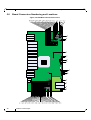
7.2.2 I2C Connector
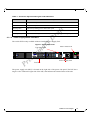
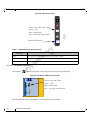
The I2C connection provides access to Flash and EEPROMs. This connection allows access to the
switch for updating firmware when in-band firmware updating is impossible.
in
ar
yD
ra
ft
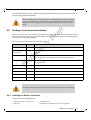
Note: The RJ45 to DB9 harness 22 in the box with the switch, is for use with the MTUSB-1
adapter. This is necessary only when updating firmware cannot be updated in-band.
This interface is for Debug and Troubleshooting only. This interface is for FAEs
and advanced users only.
When you install the switch, it comes with the latest firmware burned on the board. All firmware
updates should be done in-band. This is only done when you receive an e-mail that a newer firmware version for your switch is available.
im
Download the latest firmware from
http://www.mellanox.com => Downloads => Firmware.
Pr
el
For instructions on downloading firmware see
http://www.mellanox.com => Downloads => Firmware Tools.
Be sure to download the user manual appropriate to your OS. Read the instructions in the User
manual for the firmware update procedure.
7.2.3 How to Get Mellanox Firmware Tools (MFT)
Mellanox Firmware Tools (MFT) and documentation are available for download via
http://www.mellanox.com > Downloads > Firmware Tools.
The MFT kit includes:
• mlxburn
• flint
• spark
• debug utilities
See “Related Documentation” on page 7.
62
Mellanox Technologies





























![MC95XX Series Regulatory Guide [English] (P/N 72-118502](http://vs1.manualzilla.com/store/data/005760097_1-2f741b3a88b00c5f81d3f7718b174271-150x150.png)