1
Telephone settings
Quiet mode
You can turn on the quiet mode for a period of time (1-12 hours). During
this period, all tones (except paging tone) and call screening are muted.
When you turn on the quiet mode, the answering system turns on
automatically. When the quiet mode duration expires, the answering
system remains on.
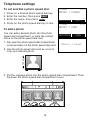
To set and turn the quiet mode on:
1. Press and hold QUIET# on the cordless handset/
# on the
telephone base when idle. The screen shows Quiet: _ _ hours
(1-12 hours).
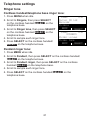
2. Enter the desired duration (1-12), then press SELECT on the
cordless handset/SELECT on the telephone base.
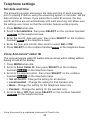
To turn the quiet mode off:
• While the quiet mode is on, press and hold QUIET# on the cordless
handset/
# on the telephone base.
Happy message
Happy messages are pendant greeting messages. The default setting
is On.
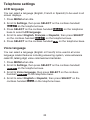
1. Press MENU when idle.
2. Scroll to Pendant, then press SELECT on the cordless handset/
SELECT on the telephone base.
3. Scroll to Happy message, then press SELECT on the cordless
handset/SELECT on the telephone base.
4. Scroll to On or Off, then press SELECT on the cordless handset/
SAVE on the telephone base.
27