1
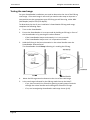
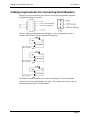
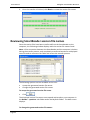
Gallagher SmartReader BR Series User Manual Testing the SmartReader EID tag read range The SmartReader EID tag read range should be tested to ensure the animals passing through the animal handler are accurately and reliably identified. The SmartReader generates a balloon shaped read range (see diagram next page), within which EID tags are read reliably. The size of the read range for individual installations should be the width of the animal handler. The SmartReader EID tag read range for a particular installation is tested using the built in set up mode in the SmartReader. This set up mode changes how often the SmartReader beeps to confirm a tag read from “only on first read” to ”every read”. This enables you to easily test the SmartReader EID tag read range using the same tag. The section Testing the read range (p 17) describes how to complete an initial test on the SmartReader EID tag read range for your SmartReader installation. For more advanced testing, see Advanced EID tag read range testing (p 19). Note: The SmartReader is shipped in Setup mode. Accessing and exiting Setup mode To swap the SmartReader from Setup mode to Operational mode (or the reverse), complete the following steps: 1.
Turn the SmartReader on. 2.
Press and hold the Volume button. 3.
Turn the SmartReader off. When you turn the SmartReader back on again the SmartReader will have swapped to the other mode. Note: Prior to use, ensure the SmartReader volume is on. Page 17