1
Sample Apple ProRes Workflows
The following sections provide examples of workflows that use Apple ProRes codecs at their core.
Mastering REDCODE Projects
After final grading in Color, you can render to the Apple ProRes 4444 codec and send the project back to
Final Cut Pro for conforming and output. REDCODE is a 12-bit, 4:4:4, full-color format. By grading the native
R3D files with float processing and then rendering to a 4:4:4 format for editing, you retain the maximum
possible quality.
For more information, see Working with REDCODE Media.
Capturing Directly to the Apple ProRes 4444 Codec
You can capture from an HDCAM SR deck via dual-link 4:4:4 HD-SDI directly to the Apple ProRes 4444 codec,
retaining full color information.
This workflow could include material shot on the Panavision Genesis and Arriflex D-20/D-21 cameras.
Mastering DPX or Cineon Digital Negative Projects
This could include film-scan workflows or digital cinema cameras (such as the Thomson Viper FilmStream and
the Vision Research Phantom) that deliver DPX image sequences for the post-production pipeline. Apple ProRes
can be the finishing and mastering format, or it can be used as a very high-quality offline format for digital
intermediate workflows that will be finished in DPX for film output.
Transcoding Directly to an Apple ProRes Codec on Ingest
Ingesting or transcoding directly to an Apple ProRes codec is particularly convenient if your project involves
multiple camera formats and you want to standardize on a single codec for post-production. This includes
retaining the quality in 4:4:4 digital cinema formats by transcoding directly to the Apple ProRes 4444 codec.
Compositing and Visual Effects Projects
The 10-bit, 4:4:4 color space plus an alpha channel is especially useful for compositing and effects projects in
both Final Cut Pro and Motion. After the motion graphics (with or without an alpha channel) are created in
Motion, they can be preserved in the Apple ProRes 4444 format all the way through to the finish. For more
information about preserving the alpha channel in Final Cut Pro, see “Sequence Settings and Presets” in the
Final Cut Pro 7 User Manual. For more information about Motion, see the Motion User Manual.
Offline Editing with Apple ProRes Codecs
The offline/online workflow allows you to use temporary, low-quality copies of your footage during editing and
then finish your project with full-resolution media. Lower-resolution media files require less hard disk space
and less computing power to process transitions and effects. This means you can edit on an inexpensive
computer or a portable computer and then finish at full resolution on another system.
Depending on your project and your budget, you could use any of the Apple ProRes codecs for offline editing.
On the high end, you might use Apple ProRes 4444 as a very high-quality offline codec for digital intermediate
workflows that will be finished in DPX for film output. For a typical HD or SD video project, you can get high
quality and superb playback performance with Apple ProRes 422 (LT) or Apple ProRes 422 (Proxy) as your
offline format.
All Apple ProRes codecs maintain the source frame size and aspect ratio throughout the offline and online
editing phases.
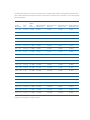
Here are possible offline scenarios using the Apple ProRes format: