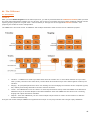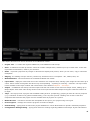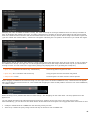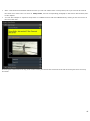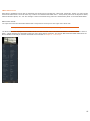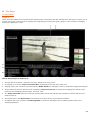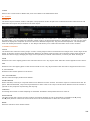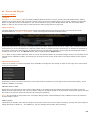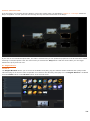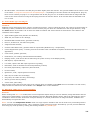
1
SCRATCH User Guide Version 8.2 – December 2014 © ASSIMILATE INC Rev. 8.2.1 Contents 01 - Introduction ..................................................................................................... 6 01 - SCRATCH + SCRATCH Lab ................................................................................... 6 02 - Products Features Difference Matrix ...................................................................... 9 02 - Getting Started ................................................................................................ 10 01 - Software Installation ......................................................................................... 10 02 - Licensing the Software ...................................................................................... 14 03 - Starting the Software........................................................................................ 16 03 - The Startup Screen .......................................................................................... 28 01 - Introduction..................................................................................................... 28 02 - Session ........................................................................................................... 30 03 - User Settings ................................................................................................... 31 04 - Project Settings................................................................................................ 35 05 - System Settings ............................................................................................... 39 04 - The CONstruct ................................................................................................. 43 01 - Introduction..................................................................................................... 43 02 - Project Tree ..................................................................................................... 45 03 - Managing Slots ................................................................................................ 48 04 - Interacting with Shots ....................................................................................... 51 05 - Media Menu ..................................................................................................... 62 06 - Tools Menu ...................................................................................................... 69 07 - Staging ........................................................................................................... 72 08 - Outputs ........................................................................................................... 73 09 - Trays .............................................................................................................. 82 10 - Generic Functions ............................................................................................. 84 11 - Conforming ..................................................................................................... 89 12 - Media Browser ................................................................................................100 13 - Process Queue ................................................................................................107 14 - Search ...........................................................................................................110 05 - The Player ..................................................................................................... 112 01 - Player Basics ..................................................................................................112 02 - Viewport Elements...........................................................................................113 03 - Navigation Tools..............................................................................................126 04 - Command Menu ..............................................................................................134 05 - Player Settings ................................................................................................136 2 06 - Monitor ..........................................................................................................138 07 - Guides ...........................................................................................................141 08 - Profile ............................................................................................................142 09 - Audio Panel ....................................................................................................143 10 - File-Based Player .............................................................................................145 06 - The Editor ...................................................................................................... 147 01 - Introduction....................................................................................................147 02 - Interactive Editing ...........................................................................................148 03 - Video .............................................................................................................153 04 - Actions...........................................................................................................156 05 - Effects ...........................................................................................................159 06 - Audio .............................................................................................................160 07 - Setup.............................................................................................................162 08 - Source Mode and Collector Nodes ......................................................................163 07 - The Matrix ..................................................................................................... 164 01 - Introduction....................................................................................................164 02 - Shot and Inputs ..............................................................................................165 03 - Config ............................................................................................................166 04 - Levels ............................................................................................................168 05 - Color .............................................................................................................171 THE COLOR MENU ..................................................................................................171 06 - Numeric .........................................................................................................173 07 - Curves ...........................................................................................................174 08 - Vectors ..........................................................................................................175 09 - LUT ...............................................................................................................176 10 - Generic Matrix Functions ..................................................................................176 11 - Trays and Memories ........................................................................................181 12 - Animation .......................................................................................................184 13 - Curve Editor ...................................................................................................186 14 - Setup.............................................................................................................192 08 - Layers ............................................................................................................ 194 01 - Introduction....................................................................................................194 02 - Managing Layers .............................................................................................195 03 - Canvas...........................................................................................................198 04 - Layer Interactions ...........................................................................................206 3 05 - Masks ............................................................................................................209 06 - Tracking .........................................................................................................210 07 - Qualifier .........................................................................................................214 08 - Texture ..........................................................................................................219 09 - Camera ..........................................................................................................222 09 - Process and Plug-ins ..................................................................................... 224 01 - Process Module ...............................................................................................224 02 - Plugins Browser ..............................................................................................226 03 - Native Media Types and Plug-ins .......................................................................228 04 - RED R3D, ARRI, SONY, CSP and FFMPEG............................................................228 05 - MXF, QuickTime, ProRes, H264 and Broadcast Wave ............................................233 06 - Burn-In ..........................................................................................................237 07 - Deinterlacer ....................................................................................................240 08 - Nest Node, Color Frame and Re-Timer ...............................................................241 09 - Stereo, Live View ............................................................................................242 10 - Vector Paint ....................................................................................................244 10 - Collaboration Tools ........................................................................................ 246 01 - MyASSIMILATE ...............................................................................................246 02 - Project Repository ...........................................................................................248 03 - Publish and SCRATCH Web ...............................................................................252 04 - Remote ..........................................................................................................254 05 - User Profile and Galleries..................................................................................256 11 - Customization ................................................................................................ 258 01 - Playout ..........................................................................................................258 02 - Control Surfaces..............................................................................................261 03 - Custom Pull-downs ..........................................................................................266 04 - Custom Commands .........................................................................................267 05 - Advanced Settings ...........................................................................................269 06 - User Interface Customization ............................................................................270 07 - Wacom Tablet .................................................................................................271 08 - LUT, ACES and CTL support ..............................................................................274 09 - Command Line Parameters and Utilities .............................................................276 10 - Third Party Plug-ins .........................................................................................278 Appendices ........................................................................................................... 280 A - Quick Keys .......................................................................................................280 4 B - Database, XML, XSLT and HTML ..........................................................................291 C - Panel Mapping ..................................................................................................302 D - Supported Media formats ...................................................................................317 5 01 - Introduction 01 - SCRATCH + SCRATCH Lab GENERAL SCRATCH® and SCRATCH Lab™ are digital imaging and file-based workflow tools for post-production, offering a wide variety of features from high performance playback to conform, editing, color grading, compositing and finishing. All in a single system with advanced data-management and software interfaces for third party integration. The next paragraph contains a feature matrix on the difference between SCRATCH®and SCRATCHLab™. As of version 6, SCRATCH is available on both Windows and OS X. Projects are interchangeable between different platforms as well as different products. However,featured used in a project created on one product which are not available on the other product will not render. Product licenses are linked to a single system and are not interchangeable. It is recommended that you read this manual carefully when planning DI projects with SCRATCH. This manual is available both on-line on the Assimilate Support site at www.assimilatesupport.com and as a pdf download from that same site. Only the on-line version is updated when updates are released for the same version. The pdf is created only with the first release of a new version. The Support Site requires you to register but is open to anyone. Next to this manual and the Support Site there are additional sources of information to learn about SCRATCH and to post questions you might have. TECHNICAL SUPPORT For Technical Support for SCRATCH, send an email to [email protected] .Indicate your company, what build of SCRATCH you are running, your hardware configuration, and a clear description of the problem you are experiencing, with steps for reproducing the problem. This service is only available if you have a valid SCRATCH support contract. SCRATCH-LIST To keep up to date about the latest developments, tips and tricks,and general SCRATCH information, join the SCRATCH User Group list.Register at http://groups.google.com/group/scratch-list with the email account you wish to use. Once you are authorized, you will receive emails that are posted to the Scratch-List group. Each email is identified with [SCRATCHLIST] in the message subject, so they can be easily identified and sorted in your email reader. The Scratch-List is an excellent resource for users of any level.Post questions, opportunities, recent projects, or any other SCRATCH-related topics; then watch for feedback from SCRATCH users around the world. ACKNOWLEDGEMENTS The following non-proprietary code is used within SCRATCH and derived applications: FreeType (uses version 2.3.10) Copyright (c) 1996-2002 The FreeType Project (www.freetype.org) All rights reserved. The OpenGL Extension Wrangler Library (1.3.3) Copyright (C) 2002-2008, Milan Ikits <[email protected]> Copyright (C) 2002-2008, Marcelo E. Magallon <[email protected]> Copyright (C) 2002, Lev Povalahev <[email protected]> All rights reserved. Half float pixel format type This is the format used on the graphics hardware, and the conversion from, and to this format is provided through software, which is: Copyright (c) 2002, Industrial Light & Magic, a division of Lucas Digital Ltd. LLC 6 All rights reserved. OpenEXR image format Copyright (c) 2004, Industrial Light & Magic, a division of Lucasfilm Entertainment Company Ltd. Portions contributed and copyright held by others as indicated. All rights reserved. XML toolkit from the GNOME project (libXML2 version 2.6.11) Copyright (C) 1998-2003 Daniel Veillard. All Rights Reserved. Additional notices for files contributed to the libXML project: Copyright (C) 2001 Bjorn Reese <[email protected]> Tiff library: Copyright (c) 1988-1997 Sam Leffler Copyright (c) 1991-1997 Silicon Graphics, Inc. Jpeg library: The Independent JPEG Group's JPEG software This software is copyright (C) 1991-1998, Thomas G. Lane. JPEG 2000 Format image format support is handled through: Kakadu V6.1, License 00845 Copyright (c) 2001, David Taubman, The University of New South Wales (UNSW) JasPer Current version: 1.701.0 JasPer License Version 2.0 Copyright (c) 1999-2000 Image Power, Inc. Copyright (c) 1999-2000 The University of British Columbia Copyright (c) 2001-2003 Michael David Adams All rights reserved. OFX : Open Plug-Ins For Special Effects Basic Host implementation uses the specification headers provided by the OFX project, which are: Copyright (c) 2003-2009, Open Effects Association. All rights reserved. SCRATCH DNxHD MXF - Patent and third party libraties For its implementation of (DNxHD) MXF format, SCRATCH uses a number of third party Patents and software libraries. AVID DNxHD Patent rights and Notices. The MXF DNxHD implementation in SCRATCH is manufactured by ASSIMILATE INC under license to pending patent applications and issued patents: [U.S. Patent Application10/817,209, allowed. U.S. Patent 7,403,561. U.S. Patent Application No.12/215,228, currently pending. Canadian Patent Application 2521467,allowed. European Patent 1629675. European Patent Application 07121939,published as European patent publication 1892965, currently pending.] 7 AAF SDK The Source Code version of the AAF SDK used in SCRATCH is available from the Advanced Media Workflow Association, Inc., under the terms of the AAF SDK Public Source License Version 2.0. A copy of this license is available at www.amwa.tv The terms of the SCRATCH End User License Agreement do not apply to the AAF SDK, neither is any Contributors to the AAF SDK responsible or liable for the terms and conditions in the SCRATCH License Agreement. APPLE ProRes Encoder Apple Licenses the Apple Technology to Assimilate on an "AS IS"basis. APPLE MAKES NO WARRANTIES, EXPRESS OR IMPLIED, INCLUDING WITHOUT LIMITATION THE IMPLIED WARRANTIES OF MERCHANTABILITY, FITNESS FOR A PARTICULAR PURPOSE OR NON INFRINGEMENT, REGARDING THE APPLE TECHNOLOGY OR ITS USE AND OPERATION ALONE OR IN COMBINATION WITH OTHER SOFTWARE OR HARDWARE. APPLE DOES NOT WARRANT THAT THE FUNCTIONS CONTAINED IN THE APPLE TECHNOLOGY WILL MEET PARTICULAR REQUIREMENTS, OR THAT THE OPERATION OF THE APPLE TECHNOLOGY WILL BE UNINTERRUPTED OR ERROR-FREE,OR THAT DEFECTS INT HE APPLE TECHNOLOGY WILL BE CORRECTED. FFmpeg SCRATCH uses code of FFmpeg licensed under the LGPLv2.1 and its source can be downloaded here. Assimilate Inc does not own any of the FFmpeg source code. More information on the ownership of FFmpeg can be found at http://www.ffmpeg.org/index.html. Various web libraries mpeg4ip from the mp4creator - lib v1.6.1c - (MPL 1.1). Portions of this library were created by Cisco Systems Inc. are Copyright (C) Cisco Systems Inc. 2001. All Rights Reserved. OpenSSL - Copyright (c) 1998-2011 The OpenSSL Project. All rights reserved. This product includes software developed by the OpenSSL Project for use in the OpenSSL Toolkit. (http://www.openssl.org/). libfaac v1.28 - (LGPL) Copyright (C) 2001 Menno Bakker, Copyright (C) 2002, 2003 Krzysztof Nikiel. libfaac uses KISS FFT, Copyright (c) 2003-2004, Mark Borgerding. Parson - Copyright (c) 2013 Krzysztof Gabis. ftplib - Copyright (c) 2000-2006, The Perl Foundation - (AL 2.0) THE SOFTWARE IS PROVIDED "AS IS", WITHOUT WARRANTY OF ANY KIND, EXPRESS OR IMPLIED, INCLUDING BUT NOT LIMITED TO THE WARRANTIES OF MERCHANTABILITY, FITNESS FOR A PARTICULAR PURPOSE AND NON INFRINGEMENT. IN NO EVENT SHALL THE AUTHORS OR COPYRIGHT HOLDERS BE LIABLE FOR ANY CLAIM, DAMAGES OR OTHER LIABILITY, WHETHER IN AN ACTION OF CONTRACT, TORT OR OTHERWISE, ARISING FROM, OUT OF OR IN CONNECTION WITH THE SOFTWARE OR THE USE OR OTHER DEALINGS IN THE SOFTWARE. Trademarks Windows is a registered trademark of Microsoft Corporation in the United States and other countries. Pentium is a trademark or registered trademark of Intel Corporation or its subsidiaries in the United States and other countries. The following are trademarks of ASSIMILATE Inc.: ASSIMILATE, ©copyright and trademark, ASSIMILATE Inc, 2004. All rights reserved. SCRATCH is a registered trademark ® of ASSIMILATE, 2006. SCRATCH SCAFFOLDS, SCRATCH EXTENSIONS, and SCRATCH Digital Intermediate Process Solution are all trademarks and registered trademarks of ASSIMILATE,2006, All rights reserved. 8 02 - Products Features Difference Matrix GENERAL Throughout this manual, all sections describing functionality that is not available in SCRATCH Lab are marked with .This can either be a single paragraph or a whole chapter; in the latter case the symbol is placed at the first paragraph of the chapter. Incase a section applies only to SCRATCH Lab it is marked with . The table below shows the differences between both SCRATCH products,as well as the difference between the Windows and OS X versions. Products Features Difference matrix SCRATCH® SCRATCH Lab™ CONstruct Tools O De-Construct Grading and Compositing: Multiple (3D) layering O Staging - data management dimension O Structure View - composite tree O 6-Vectors secondary grading O Tracker O Stabilize Qualifiers O Masks - multiple 2D Shapes O Textures O Camera O Platform differences SDI Windows OS X NVIDIA Quadro / AJA / Bluefish / DeckLink AJA / Bluefish / DeckLink 9 02 - Getting Started 01 - Software Installation SOFTWARE INSTALLATION Getting SCRATCH up and running takes just three easy steps: 1. Install the SCRATCH software 2. Generate an initial log file and send it to the ASSIMILATE licensing email address 3. Activate the license file you receive back from ASSIMILATE SYSTEM REQUIREMENTS SCRATCH’s performance relies primarily on the speed of the graphics accelerator and disk sub-system in your host computer system.System RAM and CPU type are also important but in general with more latitude. Below is a list of requirements, recommendations and considerations when setting up a new system. HARDWARE Graphics accelerator. SCRATCH will work with most modern graphics cards with OpenGL and OpenCL support. SCRATCH is tested on high-end NVidia Quadro and AMD Firepro cards. Please see for an up to date overview of tested graphics cards and recommended drivers - in the Driver Chart available on the Support Site. The exact requirement of the graphics cards also depends on the type of media that you work with: some media require a GPU for debayer while other rely more on CPU decompressing. Some media will benefit from multiple graphic cards in the same system. The recommended minimum resolution to work on is 1920x1200. SCRATCH supports various SDI output cards: NVIDIA, Bluefish, AJA and DeckLink. High-speed disk sub-system. SCRATCH plays back media files directly from the disk drives without converting to an intermediate file format; therefore the performance of SCRATCH is tied directly to the performance of the disk subsystem. Depending on the type of footage you are planning to process, you will need more or less bandwidth / throughput from your disk system. o For real-time playback of 2k DPX material you need at least 350 - 400 Mb/s. o For compressed material (like e.g. RED r3d; 35-60 Mb/s) disk throughput requirements is less but more processing power is required from the CPU. Note that to render / write uncompressed material you will need 350-400 Mb/s write speed again. o If you are planning stereo projects or using 4k uncompressed footage, disk performance requirements will more than double. x86 64bit compatible CPU. Even though SCRATCH relies in general more heavily on the GPU than the CPU, the choice of CPU is important. Some file formats require substantial CPU power for decoding next to GPU power for debayer: e.g. RED, Sony. Another factor might be that certain plug-ins you are planning to use require CPU processing. 12GB Memory minimum. In a 64 bit operating system there is virtually no limit to the amount of memory that can be used. However, the marginal utility of increasing quantities of memory do diminish; more memory will allow SCRATCH to cache more data. However, you will primarily benefit from that larger cache as long as your media working-set fits in the cache completely. PCI slots. Make sure the system has enough expansion slots to accommodate current and future needs; e.g. professional sound card, disk controllers, capture card, RS422 connector for deck control on play-out, decoder cards (r3d), etc. For the MAC - you can use an Extension Chassis. OPERATING SYSTEM As of version 6.0 SCRATCH is released as a 64bit application on both Windows and OS X.For Windows - either version 7 or 8 or higher is required. Windows Server variants have not been actively tested. The minimum supported version for OS X is 10.6.6. 10 INSTALLING THE SCRATCH SOFTWARE SCRATCH is typically downloaded from the Assimilate Support Site as a.zip or .pkg file. In the case of a .zip file, you need to unzip the file before you can begin the installation. The file can be unzipped using a default zip utility. Once the file is unzipped, there is a folder with two files in it. In case of the Windows installer these are AssimSetup64.msi and ReleaseNotes.txt. The OS X installer comes in the form of a .pkg file instead of a .msi file. The ReleaseNotes.txt file is copied into the main SCRATCH install directory by the installer. See below for more information about this file. WINDOWS INSTALLATION SCRATCH is installed using the .msi file. Double-clicking on this file launches the SCRATCH installer program. When the installer firstlaunches, an initial dialog is shown, indicating that you are about to install SCRATCH on your system. Installing SCRATCH is a standard Windows install: read the license agreement and confirm / agree to the terms set the install folder copy and install the program files Note that as of version 8 - the Codec Support Pack (CSP) for additional media format support and the AMT library (for creating AVID compatible MXF) are included in the installer, where as before these were separate installers. MAC OS X INSTALLATION The install program in OS X is started by double-clicking the .pkg file and goes through a similar series of steps as the Windows install,standard to an OS X installation. Installing SCRATCH is a standard OS X install: read the license agreement and confirm / agree to the terms set the install folder enter administrator credentials for installation copy and install the program files 11 INSTALLED FILES PROGRAM DATA WINDOWS The default installation folder for Windows is C:\Program Files\Assimilate which contains three sub-folders: Bin64 - This folder contains the SCRATCH executable application and all supporting .dll files. There are also three additional executable programs in the bin64 folder; acopy.exe, diskio.exe and crypt3dl.exe. These are command-line utilities that are used for copying media, analyzing disk performance and encrypting 3D LUTs respectively. See Chapter 10 – Utilities and Customization for details on these utilities. Fonts - The SCRATCH UI can be customized to use any font loaded under Windows. These fonts are loaded simply to ensure that a default font is available. See Chapter 10 – Utilities and Customization for more information about customizing the SCRATCH UI. Settings - Containing the default configuration files and a number of predefined Look-Up-Tables (LUT files). Do not modify any of these files directly. Configuration and customization of SCRATCH is covered in detail in Chapter 10 – Utilities and Customization. OS X On OS X the installation folder is /Applications and in the /Library/Application Support/Assimilator/Defaults/ the default configuration files are stored. APPLICATION DATA Once the software is launched, a folder is created in (Win) C:\ProgramData\Assimilator / (OS X) /Library/Application Support/Assimilator/ for storing application data that carry over between software versions. These files and folders are not modified when the SCRATCH software is updated. Note: The Application Data folder is hidden by default in Windows. In order to see this folder you may need to modify the Windows Explorer settings so that hidden files are shown. Project Everything pertaining to a particular SCRATCH Project is contained within that Project’s folder, allowing for easy backup and transportation of SCRATCH Projects. The SCRATCH Project folder contains a sub-folder per project created. The individual project sub-folder in turn contains- among others: Project.db8; the database containing all project data. Project data is saved automatically on time intervals or when changing between modules. Note that in prior versions this file had the .db extension. When opening an existing project, a new database file is created and the project data is copied into that. The old database file remains in the folder but is no longer updated. Project.bak / Project.$.bak; backup files - when entering a project a copy of the project database is created and renamed to .bak. Any previous backups are renamed with a version number. By default SCRATCH maintains 3 backups older ones are removed. You can adjust the number of backups in the Advanced System Settings though. ProjectCrash.bak / CrashLog.log; when entering a new a session after a crash, SCRATCH will automatically try to create a backup of the last project database that was used and make a copy of the log file that was written when the crash occurred. Project.dbl; file used for database locking so as to prevent others from entering the same project at the same time possibly causing write conflicts. Additional sub-folders with a specific project: conform - default location for loading / saving conform files. Constructs - default location for import / export of project data. Colors - default location for saving / loading shot color settings. Temp - default location to store xml data to work with the custom command and project auto-export function. 12 Init - used with XML scripting options for updating a project data through the Watch folder. Animation - default location for saving / loading animation or tracker data. Snapshot - default folder for saving snapshot images in the Player. plugins - default location for storing / loading plug-in preset files specific to your project. Users This folder contains: A sub folder for each local SCRATCH user created. Each user folder contains a user settings file, any gallery items (looks & grades) that the user saved and possibly customized panel mappings. A Settings folder that contains an Output and Plugins sub-folder. Both are used to store templates and presets that are available to all local users and are not specific to any particular project. Note: The location of the Project- and Users- sub folders can be customized (see Chapter 3 – The Start-up Screen) and optionally be located on a network drive. that way they can be shared by multiple SCRATCH systems. Settings This folder contains several configuration files, none of which should be edited directly. For information on customizing and adjusting these setting files, see Chapter 10 – Utilities and Customization.This folder also contains the LOGS sub-folder: each time SCRATCH is run, a new log file is generated in this folder. TheAssimilator.log file is the most current log from the last time SCRATCH was run.Previous versions are numbered from 1 to 10 with 1 being more recent and 10 being the oldest. Only the last 10 log files are kept. Older log files are removed each time SCRATCH is run. Tip: The log files are used to troubleshoot issues with the SCRATCH software. Anytime you have strange behavior from SCRATCH, exit the program and copy the Assimilator.log file from the LOGS folder to another location. This allows you to preserve it and send it to Technical Support. UPGRADING SCRATCH The SCRATCH software is updated regularly to add new functionality and improve existing features. To upgrade to a new version of the software, follow these steps: 1. Back-up all project and user information. This information should be backed up regularly, but it is most important to have a backup version of your project information before installing a new version should you ever need to revert back to a previous version for any reason. 2. Remove the SCRATCH software using Add/Remove Programs in the Windows Control Panel. 3. Install the new version of software by running the .msi installer that was provided. Note: A new SCRATCH license may be required when upgrading to new versions of the software. Check the Release Notes that are included with new versions of the software for information about licensing before beginning the install process. Note: It is most important that you check the Release notes of a new version to make sure it is fully backward compatible with the current version you are running. It is discouraged to switch to a new version while working on a project but rather wait to install the new version when starting a new project . 13 02 - Licensing the Software ACTIVATING THE SOFTWARE You can either activate SCRATCH as a free Player or use a License key to activate the software. To activate the software as a free player select the Free Player tab, enter your email address and click the Activate Player button. In order to run SCRATCH, SCRATCH Lab or SCRATCH Play Premium you need to enter a license key. A license key is formatted as "xxxxxxxx-xxxx-xxxx-xxxx-xxxxxxxxxxxx" -a total of 36 characters including the separators. You can enter the key manually or copy the key to the clipboard of Windows / OS X and use the Paste button. After entering a key the Activate Key button will turn into an enabled state. When you click the Activate Key button SCRATCH will contact the Assimilate activation server over the internet and send the key along with your system's details to validate the key and generate a license for the system. If the key validates, the license is then automatically installed. A second dialog will pop up asking you to restart SCRATCH. On Windows this restart will be done automatically - on OS X SCRATCH will just close down and needs to be started manually again. Note: The system needs a working internet connection for on-line activation. LICENSE ACTIVATION AND PRIVACY POLICY When Activating the software with a license key, SCRATCH will send information about your system over the internet to Assimilate' server in order to create a license. The information sent is the same data as that which is written in a standard SCRATCH log-file and contains information about the system hardware (CPU, Memory and GFX specifications), the Operating System (Type and version) and data items like system-name, system-id and disk-id to identify the system in order to generate a system specific license for it. All information is send over a secure (https) connection and is stored in the Assimilate database and only used for generating a license or referencing in case of a problem with SCRATCH and/or the license. This information will never be sold, traded, or otherwise distributed to another party. LICENSING QUESTIONS OR ISSUES For any licensing questions of issues contact [email protected] and always include an Assimilator.log file with the request. If you experience problems with activating the software make sure: The system has a working internet connection - you can check this by opening an internet browser on the computer and open e.g. the Assimilate homepage at http://www.assimilateinc.com. Check if there are any firewalls blocking the system from connecting the Assimilate server. A firewall can be switched on on the system itself or can be located elsewhere in the network. In the former situation, try switching off the firewall temporarily in the latter case - contact your network administrator. 14 In some cases you might get a 'key in use' message after activating. In that case you either used a key that is already used by another system or either the system-id or disk-id of the system you are activating from have changed. Contact Assimilate and include both the latest log file and the key you are using to activate. UPDATING A LICENSE To update an existing license file you navigate to the System Settings menu (discussed in detail in the next chapter) and select the License button on the far right of the menu panel to open the License dialog. In SCRATCH Play - open the Preferences dialog from the CONstruct and from there click the Licensebutton. AUTO-RENEWAL OF SUBSCRIPTION LICENSES If you have a SCRATCH (monthly) subscription with recurring payments, the license you obtain after activating will only be valid for a month. However SCRATCH will automatically try to renew the license each month several days before it expires. The system needs to be on-line for the renewal to succeed. If the re-activation fails and the license expires SCRATCH will popup the licensing dialog. POSSIBLE LICENSE ISSUES There are cases in which activation fails and an error message is displayed. Key in use. The license key has been used to activate another system or the system configuration has changed (new hardware such as network adapter or hard disk) that the license has become invalid. Invalid key. You entered a key that is not recognized as a valid key - possibly by entering a wrong character. Check the license key carefully. Activation failed - code X. Where X is a number: 0 indicates that SCRATCH does not have a working internet connection - contact your system administrator or try to connect to the web using the standard browser on the system. Other codes are described here http return codes. Subscription expired or is invalid. Sell explanatory. Error activating multiple trial keys. You are not allowed to activate multiple trial licenses on a single system. Contact ASSIMILATE Sales for a solution. E666.You get this error when trying and failing to activate a key more than three times in a row. Wait 30 minutes and try again to see the real error. Other general error are - Failed to activate, Generator Error, E100. Please make sure you entered the correct license key and contact ASSIMILATE Support if the issue persists. 15 03 - Starting the Software THE SCRATCH USER INTERFACE In broad terms, the SCRATCH software is divided into three sections: The Startup Screen, the CONstruct and the Player. Throughout each of these sections, the SCRATCH User Interface (UI) remains consistent. The UI itself is divided into two distinct areas. The Main Menu panel occupies the lower portion of the screen and has a Menu Bar across the entire top. Above this is the main workspace area of the UI, called the View Port. When SCRATCH is launched, the first screen you will see is the Startup Screen. The Main Menu displays Session, User, Project, and System Settings options. Tip: The View Port area of the Startup Screen can be customized with your own logo. See Chapter 11 – CUSTOMIZING SCRATCH for more information. UI COMPONENTS Navigating through the SCRATCH UI is done with several types of elements and functions: Gestures Single-Action Buttons Menu Buttons Pull-Down Menus Text-Entry Slates Text Selection Slates Numerical Slates 16 On-screen Calculators Color Selection Palettes Special Purpose Interface Elements Quick Keys GESTURES SWIPING SCRATCH uses a method called ‘swiping’ to control various UI elements. A swipe simply means to move the cursor quickly off one edge of the UI. When the cursor hits the edge of the UI, whatever swipe action is attached to that edge of the UI will be executed. This may consist of revealing a menu or clearing a selection. You’ll see swiping referred to in many places throughout this manual. CONTROL GEARING Control Gearing is a gesture for incrementing and decrementing Numerical Slates, similar to using a radio dial. See the section NUMERICAL SLATES for details on how Control Gearing is used. SINGLE-ACTION BUTTONS A single-action button performs one action when clicked. Examples of these are the EXIT and ENTER PROJECT buttons shown on the Startup Screen. If a button is grayed out, then the function that button performs is not currently available. CONFIRMING SINGLE-ACTION BUTTONS Some single-action buttons will require a confirmation to ensure that you really do want to perform the operation. In these cases, the button will be replaced by a confirmation button, which is really two buttons in one. Click on the Yes / OK / Accept part of the button to confirm the action or click on the No / ESC / Abort part of the button to cancel the action. The Enter key on the keyboard can also be used to confirm the action. Moving your cursor off the button will cancel the action automatically. • Quick Key: Enter » Confirm Action • Quick Key: Esc » Cancel Action MENU BUTTONS Menu Buttons are used to select between different sub-menus within the Main Menu. The Menu Button will highlight to indicate which sub-menu has been selected and the Main Menu will update to display that sub-menu. An example of this are the four Menu Buttons on the left side of the Startup Screen; Session, User Settings, Project Settings, System Settings. Each of these will call up a different sub-menu. 17 PULL-DOWN MENUS Clicking on a pull-down menu will open a list of options for that button. The currently selected option will have its text highlighted. The option under the cursor will have the background of the button highlighted.Options that are not available will be grayed out. Click on any option to select it and close the list. Tip: Pull-down menus will stay open after a single click with the mouse or pen. There is no need to keep the mouse or pen pressed while selecting from a pull-down menu. This makes the SCRATCH UI easier to use with less strain on the muscles of the hand. TEXT ENTRY SLATES Text Entry Slates are areas where specific alpha-numeric information can be entered. They are flat, non-shaded areas. Examples of Text Entry Slates are the New User and New Project areas on the Startup Screen. Clicking on a Text Entry Slate will change the cursor from the default cross to an I-Beam, indicating that the software is ready for text input. Text can then be entered from the keyboard and confirmed with the ENTER key, which will end the text input. Note: Be sure to hit ENTER after completing a text entry. Clicking on another part of the UI will revert the text entry back to its previous version and cancel any new text entry. Tip: Text Entry Slates follow all of the usual text editing rules for Windows such as Cut and Paste (using CTRL-C and CTRLV), partial selection, backspace etc. Note: SCRATCH maintains a history of values entered in Text Entry Slates. Using the Up and Down arrow keys while a Text Slate is selected will scroll through previous values entered in any other Text Slate in SCRATCH. The history is maintained until exiting a Project. This function can be very useful when updating multiple Text Slates with more or less similar values e.g. renaming a number of shots. • Quick Key: Up / Down arrow » scroll through values previously entered in other Text Entry Slates TEXT SELECTION SLATES Text Selection Slates are lists of options that can be selected. They are similar to a pull-down menu except all options are visible at all times rather than having to click on a single button to reveal the list. 18 Text Selection Slates cannot be directly edited; however, the text they contain is usually controlled by a Text Entry Slate. Examples of Text Selection Slates are the Users and Projects lists on the Startup Screen. NUMERICAL SLATES Numerical Slates are used for inputting numerical data for various properties. You can input or change a value of a Numerical Slate in several ways. CONTROL GEARING To use Control Gearing, click and hold over the current number in a Numerical Slate and make a circular motion with the cursor. This will act as a control dial which will increment (clockwise motion) or decrement (counter clockwise motion) the numerical value. You can hold down the Quick Key: Shift to change the sensitivity of the control gearing. • Quick Key: Shift » Changes the sensitivity of Control Gearing The sensitivity of the Control Gearing and Shift-modifier can be customized as a User Setting. See Chapter 3 – THE STARTUP SCREEN for information about how to change these values for each User. The Numerical Slates have a Fill Gauge that indicates where in the overall range of values the current number falls. The Fill Gauge will gradually fill in the area behind the Numerical Slate’s label. Once the Fill Gauge moves to the right edge of the label, the maximum value has been reached and the value cannot be incremented any further. 19 CALCULATOR Clicking once on the number in a Numerical Slate will invoke the SCRATCH Calculator. Tip: You can move the Calculator’s position by clicking down on the gripper in the lower right of the Calculator panel. If you hover over the gripper,the main cursor will change to a translate cursor, indicating that repositioning is possible. To enter a new value, simply click on the appropriate numbers and click the enter arrow. You can also use the number pad on the computer’s keyboard to enter values. The numerical entry will update after the Enter key is pressed. To remove a single digit entry, click on the backspace arrow; or, to clear the Calculator’s entire Entry Slate, click on the C button. Illegal Value Indicator If you attempt to exceed a value’s upper or lower limit, the Calculator displays the number in red. Use Clear or Backspace to set the Slate to a legal value. If you hit ENTER, the maximum or minimum value will be inserted automatically. Increment and Decrement To increment or decrement an existing value by a pre-defined amount,first enter the amount and then click on either the up or down arrow at the top right of the Calculator panel. Each click on the arrow will increase or decrease the current value by the amount you typed in, and the Calculator will display an equation representing the current increment or decrement. Tip: By default, the increment and decrement are set to 1. You can also use the following Quick Keys to achieve the same effect: • Quick Key: Up Arrow » Increments the value • Quick Key: Down Arrow » Decrements the value • Quick Key: Right Arrow » Increments the value • Quick Key: Left Arrow » Decrements the value Calculations Normal calculations can be made on numbers by using the ÷, x, - and + buttons. For example, to divide the current number in half, click on the ÷ button and then click on 2 and Enter. Numbers can also be quickly swapped from positive to negative or vice-versa by using the +/- button. 20 Time Code and Frames The TC button toggles the Calculator between Frame Mode and Time CodeMode. When in Time Code Mode, values are entered as HH:MM:SS:FF, rather than as pure frame counts. This only applies to Numerical Slates that accept time codes as a value. The TC button highlights when the Calculator is in Time Code Mode. Reset An individual value can be reset back to its default by clicking on the R button, located on the top left of the Calculator’s panel. Magic Number Picker The Calculator has the ability to recognize and grab any number that exists on the current menu page and place it as the current value in the Calculator. For example, if a Scale X Numerical Slate has a value of 90, and a Scale Y Numerical Slate has a value of 50, you can set the Scale X value to 50 by clicking on the current value of Scale X to open the Calculator; then click on the Scale Y value of 50 and the value of 50 is immediately entered into the Numerical Slate for Scale X. This is a quick way of matching values between different parameters without typing the entire value. Exiting To close the Calculator and accept the current value, press the Enter button or use the Quick Key: Enter on the keyboard. • Quick Key: Enter » Accept the current value and close the Onscreen Calculator To remove the Calculator without changing any values, use the Quick Key: Esc or swipe the cursor off the edge of the UI. • Quick Key: Esc » Clear the On-screen Calculator • Swipe Action: Left or Right » Clear the On-screen Calculator LOCKING AND UNLOCKING LINKED SLATES Some Numerical Slates, such as Scale X and Scale Y, are locked together so that modifying the value of one will automatically modify the value of the other. This is particularly convenient for parameters,such as Scale, which typically are modified together. However, there are instances when these values need to be modified separately. To do this, first the Slates must be unlocked from one another. Locked Slates are indicated by a white Link Bar between the two Slates. In the image below, the Scale X and Scale Y values are linked. To unlock the Slates, you must drag from an empty area of the UI across the Link Bar. 21 While you are dragging, a line is drawn to indicate that you are unlocking the Slates. Once the line crosses the white Link Bar, you can release the mouse or pen button. The Link Bar disappears and the Slates are unlocked. This can be done in any direction, but you must start dragging from an area of the UI that has no other interface elements on it. If the indicator line does not appear, then your start point was not valid. Slates can be locked back together using the same method. COLOR SELECTION PALETTES There are several areas in SCRATCH where you will either need to sample a color from an image or designate a specific color. In these situations, the Color Selection Palette appears. This UI element allows you to designate a color in several ways. RGB SLIDERS The top row contains Sliders for Red, Green, and Blue levels. These can be adjusted by clicking inside the color area and dragging the indicator to the desired level. You can also use the Quick Key: Shift to modify the sensitivity of the sliders. • Quick Key: Shift » Modify slider sensitivity Note: The sliders response is based on the settings for Control Gearing in the User Settings menu of the Startup Screen. By default, the Quick Key: Shift will increase the sensitivity of the sliders. However, if the values for Control Gearing have been altered, the sliders will behave in accordance with those settings. CURRENT COLOR POT In the center of the top row of the Color Selection Palette is the Current Color Pot. This area displays the currently selected color and has the values for each color channel superimposed over it. The values displayed are based on the Color Format that is selected. See below for more details about Color Format. Color Picker Whenever the Color Selection Palette is visible, you can select colors directly from the View Port. When the cursor is over the ViewPort, it changes to the Color Picker cursor. Click down on any area in the View Port; the color beneath the cursor will be sampled. You can also hold down the mouse or pen button and continuously sample colors from the View Port. Releasing the mouse or pen button keeps the last sample as the current color. Note: Pan and Zoom controls are deactivated while the Color Selection Palette is open. COPY To the right of the Current Color Pot is the Copy button, which copies the value from the Average Color Pot into the Current Color Pot. 22 AVERAGE COLOR POT The Average Color Pot is a running average of all colors that have been sampled since the Color Selection Palette was opened. This can be useful for sampling black areas to get an average black level for a particular portion of an image, or for selecting a median value for a Qualifier. This is covered later in Chapter 8 – SCAFFOLDS. This color can easily be copied to the Current Color Pot using the Copy button. SAMPLE The sample button determines how many samples will be taken around a certain point when the Color Picker is used. This is another way of quickly averaging a selection. Using more samples from around the selected pixel reduces the effect of variations caused by film grain or color sub-sampling, and gives you a more representative value for a particular area of an image. If very precise pixel value measurements are required, a sample of 1 should be used to ensure that the values returned are exactly the values of the sampled pixel. RESET The Reset button returns the Color Selection Palette to its default, middle-gray color. It also resets the Average Color Pot. HSV SLIDERS Along the bottom of the Color Selection Palette are the Hue,Saturation and Value sliders. The current color can be modified by adjusting these sliders if you are more comfortable working in an HSV space as opposed to an RGB space. The Hue slider is larger than the others in order to provide more accurate selection. COLOR FORMAT To the right of the HSV sliders is the Color Format pull-down. This pull-down changes how color ranges are expressed within the Color Selection Palette. The actual bit depth is not changed; it simply alters the value ranges that are displayed in the Current Color Pot. 8-bit values range from 0 to 255 10-bit values range from 0 to 1023 16-bit values range from 0 to 65535 0.0-1.0 values range from 0.0 to 1.0 COLOR SPACE This pull-down will change the color space that is used to display values in the Current Color Pot. The options are RGB, HSV, YUV and RGB-LOG. NUMERIC The Numeric button will toggle Numerical Slates on and off for RGB and HSV values so that you can enter these values directly in addition to using the sliders. OK/CANCEL On the left side of the Color Selection Palette are the OK and Cancel buttons. To accept the current color selection, you must either press the OK button, use the Quick Key: Enter, or swipe the cursor off the left or right side of the screen. • Quick Key: Enter » Accept the current color selection. • Swipe Action: Left or Right » Accept the current color selection. To cancel the current color selection and return to the previous selection, you must either press the Cancel button, use the Quick Key: Escape, or swipe the cursor off the top or bottom of the screen. 23 • Quick Key: Escape » Cancel the current color selection. • Swipe Action: Up or Down » Cancel the current color selection. SPECIAL PURPOSE INTERFACE ELEMENTS There are many other interface elements in SCRATCH that are dedicated to a specific purpose; for example, the Tracker Ball interface in the COLOR toolset. The specifics of these interface elements is described in their respective chapters. DRAG MENU In the Structure view - when dragging an element and hovering over another element - a circular menu will appear around the drop target with one or more drop actions. You can either select one of the actions by clicking on it or click in the middle part on the drop target, which will trigger the default action. The default action is highlighted when hovering the middle part of the menu. THE SCRATCH BROWSER SCRATCH uses a custom File Browser for navigating the file system.This Browser provides specialized functions for working with image sequences and folders. The Browser will pop up over the View Port area whenever SCRATCH requires you to 24 navigate to a particular file or folder. NAVIGATION Each sub-folder is shown in its own column. Select a sub-folder to open the next column and show the folders/files contained within. You can also use the following Quick Keys to navigate through folders: • Quick Key: Up Arrow » Select the next folder or file up in the current column • Quick Key: Down Arrow » Select the next folder or file down in the current column • Quick Key: Right Arrow » Expand the current sub-folder into the next column • Quick Key: Left Arrow » Close the current sub-folder and go back to the parent folder in the previous column SCRATCH automatically detects image sequences and groups them into single entries within the Browser. Each entry shows the base file name, number of frames in the sequence, and the date and time the files were created/modified. 25 RECENT PATHS The left bottom list shows a number of recently used paths. Each time a file of directory is selected, the folder is added to the list. There are however different lists maintained, indicated by the label above the list. There are separate lists for different groups of file and folder types; image files, construct files, color and LUT files, plug-in and template files and lastly a general category. FILE TYPE FILTER The current folder can be filtered to only show files of a certain type. SORT The order in which files and folders are displayed can be controlled with the SORT button. The options for sort are By Date and By Type. COLLAPSE By default, SCRATCH groups image sequences into a single entry in the Browser. However, you can expand the group by deselecting the COLLAPSE button. This shows each file on its own line in the Browser. Tip: Sometimes you may receive multiple files that are not meant to be grouped together. For example, QuickTime files with names such as;Reference_1.mov, Reference_2.mov etc. These will get grouped together by the COLLAPSE function. To see each file, de-select the COLLAPSE button. ERROR LOG Pressing Quick Key: Ctrl + E anywhere from within SCRATCH, will popup the Error Log panel. Any irregularities that accured, e.g. unable to load a file, will be displayed. They will also be recorded in the general log. The Clear button will only remove items from the active list in the panel. The general log is not affected. 26 • Quick Key: Ctrl + E » Show Error Log panel. QUICK KEYS SCRATCH uses keyboard Quick Keys as shortcuts to many of the UI functions. A list of these Quick Keys can be called up at any time from within the SCRATCH UI by pressing the Quick Key: H. • Quick Key: H » Activate context-sensitive Help list. This list is context-sensitive and shows only the Quick Keys that apply to that particular area of the software. To clear the list, press the Quick Key: H again or swipe off any side of the screen. • Swipe Action: Any side » Clear the context-sensitive Help list. A complete list of all Quick Keys is available in Appendix A. 27 03 - The Startup Screen 01 - Introduction GENERAL This chapter introduces you to the Start-up Screen in detail, showing you how to configure Users, Projects, and SCRATCH Settings. When SCRATCH is launched, the Start-up Screen shows the Assimilate logo & product designation in the View Port area and by default the Session menu in the bottom Main Menu area. The top left corner will contain several links that will open a web page in your default web browser with information about SCRATCH and Assimilate. When you click anywhere in the View Port area, an overlay is displayed with system and software version information. This info is also available in the log files maintained by SCRATCH but the overlay is more readily available. 28 If you click anywhere on the overlay it will be lifted, leaving the normal logo view again. In the Main Menu area, the four buttons on the left side: Session, User Settings, Project Settings and System Settings toggle the Main Menu between the different configuration menus. They are discussed in detail later in this chapter. MENU BAR BUTTONS ACCESSING LOG FILES The Log Files button, located on the right side of the Menu Bar, allows quick access to the SCRATCH log files. Clicking on this button opens a separate Windows Explorer to the location of the SCRATCH log files. You may occasionally be asked to send a log file to Technical Support or ASSIMILATE Licensing. This is a quick way to access the logs without having to browse to a specific location. ENTERING A PROJECT In the middle of the Menu Bar is the Enter Project button. This button is grayed out unless a User and Project are selected. Clicking on the ENTER PROJECT button opens the selected Project,using the User’s settings that you’ve selected. SCRATCH will keep the Project files locked when entering a project, preventing other other stations from opening the same project. Note: If you attempt to open a Project that does not have a Media Directory defined, you will get an error message. Use the Project Settings Menu to define the Media Directory and then enter the Project. If you upgraded SCRATCH you might be asked to upgrade any existing project before entering. In that case the Enter Project button will be grayed out and the Upgrade Project button will be active. Make sure you always have created a backup of your projects before upgrading. After selecting the Upgrade Project button SCRATCH will convert the project database and the Enter Project button will become available. 29 EXIT On the left side of the Menu Bar is the Exit button. The Start-up Screen is the only location from which you can access the Exit button. If you are already in a Project, you must first exit the Project and return to the Start-up Screen. Then you can exit SCRATCH.The Exit button requires a confirmation. Note: The Exit button is only available when the User/Project Menu Button is selected on the left side of the Start-up Screen Main Menu. If any other Menu Button is active, the Exit button is grayed out. 02 - Session GENERAL In the Session Menu you select a User Profile, create and open Projects and can start a Remote session with other SCRATCH systems. REMOTE SESSION The option to start a remote creative session - where you can link multiple SCRATCH systems to interactively collaborate on the same project - is discussed in detail in Chapter 10 - Collaboration Tools. USER PROFILE A SCRATCH User Profile holds UI settings and preferences, customized panel settings and all galleries with grades and looks created by the user. A SCRATCH Profile can be linked to an online ASSIMILATE account to maintain all these settings online and have them available on any SCRATCH system. The Manage button opens a dialog where you can create a new Profiles, switch between Profiles or synchronize the local Profile with the online account. For more information on linking and synchronizing a Profile to an ASSIMILATE account please see Chapter 10 - Collaboration tools. To create a new Profile you select the <Create New Profile> option in the Profiles drop down and enter a new Profile name. Next you enter your ASSIMILATE account username (email) and password. The Mem button will remember the password for future use so you do not have to re-enter it. When you select the Create button, the new Profile is created and SCRATCH will start synchronizing the local profile with the ASSIMILATE account. Note that you are not required to link a profile to an ASSIMILATE account. If you can leave the ASSIMILATE account username empty, the local Profile is still created. If you do enter the ASSIMILATE account username but leave the password empty SCRATCH will link the Profile but will not start a synchronization action. 30 To switch between existing Profiles, just select the profile in the drop down and simply click the Close button to exit the dialog. The Session menu will now show the selected Profile. PROJECT LIST New Projects are created by entering a new name in the text slate next to the Add button. Project names have to be unique. If an already existing name or an invalid name is entered the Add button is disabled. You can select an existing project from the list just by clicking it. Tip: The list of SCRATCH projects can become long; to quickly navigate the list you can just type the (first characters of the) name of a project -the project-list will automatically scroll to that correct position and select the project. Subsequently using the Quick Key: Enter is equivalent to clicking the Enter Projectbutton. After adding a new project or selecting an existing project the info section on the right of the Project List will show some of the project properties: default resolution, media path, last modified. In certain cases the info section will display warning or message about the status of the project: e.g. if no or an invalid media path has been or when xml script for a project update is pending. The Load From Repository and Change Log functions are discussed in detail in Chapter 10 - Collaboration Tools. 03 - User Settings GENERAL In the User Settings Menu you customize how the SCRATCH User Interface (UI) looks and acts. All settings are stored in the current selected User Profile. INTERFACE SETTINGS CONTROLS There are three options: ROUND, SQUARE and SHADED. The default style of ROUND gives the SCRATCH UI buttons rounded edges and a soft shade across them. The SQUARE style has sharper edges, a slight outline, and omits the shading. The SHADED style has the rounded borders with a more expressive shading across the buttons. SCHEME There are four options in the pull-down menu for Scheme: Color Mono Shaded Custom These select the overall color scheme for the UI. Color applies the default color scheme for the UI. Mono changes the UI color scheme to a monochromatic style which creates less intrusion on the eyes while doing color work. Shaded is a alternative colored scheme provided by ASSIMILATE which is used as the default scheme in derivative SCRATCH products. Color Custom allows you to customize the color of individual elements of the UI and modify the overall text size and font for the UI.This is covered in detail in Chapter 11 – CUSTOMIZING SCRATCH. 31 COLOR CURSOR This toggle switches the cursor between the standard color style and a monochrome style. This is also useful for minimizing the intrusion on the eyes while doing color work. Note: Warning and confirmation dialogs still appear in color. Also other specialized interface elements are not monochromatic since their color appearance is critical to their operation. CONTRAST When using a Custom color scheme, this numerical control adjusts the overall contrast of the UI. RESET This resets any changes made to a Custom color scheme back to the default values. SQUARE/CIRCULAR MENU These options control the appearance of the SCRATCH Command Menu. The Command Menu is a floating, pop-up menu that allows you to navigate between the various menus in the SCRATCH Player. See Chapter 5 – THE PLAYER for more details on the Command Menu. UI TRANSITIONS When switching between the three sections of SCRATCH -- the Start-up Screen, the CONstruct and the Player -- the interface cross-fades to the new section rather than just changing instantly. This makes the transition smoother on the eyes. Disabling this button turns off the fade effect and the interface switches instantaneously to the new section. UI ANIMATIONS This toggle activates the auto-panning mode for the CONstruct. When this is active, you can click, drag and release and the CONstruct will continue to pan as if it has momentum from the ‘push’ you’ve given it.The CONstruct continues to coast along until you click on the interface or until the beginning or end of the CONstruct is reached. MIRROR This set the amount of mirror effect on shots at the bottom of the slots in a CONstruct. CONTROL GEARING The next section of the User Menu determines how the Control Gearing behaves in Normal Mode and Shift Mode. These two values determine the sensitivity of the Control Gearing throughout the UI. NORMAL This sets the default increment for all Control Gearing. The value is expressed in terms of a relative percentage. SHIFT This sets the increment for any Control Gearing that is done with the Quick Key: Shift depressed. Tip: If you want the Quick Key: Shift to actually decrease sensitivity rather than increase it, you can do so by inverting the two values. The Shift value should be less than the Normal value. DRAG THRESHOLD This is the time required to hold the mouse button down before a drag action is started as opposed to a regular click action. VECTOR MODE This specifies the orientation of the Tracker Balls in the COLOR MODULE. Normally the order is: 32 When Using Vector Mode, this becomes: ANGLE This control enables you to change the angle of the orientation of the Tracker Balls. COLOR FORMAT This pull-down changes how color ranges are expressed within SCRATCH.The actual bit depth is not changed; it simply alters the value ranges that are displayed within the interface. 8-bit values range from 0 to 255 10-bit values range from 0 to 1023 16-bit values range from 0 to 65535 0.0-1.0 values range from 0.0 to 1.0 PREFERENCES SAVE There are two options for saving: Automatic and Manual. When set to Automatic, SCRATCH automatically saves all changes made whenever navigating between different CONstructs, moving between a CONstruct and the Player (or vice verse) and when exiting a Project. Both when set to Automatic or Manual, you can manually initiate a save at any time by using the Save All button or the Quick Key: Ctrl S . 33 • Quick Key: Ctrl + S » Save current CONstruct When set to Manual, SCRATCH will asks if changes should be saved or not when exiting a Project by displaying a dialog panel: ALLOW DELETE SHOT Normally, you cannot delete source media from within SCRATCH. The Delete Media button in the CONstruct only deletes media that has been generated by SCRATCH, such as cache files. This is done as a precaution so that users can trust that no matter what, their original source media will remain intact. However, there are some instances where being able to delete source media from within SCRATCH could be useful. Enabling Allow Delete Shot replaces the normal BIN MEDIA button with BIN MEDIA & REF. This allows you to delete not only media that SCRATCH has created, but also the original reference (source) media. Note: Because the ALLOW BIN SHOT option is so potentially destructive, it is not persistent between sessions. Once you exit from a Project, you must go to the User Settings Menu and enable ALLOW BIN SHOT again if you want to use it when entering another Project. AUDIO SET SYNC When playing back footage, SCRATCH automatically switches the Sync Mode of the Player to the most logical option, based on the system configuration. For example, if the NVIDIA SDI Option is present, the Player defaults to using VIDEO as the Sync Mode. There may be times where this automatic selection is not what is desired. This option forces the Player’s Sync Mode to Audio when you start playback, rather than automatically switching Sync Modes. This is useful for ensuring that playback always remains in sync with your audio. See Chapter 5 – THE PLAYER for more details on the Player’s Sync Modes. NO BOTTOM SWIPE Enabling this setting will disable the cursor bottom swipe function which hides the menu panel and switches the shot being played to full screen mode. This way you can prevent any accidental resizing of the Player. You will still be able to switch to full screen mode by using the quick keys, and once in full screen mode the bottom swipe of the cursor will work to bring back the menu panel again. PROXY SIZE This setting determines the default size of the proxy images representing the source media in a project. The final proxy image size is related to the resolution of the footage, this settings only sets abase level; small, medium or large. PLUGIN This setting defines SCRATCH's behavior when adding a plug-in to a shot. If it is set to Insert the original shot is kept and a copy with the plug-in applied is added below the original in the CONstruct. If set to Replace the shot with plug-in applied replaces the original shot. When the original shot is needed, it can be found in the Layer Stack. SNAP SHOTS SNAP SHOT DESTINATION DIRECTORY This Text Slate determines where Snapshots are stored on the filesystem. By default, the path is set to the current Project’s folder and a sub-folder called SnapShot . An absolute path can be specified using the SET button. SNAP SHOT FORMAT This chooses between JPEG and TIFF image formats for the resulting Snapshots. 34 04 - Project Settings GENERAL In the Project Setting Menu you can adjust the properties of the current selected Project. Note that many of the properties act as defaults. E.g. projects are not locked to a single resolution or frame rate; a single Project can contain multiple CONstructs / timelines with different resolutions and frame rates. PROJECT PROPERTIES PROJECT NAME Click in this Text Slate to change the name of the currently selected Project. The change is reflected in the Project List in the Session menu and the actual Project folder is renamed. Note: You must NOT have the Project folder open in any other application or Explorer / Finder window in order to change the name. Tip: Be sure to press the ENTER key after changing this Text Slate or the change will not be accepted. MEDIA DIRECTORY The Media Directory Setting defines the root location that SCRATCH uses for resolving the path to source clips. Any clips loaded from a directory below this root has its location saved as a relative path from the Media Directory. This method allows you to easily change the location if the media gets moved to a different drive or sub-folder. After changing the Media Directory SCRATCH will continue to link to the source clips. Note: You are not restricted to this Directory for loading clips! A clip may be loaded from anywhere. However, clips that are loaded from outside the Media Directory have their ABSOLUTE path saved. If this absolute path changes, SCRATCH is not able to link to those source clips automatically. As a result,it’s a good practice to ensure that all media for a particular Project is contained below the Media Directory. Use the SET button to browse for the Media Directory. Note: The Media Directory must be set before a Project can be entered. If a Media Directory is not set, you will see an error saying No MEDIA path configured… when attempting to enter the Project. By default the media folder that was set for the projected created prior to the current is used - extended with the name of the current project. RENDER DIRECTORY The Render Directory Setting defines the root location for rendering output from the current project. You will be able to change any output path but the path here will be used as default root folder. Note: The Render Directory is set by default to the ../render/ sub folder in the Media directory. Tip: In many cases it might be more efficient to set the output to a different (physical drive) location than the media directory so read and write operations do not interfere. CACHE DIRECTORY The Cache Directory Setting defines the root location for rendering temporary output when working with the current project: e.g. processing effect plug-in output, media to be published. Note: The Cache Directory is set by default to the ../cache/ sub folder in the Media directory. 35 CONSOLIDATE This opens the project Consolidate dialog - discussed in detail later in this chapter. Note: Because the Consolidate function has potentially far reaching consequences for projects and stored media, you can hide this option from the menu setting the Disable Consolidate option in the Advanced System Preferences (explained in the next paragraph). FORMAT Format defines the default resolution, frame rate and aspect ratio for each new CONstruct that is created in the Project. Clicking on the FORMAT button opens a pull-down menu with preset formats. Choose any of these formats and the resolution, frame rate, and aspect ratio information is automatically updated. There is also a CUSTOM format that allows you to define each parameter independently. Once CUSTOM is selected, the Width and Height Numerical Slates will be active. Note: The maximum size for a CONstruct is 65535 pixels by 65535 pixels and the minimum size is 32 pixels by 32 pixels. Tip: You can define your own custom image formats that appear in the pull-down menu by editing the ImageFormats.cfg file. See Chapter 11 – CUSTOMIZING SCRATCH for more information. ASPECT The Aspect Ratio is defined in SCRATCH with two controls: Aspect and Scale. Aspect defines the overall relationship of height to width in the image, while Scale defines the aspect ratio of each pixel within the image. Certain formats such as NTSC and PAL do not have square pixels. They are actually rectangular. This difference must be taken into account so that images are presented without distortion on the screen. Clicking on the ASPECT button opens a pull-down menu with preset aspect ratios that can be selected. These presets automatically set the SCALE value accordingly. There is also a CUSTOM aspect allows you to set the pixel ratio manually. Note: The Aspect Ratio (and thereby the Scale) are set as part of the FORMAT presets. Changing the FORMAT automatically changes the Aspect to the setting that is linked to that particular format. You can manually change the Scale afterward by selecting the CUSTOM Aspect from the pull-down and entering a new value into the Scale Numerical Slate. Tip: You can define your own custom aspect ratios that will appear in the pull-down menu by editing the Aspects.cfg file. See Chapter 11 – CUSTOMIZING SCRATCH for more information. FRAMERATE The default frame rate for the Project can be set in two ways. You can click on the FRAMERATE button for a pull-down menu with standard frame rate options from 23.976 to 60. Or, you can enter a framerate using the adjacent Numerical Slate. Note: The framerate of the Project controls what values will be assigned to information such as Timecode, and how EDLs will be interpreted. It is important that this value be set correctly before any import or conform operations are performed. DEFAULT FORMAT Here you select the default bit-depth, file format, color channel setup and color space for each output that you create in the Project. Just as resolution and framerate, the default value can be changed at any time. PROJECT GAMMA SCRATCH supports a number of standard Color Spaces: Linear/sRGB, Log/Film, Rec709, Rec2020, XYZ (DCI), P3 (DCI), ACES, Wide Gamut, Scene Linear, Adobe RGB. Most of these Color Spaces have an associated gamma value / curve that is used when converting from or into that color space. In this section you can adjust the value used if for some reason you require a value different from the standard. 36 AUTO-EXPORT OPTIONS When setting the Auto-Export option, SCRATCH will on every project exit or refresh export project-data from the project database to an external file which can be used by third party applications. In case the export is set to HTML, SCRATCH will ask before doing the export as this might potentially be a lengthy procedure. The exported data contains information about all aspects of the Project and can be used by third party systems, programs or scripts to determine and use the state of a Project, even if SCRATCH is not running. Project-data can either be exported as XML or HTM. To generate HTML SCRATCH generates XML first and uses that in a (customizable) XSL transformation. In this process, SCRATCH will also create a proxy image-file for each shot in the project. When selecting HTML as export format, two additional options become available. The Overwrite option is enabled by default, meaning that on every export the proxy image of every shot is re-created. Disabling the option will only create an image proxy when no image-file for the shot is present yet in the designated location. This will speed-up the export process but does not ensure that the image is the most recent available. The second option available for the HTML export is to create a LUT per shot in the project. This LUT can be used in third-party systems.The LUT can either be 1D or 3D. The 3D LUT has by default size 32 and depth 16. The creation of the LUT is also linked to the Overwrite option. When enabling Auto-Export the export is placed in the directory specified in the Text Slate. Use the Set button to browse for the Export Directory. For more information about the XML / HTML output and SCRATCH XML in general, refer to Appendix C of this guide. CONSOLIDATE The Project Consolidate function allows you to move all used physical media to a new media folder and / or to just move any media external to the media folder into the project's media folder. CURRENT PATH At the top of the dialog the current Project Media path is displayed CONSOLIDATE TYPE There are two types of consolidation: Consolidate To With this option a new Project Media folder is created and all media used in the project is moved to the new folder. Make Local This option scans all the media used in the project and moves all items that are stored outside the Projects Media folder into that folder. 37 COPY / MOVE The consolidate can either make a copy of each consolidated media file or just move the file to the consolidate folder. Moving files will in general be much faster, however only possible when source and destination are on the same logical drive - if not, SCRATCH will automatically make a copy even if the Move option is selected. INCL. EXTERNAL MEDIA This option is only available with the Consolidate To type of consolidate. Enabling this option will also move any media outside the current media folder to the new media folder. Without this option any external media is not included in the consolidate. When moving external media into the media folder the full-path is used within the media path:e:\external\media\shot.mov will move to d:\new_media_path\external\media\shot.mov. INCL. RENDERED MEDIA This option is only available with the Consolidate To type of consolidate. Enabling this option will also move any rendered media to the new media folder. Disabling this option will exclude any rendered media; all output-nodes in the project will lose their reference to the rendered media and need to be processed again. CALCULATE REQUIRED DISK SPACE This button will calculate and show the required disk space, given the consolidate type and selected options, and the free disk space available; either of the disk of the new media folder or that of the current folder if the Make Local option is selected. This check is always performed before starting a consolidate. If SCRATCH detects that the target disk does not have enough disk space available, the consolidate will not start. EXECUTING THE CONSOLIDATE The Start button will begin the Consolidate process. About the Consolidate process: The first step is confirming that there is enough disk space to execute the consolidate. If SCRATCH detects insufficient disk space, the consolidate will not proceed. Next to writing begin and end of the consolidate to the regular SCRATCH logs, a special consolidate.log file is created and written in the Project folder of the current project. This log lists every step of the process. The log file is never overwritten and maintains older consolidate listings unless manually removed. The Consolidate copies / move all media of a shot and not just the part used inside SCRATCH; always the full sequence / all the file segments. The Consolidate process uses SCRATCH's own sequential copy method that ensures edits are optimized for real-time playback. The Consolidate process also includes audio files. The dialog calculates and displays the time remaining for the process to finish. This estimate is updated after each file move/copy. INTERRUPTING THE CONSOLIDATE A Consolidate process can be a very lengthy procedure which preferably should not be interrupted. It is possible though to pause the process by clicking the Stop button;the process will finish the current copy/move action. After pausing the process you can exit the Consolidate dialog but you will however not be able to enter the project that is being consolidated. Other projects are normally accessible. 38 A Consolidate that was paused can be resumed at any time, even after exiting SCRATCH and starting it up again; the Resume button will start the process where it left off. To completely abort a consolidate process, press the Abort button: SCRATCH will ask a confirmation to abort the consolidate as in potential might result into losing media references. In addition SCRATCH will ask whether to finish the consolidation for the current shot as to further minimize the change of losing media references. Only after fully finishing the consolidate-process the project's media folder setting is updated. Aborting a consolidate process will leave the old media folder referenced. When using the Move option rather than the Copy option, will make all the media processed til the abort external. If Copy was used, the copied media will not be referenced. This only applies to non-external media. CLOSE After finishing the consolidate the Close button will close the dialog and return to the Project settings menu. CONSOLIDATING PARTS OF A PROJECT The Consolidate process is always performed on the complete project.To consolidate only part of a project (e.g. a single CONstruct) you have to export the CONstruct and import this into a new Project and consolidate the new project. 05 - System Settings GENERAL The System Settings Menu defines system-wide paths and other configuration information that is used by SCRATCH. SYSTEM FOLDERS SCRATCH stores all Project databases, User Profiles and created templates and presets in separated folder. You can change this configuration to suit your particular setup. E.g. you can point for the location of these folders to a network shared directory to share projects and user profiles with multiple SCRATCH systems. Note though to share projects the network protocol used should enforce proper file locking otherwise two systems might end up adjusting the same project database, resulting in database corruption and loss of data. Also, SCRATCH does not lock the files in the Users folder when a User Profile is selected. Strict procedures for all users to only select a single User Profile from one system at any one time is recommended. PROJECT DIRECTORY Location where SCRATCH stores all projects - one sub-folder per project. Use the Set button to open a SCRATCH Browser and navigate to the desired folder. USER DIRECTORY Location where SCRATCH stores all User Profiles - one sub-folder per profile. SHARED DIRECTORY Location where you can store various templates and presets to be shared between all User Profiles on a single system, or amongst multiple SCRATCH systems when located on a network drive. GLOBAL WATCH DIRECTORY The Global Watch Directory works in conjunction with the SCRATCH XML-script capabilities. While SCRATCH is running, it is constantly monitoring – or watching – this folder for new files. If a new file with an .xml extension is copied into this folder, SCRATCH opens the file and attempts to process the XML commands that are contained 39 within. To warrant consistency in processing if multiplied files are inserted in the Watch Folder - files are processed in order of their modified-date. The use of XML-script in SCRATCH is covered in more detail in Chapter 10 and Appendix C. Use the Clear button can be used to remove the Watch folder completely. SDI AND DUAL HEAD SETTINGS ENABLE AND CONFIGURE SCRATCH will automatically detect and can use a second monitor or SDI output. This second output will not have the user interface overlaid on it and can be used as a clean feed for projection, client monitoring or output to a tape deck. SCRATCH currently automatically detects and supports the following SDI boards: AJA (KONA 3, 3G or LHi, Kona 4), Bluefish cards, DeckLink, NVIDIA SDI Option card. When one of these cards is detected you can enable SDI with the corresponding Enable button and the Configure button becomes available which in turn opens the SDI settings dialog window. The SDI configuration panel is discussed in more detail later in this paragraph. Note: Some of the supported SDI cards require SCRATCH to restart after an Enable or Disable. On Windows SCRATCH will restart automatically, on OS X you need to manually restart the application. DUAL HEAD Enable or disable the second monitor if available. This option is on by default if SCRATCH detects a second monitor. However, if SDI is enabled this option is no longer available. OTHER SYSTEM SETTINGS START UP LOGO Here you can select an image file with e.g. your company logo to replace the SCRATCH Logo on the Start screen. Use the Clear button to remove a previous selected image and revert to the normal SCRATCH logo. AUTO-LOGON With Auto-Logon enabled, the initial Start up Screen is bypassed and SCRATCH enters automatically to the last Project that was used in your previous SCRATCH session. Tip: To enable the Start-up Screen again, exit a Project and switch to the System Settings Menu; deactivate Auto-Logon. The next time you start SCRATCH you will be presented with the Start-up Screen. UPDATE LICENSE This opens the License activation dialog for entering and (re)activating a license key to enable the SCRATCH software. See Chapter 2 - Getting Started, Licensing the Software for more information on license key activation. PREFERENCES This opens a new dialog with advanced configuration and customization options. Details on this dialog are discussed in Chapter 10 - Utilities and Customization. SDI AND DUAL HEAD SETTINGS This dialog panel let’s you configure a number of your SDI Settings. 40 SIGNAL FORMAT Select the resolution and framerate of the signal. Note that this will override any signal selected in the SDI card control panel. DATA FORMAT This is either RGB or YUV in various SDI specific layouts. Note that any 444 format requires a dual-link. For 444 the AJA implementation only supports RGB formats. When selecting RGB 444 with an AJA card the SDI signal is always full-range and no colorspace matrix can be applied. COLOR SPACE MATRIX SCRATCH always produces RGB values which need to be converted to SDI The conversion will be performed to either CCIR, REC709 or RGB Scaled means SCRATCH will scale it's RGB values to fit into the Legal SDI range Full means SCRATCH will not scale the levels but transfer them 1:1 to the SDI colorspace The additional H (Headroom) option enables or disables the availability of super black/white on the SDI output signal. Note that Scaled already is in a legal range and can not produce super black/white levels. SYNC AND FRAME LOCK For NVIDIA cards only - you can either select to use the internal sync of the card or to work with an external sync device.The Frame-lock can be used to sync across multiple monitors. Please see the NVIDIA documentation for more details on these functions. SHOW FRAMES DROP Enabling this option will show an error message in the player each time a frame was dropped on the SDI signal. APPLY SETTINGS When using an NVIDIA SDI card SCRATCH will automatically restart after Applying new settings to re-initialize the SDI card. This is not required for the other supported cards. Note: when using an NVIDIA card a warning may be displayed at the bottom of the panel indicating that the selected signal and any external sync do not correspond. This is an internal NVIDIA driver message. 41 Note: With the“NO CS matrix” option set, SCRATCH will not explicitly set the colorspace at start up. In that case, the color space that has been set through the SDI card settings panel will be used. However, after selecting “NO CS matrix”, you should first exit SCRATCH and (re)set the custom color space through the SDI card settings panel. Note: The SDI Output only shows images from the Player. When you are in the CONstructor the Start up Screen, the SDI Output shows a SCRATCH logo screen or a custom logo if the Start up Screen has been customized. See Chapter 10 for details about customizing the Start up Screen. Tip: The[DUAL YUV 422] option is used for stereoscopic output. The two outputs of the SDI card will be configured to show the left and right sides of the SCRATCH DUAL VIEW. Details on configuring SCRATCH for stereoscopic projects are covered in a separate support article. 42 04 - The CONstruct 01 - Introduction GENERAL After you select Enter Project from the Start-up Screen, you will be presented with the CONstruct-module,which provides the main data-management interface for your Project. This is where you perform the larger tasks of loading material into the system,grouping clips into a logical order - either manually or through one of the supported Edit List formats - and preparing the media for further manipulation. The CONstruct is the heart of this. A CONstruct has multiple dimensions each of which serves a different purpose. Timeline - a CONstruct is made up of Slots. Each Slot can contain one or more Shots stacked on top of each other (usually versions of the same Shot). All the Shots at the bottom layer of the Slots together make up the Timeline. Staging - all (composite)shots have their own holding area for managing the elements of the composite (inputs, fills, mattes) and storing alternative versions of those elements. Tracks - sub-CONstructs serve as Tracks in a multi-layered timeline setup. Each sub-CONstruct is added as a additional Layer on the Main Output of the Main CONstruct. Each sub-CONstruct still has its own versioning, staging and output dimensions available. Outputs - with each CONstruct you can create multiple output nodes to render out the timeline in different formats simultaneously. A Project can contain multiple CONstructs organized into Groups. A new project starts with a single empty CONstruct. 43 This chapter discusses the various elements of the CONstruct module. Project Tree - to create and organize CONstructs, sub-CONstructs and Groups. Slots - a CONstruct is build up of Slots. A Slot can contain multiple Shots, stacked up on top of each other. A Slot also represents the transitions / edits in your Timeline. Shots - represent (sequences of) images on disk and are displayed as proxies, which you can move, copy or otherwise manipulate. Staging - the holding area per shot for (versions of) elements used in a composite - fills, mattes, stills, etc. Metadata Stack - show and edit all the metadata available with a Shot. Layer Stack - displays a hierarchical tree of the elements of a composite shot, offering quick insight into the build-up of a shot. Also a means of navigation and direct way of manipulating – replacing or removing – elements. The Layer stack is also available in the Player module and is discussed in more detail inChapter 5 - The Player. Output - A CONstruct has always one Main output node but can contain a tree of derived output nodes, making up an Output Pipline witch each node having another node as its input and the Main Output having the Construct Timeline as its input. Trays - the trays provide a project wide available holding area for (temporarily) grouping of shots for various purposes (e.g. a collection of shots to be graded simultaneously). The Trays also provide a holding area to store Looks and Composite that transcend the project and are available with all projects on a system. Media Browser - interface to browse and manipulate all the clips in your project using a text-grid. Process Queue - manage and view the progress of renders of Output. Search Dialog - popup panel to search the project database for certain Shots based on specific meta data properties. Configuration Settings Dialog - popup panel with user-settings regarding CONstruct and Player layout and behavior. 44 02 - Project Tree GENERAL A Project can contain multiple CONstructs and these CONstructs can be organized into Groups. A CONstruct in turn can have one or more sub-CONstructs, acting as Tracks in a multi-layered timeline setup. The Groups, CONstructs and Tracks are shown in the panel on the left side of the Viewport which you can open and close by a swipe action with the mouse or pen. • Swipe Action: Left » Show/hide the Project Tree Each new Project begins with a single CONstruct in a single Group. As new CONstructs are added, they appear in the tree. With the controls at the bottom of the Project Tree panel you can manipulate the elements. The Add button will create a new CONstruct in the currently selected group. When the T button is enabled, the new CONstruct will be a sub-CONstruct of the current CONstruct and act as a Track in the multi-layered timeline setup. In Chapter 5 - The Player, Tracks are discussed in more detail. With the Show button you can toggle the appearance of all the Project Tree items to one of three states: Collapse, show Shots (proxies), show Note. See below for a more elaborate explanation of these states. By clicking on the Edit button an additional row of controls appears and the Project Tree switches into edit mode. With the Project Tree in Edit mode you can: Create additional groups with the New Group button Change the names of the Project Tree items by clicking on them Mark an item for deletion by clicking on the Delete icon next to the item. This will change the icon to a red cross. To remove the marked items permanently you click the Delete button. 45 Changing the order of CONstruct within a Group, the order of Groups or moving a CONstruct from one Group to another is done by dragging and dropping the item. You start a drag action by clicking on the item and holding the left mouse button down for a short moment. The item will then be attached to the cursor and you will be able to drag it across the Project List (you can release the mouse button). A white line will appear indicating the new position of the item if you would click again. When holding the Alt key down when starting a drag action, rather than picking the item up to be moved, a copy is made of the CONstruct or Group. The copy can now be dropped anywhere within the Project List the same way as you would when moving an item. You can remove the copy before placing it by swiping down or by pressing the escape key. • Quick Key: Hold down left mouse key momentarily » Start drag action Project List item • Quick Key: Alt + hold down left mouse key » Copy Project List item and start drag action • Swipe Action: Down » Clear Project Tree item from the mouse pointer When dragging a CONstruct item and hovering over the right section of another CONstruct item, a white border will appear fully surrounding the item hovered over. This means that dropping the item at that position will turn it into a sub-CONstruct, i.e. create a Track. When hovering over a position that does not allow a drop - like dropping an item onto itself - the drop-position-line will appear red. You can toggle the state of an individual Project List item by clicking on the cycle icon in the right corner of the item.Alternatively, you can also use the Show button at the bottom of the Project List to toggle the state of all items at once. Collapse: Default state of a CONstruct item showing merely it's title. Shot Proxy: Shows the proxy image of the first clip on the active slot of CONstructs. 46 Note: This shows an annotation below the item you can edit. When there is text present, the cycle icon will be colored the same color of the note. For more on sticky notes, see the corresponding paragraph in the section about shots, later in this chapter. You can also collapse or expand a Group item or a CONstruct item with sub-CONstructs by clicking on the arrow icon on the left of the item. If the Project List becomes too long to fit on the screen you can use the scroll bar at the left of the Project List to scroll up and down. 47 03 - Managing Slots GENERAL A CONstruct represents a timeline which is divided in Slots. A Slot can hold one or more shots - stacking up vertically. Only the bottom shot is included in the timeline - all other shots in a Slot are considered versions. The length of a Slot within a timeline defaults to the length of the bottom shot - but can be set independent. All transitions in a timeline between one shot to the next are Slot properties. The number of Slots as well as the number of clips within as Slot can quickly amount to a number that will not fit on a single screen. The following Quick Keys are available for navigating the CONstruct and slots: • Quick Key: Drag horizontal » Pan across the CONstruct horizontally • Quick Key: Drag vertically inside a slot » Pan across the Slot vertically • Quick Key: Right Arrow » Reveal one slot to the right in the CONstruct • Quick Key: Left Arrow » Reveal one slot to the left in the CONstruct When in panning mode, the cursor will change to . Besides using the quick keys you can also use the scroll bar below the Transporter Controls to scroll through the CONstruct. Note that a Slot is only scrollable vertically when the number of shots that are stacked up in the slot exceed the available space. SLOT INFORMATION AREA Below each Slot in the CONstruct is the Slot Information Area. This area is used to display a variety of information about the Slot and/or the current Timeline Shot within that slot. 48 The Slot Information Area highlights (blue) to indicate which slot is currently selected. The light-grey-bar below the current Slot indicates the actual length of the clip in the slot in relation to the length set for that slot. Each Slot has an icon at the bottom. This icon indicates whether a slot is enabled or not and whether the duration is set manually. By default the start timecode of the slot in the timeline of the CONstruct is displayed. However you can adjust this to display e.g. Slot-name, Slot-index number, Slot-length in frames or a combination of these, using the User Settings dialog - discussed in detail in the Generic Functions paragraph later in this chapter. SELECTING SLOTS The active slot is highlighted by the blue bar at the bottom. You can however select multiple slots for copying, disabling or removing. To make a selection you use the Control and / or Shift key. Select the first slot by clicking in the Slot Information Area as you would do normally to select a slot. Hold down the Quick Key: Shift and click in the Slot Information Area of another slot. All slots between the selected slot and the slot you shift-clicked on are selected (or de-selected when it was selected in the first place). You can also hold down the Quick Key: Control and click in the Slot Information Area at the bottom of the slot. This will toggle the selection state of the slot. To clear a selection, click on any slot outside the information area. 49 • Quick Key: Control + Left Mouse Click » Toggle select state of a slot • Quick Key: Shift + Left Mouse Click » Toggle select state for a range of Slots DISABLING, COPYING, REMOVING SLOTS When you have selected one or more Slots, you can disable, copy or remove them with the menu buttons on the right of the CONstruct menu bar. You can disable individual Slots so that they will be skipped for playback when the CONstruct is loaded into the Player. To disable a Slot you can use the Enable toggle button. When a Slot is disabled,the slot and the icon at the bottom left of the slot are shown dimmed. When you have multiple Slots on the CONstruct disabled you can quickly enable them by activating one of the disabled Slot and then select the All button before clicking the Enable button. Note: Slots can also be disabled and enabled while in the Player - Editor (see Chapter 6 - The Editor for more information). 50 The Copy Selection button will copy all selected Slots into the copy buffer. The Delete Selection button will remove the selected Slots permanently. Both buttons only work on Slots that are selected, not on the active slot (highlighted with the blue information bar at the bottom). The Enable button works on the selection when one or more Slots are selected, otherwise it works on the active Slot. SLOT NAME In the Text Slate next to the Enable button on the CONstruct Menu Bar, you can enter a name for a Slot. This can help you to manage your workflow. By default the timecode of the slot is shown. To display slot names - you select the corresponding option in the User Settings dialog - discussed in the Generic Functions paragraph later in this chapter. AUTO/MAN ICONS Each Slot has an icon at the bottom showing whether the duration of the slot is being determined automatically (AUTO) by the length of the bottom shot in the slot or that it was set manually (MAN) - either through a conform from an Edit List or by the user in the Editor. By default, a slot adapts its duration to the length of the clip that is placed in it. When this is the case, the slot shows the AUTO icon.If the current clip is replaced by a clip of a different duration, the slot adapts to the new duration automatically. When a Dissolve is used in the transition from one slot to the next a green transition mark is added to the slot icon. As previously described, when a slot is disabled, the slot icon is shown in red. 04 - Interacting with Shots GENERAL SCRATCH works with sequences of images on disk; called clips or shots. In order for SCRATCH to recognize a particular shot, it must first be loaded into a CONstruct. While working in the CONstruct you will be interacting with shots in a variety of ways; from bringing shots into the CONstruct to getting information about a shot, moving and copying shots between slots and CONstructs, and arranging shots into specific orders. To load a single shot, switch to the Media Menu and use the Load Media button. This opens a SCRATCH Browser, which you can use to navigate to a particular shot. Select the shot in the Browser and click on Open. The selected shot attaches to the cursor as a thumbnail and you can place it down in any slot simply by clicking over a slot.The shot will drop to the bottom of the slot. The loading of single shots or multiple shots is discussed more extensively later in this chapter. Tip: You do not need to continue holding down the mouse or pen to keep the shot attached to the cursor. It remains attached until you click down again on another slot. Note: The User Interface remains active even when a shot is attached to the cursor. This allows you to continue to interact with the interface without losing your selected shot(s). There are several actions within SCRATCH that require a shot to be attached to the cursor before they become active. SHOT THUMBNAILS The thumbnail image of a shot in the CONstruct is a real time generated proxy of the original image. As a result, the thumbnail image is always an accurate representation of the original shot. 51 ACTIVE ZONES The thumbnails have a number of Active Zones that allow you to interact with the shot. Shuttle Zone The very top area of the thumbnail is a shuttle zone that allows you to shuttle through the frames of each shot by clicking and dragging at the top of the shot thumbnail. This displays a silver Shuttle Bar that represents the current shuttle position within the entire clip. Pick-up Zone Clicking in the center area of the thumbnail picks up the shot and attaches it to your cursor. Once attached to the cursor, shots can be moved, copied and deleted. The User Interface is not locked out once a shot has been attached to the cursor. For example, you can create new CONstructs, Groups, or perform other actions with the shot attached.Some functions in SCRATCH only become active once a shot has been attached to the cursor. Information Zone Clicking in the shaded bar at the bottom of each shot opens up an Information Panel that gives you access to the shot meta data. Shot meta data is discussed later in this chapter. THUMBNAIL OUTLINES The colored outline around each thumbnail provides you with information about the clip and its current status. 52 The bottom row of clips - the Timeline clips - always have a white outline around them to indicate that they are the clips that will be played by default. This is an easy way to identify the Timeline clip in a slot that has been slid up or down. Selected clips - whether on the bottom row or not - have a thicker outline using the selection (orange) color. When you first select a clip a Play icon appears inside the proxy image which will fade out after a few seconds. If you click the shot twice it will open just that shot in the SCRATCH Player - as opposed to entering the Player with the full timeline. The normal or non-selected outline of a clip indicates whether a clip is Local or Remote. Local clips have a gray outline around them. A Local clip is a clip that has been loaded from within the current Project’s Media Directory.Local clips use the Media Directory as a relative starting point to find the associated media file. They always remain connected as long as the media files maintain the same location relative to the Project’s Media Directory, which can be changed at any time in the Project Settings Menu on the Start up Screen. Remote clips have a red outline around them. Clips that are loaded from outside the current Project’s Media Directory are considered Remote since they use an absolute path to the associated media files. As a result, if a Remote clip’s media files are moved from that absolute location, the connection within SCRATCH will be lost. TIMECODE INFO In the upper-left corner of each thumbnail the Timecode of the current thumbnail frame is displayed. CURRENT THUMBNAIL FRAME In the upper-right corner of the thumbnail is the current frame counter. This indicates what frame of the current shot is being shown in the thumbnail. This number is an absolute count from the beginning of the shot. SHOT NAME The lower-left corner of the thumbnail displays the Shot Name. This is set initially based on the name of the files that are being used as the source for the shot. However, the Shot Name can be changed at anytime through the Information Panel. TOTAL FRAMES The lower-right corner of the thumbnail displays information about the IN and OUT points that are marked on the shot. The value indicates the number of frames between the IN and OUT marks. The brackets on either side of the number are a quick indicator of where the IN and OUT marks are located relative to the first and last frames of the shot. If the IN and OUT marks are at the first and last frame of the shot,the total frame count has parenthesis on either side like this: (403) If the IN or OUT marks have been moved to a different frame within the shot, either through an EDL conform or manually, then a bracket and dot indicate there are additional frames available either before or after the IN and OUT marks. For example, [.406.] 53 In the image below, the IN mark is on the first frame of the shot, so there is a parenthesis on the left side of the total frame count. But,there are additional frames available beyond the OUT mark, so there is a dot and bracket on the right side. The total number of frames between the IN and OUT marks is 350. WARNING TRIANGLES SCRATCH maintains a database of all shots that have been loaded into a project with information about the filename, resolution, frame range,and color space, to name a few. When a shot is loaded, SCRATCH looks it up in the database and compares the values of the shot to what is in the database. If SCRATCH detects an inconsistency in a shot, a warning triangle appears on the thumbnail to alert you. Situations that can cause a warning triangle are: Failing to decode an image, which might indicate file corruption or an older of non-functioning decoder. Mismatched timecode – For example, the DPX header timecode has a value of 25 for the frame count, but the Framerate for the shot has been set to 24. Altered Timecode, Resolution, Frame count, LOG/LIN Flag or Bit Dept. FILM CANS A Film Can icon is displayed in the thumbnail when SCRATCH cannot locate the source media for a particular shot. This can happen during a Conform when the EDL contains an event for which SCRATCH cannot find a matching source clip, or if source media is moved outside of SCRATCH. 54 STICKY NOTES/ NOTE TAG Each shot in SCRATCH (as well as the Group and CONstruct items in the Project Tree) can have one or more Sticky Notes associated with it to annotate it. Clicking the tag in the upper-right corner opens the Note Editor. Alternatively you can use Quick Key: N while placing the cursor over the thumbnail. • Quick Key: N » Pop-up the notes editor By clicking the colored area in the Notes Editor you can enter text. The annotation is linked to the timecode displayed. The gripper next to the timecode allows you to drag the Editor across the screen. The toolbar at the bottom of the Note Editor allows you to select the color of the current sticky note. Use the + and - buttons to add or remove a note. The middle section of the toolbar shows you how many notes there are and what the current note it. Use the < and > buttons to browse through multiple notes. Click anywhere outside the Editor or press the Quick Key: Esc to close it - all information is automatically preserved. • Quick Key: Esc » Close the notes editor By default - if a shot has a sticky notes associated with it this is displayed in the thumbnail as an overlay. If a shot has multiple notes associated with it (of different status colors) the top bar of the overlay will show all the different colors. You can switch off the display of the overlay using the CONstruct Settings dialog - discussed later. 55 COLOR GRADE BAR CODE By default a Bar code is displayed in the upper right corner of a thumbnail. Each of the bars in the Bar code provides information about the state of a specific aspect of the shot, by showing white or colored. The first bar indicates the presence or absence of a primary grade. The second bar indicates the presence or absence of a secondary grade. The third bar indicates the presence or absence of Layers on the shot. The fourth bar indicates the use of shot framing. AUDIO REFERENCE A Shot can have embedded audio (in the underlying physical file) or can be linked to an audio track. In both cases an speaker icon will be displayed in the top bar of the thumbnail. The color of the speaker-icon indicates whether it is embedded (white) or a reference to a separate audio file (colored). Note: Audio can also be linked to the Timeline as a whole. In that case the individual shots of the Timeline will not show the speaker icon. 56 SHOT META DATA Each Shot in SCRATCH caries with it meta data. All shots have properties like a timecode, framerate, aspect, etc. Next to the fixed meta data items a shot can have any number of extended meta data items - name/value pairs such as Exposure Index, Camera Shutter Speed, etc. You can manage a shot's meta data using either the Information panel or the Meta Data Stack. META DATA STACK You open and close the Meta Data Stack with a swipe action of the pen to the right of the View Port. • Swipe Action: Left » Show/hide the Project Tree The Meta Data stack displays the meta data of the current selected shot. The Meta Data Stack is combined with the Source stack - which displays the composite hierarchy of the shot and its elements. The Source Stack and the Meta Data stack are also available in the Player and are discussed in more detail in Chapter 5 - The Player. 57 INFORMATION PANEL The Information Panel can also be opened by placing the cursor over a shot and pressing the Quick Key: I . • Quick Key: I » Open the Information Panel for the shot under the cursor. 58 At the top of the Information Panel the shot proxy image and the original X and Y resolution and color space of the shot are displayed.The rest of the information is spread out over two tabs - Main and Extended Metadata. You can adjust most of the main properties using the available controls. In the Extended Metadata tab you can only update the values by clicking the appropriate cell. Changes to the Information Panel can be accepted with the OK button and cancelled with the Cancel button. Clicking anywhere outside the Information Panel is the same as clicking on the Cancel button. Note: When you make a change to an editable value in the Information Panel, you must press Enter to accept the change. Once you press Enter, that change is made immediately and does not require pressing OK in order to be accepted. Pressing Cancel after pressing Enter does not revert the value back to its original. Tip: Multiple Information Panels can be opened at one time by using the Quick Key: I.However, each Information Panel must be closed separately by either pressing OK, Cancel, or clicking outside of the Information Panels. In case of the latter, the panels are closed in the order in which they were opened. META DATA ELEMENTS Each shot in SCRATCH has a number of fixed meta data items. In addition to these fixed items, a shot can have an unlimited number of extended meta data items (name/value pairs). Most meta data is automatically loaded from the underlying media files. As of version 8.2 all shot meta data is stored in the project database. The first time a shot is loaded in the project the meta data is read from the underlying media file(s) and stored in the project database. The next time you open the project the shot meta data is loaded from the database. Consequence of this is that if the meta data of a shot in the underlying file changes for some reason (overwritten by newer version) SCRATCH requires you to explicitly reset the meta data of that shot. This can be done from within the Media Browser, which is discussed later in this chapter. Next to the underlying media files, meta data can also be imported using e.g. an ALE or SCRATCH's own XML scripting or you can add or update meta data directly from within SCRATCH. Note that changing certain meta data will have an effect on how the clip plays back or behaves in a timeline context. The list below covers the fixed meta data items. Note that most but not all are available in the Information panel - but are in the meta data stack. Name - in most cases the file name of the underlying media. Changing the name will however NOT change the name of the underlying media file. Source Timecode – This is the timecode that is associated with the shot. If timecode is present in the header of e.g. a DPX file, that timecode value is used. For files of a file-sequence where no timecode is present, the frame number of the source file is converted into a timecode based on the Framerate setting. You can manually alter the timecode of any shot by entering a new value into this Numerical Slate. The timecode will be applied to the first frame of the shot and will increment throughout the entire shot. Reel-ID - either read from the underlying media file or set when conforming from an EDL that contains a Reel-ID. Scene & Take - note that not all media type include scene and take information or pass it under a different name, so that it is available from the extended meta data items. Resolution - can not be adjusted, although you are able to scale and resize the image using the appropriate tools in the Player. Framerate – this value can be adjusted by selecting a value from the predefined list or entering a new custom value. Aspect Ratio and Scale – Select one of the values from he predefined list, which will automatically update the scale value or enter a custom scale value. The Format, color space and LOG/LIN state are usually determined by the underlying media but can be adjusted. Note that this alters how SCRATCH treats the image data but it will not modify the source file itself. MOVING A SHOT Shots can be moved from one slot to another by clicking in the middle of the thumbnail and picking up the shot. By holding down the mouse button momentarily, the shot thumbnail becomes attached to the cursor.The amount of time it takes before a move starts can be set in the User Settings (see Chapter 3 - The Startup Screen). Also notice that when starting a move action, the original location of the shot is shown by adimmed thumbnail image. You can then drop the shot into any other slot by clicking over that slot. 59 Note: A shot can be inserted below an existing shot by clicking in the empty space below the other shot. The shot on the cursor is then inserted below the other shot and all shots above are pushed up in the Version Stack. Note: You cannot move a shot from one CONstruct to another. When a shot is attached to the cursor and you navigate to a different CONstruct a copy is made of the shot automatically and the original is left untouched. COPYING A SHOT The process for copying a shot is similar to moving a shot. When you press the Quick Key: Alt when picking up a shot, a copy is created and attached to the cursor. You can drop this copy just like when moving a shot. The original thumbnail image is not dimmed in this case. Alternatively, you can pick up the shot without Quick Key: Alt and then click on the Copy Shot button at the far right side of the Main Menu. The shot that is attached to the cursor now becomes a copy and the original is returned to its position within the CONstruct (the dimmed thumbnail returns to full). You can drop this shot down anywhere in the CONstruct. You can copy single shots or even multiple selections in this way. Tip: Shots can be copied between CONstructs by simply picking the shot up,changing to a different CONstruct by selecting it in the Project Overview List, and then dropping the shot into a new location on the other CONstruct. This automatically creates a copy without the need to press the Copy Shot button first. There is also a Quick Key available for copying a shot, use the Quick Key: C while the cursor is over the shot. • Quick Key: C » Copy the shot under the cursor and attach to the cursor. • Quick Key: Alt + Left Mouse Click » Copy the shot that was clicked on Note: Making a copy of a shot will by default also make a copy of all the inputs of the shot. PASTE SHOT When a shot has been copied, the copy remains in the Copy Buffer. The Paste Shot button can be used to insert another copy back into the CONstruct. The shot is pasted into the CONstruct at the bottom of the currently selected slot. All other shots within that slot are pushed up in the Version Stack; the newly pasted shot is placed at the bottom of the stack, making it the current version. Note: The current slot is indicated by a highlight in the Slot Information Area. Keep in mind that the currently selected slot may not be visible within the View Port. When copying a shot SCRATCH also remembers the length of the Slot the Shot was copied from. When Pasting a shot to the bottom of a slot (the Timeline layer), SCRATCH will also update the length of the Slot with that of the source Slot. For more information on Shot vs Slot length - please see Chapter 6 - The Editor. MULTIPLE SHOT SELECTIONS You can also select multiple shots to be moved or copied. There are different ways to select multiple shots. One way is to hold down Shift of Control key and drag mouse from an empty section on the CONstruct over multiple clips. All shots that are (partly) covered by the semi-transparent rectangle will be selected (or de-selected when the status of the clip was selected in the first place). 60 Alternatively, there are multiple Quick Keys to select more than a single shot: • Quick Key: Control + A » Select all shots in the CONstruct • Quick Key: Control + D » De-select all shots in the CONstruct • Quick Key: Shift + Left Mouse Click » Extend contiguous selection till shot that was clicked on. • Quick Key: Control + Left Mouse Click » Toggle selection of shot clicked on (allows for noncontiguous selection) • Quick Key: Shift + Left Mouse Click + drag » Add all shots (partially) overlapped by area select to the main selection • Quick Key: Control + Left Mouse Click + drag » Toggle selection mode of all shots that are (partially) overlapped by the area selection. • Quick Key: Control + 1… 9 » Selects all the shots on layer ‘1’ etc • Quick Key: Control + R » Selects all the shots in the slot beneath the cursor Once you have multiple shots selected, the Copy command updates itself to become Copy Selection. This functions the same as Copy Shot,but the entire selection will be copied. Likewise, multiple shots can be pasted into the CONstruct using the Paste Shots button. The shots are pasted into the bottom row of each slot, starting with the currently selected slot and moving to the right. 61 REPLACING SHOTS When loading, copying, or moving a shot, you can use the Quick Key: Control to apply properties such as handles, varispeed, and shot framing from a shot in the CONstruct to the shot you are dropping. Select the shot by holding down Control and clicking on the shot. The thumbnail gets a thick white border around it, indicating that it is selected. Release Control and pick up the selected shot. Place the cursor over the shot you want to copy the properties from, hold down Control again, and drop the shot. The shot is dropped into the same slot and adopts the handles, vari-speed and framing from the underlying shot. This is an effective way of replacing one shot with another, while still maintaining any modifications that have been made. • Quick Key: Control » Apply properties of underlying shot to shot being loaded Note: Any color grading that has been applied to the shot will not be copied onto the replacement. This can be done from within the Color Module. DELETE A SHOT To remove a shot from a CONstruct, use the Delete command. The Delete button is located just below the Copy and Paste buttons on the right side of the Main Menu. It functions similarly to the Copy and Paste buttons and can be used on multiple selections. With multiple selections, you are asked to confirm the Delete command a second time with a button on the right side of the Menu Bar. Note: Deleting a shot does not remove the original source files; it merely removes that instance of the shot from the current CONstruct within SCRATCH. 05 - Media Menu GENERAL The Media Menu has all the controls for loading clips into a CONstruct, loading or exporting an edit-list or shot meta-data, manage shot sticky notes and slots. 62 MEDIA LOAD CLIP(S) The Load Clip(s) button allows you to load a single shot or multiple shots at once into the CONstruct. This button opens a SCRATCH Browser where you can navigate to the location of the media you would like to load. By default SCRATCH recognizes entire file sequences and groups them together into a single entry in the Browser. The number of frames in a sequence is shown in square brackets. The Browser has various functions to facilitate loading lots of shots at once.You can load a clip by selecting it in the Browser and pressing the Open button or by double-clicking on the clip name. Once the clip is loaded, it is attached to the SCRATCH cursor and you can select which slot to drop the clip into. Note: You do not need to continue holding down the mouse or pen button. Once a clip is attached to the cursor it remains there until you click on a location, or an action button in the interface. Next to the basic single shot load, the Browser has various functions to facilitate the task of loading large numbers of shots at the same time. Multiple Shots When you enable the Multiple Shots button you only have to select the base-level folder for the Load operation. SCRATCH searches from the base-level folder down through any sub-folders, and loads any image file that it finds. By using the Depth Numerical Slate, you can control how SCRATCH interprets the folder structure and how the clips get loaded. For example, assume you have the following folder structure with a file sequence in each of the Take folders: \Roll_01 \Scene_01 \Shot_01 \Take_01 \Take_02 \Shot_02 \Take_01 \Take_02 \Take_03 \Shot_03 63 \Take_01 \Scene_02 \Shot_04 \Take_01 \Take_02 \Take_03 \Shot_05 \Take_01 \Take_02 \Scene_03 \Shot_06 \Take_01 \Take_02 \Shot_07 \Take_01 \Take_02 \Take_03 If you select the Roll_01 folder as the base folder, with a Depth setting of 1, all the clips from the base folder down will be loaded into 3 slots. Slot 1 would contain all the shots within the Scene_01folder; Slot 2 would contain all the shots within the Scene_02 folder; and Slot 3 would contain all the shots within the Scene_03 folder. As a second example using the same folder structure but setting the Depth to 2, would result in 7 slots, one for each Shot folder. In this way, you can control how the shots are loaded in so that they maintain the same overall structure once they are loaded into SCRATCH. This can be especially useful when loading large numbers of folders, but still being able to find a specific shot quickly for review. Note: The Multiple Shots function can theoretically take a long time to finish. To abort the function, press Quick Key : Escape. Inverse (I) By default SCRATCH will add each shot found on top of any shot already present in a Slot. By using the Inverse (I) button you can change this behavior. When enabled, SCRATCH will put each shot found on the first (timeline) layer of the Slot. Reversing the load position can be helpful if you want to replace an existing timeline with a newer version of the media, while maintaining the existing one as a version. Still Frames By default SCRATCH recognizes frame sequences and loads them as a single shot. Use this option to override this behavior and load each file as an independent still frames. Formats This option presents you with a list of all formats SCRATCH can read. Use this option to filter the results the Browser is showing. By selecting the format you also control how certain media is interpreted. Some media might have the same file extension but can only be interpreted in a certain way. By setting a specific format you help SCRATCH determine this interpretation process and as such speed up the loading considerably. Custom The Custom option allows you to create and apply a more advanced filter for loading media. The option shows a dialog to enable multiple specific formats. This way you can make your custom selection. Make sure the Formats option is set to Custom. Sort Sort order for the display of folders and files: name or file (modified) date. Collapse By default SCRATCH shows file-sequences as a single file with the number of files. When switching off this option SCRATCH will show all individual files. Please note that whatever file you select - SCRATCH will still load it as a sequence starting at the first frame. Unless you enable the Still Frames option. 64 Set Handles The two Numerical Slates; In: and Out: allow you to select a default number of frames to be assigned as handles to the clips loaded. In: will be the handles at the head of the clip and Out: will be the handles at the tail of the shot. The handle values can be used in situations where a known number of head and tail handles exist. For example, if a project is scanned from film using a standard 8 frames of handles at the head and tail, you could set the head and tail handles in SCRATCH to 8, and all shots would be loaded with their IN and OUT marks already set to eliminate the 8 frame handles. The handle frames will still be available, but by default the portion of the shot that determines the slot length in SCRATCH,will also be the duration between the IN and OUT marks. You can modify the in- and out-handles of loaded clips further from within the Editor (See Chapter 6: The Editor) or from the Media Browser (see in a later section of this chapter). Project Metadata Defaults In most cases SCRATCH will read the framerate, scale and particular color space for a clip from the metadata information in the media file(s). In case the file does not contain that information - SCRATCH will use the project defaults. You can adjust these default with the controls in this section. Note: The values entered here are ONLY used for media that does not have proper metadata available itself - no metadata is overridden by these settings. CONFORM BUTTONS A detailed explanation of the Conform process is available later inthis chapter. From the Media menu the loading of an external edit list and exporting to file of the current CONstruct timeline is discussed. LOAD CONFORM The Load Conform button opens a SCRATCH Browser where you can navigate to the folder where the edit list or metadata file is located and set the type of file you want to load - either AAF, Final Cut XML,EDL or ALE. Depending of the type of file a different Conform Dialog Window opens with edit events or meta-data. For more details of the different conform options later in this chapter. EDIT CONFORM After loading a file all edit events or metadata are displayed in the Assemble dialog. You can close a dialog and reopen it again later by using the Edit button. This allows you to stop working on the edit events or metadata temporarily, e.g. navigate to another CONstruct and re-open the dialog again. Note that exiting a project will discard any changes you made to a loaded conform. EXPORT EDL / ALE The Export EDL / ALE button creates either a CMX-formatted EDL file or an ALE (Avid Log Exchange) file for exporting metadata outside SCRATCH in ASCII format. The EDL file contains the timeline of the current CONstruct: the source time code and the record time code of each clip. The record timecode starts at the offset that is set on the CONstruct’s main Output. The ALE is a tab delimited file containing clip name, source- and record-time codes, clip length, reel ID and slot number and more metadata items. On export of an EDL or ALE there are two additional options you can use: The +Ext. Metadata button will for an EDL include the annotations of a shot as comments in the EDL. For an ALE all metadata name-value pairs will be added next to the default columns in an ALE, such as clip name, reel ID, source- and record time code. The +CDL button will add ASC Color Decision List information to both the EDL and ALE. The formatting in the ALE is in line with the 'ASC CDL Avid Workflow' specification. Note that if CDL compatibility is required only a limited set of grading parameters should be used in SCRATCH. For more details on the translating of ASC CDL information to and from the SCRATCH color pipeline, see the section about EDL Conforming later in this chapter. 65 SLOT MANAGEMENT SORT The Sort function will let you change the order of the shots in the CONstruct based on four different criteria: Source Time Code, Name, Scene & Take and Shot Length. This is a permanent operation and there is no undo. You should make a copy or save the CONstruct first if you need to go back to the previous order. The function is useful if you are processing a timeline and need the results to have a different order or in combination with PLAYOUT to assemble to tape while recording the SourceTC of the shot on the tape. REMOVE EMPTY SLOTS All Slots without clips are removed from the current CONstruct. FIT SLOTS The Fit Slots button modifies the length of the selected slot to match the length of the In and Out marks on the lowest clip in the Slot.This is a quick way of setting the slot’s duration to match the marked duration of a clip. If the All button is selected, all slots in the timeline are modified at once. FIT IN/OUT The Fit In/Out button modifies the In and Out marks of a clip to the duration of the Slot in which it is located. This is a quick way of setting the duration of a clip to match the Slot. If the ALL button is selected, all clips on the bottom row of the timeline are modified at once. LOCK The Lock Timeline button locks the timeline so that no modifications to the edit durations, shot timings, or transitions can be made. Note: If a locked CONstruct is loaded into the Edit module, the parameters for adjusting the edits will be grayed out in the Edit Menu. SHOT NOTES This section allows you to manage the notes on all selected shots. EDIT Opens the note editor for the first selected Shot ADD Adds a note to all selected shots - using the text from the text slate below the button and the status/color selected next to the text slate. CLEAR Remove all notes from all selected shots. UTILITIES PASTE GRADE This button will start a matching process between all the selected shots on the current CONstruct and all the shots in the copy buffer. Note: If no shots are selected, SCRATCH will include all the shots on the current CONstruct in the matching process. If SCRATCH determines a match, it will copy all the grade and framing from the shot in the copy-buffer to the shot on the CONstruct. This function is useful when you have a fully graded timeline and do a different conform / second version with the same clips on another CONstruct. You can copy all shots on the first CONstruct, navigate to the new CONstruct and then Paste Grade the new timeline. The matching process tries to find the best match between a shot on the CONstruct and all the shots in the copy buffers, based on the amount of overlap calculated from the time-code of the shots and its in- and out-points. The out-point used is the lower of the out-point of the shot(which, if not explicitly set, is its length) or the length of the Slot in which the shot 66 resides. Only when the amount of overlap is exactly the same for multiple shots, SCRATCH includes the name and reel-ID of the shots into the comparison. MATCH TC This function aligns the time-codes of all version shots in a slot with the timeline shot. The in- and out-points of the version shots are adjusted with the difference in time-code with the timeline shot. GENERATE TC This function (re)sets / adjusts the time-code of all shots on the timeline in the CONstruct. Selecting the button opens a dialog to set the parameters for the function. The time-code for the first clip will be the Start time-code set and for each subsequent shot the length of the prior clip plus an (optional) Skip-interval.The interval is combined with the length of the prior clip so that the time-code of each clip is set to a whole rather than a fractional number of intervals and as such can be set to start at a whole minute or second. Optionally you can also update the Reel-ID of all the clips. DE-CONSTRUCT The De-Construct function creates a stripped version of the current Timeline for more efficient processing. Selecting the button opens a dialog to set the parameters for the function. The De-Construct function will: add additional n Handles to each shot. Make Unique removes shots that are used more than once in the timeline while adjusting the in- and out-point of the remaining shot so that all media used is covered. the Gaps parameter determines when to consider a shot unique compared to another shot that points to the same underlying media but has no overlapping in- and out-points. If the number of frames of the out-point of shot A and the in-point of shot B differ less, SCRATCH considers A and B the same shot (and will also include some of the non-used frames). The default value is 0, meaning A and B only be considered the same if using the same underlying media track and having overlapping in- and out points. you can create the stripped timeline in the current construct or create it in a New Construct. Note: The Unique option ignores and does not compare grades, SCRATCH only considers the time-code and underlying media to determine if two clips are the same. 67 STEREO SETUP The Stereo Setup function creates Stereo Nodes for all left Left/Right pairs on the CONstruct. Selecting the button opens a dialog to set the parameters for the function. This allows you to set the default Frame Pattern for the Stereo Node. Please see Chapter 9 - Process and Plug-ins for more details on the Stereo node. The Match TC Option is identical to the Match TC function discussed earlier in this chapter but applying only to the left/right shot pair. SDI LIVE VIEW The Live View option will instantiate the SCRATCH Live View plug-in in the Player to capture and display the SDI input signal for live review and grading of the signal. This function is only available when you have the supported hardware (currently only BM Decklink SDI). More details of this function are described inChapter 9 - Process and Plug-ins. COLOR FRAME The Color Frame button creates a single frame shot of a specific color or pattern; Black, White, Linear or Log, Color Bars, Gradient or Zone plate. The created shot is attached to the cursor and can be dropped in any slot / position. The settings of the shot can be adjusted in the Player in the Shot menu in the Matrix module. BURN-IN A Burn-in node allows to display text overlays in any available font and size, displaying metadata of its input shot, display subtitles using an external file or displaying guides. NEST Using this button will wrap each of the selected nodes in a new Nest node. The Nest Node allows you to adjust and animate the size and position of the input shots as well as providing a shielding layer on the underlying composite. COLLECTOR A Collector node can be viewed as a 'timeline in a node'; it encapsulates multiple shots including the transitions from one shot to the next. This way a Collector node adds another dimension to the CONstruct. Note: When entering the Player with a single Collector node and navigating to the Edit module, you can edit the underlying timeline; editing transitions, length of slots and remove existing or add new nodes into the Collector node. A Collector node can be created by selecting multiple shots on the CONstruct and then clicking the Collector Node button. The collector node will by default get the name of the current CONstruct with a 'CLT' prefix. How a selection of shots is processed into a Collector node depends on a number of factors Dragging vs CONstruct selection If a series of Shots is dragged onto the Collector Node button, a basic Collector Node is created with no special transition options set.The newly created Collector node is attached to the pen and can be dropped anywhere in the current CONstruct or on another CONstruct. When the Collector Node is created from a selection on the CONstruct there are two additional options available. 68 Replace This option is only available if all selected shots are in consecutive Slots and on the same layer. Enabling this option will remove all the Slots where the selected Shots reside from the CONstruct;virtually collapsing the slots. A new Slot is created in which the Collector node is placed. Any Shots in the slots involved that are not part of the main selection, are placed in the new Slot, on top of the Collector node. If this option is disabled or not available, the new Collector Node is attached to pen and can be dragged and dropped elsewhere in the project. All the Shots in the selection and the Slots they reside in remain untouched. Note: The Collector Node contains references to the selected shots, not copies! This means that if the selected shots remain on the CONstruct, editing them will also change the Collector Node. +Transitions When this option is enabled all the shots of the selection are added to the Collection node including the (Slot) transition settings: Slot length (if set explicitly), any Dissolves or other transition settings.This option is on by default if all the Shots in the selection reside in consecutive Slots and on the Timeline layer. In other selection you need to explicitly enable the option. Mini-Timeline The Collector node is similar to any other node; it can have its own grading, In & Out points, used in a composite, etc. A Collector Node can be recognized by the mini-timeline that is displayed in the top bar of the Shot proxy. Expand Collector When selecting a single Collector node on the CONstruct you can extract copies of all the underlying shots by using the Expand button, When the Collector node is dragged onto the Expand button, the extracted Shots are attached to the pen and can be dropped elsewhere in the project. When the Collector node is on the Timeline layer, copies of underlying Shots are extracted and the first Shot is placed in same Slot as the Collector Node resides with every next Shot in a new created subsequent Slot. If the Collector Node is not on the Timeline layer, all shots are placed in existing Slots on the same layer as the Collector node. In both cases the Collector node itself remains available on the CONstruct. Note: Any grading, animations or other adjustments applied to the Collector node are NOT copied onto the underlying nodes when expanding the Collector node. 06 - Tools Menu GENERAL The Commands sub-menu has options for importing and exporting project data and launch external applications. 69 COLLABORATION Publishing Media and use of the Repository are discussed in detail in Chapter 10 - Collaboration Tools. PROJECT DATA EXPORT A CONSTRUCT, GROUP OR PROJECT With the Export function you can save project data in either a proprietary binary format or a XML format to an external file. With the option button next to the Export button you can select what project data you want to export; the current CONstruct, all CONstructs in the current selected Group or all CONstructs in all groups. When pressing the Export button a SCRATCH file Browser is opened for you to navigate to the appropriate folder. By default it will point to the Construct subfolder in the project folder of the current project. If you save project data in the binary format, the file will have a .dsk, .grp or.prj extension, depending on the export level you choose. The binary file will include all the metadata regarding editorial decisions, color grades, notes and any other information that has been added or modified.If you export in a the XML format, the file will contain the basic project and timeline setup and limited grading information. The XML format is primarily intended for use within workflows utilizing third party systems and SCRATCH's XML scripting capabilities which are discussed in detail in the Appendices of this manual. Note: If Auto-Export is enabled in the Project Settings menu, an XML output file is automatically created in the specified directory every time a Project is exited. This ensures that any external programs that are parsing the XML output file are always using the most current state of any Project. IMPORT A CONSTRUCT, GROUP OR PROJECT The Import button opens a SCRATCH Browser where you can navigate to a (previously exported) SCRATCH file, either in the proprietary binary.dsk, .grp or .prj format or in a valid XML format. Opening the file creates either a new CONstruct in the current Group or one or more new Groups and CONstructs in the current project. By default importing a file does not overwrite an existing CONstruct, unless you used the XML scripting syntax, explained in more detail in the Appendices of this manual. CONSTRUCT CONSOLIDATE This opens the CONstruct Consolidate dialog. From there you can consolidate the underlying media of the current selected CONstruct. The CONstruct Consolidate function is similar to the Project Consolidate, discussed in the previous chapter. The main differences are: the CONstruct Consolidate is limited to the media of the current CONstruct. There where the Project Consolidate is e.g. used to archive a complete project, can the CONstruct consolidate be used more fine grained to e.g. manage the media production of a single day in an on-set environment. 70 the CONstruct Consolidate is executed as a background process. This means that you can exit the CONstruct, the project or even SCRATCH while the process will continue. The process is managed from the Process Queue, which is described later in this chapter. the CONstruct Consolidate can only copy media - not move. Since you are inside a project and the media is being used, it can not be moved to a different location as with the Project Consolidate which is started from outside a project. SET PATH Set the destination path for the consolidate. You can set up to 3 destinations at once. This can be useful when you want to make multiple copies of your dailies at once. CONSOLIDATE VS MAKE LOCAL Consolidate - make a copy of the media to the destination folder Make Local - copy media that is currently not in the Project Media folder to the Project media folder. When selecting this option there is no need to set a consolidate path. INCL. EXTERNAL MEDIA When enabled - the consolidate will also include media that is currently not inside the project media folder. You can disable this option if you are e.g. using stock media that used in multiple projects and stored in a central location. MD5 CHECKSUM This option will calculate and validate a check-sum on the underlying media file(s). Not that this will increase the processing time as SCRATCH will calculate the check-sum while copying the files and then validate that by reading the data back from the copy. The check-sum itself is added as a meta data item to the shot - as is the total size in bytes. Note that the meta data is updated through XML scripting: when the processing of a shot is finished, the background process will add a so called project-init-xml file in the project folder. Once the project is refreshed / re-entered the xml is processed automatically and the meta data is added to the project database and visible in the meta data stack. You can monitor whether new project-init-xml is available for the current project by watching the Project name at the top of the left-swipe Project Tree panel - which will turn green. More information about XML scripting can be found in the Appendices of this manual. RE-LINK MEDIA This option will relink the shots in the construct to the media in the new location. Note that the re-link is also done through project-init-xml as described in the previous paragraph on the MD5 check-sum. This means that only after re-enter / refresh of the project the shots are actually updated and reading from the new location - not while you are still in the current project. CALCULATE REQUIRED DISK SPACE This option will calculate the total bytes to be copied - given the options set - and display that with each destination. If the destination does not have the required disk space, the number is displayed in red. START As mentioned above, the CONstruct Consolidate is processed as a background process, independent of SCRATCH. After clicking the Start button, SCRATCH first compiles a so called job file and stores that in the ..\Settings\Jobs folder. There it is picked up by the Background Job Processor. The Background Job Processor is a separate executable that will continue to run - even if SCRATCH is closed. You can monitor the status of the job through the Process Queue Manager (discussed later in this chapter). The Process Queue Manager will show all the jobs of the Background Job Processor: all active jobs, jobs that were started in the past or from different projects. The Process Queue Manager allows you to remove old and finished jobs and stop / start active jobs. Note that all jobs presented to the Background Job Processor are executed in parallel (rather than sequentially). This means that the processor might take up a substantial amount of system resources when presented with multiple jobs at the same time - which might impact your normal operations in SCRATCH. 71 CUSTOM COMMAND BUTTONS The middle section of the Timeline Commands menu is available for Custom Command buttons that can link to external applications or scripts, instantiate a plug-in directly on the CONstruct or open a webpage while providing metadata to the web server. Custom Command buttons are created through the System Settings - Preferences menu. See Chapter 11 Customizing SCRATCH for more detail on creating your own Custom Commands. 07 - Staging GENERAL The Staging area is a per shot holding area to maintain and manage composite elements and versions of those elements for the main shot. The Staging view in the CONstruct shows the Staging areas of all shots on the Timeline; the bottom row in the CONstruct. You open the Staging view by selecting the corresponding button on the CONstruct toolbar. You can revert to the timeline view by clicking the button again. The Staging view has alternating slot colors to distinguish it from the Timeline CONstruct view. The bottom row of shots in the Staging view are the main shots and can not be altered while in the Staging view.The composite elements are stacked on top of the main shot. The Staging Area is both an actual and virtual holding area: It shows elements that were explicitly added, but which are not necessarily used in the composite (yet). It shows elements not explicitly added to the Staging area but which are used in the composite shot as input, fill or matte. In this case the proxy in the Staging area has a blue border and the shot cannot be (re)moved from the Staging view. You can explicitly add elements to the Staging area of a shot using: 72 the Load functionality. Note that the Load Multiple Shots function will not automatically create new slots on the Timeline. However, if an empty slot is encountered, the function will add the shot as a Timeline-shot. Copy and Paste shots from a regular CONstruct or different Staging Area. Dragging and dropping a shot - from the Timeline view to the Staging Area or within the Staging Area itself - will create new references to the shot, not a copy. To make a copy of a shot in the Staging Area you need to use Quick-key:Alt+Click explicitly. When you copy a shot, SCRATCH will also make a copy of the Staging area of the shot - effectively copying each shot in the Staging area. STAGING STACK The Staging area of a shot is also available in the Player -discussed in more detail in the next chapter. In the Player the Staging area is available in a right swipe Stack, next to the Version and Layer stacks. The Staging Stack in the Player will only show the actual Staging shots, not the main shot itself. Further the Stack allows you to add items by dragging them into the Stack, select items from it by selecting an item in the stack and dragging it to a drop target - such as the fill of a Layer. All of this is explained in more detail in Chapter 5 - The Player and subsequent chapters. 08 - Outputs GENERAL When you select the Outputs button on the main toolbar - all the Slots and Shots of the CONstruct in the Viewport are replaced with the Pipeline view. That view contains all the output nodes of the CONstruct. By default there is one (main) Output Node. The left most icon represents the Timeline of the CONstruct. You can add additional Output Nodes to e.g. render out different formats of the Timeline. The created Pipeline can efficiently process all output versions and formats at once - where each node can serve as input for any number of underlying outputs. 73 Tip: You can adjust certain settings of an Output Node quickly by dragging and dropping a Clip Node onto it; the Format, Aspect, Framerate and Scale of the Output Node will be updated with those of the shot that was dropped. MANAGE OUTPUTS The section on the far left of the menu allows you to add, remove or copy output nodes. ADD OUTPUT This button will add a new child Output Node 'after' the current selected node. Clicking the button will show a list of available output formats. The first item 'Image File' is a collection of formats - the specific sub-format is set elsewhere in the menu after adding the node. Normally you would not create an additional Main Output node - right after the Timeline icon. Only in certain cases when working on a stereo project could this be helpful. DELETE The button will remove the current selected output node and all the child nodes after it. The main Output Node and the icon representing the Timeline cannot be removed. Note: Removing an Output Node will not automatically remove any generated media of the node from disk. To remove the media, you could use the Delete Media button, discussed in the previous paragraph, before removing the node. COPY / CREATE VERSION Copy the selected node. Use the Paste option in the regular CONstruct view to add the copy to your CONstruct. Note that you can not copy the Main Output node. If the current selected output node has been rendered, this button will read Create Version. In that case SCRATCH will create a copy of the node and link the rendered media to that copy while un-linking it from the selected output node. The new copy is attached to the pen and can be dropped in any CONstruct. 74 OUTPUT TEMPLATES Rather than adding output nodes one by one for each CONstruct, you can also create and use templates that can store a complete branch of output nodes. SAVE TEMPLATE Next to the Save button is a text slate where you can enter a name for the template.The template saves the full branch 'after' (not including!) the current selected node, unless the selected node is the last in the branch. In that case only the selected node is included in the template. The name of the Template is added to the option list, next to the Load button. Note: When you save a template and have not explicitly set the values of all properties of an output, the values in the template will remain undefined. When loading the template these properties will inherit the values of the parent/preceding node; e.g. if Format is not explicitly set before saving an output node as a template, then the newly created Output node from a loaded template will inherit the Format from the preceding Output node. LOAD TEMPLATE You can load and apply a template by first selecting the Output Node under which you want the new node/branch of nodes to be created. Next, you select the appropriate Template from the Option List next to the Load button. Last, you press the Load button itself. Tip: Always check the settings of all of the newly created Output nodes; names and destination folders might have been changed from the template defaults to ensure uniqueness. DELETE TEMPLATE This button will remove the current selected template in the template option list. OUTPUT NODE SETTINGS The middle section of the Outputs menu contains various tabs with controls that apply to the currently selected output node. The first tab contains a number of generic settings that are available for all nodes. The Formats Settings and possible subsequent tabs vary depending on the exact type of the Output node; e.g. a QuickTime output requires you to select a specific codec for rendering the media. The last tab - Post Render, is available with all output nodes and allows you to specify an external program or script to be started after the rendering of the node completes. OUTPUT SETTINGS TAB In case an output node has been processed, the controls will be disabled to prevent accidental overriding of output files or changing only part of an output stream. In order to change the settings of an output node that has been processed, you first have to explicitly invalidate it or delete the underlying media. NODE NAME The first Text Slate of the settings panel contains the name of the Output Node. You can change the name of any derived output. The name of default Main output is fixed and is the same as the name of the CONstruct. A new Output Node will inherit the name of its preceding(parent) Output Node in the Pipeline with a .Output post fix. For example, if the main output is called 'MyConstruct', a derived output from that will be called 'MyConstruct.Output'. This could be renamed to e.g. 'MyConstruct.HD' and any derived node from that will be default named 'MyConstruct.HD.Output'.If the name is not unique within the CONstruct, an increment is added at the end of the name to ensure that the name is indeed unique. The name of the node is, next to easy identification, used in setting the default for the location and name of processed output files. 75 FILENAME The Filename Text Slate to the right of the Output Name has some special functionality. When you click on the text slate, a new dialog opens up where you can create a filename mask how frames will be processed out of SCRATCH. File-Mask This dialog enables you to create a file mask, using various metadata of the underlying media and timeline, such as #sname (name of the source shot), #event no (slot number) and #frame (frame number). The second line of the dialog shows the actual file mask while the top line shows the actual translation from the current mask, based on the current frame of the Output node. The Code option list provides all the codes that can be used in the file mask. When a code is selected, a description of it and any of its parameters are displayed in the label below the list. With the Insert button you can add the code to the file mask at the position of the text cursor. By adding one or more backslashes '\' you can spread the output over separate sub-folders. Most of the available codes can also be used in the Burn-In plug for text overlays (discussed in more detail in Chapter 9 PROCESS AND PLUG-INS). The list below displays all available codes. Those only available in the file-naming scheme are marked with [F], while those only available in the Burn-In plug-in with [T]. All others codes are available in both. Some codes have one or two additional parameters. The parameters are explained in the lines below the codes, annotated with 'P1:'. The examples below the list show the usage of parameters. #reelid[n,m] - Reel ID of the input. o p1: skip the first n characters o p2: max number of characters (0 = all) #scene - Scene name of the shot. #take - Take name of the shot. #name[n,m] - Name of the shot. o p1: skip the first n characters o p2: max number of characters (0 = all) #uuid - Global Unique Identifier of the shot #sname - Name of the source shot. #file - Filename of the shot (excluding extension). [T] #sfile - Filename of the source shot (excluding extension). Use #sfile[1] to preserve sequence digits in the original name. #note - Annotation stored with the shot. [T] #snote - Annotation stored with the source shot. [T] #tc[0] - Timecode of the shot. [F] 76 o p1: number of left padding digits used. #stc[0] - Timecode of the source shot. [F] o p1: number of left padding digits used. #rtc - Record timecode. [T] #frame[6,0] - Frame number of the shot. o p1: number of left padding digits used. o p2: frame number offset used. #sframe[6,0] - Frame number of the source shot. o p1: number of left padding digits used. o p2: frame number offset used. #seq_frame[1] - The current frame even/odd selection. o p1: 1 returns single character 'L' / 'R', 2 returns 'Left' / 'Right'. #eventno[3,1] - The source event/shot number. [F] o p1: number of left padding digits used. o p2: event number offset used. #eventpos[6,1] - Frame position within the slot of the shot-frame. [F] o p1: number of left padding digits used. o p2: frame position offset used. #date[ymd] - The current system date. [T] o p1: y-year m-month d-day number. #slotname - Name of the slot. [F] #spath - Path of the source shot excluding media folder or drive letter but including last folder separator. #fps - The frame rate of the shot in frames per second. #res - Resolution of the output eg. 1920x1080. #ext - The default filename extension for the output format. [F] #project - Name of the project in which the output resides. [F] #group - Name of the group in which the output resides. [F] #construct - Name of the construct in which the output resides. [F] #md[a] - Metadata description. [T] o p1: a valid metadata item code. #subtitle - The subtitle at the current time. [T] #colorspace - Color space of the shot (sRGB, REC709, etc.). #srclut - Source Mapping LUT used. #gradelut - Grading LUT used (primaries) #soundroll - Sound Roll of the shot linked audio. #audiotc - Audio timecode of the shot Below are a number of examples of file-masks using some of the codes from the list, together with the translated actual filename. For these examples we assume that the first shot on the timeline is named 'ShotX' and has reelID 'ABC'. myName#frame.#ext -> myName000001.dpx myName#frame[3,2] -> myName002.dpx #reelid_#sname_#frame.#ext -> ABC_ShotX_000001.dpx 77 myFolder\sub#eventno\img#frame.#ext -> myFolder\sub001\img000001.dpx The first example shows that you can use any text of your own in the file mask alongside the hash tags. The second example shows the use of parameters. In the full list of codes the default values for each parameter is shown. Only when you need to use a different value you add the parameter values to the file mask. The third example shows that you can combine multiple codes in the file mask; there is no practical limit to the number of codes used. The final example shows the use of multiple sub-folders in the file mask. For sub-folders you can also use any of the available codes. Remember that the sub-folder path and filename is in the end added to the render path set for the Output node.So the final example might in the end become D:\Media\Render\myFolder\sub001\img000001.dpx. Note: If a code does not have a value, e.g. not all slots have a name and you are using #slotname as code, this will translate to an empty string and might lead to error in the final rendering of the output. Templates The right half of the dialog allows for saving and loading of file masks as templates. After creating a file mask you can enter a name in the New Template text slate and click on the Add button. The current file mask is then stored with that name in the FileMasks.cfg file in the C:\ProgramData\Assimilator\Settingsfolder. All templates are listed in the option list above the Apply button. Selecting a template and clicking on Apply will load the corresponding file mask in the top text slate. Use the Delete button to remove a template from the list. SCRATCH provides three default templates which are always present, cannot be removed nor stored in the FileMask.cfg. These templates are marked with an asterisk (*) in the Template list. Single file sequence » all rendered files are numbered based on the consecutive frame number. Separate folders » all rendered files are numbered based on the consecutive frame number, but grouped in folder per Slot. Folders and shotname + TC » rendered files are grouped in a folder per Slot with the filename containing the original Shot name and the timeline time-code. Tip: You can load one of the default templates, customize that file mask by adding additional codes/characters and save that again as your own template. Validation After you entered a file mask and clicked on the Ok button, SCRATCH will check if the mask might result in duplicate filenames in the render. If that is the case a warning is displayed. For long renders the validation might take a couple of moments to complete. MEDIA DESTINATION The large text slate below the output name shows the destination path for images processed from the Output Node. By default, this path is the project’s render directory followed by the name of the Output Node. If the resolution of the output differs from the project's resolution, the resolution is also added to the folder name. If that is not a unique path, an increment is added at the end of the path to ensure that the path is indeed unique. The BROWSE button to the right of the text slate can be used to open a SCRATCH Browser where you can navigate to a new location for processed images. Note: Once images have been processed into the destination folder, the BROWSE button changes to DELETE ALL. At this point, the destination path cannot be altered without first deleting any previously processed images. This is a safety mechanism to ensure that SCRATCH can properly track processed images and will not accidentally overwrite important data. FORMAT The Format pull-down operates in the same way as the Format button in the Project Settings Menu of the Startup Screen. This sets the working resolution for the Output Node. The values for the pull-down are read from the Image Formats.cfg file. FILTER The Filter pull-down determines what type of filtering will be used when processing the Output Node. This filter is used for any scaling, translation or rotation operations that are made as part of the shot framing within the Process menu. For more information on shot framing, see Chapter 9 – PROCESS AND PLUG-INS. 78 The type of filtering determines how a pixel’s value is altered,depending on the pixels surrounding it as the image is transformed. The range of the filter is derived from the amount of scaling applied to the image, except in Linear filtering where the filter size is constant. SCRATCH filtering falls into three main groups: Linear-type Filters Linear filters use a constant slope value for the falloff within the filter range. These include: Linear, Box and Triangle filtering. The Linear filter can in general be done in real time by most graphics cards easily. Cubic-type Filters Cubic filters use a standard cubic curve for the falloff within the filter range. These include: Cubic, Gaussian, Quadric and BSpline. Cubic filters create generally softer results. FIR-type Filters Some filters use a method that is similar to a FIR, or Finite Impulse Response, filter in that they use a modified bell-shaped curve for the falloff within the filter range. Since the values for these curves can become negative, they have a sharper overall effect than the Cubic filters. These include; Sinc, Mitchell and Lanczos. By default the Main Output node uses a Linear filter and any additional created (derived) Output nodes a Lanczos filter. WIDTH This Numerical Slate defines the horizontal working resolution of the selected Output Node in pixels. HEIGHT This Numerical Slate defines the vertical working resolution of the selected Output Node in pixels. ASPECT This pull-down determines the aspect ratio to be used for the selected Output Node. The values for the pull-down are read from the Aspects.cfg file. Note: For details on setting proper aspect ratios and using the Scale parameter, see Chapter 3 - PROJECT SETTINGS MENU. SCALE The Scale is a manual control for custom aspect ratios. FRAMERATE This pull-down determines the frame rate for the selected Output Node. A specific number can also be entered directly into the Numerical Slate. COLOR FORMAT This pull-down allows you to set the bit depth that is used for the output files. The options are: 8 Bit File formats using 8-bit values per color channel 10 Bit File formats using 10-bit values per color channel 16 Bit (i) File formats using 16-bit integer values per color channel 32 Bit (f) File formats using 32-bit floating-point values per color channel 79 FILE FORMAT SCRATCH can output in a variety of file formats. This pull-down allows you to set the file format that will be used for the output files. The options are: DPX The DPX file format is a real time optimized format that includes a file header, which stores metadata such as timecode, keycode, and other information about the file. DPX files typically use 10-bit values per color channel, but can also include 16bit values. Cineon The Cineon file format is virtually identical to the DPX format except that it does not include a file header. Tiff The TIFF file format is widely used in animation and VFX applications. The TIFF file specification is quite broad and files can be formatted in a variety of ways, which may or may not be real-time playable. JPEG JPEG files are a compressed format that requires CPU processing in order for the files to be decoded into a format that SCRATCH can use. As a result, JPEG files may not be capable of real-time playback. OpenEXR OpenEXR is a common file format for saving multi-channel images. SCRATCH currently only reads the default image channel from OpenEXR. The OpenEXR file format is generally not optimized for real-time playback. Targa The Targa file format is also widely used in animation and VFX applications. Targa files may not play back in real time. SGI The SGI file format is still used by many 3D animation facilities. The SGI format is generally not a real time playable format due to the byte ordering of the files. JPEG 2000 The JPEG2000 file format is used for DCI deliverables. It is a compressed format that requires CPU processing in order for the files to be decoded into a format SCRATCH can use. RGB - RGBA This button allows you to include or exclude the alpha channel in the output file. This is only available if the selected file format supports an alpha channel. COLOR SPACE/ APPLY Every node in SCRATCH has an associated color space: Lin/SRGB, Log/Film, Rec709, Rec2020, XYZ (DCI), ACES, Wide Gamut, Scene Linear, P3 (DCI), AdobeRGB. This setting is used to determine the conversion to a specific output device or file. Setting a color space for an output node does not automatically imply conversion of input media to that color space; it just flags the output node as being in that color space which is used when the node is viewed or rendered to file. Only when you enable the APPLY setting next to the Color Space option, SCRATCH will do an automatically conversion of the input media to the color space set on the output if the two are not the same. The other case in which SCRATCH will do an automatic color space conversion is when the color space of the node being viewed and colorspace of the monitor(s) as set in the Player are different. Please see for more information on the Monitor settings in Chapter 5 - The Player. Note that each color space has its own associated gamma value / curve that will be used with a conversion from one space to the next. The default gamma for each of the available color spaces can be adjusted in the project settings in the startup module. 80 SCAN MODE The Scan Mode determines whether the processed frames are Progressive or Interlaced. Progressive These image files are intended to be viewed on a progressive display system, where each line is drawn in order from the top of the image to the bottom. Interlace F1 These image files are intended to be viewed on an interlaced display system, where all the odd numbered lines are drawn first, followed by the even numbered lines. Interlace F2 The image files are intended to be viewed on an interlaced display system, where all the even numbered lines are drawn first, followed by the odd numbered lines. Note: Once images have been processed into the destination folder, the buttons controlling the output format will be grayed out. This is to ensure that all images are processed with the same settings throughout the CONstruct. To modify any of these values, the processed media must be removed using theDELETE ALL button. TIMECODE The value set here is used as the starting timecode for the first frame of the selected Output Node. This is the timecode that will be written into the header of DPX files when the node is processed. By default the Output Node inherits the timecode from its inputs. REGENERATE This option will, when set, generate new timecode on output/processing rather than passing through the input time code. RECORD TIMECODE The Record Timecode can only be set for the Main Output Node of a CONstruct and determines the start time of the Timeline. The Record Timecode is displayed in the Player, showing the timeline position, and is (optionally) passed to the VCR in a Play-Out session. By default the timecode starts at zero. FORMAT SETTINGS - TAB(S) Depending on the type of output node - the Output view might display additional tabs with various settings. The different node types and node specific settings are discussed in more detail in Chapter 9 – PROCESS AND PLUG-INS. POST RENDER TAB Through the Post Render tab you can specify an external script or program that SCRATCH should execute after the rendering of an output node has completed. You first need to specify a Post Render Command - in the System Settings dialog. Chapter 11 - CUSTOMIZATION discusses in detail on how to create a Post Render command. MULTIPLE MAIN OUTPUTS - STEREO By default there is just one Main Output node. However you can create additional outputs at the top level / same level as the Main Output node. Note that these outputs will NOT include the outputs of any additional tracks you create in a multi-layer timeline setup. The primary purpose of the output nodes is to be able to render out left-and right eye separately (rather than in a stereo pattern) without having to change the settings of the Main output node after each render.For more information on rendering stereo footage see Chapter 9 – PROCESS AND PLUG-INS. Note: Output nodes at the same level as the Main output node do NOT contain any sub-tracks you create in a multi-layer timeline setup! PROCESSING OUTPUT NODES Once you have setup your Output Nodes, you can start processing them. All processing is done through the Process Queue, which will process all nodes as efficiently as possible based on relations between the nodes, the order of adding them to the queue and any schedule for processing you might have set. To manage the Process Queue you can press the corresponding button on the main menu, which will pop up a dialog.Details on that dialog are discussed later in this chapter. In the Output 81 Menu there are a number of buttons for basic processing control. PROCESS With this button you add the current selected Output Node to the Process Queue and start to process it. The text on the button will change to Abort. Clicking this button will stop the processing. Furthermore the proxy or icon in the Pipeline view will change; a disk icon is shown on top of the icon or proxy indicating that frames were processed for the node. Also, in case of the proxy view a progress bar in the proxy will show. Last, the proxy will show an image of the output when a number of frames have been processed. Note: The disk icon will also appear in the Project tree with the current CONstruct, indicating that a node in the CONstruct is being processed. Note: When processing, all the settings controls will be disabled to prevent conflicting settings while processing. ADD TO QUEUE This button will add the selected Output Node to the Process Queue but it will not start processing. You can use this function to add multiple nodes to the queue and control/schedule processing from within the Process Queue dialog, discussed in detail later in this chapter. Note: Adding an Output Node to the Process Queue does NOT make a copy. Any changes made to the node between adding it to the queue and processing it will end up in the final result. INVALIDATE Once an Output Node has been processed this button will invalidate the underlying media. This means that the media will not be deleted (for that use the Delete Media button, discussed previously) but if the Node is processed again, the media will be overwritten. 09 - Trays GENERAL There are two types of Trays: Project Tray - group shots and are available from any CONstruct in a project. Project Trays can be used for e.g. making a sub-selection of timeline shots that you want to grade together using the SCRATCH color tools. Or hold a reference clip to compare it in a dual view setup against a conformed timeline. Gallery Tray - hold a library of single frame items that contain looks, grades and/or composite setups. Galleries are linked to a particular user and are available from any Project on a system. The Tray menu is available from within both the CONstruct and the Player. When Opening the Trays in the CONstruct, only the Project Trays are available. In Chapter 5 - The Player the Gallery Trays are discussed in more detail. 82 MANAGE THE PROJECT TRAY Selecting Shots inside a Tray to move,to make a copy or to delete is done the same way as on the CONstruct. You cannot use the regular Paste button for placing Shots in a Tray though, as that is reserved for the CONstruct; to paste shots in the Tray use the Add Reference button. NAME You can have any number of groups in the Project Tray. Use the arrow option button to select a Tray Group. Select the New.. option to create a new group and click the textslate to enter a name for the group. ADD REFERENCE You can also add shots using the Add Reference button. This will add the currently selected shots to the Tray. When shots are added to the Tray from the CONstruct this way, they create a live link in the Tray. The shots are not duplicated but rather the new Reference Shot in the Tray is a link back to the original shot, which remains in the CONstruct. DRAG AND DROP SHOTS TO THE TRAY Alternatively to the Add Reference button you can drag and drop shots from the CONstruct into a Project Tray. DELETE SHOT To remove a shot from the Tray, select the shot in the Tray area and click on Delete Selected. This will remove the currently selected shot from the Tray. Note: Removing a shot from a Tray does not remove it from the CONstruct. Also, any color grading or other modifications that have been made will remain on the shot even after it is removed from the Tray. DELETE GROUP Delete the entire current Tray group. COPY / DELETE SHOT When selecting one or more shots in the Project Tray - similar as you do in the CONstruct - you can use the Copy and Delete buttons on the far right of the Tray menu. These buttons automatically apply to either the CONstruct or the Tray - depending on the current selection. 83 10 - Generic Functions GENERAL There are several interface elements that are available at all times when you are in the CONstruct. COMMAND MENU The Command Menu can be accessed by right-clicking anywhere in the CONstruct. The menu opens at the current cursor location. • Quick Key: ` or ~ » Access the CONstruct Command Menu PLAY ALL The Play All command loads the entire CONstruct into the SCRATCH Player. This is the same action as clicking on the center Play button on the Menu Bar. • Quick Key: F1 » Load the entire CONstruct into the Player PLAY SHOT The Play Shot command loads only the shot that is under the cursor into the Player. If the Command Menu is opened when the cursor is not over a particular shot, this option will be disabled. The full shot is loaded into the Player with this command, regardless of any edit decisions applied to the shot within the CONstruct. • Quick Key: Escape » Load the shot under the cursor into the Player COMPARE You can use the Compare function to load a selection of shots from the CONstruct in the Player for comparison. To select multiple Shots hold down the Quick Key: Control and select the shots you want to compare. The selected shots are loaded into the Player in a single Slot, with each shot stacked in the Version Stack in the order they were selected. For more information on using the Player and the Version Stack, see Chapter 5 – THE PLAYER. INSERT SLOT This option inserts a new empty slot to the left of the cursor position. DELETE SLOT This option deletes the slot under the cursor. If the slot contains shots, you will be asked to confirm this deletion. 84 NAVIGATION CONTROLS The Navigation Controls allow you to quickly pan through the CONstruct. The Navigation Controls do NOT change the slot is currently selected. They are simply a means for moving the CONstruct within the View Port. FIRST SLOT Pans the CONstruct to reveal the first slot of the Timeline. PLAY Loads the entire CONstruct into the Player. See Chapter 5 – THE PLAYER for details about entering the Player. LAST SLOT Pans the CONstruct to reveal the last slot of the Timeline. NAVIGATION SLIDER The area just below the Navigation Buttons is the Navigation Slider. The tick-marks in the Navigation Slider area represent individual slots within the CONstruct. The Slider within this area shows the portion of the CONstruct that is currently visible in the View Port. Moving the Slider left and right pans the View Port across the CONstruct. This is a quick way of navigating and having a sense of where you are within a large CONstruct. You can also pan across the CONstruct, using the Quick Key: Spacebar and then clicking with the mouse and dragging left or right. By dragging and releasing the mouse, you can engage the Auto-Pan, which continues to pan the CONstruct in the direction you initially dragged. You can click anywhere in the CONstruct to stop the Auto-Pan. Note: Using the Navigation Slider or Quick Key: Spacebar panning does not change the currently selected Slot. The slot selection remains the same, allowing you to view a different section of the CONstruct, while still preserving your currently selected slot. The following Quick Keys are available for navigating the CONstruct: • Quick Key: Spacebar and drag » Pan across the CONstruct • Quick Key: Spacebar, drag and release » Auto-Pan across the CONstruct • Quick Key: Right Arrow » Reveal one slot to the right in the CONstruct • Quick Key: Left Arrow » Reveal one slot to the left in the CONstruct CURRENT SLOT NUMBER The Numerical Slate to the left of the Navigation Slider indicates the currently selected slot number. Slots are numbered from left to right starting either at zero or one, depending on the value set in the Settings Menu on the Start-up Screen. You can select a particular slot directly by clicking on the Slot Number Slate and entering a new value. The Slot Information Area for the selected slot is highlighted and the View Port automatically pans to that slot. Tip: Use Control Gearing to change the Current Slot Number interactively. TOTAL SLOT NUMBER The Numerical Slate to the right of the Navigation Slider indicates the total number of slots in the current CONstruct. This value cannot be edited directly; it is generated automatically. 85 PROJECT BUTTONS To the right of the Main Menu in the CONstuct there are a number of buttons for general project management. The Search button will open a dialog for searching for shots in the project. The dialog is discussed in more detail later in this chapter. The button with the Gearing icon opens the Project Configuration Settings dialog, discussed below. The Process Queue button will open the Process Queue dialog with the status of (scheduled) output nodes. This function is discussed in detail in Chapter 9 - OUTPUT AND PROCESSING . The Media Browser button will open the Media Browser dialog, a tool to manage all the clips in the current project. The Media Browser is discussed in more detail later in this Chapter. CONFIGURATION SETTINGS The configuration Settings dialog is available from the CONstruct as well as from the Player. All the user settings that you can control are divided over two tabs: CONstruct and Player. Selecting a setting from the list will show the appropriate control to activate it on the right as well as a description of the setting. • Quick Key: Z » Open User Configuration Settings dialog 86 EVENT LOG If SCRATCH detects a missing element (such as e.g. a LUT) when loading your project - it will popup the Event Log dialog to notify you. The log might also popup when e.g. a render fails to execute properly. You can open the Event Log also yourself by using the appropriate quick key. • Quick Key: CTRL + E » Open the Event Log EXITING AND REFRESHING THE PROJECT On the left side of the menu panels are a number of buttons that are present all of the sub-menus except for the Tray menu. EXIT PROJECT The Exit Project button returns you to the SCRATCH Start-up Screen. This action requires a confirmation by clicking on OK. The status of the Project is saved so that the next time the Project is entered it will start up on the same CONstruct. SAVE ALL When the Save Mode is set to Manual in the User Settings Menu on the Startup Screen, an additional Save All button appears on the left side of the interface. Clicking on this button saves the state of all CONstructs in the current Project. • Quick Key: Ctrl + S » Save all CONstructs REFRESH PROJECT The Refresh Project button initiates a refresh of the current project. This is functionally the same as exiting the Project to the Start-up Screen and then re-entering the Project again. Refreshing the Project can be useful when you want to force any pending XML updates to occur immediately. For more information on working with XML in SCRATCH, see the XML section in Chapter 11 – CUSTOMIZING SCRATCH. SHOT / SLOT BUTTONS On the right side just below the Main Menu are four buttons that are present at all times (except when in the Output Menu) in the CONstruct:Copy .., Paste .., Delete .. and Delete Media. 87 COPY The Copy button remains grayed out unless a shot, a slot or group of shots or slots have been selected. Once a selection has been made, the Copy button activates and changes its title depending on what is selected. If a single item has been selected in the CONstruct, Copy Selected is displayed. If multiple items have been selected, Copy Selection is displayed. Clicking on the Copy button copies the current selection into the Copy Buffer. The original items remain in their current location within the CONstruct. PASTE Once shots or slots are copied into the Copy Buffer, you can Paste them in another part of the CONstruct or a completely different CONstruct altogether. The Paste Shot/Slot button begins copying shots at the currently selected slot. DELETE The Delete button remains grayed out unless a shot, a slot or group of shots or slots have been selected. Once a selection has been made,the Delete button activates and changes its title depending on what is selected. If a single shot has been picked up in the CONstruct, Delete Shot is displayed. If multiple shots have been selected, Delete Selection is displayed. Clicking on the Delete button removes the selected shot or shots from the CONstruct. DELETE MEDIA Any time media is generated by SCRATCH, frames are stored in the designated output folder. The Delete Media button allows you to purge all of the processed frames from the current CONstruct. This does not delete original source images; only files that have been created as part of the SCRATCH processing of that CONstruct are affected. Note: Normally you cannot delete source references directly from within SCRATCH. However, if Allow Delete Shot has been enabled in the User Settings Menu, the Delete Media button changes to [Delete Media & REF]. You will be able to delete both generated media and the original source references at the same time. This is potentially very destructive, so you must confirm this action by clicking OK after [Delete Media &REF] has been clicked. UNDO AND REDO SCRATCH maintains an Undo/Redo Stack per CONstruct. Each Stack has a maximum of 25 actions that can be undone. There are however a number of actions that cannot be undone or will clear the Stack. Conforming an EDL/ALE, switching between CONstruct Time-Slot and Free-Form modes cannot be undone. Exiting the project will also clear the Stack. Switching between CONstructs will preserve the undo stack of the individual CONstruct. The label below the Undo and Redo button contains a description of the action that is currently at the top of the Stack.Next to using the buttons there are also two quick keys available for undo and redo action. • Quick Key: Ctrl + Z » Undo the last action. • Quick Key: Ctrl + Y » Redo the last action that was undone 88 11 - Conforming GENERAL Once shots have been loaded into a SCRATCH Project, you can use an edit list to arrange the shots in the proper order and rebuild the Timeline. This process is called Conforming. SCRATCH can handle different formats edit lists: EDL - Edit Decision List - A standard text file that is generated from the offline system and provides SCRATCH with information about the source time code, name and/or reel-id for each shot in the timeline. It also provides a record time code that describes where the shot is located within the timeline. ALE - AVID Log Exchange - File format primarily focused on exchange of metadata rather than conforming a timeline. AAF - Advanced Authoring Format - An industry standard Edit Protocol that provides both (multi-layer) timeline and composite (image effects) information XML - Extensible Markup Language - This file format is exported by Apple's Final Cut Pro software. It can include multiple tracks and image filter/effect descriptions. You use the Load Conform button on the Media menu to open an edit list. The button opens a SCRATCH Browser with which you can navigate to the location and select a conform file. Note: By default the browser starts in the 'conform' folder within the current project folder. If you select a different folder, that folder will remain the default location for the current CONstruct. Depending on the selected file format a dialog will open showing the edit events or metadata. The dialog allows you to match the events with shots and assemble a new timeline. EDL An EDL conform uses a standard EDL text file that is generated from the offline system and provides SCRATCH with information about the source timecode, name and/or reel-id for each shot in the timeline. It also provides a record timecode that describes where the shot is located within the timeline. SCRATCH supports EDLs in the CMX 3600 format. A typical EDL will be formatted like this example: TITLE: MY_SCRATCH_DI FCM: NON-DROP FRAME 001 BL V C 00:00:00:00 00:00:10:00 01:00:00:00 01:00:10:00 FROM CLIP NAME: RPT-BLACK 002 STK01 V C 01:02:00:00 01:02:55:09 01:00:10:00 00:01:05:09 FROM CLIP NAME: ANIM_01 003 VT012 V C 12:02:19:11 12:02:38:04 00:01:05:09 00:01:24:02 FROM CLIP NAME: POE_09_v22 004 VT007 V C 07:02:51:02 07:02:57:08 00:01:24:02 00:01:30:08 FROM CLIP NAME: POE_11_v17 005 VT018 V C 18:03:16:03 18:03:23:18 00:01:30:08 00:01:37:23 FROM CLIP NAME: POE_15_v08 After selecting the EDL, SCRATCH will show the EDL Assembler window. 89 The Assembler provides control over the conform process as well as allowing you to edit the EDL to ensure a proper conform. The Assembler window has several sections. EVENT GRID The Event Grid displays every event in the EDL on its own line.Clicking a column header will sort the list based on that column’s information. Clicking the same header again will reverse the sort from ascending to descending. Note: The assemble and processing of the EDL is always done based on the EDL’s Record time code regardless of the current sort order. Reel-ID, Clip Name and Timecode can be edited by clicking on a cell in the selected row. Updated values are shown in yellow to identify changes from the original. The Effects column shows clip transitions (Cut/Dissolve), vari-speed (FPS) and flip/flops (Mirror-Y/Mirror-X). If an event has invalid timecode or zero length timecode, the row will show disabled. If an event has a gap in record time code with the preceding event, the time code will show red, as will the column header to indicate that there is a discontinuity within the EDL. 90 If data is lost because of timecodes conversion with the wrong frame rate, the row will show disabled and the frame rate button below the grid will show red to indicate that there is an issue within the EDL. The Match column shows the properties of the best match: T = Timecode match R = Reel match N = Clip name match C = Reel/Name Cross match The number of matches is indicated by the value shown after the match indicators. The following Quick Keys can be used in the Event Grid: • Quick Key: Control + A » Select all rows • Quick Key: Control + D » Deselect all rows • Quick Key: Control + Left Mouse Click » Add or remove row in selection • Quick Key: Shift + Left Mouse Click » Select all rows between selected row and current selection • Quick Key: Spacebar + Left Mouse Click » Pan through the Event Grid EDIT CONTROLS The Edit controls allow you to modify the current EDL using the following commands: Reset events Reset the selected events to their default values. Insert event Add a new EDL event before the currently selected event. The new event has a Source Timecode of zero, so initially the row will be shown disabled. The Record Timecode of the new event will match the outgoing timecode of the preceding event and the incoming timecode of the next event. Delete events Delete all selected events. Ripple TC When active, this will ripple the record timecode on all events after the current event. An increase of the outgoing timecode of the current event will update in- and out- record timecode of all events after. Before increasing the timecode of the next event, first any existing gaps between the outgoing timecode of an event and the incoming timecode of the next event will be closed. 91 Fit record Updates the record timecode of selected event to match the record in-and out- of events before and after the selected event. This is used to automatically fill any record discontinuities in the timeline by extending the selected event to fill in the discontinuity. Frame rate Sets the frame rate for the EDL. When changing the frame rate, all the original timecodes from the EDL will be converted. When the conversion causes a loss of data, the event will show as disabled and the frame rate button will appear red. If the EDL is assembled to a new CONstruct, the frame rate will be set as the default for that CONstruct. Offset and Apply on Source Add an offset to the source timecode of all selected events. The offset will be added to both the in- and out- timecodes. MATCHING OPTIONS At the core of the assemble process is the matching process between the events in the EDL and the shots loaded in SCRATCH. The process will compare the source in- and out- points of an event and shot and determine if there is an match/overlap. The process will also compare shot name and reel-ID of the event and a shot, as well as check whether the shot name of the event matches the reel-ID of a shot. The process might find zero, one or more matching shots. If more than one matching shot is found, SCRATCH will sort the matches giving preference to clips that have been graded and clips that are currently on or closer to the timeline in the source CONstruct. There are a number of controls to adjust this matching process to your specific situation. Match from… Determines the location where SCRATCH will search for matching shots. The available options are: CONstruct, Group or Project. Match TC Source shots must have a timecode overlap with the EDL event to successfully match. If switched off, the overlap will still be used for ranking multiple matches. Match Reel The source shot’s reel-ID must match with the EDL tape-ID to successfully match. If switched off, the match will still be used for ranking multiple matches. Match Name The source shot’s clip name must match with the From Clip Name comment in the EDL to successfully match. If switched off, the match will still be used for ranking multiple matches. Match Cross Either the source shot’s reel-ID must match with the From Clip Name comment in the EDL or vice versa to successfully match. If switched off, the match will still be used for ranking multiple matches. Resolve Metadata If the scope (Match argument) selected is either Group or Project, the Resolve Metadata button will become available. Enabling this button will force SCRATCH to reload the timecode and length of a potential match. These might have changed if the physical media was overwritten with new files from e.g. a new film scan. For efficiency, SCRATCH explicitly only reloads the metadata of the current CONstruct. So the shots on CONstructs that have not been opened yet in the SCRATCH session have not been explicitly updated. Remember though, this only applies when the external media of existing shots has been overwritten. Reverse Assemble This feature is used for splitting a single clip into several events using the Record In and Out points from the current EDL. All events are matched with the first clip on the current CONstruct and assembled accordingly. The Offset value allows you to set a difference between the source clip’s timecode and the Record timecode in the EDL in order to get a correct assemble. 92 Start Matching (All) This button starts the matching process, using the match options set. If the [All] button is enabled, the process will process all events, starting with the topmost event which was not processed yet. If the [All] button is disabled then only the current event is processed. Once the matching process is started, the function of this button will change to Abort the process and a progress indicator will appear at the right of the button. You can stop the matching process at any time. You can also change the match options during the process, this will cause all events processed so far to be re-matched based on the new options. The matching process will not remove any previously matched clips from the list, even if they are not compatible with the new matching options. Note: When changing the match properties, already found matching clips will not be removed from the list but remain as valid matches. This way you can gradually relax matching criteria or expand the matching domain (project, group, construct) without losing already matched clips. Matches are ranked (see below). Clear Matches (All) This button will clear the list of matching clips of the current selected event or, in case the [All] button is enabled, of all events in the EDL. This way you can start a new, clean matching process based on current matching options. ASSEMBLE OPTIONS To New CONstruct When active, the EDL will be assembled into a new CONstruct. When inactive, the EDL will be assembled into the current CONstruct. When assembling to the current CONstruct, if the current CONstruct has a different frame rate than selected in the Assembler, a warning will be displayed next to the CONstruct text slate showing the frame rate mismatch in red. You can still assemble to the current CONstruct which has the different frame rate. The Record timecodes in the EDL, which are used to set the slot length, are converted to the frame rate of the current CONstruct. The matching algorithm and source timecodes remain unchanged. The newly assembled clips will be placed at the bottom of each slot’s layer stack and any existing clips will be pushed up in the layer stack. When assembling to a new CONstruct, the default name for a new CONstruct is the name of the EDL file. You can modify this by typing a new name in the text slate below the To New CONstruct button. Incl. Duplicates When this button is active all matches will be added to the new conform. This allows you to bring any matching clips into the new CONstruct in case there is a need to examine the matches more closely to determine which version to use. Delete Empty Slots When active, any events in the EDL which have no matching clips will not be created in the final assemble. When disabled, an empty slot of the proper duration will be created in the final assemble to hold the place of the unmatched event or for any record timecode gaps that are present. Note: Timecode gaps in a Reverse Assemble are automatically filled. Apply CDL Info An EDL may contain ASC CDL (Color Decision List) information. If so, SCRATCH will parse that information and with the Apply CDL button you can translates and apply the info to the SCRATCH color pipeline of a shot. The CDL information in an EDL is included in the comment lines with either a ASC_SOP (Slip Offset Power) or ASC_SAT (Saturation) keyword at the beginning of the line and (if applicable) the values split into RGB (red, green, blue) values like this: * ASC_SOP = (1.000000 1.000000 1.000000) (0.000000 0.000000 0.000000) (1.000000 1.000000 1.000000) * ASC_SAT = (1.000000) 93 The ASC CDL parameter mapping to the SCRATCH color pipeline is implemented as follows: ASC CDL Slope Offset Power Saturation -> -> -> -> -> SCRATCH Pre-Gain (r,g,b) Offset (r,g,b) Gamma (r,g,b) Color-B Saturation Assemble Perform the assemble and close the Assembler. Close Closes the Assembler without performing an assemble. The state of the Assembler is preserved as long as you remain in the current project and you do not click the Clear EDL button. The EDL can be opened from a different CONstruct. This way an EDL can be matched with specific CONstructs in different Groups. MATCHING CLIPS The section on the right side of the Assembler shows any matching clips for the selected event in the EDL. The clip on the bottom of the stack is initially the best match. The matching routine ranks possible matches. The ranking is based on timecode, Reel-ID and Clip name –favoring the clip that has grading and favoring the clip closest to the timeline, i.e. bottom of the version stack. You can select a clip in the stack and use the arrow buttons just below the Matching Clip window to change the order of the clips. The label at the top of the window will change to yellow to show that the order has been altered from the original match. Whichever clip is on the bottom of the stack is the one that will be used in the assemble. You can click on the Nt. button to toggle the sticky notes on and off for the matching clips, which can be used to further identify the proper clip for a conform. The Delete Match button can be used to remove a selected clip from the Matching Clips window. There moved clip will no longer be used in the assemble for that event. The current location of the selected matching clip is shown below the Matching Clips window and includes the source Group, CONstruct, Slot and Version position. ALE IMPORT The ALE (AVID Log Exchange) Import dialog allows you to import metadata and (optionally) conform a new Timeline. An ALE is a text file with a header section and a tab-separated data section. The exact specifications of an ALE is publicly available on the AVID website www.avid.com. Even though importing an ALE has a lot in common with processing an EDL, it has some specific functions. 94 Processing an ALE is a three step process: Load the file and link the data-columns in the file to set the usage of each data-column Match the ALE entries with shots in the SCRATCH project Either import the metadata, conform a new timeline or do both SET COLUMN USAGE All the data in an ALE is presented in a grid in the dialog. The first row of the grid shows the name of each column. By clicking on the second row a option list appears; allowing you to change the usage of the column in the ALE processing function. Each column is either: Used in the matching process through the Match.. options Used for assembling of a new timeline through the Assemble.. options 95 Imported to update a specific shot property through the Import as.. options Imported to update the color pipeline settings. Select one of the Import ASC.. options Imported to update or added as a general metadata item in the name-value list of a shot. Select the plain Import option Excluded from the ALE process through the Exclude option If an ALE includes a column that is called e.g. shotName and you would like to use that for matching the ALE events with the shots in the project, you need to select the Match on Name option. If you want to use this column to update the name property of the shots in your project with (while matching on other criteria), you would select the Import as Name option. In case you do not want to use this column for either matching or updating the name property of shots, you select the Exclude option. The first time you load an ALE a AleDefaults.xml file is created in the C:\ProgramData\Assimilator\Settings folder which holds a number of default column usages. The file links column names to any of the possible usages SCRATCH has. If e.g. your ALE files always contain a column 'shotRL' and you want to always use that column for matching on the reel-id, you can edit the AleDefaults.xml file: <match_reelid>ShotRL;Reel ID;Tracks;</match_reelid> This will only set the default usage for the column. In the ALE Import dialog you can still select any other usage. MATCHING OPTIONS The matching procedure for an ALE is very much similar to that of an EDL. The criteria on which the match is based on have been set by updating the column usage options. There must be at least one column with a Match-option set. Reset Row When you click on a cell in the grid of the dialog, it will switch into edit mode allowing you to update the content. After updating, the text in the cell will become colored. The Reset Row button allows you to revert any changes you made to the selected rows. Delete Row This button will remove all selected rows in the ALE grid. Scope This button allows you to set the scope SCRATCH will use in the matching process. The options are CONstruct, Group or Project. If CONstruct is selected, SCRATCH will only check the current selected CONstruct for any matches. If Project is selected, SCRATCH will consider all shots in the project as potential matches. Resolve Metadata If the scope selected is either Group or Project, the Resolve Metadata button will become available. Enabling this button will force SCRATCH to reload the timecode and length of any potential match. These might have changed if the physical media was overwritten with new files from e.g. a new film scan. For efficiency, SCRATCH only explicitly reloads the metadata of the current CONstruct. So the shots on CONstructs that have not been opened yet in the SCRATCH session have not been explicitly been updated. Remember though, this only applies when the external media of existing shots has been overwritten. Start Matching (All) This button starts the matching process, using the match options set. If the [All] button is enabled, the process will process all events, starting with the topmost event which was not processed yet. If the [All] button is disabled then only the current event is processed. Once the matching process is started, the function of this button will change to Abort the process and a progress indicator appears at the right of the button. You can stop the matching process at any time by clicking this button. You can also change the match options during the process; in that case all events processed so far will be re-matched based on the new options. The matching process will not remove any previously matched clips from the list, even if they are not compatible with the new matching options. Note: When changing the match properties, already found matching clips will not be removed from the list but remain as valid matches. This way you can gradually relax matching criteria or expand the matching domain (project, group, construct) without losing already matched clips; matches are ranked (see below). 96 Clear Matches (All) This button will clear the list of matching clips of the current selected event or, in case the [All] button is enabled, of all events in the EDL. This way you can start a new, clean matching process based on current matching options. MATCHING CLIPS The right side of the ALE Import dialog is used to show thumbnail images of the matches found, just like in the EDL Manager dialog. You can select any of the matches by clicking on the thumbnail. The labels underneath will display the location of the match found; group,CONstruct, slot and/or version index. With theArrow buttons just below the list you can change the order of the matches. The bottom match will be the timeline shot if you assemble a new timeline. Finally, the Delete Match button allows you to remove the selected match from the list. The first column of the ALE data grid will also show the number of matches found for each ALE event; a - [n] label is added after the row number, where n is the number of matches found. IMPORT AND CONFORM OPTIONS The ALE Import dialog allows you to only import metadata, conform a new timeline based on the ALE, or do both. Import ALE Data Enabling this button will, when the Execute button is used, import the ALE data into the matching shots Assemble Enabling this button will, when the Execute button is used, assembles a new timeline. When enabling this button, the Assemble options to the right of this button are also enabled. Execute Start the actual Import and/or Assemble process. To New CONstruct Similar to the EDL Manager, when active, the ALE will be assembled into a new CONstruct. When inactive, the ALE will be assembled into the current CONstruct. When assembling to the current CONstruct, if the current CONstruct has a different frame rate than selected in the Assembler, a warning will be displayed next to the CONstruct text slate showing the frame rate mismatch in red. You can still assemble to the current CONstruct which has the different frame rate. The record timecodes in the ALE, which are used to set the slot length, are converted to the frame rate of the current CONstruct. The matching algorithm and source timecodes remain unchanged. The newly assembled clips will be placed at the bottom of each slot’s layer stack and any existing clips will be pushed up in the layer stack. When assembling to a new CONstruct, the default name for a new CONstruct is the name of the ALE file. You can modify this by typing a new name in the text slate below the To New CONstruct button. Incl. Duplicates When this button is active all matches will be added to the new conform. This allows you to bring any matching clips into the new CONstruct in case there is a need to examine the matches more closely to determine which version to use. Delete Empty Slots When active, any events in the ALE which have no matching clips will not be created in the final assemble. When disabled, an empty slot of the proper duration will be created in the final assemble to hold the place of the unmatched event or for any record timecode gaps that are present. Close Closes the ALE Import dialog. The state of the ALE Import is preserved as long as you remain in the current project and you do not click the Clear ALE button. The ALE can be opened from a different CONstruct. This way an ALE can be matched with specific CONstructs in different Groups. AAF & XML When you open either an Advanced Authoring Format (AAF) or a Final Cut Pro (version 7 or X) exported XML file the following dialog will open. 97 GENERAL The dialog is very similar to that for an EDL and ALE but there are a number of important differences. An AAF or XML can contain multiple tracks; the first column in the data-grid shows the Track of the event. The Edit events of an AAF or XML are hierarchically linked: At the lowest level there are one or more Tracks, Shots which can have multiple filters/effects applied to them. The second column of the data-grid shows the event number as well as the hierarchy level. Only shot-events have a source-timecode. Track-, Filler- or Effect- events do not. SCRATCH does not support all effects/filters that can be included in the AAF or XML. Unsupported events are displayed disabled and cannot be enabled manually. Current supported effects are: Scaling, Offset, Vari-Speed, Dissolves and Flip/Flops. SCRATCH does include all the inputs of non-supported effects on an Assemble and it will display an annotation with the name of the missing effect. The grid's contents are not editable; you cannot change the naming or the timecodes (as that might break the hierarchy). The tenth column displays the file reference of a shot if available in the conform file. This file reference can be used for searching directly in a directory for matching shots, rather than matching with clips already loaded in SCRATCH. The Metadata column displays the number of name-value pairs available in the conform file (AAF only). This data can be imported using the corresponding button below the grid. The last column in the data-grid is reserved for future use. (De)activate Allows you to deactivate or activate selected events. De-activated events are not matched and not included in the final assemble. This can be useful if you e.g. want to exclude certain effects or a whole track etc.. When deactivating an event all underlying events will automatically be deactivated too. Events that are deactivated by SCRATCH (such as unsupported effects) can not be activated. 98 MATCHING OPTIONS Similar to the EDL matching procedure discussed earlier in this chapter, you can choose the Scope where SCRATCH will search for matching clips and the criteria for matching: Match Timecode, match on Reel-ID, match on Clip Name or match the Event Reel-ID with the Clip Name (or vice versa) using the Crossoption. The AAF/XML conform has an additional match option: From Folder. Folder When selecting the From Folder option all criteria buttons are disabled and two additional controls become available: select a folder on disk and set the media type to search for. The From Folder option uses: The file reference of the event as displayed in the tenth column. The file reference is stripped of the folder info and the extension. The selected folder is search recursively, meaning that all sub-folders are included. Note that the search from folder might take some time - depending on the size of the folder and sub-folder, the number of matches and the speed of the disk you are searching on. Setting a specific media type increases search / match efficiency and performance. After the match process has finished you can select a different folder to find additional matches. Match The Match buttons - Start, Stop and Clear - behave the same as discussed for the EDL conform earlier in this chapter. Next to the Start Matching button a progress indicator is displayed when the matching process is active. Reverse Assemble This option will - similar to an EDL conform - use the clip in the first slot of the current CONstruct as a match for all events. However, in addition if the AAF contains different tracks the Assemble will look for additional shots on the current CONstruct; the shot in the second slot will be used to reverse-assemble events on the second track, the shot in the third slot for events in the third track and so on. MATCHING CLIPS The right part of the dialog is used for displaying matching clips -similar as for the EDL and ALE conform discussed earlier in this chapter. There is a difference however in that the AAF/XML conform will only include the best/bottom match in the final assemble. ASSEMBLE Similar to the EDL conform you can assemble to the current or a new CONstruct. An AAF or XML can have multiple tracks, which are assembled to multiple sub-CONstructs/Tracks. After a successful assemble the dialog is closed and the new CONstruct is selected. If however errors occurred during the assemble the dialog remains open. The top line above the datagrid with the conform info is displayed in red as are the first column event numbers of the events that caused the errors. The Assemble button is disabled to prevent the assembling again to the same CONstruct inadvertently. To enable the Assemble button again you must close the dialog and reopen it by using the Edit Conform button in the Media menu. Before doing another assemble you first should inspect the failed events and possibly deactivate them. 99 Include Duplicates This option will put any additional matches as version in the corresponding slot. Stage Inputs If SCRATCH encounters an (unsupported) effect with (multiple) inputs this option allows you to have the inputs placed in the staging area of the main input. Import Meta Data With an AAF conform you can optionally import and link all available meta-data (name-value pairs) to the matched shot. 12 - Media Browser GENERAL The Media Browser displays a list of all Shots in the current project and allows for easy searching, sorting and filtering of clips as well as the ability to modify the properties of multiple clips at once. The Media Browser is opened with the corresponding button on the main menu bar of the CONstruct. The Media Browser has a number of different views which can be selected from the tab-controls at the top of the dialog: Base: shot basic metadata and construct position, Grade: information on shot grades and management of source remapping and grading LUTs, Files: show shot media path and re-link shots if media was moved , Audio: show audio linked to shot and functions to automatically match and link shots with audio files, Shot Config: manage all media-type specific properties - e.g. debayer options, Metadata: show and manage all (extended) meta data of shots. 100 Next to the different views there are a number of common functions that are available from any of the views. COMMON FUNCTIONS DATA GRID The Data Grid displays the list of shots given the active filters and sort. The first four columns shown are the same for all views: Name of the shot, the Slot- and Layer-index where the shot resides and the shot's time-code. Initially, the grid shows all shots in the project, grouped per project-Group and -CONstruct. This grouping is shown through the raised grid rows (Grouping Bars) with the name of the Group and CONstruct. The grid can be sorted by clicking on one of the column headers. This will remove the grouping per CONstruct. Clicking the same column header again will sort the grid in descending order. Clicking a third time will remove the sort and revert back to the grouping. The Grouping Bars can be used to filter out other shots. Clicking on the CONstruct name in a bar will hide any shot in the filter that is not on the particular CONstruct. The arrow on the Grouping Bar next to the name of the CONstruct will point down. Clicking the CONstruct name again will remove the filter and show all shots again. You can resize any of the columns by click + drag in between the grid headers. SCRATCH will remember the size as a user setting. When a single shot is selected in the Media Browser, a thumbnail image of that shot is shown in the lower left corner of the dialog. There are a number of short-keys to extend a selection to include multiple shots. • Quick Key: Control + A » Select all rows • Quick Key: Control + D » Deselect all rows • Quick Key: Control + Left Mouse Click » Add or remove row in selection • Quick Key: Shift + Left Mouse Click » Select all rows between selected row and current selection • Quick Key: Spacebar + Left Click and Drag » Pan through the Event Grid Note that when you open the Media Browser from the CONstruct, SCRATCH preserves the selection of shots you made in the CONstruct into the Media Browser. Vice versa, selected shots in the Media Browser will be selected when closing the Media Browser and returning to the CONstruct (provided that the shots were in the current CONstruct to begin with). FILTER AND SEARCH Next to the basic filter functionality offered through the grouping bars, the Media Browser offers a more extensive filter and search function. Clicking the Filter button at the top right of the dialog will display an additional row of control above the Grid. Depending on the column type you can enter a value which is used to filter shots. A column with text-values will also allow the use of wildcards (*,?,[]). 101 A timecode filter will include a shot when the timecode set in the control is between the In and Out timecode of that shot. Other filter controls take their value from the grid selection; selecting a row will update the value of the control. The filter is (de)activated by clicking the control itself. The grid column header will show whether the filter on that column is active, even if the filter controls are not visible. The Clear button next to the Filter button in the lower right corner of the Media Browser dialog removes all filters. EDIT GRID The values in most of the cells in the grid can be edited directly by clicking the selected cell - the cell will then switch into edit mode. Note that clicking the cell in the Timecode column will pop-up a calculator to update the value. However, not all cells can be edited directly. E.g. the slot position a shot resides can not be altered from the Media Browser. If a cell can not be edited then the background color of the selected cell will remain highlighted - as displayed in the third image below. To update multiple rows at once you use the controls provided by the different views, under the grid. OTHER GENERAL BUTTONS Copy Copy the selected shots into the SCRATCH Copy buffer. The copied shots can be placed in a CONstruct with the Paste Shots button in the main CONstruct menu. Goto Close the Media Browser and switch to the Group and CONstruct of the selected shot in the Clip Grid. 102 Get Makes a copy of the selected shots and attaches them to the cursor. You can then close the the Media Browser and place the attached shots on a different CONstruct/slot. Undo / Redo The Media Browser has its own undo-stack. This means any changes you made since you opened the Media Browser can be undone. After closing the Media Browser the changes are permanent. This also means that any changes in the CONstruct you made before opening the Media Browser can no longer be reverted after you have exited the Media Browser and returned to that CONstruct again. With any Undo / Redo, SCRATCH will update the shot selection to show which shots are involved with the undo. Close Closes the Media Browser. The current state of the Media Browser is maintained as long as the current project is loaded. FX On several views in the Media Browser you can create a so called search / match mask, using an FX button to add #-codes to the mask. Rather than using a fixed text to be used in a search or matching operation you often can use a naming-mask, which contains one or more #-codes that are translated for the current shot that is processed. So rather than using 'abcd' to update the name of a number of shots I can use '#reelid_#res' which would then translate for each shot differently to e.g. 'A004_1920x1080'. The FX option drop down presents you with the available #codes. Selecting one will add them to the current position in the corresponding text slate. The available #codes have been listed earlier in this chapter when discussing the Output nodes. LOOSE MEDIA AND TRAY SHOTS Typically in a project most shots are placed on a CONstruct. When opening the Media Browser all these shots are initially grouped based on their location: Group and Construct. However, shots that are used as a texture or matte on another (composite) shot are grouped in a special section in the Media Browser: Loose Media. Also shots that are located in one of the Project Trays (see Chapter 7 - The Matrix) are initially grouped with that Tray. Note that all of these shots do not have Slot and Version index number in the respective columns. For the rest though, these shots are treated the same as shots that are directly placed on a CONstruct. MEDIA BROWSER VIEWS BASE The Base View shows the shot's Framerate, Resolution, Aspect Ratio, In- and Out- points, Length, Reel ID, Scene and Take. Some of these values can be edited directly by clicking the corresponding cell in the grid. Alternatively the values can be adjusted for all selected clips at once using the controls below the data grid. Mask Update Using the FX button and corresponding text slate you can update the current selected column for all selected shots (rows) at once. Once you entered an update mask - press the Set button to update the shots. Note that some of values can be reset using the R button - to their default state which is read from the underlying media. This option is only available for the reelid, scene and take fields. For other fields only the undo is available to revert a prior change. Note that the last update mask used will automatically be maintained in the project over sessions. To set a default mask for all projects use the Mask for media browser clips in the Advanced setting. Other Controls The Aspect ratio has a number of presets. When selecting 'Custom', the Scale numeric control is enabled and can be set to a non-standard aspect ratio. 103 The In and Out columns represent the absolute in- and out- frame positions of a clip. The +In / +Out edit controls add or subtract the actual number of frames (rather than in previously versions re-calculate the values to increase / decrease the handles of a shot). If you click an individual In or Out position in the data-grid, the calculator panel will pop up. The Length column is not editable. You can enter a Reel-ID, Scene or Take and apply this to all the selected items by using the corresponding Set button. This will override any existing value that was read from the underlying media file or previously updated value. The R button allows you reset the value and revert back to its default value available in the underlying media file. GRADE The Grade View displays the current color space format of a shot, the Source Mapping that is applied, whether the shot has any grading the applied to it and whether it uses any LUTs on its primaries. The controls at the bottom of the view allow you manage the color space, source mapping of multiple shots at once and perform extensive LUT management. Color space and Source Mapping Updating the Color space or Source Mapping of a shot is discussed in more detail in Chapter 7 - The Matrix. The Reset button will clear any Source Remapping or the Grading LUT for the selected shots. LUT Management The middle section of the controls allow you to load and apply a LUT onto the selected shots. Using the top drop down you decide to either load a single LUT or grade file and apply that to all shots or to start a matching operation where you try and match a LUT or grading file to a shot based on a search mask. Using the FX control and the corresponding text slate you create a search mask to be used to match a LUT or grade file with a shot. E.g. if you have a folder with LUT files which are name using the scene and take designation - you can use a '#scene_#take' mask so SCRATCH will match the correct LUT with the correct shot. With the Apply As option you determine to link the LUT in the Source Mapping or as a Grading LUT. Note that CDLs or grading files are just processed into the shot color settings. LUT Export The control section to the right allows you to export a LUT or grading file for each selected shot. First you set the export type from the Format options: 1D LUT, 3D LUT, CDL or SCRATCH grade file. Next, using the FX control and corresponding text slate, you set the mask to be used to determine the filename for each exported file. If you leave the mask empty, SCRATCH will use the global unique identifier of the shot for the filename. Finally you use the Save button to select the folder where to save the export files. FILES This View displays the path and filename of the shot's underlying media track. If SCRATCH can not locate the referenced media (e.g.because it has been moved, renamed or the drive is temporary not available etc.) the path and filename will show red. 104 The Find Media function allows you to re-link a Shot with the physical media. Clicking the Find Media button opens a Browser where you specify the folder from where SCRATCH starts the search process. The process will search though the underlying folders to find a match based on the full path and filename. When found, SCRATCH will update the shot's file reference and the reference will be displayed in yellow. AUDIO The Audio View of the Media Browser offers - next to managing various audio properties - functionality to match and link audio files with shots. Using the Match Type option you either match audio files with shots based on timecode or on filename. Once you selected the appropriate method, use the Find Audiobutton to open a Browser to select the folder with the audio files. After selecting the folder, SCRATCH will start the match process and update the selected shots. The Clear Audio button will remove any audio reference present with the selected shots. Note that SCRATCH also reads Scene and Take properties from BWF audio if available. By enabling the Advanced Preferences variable Audio: Push Metadata these values overwrite automatically the scene and take properties of the shot with which the audio file is being linked. Timecode matching Timecode matching only works for audio files that contain a timecode, like Broadcast Wave (bfw) files. If the timecode (plus length) of the audio file overlaps with the time-code (plus length) of the shot, the audio file is considered a match. A slip value for the audio is calculated based on the difference of the timecode of the shot and audio. The matching process has these additional settings. The Best Match Only option ensures that only one audio file is linked to any shot: that is the audio file with the most overlap with the shot. If this option is off - any audio that has overlap with the shot is linked to the shot. For calculating the overlap / slip of an audio file and the shot, SCRATCH uses the timecode in the audio file which is based on the sample rate used. In certain cases you might want to use a different sample rate for calculating the timecode and subsequent slip. The Sample Rate option allows you to set a sample rate override. Note that in case of a shot with 23.976 drop-frame frame rate, SCRATCH already uses an automatic override. If the audio file indicates a sample rate of 24, 48 or 96 kHz, SCRATCH will automatically use 24024, 48048 or 96096 respectively to compensate for the drop-frame. To switch off this default behavior you can enable the Advanced Preference variable Audio: Disable sample rate override. Also note that this is purely for calculating the audio timecode and slip - not for playback. Filename matching When selecting this option, you can enter a search mask using the FX control and the corresponding text slate. Similar as explained for LUT files - SCRATCH will translate the mask and match that with any audio file found. Note that when a match is found, SCRATCH can automatically apply a slip based on the shot on-point by enabling the 'Add slip on filename mask' advanced setting. By default the slip is 0. Audio Slip The slip control you can adjust the audio slip for the selected shots. Note that the slip control adds a delta to the existing slip and does not set an absolute value. Disabling the F button next to the Slip control will show the slip value in milliseconds rather than in frames; both in the Grid column as for the Slip control. Sound Roll Using the FX control and corresponding text slate you can update the Sound roll audio property. This meta data property is just for informational purposes only and is not being use for processing. Both the sound roll and audio timecode are exported / imported with an ALE. SHOT CONFIG The Shot Config tab in the Media Browser exposes shot type specific controls and allows you to update properties of multiple shots of the same type at once. The particular set of controls that are displayed depends on the shot type in the selected row in the grid. If multiple rows are selected - the top selected row determines the shot type. 105 When changing a control value - all shots of the same type as the top shot in the selection are affected. If e.g. the top three shots in a selection are r3d but the selection also contains arri shots - only the r3d are affected. This section does NOT use the Apply Changes method. Any control update is directly applied on the selection. There are however Undo/Redo options available on the far right of the control section. The main purpose of this section of the Media Browser is to have an easy way to update the decoding settings for shots of specific media types like RED's r3d, Sony- and ARRI Raw. The columns displayed in the data grid are related to this purpose. However, although the grid columns displayed are fixed, SCRATCH will expose the control of any shot type, including all SCRATCH included plug-in nodes (see Chapter 9 - Process and Plug-ins) or a third-party plug-ins. Be aware though that plug-in properties can not always be updated in batch. For effect plug-ins we encourage you to use the copy-paste forward method - discussed later in the manual - to update multiple shots at once. The Reset Selected button on the far right of the view allows you to revert all the control settings to their default for the specific media type. METADATA The media from various new cameras contain a lot of metadata. The Metadata view of the Media Browser allows you to view or update this data as well as create additional metadata. Select Columns When opening the view the first time, no metadata is shown in the grid other than the standard columns of the Media Browser. To view additional metadata you click one or more items from the Select Columns list. If you click an item in the list, an additional column is added to the the data grid. This list displays all the metadata items available with the first selected shot as well as any prior selected items. Note that if that shot happens to be an ARRI shot, the list will show the names of all ARRI metadata items. If the first selected shot happens to be a dpx shot, the list is probably empty as this format does not have any extended metadata items. The Clear button clears the selection. The data grid will only display the standard Media Browser columns. Create Column Next to selecting existing columns, you can also create a new metadata item column. Once you entered the name, click the Add button and a new column is added. Note by this time you have not created any new meta data item with a shot. Only when you enter a value into a cell in that column, SCRATCH will create a metadata (name-value pair) item for the shot. Column Updates From the left bottom control section of the metadata view you can update the selected shots. The Current Column indicates which column currently is selected - which corresponds with the highlighted column header of the data grid. With the left and right arrow buttons you can move the position of the selected meta data column. Note that the position of the first standard columns are fixed. With the FX control and the corresponding text slate you can update the current metadata for all the selected shots at once. After entering a value of update mask, click the Set button to update the values. Reset Selected The Reset Selected button on the far right will force SCRATCH to re-read all metadata from the underlying media files. All metadata that was added manually is cleared. 106 13 - Process Queue GENERAL The Process Queue dialog can be opened from the corresponding button on the Main Menu bar in the CONstruct. The dialog can also be opened from within the Player, see also: Chapter 9 - OUTPUT AND PROCESSING. The Process Queue contains a list of: Output and Effect nodes that have been added explicitly or that are currently processing. Active or past publication actions (see Chapter 10 - Collaboration Tools for more information on Publishing). When using the Publish function, initially the queue will show the H264 render of the publication and once that is done, the upload progress is shown. Any Background Processing Jobs that have been started. While Output / Effect nodes and Publish actions are all local current project processing items - a background jobs can originate from any project. The queue is always sorted per CONstruct; for efficiency reasons nodes from the same CONstruct are processed in parallel so that an image from the Timeline in the CONstruct is not loaded more often than necessary. In case the processing of one node was started earlier than the processing of a second node, the processing of the former might hold until the second caught up. SCRATCH can process multiple nodes at the same time but will always group them per CONstruct and process CONstructs after each other. You can determine the order of the CONstructs though. Nodes, once added to the queue, are never automatically removed - even when finished. That way you have a render / processing log. You can however manually remove items from the list to clean it up. QUEUE GRID The data grid has the following columns. NAME The first column shows the name of the Output or Effect node. 107 FORMAT The second column of the queue grid shows the resolution and format of the underlying clip or node. RANGE The third column shows the range within the node that is to be processed; start frame and ending frame. Theoretically a node can appear more than once in the list with different ranges. STATUS The status column can contain different types of information, depending on the user settings and the state of the node. Idle: The node is present in the queue but neither processing or scheduled to be processed Waiting: Node is waiting to be processed after SCRATCH has finished processing the nodes currently processing. Processing: Node is being processed. The column will show a progress indicator and the progress in either percentage, frames or time, depending on the user setting. Finished: Node was processed. The node will not be processed again automatically unless the output is either deleted or invalidated. If the underlying media is invalidated, the status of the node will switch to idle. Error: When an error occurs in a sequential output node (such as a QuickTime) the processing is stopped and the status turns to error. If a non-fatal error occurs during processing, processing will continue but the status will be shown in red. You can find error message is available in the error log. FREE SPACE This column will indicate the amount of free disk space that will be left after the node has been processed (given the order or construct and nodes from top to bottom). This will give you an indication of running out of disk space. Do note that this is in a lot of cases based on estimates. The required disk space for a node is calculated based on a standard dpx-10 bit output even when the node is of a different format. For most compressed formats SCRATCH is unable to calculate the disk space required on forehand. If the estimated amount exceeds the current available free disk space - the column will show 'low' in red. PATH The last column in the grid shows the output folder the frames are rendered to. QUEUE CONTROLS The bottom part of the Process Queue dialog holds a number of controls to manage the queue. START This button will start processing the entire queue. This means SCRATCH will start at the top of the list and check each node's status and process it if needed. Nodes that are already processing the moment the button is pressed, will hold until it is their turn again. STOP This button will stop processing the queue. Any nodes currently processing will stop. TIMER You can also set time for SCRATCH to start processing. Before selecting the Timer button, first set the hour and minute in the controls below. When the Timer button is enabled SCRATCH will wait for the set time and then start processing as if you pressed the Start button. Note: You should not exit SCRATCH or the current project for the timer to work. MOVE UP AND DOWN With these buttons you can alter the order in which SCRATCH processes the queue. You can only change the order of the CONstructs, not the individual nodes. To move a construct select the CONstruct's row in the grid and click the Up- or Downbutton. 108 PROCESS This will start the processing of all the selected nodes in the grid.The same order of processing and waiting applies as before but only the selected nodes are put in the waiting/process status, not the entire queue. ABORT This button will stop the processing of only the selected nodes. INVALIDATE This button will invalidate the underlying media of all selected nodes. This means that the nodes are ready for processing again and the underlying media will be overwritten if the node is processed. REMOVE This button will remove the selected nodes from the queue. The nodes are not removed from the project. STATUS With this Options List you can control what status information is shown in the Status column of the Grid when a node is processing; Time, Percentage or Frames. ERROR LOG This button will pop up the error log panel showing if and what error occurred. Use this function if a node indicates an error status. All errors are also logged to the main SCRATCH error log. PLAY With this button you can open the selected node in the Player. CREATE VERSION If processed frames exist for the selected node, then clicking on the Create Version button will load the processed frames as a new shot and clear the selected node’s cache. The new version is attached to the cursor so you can place it in any CONstruct within the Project. This is a quick way to perform a ‘mix down’ of the CONstruct to a single shot before making additional changes. The Create Version function creates a new root-folder for the shot and adds a post fix version number-increment to the folder-name (V1, V2... , Vn). All rendered media is moved to this folder. In case the media was rendered directly into the project's main render folder, a new subVn folder is created inside the render folder. If the rendered media is made up of one single file or file sequence, SCRATCH loads a single node. In case the media was rendered into different file sequences (over multiple folders), SCRATCH will load each of the shots and create a Collector node to hold them together. CLOSE This button will close the Process Queue dialog. 109 14 - Search GENERAL The Quick Search dialog can be opened by selecting the Search button on the Main Menu bar in the CONstruct view. The Search function allows you to perform text based searches for shots in the project and optionally adding a filter based on the color of annotations associated with the shots. • Quick Key: Ctrl + F » Open the Quick Search dialog In the Text-slate in the top left corner you can add text. The text does not need to contain any wildcard characters - these are explicitly presumed. The color buttons on the next row can be switched on or off. This will act as an additional filter; clips with an annotation that have a status (color) that is switched off, will not be included in the search. By leaving the text-slate blank you can filter on annotation status (color) only. When switching all the color buttons off, the search will not filter on notes color. SEARCH OPTIONS Go This will start the actual search process. The progress of the search is visible in the label left bottom corner of the dialog which will tell how many shots have been checked and the number of matches found. Scope This sets the scope of the search; Project, (current) Group, CONstruct or the Timeline of the current CONstruct only. Search This sets which text-properties of a shot are included in the search; All metadata search the shot name, reel-id, extended metadata and notes. Excl. Notes skips all annotations while Notes Only will ignore the shot name, reel and metadata and only look in the annotations with a shot. SEARCH RESULTS The proxies of the shots found are displayed in the dialog. From there you have different options. Goto This button will open the CONstruct of the selected shot and scroll to the slot where the shot resides. The dialog will close automatically and the search results remain available when re-opening the search dialog.. Play This button opens the selected shot in the Player. Play All Every time you do a search - the results are also stored in a temporary CONstruct. With the Play All button you enter the Player with that CONstruct. 110 Select All This button closed the dialog and sets all shots in the search result that are on the current CONstruct on selected. This selection can be used for other handling; copying, moving, removing, etc. Close This will close the Search dialog. The state and shots found are maintained while the project is active; opening the dialog again will show the last found matching shots again. TEMPORARY CONSTRUCT Every time you perform a search the results are stored in a temporary CONstruct in a temporary group. The name of the temporary CONstruct is set in the text-slate next to the Play Shot button. Every search will overwrite the temporary CONstruct of a previous search with the same name. All temporary CONstructs are cleared when exiting the project. The temporary CONstruct contains references to the shots of the search results and does NOT make copies. This means that when you enter the Player with the temporary CONstruct and grade the shots, you are updating the original shots, located on a different CONstruct. This functionality allows you to quickly navigate and update sub-selections of shots. 111 05 - The Player 01 - Player Basics GENERAL There where the CONstruct is primarily about loading media, conforming and data management, the Player is where you do reviews, use all the creative tools for grading and compositing including (third-party) plug-ins, edit a timeline, managing audio and outputting to a VCR. The UI of the Player is made up of: 1. The top part of the player, called the View Port, displays the current shot. 2. By swiping up or left the View Port Control Bar shows/hides at the top of the View Port. 3. Swiping right in the View Port will show/hide the Media Stacks for managing versions, meta-data, staging and outputs. 4. At the bottom of the View Port the semi transparent View Port Tool bar is located for managing the content of the View Port and switching between single- and dual- view. 5. The Player Menu Bar splits the View Port and the Menu panels and contains the Transporter controls and the minitimeline below it. 6. The bottom part is the Menu Panel and contains the controls of the current selected module. 7. In addition there are a number of Floating panels for tasks like managing Layers, handling Audio volume and displaying Statistics. 112 Re-size You can resize the view Port by swiping down. This will hide the menu panel but maintain the Transporter controls. Swiping down again will also hide the Transporter controls, making the image full screen.Another swipe action will revert to the initial situation. The next two paragraphs discuss most of the generic elements in the Player and the different navigation tools. 02 - Viewport Elements GENERAL The Viewport is the same across the different Player modules provides a number of elements to manage specific view, comparing views and navigating your timeline and composites. Note: When interacting with any User Interface elements, playback does not need to be stopped. The User Interface is always kept live. VIEWPORT CONTROL BAR The Viewport Control Bar can be shown / hidden by swiping the cursor up or left in the Viewport. The buttons on the left side of the Viewport Control Bar navigate the Player history, popup the Statistics panel, Layer list, Pipeline and Structure View or the Audio Mixer. PREVIOUS / NEXT SCRATCH maintains a navigation-list with timeline positions and composite elements. Every time you move the Player timeline position or navigate to an element in the current composite, SCRATCH adds an entry to this list. Using the (arrows) Previous and Next buttons you can quickly step through that list to switch between positions and elements. The navigationlist is only extended when you manually navigate to a different position or element in the Player - not on regular playback. STATISTICS PANEL The Statistics panel provides a set of tools for displaying different characteristics of the current image that is displayed in the Player: a Histogram, a Waveform monitor, a Vector scope and a set of RGB curves. 113 Quick Key: Ctrl + 1 » Show statistics panel Note: The Statistics panel uses GPU - OpenCL processing in order to be able to constantly refresh when playing while at the same time posing very little impact on overall performance. Most modern graphics card support OpenCL. However, when the graphics card used does not support OpenCL, SCRATCH will revert to the CPU version of the Statistics panel. The CPU version will by default only refresh the statistics after stopping the player or after each manual reposition of the current frame. The video scopes are intended to monitor your source signal and can be used to legalize your image and prevent clipping on the source signal. They are not meant to replace any external scopes; the statistics are not based on the SDI signal and neither is a Monitor LUT taken into account (if used). Illegal color values are signaled in the panel by orange clipping lines appearing at the right or left axis of the Histogram, top or bottom of the Waveform and the circle edge of the Vector scope. Depending on how you entered the Player either the complete or just part of the image is included in calculating the statistics. In case you loaded a single clip (or Output node) into the player, the entire image is used in the calculations. However, when you entered the Player with a CONstruct, the format / resolution of the primary Output node of that CONstruct is the base for the calculations. This means that when you are playing a clip with a different (bigger) format than the primary output, only part of the image is included in the calculations. Using the buttons on the bottom row of the Statistics panel you can switch the different statistics on and off. On the far right side of this row there is a Gripper to move the position of the Statistics panel, a button to close the panel and a Settings button that will reveal more settings for the panel. The Curves button will switch on / off the display of the RGB curves in the Histogram. The RGB button toggles the Waveform monitor in separate channels or as one overall luminance channel. With the Grey-scale you can set the intensity of the scope displays. The Opaque button controls the transparency of the Statistics panel. Note: All the colors used in the Statistics panel can be adjusted; see Chapter 11- Customizing SCRATCH on how to change the interface colors. With the 75% button you can control the legal range for the Vectorscope. If switched on, the Vector scope will indicate illegal values if any of the colors in the current image is over 75% saturated. The Update On Play button overrides the default continuous refresh of the Statistics and only updates while not in playback mode. Displaying the Statistics does take a certain amount of system resources that can not be used for regular render and playback. When enabled, the statistics are only updated after stopping or manually repositioning the play position. If your system does not meet certain requirements this setting will be enabled by default. To further cut down on system requirements you can render the Statistics in either Full- or Half Resolution with the corresponding option button. Finally, the Show button allows you to scale the statistics panel to half or double it default size. Histogram [H][+] The Histogram display provides a visual representation of the balance of color and luminance in the current image. The horizontal axis of the Histogram is the range of values from 0 to 1.0. The vertical height of the histogram at any point along the horizontal axis represents the amount of that value present in the image. The higher the histogram, the more prevalent that value is. This allows you to quickly evaluate the balance of an image. For example, a very dark image would have a high peak in the histogram on the left side, as in the example below. This indicates that there are a high amount of pixels with values in the darker ranges. 114 You can resize the Histogram by toggling the [+]button. The smaller version can be useful as it will continue to be refreshed while playing even if SCRATCH is running on hardware not supporting full panel refreshing. Tip: You can adjust the scale of the full histogram y-axis by using the Quick Key: Mouse-Wheel. Note: When working with Log images, vertical lines will appear on the Histogram, showing the location of the legal black level (95) and legal white level(685). These reference marks will not be displayed on Linear images. Waveform monitor [W] The Waveform monitor displays the black, gray, and white levels in the current image in the Player. Each white dot in the scope represents the luminance, or gray-value, of a pixel in the image. You can toggle the Waveform display by the RGB button in the settings row of the Statistics panel. If the button is enabled, the Waveform will show each red, green and blue channel separately. If disabled, the Waveform shows the overall luminance levels of the image. The position of the reference lines in the Waveform scope depend on whether the source material is flagged lin or log, similar to the legal lines in the Histogram. For log material the reference lines are on the legal black and white levels. For linear footage the reference lines are based on legal SDI levels. Vectorscope [V] The Vectorscope shows the colors of the current image in two dimensions: the shade / hue of the color, represented by where the color falls around the circle and the amount of color / saturation,represented by how far the color is out from the center. Color Curves [C] The Color Curves displaying on the far right of the Statistics panel provide a visual reference of how each color channel is being modified by the primary grade and secondary grade (excluding Canvas and Qualifiers). STRUCTURE The Structure View is a tool to view, navigate and manage your composite. It is discussed in more detail in the next paragraph. PIPELINE The Pipeline View is a schematic view of the Output tree, similar as the one in the CONstruct. The Pipeline view is discussed in more detail in the next paragraph. LAYERS Layers are discussed in more detail in Chapter 8 - Layers. MIXER SCRATCH's Audio Panel tool is discussed in more detail later in this chapter. COLOR SAMPLING Clicking on the Color Chip in the center of the Control Bar activates the color picker and opens the Color Selection Palette. The cursor changes to the color picker icon and you can sample the RGB values of any area of the image. The RGB values are displayed on the Color Chip.Clicking and dragging on the image continuously samples the RGB values. For more information about using the Color Selection Palette, see Chapter 2 – Getting Started. MAGNIFY The Magnify button opens up the Magnifying Glass interface. The Magnifying Glass can be dragged around the shot to provide a detailed view of that particular part of the frame. You can control the zoom level by clicking on the Up and Down buttons next to the Magnify button. 115 SNAPSHOT The Snapshot button can be used to create JPG or TIF images from the current shot in the Viewport. In the User settings (see Chapter 3 – The Startup Screen) you determine the type of image and the default location. The image created will include any flip/flops set as well as any rotation - in steps of 90 degrees. Note that when viewing a timeline shot - the snapshot will not include any framing set in context of the timeline. To include that in the snapshot you either select the View Output option from the Viewport toolbar (discussed later in this paragraph) or explicitly select the output node from the Output Stack. When clicking this button while holding down the control-key, SCRATCH will popup the file browser so you can select an alternative location to store the image. REMOTE Opens a dialog to start a remote session. Remote sessions are discussed in detail in Chapter 10 - Collaboration Tools. MEMORY Opens the Memories panels for quick access to predefined grades and composites, discussed in more detail later in this chapter together with the Tray Galleries. PLAYBACK PERFORMANCE MONITOR Using Quick Key: Ctrl + F1 toggles the Playback Performance Monitor at the top of the Viewport. • Quick Key: Control + F1 » Show/hide statistical information The Performance Monitor displays information showing the speed at which the system is performing certain operations. FPS This is the average frames per second over the last 0.25 sec. The color of the FPS text identifies how the player is currently managing the refreshing of the screen: White = refresh locked to every V-sync interval Green = locked with a swap-interval, for example, 72Hz display, Refresh every 2 V-syncs Red = unlocked – refreshes the display on a timer; some tearing may occur 116 The green graph to the right shows a running history of the average frame rate. PRC This is the average time it takes to build up the Shader, LUT and geometry for rendering. Generally, this is an indication of how hard the processor is working to create a displayable image. GL / GFX This is the average time it takes the graphics card to render a single frame. TX This is the average number of Megabytes transferred from main memory to the graphics board during the last second. The second statistic is the total amount of texture memory allocated. IO This is the average number of Megabytes read/written to the disk sub-system during the last second. In some cases the figures are displayed in yellow. This indicates that the read/write was done not directly in SCRATCH; some third party plugins or QuickTime do their own disk-IO. In that case SCRATCH gets the statistics from the operating system. Please note that these figures might not be exact as they can also include traffic from other applications that are active on the OS. Note: Running SCRATCH with the –perf command-line option adds more detailed information about individual processor core performance. See Chapter 11 - ENVIRONMENT VARIABLES for more information about SCRATCH command-line options. VM The amount of Virtual Memory in Use. GM The amount of Graphics Memory in use. VIEWPORT TOOLBAR MAIN TOOLBAR With the Viewport Toolbar you determine and manage the view in the Viewport. 1. Lock / unlock the current view In normal operations the view in the Viewport will change with a change in selection: switching to a different track in a multilayered timeline or when selecting an element in a composite. By locking the current view you can switch to another node for updating while maintaining the current view. Note though that the selected node MUST be part of the current view, otherwise the lock is automatically removed. 2. View the full context / main Output node This option is a shortcut to view the main Output node that includes all tracks and underlying composites, while you can remain working on one of its underlying nodes. 3. Grading Bar-code The bar-code that displays whether the current shot in the Viewport has a grade applied to it. The barcode works identical as the barcode on a thumbnail image, described in Chapter 4 - The CONstruct. Clicking the bar-code will toggle the display of the grade of the shots in the Viewport on/off. When switching off the grade, the bar-code is shown grayed out. 117 4. Shot info Clicking this section of the Toolbar will open a popup menu with predefined display options: Shot name, Reel-id, source or record timecode, frame numbers, keycodes or filenames. 5. Shot Index The shot position within the timeline. 6. Proxy Timeline Toggles on/off the display of the Proxy Timeline. The Proxy Timeline can be used to visually navigate the timeline; clicking a proxy will move the play position to that shot. You can also drag/drop gallery items on the proxies to quickly apply grades. Note that the proxy selection will update while in playback mode, while the proxy images do only update when not in playback mode in order to limit system resource usage. 7. Previous / Next Proxy Toggle the display of the proxy images of the previous and next shots in the timeline on/off. The proxies displayed also include any secondary grade if applied. 8. Dual View and Over Mode Switch Switch between different possible views in the Viewport: Single-,Dual- and Over. Dual- and Over- view are discussed in more detail later in this paragraph. 9. Image Re-size options Zoom out on the image – this always zooms around the center of the image. Zoom in on the image – this always zooms around the center of the image. 1:1 – set the image to a 1 - to - 1 resolution with the native screen resolution so that one pixel of the image is represented by one pixel of the display screen 118 Fit – fit the shot into the current Viewport, taking into account floating tool panels and Media Stacks currently being shown. 10. Overlay toggle Show or hide Scaffold or Plug-in overlay controls in the Viewport.The underlying element is still active but the on-screen interface is not visible. This is useful when e.g. you want to see the effect of a secondary grade without any visual interference. In the Editor the Overlay button will toggle the Editor Overlay mode, showing proxy images of the previous and next shot. For more details see Chapter 6 - The Editor. 11. Color Channel Toggles To turn on and off individual color channel representations. R, G and B: Select between each of the Red, Green and Blue channels. M: Displays a particular color channel as a Monochrome (Black and White) image instead of the default, which uses the color of the channel selected. L: Displays only the Luminance of the image. A: Displays the Alpha channel of the image, if the current file format supports alpha channels 12. Mon. Toggle the use of a color space transformation for the display Monitor on / off. See the paragraph on Monitor Settings later in this chapter about setting a color space transformations for your main and reference monitor. The toggle applies to both Monitors. 13. Grid Toggle on/off a display grid in the Viewport. The grid can be used for alignment of different elements in a composite. VIEWPORT PAN CONTROLS Panning an image is done by holding down the SPACE BAR, and then clicking and dragging the left mouse button in the Viewport area to change the position of the image within the Viewport. Zoom and Pan controls use the following Quick Keys: • Quick Key: Alt » Zoom in and out by left-clicking in the viewport area and dragging up or down, or using the mouse wheel • Quick Key: + » Zoom in to the cursors current position • Quick Key: - » Zoom out to the cursors current position • Quick Key: Alt + Home » Zoom image to fit display • Quick Key: Home » Toggle display to the home and current position • Quick Key: Control + Home » Toggle display to current/fit image size • Quick Key: Shift + Home » Toggle display between full screen/fit image size • Quick Key: End » Zoom image guide to fit the display • Quick Key: Spacebar » Pan control • Quick Key: F » Adjust image framing with the mouse 119 Note: The M Quick Key adjusts the scale of the image in the Shot Framing settings. This is not the same as simply zooming in on the image within the ViewPort area. The M Quick Key will alter how the shot is framed within the current CONstruct resolution. The changes to the scaling of the image can be seen in the Process menu. DUAL-VIEW TOOLBAR With the View selector in the main Toolbar you can switch the Viewport to Dual view. In Dual View a second image and corresponding toolbar become available. Note that the right view in SCRATCH is ALWAYS for viewing / comparing only. You can not grade / composite or adjust the right shot in any way directly. You can also use the Quick Key: D to open the Dual View mode. • Quick Key: D » Enable Dual View 14. Use Current Left View This option moves the current left view over to the right view. This option allows you to virtually compare any combination of shots: if none of the short cut options contain the right view you need, just navigate to it and select this option. after that navigate back to the shot you want to work on. 15. Right View Selector Shortcuts to select a specific right view: Current - show the current node on the left also in the right pane. Optionally you can add a slip to the right view for comparison. See the section about the dual view Slip Control later in this paragraph. Tray - Show the current selected shot in the Project Tray. In order for this option to become enabled, you must make sure a shot is actually selected in the Project Tray. When clicking a shot in the Project tray while in dual view will automatically update the right view. Custom - this option will shows the node that was last selected with the Use Current Left View option. Output - the same as using the show Main Output node option in the first row of the Tool Bar. An alternative way to set the right view is to drag and drop a shot onto the right view. 16. Link views Both the left and right images can be zoomed and panned independently by placing the cursor over one of the images and using the standards zoom and pan keyboard controls or using the zoom controls on the corresponding Toolbar. By enabling the Link button you link the two images together so that the zoom and pan keyboard controls will affect both images. DUAL VIEW SLIP CONTROL When you are in dual view, the Slip Control is shown between the two toolbars. With this control you can set and adjust a slip between the two views. In addition by clicking on either the left or right part of the control you can toggle on/off whether the respective view is linked to the transported controls. This way you can play one view and pause the other and determine / set a slip value. 120 both left and right view are played with zero slip for the right view. the right pane is paused and the slip has amounted to 146 frames Note that when the right view is a shot from the Project Tray - the slip value that you set will be stored with that Tray shot. When you switch back and forth between different Tray shots, SCRATCH will restore the last slip value used with that shot. OVER MODE Next to Single- and Dual View there is the Over mode option in the main Viewport Toolbar. This option displays two images over each other for comparison. When this mode is selected the Over Mode Toolbar at the top of the Viewport becomes available. There are two states for the Overmode; A/B (superimposed) and A-B (subtracted). In case of the A/B state the tool bar controls the display of the Wipe associated with this view:Horizontal position, Rotation and Transparency. The Opacity level determines the level in which the A image is shown more /less opaque. The Wipe position can also be controlled directly in the Viewport by clicking and dragging the control overlay that become available. When you first enter the Over mode the Wipe overlay will show. When you hover the mouse over it and away from it the overlay will disappear until you hover the mouse back over the Wipe position. You can pick up the overlay anywhere to move it horizontal / vertical. By picking the overly up at the middle circle you can rotate the wipe. In A-B mode (difference view) there is no Wipe but you have an additional Gain control to highlight any differences between the images. Lastly, you can also popup the Over Mode A/B by using Quick Key - S.In that case the Viewport shows you superimposed the current image and the current image in the trim buffer; the image with a prior grade. The Trim buffer is discussed in more detail in Chapter 7 - The Matrix. • Quick Key: S » Show Trim Buffer Wipe 121 MAIN MENU BAR The Main Menu Bar divides the Viewport and the lower menu panel. CONSTRUCT Exit the Player session and return to the CONstruct view. TRAYS Open the Trays view - discussed later in this chapter. ANIMATE AND [K]EYFRAME SELECT MODE BUTTON The Animate button opens and closes the Curve Editor to manage animated parameters, discussed in Chapter 7 - The Matrix. The K button toggles the play controls into Keyframe Select mode so that the previous and next shot buttons are replaced by the previous and next keyframe buttons. These buttons allow you to jump between keyframe positions on the current shot. This is an easy way to navigate between keyframes when adjusting animated values. Keyframe Select Mode is covered in more detail in the ANIMATION section in Chapter 7. PLAYBACK CONTROLS The main transport controls are located in the center of the Menu Bar. The function of each button is as follows: Play repeat options Jump to the first frame Jump to the previous shot in the timeline Jog backward one frame at a time, or play backward if held down Play backward Pause/stop playback Play forward Jog forward one frame at a time, or play forward if held down Jump to the next shot in the timeline Jump to the last frame Mark IN point Mark OUT point En- disable audio 122 Playback Quick Keys: • Swipe Action: Left/Right » Play backward/forward (full screen only) • Quick Key: Up Arrow » Play forward • Quick Key: Down Arrow » Play backward • Quick Key: Right Arrow » Jog forward (auto-repeat if held down) • Quick Key: Left Arrow » Jog backward (auto-repeat if held down) • Quick Key: Enter » Stop/start play • Quick Key: Control + Right Arrow » Jump forward to the next shot • Quick Key: Control + Left Arrow » Jump backward to the previous shot • Quick Key: I » Set IN point to current frame • Quick Key: O » Set OUT point to current frame • Quick Key: Control + P » Toggle through play repeat modes • Quick Key: R » Focus on the currently marked range PLAY REPEAT OPTIONS Initially, the Play Repeat setting is set to Play Once, as indicated by the on this button cycles through these options: button at the left of the play controls. Clicking Play once only – the default option Repeat play in either direction; Playback repeats in the same direction once the end of the sequence is reached Ping-Pong, or bounce play In addition when you hold down the Control key while clicking this button you can change the Playback speed to 2x, 4x, 8x, 10x, 20x, 50x. When holding down the Shift key when clicking playback speed reverts back to normal. MINI-TIMELINE A mini-timeline is displayed underneath the Play Controls. You can scrub through the timeline by clicking and dragging inside the mini-timeline window. When multiple shots are loaded, the mini-timeline alternates between light and dark blue to show each individual shot. The number slates to the left and right of the mini-timeline display the frame number of the IN and OUT 123 marks. By default, the IN and OUT are set to the first and last frame of the sequence, unless changed by pressing the IN and OUT buttons. RANGE CONTROL You can adjust the range of frames that are played back in the Player by using the RANGE button. With no IN and OUT marks selected, and multiple shots are loaded into the Player, the RANGE button automatically focuses the Player on the current shot. All playback is limited to this range of frames until the RANGE button is un-selected, at which time the Player returns focus to the entire clip or timeline. When a range is defined, the mini-timeline and all frame indicators are updated to reflect the current range. The IN and OUT buttons are used to define a range manually. Once set, the RANGE button adjusts the Player to focus only on the frames between the two marks. Un-selecting the RANGE button returns the Player focus to the entire clip or timeline again. The IN and OUT marks can be set during playback; or, they can be set manually by entering values into the text boxes to the left and right of the mini-timeline. SOURCE MODE When you entered the Player with a complete timeline you can not directly view before and after the in / out points of an individual shot. By enabling the Source mode the Player timeline shows you only the current shot including its handles. By default a Range is set from the In to the Out point of the shot. SCRATCH will automatically switch to Source mode when you select an input of a composite. In the Editor switching to Source mode allows you to edit the timing of all inputs of the current composite shot directly and in context. FRAME INDICATORS To the left and right of the play controls are two text boxes. The left text box is the current frame counter. This shows the current frame count from the beginning of the timeline, shot, or marked range. The right text box is a percentage indicator. By increasing the value in this box, you can determine the amount of handles added when focusing the range on a single shot. A value of 100, for example, adds half the duration of the shot as handles to the beginning of the range, and half to the end of the range. When RANGE is turned on, the value in this text box updates to show the total length, in frames, of the range. AUDIO TOGGLE Toggle audio on/off. If there is no audio available with the current clip - the button is greyed out. Audio is discussed in more detail later in this chapter when describing the audio panel. USER CONFIGURATION The Gear button opens / closes the User Configuration Dialog. UNDO, REDO AND RESET BUTTONS On the right side of the Menu Bar are the UNDO, REDO and RESET buttons. These buttons are present everywhere in the Player, allowing you to undo a previous operation, redo an operation, or reset the current menu page. METADATA STACK On a right Swipe action in the Viewport or by using Quick Key: Q - a panel appears that holds a number of tools; the Version-, Layer- and Staging- stack as well as the Metadata Stack.The first three are discussed in more detail later in this chapter as they more used for navigation. The Metadata Stack allows you to view as well as edit the metadata of the current shot. The Meta Data Stack is also available in the CONstruct. To display the Metadata grid use the corresponding tab at the bottom of the panel. 124 Current Shot Proxy At the top of the Metadata Stack the proxy image of the current shot is displayed. Through this proxy you can also display and edit any Annotations with the shot as described in Chapter 4 - The CONstruct. Use Quick Key: A - to open the Annotation for editing. Fixed Metadata Items The first 5 rows of the the Metadata grid always contain the name, reel-id, scene, take and timecode of the current shot. You can update these items but can not remove them. Putting the timecode-row in edit mode will display the Calculator for entering a new new timecode. Extended Metadata Items All the rows in the Metadata grid below the fixed metadata items are the extended properties of the current shot. The properties present mostly depend on the media format of the shot. You can add, remove or update items. Note though that removing an item will not remove it from the physical underlying media and the item might return when reloading the project. Editing Metadata You can update the metadata by either clicking on the value column of a selected row, or by using Quick Key: E. After updating the value the text will be displayed in yellow. All changes are saved when either moving to another shot on the timeline or when exiting the player. Before the data is saved you can use theReset button to clear all changes. The Add button will add a new row at the bottom of the grid. In this row you can adjust both the Item name and value. The Delete button will remove the selected item; as mentioned - you can not remove any of the Fixed meta data items and removing any of the Extended properties does not update the underlying media. Note: When Adjusting the Timecode property, SCRATCH takes into account the current position of the shot in the Player. • Quick Key: W » Show right tool Stack • Quick Key: Up / down arrow keys » Change selected row • Quick Key: E » Put selected row in edit mode 125 • Quick Key: N » Open Annotation of current shot for editing 03 - Navigation Tools GENERAL To be able to navigate efficiently between different modules, it is important to get fully acquainted with the navigation model. For this it is you should keep in mind the different dimensions of a shot and a CONstruct as displayed in the diagram below. You enter the Player with either a single shot, an entire CONstruct or an Output node. ENTERING THE PLAYER SINGLE SHOT To load an individual shot into the Player, use one of the following methods: Pick up the shot by clicking in the middle of the thumbnail with the cursor, and then click on the Play button in the middle of the CONstruct interface. Right-click on a shot in the CONstruct and select PLAY SHOT. Place your cursor over a shot and hit the Escape Quick Key. • Quick Key: Esc » Play the shot under the cursor Using any of these methods switches the Player automatically into Source mode - discussed earlier in this chapter - and shows the entire shot; any handles used in the CONstruct are set as a Range. The Player can also be started as a stand alone module by opening a shot directly from the operating system. Details of this are discussed at the end of this chapter - in the paragraph on the file-based Player. 126 CONSTRUCT/ TIMELINE The entire CONstruct can also be loaded into the Player as a timeline. In this case, the playback cursor starts at the beginning of whichever slot is currently selected in the CONstruct. To load the entire CONstruct into the Player, use one of the following methods: Click on the Play button in the middle of the CONstruct interface without any shot attached to the cursor. Right-click and select PLAY ALL. Hit the F1 key. When you use any of these methods while you are in a track-CONstruct, automatically the main CONstruct is loaded and the corresponding track is made the current track. OUTPUT NODE Entering the Player with an Output node is similar as entering it with the CONstruct - only the output will be selected. You can switch back using the Version Stack, discussed later in this chapter. NAVIGATION TOOLS Depending on how you entered the Player you have full access to all underlying elements: timeline shots on the main and sub-tracks, all versions of shots, inputs of a composite shot, shots in the Staging area of a shot, all (derived) output nodes of the main- and sub-tracks and different reference and project library shots in the trays. The Player has multiple tools to navigate to these different elements for review and update by themselves or in context. Track Selector; switch between different tracks in your multi-layered timeline. Version Stack; navigate, add and change order of versions of a shot in the Timeline. Staging Stack; navigate, fetch and add composite elements in a shot's local holding area. Source-Stack; navigate the actual composite from the current shot down. Layer List; navigate, add, (re)move shot layers. Structure View; view, navigate and edit the full composite-tree of a shot using a schematic. Perspective View; view a 3D space schematic of Scaffold layers and camera positions and perspective. Pipeline View; view and navigate all (derived) Outputs of a Timeline. Trays; Navigate project wide holding areas, use for copying grades or as reference for the current timeline. Each of these tools are discussed in more detail in the remainder of this paragraph. Other navigational elements that were already discussed in the previous paragraph are: Mini Timeline for navigating the timeline / shot frame position. Proxy Timeline for navigating the timeline shot position graphically. Previous / Next controls in the View Port Control Bar for navigating prior selected timeline positions and composite elements. View Port Tool Bar for selecting a specific context view. Source mode to view the current shot or composite element including its in / out handles. As an indicator of your present location and dimension in the Player - SCRATCH uses a number of color-codes: 127 Blue indicates that you are working on the current shot on the first track of the timeline. Purple indicates that you are working on the current shot on a sub-track. Yellow indicates that you are working on an output node. Green indicates that you are working on composite element or switch to Source mode for the the timeline shot. Note: The color code indicates on which node you are actually WORKING. This does NOT necessarily has to be the same shot that you are VIEWING as the ViewPort allows you to select the Output node or lock to a Parent node to view the active node in context. TRACK SELECTOR The track selectors are available on the far left side of the Matrix and Editor menu pages. You can select a different track by clicking on it. Selecting a different track means that the current shot on that track becomes the active shot. If there are more tracks present than fit on the screen you can pan the track selector up and down by holding down the space bar while dragging the selector up or down. For more details on creating new tracks or removing tracks - see Chapter 6 - The Editor. VERSION-, SOURCES- AND STAGING- STACK For quick navigating through the different dimensions of a CONstruct and a shot you can use the shot Stacks which are available on a right Swipe action or using Quick Key: W. With the buttons at the bottom of the panel you can select which Stack to display. This panel also harbors the Metadata stack, discussed earlier in the chapter. 128 • Quick Key: Swipe right » Toggle Player Stacks • Quick Key: W » Show Player Stacks The Version Stack shows you all the current shot on the CONstructs and all available versions. You can create a versions of the current selected shot by using the Add Version button or alternatively use the Delete Button to remove a selected version. When you select a version in the Stack it will show in the View Port - even if you have selected the main output node as context. To permanently change the order or Version or to make a version the Timeline shot - you pick it up and drag it to the desired position. • Quick Key: Pg Up » Select previous version • Quick Key: Pg Down » Select next version The Sources Stack shows all the inputs, fills and mattes used in the current shot. The type of element is indicated by the icon and text left of the name of the item; a square for an input shot, an F icon for a Layer fill shot and an M icon for shot used as matte in a Layer. The stack can be expanded to the left using the gripper at the left bottom to better display the full hierarchy of inputs on inputs. You can collapse (part of) the tree by using the Arrow buttons to the left of each element. Further, you can drag and drop items onto the Sources Stack to replace elements. The Ripple option determines if collapsing an element will automatically collapse all elements on the same level. You can replace elements by dropping another shot onto it. To show recursion the name of the element is shown in red. When selecting an item in the Sources Stack, the Player will automatically switch to Source mode. To revert back to the Timeline shot either click the top node in the Sources Stack or select the Version Stack. The Staging Stack is identical to that described in the previous chapter - displaying a shot's holding area and all items used in a composite. From here you can pick up / drag items to be used as elements in your composite. 129 LAYER LIST With the Layers toolset you can create unlimited layers on top of (the primary grade of) a shot. Each layer can have its own color grade, shape, softness, color qualifier, animation, tracking and fill / matte combination. Any fill and/or a matte used on a Scaffolds will also be included in the Layer Stack and Structure View. The Layer List is available as floating panel which can be opened using the top toolbar. Alternatively, the list can be docked to the left side of the screen and open / closed with a left Swipe action. Layers are discussed in detail in Chapter 8. STRUCTURE VIEW GENERAL The Structure View is a tool that displays the full hierarchy of a composition shot and allows for editing its components. You open the View using the top menu in the player or Quick Key: Ctrl + 2.The View is displayed semi-transparent over the current shot. If you are in Dual View the Structure view will only show in the right pane. • Quick Key: Ctrl + 2 » show / hide Structure view 130 The Structure View always shows the full tree of the main (timeline) shot (or version) - even if you prior to opening it navigated one of its underlying elements. The view includes these element types: The main shot as the top node All direct inputs and plug-ins used All Layers that have a fill or matte - indicated using the F and M icons, similar to the Sources Stack You can re-size and pan the view in the same way you scale and pan an image, as discussed earlier in this chapter. INTERACTIONS If you select an element in the Structure view by clicking it, the view closes and the Player loads the selected shot or selected the Layer that was clicked. When opening the view the selected element is highlighted as well as all the connector lines from the top-node to that element. If there are multiple instances of that element all of them are highlighted as well as all connector paths. Each element that has one or more child elements below it has the option to collapse / expand the sub-tree below by clicking the arrow button below the element. When collapsed the button will tell you the number of items that are hidden. Clicking the button again will expand the sub-tree again. The current state of a Structure View is stored with the composite / top shot. When you hover over an element a popup menu displays that allows you -depending on the element type - to activate / deactivate the it using the A button or to delete it using the trash-bin icon button. You can add or replace elements directly in the Structure view by dragging those elements - either from elsewhere in the Structure View, from the Staging stack or Layers list of another shot - and dropping them on an element in the Structure View. While dragging an item and hovering above an element in the Structure View a circular menu is shown across that element with one or more options. You either select one of those options or click directly on the element - using the default option that is highlighted in the menu. 131 Possible actions are: adding or replacing an input of a plug-in, adding a shot as front or matte to a Layer, adding or moving a Layer. PERSPECTIVE VIEW The Perspective view offers a 3D schematic view of your scene: Camera, Layers and Back plane. You can drag and rotate the view into any angle desired. See Chapter 8 - Layers, the paragraph on the Camera menu for more details on manipulating your scene and the different possible (perspective) views. Note that the presence of at least one Layer is required for the Perspective view to be available. 132 • Quick Key: P » show / hide Perspective view PIPELINE VIEW The Pipeline View can be opened using the corresponding button in the top menu bar in the Player. The pipeline view displays the hierarchical tree of all Output nodes of a CONstruct - identical as it is available in the Output module of the CONstruct. In the Player the Pipeline View offers an additional tool to navigate through the Outputs. Selecting an item in the view makes the Output the current node in the Player.Outputs are discussed in more detail both in Chapter 4 - The CONstruct and in Chapter 9 - Process and Plug-in. • Quick Key: Ctrl + 4 » show / hide Pipeline view TRAYS As mentioned in the previous chapter, there are two types of Trays: Project Trays and Gallery Trays. Project Trays hold shot references and the scope of a Project Tray is the current project. Gallery Trays only hold the grade and composite meta-data but no link of actual media data - except for a proxy image. Gallery items are stored in jpeg files outside the project database and in the user folder and as such are available from all projects. All of the Tray functionality is discussed in detail in Chapter 7 - The Matrix. TIMELINE In the Player, the Project Trays always contains a dynamically created Timeline Tray. This Tray holds references to each clip in the timeline. There where the Proxy Timeline can be used for navigation - this Timeline Tray provides a view that case be sorted and used to quickly select or grade whole sections of your timeline. You can quickly select the current shot in the Timeline Tray by using Quick Key: T. 133 • Quick Key: T » select the current timeline shot in the Timeline Tray SYSTEM TRAYS Next to Project and Gallery Trays SCRATCH offers the option for a third type of Tray: the System Tray. The System Tray works identical as the Gallery Tray but the gallery items in it are not stored with a single user but are available for any user using SCRATCH on the particular system. More so - when mapping the SCRATCH Users folder to a network drive you can share the System Tray between multiple SCRATCH systems. You enable the System Tray through the Advanced tab of the System Settings dialog - available from the System Settings menu in the Startup screen (see Chapter 3 - The Startup Screen). 04 - Command Menu GENERAL When you first enter the Player, the menu of the Player module is displayed. To navigate to the different SCRATCH toolsets you use the SCRATCH Command menu. In addition - the Player Menu bar has buttons to navigate back to the CONstruct, open the Trays or the Animation editor. PLAYER COMMAND MENU The Command Menu has two looks; Square and Circular. These can be set in the User Settings area - see Chapter 3 – THE STARTUP SCREEN. Clicking on any of these buttons opens the interface menu for that toolset / module. [ Construct ] This option returns you to the CONstruct view. This is the same as pressing the CONSTRUCT button on the Menu Bar or using the Quick Key: F1. Player This option opens the Player menu to control an external deck for real-time layoffs directly out of SCRATCH. The details of the PLAYOUT interface are covered in depth in Chapter 11 – Utilities and Customization. In case you do not have SDI configured this menu only contains the generic Player tools. Settings This option opens the Settings menu - discussed later in this chapter. Edit This option opens the Edit menu. See Chapter 6– The Editor for a more in-depth look at the SCRATCH Edit toolset. 134 Matrix This option opens the Matrix Color Grading interface. See Chapter 7– The Matrix and Chapter 8 – Layers for an in-depth look at the Matrix tools. Process This option opens the Process menu. See Chapter 9– Output and Processing for an in-depth look at the Process tools. Keep The KEEP button forces the Command Menu to remain visible at all times. When SCRATCH is run for the first time, the Command Menu is on-screen at all times. By deactivating the KEEP button, you can clear the Command Menu by swiping off the screen. Then you can call up the Command Menu, at any time, by right-clicking anywhere on the screen or swiping off the left or right sides of the screen. The KEEP button is only available on the square Command Menu. • Quick Key: ` or ~ » Show the Player Command Menu The square Player Command Menu can be repositioned on the screen by clicking on the gripper in the lower-right corner, and then moving the menu to a new location and clicking again to release. The circular Command Menu appears at the location where you right-click. You can also use the following Quick Keys to switch to the various toolset menus: • Quick Key: F1 » Exit to the CONstruct view • Quick Key: F2 » Show the Player Menu • Quick Key: F3 » Show the Settings Menu • Quick Key: F4 » Show the Edit Menu • Quick Key: F5 » Show the Matrix Menu • Quick Key: F6 » Show the Process Menu Note: The modules available from the Command Menu depend on what is licensed on the system. 135 05 - Player Settings GENERAL Clicking on the Settings button displays the Player’s Settings menu.Here you can control various aspects of how the images are displayed within the SCRATCH Player. The buttons on the left side of the Settings Menu give access to the different sub-menus. The labels show the current display resolution and refresh rate, and the resolution and frame rate of the current CONstruct. The General sub-menu is split into 5 sections; Play options, View Options, View Selection, SDI / Dual Head settings and on the far right controls for a Remote connection and Custom Command buttons. PLAY OPTIONS SYNC This setting determines how SCRATCH synchronizes itself with the system’s Vertical Synchronization Interval for play back. There are five options: Automatic, Timer, Monitor, Video and Audio. The proper setting depends on your particular play back needs. Automatic Automatic sync chooses the most appropriate method for synchronization based on the playback framerate. If the monitor frequency is an even multiple of the framerate of the Player, the monitor vertical sync interval is used as the SCRATCH refresh interval. If the monitor refresh differs from the framerate, Timer sync is used to maintain accurate playback timing. Timer Timer sync will run the SCRATCH refresh interval at the true framerate timing regardless of the monitor refresh rate. This results inaccurate timings for playback but some visual tearing of the image may occur when a SCRATCH refresh does not coincide with the monitor refresh. Monitor The monitor vertical sync interval is used as the SCRATCH refresh interval regardless of the Player framerate. This will ensure a clean image during playback but may result in skipped frames or stuttering during playback in order to maintain proper playback timing. Video Video sync is used in conjunction with the SDI Output option.This option locks the SCRATCH refresh rate to the framerate set in the SDI control panel. Audio Audio sync runs the SCRATCH refresh interval at the true framerate to ensure synchronization with reference audio playback. Some visual tearing of the image may occur. This is similar to Timing sync. FRAMERATE The playback frame rate of the Player can be set in two ways. First,the FRAMERATE button is a pull-down menu of preset frame rates. Selecting any of these presets sets the Player’s playback to that framerate. You can also set the playback framerate to any value by typing it into the Text Slate. The framerate can be changed at any time, even while the Player is in play mode. 136 VIEW ASPECT The VIEW ASPECT button toggles any aspect ratio adjustment on and off. This is useful for checking source images without any aspect ratio compensation by SCRATCH. ASPECT SELECTION This pull-down menu allows you to select the aspect ratio for the Player. The options for this pull-down are read from the aspects.cfg file and follow the same usage as the Project aspect ratio settings. For details on working with aspect ratios, see the PROJECT SETTINGS MENU section in Chapter 3. SCALE The Scale Numerical Slate is used to set custom aspect ratios as part of the Player’s aspect ratio setting. Changing the Scale value by entering a new value in the Numerical Slate will automatically switch the aspect ratio to Custom. VIEW OPTIONS VIEW TRANSITIONS View Transitions allows any transitions that were applied between shots to be enabled or disabled. This can be especially useful when grading individual shots, so that the transition does not interfere with the grading. MISSING FRAMES When active, the Missing Frames button replaces the image in the View Port with a selected color any time the SCRATCH play cursor passes over a frame, for which there is no source material available. The color to be used can be set by clicking on the Color box, located just below the Missing Frames button. Note: If the Missing Frames button is activated, the image freezes on the closest available frame that does exist. This can be an issue when checking a Conform for validity. In this case, it is best to have Missing Frames active, so that it is very clear when a source frame is not available. USER INTERFACE SETTINGS INTERFACE SCHEME The Scheme pull-down allows you to quickly switch the SCRATCH user interface between the default Color scheme, a grayscale Mono scheme and a Custom color scheme. The Mono scheme is a monochromatic interface scheme which eliminates all color from the SCRATCH interface to minimize color bias. The Custom scheme allows you to define custom colors for each interface element. Customizing the SCRATCH user interface is covered in detail in Chapter 11. Note: The selection you make in the pull-down will alter the SCRATCH interface throughout the software, not just in the Matrix. CONFIGURE PANELS The CONFIGURE PANELS button opens a dialog box where you can control how SCRATCH commands are mapped to an external control surface, such as the Tangent Devices range or Avid MC Color panel. See Chapter 11 – Control Surfaces for more information about setting up and using the external control surfaces. OUTPUT OPTIONS ENABLE OUTPUT CACHE If the Enable Output Cache setting is enabled SCRATCH will check if a frame that is to be displayed has already been rendered to file / cached. If that is the case SCRATCH will use that frame rather than processing the original source media and applying grades / composite. Any change to a shot (e.g. adjust its grade) will automatically invalidate the cached / rendered files and SCRATCH will use the source media again. PROCESS ON PLAY When the Process On Play option is enabled - each frame of the timeline that is played in the Player is also written to disk. This is an easy way to render out (part of your timeline) while maintaining an interactive system. Frames that have been rendered out and not changed are not rendered out again. Shots that have been updated are rendered out again overwriting the previous version. Together with the Enable Output Cache setting you can ensure playback performance. 137 LUT EXPORT SETTINGS There are individual areas for controlling the size and resolution of 1D and 3D LUTs that are generated and saved from SCRATCH. 1D LUT SETTINGS The Depth and Size parameters ( D: and S: in the interface) in this section control how a 1D LUT is generated when the Save function is used. The D: parameter is a pull-down menu to choose the bit-depth for the resulting values in the LUT. The choices are: 8-, 10-, 12- and 16-bits. The S: parameter is a pull-down menu to choose the number of entries in the resulting LUT. The choices are: 256, 1024 and 4096. This value represents the precision of the generated LUT. The higher the number, the more precise the LUT. However, more precision generates a much larger LUT file. 3D LUT SETTINGS The 3D LUT Settings have Depth and Size parameters similar to the 1D LUT. The Depth parameter has the same options of 8-, 10-, 12- and 16-bits as the 1D LUT and functions in the same way to determine the bit-depth of the resulting values in the LUT. The Size parameter is an incremental value that can be set between 8 and 64. This determines the number of divisions on each axis of the 3D cube, which defines the LUT. The higher the number, the more precise the LUT. However, more precision generates a much larger LUT file. EXTERNAL COMMANDS As described in Chapter 04 - The CONstruct, you can add a one or more custom command buttons to the SCRATCH interface to start external applications. Any Custom Command buttons created are shown in this section of the Player. How to add custom command buttons is described in Chapter 11 - Custom Commands. 06 - Monitor GENERAL The Monitor menu is split in three sections. The first two sections contain almost identical settings for the (main) Interface monitor and Dual Head (reference) Monitor. In addition, for some settings on the the (primary) Interface monitor, you specify to how they apply to the (left) Working- and (right) Dual-view. The third section contains additional settings specific for a second monitor. All values set in this menu apply to the entire project. Both Dual Head/SDI sections are only available if you have an SDI monitor setup or have enabled the Dual Head option in the System Settings menu. INTERFACE AND DUAL HEAD MONITOR COLORSPACE A monitor in SCRATCH has - similar to any node - a colorspace associated with it: Linear/sRGB, Log/Film, Rec709, Rec2020, P3 (XYZ) or Wide Gamut. This colorspace determines if / how SCRATCH converts the source image. LUT For each display you can set a Display LUT using the Load button. By default the LUT for your main monitor is applied to both views in dual view mode but using the Apply buttons you can switch off the LUT for either one view. 138 APPLY COLORSPACE By default if the color space of the node being viewed differs from the color space of the monitor that you set - SCRATCH will perform a color space conversion. By disabling the Apply button SCRATCH does not perform a conversion. You can toggle this setting for each view separately in a dual view mode on the main monitor. APPLY LUT This button toggles the application of the LUT - set above this pattern - on/off. You can toggle this setting for each view separately in a dual view mode on the main monitor. See Chapter 11 - Customization for information on various supported LUT formats. STEREO PATTERN This pull-down determines the stereo pattern that SCRATCH will send out to the monitor / output device when you playback a stereo node in the Player. For more information on Stereo projects see Chapter 9 - Processing and Plug-ins. You can toggle this setting for each view separately in a dual view mode on the main monitor. ADDITIONAL DUAL HEAD/SDI CONTROLS In addition to the Color Space, LUT and stereo Mode options - the Dual Head / SDI monitor has a number of additional controls associated. ENABLE OUTPUT Button to switch on/off the dual view; if switched off the second output will show the SCRATCH logo (or alternate logo if setup). ASPECT SELECTION This pull-down menu has the standard SCRATCH aspect ratios that are set in the aspects.cfg file. This will control the aspect ratio of the full-screen output. You can also enter a Custom Scale factor using the Numerical Slate. OVERLAY This button will toggle SCRATCH interface overlays so that they are visible on the full-screen output. SCALE The Scale is a manual control for custom aspect ratios for the full-screen output. GUIDES This button will toggle SCRATCH guides so that they are visible on the full-screen output. NO SCALING This button bypasses the Scale adjustment set in the aspect pull-down. FILTER This button will set the filter type used for scaling the image on the full-screen output. The different filters were already discussed in Chapter 04 - The CONstruct, in the Outputs Menu paragraph, 139 OVER MODE When enabled, the SDI / dual head monitor will display the wipe overlay when switching the main interface monitor in Overmode. Quick Key: F11 Toggle Drop Mode on / off EFFECT The Custom Control interface, discussed in more detail in Chapter 11 - Custom Commands allows you to specify a (third party) plug-in to be applied solely to the second monitor. If such Custom controls are specified, an additional Effect listcontrol is shown below the Wipe button where you can activate one of the plug-ins; note that only one plug-in can be active at any time. 360 VIEW CONTROLS This set of controls allow you to manage a 360 projection on the dual head. To enable this set of controls you must have a dual head system and have the dual head enabled. Note that SCRATCH will only displays a 360 projection on the second screen and always show the flat media file on its primary screen. In addition, SCRATCH provides support for the Oculus Rift VR. When an Oculus Rift VR is connected to your system, SCRATCH can use that as the dual head and will pick up the motion tracking of the headset to automatically adjust the yaw, pitch and roll parameters for the projection. After installing the driver software for the Oculus Rift VR, SCRATCH will automatically detect it. Note: Next to using the Oculus Rift RV for 360 projections it can also be used for regular stereo projection. ENABLE Enables the 360 view projection. RESET Reset the view position (yaw, pitch, roll) to its origin (0, 0, 0). In case of an Oculus Rift VR, SCRATCH sends a reset message to the headset. YAW, PITCH, ROLL These controls set / show the view position. When an Oculus Rift VR headset is detected, SCRATCH will take the the motion tracking input of the headset to update the controls, which are in that case only for display. When no headset is present you adjust the view manually by updating these controls. Note that all these controls are mappable to a panel. FORMAT SCRATCH supports 4 different image formats for 360 projections: Cube, Cylinder Stereo, Sphere, Sphere Stereo. The layout of these formats are displayed in the image below. The Cube format (1) tiles the 360 view in 6 squares: left, front, right, back, top, bottom. 140 The Cylinder Stereo format (2) is similar in that it also tiles right and left eye in 6 squares each. However the images are projected in a cylinder form rather than a square. The Sphere (3) and Sphere Stereo (4) formats are treated similar as a map of the world that is projected on a globe but then viewed from the inside out. Note that the stereo variant is in over-under mode. TRACE The Trace option allows you to track current view position on the main display: an orange square is displayed to show the current view position of 360 projection on the dual head. This can be useful when e.g. an Oculus Rift VR headset is used by someone else than the SCRATCH operator to indicate a region of the image. 07 - Guides GENERAL The Guides menu is a sub-menu of the Player Settings menu and is divided into two sections: Guide Presets & Settings and Display Options. The Guides settings are stored per CONstruct. GUIDE PRESETS AND SETTINGS Guides are on-screen displays that can be used to visualize different rectangular areas of interest on an image. Guides are commonly used to show aspect ratios to be extracted from the current CONstruct, or customized positions within the image. They are completely flexible and customizable to the specific needs of your production. ACTIVATING PRESET GUIDES To activate a guide, select one of the presets from the list on the left side of the Guides menu. The guide can then be turned on in the interface by activating the Guides button in the Display Options section. You can switch guides at any time by selecting a new preset from the list. CREATING CUSTOM GUIDES A guide is made up of several parts, or Cages: the base guide area, blanking, action and text safe regions. Each of these Cages can be customized separately from within the Guides menu. To create a custom guide, first select an existing preset and press the Add/Copy button. This creates a new guide in the list with the same base name as the preset from which it was copied. You can rename the guide by clicking in the Text Slate and typing a new name. Now you can modify this guide using the X, Y Width and Height Numerical Slates. A guide has an anchor point, which is the lower left corner of the rectangular area; it is defined from that point by Width and Height. All values are specified in pixels. Specify the values you want to use for each parameter. The guide updates immediately with the new values. If you want to delete a custom guide, select it from the list and press the Delete button. Note: Only user-created custom guides can be deleted; the standard presets cannot. DISPLAY OPTIONS The Display Options section of the Guides menu controls which Cages of the guide will be visible. Clicking on a button activates that particular Cage. Each Cage can have its own color, which is set with the color pot to the right of each display option. Clicking on one of these color pots opens the Color Selection Palette where you can choose the color for that particular Cage. 141 You can also adjust properties of certain Cages, such as the opacity of the Blanking, the percentage size of the Action, and Text safe areas by entering new values into the Numerical Slates for each part. BORDER The Border corresponds to the working resolution of the CONstruct.This Cage gives you a visual representation of the total area that is processed as an output by SCRATCH. CROP When the Crop button is active, any portion of an image that extends beyond the Border Cage is blanked out so that it will not appear in the interface. If Crop is deactivated then you see the portion of the image that extends beyond the Border Cage; it will be darkened slightly so that it is visually different than the portion of the image within the Border Cage. GUIDES Activating the Guides button turns on the currently active guide from the preset list. This is the overall on/off button for Guides. Each Cage such as Blanking, Action and Text has its own separate button, so that each individual Cage can be turned on or off as well. BLANKING Blanking determines whether or not the area of the image outside the currently selected preset guide is blanked out. Blanking is used in many cases to create letter boxed or matted images representing alternate aspect ratio versions. The blanking option also has an opacity setting that allows you to control how much of the blanking color is mixed in with the image. Note: The Blanking button is only available if the overall Guides button has been activated. ACTION The Action button toggles an Action Safe Cage. This Cage is designated as a percentage of the image size. This Cage is generally used in video production where the image is over-scanned, so that a portion of the total image is not visible on consumer television sets. TEXT The Text button toggles a Text Safe Cage. This Cage is designated as a percentage of the image size. This Cage is generally used in video production to designate the limits at which text can be placed, so that it will be clearly visible on consumer television sets. ABSOLUTE Activating the Absolute button changes all values for the selected Guide to use an absolute pixel count for the positioning of guides. With this option turned off, guides are scaled to match the resolution and aspect ratio of the current CONstruct. 08 - Profile GENERAL By selecting the Profile button at the left of the Settings Menu, the Profile panel appears. Through this panel you can perform a series of benchmarks test to determine the capabilities of the system you are running SCRATCH on. Clicking the Start button will start execution of the tests. The test results are presented on screen as well as logged to the general SCRATCH log file. Besides that, you can save the results to a separate file by clicking the Save button. The results can be used to help troubleshoot performance issues or test optimization methods. 142 Tip: After installing SCRATCH on a new system, create a profile and save this for future reference. Optionally you can create a series of profiles with different source material (HD, 2K, 4K) to get an even better comparison base. On the right of the Profile panel are buttons to start the individual tests that make up the profile. Pixel Fill Rate - test data transfer performance of current image from main memory to GFX to screen. Disk to Texture - test the read performance of the current shot from disk to main memory (in case of GPU debayered media this also includes the transfer of raw data to the GFX). Memory Copy - test performance of main CPU memory. GFX Readback - test the read-back performance of the current image from GFX memory back to main memory. Shot Renders - test the full render pass of the current shot; from main memory to GFX, apply grading and read back to main memory (no disk IO). IO (R/W 500x2K) - test read and write test from disk to main memory and vice verse; use a fixed size color frame to make test comparable between systems. The results of some of the benchmarks depend on the footage loaded in the Player. Different types of material might produce different results. When writing a profile to a separate file, general info on-build, CPU, memory and GFX, as well as info on the current clip in the Player is also included in the profile. 09 - Audio Panel GENERAL The Audio Panel is displayed using the Mixer button on the Viewport toolbar or by using Quick Key: Ctrl + 5. All the functions of Player Audio Panel are split up over three tabs: Mixer; volume control Details; settings audio slip and using the auto-sync option Settings; device selection and channel mappings • Quick Key: Ctrl + 5 » Show / Hide the Audio Panel VOLUME CONTROL SCRATCH supports a maximum of 16 audio channels. You can set the audio level for each of the channels with the slider control next to it. The VU meter show the level when playing. 143 With the buttons underneath the sliders you can mute a channel. With the Master Volume slider at the far right you manage the overall audio level. Changing this will change the individual channels volume proportionally. The Master Volume is available on all tabs. AUDIO SLIP The Detail tab displays a waveform of the current audio linked to the timeline or current shot (see Chapter 4 - The CONstruct or Chapter 6- The Editor on how to load and link audio). The red marker indicates the current play position. With the numeric control or slider control above the waveform you can set the detail level; the numeric value represents the number of milliseconds of audio displayed. The waveform only includes active channels. To set the audio slip you click inside the waveform panel and drag the waveform left or right. Alternatively you can use the Auto-Sync options. Selecting the right or left arrow-button will search for the next or previous peak in the waveform and update the slip. This can be used for automatic clapper detection. Alternatively by selecting the Auto-Sync buttons while holding down the Control-key will slip the in-point of the current shot - rather than the audio. When SCRATCH finds a peak it calculates the number of frames from the current position and updates the in-point accordingly. Any remaining milliseconds are set as audio slip. AUDIO SETTINGS Reset All Reset all channel mappings and volume controls to their default values. 144 Show Slip Project wide setting whether an audio slips in SCRATCH are displayed in milliseconds or in (video) frames. Channel Source/Target Mappings You can map every channel in the source file to any channel on the output device. However, you can not combine multiple source channels into one target channel. Audio Device Select one of the available audio devices on the system; either a regular audio device or embed audio with your SDI output signal. Scrub Enable / disable audio scrubbing when you shuttle through the timeline. Note that not all devices might allow audio scrubbing - e.g. this feature might not be available for some SDI boards when embedding audio in the SDI signal. 10 - File-Based Player GENERAL Once the SCRATCH software is installed, certain media file types (e.g. .CIN, .DPX or .r3d) are automatically associated with the ASSIMILATE File Player. These files show a SCRATCH Player icon in Windows Explorer / Apple Finder. The ASSIMILATE File Player is a limited version of the SCRATCH Player. LOADING A SEQUENCE Double-click on any file in the sequence and the File Player is launched with the entire sequence loaded. Once in the Player, you have all the playback controls that are normally available in the SCRATCH Player for moving through the file sequence. 145 Note: You cannot run SCRATCH and the File Player at the same time. PLAYER MENU By default the Player menu is active with for Play-out to vcr.However, if no vcr is configured and connected the buttons are disabled. SETTINGS, LUT, GUIDE AND PROFILE MENUS The File Player has a Settings menu where you can set options for playback sync, frame rate, and other parameters. This menu is similar to the regular SCRATCH Player Settings menu. The menu also includes the LUT, Guides and Profile submenus. EXITING THE FILE PLAYER To exit the File Player, use the Exit button on the main menu bar or use the Command Menu by right-clicking and select [EXIT] . 146 06 - The Editor 01 - Introduction GENERAL The SCRATCH Editor module provides non-linear editor functionality in a multi-layered timeline environment. Also, when switching to Source-mode in the Player, the module shows and allows you to edit the timings of your composite elements. One of the main differences of the Edit menu as compared to other menus in the Player is that you can re-size the menu panel: By clicking the gripper next to the Animation button and dragging it up or down you can change its vertical size. The Edit panel itself consists of two sections - the top part with the controls and the lower Edit Panel with the timeline edit bars which re-sizes with the menu panel as a whole. SHUTTLE The longer vertical red line is the current frame position marker. This indicates which frame is currently being shown in the Viewport. The frame position marker also determines the currently selected clip and slot. Clicking anywhere in the editor panel will change the frame position. Alternatively you can place your cursor over the red frame position marker. The cursor switches to the Shuttle cursor, and you can click and drag the frame position marker to any point in the timeline. The red position marker is linked to the mini-timeline underneath the Play controls. At the bottom of the Edit panel the current position is either displayed as timecode or as frame number. The format is linked to what you have set for the Viewport Toolbar info panel (middle part of the toolbar). See Chapter 5 - The Player for changing the displayed information and format. 147 TRACK SELECTORS At the far left of the Edit Panel the Track Selectors are displayed. The Track Selectors were already discussed in Chapter 5 The Player. ZOOM AND PAN The Edit Panel re-sizes with the Edit menu as a whole. You can also pan and zoom the timeline in the Edit Panel interactively, using a set of Quick Keys or use the zoom buttons on the far right of the Edit Panel. • Quick Key: Alt + Drag Left/Right » Zoom the Timeline in or out • Quick Key: Spacebar » Pan across the Timeline • Quick Key: Home » Zoom out to display the entire timeline • Quick Key: Alt + Home » Zoom so that the current shot fills the width of the Edit menu. • Quick Key: '+' » Zoom in on the whole timeline. • Quick Key: '-' » Zoom out on the whole timeline. • Quick Key: Alt + Mouse Wheel » Zoom in / out on the whole timeline. Zoom out on the Timeline. This always zooms around the current frame position, which will become centered in the Timeline. Zoom in on the Timeline. This always zooms around the current frame position, which will become centered in the Timeline. Zoom out to display the entire timeline. Zoom so that the current shot fills the width of the Edit menu. 02 - Interactive Editing GENERAL In the Edit Panel you can setup and adjust the timeline by extending, shrinking, inserting and moving tracks, slots and shots using drag and drop rather than using the controls. This paragraph covers the different gestural actions. 148 SLOTS EXTEND, SHORTEN, MOVE You can extend or shrink a Slot by clicking it at either end and dragging it left or right. When you click the middle section of a slot and drag it left or right you move the slot as a whole. You can also pick a slot up and drag it to another position on the same or other track. An important determinent in how these actions behave are the Edit Modes which you can toggle in the Video menu or using the quick keys. Reveal Previous shot - Quick key: 5; link the slot-in with the slot-out of the previous slot. Shortening a slot by dragging its in-point right will automatically extend the previous slot. Reveal Next shot - Quick key: 6; link the slot-out with the slot-in of the next slot. Extending a slot by dragging its out-point will automatically shorten the next slot. Ripple - Quick key: 7; any changes to the current slot duration ripple down the timeline. This causes all slots after the current slot to be shifted in time by the amount the current slot was lengthened or shortened. Reveal Media - Quick key: 8; maintain media while slipping the slot. Insert vs. Overwrite mode - Quick key: 9. Enable / Disable drag mode - Quick key: 0. When hovering the mouse above a slot on the timeline the Reveal Prev / Next and Ripple modes are displayed above the slot ends: Reveal Previous On / Off: display '<' or '|' at the left edit. Reveal Next On / Off: display '>' or '|' at the right edit. Ripple On / Off: display '>' or '|' at the right edit (together with the Reveal Next Mode). REVEAL PREVIOUS / NEXT MODES With the Reveal Previous / Next and Ripple options off - the slot is bound to the positions of the prior and next slots. With these modes on, adjusting the slot in / out position might affect the next or previous slots. The examples below make their function clear. 149 Reveal Previous On: Dragging in-position of slot to the right and as a result the previous slot's length increases. Reveal Previous Off: Dragging the in-position of the slot to the right, but now the previous slot is not linked - leaving a gap. SLIPPING MEDIA The current selected slot is displayed with a grey bar below it -indicating the length and position of the actual media. If the source clip is longer than the current slot, a smaller gray bar extends under the edit bars to show you how many frames are available before and after the current slot. You can slip the source shot by holding down the shift key and dragging the slot left or right. While dragging, a ruler is draws showing you how many frames you are slipping. You can also use the Quick Keys to slip a shot one frame at a time. • Quick Key: < or , » Decrement the Slip value • Quick Key: > or . » Increment the Slip value Another way to slip source media is to use the Reveal Media Edit-mode. When this mode is enabled and the duration or position of a slot is changed, the in-point of the source shot is changed in the reverse.The examples below show the effects of the Reveal function when moving an edit point. 150 SELECTION The current slot is determined by the Play position and the current selected track. You can however select multiple slots. E.g. to remove multiple shots at once, to start a drag drop action or to create a Collector node. To select multiple slots you either click additional nodes by holding down the Ctrl-key or by starting an area-drag by holding down the Ctrl-key and starting a drag between two tracks and dragging the pen across a section of the Edit panel. To remove a multiple slot selection you click anywhere outside the selection.. 151 DRAG DROP SLOT You can pick up a slot by clicking it and holding down the mouse momentarily. Make sure the Enable Drag Edit-mode is switched on. Once attached to the pen you can drop a shot at any position. The green line that appears while dragging an item indicates the drop position and timecode at that position. The drop overlay indicates the location / length of the element being dragged. The drop behavior depends on the Drop Edit-ode: Insert vs. Overwrite. The example below shows the difference. When Insert Mode is set - the current slot at the drop position is split and the drop slot is inserted in between. In Overwrite mode - the doped slot just overwrites whatever is there as from the drop location. DRAG DROP TRACK You can also drag and drop a complete track to a different position. By holding down the mouse on a Track Selector it will attach itself to the pen. You can then drop it above or below another Track selector to move it to that position. 152 Note that you can not change the position of the main track or move any sub-track before the main track. Also note that the numbering on the Track selectors remains the same - as that always uses sequential numbering. DRAG DROP COPY All drag actions started in the Edit Panel are by default a move of the element. However, if you click the Copy button in the Video menu while dragging an element the original element will remain when dropping the item. Note that you can also use the Copy button to attach the current slot (selection) to the pen. NOTES Using Quick key: N while hovering over a shot in the editor will pop-up the Note Editor for entering and reading annotations. • Quick Key: n » Popup note editor with a shot LOAD AND FETCH Using the Load or Fetch buttons you can get a reference to a new shot which you can drop in the desired location in the editor. Use the Fetch button to get a shot from a CONstruct in the project. The Load button will open the file browser to select a new shot from disk. Note that when you pick up shot it will use the local in- and out-points to determine the drop-length. 03 - Video GENERAL The Video menu allows you to control the timings and appearance of shots on the timeline. SOURCE IN This represents the first frame of the source clip being used within a particular edit segment. This number is an absolute frame count from the beginning of the source clip. OUT This represents the OUT point that is being used on the source clip. This number does not necessarily correspond to the last frame being used in the slot, but rather the last frame of the clip that is used to fill the slot. If the OUT point is less than the duration of the slot, the image freezes on the OUT frame for the remaining duration of the slot. If the OUT point is greater 153 than the duration of the slot, the clip behaves as normal. This number is an absolute frame count from the beginning of the source clip. When slipping the outpoint before the actual media length a black line will appear indicating that there is media left after the out-point. When the outpoint is set beyond the actual media length a blue line appears, indicating that this will result in 'missing frames'. In the Player Settings menu you can configure SCRATCH to show blue frames for missing frames or just repeat the last known frame. You can also set the color there - which will also be used in this case. Blue is the default. You can also use the Quick Keys to slip a shot one frame at a time. • Quick Key: < or , » Decrement the Slip value • Quick Key: > or . » Increment the Slip value RECORD In This Numerical Slate indicates the absolute frame number in the timeline where the current slot begins. You can change this number and the start point for the current slot adjusts to the new value. The source clip maintains the same IN point so that the first frame of the slot is the same source frame. LENGTH This value indicates the total length of the current slot. You can change this number and the overall length of the current slot adjusts to the new value. The behavior of slots after the current slot is determined by the status of the Ripple button in the Configure Timeline section. VARI-SPEED VS (Variable Speed) This Numerical Slate represents the speed of the current shot. Depending on the F toggle button to the right of the numeric slate - the speed is displayed as a percentage (off) or as a framerate (on). A negative value represents reverse playback of a clip. To create a single frame edit or freeze frame use a value of 0. Note that when the Ripple option is enabled, SCRATCH will adjust the length of the shot when altering the vari-speed. When you set the vari-speed to a negative value, SCRATCH automatically sets the out-point of the shot based on the slot length. This ensures that the same shot section is used as before the negative vari-speed. To ensure that the adjusted clips starts at exactly the same frame and additional offset (see below) might be set. This is only done when setting a negative vari-speed. The shot out-point or vari-speed offset is not adjusted when changing from a negative to a positive vari-speed. OFFSET The Offset Numerical Slate is intended to determine where SCRATCH starts evaluating a variable speed. For example, if a shot is 100 frames long and you have slipped the shot 10 frames, and then set a variable speed of 50 percent, moving the Offset to 10 ensures the first frame you indicated is truly the first frame that appears in the edit. If the Offset is left at zero, the variable speed is calculated from the beginning of the entire shot. The first frame of the edit is then the fifth frame of the entire shot since the variable speed is calculated from frame zero. MODE The re-timer type SCRATCH will use: Nearest Frame or Rolling Mix. In the former mode SCRATCH will simply skip / repeat frames. The Rolling Mix will blend frames together. 154 RAMP This option removes the current vari-speed from the shot. Then it instantiates the SCRATCH Re-timer plug-in and makes the current shot the input of the plug-in. All original vari-speed parameters are copied over to the Re-timer plug-in and an animation curve is initiated on the plug-in. Finally, SCRATCH will open the Shot menu in the Matrix, which gives you access to all the plug-in parameters for further tweaking. TRANSITION PULL-DOWN This pull-down allows you to define the type of transition between the previous slot and the current slot. Cut This defines the transition as an instantaneous change from one shot to the next. Dissolve This defines the transition as a video-style dissolve with one image disappearing as another appears. Optical This defines the transition as a more traditional film-style dissolve, simulating the optical process of printing each image onto film. Additive This defines the transition as an additive-mix-style dissolve, where the incoming and outgoing images are mixed together using an additive method. The result is bright are as remaining bright for longer than darker areas of the image. IN This Numerical Slate defines the number of frames before the edit point that are used for a dissolve transition. OUT This Numerical Slate defines the number of frames after the edit point to be used for a dissolve transition. A Dissolve Transition is displayed in the Edit Panel by a green triangle above the edit point. TRANSITION ANIMATION Note that you can animate a transition in the Curve Editor - which is explained in more detail in the next chapter. To open the curve editor, set the play position at the first frame of the shot with the transition and click the Animate button on the main menu bar. FLIP FLOP HORIZONTAL AND VERTICAL SCALING Source images can be “flipped” along the horizontal and/or vertical axes using the following buttons. HORIZONTAL – This scales the image by -100 horizontally. VERTICAL – This scales the image by -100 vertically. 155 Note: The “flipping” of the image is done using the horizontal and vertical scaling in the Shot Framing parameters for the source clip. These buttons are nothing more than quick ways of setting the scale values to -100 in the corresponding axis. Keep this in mind as you work with shots that have been changed in this way. OTHER FUNCTIONS COLOR FRAME Create a new color frame and attach it to the pen for dropping at a particular position in the timeline. This offers the same functionality as the corresponding button on the Media menu of the CONstruct as described in Chapter 4. COPY This button will copy the current slot (if not empty) and attach it to the pen. Alternatively if you are dragging a shot, slot or even a track and click the button - the move action is changed into a copy. Meaning that if you drop the shot or track it will create a copy of the item and leave the source as is. 04 - Actions GENERAL The Actions menu allows you to manipulate slots, tracks, collector nodes and the timeline as a whole. SLOT INSERT Insert an edit in the current position - splitting the current slot. Quick Key: INSERT, or on OSX: Cmd + I. DELETE Delete all the selected slots. Quick Key: DEL. FIT SHOT Adjust the length of the current slot to match the IN and OUT points of the shot. Quick Key: F. TRIM LEFT / RIGHT The trim function removes the left / right part of the current shot from the current frame position. Quick Keys: [ and ]. ENABLE / DISABLE This button Enables / Disables the current slot. Disabling slots was already described in Chapter 4 - The CONstruct. Disabling a slot means that it will be skipped on regular playback. When the disabled slot is on the main track the play position will jump over the slot. If the slot is on a sub-track the slot and its content will just be ignored. A disabled slot is displayed with a red line below it. LOOP MODE The LOOP MODE controls how a shot behaves if the slot is longer than the actual source clip’s IN and OUT points. Once: The source clip plays normally until the source OUT point is reached. After that point, the final image is held as a freeze frame until the end of the slot. Loop: The source clip plays normally until the source OUT point is reached. After that point, the clip loops back to the source IN point, and continues looping in this way until the end of the slot. 156 Bounce: The source clip plays normally until the OUT point is reached. After that point, the clip plays in reverse until the source IN point is reached. The source clip continues to ‘bounce’ in this way until the end of the slot. Reverse: The source clip plays in reverse, beginning at the source OUT point and playing backward until the source IN point is reached. After that point,the IN point image are held as a freeze frame until the end of the slot.This is essentially the same as the ONCE mode, but in reverse. Reverse Loop: This is the same as the LOOP mode, but in reverse. Reverse Bounce: This is the same as the BOUNCE mode, but in reverse. TRACK ADD Adds a new track to the multi-layered timeline. DELETE Remove the current selected track. Note that you can not remove the main track. ACTIVE Toggle the current track active / inactive - and as such not included in the main output. Note that you can not inactivate the main track. LOCK Lock / unlock the current track (or all tracks if the All button is enabled). Locking a track means that you can not change the timings of the track. Locking a completed timeline will prevent accidental changes. The lock function can also be managed from the Settings menu in the CONstruct. When a track is locked, the track selector is displayed with a lock in it. ANALYZE The Analyze button opens the Shot Analyzer dialog to divide a single shot with multiple scenes up in individual cuts. Analyzing a clip has two steps: the initial analysis and then setting the Sensitivity and Size values, which determine where SCRATCH inserts edits. To start the initial analysis, press the Start button in the Shot Analyzer window. This begins the analysis of the current clip. Don’t worry about the Sensitivity and Size parameters. They do not affect the analysis. A green graph begins to appear in the bottom of the Shot Analyzer window. This graph shows the differences that SCRATCH is detecting between frames. Large vertical spikes indicate big changes in the image,which are usually indicative of a change of scene within the clip. You can stop the analysis at any time by pressing the Stop button. 157 Once the analysis is complete, the green graph is overlaid with vertical orange lines that indicate where SCRATCH inserts edits based on the current values for Sensitivity and Size. At this point, you can modify the Sensitivity and Size values to get the orange lines corresponding to the large spikes found during the analysis. Note: The Analyze function is only available when you entered the Player with the entire CONstruct. Sensitivity The Sensitivity parameter determines how large of a difference must have been detected to insert a new edit. The higher the vertical spike on the graph, the bigger the difference SCRATCH detected. By increasing the Sensitivity, SCRATCH will create edits from shorter vertical spikes. Lowering the Sensitivity will create edits only for the larger vertical spikes. If a spike turns orange, an edit will be inserted at that point in the clip. Size The Size parameter determines the minimum number of frames that must exist between new edit points. The default setting of 10 means that SCRATCH will not create an edit of less than 10 frames duration when the analysis is applied. As you adjust the Sensitivity and Size values, you see the orange edit indicators updating. Once you get the edit indicators lined up to your satisfaction, press the Apply button to insert the new edits. You can also press the Abort button to close the Shot Analyzer window and leave the timeline unchanged. COLLECTOR Use the controls in this section to Create a Collector node.The collector node was discussed in Chapter 4 - The CONstruct and represents a timeline in a node. The Create collector function creates a new Collector node with all currently selected items in the editor. Items of sub-tracks will be added as Layers on top of the selected items in the first track . The Replace option will remove the selected items on the timeline and replace them with the single new Collector node. The Trim option will skip any space between selected items. If Trim is off - the collector will preserve the space between selected items. If the current selected shot on the timeline is a Collector node the Create button will turn in an Expand button. Expanding a Collector node will remove the collector and create new slots and shots in its place. FLATTEN The Flatten section allows you to consolidate tracks. The Flatten function depends on the options set. SLOT If Slot is enabled the Flatten function will consolidate only the current slot on the main track. For each sub track with media on that section of the timeline, a Layer is created on the shot on the main track with the sub-track media as Fill. The media on the sub-track for that section is removed. 158 TRACK The full sub-track is consolidated into Layers on the shots on the main track. Using the All option will do this for all subtracks at once. 05 - Effects GENERAL Through the Effects menu panel you can set the Shot Framing and Opacity / Transfer modes. When in the Effects menu - the far right of the Edit panel shows the standard Animation controls. For more information on animations - see Chapter 7 - The Matrix. SHOT FRAMING Shot framing is processed as part of the timeline and as such, you can only adjust the framing of a shot when you are viewing it in the context of a timeline / CONstruct. Framing is made up of five parameters: X Scale, Y Scale, X Offset, Y Offset and Rotate. You can set these parameters manually by entering values into the Numerical Slates. These parameters can also be animated using the SCRATCH Animation tools. FRAMING PULL-DOWN The Shot Framing pull-down is a quick and easy way to create the most common framing situations. No Scaling The shot is centered in the frame at a 1-to-1 pixel relationship. If the shot’s resolution is smaller than the working resolution of the CONstruct, you will see black around the edges of the frame. If the shot’s resolution is larger than the working resolution, the image will extend beyond the border of the frame. Fit Width The shot is scaled so that the width of the shot matches the width of the working resolution. Both X and Y axes are scaled equally to maintain the aspect ratio of the original shot. Fit Height The shot is scaled so that the height of the shot matches the height of the working resolution. Both X and Y axes are scaled equally to maintain the aspect ratio of the original shot. Custom Custom scaling allows you to specify the exact X and Y scaling you require by entering a value into the Numerical Slates. 159 Note: Any of the framing parameters can be adjusted at any time. If the values are changed, the framing pull-down automatically switches to Custom. Apply | All The Apply option on the framing pull-down is used in conjunction with the All button, allowing you to apply the current framing values to all shots in the timeline. To use Apply , set the framing on the current shot to the desired settings by using either the framing pull-down, or by manually setting the framing parameters. Activate the All button and then select Apply from the framing pull-down. The current framing values are applied to all shots in the current timeline. Tip: This is a very quick way to bring a group of shots with mixed resolution all to the same viewing size. For example, if you have full-resolution elements that are 2048 x 1556 and mix those with low-resolution offline images that are 512 x 389, you can bring the low-resolution shots up to match the full-resolution shots. This is done by setting the framing controls to Fit Width, then activating All and selecting Apply. Now all the shots will be the same size within the CONstruct; shots will not pop from one size to the other while playing back. TRIM The Trim option allows you to copy the adjustments to the scaling forward to all clips on the Edit after the current one. Only the adjustment (delta) will be applied forward, not the exact framing. RESET The Reset option will restore the default framing settings for the shot. The Reset will leave any of the other Source Transform settings untouched. For that you use the Reset button on the main menu bar of the Player. STEREO OPTIONS The Link and Convergence options for Stereo media are discussed in more detail in Chapter 7 - The Matrix, the section on Input Transform. OPACITY AND TRANSFER MODE Controls to set the opacity level of the shot, toggle whether to use the shot's alpha channel and set the RGB and alpha transfer modes. These settings only apply to shots being used on sub-tracks. For shots on the main timeline track these settings have no meaning and as such the controls are disabled. These controls are also available from the Matrix toolset. The different transfer modes are described in detail in Chapter 8 - Layers. 06 - Audio GENERAL There are different modules in SCRATCH for handling audio: CONstruct - Media Browser; (auto) link audio with individual shots and set the slip. Player - Audio Panel; Manage audio devices, channel mappings and volume. Slip and Auto Peak detection. Editor - Audio sub-menu; view audio waveform, link audio with individual shots or with the timeline as a whole and adjust the audio slip. 160 In SCRATCH audio can either be embedded with the underlying media, be linked to an individual shot, or linked to the timeline as a whole. If a timeline has audio linked to it, any audio linked to an individual shot is ignored for playback. Also, audio linked to a local shot overrides any embedded audio in the underlying media. Each audio channel has its own waveform display in the Audio sub-menu. Note that you can re-size the menu-panel as discussed earlier in this chapter. The waveform will re-size with the menu-panel. You can link multiple audio files to a single shot or to the Timeline. In the waveform display - all the channels of all the audio files are shown as separate tracks. You use the audio track selectors to change the selection from one audio file to the next. When selecting a track - the waveform display highlights all the channels that are in the same file as the selected track. The controls in the Audio menu apply to that audio file / those audio channels. The controls at the top of the audio are split in two sections -Local and Timeline.The middle section is used to for channel selection. LOCAL / TIMELINE ADD Opens a SCRATCH Browser to select an audio file that is subsequently linked to the current shot or the timeline as a whole. Note: When loading a Broadcast Wave audio file for the current shot,SCRATCH will automatically calculate a slip value based on the shot and audio timecode. The audio timecode is based on the audio sample rate. In case of a shot with 23.976 dropframe frame rate, SCRATCH uses an automatic override; if the audio file indicates a sample rate of 24, 48, or 96 kHz, SCRATCH will automatically use 24024, 48048 or 96096 respectively to compensate for the drop frame. To switch off this default behavior you can enable the Advanced Preferences variable Audio: Disable sample rate override. This sample rate override is purely for calculating the audio timecode and slip - not for playback. REMOVE Removes (all the channels of) the current selected audio file. 161 SLIP Set a slip value to sync the video and the audio. Rather than setting the value through the numeric control, you can also drag the waveform as a whole to the left / right to adjust the slip. When you click anywhere in the waveform the cursor will change in a Slip cursor. INFO If an audio file is linked to the current shot or Timeline - the name of the audio file is displayed below the Local or Timeline buttons. On the far right of the sub-menu information is displayed about the audio device used for playback. AUDIO CHANNELS LINK CHANNELS When enabled all the audio channels of all files that are linked to the current shot or Timeline will slip as one. If this button is not enabled - the slip control only applies to the current selected audio file. UP / DOWN Change the audio channel selection. The waveform display and audio track selectors indicate the current selected audio file and channel. 07 - Setup GENERAL In the Setup menu you can adjust the appearance of the edit bars in the Editor. PROXY Show/hide a proxy image with each slot in the timeline (if scaling allows it). NOTE Show/hide presence of annotation with a shot (if scaling allows it). NAME Show/hide shot name (if scaling allows it). GRADE Show/hide the grading bar-code (if scaling allows it). 162 SHOW With this control you can switch the display of various edit controls to show either timecodes or frame counts. Note that you can still switch the display of each control individually by popping up the calculator and switching the display mode from there. 08 - Source Mode and Collector Nodes GENERAL When you switch the Player into Source mode, the Editor will also switch into Source mode - meaning that it will show the current shot and all of its inputs. This allows you to adjust the timings of every composite elements in context. The Editor will follow the selection in the Layer Stack: the top shot in the Editor panel is the current selected item in the Layer Stack. When selecting the top item in the Layer Stack (being the timeline node) the Editor will switch back to its regular view. If the top node is a Collector node - the Editor local mode allows you to edit the Collector node as if it were a timeline: add / remove shots, adjust timings, slips and update transitions. SOURCE MODE The view shows all of the top shot's input - recursively, meaning as inputs of inputs. Inputs can be a source shot into a plug-in, a fill or matte of a Layer (Layers are discussed in more detail in Chapter 8). The track selectors will now display S1, S2, .... Sn. You can select a shot to see the timing values in the controls. Each input has its own bar: the indent from the zero-frame position is the slip, the left gray section represents the inpoint used, the right grey section represents the out-point and when the shot is selected it will display a grey bar below to indicate the actual media length - the same way as in the regular timeline. You can drag the shot the same way as in a regular timeline: dragging the left side of the bar will adjust the shot's inpoint, dragging the right part adjust the out-point. dragging the bar in the middle will adjust the shot's slip as used by its parent shot. In Source mode there are two additional controls available. The Set Range option allows you to update the shot's in and out-point, using the current Range values set in the Player. See Chapter 5 - The Player on how to set / adjust the range settings. Next, When selecting any shot but the top shot, the Slip numeric slate becomes available. COLLECTOR When the top shot in the Editor - while in source mode - is a Collector node, it is displayed as a series of slots. You can edit the Collector node as if it were a timeline. Note that you can not drag and drop slots to and from the Collector and regular timeline. You can use the Fetch and Load buttons to add additional shots to the Collector. 163 07 - The Matrix 01 - Introduction GENERAL The Matrix offers toolsets for advanced grading and compositing. Depending on the SCRATCH product the Matrix toolset is presented in a number of sub-menus as depicted below with on the right the toolset as presented in SCRATCH Lab. Shot - source shot camera specific settings for decoding image or plug-in specific settings. Because this is shot-type specific this menu panel is discussed in Chapter 9 - Process and Plug-ins. Also note that this menu can change in appearance when navigating through a composite shot or when selecting a Layer that has another shot as texture. Config - prepare shot for SCRATCH color pipeline: set / remap color space, input transform, framing, etc. Inputs - manage the inputs of a composite shot (plug-in). This menu is also discussed in Chapter 9 - Process and Plugins. Levels, Color, Numeric - manage your primary grade. Curves, Vectors, LUT - advanced grading controls Canvas, Qualifier, Masks, Texture - control Layers and secondary grades. Camera - manage your Layers in a 3 dimensional environment Insert, Fetch, Load, Save - access and storing of color settings, shots, LUT, etc. Setup - settings to control the behavior of the the various Matrix toolsets This chapter primarily discusses the color toolset focused on primary color grading. The next chapter covers the Layers toolset for secondary grading and compositing. THE PRIMARY GRADING INTERFACE The Primary Grading Interface allows you to make shot-by-shot adjustments to the basic color parameters of your images. These adjustments affect the entire image. Color adjustments are applied in a preset order as follows: 1. Input / source transform 2. Offset adjustments 3. Pre-Gain adjustments 4. Color-A (Hue, Saturation and Lightness) adjustments 5. Gamma 6. Lift 7. Gain 8. Contrast 9. Color-B (Hue, Saturation and Lightness) adjustments 164 10. S-Curve parametric remapping There are multiple menus within the Color toolset that allow you to access these adjustments in various ways. They are not separate types of grading. There is always only one color grade applied. The different menus simply present the information in different formats while certain information can only be accessed from one specific menu. To navigate through the different sections you use the menu buttons at the right of the Matrix menu panel. 02 - Shot and Inputs SHOT The Shot menu provide access to shot type specific controls: certain types of media, like RED r3d or Sony F65, have their own control set for decoding and debayer the images effect Plug-ins have their own control set to specify the particular effect. Note though that some shots - like e.g. dpx media - do not require any additional settings for loading the media. In that case the Shot menu is completely empty, except for displaying the shot type and underlying media path. In Chapter 9 - Process and Plug-ins the Shot menu control interface for all standard available shot types and plug-ins in SCRATCH are discussed in detail. INPUT The Input menu is the same for any type of shot and provides you with a thumbnail list of all inputs required for the shot. For clip nodes the Input list is empty though as there is no separate input shot - just the underlying media. However, more complex plug-ins may require multiple inputs, such as a separate Background or Matte input. In these cases you can use the Inputs menu to load separate shots into each required input. You can use the FETCH option in the Matrix (discussed later in this chapter) to select a shot that can serve as input. To remove a shot from an input and revert back to the default, click on the Clear button. Once loaded, you have several controls that can be used to determine how the shot is applied. SLIP The Slip control allows you to offset the relationship between the current base frame and the frame being used for the input. You can use the Frame Slip to align the timing of several shots so that all elements are synchronized. LENGTH The Length control determines how many frames from the source shot will be used. You can use the Length control in conjunction with Slip and the Loop mode to specify how a shot will behave when applied as an input. LOOP MODE The Loop mode controls the behavior of a clip if there are fewer frames than the base shot. There are three options: Repeat, Loop and Bounce. Repeat The Repeat mode holds the last frame of the sequence for the remaining duration of the base shot. 165 Loop The Loop mode jump back to the first frame of the sequence, and continues looping the entire sequence for the remaining duration of the base shot. Bounce The Bounce mode alternates between forward and backward playback of the sequence for the duration of the shot. For example, if you have a base shot that is 100 frames long, and you load a shot for a Background input, and set that input’s length to 25 frames, the Loop mode will determine what frame is used from frames 26 to 100. If the Loop mode is set to Repeat, frame 25 of the input shot will be held for the remaining 74 frames of the base shot. Loop mode plays the same 25 frames over in the same order. Bounce mode plays the shot forward for the first 25 frames; then reverses for 25 frames; then forwards for 25 frames; and then reverses for 25 frames. GRADE Activating the Color Grade button will apply the current color grade to the input shot. 03 - Config GENERAL This panel allows you to apply any initial color space adjustments and framing settings to an image before the primary grade is applied. Note: The global Reset button on the main Player menu bar will by default not reset the any Source Transform. Only when keeping the shift key down when clicking the Reset button will the settings in the Source Transform also be reset. SOURCE MODE AND MAPPING SOURCE MODE The Source Mode controls reflect how SCRATCH interprets the media of a shot: Color- and file format, color / alpha channels and color space (see Chapter 4 - The Construct, in the paragraph on Output Nodes). For most shots some of the settings are determined by the underlying media and can not be changed. Other settings - like e.g. the color space - can be changed and SCRATCH can not always determine the value from the underlying media and meta data. The Apply button is available with Output nodes and when set will force a color space transformation if the color space of the node's input if differ from itself. SOURCE MAPPING The Source Mapping can be used for a Gamma transformation of the underlying media before it is used in the SCRATCH color pipeline: use a standard Linear to Log space or vice versa transformation, set a custom Gamma value or Load your own custom LUT transformation. CLIP LEVELS When enabled - SCRATCH clips color values below 0 and above 1 after applying a Curve or LUT. When this option is off (default) those values will pass through the color pipeline untouched; no extrapolation or whatsoever is performed when applying the LUT / Curve. ENHANCED LEVELS This option adds an overall error compensation scheme for all grades. Note that setting this to a high value might depending on your grade -lead to a too 'obvious' noise pattern. 166 SHOT FRAMING The Shot Framing controls are available when you entered the Player with a timeline; framing is only valid and applied in the context of a timeline or nesting node. Shot Framing is made up of five parameters: X Scale, Y Scale, X Offset, Y Offset and Rotate. You can set these parameters manually by entering values into the Numerical Slates. These parameters can also be animated using the SCRATCH Animation tools. • Quick Key: Scroll Mouse-wheel » Adjust Scaling X and Y • Quick Key: Click and drag » Adjust X and Y Offsets STABILIZE This button opens the SCRATCH motion Tracker panel. This is described in detail in the next chapter. Stabilizing results in an animation of the framing X/Y Offset values of the shot. FRAMING PULL-DOWN The Shot Framing pull-down is a quick and easy way to create the most common framing situations. No Scaling The shot is centered in the frame at a 1-to-1 pixel relationship. If the shot’s resolution is smaller than the working resolution of the CONstruct, you will see black around the edges of the frame. If the shot’s resolution is larger than the working resolution, the image will extend beyond the border of the frame. Fit Width The shot is scaled so that the width of the shot matches the width of the working resolution. Both X and Y axes are scaled equally to maintain the aspect ratio of the original shot. Fit Height The shot is scaled so that the height of the shot matches the height of the working resolution. Both X and Y axes are scaled equally to maintain the aspect ratio of the original shot. Custom Custom scaling allows you to specify the exact X and Y scaling you require by entering a value into the Numerical Slates. Note: Any of the framing parameters can be adjusted at any time. If the values are changed, the framing pull-down automatically switches to Custom. Apply | All The Apply option on the framing pull-down is used in conjunction with the All button, allowing you to apply the current framing values to all shots in the timeline. To use Apply , set the framing on the current shot to the desired settings by using either the framing pull-down, or by manually setting the framing parameters. Activate the All button and then select Apply from the framing pull-down. The current framing values are applied to all shots in the current timeline. Tip: This is a very quick way to bring a group of shots with mixed resolution all to the same viewing size. For example, if you have full-resolution elements that are 2048 x 1556, and mix those with low-resolution offline images that are 512 x 389, you can bring the low-resolution shots up to match the full-resolution shots. This is done by setting the framing controls to Fit Width, and then activating All and selecting Apply. Now all the shots will be the same size within the CONstruct; shots will not pop from one size to the other while playing back. TRIM The Trim option allows you to copy the adjustments to the scaling forward to all clips on the CONstruct after the current one. Only the adjustment (delta) will be applied forward, not the exact framing. 167 RESET The Reset option will restore the default framing settings for the shot. The Reset will leave any of the other Source Transform settings untouched. For that you use the Reset button on the main menu bar of the Player. STEREO OPTIONS If the current node is a stereo node the Link and Convergence parameters become available. The framing on a stereo node is applied directly to the underlying left and right nodes. STEREO LINK Enabling this button will apply any framing control update to both the left and right eye shot. The changes are applied as a delta, meaning that if the initial values for right and left eye differed they will continue to differ. CONVERGENCE When the Stereo Link option is enabled, enabling this option will replicate Offset and Rotate changes in opposite direction. STEREO SWAP L-R This option swaps the two inputs of the current Stereo node - the current first input becomes the second and vice versa. ORIENTATION AND TRANSFER OPTIONS FLIP / FLOP Perform a flip or flop on the image before it is processed in the color pipeline. Performing a flip or flop at this stage rather than later in the color pipeline has consequences in that any additional grading layers that might be applied are not aware of the changed orientation and as such will not change orientation when copied from one image to the next. TRANSFER Controls to set the opacity level of the shot, toggle whether to use the shot's alpha channel and set the RGB and alpha transfer modes. These settings only apply to shots being used on sub-tracks. For shots on the main timeline track these settings have no meaning and as such the controls are disabled. These controls are also available from the Editor module. The different transfer modes are described in detail in Chapter 8 - Layers. 04 - Levels GENERAL The Levels menu reveals two sets of color adjustment sliders - Offset and Pre-Gain - and offers advanced functions for autograding and match-grade. • Quick Key: 2 » Quick key for the Levels menu item COLOR BALANCE SLIDERS The Offset and Pre-Gain sliders are used to affect an overall change to the image before any of the Color menu adjustments are applied. In this way, they can be used to adjust and/or neutralize the image’s color so that the subsequent color adjustments properly track throughout their range. For example, if an image is skewed slightly into the green, a Pre-Gain and Offset adjustment can correct the skew. This is done so that Gamma adjustments do not skew the image further into the green as the Gamma is increased. 168 OFFSET The Offset controls are similar to the traditional Hazeltine printer-light controls from optical color timing. By adjusting the sliders, you can shift the overall image towards a certain color or luminance. The total range of color and luminance remains the same but the values are increased or decreased by the offset amount. The sliders can be adjusted by clicking and dragging the hash mark indicator within the slider. Use the Quick Key: Shift to alter the responsiveness of the sliders. • Quick Key: Shift » Modifies the sensitivity of the Sliders Clicking on the small arrows at the top and bottom of each slider adjusts the slider by a preset amount. Note: The Offset can be calibrated to match the specifications of a film lab by adjusting the Luma Weight and Print Light settings in the Config/Options menu of the Matrix. This menu is covered in detail later in this chapter. You can also adjust the sliders using the Numerical Slates at the bottom of each slider. These behave like all other Numerical Slates in SCRATCH. PRE-GAIN The Pre-Gain adjustments allow you to scale the individual color channels around preset pivot points, which are determined by the black and white level pivot point (described in the PIVOTS section below). Pre-Gain is typically used in conjunction with the Offset adjustments to balance the overall luminance, red, green, and blue levels in an image. This has the effect of neutralizing the color balance of the image in preparation for further manipulation. 169 SLIDERS Both the Offset and Pre-Gain settings can be manipulated using Slider controls or - when disabling the Slider option - by using Tracker Ball controls. The Slider on/off option is stored as a user setting. GRADE TOOLS AND SETTINGS AUTOGRADING You can use Auto grading to adjust the Offset and Pre-Gain values to automatically fit an image into the selected range determined by the pivot color pots. Note: If the Set Master button is enabled, Auto grade sets the Master adjustment as well as the individual RGB channel values. MATCH GRADING Match grading can be used to modify the RGB levels on one image to align, or match, with another image based on a Source and Target RGBv alue that is sampled from each image. To use the Match Grade function, first select a Source color by clicking on the Source color pot; you then use the Color Picker and/or the Color Selection Palette tool to select a color from the source image that will be used as the RGB reference to be modified. Next, select the Target color pot and use the Color Selection Palette to choose the destination color. Pressing the Match Grade button then adjusts the RGB levels from the Source color to align with the Target color. While working with Match Grade, you can use the Histogram view(discussed in Chapter 05 - The Player) as a guide for visualizing the Source and Target RGB values. After selecting the Source color you will see the Histogram displaying a lower split. This indicates where your Source Levels fall across the Luminance and RGB ranges. After selecting the Target color, the Histogram displays a second set of markers, indicating the RGB values that represent how the levels will be shifted if a Match Grade is executed. 170 INVERT, RGBA The Invert button inverts the color channels of the image. All color adjustments are done after the inversion. COLOR- AND ALPHA CHANNEL MIXER With the color-channel mixer you can alternate the position of red,green, blue and alpha components to handle and process e.g. BGR images instead of regular RGB formatted images. Using the channel=0 option you can exclude a certain channel all together. 05 - Color THE COLOR MENU The Color menu consists of five Tracker Balls, one for each of the following color adjustments: Color-A, Lift, Gamma, Gain, and Color-B. TRACKER BALLS The order of these Tracker Balls on the menu reflects the ordering of the color adjustments as outlined above with the exception of Gamma, which is placed in the center due to its general relationship with Lift and Gain. The Tracker Balls can be manipulated either directly or through a Heads-up interface. DIRECT MANIPULATION The Lift, Gamma and Gain Tracker Balls have a cross-hair indicator at their center. This cross-hair indicates the direction and amount of color bias that is being applied for each parameter. You can click and hold on the cross-hair and drag it in the direction you’d like to adjust. The display will continuously update as you make adjustments. The outer ring around the Lift, Gamma and Gain Tracker Balls is the Master offset control for that parameter. You can click on the hash mark indicator and drag the ring clockwise,or counterclockwise, to increase or decrease the Master level. For Color-A and Color-B, the Tracker Balls represent Hue and Saturation adjustments. Clicking inside the color wheel area allows you to adjust the Hue offset by rotating the color wheel in the desired direction. The color offset is shown as a separate ring inside the color wheel area. 171 The outer ring around Color-A and Color-B control the Saturation adjustment for each. You can click on the hash mark indicator and drag the ring clockwise or counterclockwise to increase or decrease the Saturation. All direct manipulations can be modified using the Quick Key: Shift to alter their responsiveness. • Quick Key: Shift » Modifies the sensitivity of the Tracker Balls Note: The settings for the Quick Key: Shift is made in the Control Gearing section of the User Settings menu in the Start-up Screen. See Chapter 3 – The Startup Screen for more information about setting the Control Gearing options. HEADS-UP MANIPULATION Another method of adjusting the Tracker Balls is to use the Heads-Up mode. Rather than having to click inside each Tracker Ball, you can use several Quick Keys to select a parameter and then make adjustments using the mouse within the View Port. • Quick Key: J » Control Color-A • Quick Key: K » Control Lift • Quick Key: L » Control Gamma • Quick Key: ; » Control Gain • Quick Key: ' » Control Color-B When the Quick Key is pressed, the corresponding Tracker Ball gets a yellow highlight around it. 172 With the Quick Key held down, the entire Viewport area becomes an active Tracker Ball interface. Clicking anywhere in the View Port, and moving the mouse, is the equivalent of moving the Tracker Ball cross-hair in that direction, or rotating the Hue offset in the case of Color-A and Color-B. The mouse wheel controls the associated ring parameter for the selected Tracker Ball. This allows you to remain focused on the image, while adjusting the grade, rather than having to constantly look down at the menu. The result is a very fast and intuitive method of color grading. Tip: These Quick Keys work even if the Main Menu has been minimized by swiping down off the bottom of the screen. TRACKER BALL RESETS Below each Tracker Ball is the Reset button. In its normal state, the Reset button resets all the parameters for the associated Tracker Ball. You can use the Quick Key: Shift to reset only the Master or Saturation for a particular Tracker Ball. When the Quick Key is held down, the Reset button’s text changes to an M on Lift, Gamma and Gain. This indicates a Master reset – and an S on Color-A and Color-B, and Saturation reset. Similarly, you can hold down the Quick Key: Control to reset only the Color portion of the Lift, Gamma and Gain Tracker Balls, or the Hue offset of Color-A and Color-B Tracker Balls. • Quick Key: Shift » Activate Saturation and Master reset controls • Quick Key: Control » Activate Hue and Color reset controls 06 - Numeric GENERAL The Numeric menu gives you access to the widest range of color adjustments within a single menu. All color parameters from the Levels and Color menu panels are repeated in Numerical Slates in this menu panel with additional control of Color-A and Color-B Lightness. In addition the Numeric menu has controls for Tone, Temperature and Aperature. • Quick Key: 6 » Numeric menu shortcut TONE CONTRAST The Contrast adjustment scales the luminance values of an image around the central gray point set in the Levels menu. The effect is an increase or decrease in contrast within the image. S-CURVE The S-Curve adjustment modifies the overall contrast of the image but in a much different way than the standard Contrast adjustment. The S-Curve adjustment will preserve the black and white points of the image which using a smooth transition to higher contrast in the mid-range of the image. The result is a higher overall level of contrast while still preserving detail in the highlight and shadow regions. 173 ISO GAIN The ISO Gain is a gain effect that mimics the ISO scale steps. Increasing this value by 200 is similar as increasing the traditional ISO from 800 to 1000. This value is independent from any ISO setting from the camera the media was recorded with and which is often available in the meta data of the source media. TEMPERATURE The Temperature is expressed in Kelvin and Tint. With any adjustment of these parameters SCRATCH attempts to maintain a constant luminance for the image. Please note that - as with the ISO Gain values - these are generic effects and do not express any absolute value that might be included in the meta data of the shot from the camera. APERATURE Adjusting the Defocus parameter adds a blur to the image while the Clarity parameter adds contrast. Both parameters are extensions of each other to a certain extend. A positive Defocus and negative Clarity both use a Gaussian filter. A positive Clarity in turn uses a Gaussian high pass filter which is combined with the original image using an Overlay blend. A negative Defocus also uses a similar high pass filter but is added to the original image. 07 - Curves GENERAL The Curves interface allows you to re-map the luminance, hue,saturation or individual color curves of a shot by manipulating a curve that represents input and output ranges. In total there are fourteen curves that can be manipulated and which can be selected using the buttons on the left of the curve display: Overall luminance (Master) and red, green and blue channel luminance, Alpha, Hue, Saturation and Luminance, Hue versus Saturation, Hue versus Luminance Saturation versus Hue, Saturation versus Luminance, Luminance versus Hue and Luminance versus Saturation Each curve has a number of control points that can be adjusted within the curve display. There are also Bezier handles on each point that allow you to adjust the shape of the curve through the three control points. The sensitivity of the control points is relatively moderate;you can hold down the Quick key: shift to modify the sensitivity of the control points in order to reshape the curve. • Quick Key: Shift » Modifies the sensitivity of repositioning control points of curve In the background of each of the curve displays, the full histogram of the current shot in the Player is drawn. Rescaling the Histogram on the Statistics panel as explained in Chapter 5 - The Player, will also rescale it in the background of the curve display. The horizontal axis of the curve display represents the source image range from low to high. The vertical axis represents the resulting range. New values are calculated by projecting up from the horizontal axis at a particular value; and then the intersection point with the curve is projected left to the resulting value. The curve display is, in essence, a visual representation of a Look Up Table that allows you to easily make interactive adjustments. 174 CURVE TOOLS CURVE EDITOR The Curve Editor button opens the Animate Curve Editor where the parameters can be adjusted over time and the number of control points can be changed. The Curve Editor is discussed in more detail later in this chapter. MATCH GRADE The Match Grade controls allow you to manipulate the RGB channel curves by selecting colors rather than manipulating the curves directly. Using the corresponding color selectors you can pick your Source color and Target color. Next, use the Add Match button to adjust the RGB curves when the source color is remapped to the target color. BY-PASS When enabled - SCRATCH ignores all the curve settings. RESET Reset only the current selected curve. 08 - Vectors GENERAL The Vector interface offers you six possible color selections or vectors that can be isolated and adjusted, allowing you to make quick changes to the overall image within a certain color range. The color isolation is determined by identifying a wedge-shaped portion of the color wheel. By default, the vectors are set to the six primary and secondary colors: red, green, blue, yellow, cyan and magenta. These can be modified at any time to isolate alternate colors. COLOR SELECTION To modify a particular vector, click one of the predefined vectors. The current selected vector is highlighted by an orange rectangle. If you click the selected vector again it will act as a color picker and you can adjust the vector by selecting a color in the image or by using the color menu. The selected vector is also displayed in the color ramp at the top of the menu - the center point as well as it width by the two outer arrows. To adjust the vector or resize it you can either use the corresponding controls or by dragging the vector selectors in the main color ramp directly. After setting up your vector you can use the Color adjustment controls to remap it. CENTRE The Centre Numerical Slate adjusts the base color position of the vector. This is the root color that is being isolated. 175 WIDTH The Width Numerical Slate adjusts the amount of additional color on either side of the base color that is isolated by the vector. This results in a wider range of colors being isolated. COLOR ADJUSTMENT HUE SHIFT You can offset the hue in the isolated color range using this Numerical Slate. SATURATION The amount of saturation in the isolated color range can be increased or decreased using this Numerical Slate. LIGHTNESS The amount of lightness in the isolated color range can be increased or decreased using this Numerical Slate. BY-PASS When enabled, SCRATCH ignores any of the vector adjustments set. RESET Reset the current selected vector to its defaults. 09 - LUT GENERAL The LUT interface allows you to load any custom LUT as a primary grade on the image. Use the Load button to select a LUT. LUTs must be in a format that SCRATCH can read. See the Chapter 11 Customization for more details on supported LUT formats. The Create Curve button will transform the loaded LUT into a curve that can be viewed in the Curves menu - discussed earlier in this chapter. TheBy-Pass button toggles the use of the LUT on and off. The Reset button removes the LUT file reference. 10 - Generic Matrix Functions GENERAL The Matrix toolset has a number of generic functions available from all sub-menus. COPY AND PASTE Once a grade has been created on a shot, you can copy that grade into a clipboard buffer; it can then be pasted onto other shots in the CONstruct. Note: The copy and paste operations apply to more than just the primary grade. Layers and Shot Framing are also copied into the clipboard so that they can be applied to other shots as well. While this section refers strictly to the primary grade, keep in mind that there is other information that is copied as well. Applying this information is covered in the section on pasting a grade. COPYING A GRADE To copy the current grade into the clipboard, click on the Copy button on the right side of the Main Menu. This loads the current grade into the clipboard. 176 • Quick Key: Control + C » Copy a Color Grade into the clipboard buffer PASTING A GRADE To paste a grade you either use the Paste button or you drag and drop a shot on the current shot in the View Port. • Quick Key: Control + V » Paste a Color Grade from the clipboard When the Paste button is selected - a dialog is shown where you can set which aspects of the source shot settings and grade should be pasted on the new shot. Shot Ctrls - covers the shot specific controls (plug-in / source media decodes / etc.). The + Non-Default option causes SCRATCH to only copy those settings from the source to the target that have a different value than their default. Config - paste any source mode and remapping set on the source shot. Grade - covers all of the primary grade set in the Levels, Color and Numeric menus. Vectors, Curves and LUT cover the settings from the corresponding menus Layers - covers all the secondary grading Framing - covers any framing set in the Config menu / Edit module. For certain selections you also have the option of pasting any associated animation or textures by toggling the +Animation or +Texture button. Enable the [A. Relative] button to paste any Animation Channels relative to the inpoint of the shot rather than using the absolute position of the shot in the copy buffer. The Add Layers option allows you to preserve any existing Layers on the target shot. Any Layers from the source shot are just added to the target shot. • Quick Key: ALT + Click feature » Select the feature and deselect all other selected feature The Paste button starts the actual paste operation. The Paste FWD button will paste the current clipboard onto every shot from the current shot to the end of the timeline. This is a very fast way of applying the same grade to every shot. You can limit the number of shots processed by setting a Player Range - the Paste will stop at the out-point of the Range. Note: You can adjust the paste settings in the dialog without actually pasting anything. The Paste button is always available - even if there is no information in the clipboard - by opening the dialog, adjusting the options and pressing the close (X) button. 177 DRAG AND DROP Rather than using the Copy and Paste buttons or the corresponding shortkeys - you can also drag and drop any shot onto the current shot in the View Port or click the Paste button while dragging a shot. This functionality is explained in more detail with the Gallery Trays - later in this chapter. THE TRIM BUFFER The Trim buffer is a temporary storage area for quickly comparing on a version of a grade to another. The Trim buffer works in conjunction with the current grade so that when you modify a grade on a shot, the previous version of the grade is automatically stored into the Trim buffer. Note: The Trim buffer is only updated automatically the first time you change a grade on a shot. It will not automatically update as long as you remain on the current shot. You can manually update the Trim buffer using the Update and Restore buttons, discussed below. The Trim button changes from grayed out to active when there is something saved in the Trim buffer. You can display the contents of the Trim buffer by clicking on the Trim button. The Viewport will update to show the version of the shot that is in the Trim buffer. The Trim button highlights to indicate that you are viewing the Trim buffer, and not your current grade. • Quick Key: T » Open / Close the Trim Buffer You can continue to modify the current grade and compare it with the Trim buffer. At any time, you can either copy the current grade into the Trim buffer, or you can copy the Trim buffer back into the current grade. When the Trim buffer is being viewed, the Update and Restore buttons are visible to the right of the Trim button. UPDATE The Update button copies the current grade into the Trim buffer. The grade that was stored in the buffer is overwritten with the new information. RESTORE The Restore button copies the grade from the Trim buffer back into the current grade. The current grade is overwritten with the information from the Trim buffer. Note: The Trim Buffer is only one layer deep. Each time you update the buffer the previous version is automatically overwritten. Tip: Because the Trim Buffer is fully independent of the usual Undo/Redo and Reset Commands, it can be used as a temporary backup of a color grade – always restoring you back to the state saved with any Update operation. This includes 178 deleting or resetting any Layers or other parameter. Just keep in mind that the Trim buffer is flushed any time you move to a different shot in the timeline. OVER MODE You can use the Over-mode view and Wipe function - Quick Key: S - to compare the contents of the Trim Buffer and your current grade. For more details on using the Wipe function see Chapter 5 - The Player. • Quick Key: S » Split Screen between current grade and Trim buffer AUTO-RESTORE The Auto-Restore option can be set from the Config/Options menu in the Matrix. This determines how the Trim buffer behaves when color changes are made. For example, if you are viewing the Trim buffer and Auto-Restore is deactivated, any changes you make to the color adjustments automatically switch the Trim buffer off; this returns the view to the current grade. The adjustments you make are applied to the current grade and the Trim buffer remains as it was. In the same example, if Auto-Restore is active, and a color adjustment is made while viewing the Trim buffer, then the Trim buffer is automatically restored as the current view; any color adjustments are then made to the newly restored grade. This is the equivalent of pressing the Restore button while viewing the Trim grade, and then making color adjustments. Note: Auto-Restore is a destructive operation. If any color adjustments are made while viewing the Trim buffer, the current grade will be overwritten by the grade from the Trim buffer without a confirmation. In most cases, this is exactly the desired result. If you make the modification while looking at the Trim buffer, then you are expecting that modification to be made to that image. If Auto-Restore is turned off, then the view reverts back to the current grade and modifications will be made to that image. 179 PREVIOUS/NEXT COLOR SELECTION The Previous/Next Color Selection buttons are an extension of the Trim buffer. These controls allow you to load the grade from other shots on the timeline into the Trim buffer of the current shot. When a grade is loaded the Trim buffer is automatically switched on. You can determine which shot’s color grade is being used by clicking on the Previous or Next buttons. The Numerical Slate between the buttons indicates from which shot the current grade is being applied. Positive numbers indicate shots to the right of the current shot and negative numbers indicate shots to the left. You can also change the shot number directly by clicking on the Numerical Slate and entering a number. The Previous/Next buttons use the Trim buffer to hold the color grade from another shot and you can use the Apply button to apply the grade you are viewing to the current shot. The Trim buffer is updated with the original grade in the event you would like to revert back. SAVE, LOAD, FETCH, INSERT SAVING GRADES To save the current grade to an external file you use the Save button. This opens a SCRATCH file browser which has the option to save various file formats - each with a different purpose. .ccr - full primary and secondary grade in a SCRATCH proprietary format. .lut - a standard 1D LUT using the Depth and Size parameters specified in the Matrix Configuration Settings. .xml - a 1D LUT format used by the old S2 digital field recorder. This was useful for applying a look on-set using SCRATCH, and then exporting a LUT back to the S2 recorder, which was used for on-set monitoring. .3dl / .txt - a 3D LUT. cdl - a Color Decision List (CDL) as defined by the American Society of Cinematographers. The parameters in the CDL translate to SCRATCH's primary grading: Slope = Pre-gain (In SCRATCH from 0, in CDL from 1), Offset = Offset, Power = Gamma, Saturation = Color B saturation. When saving a LUT you can include the current monitor LUT by activating the Include 3D LUT button in the Matrix Setup menu. The monitor LUT is concatenated with the current color grade to generate a single LUT file. LOADING EXTERNAL GRADES Pressing the Load button opens a SCRATCH Browser to load any of the following file formats. .ccr - a SCRATCH proprietary grade format. .cdl / .xml - generic ASC Color Decision List format (as described above). Note that the values in the CDL are normalized values whereas the absolute values as displayed with the SCRATCH controls depend on the source footage. .pls - SCRATCH proprietary format holding plug-in control presets. 1D / 3D Lut formats. .ctl - Color Transform Language - as defined by the Academy of Motion Picture Arts and Sciences (A.M.P.A.S.). SCRATCH interprets and executes a CTL script dynamically. .svg - Scalable Vector Graphics format: load an image to be used as texture. When Loading a LUT using the Load button here - the LUT is loaded as a Layer in the current color grade. You can also load a LUT as part of the primary grade, as covered earlier in this chapter in the LUT menu. FETCH The Fetch button Replaces the Player Viewport with the CONstruct view so you can navigate your construct to pick up a shot that can be used as input or texture for the current shot. While in this CONstruct view you can use the Project Tree to switch between CONstructs. This will not affect your current Player session. Once you picked up one or more shots you can use the Close Construct button on the main toolbar to show the Player View Port again. 180 INSERT The Insert button will open the Plug-in Browser which is discussed in Chapter 9 - Process and plug-ins. The Insert button is not always available and depends on the current selected Matrix sub menu. Also - the way a selected plug-in is applied depends on the location from where the Insert was initiated. Inserting a plug-in from the Shot menu will replace the current shot with the plug-in and use the current shot as input for the new plug-in node. Inserting a plug-in from the Texture menu (covered in the next chapter) will create a new Layer with the selected plugin as Front or Matte Texture. The Insert option is not available from any of the other Matrix menus. 11 - Trays and Memories GENERAL The Tray menu is primarily used when color grading. As mentioned before there are two types of trays: Project Trays containing references to shots in the current projects and Gallery Trays - containing pure grade settings with no reference to any source media other than a proxy image. You switch between the two Tray types using the corresponding tabs in the top left side of the Trays menu. Note that you can resize the Trays menu as a whole using the gripper on the Player's main menu bar. TOOLBAR Most of the functionality of the Trays is available from the Tray toolbar. 1. PROXY SIZE Toggle display of proxy images between small and large. 2. WRAP Toggle display of tray items as one row per gallery versus wrapping items over multiple rows. 3. EDIT Switch Trays into edit mode which allows you to edit the tray names by clicking the name label, remove a tray by clicking the bin icon or change the name of a tray item by clicking the item and typing in a new name. 181 By default SCRATCH will use the name of the current shot for naming a new gallery item. However, in the Player Configuration Settings dialog you can set a Gallery Name-mask. In this mask you can use any of the #codes as described in Chapter 4 - the CONstruct in the paragraphs on outputs (render-mask), or in the various search and match masks for the Media Browser. When e.g. settings a mask to something like #reelid_#scene, SCRATCH will automatically use the reel-id and scene metadata properties of the current shot to create a name for a new gallery item, e.g.: C002_T04. 4. SORT Sort the items of the current selected tray according to name or timecode. Only available with Projects Trays. Gallery tray items are stored as individual jpg files in a user folder - outside the project database. As such, they are always sorted by name. 5. PREVIEW Switch the trays into Preview mode. While in this mode - selecting a tray item causes its grade to be applied to the current shot in the Player. The grade is only applied temporarily. When selecting another item or navigating to another shot in the Player will revert the grade. This allows you to quickly preview a series of grades on the current shot. Note that the grade is applied according to the current Paste settings. 6. ADD There are multiple Add options - using the drop down arrow next to the Add button. Clicking the Add button itself triggers the default option. Add Copy (default) In case of a Project Tray - create a copy of the current shot in the Viewport and add it to the tray (use the current Paste settings). In case of a Gallery Tray add a new item including the full grade. Note that you can not add shots to the Project timeline Tray. Add+ Similar to the Add Copy function but popup the Paste dialog first to set what parts of the grade you want included. Add Shot Ref Project Trays only. Add the current shot as a reference shot within the Tray. The entire shot will be added as a live link in the Tray. Add Frame Ref Project Trays only. Create a copy of the current shot. This will NOT be a live link and with a Frame Reference no animation data is saved. It is a snapshot of the current values only. Add Group Add a new Tray to either the Project- or Gallery Trays. The new tray is automatically selected in Edit mode. 7. APPLY The Apply option has two variants when using the drop down arrow next to it: Apply and Apply+. The default Apply copies the grade of the current selected Tray item to the current shot in the Viewport, using the current Paste settings from the Paste popup. The Apply+ option explicitly shows the Paste settings popup before applying the grade. 182 8. DELETE Remote the current selected tray item: It this is a gallery item this is permanently removed. If this is a Project tray 0 reference item, this is only removed from the tray. The shot remains in the project. Note that you can not remove items from the Project Timeline Tray. 9. TRIM The Trim button will apply the current Trim grade (see the section on the Trim buffer discussed in paragraph on Generic Matrix Tools) to all shots in the current Tray. This is a quick way of making equal adjustments to all shots in a Tray. Make the necessary adjustment to one of the shots in the tray and then click the Trim Tray Colors button and that adjustment will be applied to all shots in the Tray. 10. COPY The Copy option has two variants when using the drop down arrow next to it: Copy and Copy+. The default Copy will copy the grade of the current shot in the Viewport to all selected tray items, using the current Paste settings from the Paste popup. The Copy+ option explicitly shows the Paste settings popup before applying the grade. MANAGING TRAY ITEMS DRAG DROP Besides using the Tray toolbar functions to manage Trays and apply grades you can also use drag and drop: drag / drop tray items from one tray to the next. drag / drop tray items into the Viewport to apply a grade: Depending on the type of grade and whether a Layer is selected in the Viewport, the grade is applied on the primaries or as a new Layer. drag / drop tray items to the Proxy timeline to grade Timeline shots. When holding down the Control key when dropping on a Timeline Proxy - the Tray item remains attached to the pen and can be dropped on another item. drag / drop items to the Memory floating panel to add memory grades. You can drag / drop multiple items at once to quickly replace your Memory grades. MULTI-SELECT When holding down the shift key and dragging the pen over multiple tray items you can extend the selection. Alternatively you can use the Control key and clicking items to extend the selection. Note that when multiple items are selected the Apply function will only use the first item in the selection. SCROLLING AND PANNING The Tray menu has a single vertical scroll-bar if the number of trays exceed what fits on the menu. When in non-wrapping mode - each tray in turn will have a horizontal scrollbar if the number of tray items exceed what first in the menu. You can however also pan the Tray menu as a whole by holding down the spacebar and dragging the trays in any direction with your pen. MEMORIES Tightly linked to the Gallery Trays are the Memories; a cache to hold up to 8 grades - available at all times from the floating Memories panel and fully controllable from a control surface. The Memory panel is available from the corresponding button in the Viewport top toolbar. ADD GRADES To add a grade into a memory bank: Shift + click the specific memory bank - this will add the grade of the current shot in the Viewport. 183 Drag drop one or more gallery or shot items onto the memory bank. Note that the Memory does NOT hold shot references / a live link to the shot. APPLY GRADES To apply a grade from a memory bank to the current shot in the Viewport, simply click it or use the mapping on your surface panel. The grade is applied using the current Paste settings in the Paste dialog. 12 - Animation GENERAL The Matrix and Process menus have parameters that can be animated over time. The animation of these parameters is controlled by a block of buttons that are located at the bottom-right side of the Matrix and Process menus. ANIMATION LOCATION The text in parenthesis above the animation controls indicates which parameters the animation controls are currently affecting. In the screenshot above the animation controls are affecting the color tools.This allows you to quickly determine what parameters you are animating. ANIMATION MODES The animation controls have several modes that are represented by the three buttons at the top: Off , Manual and Auto . The state of these buttons indicates the current mode. Grayed Out When there are no animatable parameters in the current menu, the animation controls will be grayed out. This can happen with certain Plug-Ins and Effects that do not allow for animatable values. Off Once there are animatable parameters in the current menu, the animation controls become active but switched off. At this point you can choose how you would like to set keyframes; manually or automatically. 184 Manual By clicking on the Manual button, the remaining controls become active, allowing you to set new keyframes for the animation. The Manual keyframe mode only sets keyframes when the Set Key button is pressed. The normal operation is to stop on a frame where you would like to add a keyframe; set the parameters to the values you want and then press the Set Key button to create a keyframe (or update an existing keyframe) with the current values. Auto When the Auto mode is engaged, keyframes are automatically set anytime a parameter is changed. This can be a very quick way of setting an animation, but it should also be used with care as you can set unwanted keyframes easily. Set Key The Set Key button is used to manually set the current values as a keyframe at the current frame. Each time the Set Key button is pressed, the keyframe values are updated. Trim Key and All The Trim Key button can be used to offset a keyframe by the amount that a value has been changed. On a single keyframe, this is the equivalent of setting the keyframe to the current value. However, when used with the All button you can offset every keyframe in an animation by the same amount with a single click. Reset The Reset button removes all animation from the current menu.Individual parameters retain the value they were at when the animation was removed; this is not the same as resetting the parameters. KEYFRAME INDICATORS SCRATCH gives you feedback about which parameters have been animated by placing a white bar called a Keyframe Marker on the side of the Numerical Slate. KEYFRAME SELECT MODE You can navigate quickly between keyframes by switching the mini-timeline into Keyframe Select Mode. To switch on Keyframe Select Mode, activate the K button located to the right of the play controls. The Previous and Next shot buttons are replaced by the Previous and Next Keyframe buttons. Clicking on the Previous or Next Keyframe button moves the play cursor to the corresponding keyframe. Keyframes are also indicated in the mini-timeline area as short vertical white lines. 185 13 - Curve Editor GENERAL Animated parameters can also be controlled by a dedicated Curve Editor menu. This menu is opened by clicking on the Animation button in the Menu Bar. Note: When the Curve Editor is open, you cannot jump between shots on the timeline. The timeline will be locked to the current shot. To move to another shot, close the Curve Editor by clicking on the Animate button; move to another shot and then re-open the Curve Editor again. The Curve Editor menu has three sections; the Curve List, the Curve Window and the Curve Controls. THE CURVE LIST The Curve List displays all the animatable parameters in a hierarchical list. The list can be expanded and collapsed by clicking on the small triangles. On the right edge of each parameter is a number indicating the total number of key frames that exist for that parameter. Individual curves can be turned on and off by clicking on the parameter name in the list. If a curve is active and being displayed it is be highlighted in the list. You can activate as many curves as you need. THE CURVE WINDOW The main workspace of the Curve Editor is the Curve Window. This is where each animated curve is displayed and where you can manipulate the curve to alter the behavior of the animation. The horizontal axis of the Curve Window represents time going from left to right. A frame count is shown at the bottom to indicate the number of frames from the beginning of the cut. The vertical axis of the Curve Window represents the value of a key frame. The red vertical bar represents the currently displayed frame. You can move this bar by placing your cursor over it, clicking and dragging the frame indicator to a new location. The cursor changes to the Shuttle cursor bar to indicate that you can click and drag the frame indicator. when placed over the red Zoom, Pan and Framing You can zoom and pan the Curve Window in the same way as the main View Port. There are the standard SCRATCH icons in the Curve Editor which allow you to zoom in, zoom out, set the zoom to default and fit the current curve into the Curve Window. 186 You can also use the same Quick Keys for controlling zoom and pan within the Curve Window. • Quick Key: Alt » Scale the time and value range by clicking and dragging • Quick Key: Home » Set the shot length and animation range • Quick Key: Alt + Home » Set the shot length and curve height • Quick Key: Spacebar » Pan around the curve display Note: The cursor must be placed over the Curve Window for the Quick Keys to affect the curve view. THE CURVE CONTROLS The Curve Controls allow you to modify the behavior of the animation curves, add and remove key frames, alter the shape of the animation curve and define how the curve will behave beyond the first and last keyframes. Copy and Paste Entire animation curves can be copied and then pasted onto other shots. You can select multiple animation curves, copy those curves using the Copy button and then navigate to a different shot and paste the selected curves onto the new shot using the Paste button. The pasted curves are matched by their original name so that like parameters are copied onto one another. Tip: If a single curve is copied it can be pasted onto any parameter regardless of its name. Global Mode Rather than dealing with individual key frames and points, animation curves can be controlled on a less granular level using the Global Mode option. When Global Mode is enabled, a gray X- and Y-Bar appear in the Curve Window. These bars represent the animation curve’s start and end points in time(x-bar) and value (y-bar). Clicking on the end points of one of the bars allows you to scale the curve quickly. Clicking in the middle of one of the bars allows you to slide the entire curve left and right or up and down to adjust the overall timing or value of the animation, without having to adjust each individual keyframe. Align on Slot The align on slot button allows you to shift the curve as a whole to the start of the slot / the in-point of the shot. 187 Edit The Edit mode allows you to manipulate an individual key frame within the Curve Window. With the Edit mode active, click on any point on the curve and move it to a new location. The Edit mode can also be activated using the Quick Key: E . • Quick Key: E » Edit Mode Add When the Add mode is active, clicking in the Curve Window adds a new key frame point to the closest active curve. The cursor changes to a green cross to indicate that you are in Add mode. Add mode remains on until it is deactivated; however you can temporarily activate Add mode by holding down the Quick Key: A while in any other mode. Add mode is deactivated when the Quick Key is released. • Quick Key: A » Activate Add Mode Delete When Delete mode is active, clicking on a key frame point in the curve window deletes that point from the curve. The cursor changes to a bright red crosshair to indicate that you are in Delete mode. Delete mode remains on until it is deactivated by switching to another mode.There is no Quick Key for Delete mode. Select Select mode allows you to drag a rectangular selection around multiple points. All points within the rectangle are selected and can be modified as a group. There is no Quick Key for Select mode. Note: Multiple points can also be selected by holding down the Quick Key: Control and clicking on each point to be selected. The selected points are highlighted in red. Break By default, each keyframe point has two handles which are locked together to maintain a smooth curve through the keyframe. Break mode will allow you to break the two handles apart so that they can be moved independently of one another. This allows you to create instant changes in the slope of an animation curve. To break the tangency of a keyframe point, select the Break mode,click on the handle you wish to break and move it to a new location. Youcan also use the Quick Key: B to temporarily activate Break mode. • Quick Key: B » Activate Break Mode Join The Join mode restores tangency between previously broken handles.This mode functions identically to the Break mode; activate Join mode and then click on a handle to join it with the other handle for that keyframe point. You can use the Quick Key: J to temporarily activate Join mode. 188 • Quick Key: J » Activate Join Mode L/C Keyframe points have two states, Linear or Curved. The default state is Curved but this can be changed using the L/C button. The L/C button is not a mode like Break or Join, but instead the button represents the current state of the selected point. To switch the state of a point you must first select the point and then toggle the L/C button to the new state. You can also use the Quick Key: I to change the state of any keyframe point. • Quick Key: I » Switch Interpolation State Tip: You can affect the state of multiple points by first selecting multiple points using either the Select mode or the Quick Key: Control , and then clicking on the L/C button.The state of each keyframe point will be toggled to the opposite of its current state, so all points do not have to be in the same state to be affected. Snap Enable Snap mode to ensure that all keyframe points always snap to the nearest frame in time. With Snap mode disabled, you can place keyframe points between frame boundaries, which can result in unexpected playback results. There is no Quick Key for Snap mode. Extrapolation Mode The Start: and End: extrapolation modes control how animation curves behave before the first keyframe and after the last keyframe. Because the first and last keyframes of an animation do not need to fall on the first and last frames of a shot, the settings for these extrapolation scan have an affect on the playback results. There are four possible extrapolation modes: Constant, Linear, Loop and Bounce. Constant Constant extrapolation means that the value does not change once the end of the animation curve is reached. The value of the first or last keyframe is simply held to the extents of the shot. Linear Linear extrapolation means the curve maintains a constant slope outside of the animation curve, based on the slope of the first or last keyframe. This slope can be adjusted by changing the handle of the first or last keyframe. 189 Loop Loop extrapolation duplicates the animation curve over and over. This is useful for creating repeating animation cycles. Bounce Bounce extrapolation is similar to Loop extrapolation, except the curve is not simply duplicated, but is mirrored to create aback-and-forth or bouncing animation. IMPORT AND EXPORT ANIMATION DATA The Import and Export buttons to the right of the Animation Curve allow you to save and load the numerical animation data. Both buttons will open a file-browser to select a csv-file to open or save. The Export function will save all the selected animated parameters in one single file, using the following format: #ANIM Guide - Animated Clip\Scaffolds\Scaffold-1\Canvas Transform\Translate X #COND CC 0.000000,4.708221 15.000000,265.001923 32.000000,23.505127 37.000000,301.063446 #ANIM Guide - Animated Clip\Scaffolds\Scaffold-1\Canvas Transform\Translate Y #COND CC 0.000000,34.646027,0.000000,34.646027,1.194658,20.373570 7.000000,-48.982285,5.641623,-34.724478,8.031146,-59.805401 14.000000,-112.300873,9.006984,-102.643082,16.090283,-116.344024 28.000000,-89.601746,26.882338,-94.013909,30.878655,-78.237760 37.000000,-21.504410,35.196157,-33.087716,39.292985,-6.780101 52.000000,64.513290,49.021611,49.912187,53.973958,74.190326 66.000000,120.663742,63.610685,111.080804,66.000000,120.663742 ....... Each animated parameter has its own section starting with two comment lines which in turn start with a '#' character. The first line of a section-header starts with '#ANIM' and is followed by a reference path to the parameter being animated; clip name\scaffold name\section\parameter name.This is just for informational purposes. On importing an animation file this line will be ignored. The second line in the section-header contains the start- and end - Extrapolation Modes of the animation as discussed earlier in this chapter. This 2-character code uses an abbreviation of any of the existing Extrapolation Modes: Constant (C),Linear (L), Loop (P), Bounce (B). 'CC' represents both the start and the end of the animation are Constant. The data-block following the header lines is a comma separated list. The number of columns depends on whether the animation is Linear or Curved.The difference between these modes was explained earlier in this paragraph. If the animation is Linear then there are just two columns;the first representing the frame position and the second the actual parameter value at that position. If the animation is Curved then the six values represent the three control points determining the position and shape of the curve in that position. 190 On Importing an animation CSV file, SCRATCH will simply check which parameters are selected in the hierarchical list of parameters on the left of the curve. The first parameter selected will be linked to the first section in the animation file, the second parameter to the second section and so on. As mentioned: the first header line in a section with a reference to a parameter is ignored, so you can import data from different clips and types of parameters. If the number of parameters selected differ from the number of sections in the file, SCRATCH will just stop after the last match. RESIZING THE CURVE EDITOR MENU The Curve Editor menu can be resized by clicking on the gripper in the Menu Bar and sliding the cursor up and down on the screen. Once you have the desired size, click again to release the gripper. CURVE EDITOR SHORTCUT There is a quick way to view the animation curve of a particular parameter. Start by positioning the cursor over the Animate button and clicking down. Do not release the mouse button yet. Continue to hold down the mouse button and drag away from the Animate button. The cursor changes to the Yellow animate cursor. Drag the Yellow animate cursor over a menu item for that has had keyframes set. The Yellow cursor changes to green, indicating it has detected the presence of keyframes. Tip: You can quickly tell how many keyframes a menu item has by reading the K value, now written over the Animate button. Once the green Animate cursor is active,release the mouse button and the Curve Editor will automatically open with the selected parameter already highlighted and ready for editing. 191 14 - Setup GENERAL The Matrix Setup allow you to control several aspects of the Matrix’s behavior. MATRIX SETTINGS PIVOTS The three color pots control the pivot points for black, mid, and white point adjustments. The pivot points also determine the reference points used for Auto grading (discussed earlier in this chapter). The left color pot controls the pivot point for Gain adjustments, while the right color pot controls the pivot point for Lift adjustment. The middle color pot controls the center point for Contrast and S-Curve adjustments. To adjust any of the pivot points, click on the corresponding color pot to open the Color Selection Palette and choose a color. The Set As Default button sets the current values of the pivot points as the default values for any new color grading in the current CONstruct. Default pivots are maintained separately for LIN and LOG color spaces. Note: Once color grading has been applied, changing the pivot point values will affect the existing grade. COLOR FORMAT The Color Format pull-down allows you to change how numerical values are represented within the Matrix menus. This does not alter the actual bit depth of the images but simply what number scale is used within the interface. 8-bit values range from 0 to 255 10-bit values range from 0 to 1023 16-bit values range from 0 to 65535 0.0-100.0 values range from 0.0 to 100.0 Color Timing values present Colormetric values for lab printer-lights. This option can be used in conjunction with Print Light Defaults to set the default values for the Offset adjustments. CDL MODE This option allows you to limit the functionality of the Matrix to CDL (Color Decision List) supported primary grade tools: Slope = Pre-gain, Offset = Offset, Power = Gamma, Saturation = Color B saturation. When CDL Mode is enabled only the Color menu is available o make sure you do not work outside the scope of those parameters. LUMA WEIGHT The Luma Weights are used to control the color balance, which makes up the overall luminance, so that Hue adjustments maintain a constant luminance value. Contemporary The Contemporary setting is the default and most common setting for Luma Weights. PAL The PAL Luma Weight was traditionally used for analog PAL video. It is preserved here strictly for reference purposes. NTSC The NTSC Luma Weight was traditionally used for analog NTSC video. It is preserved here strictly for reference purposes. 192 Custom Selecting Custom as the Luma Weight allows you to adjust each color channel separately. You can use the Numerical Slates to enter a value for each color channel’s weight. Note: These functions should be used with care as they can dramatically affect how color adjustments are calculated. PRINT LIGHT DEFAULTS The Print Light Defaults are used in conjunction with the Color Timing format to set the default Offset values for a color grade. Each color channel’s default can be set independently by entering a value into the Numerical Slate. PRINT LIGHT WEIGHTS Print Light Weights allow you to set the value range for SCRATCH’s Offset adjustments so that the SCRATCH interface is synchronized with your film lab. Each film stop consists of 90 Cineon increments. Film labs divide each stop into a set number as well except not all film labs use the same number of divisions within a film stop. For example, some film labs work on an 8-point scale. This means that in their system there are 8 increments for each film stop. This would translate to 11.25 Cineon values per film stop in an 8-point scale. 90/8 = 11.25 But, in film timing larger values indicate more density being added.So, the Print Light Weights in SCRATCH would be set to 11.25 for each color channel. This gives the Print Lights the proper behavior a film timer would expect. You should coordinate with your film lab to ensure that the Print Light Defaults and Print Light Weights are set correctly at the beginning of a project. This guarantees accuracy between the SCRATCH grade and the film out. 193 08 - Layers 01 - Introduction GENERAL The Layers toolset brings additional functionality to the Matrix. You can create unlimited layers on top of the source shot and its primary grade. Each layer can have its own color grade,shape, softness, color qualifier, animation, fill, matte, and tracking.Layers are created and maintained from the Layer Hierarchy List.You can open the List through the top View Port Control Bar of the Player. Swipe the cursor to the top of the screen to show the View Port Control Bar and click the Layers menu item. By default the Layers list is a floating panel which you can move over the screen by clicking at the gripper in the lower right of the panel.The floating Layers panel shows and hides with the View Port Control Bar, toggling with a top-swipe action. You can also close the Layers list by clicking the button with the Cross left of the Gripper. 194 DOCKING When dragging the Layers panel to the left side of the screen, the panel will at a certain point automatically dock to the left side and resize to cover the full height of the View Port.When docked, the Layers panel will behave similar as Version- and Layer Stack on the right side of View Port - hiding and showing on a left-swipe action. Note: Beware that when the Layers panel is docked it can be hidden while the Layers button in the Control Bar of the View Port is enabled. To un-hide the panel you then either swipe left of click the Layers button twice. 02 - Managing Layers GENERAL At the top of the Layer List there are three tabs: Layers, Front and Matte. The Front and Matte tabs apply to Layers that contain a texture and are discussed in more detail in the Texture menu in this chapter. by default the first tab - Layers is active. At the bottom of the Layer List there are various controls to manage Layers. CREATE A LAYER The Create button adds a new Layer. The first time SCRATCH creates two entries in the Layer List: Primary and Layer1 .The Primary layer is the basic, primary grade for the current shot. The Primary grade is only visible in the Layers list, when there are other Layers. When there is only the primary grade, there is no need for it to be shown. 'Layer-1' is the default name created for the Layer. Each new Layer is displayed on a separate line in the Layer List. The order of the Layers in the list determines the order in which they are applied. The Primary grade is at the top of the list, so it is applied first. Then each Layer is applied in turn down the list. You can modify this list, disable individual Layers, copy, and remove Layers, all from within the Layers Hierarchy List. 195 RENAME A LAYER As the number of Layers on a shot increases, proper naming helps identify each Layer, and allows you to work more efficiently. To rename a Layer, select the Text Slate under the the Hierarchy List;type a new name; and press Enter. CHANGING THE ORDER OF LAYERS To move a Layer to a new location in the list, click on the Layer in the list to select it. Once the Layer is selected, click again and the Layer becomes attached to the cursor.You can now place the cursor over the new location in the list where you would like to drop the Layer. The new position is indicated by a horizontal white line. When you click down, the Layer is placed in position within the list as indicated by the line. ACTIVATE AND DEACTIVATE A LAYER Layers automatically become active once a Canvas is created or a Qualifier adjustment is made. An status of a Layer is indicated by the right most button in the Layer line in the List: when filled the Layer is active when empty the Layer is inactive. You can toggle the active state by clicking this button. An inactive Layer is not processed as part of the color grade though all of its information will remain. Tip: You can deactivate all Layers for the entire CONstruct by turning off the View Layers button in the Player Settings menu. Primary grades will still be visible, but all Layers will not be processed. The Layers will still be present, but are simply switched off at a global level. SOLO MODE The Solo mode allows you to isolate the viewing of a Layer. The Active state is a setting for the Layer that is stored in the project database - the Solo mode is a temporary setting for the Project Session and used for review purposes. The Solo settings is disregarded when rendering the shot. The Solo button at the bottom of the Layer List enabled the Solo mode: SCRATCH will only display the selected Layers in the View Port. While in Solo mode you can select through the Layers in the List to view each separately. When viewing the Front or Matte tab of the Layer List - each Layer has its own Solo button - the second button on the right. When in either of these tabs while the Solo mode is active - selecting a Layer will not automatically view it. From here you explicitly add / remove Layers from the view selection by clicking the Layer Solo button and toggling the 'S' on / off. that wy you can quickly expand your selection. 196 LAYER BARCODE Similar to the display of a thumbnails of a shot, a Layer is also shown with a Barcode. The bars represent the absence or presence on a Layer of: a primary grade a secondary grade a shape / canvas a qualifier, fill or mate GROUPING LAYERS You can select multiple Layers by holding the Ctrl key down. You can then Group these Layers together with the Group button.A group can be switched on- and off as a whole as well as moving its position within the complete list of Layers. You can also update the name of a group, making a large amount of Layers more manageable. A group can be unlinked by selecting the group and clicking the Un-Group button. NEST The Nest function moves all selected Layers onto a new Nest node and sets that node as the fill of a new Layer on the current node. If no particular Layer is selected the current node is replaced with anew Nest node with the current node as its input. DELETE A LAYER To remove a Layer - select it from the list and press the Delete button. Alternatively you can pick up the Layer and drop it on the Delete button. COPY A LAYER You can create a copy of a Layer for use within the same shot or on another shot. The copy retains all settings and animations from the original Layer. When you copy a Layer to a new shot and the Layer is using another shot as front or matte texture (see for details later in this chapter) - SCRATCH will automatically rewire the inputs of the Layer and Plug-in used. This means that when you e.g.use a plug-in as front on a Layer which in turn take the base shot as its input, SCRATCH will place that same setup on the new shot and use that as the input for the plug-in. The Paste Forward function, discussed in the previous chapter, exhibits this same behavior If you select and pick up a Layer from the list and drop it elsewhere in the list it is simply moved. To copy a Layer, select it while holding down the Quick Key: Alt. Note though that when you drop it on another shot is is always a copy whether you held the Alt key or not. RESET A LAYER Resetting a Layer returns the color grade values to their defaults. This does not remove any Canvas shapes, Texture adjustments or animations; it simply resets the color grade values. To reset a Layer you must select it from the List and press the Reset button on the right side of the Player Menu Bar. Note: If Primaries is selected in the List, and Reset is pressed, all Layers will be deleted and the primary grade is reset.This is a quick way of removing all grading from a shot. 197 LAYERS GRADING AND TEXTURE Although the Layer List is maintained in the floating Panel, most of the grading and compositing of individual Layers are controlled through the following menus in the main Matrix menu; Canvas , Qualifier ,Mast, Texture and Camera.The first four menus represent the individual parts that make up each Layer and determine what portion of the image will be affected by the Layer. The Camera menu controls how the Layers are manipulated. Note: The functions in these menus will apply to the selected Layer. When no Layer is selected or present, all controls in these menus are disabled. 03 - Canvas CREATING THE CANVAS The Canvas is the surface on which a Layer operates. You can use the Canvas to affect the entire image or designate a portion of the image to be affected. By default a Layer has a rectangular shape that matches there solution of the current image. There are two ways to designate the shape of the Canvas: through the Shape pull-down menu just below the player controls or by using the New button. SHAPE PULL-DOWN The Shape pull-down has five options: Default, Free-form, Rectangle, Circle and Bicubic. Default The Default option reverts the shape back to its default rectangular shape. 198 Free-Form The Free-form option switches to the Free-form shape creation mode. The SCRATCH cursor switches to a green cross-hair when placed over the View Port. In this mode, you can click in the View Port to create control points that define the shape of the Canvas. Each time you click, a new control point is created. To close the shape, click on the first control point again, or click on the Close button in the menu. Note: The control points can be edited once the shape has been completed. You cannot edit the control points while the shape is being created. Tip: Once a Canvas shape has been created, SCRATCH interprets it to be a Free-form shape, regardless of how it was initially made. This allows you to use the same editing tools on any Canvas shape. Rectangle The Rectangle option automatically creates a rectangular canvas that matches the resolution of the current image. Circle The Circle option automatically creates a circular canvas with a diameter that matches the horizontal or vertical resolution of the current image, whichever is smaller. Bicubic The Bicubic option automatically creates a rectangular canvas that matches the resolution of the current image. This option differs from the other rectangular option in that the Layer get options for doing a deformation rather than just rescaling and resizing. Later in this chapter the Bicubic option and deformations are discussed in more detail. SEGMENTS Set the number of segments for a Bicubic shape. Bicubic shapes and deformations are explained in more detail later in this chapter. Z-DEPTH The Z-Depth button determines whether the selected Layer is layered using its position within the 3D Camera’s Z space or by its order in the Layer List. With Z-Depth deactivated, the Layer’s order within the Layer List determines the layering priority. With Z-Depth activated, the Layer’s Z position is evaluated with all other Z-Depth-activated Layers to determine layering priority and intersections. Z-Depth can be set for each individual Layer independently. Note: The Camera Depth must be enabled in the Camera menu in order for Z-Depth to be evaluated. WIRE FRAME Switch used to display a wire frame overlay when using a Bicubic shape. Bicubic shapes and deformations are explained in more detail later in this chapter. EDITING THE CANVAS NEW The New button removes any current canvas and switches to Free Form creation mode. AXIS When the Axis mode is active, the selected Canvas is surrounded by abounding box, and a central axis indicator appears within this bounding box. These on-screen manipulators can be used to control the scale,rotation, and position of the Canvas. See the section on TRANSFORMATIONS later in this chapter for details about how to manipulate the Canvas. You can use the Quick Key: E to toggle between Axis and Edit mode. • Quick Key: E » Toggle Edit and Axis Mode 199 EDIT Activating the Edit mode allows you to adjust each individual control point on a Canvas shape. Each control point has a main point and two handles; these can be used to adjust the curves behavior through the main point. You can click on any of these points and move them. Note: If a Canvas shape has a Softness value, the control points for the Softness appear in the Edit mode as well. These points can be manipulated independently from the main shape control points. See the section about SOFTNESS later in this chapter for more details. Tip: When the Edit mode is active, you can temporarily switch to other mode, such as Add, Break, and Join by pressing the mode’s corresponding Quick Key.When you release the Quick Key you are returned to the Edit mode. Note: When a Free-form shape is being created, the Edit button is replaced by the Close button. ADD When the Add mode is active, clicking on the Canvas shape curve creates a new control point for the shape. The SCRATCH cursor changes to a green cross-hair to indicate you are in Add mode. Each time you click while in Add mode, you add a new point until the mode is deactivated. You can use the Quick Key: A to activate the Add mode; keep key pressed to maintain mode. • Quick Key: A » Add Mode Tip: When you first click to add a new point and hold down the mouse button, you can manipulate the point without switching to Edit mode. Once the mouse button is released, clicking again adds a new point. DELETE When the Delete mode is active, clicking on a Canvas shape control point, or a control point’s handle, deletes the control point from the shape. The SCRATCH cursor changes to a bright red cross-hair to indicate you are in Delete mode. Each time you click on a point while in Delete mode, the control point and handles are deleted. You can also place the cursor over a segment of the Canvas shape curve between two control points. This deletes the control points associated with a curve segment, rather than deleting individual points. There is no Quick Key for Delete mode. BREAK When the Break mode is active, clicking on a control point or its handle breaks the tangency and allows each handle to move independently from one another. This allows you to create sharp angles in the Canvas shape. To break the tangency of a control point, click once on either the control point or a handle. The curve does not change, but the next time the handle is moved, it will be independent of the other handle. You can manipulate control points and handles while in Break mode, without returning to Edit mode. However, each control point or handle you click,will have its tangency broken. Once a control point’s tangency is broken, it remains that way, unless it is restored using the Join mode. You can use the Quick Key: B to activate the Break mode; keep key pressed to maintain mode. • Quick Key: B » Break Mode JOIN The Join mode allows you to restore tangency to control points that have had their tangency broken, when using the Break mode. 200 To join the tangency of a control point, click on either the control point or one of the handles. The curve adjusts so that it connects smoothly between the adjacent control points. While in the Join mode, you can manipulate control points and handles without returning to Edit mode. However, each control point or handle you click will have its tangency joined. You can use the Quick Key: J to activate the Join mode; keep key pressed to maintain mode. • Quick Key: J » Join Mode INTERPOLATION The Interpolation state, represented by the L/C button, allows you to toggle each control point between two states,Linear and Curved. By default, each control point is created as a curved point, meaning that it has handles to control how the Canvas shape curve passes through the control point. Switching a control point to Linear means there are no handles, and the curvature through that control point cannot be adjusted. You can also place the cursor over a segment of the Canvas shape curve between two control points. This toggles the state of both control points at either end of the curve segment at the same time. The Interpolation mode remains active until another mode is selected. Tip: When you click to change the state of a control point, and hold down the mouse button, you can manipulate the point without switching to Edit mode. Once the mouse button is released, clicking again changes the state of the control point. You can use the Quick Key: I to activate the Interpolation mode; keep key pressed to maintain mode. • Quick Key: I » Interpolation Mode LINK SOFTNESS When Link Softness is activated, moving a control point on the Canvas shape moves the corresponding softness point by the same amount. This allows you to quickly manipulate a shape without going back to reposition all the softness points as well. Even with Link Softness active, a softness point can be repositioned relative to the associated control point. It’s only when a main control point is moved that the associated softness point is moved along with it. TRANSFORMATIONS Each Canvas shape has parameters for Translation, Scale, Rotation and Pivot. These values are shown in the Numerical Slates on the Canvas menu. You can adjust the numerical values of any of these parameters at anytime, regardless of which Canvas mode you are in. When the Axis mode is active, the transformations can be controlled through on-screen manipulators. A bounding box surrounds the Canvas shape, and an Axis indicator shows the location of the current Pivot point. 201 TRANSLATION Translation is the X, Y and Z position of the Canvas on the image. To change the Canvas position, place the cursor within the bounding box of the Canvas shape. The cursor changes to the translation cursor: and drag the Canvas to a new location. You can drag the Canvas in any direction. . Click down with the left mouse button You can also place the cursor directly over one of the arms of the Axis indicator. The cursor changes to the point manipulation cursor; . SCALE Scale controls the size of the Canvas relative to its original creation size. To interactively change the scale of a Canvas, place the cursor over one side of the bounding box surrounding the Canvas. The cursor changes to the point manipulation cursor; the side of the bounding box will be highlighted. You can then click and drag to change the scale of the Canvas relative to the side of the bounding box you’ve selected. You can also click on the corner of the bounding box to modify both X and Y scaling at the same time. Tip: Hold down the Quick Key: Shift before you click and drag to perform a proportional scaling. Proportional scaling is always done using the Pivot point as the center of the scaling. 202 ROTATE Rotation controls the orientation of the Canvas about its pivot point. You can interactively change the rotation angle by placing the cursor over the tip of one of the Axis arms. A circle appears around the Axis indicator. With this circle present, click and drag to change the rotation angle of the Canvas. PIVOT The Pivot point determines the center for scaling and rotation adjustments to the Canvas. The Pivot is also used as the base point for all translations as well. Adjusting the Pivot point by using the Numerical Slates modifies the position of the Canvas. You can also modify the Pivot point interactively by placing the cursor over the center of the Axis indicator. The center point will highlight and you can then click and drag the Axis to a new position. The Pivot and Translation values are both updated to reflect this change, but the overall position of the Canvas is not altered. Note: All of the Transformation parameters can be animated over time using the SCRATCH Animation functions. See the section on ANIMATION in Chapter 7for more details about how to animate parameters in SCRATCH. SOFTNESS The Softness parameters allow you to create a more seamless transition between the Layer and the image below. By increasing the Softness, you can smooth the edge of the Canvas shape. 203 SOFTNESS The Softness parameter determines how far away from the Canvas shape the softness effect will extend. When softness is added, a second line appears around the Canvas shape to indicate the boundary of the softness effect. In Edit mode, each control point has an associated softness point.Each softness point is tied to a control point and is added or delete dalong with the control point. The softness points can be repositioned independently from the control points while in the Edit mode. SMOOTH By default the soft-edge filter uses a Gaussian fall-off function to create a more even transition from the Canvas to the image below. The Smooth option button is for backward compatibility. When switched off, the softness function uses a linear interpolation function which was implemented in in older versions of SCRATCH. With the linear function,two additional parameters become available to fine tune the linear fall-off function, by implementing additional gain and gamma to the falloff. INVERT The Invert button switches the Canvas, so that any color adjustments are applied outside the Canvas shape, instead of the default inside the Canvas shape. OPACITY The Opacity value determines the level at which a Layer is mixed with the other layers. By lowering the opacity of a layer you, can decrease its visibility. The Opacity control in the Canvas menu can be animated using the animation controls. More information about Opacity and Blending modes for Layers can be found in paragraphs on on Layers interactions and Textures, later in this chapter. RESET The Reset button reverts all the Transformation values back to their defaults. DEFORMATIONS Selecting a the Bicubic option in the Shape drop-down will create a rectangular shape with a raster of control points. The number of control points is set with the Segments button. 204 When switching the Canvas to Edit-mode the raster and control points become visible and you can deform the image by dragging the points. Note: The Texture mapping mode for the Bicubic shape is always set to Pinned.Texture mapping modes are explained in more detail later in this chapter. The same way as with a Free Form shape, you can add and remove control points along the raster, using the Add and Delete buttons. CANVAS VERTICES ANIMATION Rather than a single animation channel per vertex (as was the case in older SCRATCH versions), SCRATCH maintains a single Canvas Timing channel. 205 With this you can control the timing, pace and speed of the animation of the Canvas. Settings the y-value to a value greater than the x-value will speed up the animation. Vice verse, a y-value smaller than ax-value will slow it down. To move the animation as a whole you switch to Global mode and move all key-frames along the x-axis. To adjust the absolute position of a vertex you move the Player play position to the specific key-frame and re-position the vertex in the View Port. 04 - Layer Interactions GENERAL Each Layer has a set of controls for determining how the layer is blended with the base image and the other layers. These controls are: Opacity, Blend mode and Recursive. You can set the values for each of these properties in the Layers List in the Front (Opacity and RGB blend mode) and Matte (alpha blend mode) tabs OPACITY The Opacity parameter in the Front tab sets the level at which a Layer is mixed with the other layers. This control is linked to the Opacity control in the Canvas menu. Note that to animate the Opacity level of a Layer, you must use the control in the Canvas menu. BLENDING MODES The following modes are available for both RGB and alpha blending. Normal: Blend is a simple, non-pre-multiplied overlay of the image, using the value of the alpha channel to determine the opacity of each pixel. Over: Over is similar to Blend, except the foreground image is assumed to be pre-multiplied. 206 Add: The foreground and background colors are added together. The overall value is multiplied by the alpha channel to determine the final amount that is added to the image. Subtract: Subtract is the inverse of Add, where the foreground color is subtracted from the background color. Multiply: Multiply looks at the color information in each channel and multiplies the background color by the foreground color. For RGB / Front, the following additional modes are available: Screen: Screen is the opposite of Multiply, where the background is multiplied by the inverse of the foreground color. Overlay: Overlay combines Multiply and Screen blend modes. Light parts of the picture become lighter and dark parts become darker. Dodge: Dodge mode multiplies the pixel value of the lower layer by 256, then divides that by the inverse of the pixel value of the top layer. The resulting image is usually lighter, but some colors may be inverted. Burn: Burn mode inverts the pixel value of the lower layer, multiplies it by 256, divides that by one plus the pixel value of the upper layer, then inverts the result. It tends to make the image darker, somewhat similar to “Multiply” mode. Lighten: Lighten uses the lighter value between foreground and background images. Whichever value is higher is used in the resulting image. This is evaluated individually for each channel of the image. Darken: Darken uses the darker value between foreground and background images. Whichever value is lower is used in the resulting image. This is evaluated individually for each channel of the image. Negate: Produces the opposite effect to Difference. Instead of making colors darker, it makes them brighter. Soft light: Darkens or lightens the colors, depending on the blend color. The effect is similar to shining a diffused spotlight on the image. Hard light: Multiplies or screens the colors, depending on the blend color. The effect is similar to shining a harsh spotlight on the image. Difference: The Difference blending takes the absolute value of the subtraction of the source and layer pixel values. Exclusion: Creates an effect similar to Difference Mode but lower in contrast often smoother effect. Blending with white inverts the base color values. Blending with black produces no change. Color: The Color blending mode takes the chrominance of the layer and combines it with the luminance of the source. Luminosity: The Luminosity blending mode takes the luminance of the layer and combines it with the chrominance of the source RECURSIVE Each Layer also has a Recursive setting which determines whether a Layer will interact with the layers below it or if it will take the base image as its starting point. Recursion can be toggled on / off by clicking the 'R' button that is available with each Layer in the Layer list. An empty button indicates that Recursive is off. Tip: You can choose the default behavior of every new Layer by setting the Recursive Layer option in the Player User Configuration. When Recursive is active for a Layer it will use the results of the layers below it as the starting point for any color grading. With Recursive deactivated the base image will be used. 207 Recursive Activated Recursive Deactivated 208 05 - Masks GENERAL The Masks module in the Matrix allows you to create multiple shapes inside a Layer to add an alpha channel for masking areas or cutting holes in the parent Layer. Masks are rendered after a qualifier (and as such can e.g. be used to clean a qualifier). To prevent confusion -the shapes do not carry any grading information and are not intended for grading multiple shapes at once. CONTROLS NEW If no shapes or (parent) Layer is present yet, the New button will create a new rectangular Layer and a new shape and the SCRATCH cursor switches to a green cross-hair when placed over the View Port - similar to drawing a new Layer. Shapes in context of the Masks menu are always drawn in free-form mode. If a shape is already selected, the New button will remove the shape-canvas and allow you to draw a new shape. ADD The Add button will add another shape to the shape-list and allow you to draw the shape in the View Port. DELETE Removes the current selected shape. SHAPE MODES The drop down control next to the mask name allows you to set the mode: Add or Remove. ACTIVE/DEACTIVATE With the square button next to the mask mode you can activate / deactivate each shape individually. OTHER CONTROLS The other available controls on the Masks menu function identical to those on the Canvas menu, discussed earlier in this chapter - be it that the Shapes are based on 2D instead of 3D geometry. COPY A MASK You can make a copy of a mask by holding down the pen on a mask in the list. SCRATCH will add the copy to the pen and you can drop the it either in the Mask- or Layers List of the current shot or another shot. Note that this is always a copy not a move. 209 06 - Tracking GENERAL You can use the Tracker in SCRATCH to lock a Layer animation to an object within the shot. The Tracker uses a sample of pixels from the image or the full shape, and looks for that same group of pixels on the next frame. Once found, the difference in position between the two frames is used to control the position, scale, rotation and deformation of the Layer. To track a Canvas, click the Track button on the Canvas menu. This opens the Tracking menu. When the Tracking menu opens, all other Layers are hidden. The Player automatically switches into Source Mode and the image switches back to its native size if any Shot Framing has been added. TRACKER TYPES There are different track options available from the Track option list. Point tracker A point tracker consists of three parts: a position point, a sample region, and a search region. Position Point The position point is represented by the cross-hair at the center of the tracker. This is the X and Y position of the tracker, which is used to determine the transforms of the Layer. When you place the cursor over the position point, the entire tracker will highlight, indicating you can move the tracker by clicking on the position point to drag the tracker to a new location on the screen. Sample Region The inner box represents the sample region. The pixels within this box are used as the initial sample that is searched for subsequent frames. To resize the sample region, place the cursor over the sample box. It will highlight, and you can click and drag the sample box to change its size. Search Region The outer box represents the search region. This is the area within the tracker that will search subsequent frames for a match of the sampled pixels. To resize the search region, place the cursor over the search box. It will highlight and you can click and drag the search box to change its size. 210 2 point tracker While a single tracker allows you to set X and Y Translation values for the Canvas, with two trackers, the Canvas is also animated in X and Y Scale. The change in distance between the two trackers determines the X and Y Scale offset. Tip: When working with 2 point trackers, try to choose tracking points that are as far apart as possible. A larger distance between trackers will yield better results. Shape tracker A Shape Tracker evaluates the whole Layer canvas and automatically calculates multiple feature points in the shape. Each of these feature points are tracked independently from one frame to the next and the results are combined to calculate the position, scale, rotation and deformation of the shape. Note: The shape Tracker must be invoked with a Free-Form canvas. SETTING UP A TRACK Show trace When Show Trace is active, the path connecting each keyframe in the track is shown in the View Port. This is helpful for finding errors in the tracking, or generally visualizing the tracking path. This only applies to the Point Tracker, the Shape Tracker will just shoe the single overlay of the shape. Pre-tracking As you position trackers on the image, SCRATCH will perform the tracking on the next frames in the shot and show you the results as a set of cross-hairs. This only applies to the Point Tracker, the Shape Tracker initializes by calculating its feature point set. Pre-tracking can be used to determine the quality of a tracking point.If the pre-tracked information does not follow an expected path, the sample area may not be ideal. In this case, you can relocate the tracker to another sample area, or adjust the sample and/or search regions. Anew set of pre-track information is generated based on the new settings.You can continue in this way until a satisfactory sample area is found. 211 To adjust the number of frames in the pre-track, change the Pre-track Numerical Slate value. Tip: When choosing a tracking point, areas that contain high contrast and more distinct detail produce the best tracking results. In the case of fast motion, you may have to expand the search region so that the Tracker looks at a larger portion of the image for a match to the sample region. PERFORM A TRACK There are a number of controls to control a track, all controls are mirrored and can also be performed in a reversed direction. Once the tracking information is processed, you can close the tracking menu using the Close Tracker button. This returns you to the Canvas menu. Start the actual track Delete the current selected individual tacking point. You can also use the Quick Key: Backspace to remove a tracking point. Step to the next tracking point. Axis transformation These three buttons (Translate, Scale and Rotate)determine what Transformations will be key framed by the tracker. As mentioned earlier a one point track only has the Translate option. A two point track can also calculate scale and rotation. The shape trackercan also apply a deformation to the shape itself. Deactivating any of the buttons removes that transformation from the tracking results. Inverse You can invert the tracking information by activating the Inverse button.All tracking information will be inverted. This can be useful for advanced shot stabilization. This option is only available for the Point Trackers. Vertex transformation Deform Insteadof tracking and then moving a shape the new tracker actually deforms the shape to match the changes occurring to the object underneath perfectly. Vertices The Vertices button can be used to replace contents on moving objects for example license plates and televisions. The vertices-tracker requires a shape with exactly 4 vertices, which will be used as feature points to track on. CHANGE SOURCE By clicking Fetch in the menu and dragging a new source node into the proxy widget, the tracker will use the new node to perform a track. After closing the tracker the resulting tracking data will be applied to the original shot. Use the Clear Source button to restore to original tracking source. TRACK OFFSET The position of a Point Tracker can be manually adjusted: When moving the Tracker to a new position while holding Quick Key: Control, the resulting animation channel will include the additional offset. When not holding the Control-key while re-positioning, the tracker will just continue from the new position and the animation channel will not include the offset.You can use this when the tracked object is obstructed. To change the position of an existing track point, hold down Quick Key: Shift and drag the point to its new position.You can use this to manually adjust the key frame. 212 When the search box of a (shape) tracker is repositioned during a track using the Quick Key: Control - the motion path is not affected and the object's offset path is shown in blue. COLOR CHANNELS AND FILTER With the R, G and B buttons you can selectively track on individual color channels. The LPF button adds a Low Pass Filter option to the tracker to help with tracking on images with high-frequency noise such as film-grain. IMPORTING AND EXPORTING TRACK DATA When in the Tracker menu you can use the general Save and Load buttons in the lower left corner of the Matrix menu to save the current track data or load external tracker data.Tracking data is exported or imported in a comma separated file format. A one point track has three columns: key-frame number, x-value, y-value. A two point track has two additional columns, the x-value and y-value of the second point. 0,861.000000,675.000000,704.000000,1008.000000 1,861.103638,673.776978,705.754028,1009.121826 2,860.858948,673.603821,706.700073,1009.195129 3,860.802368,672.376343,707.786072,1009.108704 ...... Note: This only applies to point tracker - data of a shape tracker can not be saved or loaded externally. IMPORTING FROM MOCHA When you have the Mocha Pro tracker software from Imagineer Software Ltd at your disposal you can use its tracking data in SCRATCH by using the 'Assimilate SCRATCH Corner Pin' format. Scratch can import that data using either the clipboard or a file. When the shape tracker is selected SCRATCH will recognize Mocha clipboard data and enable the 'Paste from Mocha' (CTRL+V). Alternatively you can use the generic Load to import a data from file. TRIMMING THE CANVAS POSITION After tracking is complete the Canvas may not line up exactly with the intended location on the screen. In this situation, you can adjust all the key frames by the same offset amount, using the Trim Key animation button in conjunction with the All button. By using this combination, all translation curves will be offset by the amount that you moved the Canvas. The Trim Key button is covered in the ANIMATION section of Chapter 7 – THE MATRIX. 213 07 - Qualifier GENERAL The Qualifier allows you to isolate a portion of the Layer image,not by its physical location on the image as you do with a Canvas, but rather by isolating portions of the image’s color or luminance range by using color qualifiers. SCRATCH has several types of qualifiers that you can use. There are a number of qualifier types, available from the keyer type (None/Canvas)pull-down menu, just below the player controls. All of these qualifiers have a number of common elements and some specific elements. Note: A color qualifier is applied on the shot after any selected Source Transform has been applied. See for details on Source Transforms in Chapter 08 - The Matrix. COMMON ELEMENTS The following are interface elements that are common to all the qualifier types. KEY: TARGET The first step in creating a Qualifier is to set the layer the keyer is be applied to. Even though the image in the View Port shows the fully graded shot, a Key can be picked from and applied to a specific layer.You can toggle the Source button (discussed below) to the right of the color-pot to switch in the View Port between the main image and the layer selected for the keyer. Source The base image without any grading. Primary The base image including any primary grading applied to it. Recursive The image including all grading and any (underlying to the current) Layers. Tx Fill The fill image used in the Layer Tx Matte The Matte image used in the Layer. Note: When the current selected Layer already has a fill applied to it and a Qualifier is chosen, SCRATCH automatically sets the Target to Tx Fill and enables the Invert button (see below); this allows you to quickly add green-screen image to your shot. PICK The Pick button toggles the picking mode on and off. By default, if no Key has been set yet, the picking mode is switched on when entering the Qualifier menu. When hovering over the View Port the cursor will change into a color-picker ( ). When holding down the Control key, the color-Pot will show the current color under the cursor. Clicking the left mouse button picks the actual Key. 214 Rather than selecting a single color you can also use an area select by holding down the Control key and clicking and dragging the mouse over a certain area of the image you can select a range of colors which is used to set the initial values for a Qualifier or when the C or S buttons are enabled add or subtract the selected range to the Qualifier. • Quick Key: Mouse Hover » Show color-picker cursor • Quick Key: Ctrl + Mouse Hover » Update color-Pot to show current color • Quick Key: Ctrl + Left Mouse Click » Pick current color as Qualifier • Quick Key: Ctrl + Left Click + drag » Select range of colors for the Qualifier Note: If a key is already present when entering the Qualifier menu, the picking-mode is switched off by default to prevent accidentally overwriting of the key. Note: While in the Qualifier menu you cannot change the position of the shape overlay of the selected Layer. Note: While in the Qualifier menu you cannot change the position of the shape overlay of the selected Layer. SOURCE This button toggles the image in the View Port between the current shot and (when enabled) the selected Key layer. MATTE The Matte button toggles the image in the View Port between the current image and a black and white matte view of the key. Note: The matte shown depends on the Qualifier Source selection 215 SHOW MATTE The Show Matte button toggles the on-screen display of the current Qualifier selection (see section about Qualifiers, later in thischapter) using the color designated in the color pot to the right of the button. This on-screen display shows you which pixels in the current image will be affected by the Layer. This Show Matte can also be used by using Quick Key: M. • Quick Key: M » Show / Hide Matte highlight To select a different color for the matte, click on the color pot and use the Color Selection Palette to choose a new color. MAKE DEFAULT You can use the Make Default button to set a particular Qualifier configuration as the default settings. To do this, select a Qualifier and set its values to your desired defaults. Click on the Make Default button and confirm you want to replace the standard defaults with the current settings. Now when a new Qualifier is created or the Reset button is pressed, the Qualifier will revert to the new values. GAIN The Gain adjustment allows you to boost the value of the key signal generated by the Qualifier. This has the effect of increasing the affected range without having to change the Qualifier settings. PRE-BLUR The Blur adjustment allows you to apply a blur to the image as it is processed by the Qualifier. The actual image is not blurred; it’s just the way SCRATCH interprets the image. This is useful for reducing grain noise when trying to isolate particular color ranges. EXPAND The expand functionality allows you to make the matte grow or shrink slightly. POST-BLUR This button allows you to apply a Blur effect on the Matte of the Qualifier. INVERT The Invert button reverses the Qualifier, so that ranges other than the selected range are affected. In essence, it inverts the key signal generated by the Qualifier. RESET The Reset button resets the current Qualifier back to its default values. SPILL SUPPRESSION When the key target is a Texture (fill or matte) the Spill suppression controls become available. Range With this button you set the range around key-color on which the spill-suppression is applied to Mode There are three different modes for spill suppression: Recover; this tries to restore the original color of the defined range. De-saturate; this de-saturates the colors within the range set. Color; by selecting this an additional color-pot becomes available for you to select a color that is used to replace the defined range. Note: When By selecting the Color-option and selecting a high-contrast color you can view the defined range in your image. 216 RGB KEYER The RGB Keyer is targeted at isolating specific color ranges based on the Red, Green and Blue color channels. When selected, a color selection pot and three color selection sliders appear, which allow you to designate the color range of the RGB Keyer. You can choose the color either by selecting colors directly off the current image, or by using the color selection sliders. DIRECT COLOR SELECTION When the RGB Keyer is first activated, a 50 percent gray color is selected by default. To change this color, click on the color pot, hold the mouse button down, and drag over the View Port. Continue to hold down the mouse button, and as you drag around the image, you will be sampling values for the keyer. The results of this selection are shown using the Matte color. You can interactively drag across the image until you find a proper color. Release the mouse button and that color will be set as the base color for the keyer. Alternately, you can click once in the color pot. This opens the color Selection Palette, which you can use to select a new base color for the RGB Keyer. You can use the buttons on either side of the color pot to fine-tune the color range. -S removes selected colors from the Softness range of the key. -C removes selected colors from the color range of the key. C+ adds selected colors to the color range of the key. S+ adds selected colors to the Softness range of the key. The Qualifier color can also be controlled by using the following Quick Keys: • Quick Key: Control » Add to the color range • Quick Key: Shift » Subtract from the color range COLOR SLIDER SELECTION In addition to selecting colors directly off the screen, you can also manipulate the RGB Keyer by adjusting the individual Red, Green and Blue color selection sliders. Each slider has four values associated with it: Low Softness, Low Clip, High Clip, and High Softness. These are represented by the four Numerical Slates on the sides of each color selection slider, and also by the four vertical markers on the sliders themselves. The area in between the markers determines the range of each color channel that will be used in the Qualifier. To adjust a parameter you can enter a new value in the Numerical Slate,or you can interactively drag the markers on the slider. Click on an individual marker and drag it to a new location. You can also click between the High and Low Clip markers to slide the entire set of markers up and down the slider. HSV KEYER The HSV Keyer is targeted at isolating specific color ranges based on Hue, Saturation and Value (or Lightness). When selected, a color selection pot and three color selection sliders appear, which allow you to designate the color range of the HSV Keyer. You can choose the color either by selecting colors directly off the current image, or by using the color selection sliders. The methods for selecting the color are identical to the RGB Keyer described above, except that instead of designating individual Red,Green and Blue color ranges, you designate Hue, Saturation and Value ranges. The color selection sliders represent this difference. 217 HIGHLIGHTS, MIDTONES AND SHADOWS Alternately, a Layer can be Qualified based on luminance ranges,which can be adjusted for precise control. The luminance ranges are defined by the shape of a curve. The area under the curve represents the luminance ranges that are affected by the Layer. There are three options for selecting a luminance qualifier: Highlights, Midtones and Shadows. These three options determine the base shape of the curve used to define the luminance range. This curve is displayed in the Curve Window area along with Tone, Offset and Range controls for adjusting the shape of the curve. You can modify each of the controls and see the effect on the resulting curve. The horizontal axis of the Curve Window represents a complete luminance range from zero on the left to 100percent on the right. HIGHLIGHTS The Highlight curve increases from left to right so that it encompasses more values at the higher end of the luminance scale. MIDTONES The Mid-tone curve is symmetrical so that it encompasses values equally in both directions of the luminance scale. SHADOWS The Shadow curve decreases from left to right so that it encompasses more values at the lower end of the luminance scale. TONE The Tone control affects the amount of curvature the curve will have.Higher values flatten the curve closer to a straight line. OFFSET The Offset control adjusts the curve’s position left or right. This has the effect of including or excluding certain luminance ranges from the qualifier. 218 RANGE The Range control scales the curve around the zero black point, which is the left edge of the curve window. This isolates the curve to a larger or smaller section of the luminance scale. CHROMA KEYER The Chroma Keyer is especially useful for blue/green-screen footage.It isolates a part of the image by comparing its color channels. When you pick a color its dominant primary color is used as the reference channel. The level of dominance over the other channels determines the alpha of the matte. Where either of the recessive colors exceeds the reference channel the matte’s alpha will be zero. GAIN The matte’s alpha channel is multiplied by the gain value. When picking a color the gain is set as such that the resulting matte will have full alpha at that color. SUB SCALE The sub-scale parameter changes the scale of subtraction. With a sub-scale of zero there is no subtraction and the resulting alpha will be equal to the reference channel for the whole image. POSITIVE / NEGATIVE The effect of the positive and negative values is similar to the sub-scale parameter. But these values only influence the subtraction scale of one color instead of both. DENSITY The Density setting changes the proportions of the recessive colors’ weight. VECTOR KEYER Finally the Vector Keyer allows you to isolate a range of colors based on color vectors. You can change the direction of the base vector using the Pick button. The Hue and Saturation of the picked color determine the direction of the vector. You can further define the inclusion area around the vector using the following parameters. RANGE The Range parameter is basically an angle setting that defines the size of a selection cone around the base color vector. All color vectors within this cone are added to the selection. When set to zero, only the base color is selected. At ninety all colors will be selected. SHADOW / HIGHLIGHT The Shadow and Highlight parameters cut off the darkest and lightest tones respectively. Both values range from zero to one, cutting off noneand all respectively. SOFTNESS Range, Shadow and Highlight all have a separate Softness value. Using the softness value will result in a falloff for the associated parameter. 08 - Texture GENERAL The Texture is the actual image that is placed on a Layer. The Texture menu controls how the image is positioned on the Canvas. 219 Each Texture has two parts: the Front and the Matte. The Front is the image that is visible on-screen. The Matte is a separate image that controls what part of the Texture image will be visible on-screen and how it will be blended with the other layers. On the left of the menu a proxy image of the Front (top) and Matte (bottom) is visible. By selecting the Front or Matte tab at the top of the menu, the controls for the element become visible - although the controls are next to identical. Use the +Matte / +Fill Transform buttons to link the controls of both elements and adjust both in one go. LOADING THE TEXTURE IMAGE By default, the base image is used as the Texture Front, and the Matte image is blank. You can modify these defaults in several ways. FETCH For a shot to be used as a Texture, it must first be loaded into a CONstruct in the current Project. When you click on the Fetch button at the bottom of the main Matrix menu on the left, the View Port will show the current CONstruct. You can drag and drop a shot into the Front or Matte thumbnail section. When dropping a shot into the Front or Matte section, the View Port will automatically return to the Player view. Alternatively you can pick up shots from the current shot's staging area in the corresponding stack. When you pick up a shot from the Staging Area to be used as Front/Matte - a reference to that shot is used. In all other circumstances a copy of the shot is made before using it as Texture. INSERT The Insert button will open the Plug-in browser from where you can select an item to apply as Front or Matte. If a Front or Matte is already present, it is replaced with the new selected plug-in and set as input of that plug-in. LOAD SCALABLE VECTOR GRAPHICS By using the generic Load function in the Matrix and selecting to Scalable Vector Graphics (SVG) format, you can use an svg file as texture for the selected Layer. If no Layer is selected a new one is automatically created when loading an SVG file. Note: SVG files can only be used on Windows systems with an NVIDIA graphics card. MODIFYING THE TEXTURE IMAGE When a shot is loaded as a Fill or Matte you can control how that shot behaves in relation to the base clip with a number of control. TEXTURE MAPPING Map Projected When Map Projected is set, the image stays in a constant location within the working resolution of the CONstruct. In essence, the image is projected onto the CONstruct working frame, and will not be affected by the orientation of the Canvas. Map On Canvas With Map On Canvas set, the image is mapped onto the Canvas surface.This means it is affected by any change in orientation of the Canvas.This is the equivalent of the Texture image being ‘painted’ onto the Canvas. If the Canvas is rotated, the image rotates as well. Pinned Mode for Bicubic shapes; the texture is mapped directly onto the Bicubic (deformed) surface. FRAME SLIP The Frame Slip allows you to offset the relationship between the current base frame and the frame being used for the Fill or Matte texture. You can use the Frame Slip to align the timing of several shots so that all elements are synchronized. Note: Frame Slip is only active when an alternate image has been loaded. It is not possible to slip the default image. IN, OUT The IN and OUT controls allow you to further synchronize the relation of the base shot and the shot used for the Fill or Matte texture by setting the in- and out points of that shot. 220 LOOP MODE The LOOP MODE controls how the shot that is used for the Fill or Matte behaves if that shot is shorter than the base shot. Once The shot clip plays normally until the OUT point is reached. After that point, the final image is held as a freeze frame until the end of the base shot. Loop The shot plays normally until the OUT point is reached. After that point, the shot loops back to the IN point, and continues looping in this way until the end of the base shot. Bounce The shot plays normally until the OUT point is reached. After that point, the shot plays in reverse until the IN point is reached. The source clip continues to ‘bounce’ in this way until the end of the base shot. Reverse The shot plays in reverse, beginning at the OUT point and playing backward until the IN point is reached. After that point, the IN point image are held as a freeze frame until the end of the base shot. This is essentially the same as the ONCE mode, but in reverse. COLOR CHANNELS You can control which color channels (Red, Green, Blue and Alpha) are used for the Fill and Matte by activating the individual color channel buttons. The I button inverts the selected channels. Note: When individual color channels are selected, they are represented as a gray-scale image. RECURSIVE (GRADE) This option toggle the Recursive state of the Layer which determines how the Layer interacts with other layers (as described earlier in this chapter). BLENDING MODES The blending mode determines how the Layer interact with other layers (as described earlier in this chapter). TRANS X, TRANS Y The Trans X and Trans Y parameters determine how the Fill or Matte image is positioned on the Canvas. You can adjust the positioning by entering new values for these parameters. They can also be animated using the SCRATCH animation tools. SCALE X, SCALE Y Scale X and Scale Y determine the scaling of the Fill or Matte image onto the Canvas. This allows you to resize an image being used as a Texture. The Scale values can be animated using the SCRATCH Animation tools. ROTATE Rotate determines the rotation of the Fill or Matte image onto the Canvas. BLUR Each Front and Matte has its own independent Blur setting. By enabling the D button you make it a directional blur and you can set the angle of the direction with the Angle numeric slate next to it. MIPMAP FILTER This option allows for smoother animations of the Texture against its background by using MipMap filtering technique. RESET Reset all values to their defaults of the Front or Matte. 221 CLEAR Remove the current Front or Matte shot, and revert back to the default base shot 09 - Camera GENERAL The entire Layers interface exists in 3D space. The properties of this 3D space are controlled from the Camera menu and determine how Layers are processed in the final output. The left section of the Camera menu displays a 3D schematic view of the scene - the relative positions of the camera, Layer and back plane. You can rotate the schematic model in 3D by clicking and dragging it. Alternatively you can use one of the buttons to display the composite in the View Port from different angles:Left, Top, Front and Perspective. The Perspective view was already discussed in Chapter 5 -The Player and allows you to rotate the schematic scene in the viewPort. CAMERA CONTROLS ANGLE The width of the camera’s viewing range. A wider viewing angle means more distortion as images move to the edges of the frame. A narrower viewing angle decreases the distortion of images near the edge. Since the base image must always fit within the camera angle, changing the angle is the equivalent, in actual camera terms, of a dolly out while zooming in. NEAR Distance to the near clipping plane of the camera’s field of view. Any object closer than this will be clipped from the scene. FAR Distance to the far clipping plane of the camera’s field of view. Any object further than this will be clipped from the scene. X, Y, Z POSITION Determine the camera position in the Scene. TILT, PAN AND ROLL Set the Camera's angle position and rotation. ENABLE DEPTH When activated, each Layer is layered based on its distance from the camera. This allows Layers to interact within the 3D space. When deactivated, Layers are layered based on their order in the Layers List and their distance from the camera is ignored for the purposes of prioritizing the layering. SAMPLING Increasing the number of multi-sampling for smoother animations with performance as a trade of. MOTION BLUR The main motion blur control set's the number of temporal samples to use for animations. In addition the S (scale) and B (bias) buttons control the extend of the blur over time and before or after the current frame. RESET Reset all controls to their default values. 222 STEREO SETUP For Stereo setups you can define two camera's in the 3D scene and set the relative position (Eye Separation) and angle (Toe In)between them. On each Stereo node, with both the left and right eye image as input, you create a single set of Layers. SCRATCH will then use the left camera to render those Layers on the left eye back plane and use the right camera to render the same Layers (but under a different angle) on the right eye back plane. Note that the Stereo camera is only visible in the schematic scene tool when an actual stereo node is selected. 223 09 - Process and Plug-ins 01 - Process Module GENERAL In Chapter 4 - The CONstruct the processing of Output Nodes has been covered; creating derived Output Nodes, adding nodes to the Process Queue and process the actual queue.The Process module allows you to render media from within the Player or add nodes to the Process Queue. You are not limited to only process Output Nodes but can also render Effect Nodes, in order to pre-process plug-in constructions for better performance on play back. SHOT SETTINGS The Shot Settings menu gives access to the various meta data properties of thecurrent shot. All of which have been discussed before in Chapter 4 - TheCONstruct when covering shot meta data of Output nodes. At the top of the menu you find the node type of the current shot. If the current shot is an output node or effects node the menu allows you to set parameters for rendering media. When no output has been rendered yet, a message is displayed at the bottom of the menu panel.As soon as output has been generated this message will be replaced,indicating that media is present for the node. If so, the Browse button will be replaced with a Delete button. Note: When a plug-in effect has been used on a shot, the default location for processed images will be in a sub-folder of the original source material’s location. This allows you to keep the new version of the shot in the same location as the original source. PROCESSING BUTTONS There are a number of controls and Quick Keys available to manage the processing of nodes on the right of the menu panel in the Process module. Depending on how you entered the Player, these menu button (located on the far right of the Process Menu panel), will be enabled, disabled or renamed. PROCESS RANGE / SHOT Depending if you entered the player with an Effect Node or an Output node this button will read Process Shot or Process Range. In both cases though, you can set a specific range on the Player toolbar to be processed. Pressing this button will add the node to the process queue but also start processing immediately. Note: Ifno IN and OUT points have been set and the Range button is deactivated,the entire CONstruct will be processed if Process Range is used. ADD TO QUEUE This button will add the node and the range to the process queue but it will not start processing. Through the Process Queue dialog,discussed in Chapter 4 - The CONstruct, you can manage and schedule the processing. 224 INVALIDATE RANGE / SHOT This button will invalidate any processed frames of the shot node or Output node. Invalidating means that the frames will not be physically removed but will be overwritten the next time the node is processed. SHOW QUEUE This button will pop up the Process Queue dialog as described in Chapter 4 - The CONstruct. The dialog allows you to manage and schedule the processing of nodes. QUICK KEYS For both starting to process a single shot or a range you can also use Quick Key: F12 or Quick Key: Control + F12 instead of the menu buttons. • Quick Key: F12 » Process the current shot • Quick Key: Control+F12 » Process the current Range When you start processing a node or range, you will be locked out of the interface. The Main Menu area will become shaded and processing indicators will appear on either side of the Main Menu. A progress bar above the mini-timeline will inform you of the progress by displaying the number of frames processed, the total number of frames to be processed and an estimated duration to completion. You can abort a processing task at any time by pressing the Quick Key: Escape . Any frames processed up to that point will be preserved. • Quick Key: Escape » Abort the processing operation If the processing is restarted, it will begin at the point where it left off. This avoids having to re-process frames unnecessarily. SCRATCH is always tracking which frames have been processed and will display the processed frames when playing back rather than having to process them on the fly. You can control this using the Output View Selector in the Player Settings menu. 225 OUTPUT PIPELINE VIEW From the Player you can also open the Pipeline view of the output setup, as discussed in Chapter 5 - The Player about the Player navigation. You can open this View through the top View Port Control Bar of the Player. If you click on an individual Output Node, the node is selected and you can update its properties in the Process Menu. When selecting a node,the Pipeline view will close unless you selected the Keep button. With the View button you can toggle between the proxy and icon view. 02 - Plugins Browser GENERAL The Plugins Browser allows you to see all the available third-party plug-ins available within SCRATCH and quickly locate individual plug-ins as well as create a separate list of Favorite and Recently Used plug-ins. The Plugins Browser is available from the Insert button on the FX Ctrs section of the Process menu. 226 PLUG-IN SELECTION PLUG-IN TREE This shows all plug-in vendors and the groups of plug-ins they provide. There is the ability to select 'ALL' plug-ins at the top of the tree list, which is the default selection unless one exists in the Most Recently Used List in which case that is used. SELECTION LIST The Display Thumbnails button will toggle the plug-ins list on and off, revealing a text based view underneath. By default it is ON. Thumbnail view This shows the all the plug-ins from currently selected plug-in group in image form. Where images are not available from the plug-in provider attempts are made to display the actual vendor's image and if not then the default Scratch logo is displayed. Text view This contains a text based list of all the plug-ins displayed in the Image List. The plug-in's version number can be obtained here. FAVORITES AND RECENTLY USED Favorite plug-ins can be added to this list for faster look up. The list is alphabetically sorted. You can use the Add to Favorites and Delete Favorite buttons to maintain the list. The Recently Used list is maintained automatically; each time a plug-in is used it is added to the top of the list. When the Plugins Browser is first opened it tries to select the top item Recently Used plug-in first. Both lists are maintained on the user level, meaning that every SCRATCH user will have its own list of favorite and recently used plug-ins. PLUG-IN OPTIONS GLOBAL PRESETS Settings for a plug-in can be saved as .pls files as explained earlier in this chapter. Presets can be made available from inside the Plugins Browser by saving them in the folder C:\Documents and Settings\All Users\Application Data\Assimilator\Settings\Plugins .When you select a plug-in the Plugins Browser, SCRATCH will check that folder to determine if there are presets available with the selected plugin. If there are, these will show in the Global Presets list section. Note: Presets are by default stored on in the plugin folder of the current project.You can however navigate to the global plugin folder or copy preset files to the folder through Windows Explorer. APPLY SELECTION Clicking the Apply Selection will close the Plugins Browser and open the plug-in parameter menu. If a preset was selected the values of that preset will have been applied. Tip: You can also double-click a plug-in icon to apply it on the current shot. PLUG-IN CONFIGURATION The Plug-in Browser relies on plug-ins being arranged in a proper structure so that it can work out the Vendor, Grouping and the Plug-in Image. This structure is slightly different depending on the type of plug-in. NATIVE ASSIMILATE PLUG-INS - These exist in SCRATCH’s "bin" folder and have the file extension '.node'. If there is also an image present with the same name and a '.tif ' file extension then it will be displayed instead of the standard circle icon. GENERIC SPA PLUG-INS - These plug-ins can exists anywhere on the system. See Chapter 10 for more details on SCRATCH's plug-in search methods. If there is also an image present with the same name and a '.tif ' file extension then it will be displayed instead of the standard circle icon. 227 OFX PLUG-INS - The structure for OFX plug-ins differ slightly with each Vendor. The general standard is for them to exist in the folder 'C:\Program Files\Common Files\OFX\Plugins '. Depending on how the Vendor has arranged their plug-ins, there can be a folder per plug-in or a single folder with all the plug-ins in it. If Scratch cannot find an image with that name it then tries to find one using the Grouping and then the Vendor names. If all else fails then the standard circle icon is used. 03 - Native Media Types and Plug-ins GENERAL SCRATCH comes with support for a number of media file formats - some of which have their own control set for decoding or rendering. Further, SCRATCH also includes a series of effect plug-ins which are available from the Plugins Browser, using the Insert button in the Matrix. All of which are listed here below and each of which are discussed in more detail in the remainder of this chapter. Apple ProRes (QuickTime) Encoder for Windows, ARRI raw; file reader for arri footage, Broadcast Wave Audio Writer; generate a bwf file, Burn In; include text, sub-titles and guides, Vanguard H264 encoder, Cinema Craft H264 writer; generate h264 in mp4 format (Windows only + deprecated), Codec Support Pack (CSP) - including several file-formats. CSP is available as separate download and discussed more in Appendix D, Color Frame; pattern generator, Deinterlacer; for working with field-based information, FFMpeg reader; read various file formats using the (LGPL version) of the FFMpeg library, MXF Export; export MXF files, Live View; capture the SDI input signal for live grading, Nest Node; used to animate the size and positioning of shots, Pan Scan (deprecated); replaced by Process Node, Re-timer Node, QuickTime; read / export QuickTime format, RED r3d; file reader for r3d footage, Sony Raw; file reader for Sony raw footage, Stereo; process stereo pattern, Vector Paint; paint utility. Each of these node types have their own set of controls which is available in the Shot menu in the Matrix. For file-writer / output nodes the controls are also available in the Output menu in the CONstruct. 04 - RED R3D, ARRI, SONY, CSP and FFMPEG RED R3D When working with RED .R3D media,there are two important aspects that you need to address; Image Extraction and the initial Color Transformation. For these steps SCRATCH uses the RED SDK software library which can optionally be used in combination with a Decoder Accelerator card (Red Rocket) to increase performance of image extraction. SCRATCH will automatically recognize the card. Note: You can use multiple Red Rocket cards in a single system. SCRATCH will use all cards in its pre-fetching scheme which will boost performance further. This is especially useful in Stereo projects. Alternatively you can prevent SCRATCH from using any cards present by setting the SConfig variableR3D_DISABLE_RR. 228 The controls for managing image extraction and initial color transform for r3d media are available from the Shot menu in the Matrix and spread out over three tabs: General, Color and Resolution. GLOBAL SETTINGS The first menu tab is called General and contains settings that apply global - to all r3d media within the project. Decode With the decode control you set the bit depth the image is decoded to; RED-16 means decode into a 16 bit RGB image, RED10into a 10 bit image, etc. Lower bit depths use fewer resources but do impact the image quality. As of SCRATCH version 6.0 SCRATCH's own internal decoder - referred to as S-RED- for r3d footage is no longer available. Existing projects that madeuse of this option can still use it. However, as soon as you change thedecode option you cannot revert back anymore. Also the with the SCRATCHdecode integrated Squared Transformation (S button), is not longer available. The reason behind this change is that SCRATCH's decoder is unable to get information on the color science of a r3d file which is not publicly available. Without this information decoding returns a sub-optimal result. Squared Transformation No longer available for new projects. Please refer for details to SCRATCH version 5.2 manual. Metadata: Timecode The RED camera records two tracks of timecode into the .R3D files;Time of Day timecode and EDGE timecode. Time of Day timecode uses the camera’s internal clock [or an external timecode generator, if used] as the source for the timecode. EDGE timecode is a contiguous timecode that spans across all clips on a particular piece of digital media; either Compact Flash or RED DRIVE. Both timecode tracks are available within SCRATCH. The camera also adds an indicator within the .R3D file for which of these timecode tracks will be considered the PRIMARY timecode for the file. This indicator is important as it will determine which timecode track SCRATCH will read by default. It also determines which timecode is written into the QuickTime proxies generated by the camera and eventually used in offline editorial. So, setting this value properly onset is critical to a smooth post production workflow. Note: The selected timecode applies to the Track-level;meaning that all shots (copies / versions) that reference the same physical file use the same timecode settings. Changing the setting onone shot will automatically change it for all shots referencing to the same file. By clicking the All button next to the Timecode button will apply the selection made to all R3D shots in the current project. Note: The selected timecode will be used for all conform operations, so it is critical that this value be set correctly. Metadata: Reel-ID This control allows you to adjust the Reel-ID for r3d footage to one of four formats: A001, A001C001, A00131XX, A001_C001_1231XX. Note that the setting is a project-wide setting and is applied to all RED shots,unless the Reel-ID of a r3d shot has been updated. Choosing a different Reel-ID format can be used for conforming using edit lists from third party systems where a different Reel-ID is used. Color switch No longer available for new projects. Please refer for details to SCRATCH version 5.2 manual. 229 RESOLUTION Through this tab you can set the resolution to which you want to extract the image, which does not have to be the same as the original resolution the shot was recorded in. There are two important aspects to consider: The resolution is set per individual shot; even versions of the same shot can have different settings. If you are using a Red Rocket, the media is always decoded to the highest resolution and then rescaled on the card before returning the image to SCRATCH. When using software decoding you need to set a debayer (quality) resolution (full, 1/2 premium, 1/2 good, etc) and a filter to scale the result of the decode to the final target resolution. Target Resolution By default the target-resolution is set to the Project resolution.Next to selecting one of the standard resolutions (Film 4k, 2k, 1k and HD) you can also select Full, 1/2, 1/4 which relate to the original resolution the footage was shot in. Width, Height and Fit Next to selecting one of the standard resolution you can also set a custom resolution. If the target resolution has a different aspect than the original resolution you can choose to fit the height or width and as such crop the image. Decode Settings When using software decoding you set a debayer-resolution and a scale-filter both for viewing media in the Player (Show) and for rendering media in an output node (Process). These settings can be used to tweak between playback / process performance and image quality. The available filters are the same as for re-scaling / framing discussed earlier. COLOR The RED color transformation has a number of additional controls for applying a RED transformation. The default parameter values are set from the available metadata in a r3d file when loading a new shot, unless an xml metadata file is available(RMD). In that case the values of that file are automatically loaded.With the two Reset buttons you either reset the values back to those in the RDM file or to the metadata values available in the media file of the Clip. The regular SCRATCH Reset button resets the clip to RDM and if not available to the clip' meta data values. Note: The OLPF Compensation controls are only available for software-decoding and not in combination with a Red Rocket. 230 ARRI RAW Arri (*.ari) files are decoded using the ARRI-SDK. There are a number of parameters you can set for the decode. The initial decode values are read from the meta data of the underlying media file. Not all available Color Spaces and Debayer Modes can be applied to any type of ARRI footage; the available settings depend on the camera settings when recording and the Processing version of the media which is tied to the camera firmware and is displayed in the menu. If a combination of settings is not allowed a black frame is displayed and an error is logged in the standard SCRATCH log file. There are a number of Debayer Modes available. The default debayer mode is SCRATCH's own 'Fast' mode which gives you the most performance for playback but at the cost of some of the image quality. The ADA - HW/SW debayer modes provided by the ARRI SDK, produce a sharper image but at the cost of performance. Next to a debayer mode you select the color spaces to decode the image into. Note that not all debayer modes can be combined with all color spaces. The underlying ARRI media file can include LUT (ARRI Look) data - added at the time of recording. If this data is present - it is always applied and can not be switched off. SONY RAW FORMATS: F65, F55, F5, FS700 SCRATCH supports various SONY Raw camera formats wrapped in an MXF container. Setting the target resolution and decode resolution is similar as that for RED r3d media - discussed earlier in this chapter. Next to the resolution you set a target color and gamma space to decode to, the bit depth and the ISO, Kelvin and Tint to use with the decode. The default debayer quality is Standard and the default Color and Gamma Space when loading is ITU-R.BT709/sRGB. Any in the metadata available ASC CDL values are automatically translated into pre-gain, offset, gamma and color B saturation. Note: Sony Raw media has by by default 16 channels of audio, even though in most cases the channels are not used and only contain silence. When audio is switched on in SCRATCH all channels are processed. This might impact playback performance to a certain degree. Note: The CSP, discussed later in this chapter - also includes support for SONY XAVC formats. Make sure when loading Sony footage to select the correct file-type in the file Browser. 231 CODECS SUPPORT PACK The Codecs Support Pack (CSP) is available as a separate install /add-on to SCRATCH and extends the number of supported camera formats; AVC-HD, Panasonic Raw and MXF, Sony MXF, Cinema DNG, Phantom CINE, Cineform Mov and AVI, Magic Lantern (.raw and .mlv), BMD Pocket Camera. All additional available formats are viewable when you open the SCRATCH File Browser and select the Formats pull-down button. Some of the additional CSP formats have additional parameters for decoding available in the Shot menu. In general, the same recommendation as for the RED and ARRI formats apply in that the values should be kept on their defaults and do any grading with the available tools in the Matrix. Note: When doing a Load Layer form the CONstruct it is recommended to select the specific format you require, rather than leaving the selection to All Formats.If not selecting a specific format, SCRATCH will check and try to load each file it encounters as a supported format, which will increase the time the process takes. FFMPEG SCRATCH comes with an LGPL version of FFMpeg for reading various file formats. It is the default decoder for mp4 files. The Shot menu will display the name of the codec used. You can switch the image color range between full and video. 232 05 - MXF, QuickTime, ProRes, H264 and Broadcast Wave MXF EXPORT You can use the MXF Export plug-in to process output to various (DNxHD) MXF formats. For rendering MXF format SCRATCH uses the AVID-AMT library. This library produces a specific flavor of MXF, which can be read in most other systems that support MXF. Note: The AMT library for SCRATCH is available in a separate install-package on the Assimilate support site in the Download section. Not installing this package will result in errors when trying to rendering MXF. The plug-in allows you to select one of the output presets which specifies format, framerate, bit rate and bit depth. Bit depth is by default 8 bit. Presets ending with an 'X' are 10 bit. The Range button specifies if the color data of the images is scaled (Video) or not (Full). Next, you can specify which audio channels to include in the output. The plug-in will export shots to a folder with one MXF file containing the image data and an additional MXF file for each audio channel that is exported. Next to the MXF, the plug-in will also create an AAF file that contains data to link the different MXF media files together again and an XML file with additional meta-data. Note: You can only render out a timeline to a single MXF folder\file or to multiple MXF folder\files in separate folders. The AMT library does not allow multiple AAF/MXF shots in a single folder. META DATA Included in the rendered out mxf/aaf files is all the available meta-data of the source shot. Time-code, reel-id (as Tapename) and sound roll as standard fields. All the shots' extended properties as well as the Project-, Group- and Constructname are included as extended attributes / custom columns. If you do not want to include the extended properties you must enable the SConfig variable AS_AMT_NO_EXT_META_DATA. QUICKTIME EXPORT You can use the QuickTime Export plug-in to process the output of CONstructs into various QuickTime formats. 233 COMPRESSION CODEC This pull-down menu allows you to choose which codec will be used to generate the QuickTime file. The pull-down lists all codec's that are loaded on the SCRATCH system. Any codec that has been loaded into Windows will be available to SCRATCH. COMPRESSION QUALITY You can choose the quality level for the QuickTime movie from the Quality pull-down. There are six options to choose from; Minimum , Low , Normal , High , Maximum and Lossless . KEYFRAMES Certain codecs will allow you to specify a frame interval for creating key image frames. This is how often the codec will resample the entire image. DATA RATE Certain codecs will allow you to specify a maximum data rate for the resulting QuickTime. This data rate is expressed in Kilobytes per Second(Kb/Sec). Note: The optimal settings for QuickTime output vary greatly depending on the particular codec, the image size and the desired quality level. There is no one proper setting. You can adjust the values from the QuickTime Export menu and test with your imagery to find the best settings. OUTPUT LUT The QuickTime Export plug-in supports 1D and 3D LUTs for adjusting the levels of the resulting QuickTime file. The pull-down offers a quickLog to Lin conversion or you can load a custom LUT with the LOAD button. The name of the loaded LUT will be shown in the Text Slate. OUTPUT SETTINGS Switching to the Shot Config menu allows you to set the specifics of the QuickTime Export such as destination folder for the output, image size, frame rate and shot framing. This can all be set independently for the QuickTime Export. AUDIO CHANNELS You can toggle the available audio channels in the source material on and off to to include or exclude them from the QuickTime movie. You can output maximum of two channels of audio to Quicktime. SCRATCH uses the first two enabled channels. STEREO The options set the stereo flag the outputted QuickTime movie. This is purely a flag so external QuickTime players will recognize that the audio in the movie is Stereo; SCRATCH does not mix the channels. 234 COLOR TAGGING CONTROLS Next to the basic options for encoding QuickTime there are a number of additional options for color-tagging and conversion. Note that all the additional options can have a different impact when used with different codecs - there is no one-size-fits all setting. Source Gamma This sets the Gamma level of the source image which so that it can betaken into account when encoding the shot. This is not an automatic process and the value can differ both for different source material as well a different QuickTime codecs. The aim is to find a gamma value so that when reading back the rendered output in SCRATCH the shot is identical to the rendered source material; For H264 or V210 the optimum values is 2.2, for ProRes no gamma compensation is needed. Profile Possible values: HD709, SD-PAL, SD-NTSC. With this setting you can tag a QuickTime movie with a specific profile which is used by some viewers (QuickTime X) on decoding to determine the primaries / color-space used, the transfer / gamma curve used and the matrix that is used for YUV to RGB conversions. There are three (most commonly used)profiles available. Note that SCRATCH itself is NOT using the profile on decoding. Color Sync Currently only available on OS X / QuickTime X. This option uses the profile of the monitor for encoding the image. The movie is tagged and some viewers will do an additional conversion when decoding the movie using the monitor profile of the monitor used to view. This option will on prevent any color shift when viewing a SCRATCH rendered QuickTime movie in the QuickTime X viewer but will look different when loading back into SCRATCH. Also the additional conversion will have an impact on render performance. Gamma Level This is an additional tag that is used by some Viewers as an additional gamma shift upon decoding an image. QUICKTIME FILE READER When you load an existing QuickTime into SCRATCH, the FX Controls menu will show you additional configuration settings for playback;Bit-depth and Quality. The actual effect of the settings on playback depends in the end on the specific codec with which the QuickTime was originally created. For some QuickTime codecs SCRATCH is unable to determine all properties required for correct playback from the file alone. For this SCRATCH has two addition SConfig file variables to which you can link a specific codec by adding the codec's identifier to it. The identifier is displayed after the name in the FX Ctrl menu. The settings are: QT_10BIT_CODECS - QuickTime media using these codecs are by default managed having a bit-depth of 10. QT_ENDIAN_DECODE_BYTESWAP - QuickTime media using these codecs are treated having a reversed byte-order. APPLE PRORES ENCODER FOR WINDOWS On OS X you can render ProRes using the regular QuickTime file writer. Render ProRes on Windows is done by a separate Apple ProRes Output node. 235 Video - select the ProRes sub-format and if the sub format allows it, add an alpha channel. Audio - similar to the regular QuickTime encoder, select the channels you want to include. VANGUARD H.264 ENCODER The Vanguard H.264 encoder generated high quality encoded video even on relatively low bit rates. The H.264 is wrapped in a mp4 container. You can influence the quality and size of the encoded video using various controls: General Quality setting: Normal, Best (slower encoding / higher image quality) or Fast (fast encoding / lower image quality). F - toggling on the fast-start option for web content GOP size and bit rate. Bitrate mode: Variable, Constant or Fixed Quality. The Fixed Quality option will disable the bit rate settings. H.264 Profile: A profile defines a set of capabilities that allows a decoder to recognize the requirements to decode that specific stream. this way you can ensure compatibility with older devices. Click here for more information on profiles. Dual Pass: the encoder will do a second pass over the encoded media to enhance the quality and/or reduce the bitrate. Please note that the encoding process time will increase / double. The audio can contain a maximum of 16 channels of audio. CINEMA CRAFT H.264 ENCODER (DEPRECATED) The Cinema Craft H.264 encoder is deprecated and will be removed as a standard plug-in on the next version of SCRATCH. The current version is only available on Windows and in limited to HD resolution. BROADCAST WAVE EXPORT Adding this plug-in allows you to write all audio data to a new Broadcast Wave file, including timecode. The plug-in does not have any additional parameters next to a regular output node (path / file-mask). When using different audio formats on the timeline the plug-in will automatically use the highest channel number and sample rate. Depending on the file-mask you set, a single or multiple audio files (per shot) are created. Tip: In some cases having embedded audio can slow down playback performance and rendering out separate audio files per shot and linking them back to the shot might improve playback performance (for information on how to auto link audio to shots using the timecode - see the audio functions in the Media Browser described in Chapter 4 - The CONstruct). 236 06 - Burn-In GENERAL The Burn-in plug-in allows the creation of Text- and/or Guide overlays. The text can be plain text, codes that translate to metadata properties of the underlying shot or an external subtitle file. All text are displayed and rendered continuously on all frames or you can set flash frames to only include the text at the start and/or at the end of the shot. The plug-in has four tabs with controls: Text, Global, Guides and Flash. MANAGING TEXT BLOCKS You can add as many as 32 separate text-blocks on a single Text-Frame. The left side of the Text-Frame menu panel allows you to create new text-blocks, scroll through the existing blocks or remove a block. New Creates a new text-block, after / in front of the current selected block. Left / Right Arrows Scroll through the first, previous, next or last text-block. The numeric display in the middle shows the index of the current block. Up / Down Arrows Change the position of the current text-block. The position also determines the render order of the blocks. Text-Slate Here you enter the text to be displayed. This can be plain text or metadata-codes similar to those used in the file-naming scheme for Output nodes as explained in Chapter 4 - The CONstruct. Possible codes are #sname or #stc,which translate into the name and timecode of the Text-Frame's underlying shot (if available). As an example; when a Text-Frame is placed on an Output node, the text 'current shot: #sname' might display as 'current shot: myShot'. Chapter4 - The CONstruct contains a complete list of available codes that can be used in the File-Naming scheme and/or the Text-Frame. Insert Metadata This drop down button allows you to select a shot metadata code to be inserted in the current text block. The available codes were discussed in Chapter 4 - The CONstruct in relation to the file-naming scheme. A selected code will be inserted with a # prefix. Use Format Tags: Bold, Italic, Underline and Color You can add format tags inside to format part of the text in the text block. Use <b>..</b> for bold, <i>..</i> for italic, <u>..</u> for underline and optionally add <font color="#rrggbb">..</font> to specify a color. TEXT BLOCK PROPERTIES All text-blocks are displayed in the view-port image. The current text-block is displayed in a textbox-overlay. You can change the position of a textbox directly by clicking on it and dragging it while holding the mouse button down. Dragging the textbox from one of the two hotspots on the bottom border will alter the size of the textbox. Dragging the center point will only alter the size of the textbox, while dragging the corner point will also adjust the character size. 237 Alternatively from adjusting the position of a textbox directly you can also adjust the Position (X and Y values) and Dimension (Width and Points) controls. The Points control directly affects the character size of the text, the others only the position and dimensions of the textbox. Font Select This button opens a font-selection dialog, listing all available fonts. Size and Position Set the point size, X and Y position of the text block on the image and the width of the text block. Alignment This sets the alignment of the text within the textbox. Line Spacing Adjust the size of the spacing between lines that is used when the text has multiple lines. Fill Color and Opacity Use the color-selection panel to pick a color. Outline Use color selection to pick a color, set the line size for the outline and pick a draw mode: over or under. Apply To Set this option to Current Item Only or to ALL items to apply the alignment, fill and outline adjustments to the current or to all text blocks. GLOBAL TAB The Global tab has a number of settings that apply to all text blocks and functions to include an external subtitle file. Global Offset The X and Y values are added to the position of all text-blocks in the Text-Frame. Snap to Grid When this option is enabled, the position of any text-block in the Text-Frame automatically adjusts to align with a virtual grid. The spacing of the grid points are determined with the X- and Y-values that can be entered below the Snap button.. 238 SUBTITLES The Text-Frame has the option to read subtitles from an external file and displaying them at the correct timecode. The Load button on the Global tab of the Text-Frame allows you to load either a *.stl or *.str formatted subtitle file. After selecting a file, adding the code #subtitle to a text-block will display the subtitle. The two formats supported are both plain text formats. The *.srt format is described on http://srt-subtitles.com/. The *.stl format has different sub-formats, however SCRATCH supports only the text variant: .... 00:00:56:06 , 00:01:00:16 , first subtitle with in- and out-timecodes 00:01:00:21 , 00:01:05:24 , second subtitle | the pipe character represents a line-break ..... Note: Any '$' tagged meta-data items at the beginning of an stl files are not processed by SCRATCH. SCRATCH will pick up on any format tags for color, bold, italic and underlined text when encountering the tags specified earlier in this section. The Slip control on the Global tab of the Text-Frame allows you to adjust the timing of the subtitle display. The Slip value is added to the timecodes in the subtitle file. GUIDES TAB You can use one of the predefined guides from the Guides drop-down button or create a custom guide by using the Left, Right, Top and Bottom numerical buttons. A guide is made up of several parts, or Cages: the base guide area,blanking, action and text safe regions. Each of these Cages can be customized separately from within the Guides tab. Each of the cages can have its own color and (relative) size. For the Blanking color you can also set the transparency level. FLASH TAB By setting flash frame options you can display the text and guides only at the start and/or end of a shot. Flash Frames This option switches the Flash Frame option on or off. Start Sets the number of frames at the start of a clip on which the texts are rendered. End Sets the number of frames at the end of a clip on which the texts are rendered. Flash Guides This option determines if any Guides that are set are also flashed or rendered on all frames. 239 07 - Deinterlacer GENERAL The De-Interlacer allows you to work with field-based information, and either extract or insert fields. INTERLACE The Interlace mode creates a new shot whereby one new frame is built from two successive frames in the source shot. The source shots alternate on each line of the new shot. The effect of this is to reduce the overall duration of the shot by half. The F1 Dominant button allows you to control which image is used for each field in the resulting image. With F1 Dominant active, the odd lines of the resulting image come from the first frame, and the even lines come from the second frame. DE-INTERLACE The De-Interlace mode splits Field 1 and Field 2 from a single video frame into two separate frames. The effect of this is to double the overall duration of the shot. The F1 Dominant button allows you to control the order of the fields in the resulting DE-interlaced shot. With F1 Dominant active,Field 1 comes before Field 2. With the button deactivated, Field 2 comes before Field 1. Note: When-interlacing, the net result is a shot that has half the vertical resolution, since alternating lines were used to make up separate images. In order to maintain the same resulting frame size, each line is duplicated in the resulting image. 3:2 PULLDOWN The 3:2 Pulldown mode creates a standard 24fps to 30 fps cadence correction. When converting 24 fps to 30 fps,there is a standard equation for how to make up the additional six frames per second. 240 Film frames are placed in the individual fields of the 30 fps signal using an alternating pattern of two fields and then three fields. This process can be repeated six times per second to create the additional six frames. The Offset button can be used to shift the position of the first interlaced frame. 3:2 REMOVE The 3:2 Remove mode is used for extracting24 fps material that has had a 3:2 cadence previously inserted. This is typically found in film-based material that was transferred to a 30 fps video standard. Note: When removing 3:2, you can use the Offset parameter to determine the start point of the 3:2 cadence in the current shot.This will control how SCRATCH processes the 3:2 extraction, ensuring the correct cadence is removed. The Offset can be adjusted between zero and three. 24 to 25 / 25 to 24 The 24 to 25 correction adds an additional frame in the middle by interlacing two frames. The 25 to 24 mode creates the corresponding cadence by interlacing the middle frames. 08 - Nest Node, Color Frame and Re-Timer NEST NODE The Nest node (formerly known as Process node) is a type of Output node and allows you to wrap a shot with a specific grade into a new node and as such shield the grade. COLOR FRAME The Color-Frame plug-in generates a single frame shot of a specific color or pre-defined pattern. The plug-in doe not have any inputs. The format of the Color-Frame is by default the project default but can be altered through the regular shot-config menus. There are a number of predefined patterns available: Color Bar 75%, Color Bar 100%(saturation), Gradient, Gradient Bar, Zone Plate and Color Circle. When selecting the Color-Frame option, a color picker becomes available through which you can set the desired color of the frame. RE-TIMER The Edit module in SCRATCH allows you to set a vari-speed with a shot directly. However to create speed-ramps / speed animations you need to instantiate the re-timer plug-in. You can do this directly from the Editor or you can use the plug-in browser from the Matrix. 241 MODE The Re-Timer plug-in has an additional mode when compared to the vari-speed in the Editor: next to Nearest Frame and Rolling Mix, there is the Motion Estimate option which uses an optical flow algorithm to detect motion to interpolate between frames. The Rolling Mix modes does an interpolation of frames on a slow motion, while on a speed up it will use the Trails parameter to determine the number of frames to use for a merge. The Nearest mode will simply take the closest existing frame. FRAMERATE - PERCENTAGE Set the amount of speed-up or slow down. Note that in an animation these controls reflect the relative speed at the current frame and not the average speed over the full animation. FRAME When no animation is used, this control just reflects the remapping of the requested frame to the underlying source frame. Changing the control will not persists. However, when an animation is invoked it is this parameter that is animated / used. When entering the Animation Curve Editor - the source frame mapping can be set in a curve. Note that when the Animation option is set to Manual or Auto for the first time with the plug-in, SCRATCH automatically creates a 2 point animation curve based on the current speed value. From there you can easily add animation points to create more elaborate ramps. 09 - Stereo, Live View STEREO PLUG-IN A stereo plug-in will in general not be instantiated on its own, but rather in the context of a stereo project and with SCRATCH's specialized functions for it. The plug-in simply takes two inputs, the left- and right eye shot. The Difference control will render the difference between the two shots in a similar ways as the Over mode A-B view in the Player View Port. STEREO PROJECT A stereo project typically involves the following steps: Load all media using the Load Layer function. Depending on the folder layout you do this in one or two passes. The result being left eye shots on the first (timeline) layer in the CONstruct and the right eye shots above it on the second (version) layer. Next, use the Stereo Setup function in the CONstruct Media menu to create Stereo nodes from all left + right eye pairs; see chapter 4 - The CONstruct for more details. In the Player Monitor Settings, you can switch output modes / patterns for each of your monitors and single / dual view. You can grade on top of your Stereo nodes but if needed you can navigate the Layer Stack to work on the left or right eye separately. Using the framing controls in the Input menu of the Matrix you can link and adjust the framing of both left and right eye together. In the Camera menu of the Matrix you can define two cameras for you scene and as such render out the stereo with a single grade rather than having to copy the grade from left to right eye. In an Output node you can also set the desired stereo output pattern for rendering, using the Stereo Override option. 242 The Main output node will recognize a stereo node as its input and will then use the Stereo Override to generate a stereo pattern. You can also set this option on the Main Output to just render the left eye and then add an additional Output node at the same level(!) as the Main Output node and set that to render the right eye. See Chapter 4 - The Construct, the paragraph on Outputs on how to create additional Output nodes. LIVE VIEW The Live View Plug-in should be invoked by selecting the Live View option in the utilities section of the CONstruct menu. The option is only available if you have the supported SDI boards available and enabled (currently only the BM Deck-link is supported). Clicking the Live View option will take you into the Player. The top left label in the Shot menu will identify the source of the SDI input. To start a live capture: Select the Device you want to capture from (it is possible to have multiple SDI cards installed), Select the Channel on the selected device to capture from, Press Start to initialize the capture, Next - to actually start capturing frames on continuously, put SCRATCH in playback mode by hitting the regular Play button in SCRATCH. Use the Stop button to force the capture to re-initialize - in case the input format or channel changed. Once you started capturing the SDI signal - you can use any of the grading tools in SCRATCH to work on the image. To persist a grade you need to save it to the SCRATCH Gallery Trays or one of the Memories (see chapter 7 - The Matrix). The Live View Plug-in will also attempt to read any metadata that is included in the auxiliary channel of the SDI signal. Certain camera's include various metadata items about the camera operations and settings on the SDI. When captures, the metadata is displayed in the regular metadata stack of the Player. Finally, please note that SCRATCH also has to option to automatically name Gallery items based on the metadata of the current shot. Using this in combination with the Live View you can easily build up grades that reference a certain camera, scene and take. that way the grades can easily be linked to the actual recorded data later. Please see Chapter 7 - The Matrix, the paragraph on Trays for more information on this setting. 243 10 - Vector Paint GENERAL The Vector Paint plug-in has two tabs with controls: the first allows you to select a brush, a paint mode and a color, on the second tab you create custom brushes. BRUSH, MODE AND COLOR SELECT Brush Selection By default the plug-in has six standard brushes to select from,differing in the level of softness. Any created custom brushes will be included in the list. Next to selecting a brush you can select a predefined size from the numerical buttons below the brush list or set a custom size with using the Brush Size numerical slate. Paint Brush Mode Normal paint mode using the color, color channel and blend mode selection. Copy Mode The Copy Mode allows you to select a color using Quick Key:Ctrl + left mouse click. This will select a position in the image which is marked with a yellow cross overlay. Any strokes made will use the color marked. Optionally you can use the Xand Y-Offset numerical slates to change the selected position. Clone Mode With the Clone mode you make a select a position in the image by using Quick Key:Ctrl + left mouse click. The position will be marked by a yellow cross overlay. Then, by holding down the mouse key and dragging to a second position you set an offset to clone the paint stroke from. You can also use the X- and Y-Offset numerical slates to change the offset between the paint position and clone source. Reveal Mode To use the reveal mode you need to add a second input to the plug-in in the Input menu panel of the Matrix. There you can set the Reveal Source input shot. When set, the Reveal Mode will paint the source clip, using the offset values set in the Xand Y-Offset numerical slates. Preview When using the Clone or Reveal mode you can enable the preview which will show the source image mixed in with the current image, using the opacity level set in the Preview numerical slate. RGBA You can paint on all or specific RGB and Alpha channels only. For both RGB and Alpha multiple blend modes are available. RGB Blend Modes The same blend modes are available as discussed in Chapter 8 - Scaffolds. Apply to single Frame / All This button allows you to set per stroke if the stroke is applied to the current frame only or to all frames of the current clip. With the All button next to it you can apply the setting to all strokes you did so far. Color Selection You can select a color by clicking the Color-pod to the right of the Brush Selection List. Alternatively you can click the colorpod, hold down the left mouse button and drag the mouse cursor to the desired color in the image. Next to a color you can 244 set the Opacity level, using the corresponding numerical slate. TheGradient control to the right of the Opacity control allows you to select a color at each side and generates all gradients in between. By clicking on one of the cells of the color palette that color becomes the current. By using Quick Key: Ctrl + click you can select a different color for that cell.Alternatively you can click the cell, hold down the left mouse button and drag the cursor to a specific color in the image. The Gradient button below the Palette will update the Palette by calculating all gradients between the four corner cells of the Palette. Alternatively clicking a color in the Hue color-control below the Palette will use the color in the left upper corner of the Palette and show gradient of that color towards white and black in the Palette. The scratch-pad to the right of the Palette allows you to try-out colors and brushes. Using Quick-Key:Ctrl+click on the scratch-pad will clear it to the default color -being the color of the right color-pod of the gradient control just above the pad. Similar to brush settings, the palette is stored at the system level.In addition a Palette can be exported / imported using the generic Save and Load buttons in the Process menu. This allows you to create or load a Vector Paint Palette (*.vpp) file CUSTOM BRUSHES With the controls on the second tab of the Vector Paint plug-in you can create custom brushes. The menu shows the shape of the current selected brush. With the Clone and Delete buttons below the preview of the brush you can make a copy of the current brush for customization or remove the current brush. If the current brush if one of SCRATCH's predefined brushes you can not remove it and altering any of its properties will automatically crate a copy first. A Brush is stored at the System level - meaning that new brushes are available to all projects. The controls next to the preview represent the properties of the brush. Brush Properties Brush Name (displayed under the brush selection list) Softness Roundness Angle Spacing Note: You can use the generic Load and Save buttons of the Process Module to save or load a brush to a Vector Paint Brush (*.vbp) file. 245 10 - Collaboration Tools 01 - MyASSIMILATE General As of version 8 SCRATCH contains a number of collaboration tools that extend its scope beyond the desktop. Some of these tools work in combination with the MyASSIMILATE website. The collaboration tools are: Project Repository - share project through a central repository and maintain a change log of your projects. Remote - connect multiple SCRATCH systems with each other for a joined creative session: grading, compositing and editing. SCRATCH Web - publish media from SCRATCH to your SCRATCH Web channel for review. Share the media in a secure environment and load all feedback back into your SCRATCH project. Galleries - maintain SCRATCH grades and user settings with your on-line account so that they are available from anywhere and you can share grades with other users. This animation video has a general introduction of the tools and is a good starting point. This chapter covers the details of the individual functions. MyASSIMILATE The MyASSIMILATE site at http://myassimilate.assimilateinc.com is central to a the collaboration tools but also covers other functions such as license management. ASSIMILATE ACCOUNT The MyASSIMILATE site requires you to log in with your Assimilate account: email and password. You can create an Assimilate account on the MyASSIMILATE site or on the Assimilate support site. This same account is used to access the various collaboration tools from SCRATCH. Note that certain tasks require special permissions - which are either granted by Assimilate Support or by an appointed SCRATCH user administrator. SCRATCH WEB SCRATCH Web is the on-line review application for media published from SCRATCH. In appearance SCRATCH Web is similar to a SCRATCH CONstruct. Anyone with an Assimilate account has access to the public channels in SCRATCH Web. For access to private channels you have to be explicitly invited. To upload media to SCRATCH Web you use the Publish function of SCRATCH. You can either publish a single output node or a complete CONstruct directly into your own SCRATCH Web channel. The full publish function is discussed in detail later this chapter. Note that you can also access SCRATCH Web directly rather than through the MyASSIMILATE site, using this address: http://scratchweb.assimilateinc.com. To be able to publish media into a SCRATCH Web channel your Assimilate account has to be linked to a particular SCRATCH Web channel with admin / publisher privileges. That way you can upload media and invite other for review. These others 246 only need a Assimilate account. If they do not have an Assimilate account yet, one is automatically created for them when you add them to the access list and they are send an invitation email. SCRATCH Web is similar to the SCRATCH CONstruct: Channel List Swipe left or click the folder icon in the top left corner show/hides the channel list. The groups identify the channel. The CONstruct contains the published media. Clicking a CONstruct opens it and gives access to the media. A publication can contain± only proxy images proxy images and still frames to view in a slide show proxy images and movies: if you select a shot a Play icon will appear in the shot proxy. Clicking it again will start playback of that shot. proxy images, stills and movies. Use the buttons on the main toolbar to start a slide show of the available still images or press Play to start playback of the full timeline from the current shot onward. Meta data Each publication includes all available meta data with a shot. Swipe right or click the right tab to show/hide the meta-data stack for the selected shot. To read / add notes use the Notes button on the toolbar or Quick key: N. The notes editor works similar as in SCRATCH. You can enter multiple notes if needed. Use the extend button (...) on the far right on the toolbar to show/hide the bottom menu. This menu will show additional data of the publication. Admin If you are the owner of the publication the bottom menu will show the Admin button enabled to enter the administrator module of SCRATCH Web. There you can: adjust the name of your SCRATCH Web channel, update a publication's title and/or description or disable / remove a publication, mange the access to the publication: add / invite people by entering their email address or remove uses from the access list. GALLERIES In SCRATCH you can store your galleries with grades and composites with your on-line Assimilate account. That way they you can ´take them with you´ to any SCRATCH system without having to manually copy files to e.g. an USB stick. The ins and outs of storing and synchronizing your settings with your Assimilate account are discussed in detail later in this chapter. In MyASSIMILATE the Galleries section allows you to view and share looks and grades. The module is split in two sections. My Galleries - view your own private galleries. Clicking an item allows you to share the item with all other MyASSIMILATE users. Shared Galleries - view all shared items and click an item to add it to your own private galleries. PROJECT REPOSITORY A single repository holds a collection of SCRATCH projects that can be shared between a group of SCRATCH users. Typically a single repository is used by a facility. An individual can however have access to multiple repositories. A Change Log With is maintained with each project in a repository. How a repository works with SCRATCH is explained in detail later in this chapter. The Project Repository module in MyASSIILATE is used for user administration and for exposing the project Change Log to non-SCRATCH users. 247 Project List Show the list of active projects in the selected repository. Each project shows the date the last change was made. You can click the selected project to open the Change Log which shows you all project changes, the date on which they were committed and the user who committed them. From the Change Log window you can also change the name and status of a project. Projects that are deactivated are not removed from the repository but are no longer visible in the Project List. User Admin A new repository is created by Assimilate Support and is then assigned an administrator. This administrator can give others access to the repository and can also assign other administrators. From the User Administrator section you can add users by entering their email address. Note that this user needs to already have an Assimilate account. This account is not automatically created. LICENSE ADMINISTRATION MyASSIMILATE is also the portal to manage your SCRATCH licenses from. If you are assigned license administer privileges you will find an overview of all available licenses and their status. You have administrator privileges either because: you have been explicitly assigned administrator for an organization by Assimilate Licensing: email [email protected] for any question regarding licensing. You bought a license through the Assimilate on-line store at https://store.assimilateinc.com and used the same email address as your Assimilate account. The main Licensing page in MyASSIMILATE shows you all unused (not yet activated) license keys, permanent and temporary licenses currently in use. Extend Licenses To easily extend temporary licenses select the licenses by clicking the check-boxes next to the license keys. Next, click the Extend button and then select the extension period. From there you are forwarded to the Assimilate on-line store with all info already filled out. The advantage of this route is that you do not need to copy-paste new license keys but only have to select the re-activate option in SCRATCH. Emergency Licenses If you have a valid temporary license key or a permanent license key with a valid support contract - you can use the emergency license option to create a temporary license that you can use on any system. There number of temporary licenses that you can create is limited. PROFILE From the profile page you can: update your profile: name, company, function. view the various administrator roles that you have been assigned. change your password. 02 - Project Repository GENERAL A SCRATCH Project Repository provides secure central storage for SCRATCH projects to be shared with others. A Repository holds an unlimited number of projects and works along thw following principles. You work on a local copy of the project on your system. Any changes you make you can commit into the Repository version of the project. Others have their own local copy of the project and commit their changes into the Repository version while downloading any changes made by others into their local copy. Any change you commit is accompanied by a short description - as such a Change Log of the project is build and maintained. 248 Because you always work on the local copy of the project, you do not depend on an Internet connection. You only need a connection when committing your changes or downloading changes other have made. If your changes conflict with changes other have made in the project, SCRATCH allows you to resolve the conflict without any loss of data. Note that a repository is only storing the project meta data and does not store or hold any media. ACCESS Typically an organization will have its own repository and assign an administrator to give certain users access. Creating a new repository and assigning the administrator is either done by by Assimilate Licensing or through a special web-page on MyAssimilate / Assimilate Store that will check whether you are entitled to create a repository. After that the administrator can use use the MyASSIMILATE site to give other access and even assign a new administrator. The MyASSIMILATE site was discussed earlier in this chapter. To login to a repository from SCRATCH you need to enter your MyASSIMILATE account and select a repository from the drop-down list. If no repositories are listed yet - please select the recycle button on the right. SCRATCH will then check to which repositories you have access and list those. After you selected the Repository from the list - you click the Login button. Note that the Mem button in the login panel allows you to save your password so you do not have to enter that on each time you want to access the repository or other collaboration tools that require you to login. LOAD A PROJECT You can load a project from the Repository - meaning that you make your own local copy - by using the Load From Repository button under the Project list on the Startup Screen. After loging in to the repository you are presented with a list of available projects You select a project and set the local name you want to use for the project. By default this is set to the same as the name of the project in the repository but you can change this. It is possible to have multiple local versions of the same repository 249 project. Next, you set the media folder for the project. Note that you can do that also after creating the local copy or change the media folder later - just like you can do with any project. When clicking the Open button, SCRATCH starts to download the project from the repository and creates the local copy. The local project is now linked to the repository version but does not require an active link to work with. LOAD AND COMMIT PROJECT CHANGES Changes that you make in a project that is linked to a repository are reflected in the Project Tree by showing a colored bullet A yellow bullet indicates that changes where made in the CONstruct after the last time the local version of the project has been synchronized with the repository version. A white bullet indicates a new CONstruct that has not yet been stored in the repository version. To commit your changes to the repository version of the project and download the changes others made into your local version you use the Sync with Repository button from the Tool menu in the CONstruct module. You also use this function to add a new project to the repository. LOG ENTRY In the top part of the Local Changes tab you enter a description for the Project Change Log. You only enter a description when you have changes to commit. When you only download other changes no log entry is created. LOCAL CHANGES The grid holds all changes made since the last time the local project version was synchronized with the repository version. 250 Actions Per changed item you determine what to do with the change: Commit - save the local change in the repository version of the project. Skip - do not save the local change to the repository version of the project but maintain the local change. Revert - revert the local change with the repository version of the item Copy - make a copy of the changed item, revert the original and commit the copy. This is mainly used in case of a conflict when the CONstruct you changes was already changed and committed by someone else. This action can only be used with a CONstruct. Items Changes are grouped together on certain levels: Project Defaults - any changes made through the Project settings menu in the Startup screen. Project Settings - any changes that were made to various project global settings like e.g. RED decoding values. Group - any changes that were made to CONstruct Groups. CONstruct - any changes that were made to a CONstruct, timeline edits or individual underlying shots. Note that the Project Trays and User Settings are not part of the Repository version. State Show if the item is new, modified or was deleted from the local version of the project. In case of a new project has no Repository link yet - all items are marked as new. SYNCHRONIZE Start the synchronization process. For large projects this might take some time. When SCRATCH detects a conflict between the local version and the repository version the process is halted and you are required to update the Action with the conflicting item: revert, skip, copy. SHOW DETAILS This button is only enabled when a CONstruct item is selected in the change grid. This function opens a dialog with a list of changed items within the CONstruct. VIEW CHANGE LOG There are different ways to view the Change Log with a project. While inside a project: click the second tab in the Synchronization dialog, available from the Tool menu in the CONstruct module. 251 From the Startup screen: if a local project is linked to a repository the Change Log button is enabled and will popup the Change Log panel. From the MyASSIMILATE site: discussed earlier in this chapter. The Change log contains: The date the changes were made The user that committed the changes The description that user entered with the changes Also the yellow color of a change log entry indicates till what change the local version of the project database has been synchronized. USER ADMINISTRATION All access to a repository is managed through the MyASSIMILATE site and was discussed earlier in this chapter. 03 - Publish and SCRATCH Web GENERAL The Publish function allows you to generate media and post it to one of three targets directly: YouTube, Vimeo or your SCRATCH Web channel. Post to Vimeo or YouTube are limited to singe shot media. SCRATCH Web can be used to publish a full CONstruct for review - including versions, all meta data and the option to load any feedback provided into the project. PUBLISH The publish function is available from the Tools menu in the CONstruct module. 252 EXPORT TO Select one of the available targets: SCRATCH Web, YouTube or Vimeo. The available publish options will depend on the selected target. POSTER FRAME Set the Poster frame for the publication. Use the arrow buttons below the image to scrub through all shots on the timeline to select the shot to take the poster from. To scroll to the correct frame, drag the scroll option in the top side of the proxy image. TITLE AND DESCRIPTION Below the Poster frame you enter the title and a short synopsis for the publication. How this is used and displayed, depends on the targeted platform. PUBLISH OPTIONS Action (SCRATCH Web only) Create new publication. Creates a new publication in SCRATCH Web. Load publication meta data. Download any comments entered in SCRATCH Web back into the current COnstruct. Update existing publication. Synchronize an existing publication with the current version of the CONstruct, adding any new shots and meta data or removing deleted shots from the online publication. Export (SCRATCH Web only) Sets what you want to publish from the current CONstruct: Timeline only as separate shots, Timeline including versions Timeline as a single shot (Output node). For Vimeo or YouTube you can only publish the Timeline as a single shot. Content (SCRATCH Web only) Movies - render and upload movie files per shot. Stills - render one or more full resolution still images for each published shot. If 1 is chosen the middle frame is rendered. If 2 is chosen the frame at 1/3 from the in-point and 2/3 from the in-point is chosen. etc. Audio - include any audio with the movies if available. By default SCRATCH will render a proxy image per shot. You can publish a CONstruct with only proxy images. This will render and publish relatively fast and all meta data of the shots is available in that render. Afterwards you can always update a publication with stills and movies. Format There are a series of predefined formats, suitable for the web. In the current version if SCRATCH is running on Windows all output is rendered in H264 using the new Cinema Craft encoder. On the mac H264 QuickTime movies are rendered. Stills and proxies are rendered as jpg files. Video Quality Sets the bit rate for the h264 renders. Higher bitrates warrant higher quality but also take more time to up- and download. Category (YouTube only) After the first publish / login with your publish account a list of predefined categories will be available. Privacy (Youtube only) Status to set the availability on YouTube. 253 Tags (YouTube and Vimeo) Add tags to your publications to make them searchable. LOCAL RENDER CACHE Before publishing media SCRATCH will render out the proxy images, movies and possible still images to your local disk first. This might require considerable disk space. In case of publishing to SCRATCH Web this cash folder is also used to update a publication or when loading back any added meta data with the published media into the local project again. When a project has been published before you need to explicitly set whether to update the existing publication or to start a new publication. ACCOUNT INFO When publishing to SCRATCH Web you enter you Assimilate account credentials here. Your account requires publish privileges before you can publish. Contact Assimilate Support about acquiring Publish Administration Privileges. When Publishing to Vimeo or YouTube you will be asked to enter authorization in a later stage of the publish process. SUBSCRIBERS When Publishing to SCRATCH Web you can also enter a list of email addresses of those you want to have access to the publications. If the person does not yet have an Assimilate account - one will automatically be created and he will be send an email inviting him to the publication. You save and load the email list for use in other publications. Note that you can always change the access list through the MyASSIMILATE list, as discussed earlier in this chapter. PROCESS After starting the publish SCRATCH will start with rendering out the proxy images and still images if required. After that it will create a new entry in the Process Queue that will start rendering out the movies. After it has finished with that - another process queue item is created for uploading the media. For SCRATCH Web it used ftp to upload. For YouTube and Vimeo it uses http. In case you are updating an existing publication to SCRATCH Web, SCRATCH will automatically download any feedback that was entered in the form of notes and add them to the shots in the CONstruct. 04 - Remote GENERAL The remote function has been radically updated since version 8. You can connect multiple SCRATCH systems in one session and there there is next to none network setup required. The main principles of a remote session are: You initiate a remote session from within the Player To join a remote session from the startup screen by entering a session-id, that is provided by the initiator. You then automatically switch over to the Player When you exit the Player you automatically disconnect from the session. When the initiator exits the player the session is automatically closed. The session covers a single CONstruct. You can not switch between CONtructs in a session. The initiator is by default the moderator in the session - which allows him to make changes to the project. The moderator role can be passed on to other participants by the initiator. After a session ends - all changes to the project are stored in the local database of the initiator. No project database is maintained with each of the participants. 254 START A REMOTE SESSION To start a remote session click the Remote button in to View Port toolbar. CONNECTION TYPE Select one of three connection types Peer-to-Peer: each participant has a direct connection with each other participant. This is an efficient way of communicating but not all routers except this type of connection and you may have to revert to Server Relay. Server Relay: each participant is connected to a central server and all communication between participants goes through that server process. Local Network: if all participants are on the same local network (e.g. within a facility or in a closed on-set environment) you should use this type. SECURE MEDIA In a remote session not all participants are required to have a copy of the project media. If a participant does not have the media locally it will request a copy of the current frame with the initiator of the session. That frame is stored locally on disk. Enabling the Secure Media option does not cache the media on disk and only holds a cached version in memory, which is cleared after ending the session. SESSION KEY When selecting the Start button a new session is created, identified by a session key. You pass the session key to all those that you want to participate on the session. JOIN A REMOTE SESSION 255 CONNECTION TYPE When joining an existing session you can only select from one of two connection types: Internet (either being server relay or peer-to-peer but that decision was already made by the initiator) or local network - in which case SCRATCH will scan the local network for the initiator. SESSION KEY Enter the session key as provided by the initiator. MEDIA PATH A participant may or may not have a local copy of the media at his disposal. In either case a media path and a cache path needs to be set. The media path is where SCRATCH will look for the media used in the project used in the session. In case the participant does not have a copy of the media on his local system, SCRATCH will request the media from the initiator and store it in the cache folder. If the participant does have a copy of the media on his local system it is important to set the media path to the correct folder. The root media folder should be at the same relative lever as that on the initiator side. When connected you can see if the media path of you and the initiator align by viewing the media details section in the Remote dialog. Although it is from a performance standpoint most ideal to have a copy of the media on each of the systems of the participants, it is not required. If SCRATCH detects that it does not have the media it will request the current frame from the initiator of the session. The system of the initiator will generate and send a jpeg2000 proxy image to the participant. By default this proxy image is of the highest possible quality but in case of bandwidth limitations you can adjust this with the Remote parameters in the Advanced settings in the system Preferences dialog. COLOR POINTERS When connecting to a remote session, each participants is assigned a color. This is used as a highlight color to show a click of a participants on the systems of all other participants. SCOPE OF THE SESSION A remote session covers only the current CONstruct of the initiator. You can use the full Matrix and Edit toolset. Only the changes that the current moderator makes are passed to all other participants. Note that the timeline position is constantly synchronized between all participants, as is a switch to and from Source mode. The menu views are however not synchronized. That means that if the moderator switches from the Matrix to the Editor the participants will not switch with him but will see any edit changes he makes. 05 - User Profile and Galleries GENERAL The SCRATCH galleries allow you to store grades and composites outside a particular project database so they can be reused on any project. The Galleries are tied to your local SCRATCH user profile. You can link this profile with your Assimilate account and store all your private galleries with your on-line account. Having them with your on-line account: makes them available from any SCRATCH system without having to copy them over manually on e.g. a USB stick. allows you to share gallery items with other SCRATCH users or add shared items to your private galleries. at its most basic, ensures a back-up of your galleries 256 SELECT AND SYNC PROFILE The Manage button in the User Profile section of the Startup screen opens the Select and Sync User Profile dialog. From here you can link a local User SCRATCH Profile with an Assimilate account. SYNC The Sync button will start synchronize the gallery items present with the local user and what is stored on-line: local items not yet stored on-line are uploaded, items not present locally are downloaded. The Advanced option shows additional options for the synchronization process. SLAVE MODE When enabled the Sync process will only download items but not upload any existing / new items. CLEAR LOCAL SETTINGS Remove all local gallery items. The on-line version remains untouched. REMOVE SELECTED PROFILE Remove the local User Profile and all its settings completely. No effect on the on-line account. MYASSIMILATE Once linked and uploaded the galleries are available from in the MyASSIILATE site for sharing and possibly copying shared items into your private galleries. this function was discussed earlier this chapter. 257 11 - Customization 01 - Playout GENERAL The Playout menu is the default menu when you enter the Player. The controls on the menu are only available if there is a valid SDI setup. The Playout module enables you to directly control a connected Video Tape Deck (VTR) to play out the currently selected range in the Player, or even an entire CONstruct, to a specified Timecode. Sequences can be output to NTSC, PAL, or any HD format; options include3:2 pull-down for 24 to NTSC conversions and 24 to 25 fps for PAL conversions. Tip: You can output just a portion of a CONstruct by setting the IN and OUT points to define the range that will be used by Playout. Playout requires an SDI card and the deck control protocol is Sony standard, via an RS-232 connection. An RS-422 to RS232 converter is required when connecting the serial port from the SCRATCH system to the remote input of the VTR. The details of setting up a valid VTR connection are discussed first and the the Playout menu is covered next. VTR SETUP There are two connections that must be made between the SCRATCH system and the VTR. First, the video output from the SDI card’s OUTPUT is connected to the VTR’s SDI INPUT. This is done through a standard video BNC-connector cable. Second, the connection is the control link that allows SCRATCH to communicate with the VTR. This connection is made from a serial port(Windows) / device (OS X) of the SCRATCH system to the REMOTE IN port of the VTR. The serial port uses a communication protocol, called RS-232, while the VTR uses a protocol called RS-422. In order for this connection to be made properly, the RS-232 signal, coming from the SCRATCH system, must be converted to an RS-422 signal the VTR will understand. This is done using an RS-232 to RS-422 converter. Tip: Alternatively to using the computer's (physical) serial port you can use an USB toRS-422 converter, which creates additional (virtual) serial ports. Once the physical connections have been made you configure SCRATCH through the VCR Configuration dialog. Click the Configure button in the Playout menu to open this dialog. First thing to set is the Com port SCRATCH should use. Note: To determine the name of the device to use on OS X, you open a terminal and type the command ls -l /dev/cu* This will list all available devices among which the device you use to set the "port" setting for communication with the vcr. 258 SCRATCH can maintain settings for multiple decks if connected to different serial ports. Once connected SCRATCH will show the name of the deck - if SCRATCH does not recognize the deck you can update the name. ADJUSTING FRAME-ACCURACY For frame-accuracy you can adjust the values for video, GFX and audio to adjust the offset for playback of the deck, and playback of the CONstruct, respectively. By adjusting these values, you can ensure the record IN point on the record deck is at the correct frame (controlled by video ), audio sample (controlled byaudio) and the correct source frame from SCRATCH is being recorded to the proper Timecode (controlled by gfx). To test frame-accuracy, use material that is easy for distinguishing unique frames, a countdown, or burned-in timecode, for example and lip-sync audio with on regular interval repeating sounds. Do a test layoff to tape and then review the tape. If the edit point is incorrect, adjust the video value, save the file and re-try the layoff. Once the edit point is correct, evaluate if the correct source frame is being recorded at the first frame of the edit. If this is incorrect, adjust the gfx value, save the file and re-try the layoff. Next try adjusting the audio value to sync with the video. By repeating this procedure, you are able to walk in the frame accuracy for that particular deck type. The Timecode Generator parameters are only used for a PLAYOUT-Assemble to adjust the timing of communications of timecode changes to the VTR. Tip: Only adjust one parameter at a time. Adjust the video until it is correct and then move on to the gfx and audio respectively. TROUBLESHOOTING DECK CONTROL If you are unable to establish deck control, please check the following possible causes. First, check any physical connections to ensure all cables are securely connected to the proper ports / device. Ensure you are using valid (COM) cables for the connections. A standard 9 pin connector, like those used for deck control, can be wired many different ways. Your cables should follow the standard RS-232/RS-422 pin out. Check that the deck has been properly configured for remote control. Consult the user manual for your particular deck, and more information. Check that the PConfig.xml file has been edited properly. Revert to a backup copy, and start over if necessary. If you are using an RS-232 to RS-422 converter that draws power from the COM port, you need to switch the value of the drsrts from 0 to 1 in the initial vcr configuration line. If you are still experiencing problems with controlling a deck, contact ASSIMILATE Technical Support. VTR CONTROL SDI AND VCR The text above the Playout controls shows the SDI output signal and the type of VTR currently connected. If a four-digit value is shown, then the current deck has not been fully configured. TIMECODE DISPLAY The timecode displayed above the Playout controls shows the current timecode being read from the connected VTR. CONNECT The Connect button is used to establish communications with the VTR. Pressing the Connect button sends standard connection information through the serial control cable and awaits a proper response from the deck. If no response is received, the PLAYOUT controls are not activated. RECORD The Record button starts the record to tape. The deck is pre-rolled, and then a record is executed. The state of the Insert and Assemble buttons determines what type of recording is performed. 259 IN The In Numerical Slate determines the starting timecode for the record operation. This timecode is relative to the starting timecode of the CONstruct. For example, if the CONstruct’s record timecode, set in the CONstruct Settings menu, is set to 01:00:00:00 and a value of 01:01:00:00 is entered into the In slate for the PLAYOUT, the recording will start at 01:01:00:00 on the tape, with the frame at 01:01:00:00 in the CONstruct. You do not have to set a separate In point for the Construct and the VTR. They are assumed to always be identical. INSERT When Insert is activated, Playout performs an INSERT EDIT to the VTR. Insert edits are frame accurate edits that begin and end with clean edits. This means timecode and control track are not broken as part of the edit. This requires the tape to already have valid control track and timecode for the edit to be performed. ASSEMBLE When Assemble is activated, Playout performs an ASSEMBLE EDIT to the VTR. Assemble edits start with a clean edit, but the end of the edit breaks any control track on the VTR. Assemble edits do not require the entire tape to be per-striped with control track and timecode. These signals are regenerated by the VTR as part of the record process. However, if the tape does have per-striped control track, the out point of the ASSEMBLE EDIT breaks the continuity of this control track. Note: Be sure your VTR is set up correctly to regenerate proper timecode for the format you are recording onto. Tip: You can DE-activate both INSERT and ASSEMBLE to preview the edit without actually performing a RECORD operation to the tape. CRASH Enabling this option will disables cueing the VCR to a specific point and instead starts recording right after obtaining a servolock. REGENERATE TC When Assemble is set, you can select the timecode that is to be send to the VCR. Either the CONstruct / timeline timecode (Rec-TC) is send or the source timecodes of the individual shots (TC) is passed along. AUDIO When Audio is available and enabled in the Player, you can activate the audio channel on the VCR. TRANSPORT CONTROLS Rewind the VTR towards the beginning of the tape Go back 1 frame on the VTR Put the VTR in Play Mode Go forward 1 frame on the VTR Fast-Forward the VTR towards the end of the tape CUE Cue the VTR to the timecode indicated in the TO Numerical Slate TO The TO Numerical Slate allows you to input a timecode for the CUE command. When the Cue button is pressed, the deck cues to this timecode value. EMULATION MODE In the Configuration dialog you can set the Playout to Emulate-mode. This mode makes Playout available but without the VCR control. When pressing Record in Emulate-mode, a normal Playout run is performed but without actually activating the 260 VCR. This mode can be used for testing, reviews or e.g. audio sync on SDI. Note that also clicking the Connect button while holding down the Quick key: Ctrl will switch the PLAYOUT module in Emulate-mode. SDI ANCILLARY DATA (ANC) SCRATCH uses the NVIDIA drivers to embed Ancillary metadata (ANC) inthe SDI signal. This option is enabled by default. To switch it off you need to set the SConfig variable AS_ENABLE_SDI_ANC=FALSE. There are four ancillary data tracks available for adding timecode data - VIDC, LTC, Film Timecode and Production Timecode. By default SCRATCH embeds the timeline timecode to VIDC, the shot timecode to LTC and replicates both timecode in the Film- and Production tracks. You can change which timecode is assigned to which track by switching the Regenerate option on the Playout menu panel from Rec-TC to TC. SDI EMBEDDED AUDIO An NVIDIA SDI card with firmware 3.09 or higher supports embedding audio in the SDI signal. As was discussed in Chapter 5 - The Player, you have a separate set of audio settings for Playout. Selecting the SDI Embedded device will include the audio played in the SDI signal available for recording by the VTR. 02 - Control Surfaces GENERAL The external control surfaces are a great way to increase the speed of color grading in SCRATCH. There current supported panels are: Tangent Devices (CP200, Wave and Elements) and AVID Euphonix (MC Color). Note: Both the Tangent Elements and AVID Euphonix require you to install their own driver and communication layer application software that comes with the panel. PHYSICAL CONNECTIONS USB/SERIAL INTERFACE To Connect the Tangent Wave using the USB/Serial interface, simply power on the device and connect the USB cable to an available USB port on the SCRATCH system. Once connected, the device installs itself automatically, including (if needed) a Virtual COM port (VCP) driver to connect to the JL Cooper device. From here you can proceed to the section on CONFIGURING THE CONTROL SURFACES. If, after following the steps to configure the control surface, you still are not able to establish communication with the device, see the section about TROUBLESHOOTING CONTROL SURFACE PROBLEMS for more details, later in this chapter. ETHERNET INTERFACE In an Ethernet configuration, each control surface is assigned an IP address on the network. This IP address identifies the control surface on the network, so that SCRATCH can communicate with it. In most cases, this really just means the control surfaces and computer must have the same first three numbers in the IP address. For example, 192.168.10.xxx. This will be covered in detail in the section about CONFIGURING THE CONTROL SURFACES later in this chapter. The control surfaces need to be on the same physical network as the system but can also be connected directly to the system in a stand-alone setup or if there is a second network adapter available in the SCRATCH system. It’s recommended that you keep the control surfaces as close to the computer on the network as possible. Meaning, there are a minimal number of network switches or other network appliances in between them. If necessary, consult a network administrator or IT manager for proper network setup between the SCRATCH computer and the Ethernet control surfaces. If the network has a DHCP server that assigns IP addresses, it is possible to just use this to assign the IP address to the control surfaces. If however, there is no DHCP server, or if you are connecting the control surfaces directly to the computer and there is no other network connection needed, assigning the IP addresses manually is recommended. 261 CONFIGURING THE CONTROL SURFACES Using the Panels Advanced Settings dialog you can initialize and configure one or more panels and instantiate a set of control mappings. In the left part you select the panel to configure. The right side of the dialog shows besides a number of common functions the set of configuration parameters that differ per panel type. COMMON FUNCTIONS Enable Toggle to enable / disable a panel Reset Reset all configuration values to their default values Overwrite Mappings When you enable a panel the first time - a set of default control mappings is activated which you can customize once inside the Player. When you enable another panel these mappings are not overwritten by default but require you to explicit click the Overwrite button. CUSTOM CONFIGURATION Tangent Devices Panels For Tangent Devices, you need to provide the Serial Number ID for each panel. The serial number ID is shown on the panel’s display when it is powered on. Every panel has its own unique ID which needs to be set for every panel that you enable. The remaining sections of the configuration describe the IP address and other network information for the panel. If you are using DHCP you only need to enable that setting -though you need to set it for every panel that you enable. Alternatively you need to set up the IP address, Netmask, Gateway and port manually. In case you set the IP manually and if the computer and panel are the only things on the network, it’s recommended to leave the IP addresses at their default values. If the Tangent panels will be on a network with other computers, you need to get the proper IP address, gateway and netmask information from your network administrator. Tangent Wave, Elements and Euphonix No additional configuration settings are required. CUSTOMIZING THE CONTROL SURFACE IN SCRATCH THE CONTROL SURFACE CONFIGURATION INTERFACE Once SCRATCH is running, the Control Surface Configuration Interface is available from inside the Player under the Settings Menu. Clicking on the Panel Settings button opens the Configuration Interface. The interface has four main sections: Groups List, Mapping Pairs List, Encoders/Knob- SCRATCH Controls List and Group Text Labels. 262 Note: All SCRATCH controls are active while editing the Control Surface Configuration! Moving a control on the panel adjusts the parameter to which it is assigned. Because of this, it is recommended that any adjustments to the panel mappings be made on a non-vital CONstruct; this avoids any negative affect to critical work that has been done as part of an active job. UNDERSTANDING GROUPS, PAIRINGS, AND MAPPINGS The basic building block of panel mapping is the Mapping Pair. This is a link between a control on the panels and a function within SCRATCH. The value of the SCRATCH function will be modified when the panel control is changed, based on values that are set up as part of the Mapping Pair. There are a limited number of controls on the panel, and many functions that can be controlled within SCRATCH. You can create multiple Groups of controls that allow you to re-assign some or all of the controls on the panels. A good analogy is to think of Groups as transparency overlays on the panels. For example, think of a printed image. Now, picture several sheets of transparent plastic laid over the image. Each piece of transparent plastic can have a new image on it, which will obscure part of the image below. However, where there is nothing on the transparent plastic, you can see through to the image below. The concept is the same for panel mapping. Each new group of Mapping Pairs overlays on top of the group below it. The order of the groups can be seen in the Group list on the left side of the Configuration Interface. At the top of the list is the Default Settings. This is the base group where most controls are assigned. This is the equivalent of the printed image in the picture analogy. Each additional group can have new functions assigned to a panel control, which will ‘cover up’ the function assigned to that same control in a lower group. In this way, you can create groups of panel mappings which expose certain functionality within SCRATCH based on the task you are doing. For example, a Group called PRIMARY can be dedicated to primary color grading. All of the functions that are mapped to the panel will be for controls such as Lift, Gamma and Gain, Offset, Pre-Gain etc. Then, you can create a new Group called PANSCAN, which re-assigns some of the controls to functions such as Image Scale, Offset and Rotation. You can also create another Group called SECONDARY, which dedicates controls on the panel to tasks that are specific to secondary color grading, such as Layer selection and positioning, Qualifier color selection, and soon. Now, when you want to work on primary grading, you switch to the PRIMARY group and you have all the tools for primary grading available. When it’s time to do secondary work, switch to the SECONDARY group, and now the panel controls are specialized for secondary color work. This is just one example of how Groups can be used. The method is completely flexible and can be configured to your specific way of working. The important point to remember is that any panel control not assigned a specific function in a Group, will keep the function from a lower group. 263 CHANGING THE ACTIVE GROUP Each group is numbered, starting at zero, to identify it. The group’s position in the Group List determines its number. You can see the currently Active Group number in the Numerical Slate above the Group List. The Active Group is a parameter that can be mapped to a panel control. If you are going to use multiple groups, you must have at least one control mapped to the Active Group function, so that you can easily switch between Groups. For example, in the default panel mapping for the Tangent panels, the F1 and F2 buttons on the Tangent CP200-BK are mapped to the Active Group. The F1 button increases the Active Group number by one each time it is pressed, and the F2 button decreases the Active Group number by one each time it is pressed. This allows you to easily move forward and backward between Groups, without continuously pressing one button to go all the way through the Group List and loop around. Note: On the JL Cooper panel, the Page 4 button is mapped to decrease the Active Group, and the Page 8 button is mapped to increase the Active Group. CREATING A NEW GROUP To create a new Group, click the NEW button at the bottom of the Groups List. This will create a Group called New Group at the bottom of the Groups List. You can rename the Group by clicking in the Text Slate at the bottom of the Groups List, and typing in a new name. Tip: Be sure to press Enter on the keyboard to accept the new name. You can remove an existing Group by selecting it from the list, and then press the DELETE button at the bottom of the Groups List. CREATING NEW MAPPING PAIRS To add new pairs to this list, select the proper Group in which you want to create the mapping from the list on the left side. With the Group selected, you can select the button or encoder from the Encoders/Knobs list, and then select the SCRATCH control you want to be affected by that button/knob from the SCRATCH Controls list. Press the Create Pair button at the bottom of the Scratch Controls list, and a new Mapping Pair will be created in the Mapping Pairs list. Tip: SCRATCH automatically selects a panel encoder, knob, or button when it is pressed or moved. This allows you to easily select a panel control without searching through the list. If a Mapping Pair already exists for that panel control in the current Group, the Mapping Pair will also be selected. MODIFYING AN EXISTING PAIR Each Mapping Pair has three values associated with it: Scale, Acceleration and Map. These values can be changed at any time by selecting the Mapping Pair and entering a new value. Scale The Scale value determines the overall sensitivity of a panel control. Each increment of the panel control is multiplied by the scale,and that is the amount the SCRATCH parameter will change. By increasing the Scale value, you can increase the SCRATCH parameter more quickly, but you lose some ability for fine control. The Scale value can also beset to a negative number. When applied to Knobs or other encoders, it is not necessary to assign a separate positive and negative control. The encoder automatically increases or decreases the value. However, using a negative value reverses the behavior of an encoder so that a counter-clockwise movement will increase the value, rather than decrease it. You can also assign negative Scale values to buttons to decrease a value. An example of this is the Active Group buttons in the Default mapping. One button has a positive Scale, while the other button has a negative Scale. The end result is one button increases the Active Group value, and the other button decreases the Active Group value. Acceleration The Acceleration value controls how quickly the SCRATCH parameter changes, depending on how fast the panel control is moved. This is most frequently used for encoder knobs or trackballs so that a quick movement increases the SCRATCH parameter by a large amount, but a slower movement adjusts the parameter by small increments. This allows for very fine control when moving a panel control slowly, but more drastic changes when moving a panel control quickly. You can adjust the Scale and Acceleration values to get the behavior you want from a particular control. 264 Map Several SCRATCH controls have multiple channels or Maps. For example, the Lift control has three Maps; one for the horizontal axis of the color wheel, one for the vertical axis of the color wheel, and a third for the master adjustment. Each of these Maps must be assigned to a different panel control. If you look at the default panel mapping under the Default Menu Group, there are three Mapping Pairs associated with the Lift control. They are assigned to Trackball 1’s X, Y and Z axes. If you select one of the Mapping Pairs, you will see the associated Map value. Notice that the Map value is different for each axis. Most SCRATCH parameters have two Maps; Map 0 is the parameter’s value and Map 1 is the reset for the parameter. So, creating a Mapping Pair using Map 0 links the panel control to the actual SCRATCH parameter’s value, and creates a second Mapping Pair (usually using a button); using Map 1 links that panel control to resetting the SCRATCH parameter. A complete list of each SCRATCH Control and its associated Maps is at the end of this section. EDITING THE GROUP TEXT LABELS The text that appears on each display can be edited to represent the functions currently available. Each Group can have its own text display, which allows you to show the proper information when the Group is selected. When a Group is selected from the Groups List in the Configuration Interface, the associated text appears in the Group Text Labels area on the right side. Each line represents a single display line on a panel. Note: The order of these lines is determined in the cs_devices.xml file by the <display> and <lines> tags. Details on this are in the notes just above these tags in the cs_devices.xml file. To edit the text, select the line from the list, click in the Text Slate at the bottom, and enter or edit the text. Press Enter to accept the new text and it will appear immediately on the control surface. The Text Labels work in the same way as the Groups in that, any line left empty will be ‘transparent’ to the text from the Group below. When building a custom panel mapping, be sure all text accurately reflects the functions that are active to avoid confusion with users. USING THE ALT FUNCTION The ALT function allows a secondary mapping to be made to a panel control. The ALT key works similarly to the ALT key on a computer keyboard; holding down the ALT key changes the functions that are mapped to each encoder or button. In order to use ALT-Key functions, you must first map one button of the control surface as the ALT key. On Tangent panels, the TS, and S panels have a MORE button that is well-suited for this, but any button can be used. Note: Each button and encoder on a control surface has a unique ID that is used to-identify it to SCRATCH. These encoder IDs are then linked to a more user-friendly name, which is the text that appears in the Encoders/Knobs list. When the ALT key is mapped to a control surface button, a new encoder ID is displayed in the list in the Configuration Interface. This new encoder represents the ALT-modified version of the control surface button to which you’ve mapped ALT. Any additional ALT-modified buttons you designate on the control surface will generate a new encoder ID, since they need to be uniquely identified. By default, the name is the encoder ID, but you can change this by selecting the new encoder from the list, and editing the Text Slate at the bottom of the list to change the name for the new encoder. A recommended naming practice is to add ALT to the beginning or end of the name to indicate that it is an ALT-modified encoder. Once the ALT key has been mapped, you can create Mapping Pairs just as you would normally, except before creating the pair, activate the Alt-Key interface button located just to the right of the Active Group Numerical Slate on the left side of the Configuration Interface. Tip: Be sure to DE-activate the Alt-Key button when you are finished creating Alt-Key mappings. To use the new Alt-Key mapping, hold down the button you assigned as the ALT key, and then use the button or encoder you assigned. When you release the ALT key, the corresponding control reverts back to its normal function. TROUBLESHOOTING CONTROL SURFACE PROBLEMS Most problems with the (Ethernet) control surfaces come down to a network configuration problem, where the computer and the control surfaces have not been configured to use IP addresses from the same subnet; or, there is a physical issue between the computer and the control surfaces. 265 Be sure the computer’s network settings are set up properly, and for the right physical connection. Some systems have two Ethernet ports, and each port can be configured separately. Be sure you have the Ethernet connection plugged into the proper port on the computer. If the computer has dual Ethernet ports, you can use one port to connect to the control surfaces, and the other port as a standard Internet connection. They simply need be configured properly in the Network Connections part of the Windows Control Panel. To check if there is proper communication between the computer and an individual panel, you can use a DOS command called ‘ping’. Open a DOS window by clicking on START and selecting Run… Type in ‘cmd’ [without the quotes] and hit ENTER. You’ll get a DOS window. At the DOS prompt, type ‘ping 192.168.10.36’ [again, without the quotes], or whatever IP address you set up in the panel configuration. You should start getting a response from the panel. If you do not get a response, then there is most likely a problem with the configuration of the IP addresses. Also check the physical connections; verify that the cables are proper Ethernet cables; be sure you are using the proper Ethernet port on the computer; and check that the cables are fully inserted into the Ethernet jacks on the computer and control surfaces. It is sometimes necessary to reboot the computer for network changes to take effect. Have the control surfaces connected and powered up when you reboot. Finally, be sure you have run SCRATCH at least once. The control surfaces will not be properly configured until SCRATCH is running, and you have at least entered a project and gone into the PLAYER. This passes the configuration information to the control surfaces, where it is held even after SCRATCH is exited. If you are still experiencing problems with your control surfaces, contact ASSIMILATE Technical Support. 03 - Custom Pull-downs GENERAL There are two areas in SCRATCH that use pull-down menus, which can be customized at a global level. They are the Aspect Ratio pull-down and the Image Formats pull-down. These pull-downs can be customized using the Advanced Settings dialog in the System Settings module. IMAGE FORMATS You can Add or Remove a format by using the corresponding buttons below the list. use the controls on the right to Edit an (existing)format. Format: the text used on the pull-down menu within SCRATCH. Width: the number of horizontal pixels the CONstruct resolution is set to. Height: the number of vertical pixels the CONstruct resolution is to. Aspect Ratio: the aspect ratio value used by the CONstruct. 266 Frame Rate: The Frame Rate is used by the CONstruct. The value is stored with six decimal places. ASPECT RATIO The first couple of items in the Aspects Settings are fixed and cannot be changed and ared shown as disabled. . Aspect: the label describing the ratio The actual ratio: positive values indicate ratios for an image, while negative values indicate pixel ratios. 04 - Custom Commands GENERAL In the Preferences dialog in the Custom Commands tab you can define Custom Commands. There are different types of Custom Commands: define a button in SCRATCH to start an external script or application or open a web page. define a button to initiate a plug-ins. define a button to start an XSL Transform. define a Post Render command to run an external script or application after a render completes. define a plug-in to be used on the second head if defined. All Custom Command buttons are placed in the Tools menu of the CONstruct and the Settings menu in the Player. Note that there is limited space to show buttons. Custom Commands that are initializing plug-ins for a second monitor are listed in the Dual Head section in the Settings -Monitor menu of the Player. 267 TITLE The label that is displayed on the command button or in the post-render option list with any output node. TYPE Either Application (executable / script), Post render (executable / script), Plug-in, Web page (URL) or XSLT transform. APPLICATION / SCRIPT FILE The Path and file name of the application or script to run. WAIT TILL FINISHED If enabled SCRATCH will return control over the User Interface only after the application or script closed again. Note that you should not use this option with scripts of applications that run for a considerable amount of time as it will seem to the user that SCRATCH is unresponsive and hangs. MINIMIZE SCRATCH When enabled SCRATCH will minimize itself before running the application or script. XML EXPORT Options to write an XML file with information about the selected shots in SCRATCH the moment the user clicks the command button. The XML file is created in the temp folder of the current projectfolder; c:\ProgramData\Assimilator\Projects\MyProject\temp\ . The structure of the the XML is shown in detail in Appendix C - Database, XML, XSLT and HTML. None - no xml is created. Project - the full project xml is written. Group - only the current selected group is included. CONstruct - only the current selected CONstruct is included. Selection - only the current selected shots are included. LUT EXPORT Option to store the grade of the shots included in the XML in the form of a LUT: 1D, 3D or XML LUT. PROXY EXPORT Option to store a proxy image of the shots included in the XML in a jpeg file. REQUIRE SHOT SELECTION If set, the command button will be greyed out if no shot is selected in the CONstruct. This way you can force a selection before executing a script. PLUGIN PLUGIN Select a specific Plug-in PRESET Select a plug-in preset file. Please see Chapter 7 - The Matrix for details on saving plug/in preset files. USE ON DUAL HEAD Enabling this option will add the entry to the Dual Head Effects list as described in Chapter 5 - The Player, the Monitor Settings paragraph,rather than adding a command button. 268 ENTER PLAYER With this option enabled SCRATCH will after creating the plug-in automatically open the node in the Player. WEBPAGE URL The full web address, including the http:// protocol prefix. Rather than creating an xml file with information on the current selection -the URL is extended with the following fields: SCRATCH_WATCH_FOLDER - if set the system watch-folder. SCRATCH_PROJECT_FOLDER - the project folder of the current project. SCRATCH_MEDIA_FOLDER - the default media folder of the current project. SCRATCH_RENDER_FOLDER - the default render folder of the current project. SCRATCH_EXPORT_FOLDER - if set the auto-export folder for the project. SCRATCH_PROJECT - the name of the current project. SCRATCH_GROUP - the name of the current selected group. SCRATCH_CONSTRUCT - the name of the current selected CONstruct. If a shot is selected: SCRATCH_SLOTNAME - the name of the slot selected shot resides. SCRATCH_SLOTNR - the index of the slot the selected shot resides. SCRATCH_SHOT_UUID - the unique identifier of the shot. SCRATCH_SHOT_FILENAME - the filename (of the first frame) of the shot. SCRATCH_SHOT_IN - the in-point as set by the user. SCRATCH_SHOT_OUT - the length of the shot. SCRATCH_SHOT_CURRENT - the current frame of the selected shot. The fields are added as parameters in this format: http://www.website.com?SCRATCH_PROJECT=projectname&SCRATCH_GROUP=groupname&....... XSL TRANSFORM FILE The full path and filename of the XSLT script. EXPORT TYPE The extension for the result file of the XSL Transformation. 05 - Advanced Settings GENERAL The last tab of the Advanced Configuration dialog, that you can open from the System Settings menu in the Startup module of SCRATCH,gives access to a number of specialized settings to modify certain aspects of SCRATCH. In normal circumstances there is no need to modify these settings. Only for specific purposes and on advice of Assimilate support, you should change these settings. 269 The Settings are grouped in a number of categories: General,Graphics, Media and IO. By default all settings are shown grayed out -meaning that they are on their default value or not being used. When you select a specific setting the right pane of the dialog shows a brief description of the setting, a toggle to tun it ON or OFF and possibly an additional control to set a specific value. 06 - User Interface Customization GENERAL The User Interface within SCRATCH lets you deal with the most on a daily basis. So, creating a working environment tuned to your needs not only makes you more productive, but also makes the SCRATCH software feel like part of your facility. STARTUP LOGO Use the Startup log setting in the System Settings menu of the Startup screen to show your own logo in the SCRATCH startup screen and as the output for the Dual Head or SDI monitor, if available, whenever you are in the Start-up Screen or CONstruct. INTERFACE FONT AND COLOR The color of each element in the SCRATCH User Interface can be modified, as well as the font used throughout the interface. These modifications are saved for each individual User. To modify the User Interface, you must first enter a Project in SCRATCH. From either the CONstruct or Player, press the Quick Key: Control + U to open the Interface Settings window. The overall SCHEME is listed on the pull-down in the upper-left corner. There are three options: Color, Mono and Custom. Color and Mono are preset schemes, but the Custom option allows you to modify every aspect of the interface. Note: You are only able to modify the interface if Custom is selected. There is also an overall CONTRAST adjustment, which adds more or less contrast to the overall scheme; the lower the number, the lower the overall contrast of the interface. The list on the left side contains all the different User Interface elements. To modify an element, select it from the list, and then click on the Color Chip at the bottom of the list. This opens the Color Selection Palette, where you can choose the new color. Changes you make to the interface are applied immediately, while working in the Color Selection Palette. So, you can gauge what the change looks like, and continue to make modifications. Once you are happy with the color, click OK, or swipe off the screen. If you want to return back to the previous value, click CANCEL. To reset all elements back to their default color, click on the RESET ALL button. On the right side, you can choose a font to use for the interface.The buttons across the top allow you to select a separate font for the DEFAULT, SMALL and FIXED representations. SMALL is the text that appears on thumbnails in the CONstruct; FIXED is the text that appears in Numerical Timecode Fields; and DEFAULT is the text that appears everywhere else. Each can be reset using the RESET button on the right side. 270 Choose a type, and then choose a font from the list. You can also change the overall size of the font using the Size Numerical Slate at the bottom of the list. The changes occur immediately. 07 - Wacom Tablet GENERAL SCRATCH is designed to be used with a pen and tablet as easily as with a mouse. In fact, there are several aspects of the interface that make SCRATCH exceptionally comfortable when using a pen. For example, buttons and controls are large, reducing the amount of precision that must be used to click on a particular control. Also,pull-down menus will remain open with just a single click, and then the pressure on the pen can be released. By keeping the menu open after a single click and release, SCRATCH reduces the amount of strain on your hand and minimizes the fatigue of operating the software over long periods of time. Having on-screen numerical entry also reduces the amount of back and forth between the pen and keyboard, making for faster overall operation. First, install the tablet according to the manufacturer’s instructions. The tablet should function normally within Windows before configuring for SCRATCH. For a Wacom tablet to function with SCRATCH, there are two main are as that must be addressed: re-mapping the tablet area, and modifying the pen button mapping. RE-MAPPING THE TABLET AREA The tablet area must be re-mapped so that only a portion of the tablet is mapped to the entire screen. This creates a zone around the edge of the tablet that allows the swipe function to be detected by SCRATCH. Open the Wacom Tablet Properties from the Windows Control Panel. Change the Tablet Area pull-down to Portion. This opens a new dialog where you can assign the portion of the tablet that will be mapped to the entire display area.\ 271 Adjust the red outline so that it is slightly inside the tablet area.You can also do this numerically using the text boxes in the Enter Coordinates area; or, use the Select Area Tool to interactively click on the tablet to define the corners. Any of these methods is acceptable. Once you have set the portion to your satisfaction, click OK to close the dialog. MODIFYING PEN BUTTON MAPPING Depending on your tablet type, the pen button may need to be re-mapped. On Wacom Graphire-series tablets, the normal right-click function on the pen works with SCRATCH. However, on Intuos-series tablets, the pen button needs to be re-mapped to a keyboard shortcut in order for it to function properly with SCRATCH. To set up this keystroke, begin by creating a separate mapping for the SCRATCH application. This is necessary so that the right-click function behaves properly in Windows and other applications, but also to be customized specifically for use with SCRATCH. Click on the plus sign at the right of the APPLICATION area in the Wacom control panel. This opens a dialog box where you can select the application to be associated with the new pen mapping. Use the Browse button, and navigate to the SCRATCH executable, located by default at C:\Program Files\Assimilate\bin\Assimilator.exe . 272 Alternately, you can have SCRATCH running in the background, and it will appear in the list of Currently Open Applications. Now you have a new entry in the Applications section of the Wacom control panel. By selecting the Assimilator icon, you can set Wacom properties that will only be used with that application. With the Assimilator icon selected, you will want to re-map one of the pen buttons as a keystroke. The keyboard shortcut, which is the equivalent of a right-click in SCRATCH, is the back-quote or grave accent. It looks like this: ` and is usually found in the upper-left corner of US keyboards on the same key as the tilde (~). 273 Type the back-quote character into the Define Keystroke window, and click OK. Once this keystroke is mapped to a pen button, you are able to call up any right-click menus within SCRATCH. The pen button only uses this keystroke when inside the SCRATCH application. For other programs and normal Windows operations, the regular right-click function will be used. 08 - LUT, ACES and CTL support GENERAL SCRATCH supports various 1D and 3D LUT formats and LUT options as well as CTL script. When ever you load a LUT or CTL SCRATCH maintains a link to that file rather than storing the content of the LUT / CTL in the project database. Note that: SCRATCH identifies a LUT/CTL by its filename. If you load two LUT/CTL with the same name but from different locations - SCRATCH will re-use the first loaded version on both occasions. If, when loading a project, SCRATCH can not find a LUT/CTL in its original location it will search for that file in successively the media-folder, project-folder and the user-folder. If the LUT/CTL is not found, the Event Log will report the missing file. SUPPORTED LUT FORMATS 1D LUT FORMAT While SCRATCH can read several LUT formats / options, the recommended layout for a 1D LUT is as follows: # # SCRATCH ( nnn ) generated 1D LUT. # This is an approximation to the color-transform and/or LUT. # # Convert 10-bit log to 10-bit linear. # LUT: 3 1024 1 2 3 ... 1023 0 1 2 3 ... 1023 0 1 274 2 3 ... 1023 The first lines starting with a '#' code are header lines containing any kind of comments and are not actively processed by SCRATCH. The line starting with LUT: specifies the number of channels and LUT size.The following lines are the values for each sample in the first channel, followed by the values for each sample in the next channel and so on. For a typical 1D LUT, three sets of numbers are used representing the Red, Green and Blue channels respectively. 3D LUT FORMAT SCRATCH supports a range of industry standard LUT formats: .3dl - SCRATCH generic format (see below) .cube - Adobe format. According to the standard description this format can contain either a 1D or a 3D LUT. However, some software also implemented this to contain both a 1D (shaper) and a 3D LUT in the same file. SCRATCH supports: o a cube as a single 1D LUT (no normalization) o a cube as a single 3D LUT (no normalization) o a cube containing both a 1D and a 3D LUT, where the 1D LUT is implemented as a shaper LUT, including a normalization based on the range values set. o by default SCRATCH will write a cube as a single 3D LUT. However you can include a standard Log to Lin 1D shaper LUT by enabling the corresponding advanced (SConfig) setting. .csp - Cinespace including 1D normalization .a3d, .m3d - Pandora proprietary format with channel definition in header. .s3d - Discrete proprietary format, including 3DMESH in the header The SCRATCH generic 3D LUT file follows a similar format to the 1D LUT in that there is a header which specifies information about the file followed by the LUT values. # # # # # # SCRATCH v5.1 (617) generated 3D LUT. This is an approximation to the color-transform and/or 3D LUT Dimension 32x32x32 (10 bits) First line specified the sample spacing lutname My Company LUT 0 33 66 99 132 165 198 231 264 297 330 363 396 429 462 495 528 561 594 627 660 693 726 759 792 825 858 891 924 957 990 1023 0 0 0 0 0 37 0 0 74 0 0 110 0 0 146 0 0 182 0 0 217 0 0 253 0 35 0 0 35 37 0 35 74 0 35 110 0 35 146 0 35 182 0 35 217 0 35 253 0 72 0 0 72 37 0 72 74 275 0 0 0 0 0 72 72 72 72 72 110 146 182 217 253 In the example above, the comment indicates that the LUT is a32x32x32 cube and each of the 32 values is then listed on the following line; this does not have to be a linear sequence. Each line after that represents the values for the LUT. A 3D LUT has three values for each line. Each line of the file represents a ‘slice’ of the 3D cube that defines the boundaries of the LUT. The three values represent the individual color channel values at each point, or node, within this cube. ACES AND CTL SCRATCH fully supports the Academy Color Encoding System (ACES) standard as defined by the Academy of Motion Picture Arts and Sciences (A.M.P.A.S.) as well as supports the Color Transition Language (CTL). The current supported ACES version is 0.7.0 and the CTL script interpreter is at version 1.5. Both at the latest version available. The RRT and various standard ODT (color space conversions) are included as separate ctl files with a SCRATCH installation. By default SCRATCH uses the scripts in the programFiles\Assimilator\Settngs\ACES folder on Windows or library/applicationSupport/Assimilator/default folder on OS X. Those folders also have a series of sub-folders with older versions of ACES transforms. To use a different version add an ACES folder in the programData\Assimilator\Settings folder on Windows or library/applicationSupport/Assimilator/Settings on OS X and add your own scripts there - making sure to use the same filenames for the various transforms. 09 - Command Line Parameters and Utilities COMMAND-LINE PARAMETERS You can start SCRATCH with several command-line parameters to change how SCRATCH is run. Though these command-line parameters are primarily for technical troubleshooting there are a couple that are useful to know. First is the –dd parameter. This parameter runs SCRATCH in debug mode. This simply means more information is written into the Assimilator.log file, and several benchmarking buttons will become available in the Player. The other important command-line parameter is – perf . This parameter adds more information to the Performance Meter that is opened using the Quick Key: F1 in the Player. Individual CPU core performance is displayed, instead of the aggregate display that is used by default. This can be valuable for evaluating CPU load and performance. Command-line parameters are added onto the end of the line that runs SCRATCH. For example, to run SCRATCH in debug mode, use a line like this in your batch file: “C:\Program Files\Assimilate\bin\Assimilator.exe” –dd Notice that the –dd must be OUTSIDE the double-quotes. The table below lists all current command-line parameters. -d or -dd One or more increases the 'debug' level. -perf Enable the performance counters in the statistics. This shows the cpu usage graphs. filename Treated as a clip specification and loaded directly into the player, by-passing project/user selections. Nothing is saved in this mode. (E.g.: Run as Zone-1) ACOPY ACOPY is a standalone, command-line utility for copying entire folders from one location to another. ACOPY uses a sequential copy method that ensures edits are optimized for real-time playback. Standard Windows drag-and-drop copying can result in files being copied out of order. As a result of this, the media drives perform additional searches to play back the files in sequential order. This can result in degraded playback performance. 276 It is recommended that ACOPY, or some other sequential copy program,always be used to transfer media onto the SCRATCH media drives. RUNNING ACOPY To run A COPY, first, open a command prompt by going to the Windows START menu and selecting “Run…” Type cmd into the command window that appears and press Enter. This will open a DOS command prompt. Use the CD command to change to the location of the ACOPY executable. By default, this is C:\Program Files\Assimilate\bin. Tip: If you don’t want to navigate to this folder each time, you can add the default location to the Windows Path variable. This can be accessed through the Environment Variables settings within Windows. See the section ENVIRONMENT VARIABLES in Chapter 4 – CUSTOMIZING SCRATCH for more detail on setting Windows Environment Variables. But, keep in mind this is not a SCRATCH Environment Variable, it is an overall Windows variable that already exists. You just have to add the path onto the existing variable. Type acopy [source] [destination] The destination path is optional. If it is not specified, then the current location is used. Tip: Open two Windows File Explorers and navigate to the location of the source files in one explorer, and the destination location in the other. Then,drag the folders from the address bar in Explorer into the command prompt window; they will be added to the end of the ACOPY command. ACOPY displays the current source and destination file being copied as it works. At the end of the copy process, a summary is displayed in the DOS shell window. COMMAND LINE OPTIONS There are several command line options that you can use with ACOPY. Command line options are specified immediately after the acopy command and before the source and destination paths. The –r option allows ACOPY to copy all the directories under the specified source. Without this option, ACOPY only copies the files found in the specified source folder; it does not work its way recursively through all sub-directories. The –s option simulates the copy process, but no actual copy operations are done. This is useful for testing to be sure an ACOPY command will have the intended results,without actually having to execute the command. The –b## option is used to adjust the buffer size that ACOPY uses. Normally, there is no need to adjust this value, but the option is available, if necessary. An example ACOPY command line would look like this: acopy –r “S:\render\scene_01” “T:\SCRATCH_MEDIA\my_project\scene_01” This command would copy all files and sub-folders (because of the –r option) in S:\render\scene_01 into the destination directory T:\SCRATCH_MEDIA\my_project\scene_01 Note: The actual destination folder must already exist. If you had only specified T:\SCRATCH_MEDIA\my_project as the destination, then all files would have gone into that folder. A new sub-folder would NOT have been created. GETTING HELP For a complete list of usage and command line options, type acopy with no options at the DOS prompt. This prints the options into the DOS shell window. 277 10 - Third Party Plug-ins GENERAL SCRATCH supports the OpenFX, or OFX, plug-in architecture. This allows external developers to create customized image manipulation code,which can be used and interacted with directly inside the SCRATCH interface, without passing images out to external applications. An initial list is provided below with links to individual vendors.For the most recent list of supported OFX plug-ins for SCRATCH, visit the ASSIMILATE website at http://www.assimilateinc.com/plugins.html. SUPPORTED THIRD-PARTY PLUG-INS Genarts http://www.genarts.com/product/monsters/assimilate/features Saphire Monsters Raptors The Foundry http://www.thefoundry.co.uk/ Furnace Keylight Tinder Imagica http://www.imagica.com/ Cinecure Primatte PLUG-IN LOCATION During startup, SCRATCH automatically searches for Plug-in modules in the following locations, and in this order: 1. [Installation]\bin64\*.node *.spa 2. [Installation]\plugin64\*.node *.spa *.ofx *.ofx.bundle 3. [ProgramData]\plugin64\*.node *.spa *.ofx *.ofx.bundle 4. [Environment:'ASSIMILATE_PLUGINS']\*.node *.spa *.ofx *.ofx.bundle 5. [ProgramFiles]\Common Files\OFX\Plugins *.ofx *.ofx.bundle 6. [Environment:'OFX_PLUGIN_PATH']\*.ofx For OS X the search paths are 1. /Library/Application Support/Assimilator/Plugins 2. /Library/OFX/Plugins/ 3. [Environment:'ASSIMILATE_PLUGINS']\*.node *.spa *.ofx *.ofx.bundle 4. [Environment:'OFX_PLUGIN_PATH']\*.ofx Where [Installation] is the root path of the SCRATCH installation ( c:\Program Files\Assimilate, by default) and [Environment] is a Windows environment variable. ASSIMILATE_PLUGINS can be set to any path and SCRATCH looks for Third-Party Plug-ins under that path. 278 OPEN FX DOCUMENTATION If you are interested in creating your own custom OFX plug-ins,documentation for the OFX SKD is available at the following web site: http://openfx.sourceforge.net/ 279 Appendices A - Quick Keys GENERAL SCRATCH has a large number of Quick Keys to invoke various functions. By using Quick Key: H or Quick Key: Alt + H (Startup screen) the full list of Quick Keys is shown, categorized in separate tabs. The table below contains the complete list of available Quick Keys. CONSTRUCT SWIPES NAVIGATION GENERAL Left Show / Hide the construct selection list Right Show / Hide the result(output)-node stack Escape Enter / leave player with shot under the cursor F1 Toggle between the Player / Construct F4 Edit F5 Matrix F6 Process H / Alt + H Show the active quick keys list Q Show / Hide the project tree W Show / Hide the result(output)-node stack Space Pan across the Construct 280 CONSTRUCT SWIPES Left Show / Hide the construct selection list Home Set all slots to their home position Right Arrow Step timeline 1 slot to the right Left Arrow Step timeline 1 slot to the left I Popup the shot properties panel C Copy shot under the cursor ` (or~) Popup the construct command menu (WIN) Alt + F4 (OS X) Cmd + Q (WIN) Alt + F9 (OS X) Cmd + H Close SCRATCH Minimize SCRATCH Shift Increase the gearing in numerical controls Enter Close / Confirm any open popup dialog (WIN) Ctrl + Z (OS X) Cmd + Z (WIN) Ctrl + Y (OS X) Shift + Cmd + Z Undo action Redo action Ctrl + A Select all shots Ctrl + D De-select all shots Ctrl + E Open error dialog Ctrl + F Show shots search dialog Ctrl + 1-9 Select all the slots on layer 1 etc. Ctrl + R Select all shots in the slot containing the cursor Ctrl + U User Interface Settings 281 CONSTRUCT SWIPES SHOT SELECTION NOTES CALCULATOR Left Show / Hide the construct selection list Z User Configuration Settings Ctrl (copy settings) By holding one shot above another shot will result that the covering shot copies the underlying shots handles, speed and framing. Ctrl Enables selection mode, by clicking or dragging over shots toggles their selection state. Shift Enables Selection mode, dragging over shots will select them. By clicking on a single shot will select everything on the same layer up to and including the current position on the timeline. S Show/Hide notes under the cursor N Create / Edit note for the shot under the cursor Up / Right Arrow Increments the value Down / Left arrow PLAYER GENERAL Decrements the value R Reset to the default value 0-9 Toggle menu items Escape Show/Hide notes under the cursor F1 Toggle between the player / construct F2 Player F3 Settings F4 Edit F5 Matrix F6 Process F7 Tray F8 Animate 282 CONSTRUCT SWIPES PLAYER NAVIGATION (Play only) Left Show / Hide the construct selection list F9 Toggle Display LUT on / off F10 Toggle selected guides on / off F11 Show over mode on second head F12 Process the current shot Ctrl + F12 Process the current range `(or~) Popup the player command menu Ctrl + ` Show / Hide screen toys Ctrl + S Force auto save Ctrl + N Toggle enable / disable control surface Ctrl + F1 Performance indicator Ctrl + F2 - F8 Custom command keys Alt + F10 Toggle the Film-strip On/Off Z User Configuration Settings Enter Stop / Start play Space bar Start/stop playback Left / Right arrow Jog Backward / Forward (auto-repeat) Up / Down arrow Play Forward / Backward Ctrl + Right arrow Jump forward to next shot-marker / end Ctrl + Left arrow Jump backward to previous shot-marker / start Shift + Left / Right Jump to the center of the next / prev. shot I/O Set mark in / out point at current frame Backspace Backwards through timeline position 283 CONSTRUCT SWIPES TRAY METADATA VIEWPORT GENERAL (Play only) Left Show / Hide the construct selection list Shift + Backspace Forwards through timeline position Ctrl + P Toggle through play modes (loop / bounce / etc.) T Sync tray to current player position Ctrl + T Sync current Player position to the Tray N Open Note of current Shot for editing Ctrl + C Copy the selected shot grading parameters J, Shift + J Add current shot to tray/gallery, show copy mask dialog K, Shift + K Apply current tray/gallery item, show paste mask dialog L, Shift + L Copy current grade to tray/gallery selection, show mask dialog U Create a Shot reference Y Create a Frame reference Up / Down arrow Change selected row E Put selected row in edit mode N Open note of current shot for editing Space bar Pan display Space bar Start / stop playback Alt Scale display (Drag over Y or use scroll wheel) (WIN) Home (OS X) Home / FN + Left Arrow Toggle display to Home / current position 284 CONSTRUCT SWIPES Left Show / Hide the construct selection list +/- Zoom In / Out from cursor position (WIN) End (OS X) End / FN + Right Arrow Fit image guide to display (WIN) Ctrl + Home (OS X) Ctrl + Home / FN + Ctrl + Left Arrow (WIN) Alt + Home (OS X) FN + Ctrl + Alt + Left Arrow Fit image to display + controls Fit image to display (WIN) Shift + Home (OS X) Shift + Home / FN + Shift + Left Arrow (Play only) Toggle display fullscreen + fit image size Alt + Click Create copy of underlying Shot or CONstruct Tab Toggle display fullscreen and hide all others M Toggle Matte S Toggle wipe view Shift + S Toggle Over View (A-B mode) with the Reference D Toggle dual view with the Reference D Toggle dual view (To compare Versions) P Toggle orbit view Ctrl + R,G,B,L,M,K Toggle the color-channels Ctrl + 1-5 Toggle Statistics, Structure, Pipeline, Scaffolds, Mixer Ctrl + 6-9 Toggle Dual View, Split View, Wipe View, A-B View F Modify framing (drag over Y or use scroll wheel) 285 CONSTRUCT SWIPES SWIPES Left Show / Hide the construct selection list G Toggle Grading X Toggle overlay graphics on/ off R Focus on the currently marked range W Show / Hide layer selector Q Show / Hide Layer List Ctrl + Q Toggle 'Keep Layer Selected' mode PgUp / PgDown Select version Up / Down Top Show / hide info bar Bottom Show / Hide player controls and control page Fullscreen - Stop, Play Backward / Forward Left / Right TOOLBAR MATRIX GENERAL - Zoom In Out from cursor position + Zoom Out from cursor position Alt + Home Fit image guide to display Shift + Home Toggle display fullscreen + fit image size 0-9 Toggle menu items T Toggle the trim buffer Shift + PgUp / PgDwn Select prev. / next scaffold (WIN) Insert (OS X) Cmd + I GRADING CONTROLS Normar - Toggle screen toys / time-slot layer selector Set keyframe Ctrl + C Copy the current color grading prameters Ctrl + V Pastte the parameters from the global buffer 286 CONSTRUCT SWIPES LAYER CONTROLS CURVE EDITOR Left Show / Hide the construct selection list J + Mouse Wheel Adjust Color-A K + Mouse wheel Adjust Lift L+ Mouse wheel Adjust Gamma ; + Mouse wheel Adjust Gain ' + Mouse wheel Adjust Color-B on sceen P Switch to the orbit view Ctrl Activate Hue and Color reset controls Shift Activate saturation and master reset controls E Toggle edit / axis mode A Enable add B Enable break J Enable join L Draw in linear / curve mode I Enable L / C Toggle M Toggle show matte Ctrl Select multiple scaffolds Shift Use uniform scaling (on-screen) Ctrl + A Select all vertices Ctrl + D De-select all vertices Delete Delete the selected vertices Space bar Pan editor time / value Alt Scale editor time / value range (WIN) Home Set shot-length and curve height 287 CONSTRUCT SWIPES Left Show / Hide the construct selection list (OS X) Home / FN + Left Arrow (WIN) Ctrl + Home (OS X) Ctrl + Home / FN + Ctrl Left Arrow TRACKER EDIT GENERAL Set shot-length and curve height T Enable global mode E Enable edit A Enable add B Enable break J Enable join S Enable snap to frame position L Keep tangent direction constant X Keep time constant Y Keep value constant V Show time and value of current location I Toggle linear / curve interpolation Shift Select / De-select or drag selection Ctrl Select / De-select or drag selection Ctrl + A Select all vertices Ctrl + D De-select all vertices Delete Delete the selected vertices Backspace Delete previous track point Delete Delete current track point 1-4 Toggle menu items [/] Trim left / right 288 CONSTRUCT SWIPES Left Show / Hide the construct selection list </> Slip shot decrement / increment Shift + Mouse Slip left / right (WIN) Insert (OS X) Cmd + I Split the shot / insert new slot Delete Delete the current slot Ctrl + F Fit time slot to shot length Ctrl + PgUp Select track up Ctrl + PgDown Select track down Ctrl Select multiple slots Ctrl + A Select all slots on current track Ctrl + D De-select all slots on current track (WIN) Ctrl + Home (OS X) Ctrl + Home / FN + Ctrl + Left Arrow Ctrl + End (WIN) N (OS X) N / FN + Ctrl + Right Arrow EDIT MODES VIEW CONTROLS Select to beginning Select to end Create / Edit note for the Shot under the cursor 5 Reveal previous shot 6 Reveal next shot 7 Ripple 8 Reveal media 9 Insert / Overwrite 0 Enable / disable drag (WIN) Home Fit timeline to full lenght 289 CONSTRUCT SWIPES Left Show / Hide the construct selection list (OS X) Home / FN + Left Arrow (WIN) Ctrl + Home (OS X) Ctrl + Home / FN + Ctrl + Left Arrow fit timeline to shot size Space pan across the edit Alt Scale editor time and value range +/- Zoom in / Zoom out edit 290 B - Database, XML, XSLT and HTML OVERVIEW The data of a SCRATCH project is stored in a database. Besides manipulating project data through the regular user interface, you can also use XML scripting. This is especially useful when integrating SCRATCH into a workflow that included third party systems. The image below shows the general concepts and data flows involved. 291 STORAGE OF PROJECT DATA MAIN PROJECT DATABASE All data of a project is stored in the project folder which is by default located in main projects folder C:\ProgramData\Assimilator\Project\. This location can be changed in the System menu panel in the Start-up screen. The project folder contains a number of different files: Project.db; the main (SQLite format) database containing all project data. By default SCRATCH checks and saves changes every time the users switches between CONstructs, enters the Player or exits SCRATCH. You can switch off this auto-save through the system settings menu panel. If the auto save option is not set, you will be prompted to save changes when exiting SCRATCH. Project.bak / Project.1.bak; backup files - when entering a project a copy of the project database is made and renamed to .bak. Any previous backups are renamed with a version number. There is a maximum of 3 backups, older ones are removed. ProjectCrash.bak / CrashLog.log; in case of a crash, SCRATCH will when entering a new session automatically try to create a backup of the last project database that was use and make a copy of the log file that was written when the crash occurred. Project.dbl; a file containing the date-time since- and the name of the system that has the project in use. When opening a project this file is locked to prevent updating the project by another SCRATCH in multi-user situation. When closing the project, the file is cleared and unlocked. *.reg; old project files. When entering a pre version 5 project, SCRATCH will ask to upgrade the project data and create a new project database. The old files for storing data is maintained. These can still be used with older versions of SCRATCH but are not updated anymore. It is up to the user to manually remove them from the system. SQLite is a widely used, very efficient database engine (http://www.sqlite.org/).There are numerous tools for opening a SQLite database file. Although you will be able to view the basic database structure of a SCRATCH project with a third party tool, most of the properties are stored in binary fields. Assimilate does notrecommend altering the database directly with any third party tool. Neither do we advise to read or use data directly from the database for usage in a workflow;rather we recommend using the xml export- and scripting capabilities of SCRATCH for interfacing with other systems. SHARING PROJECTS It is possible to share the SCRATCH project folder among multiple SCRATCH systems by placing it on a central network driver. To change thelocation open the System Settings menu panel in the Log on module and change the Project folder. Note: It is of the utmost importance that the central drive is controlled by a proper file-locking mechanism!In some cases SAN-environments lack this which might result in project database files corruption! In general, a shared drive that is controlledby a (Windows) server (operating system) does have the required mechanisms. When, in a shared environment, SCRATCH notices that a project isalready opened by another SCRATCH system it will display a message and open the project read-only. This means that you can play footage normally and even alter the project but none of the changes will be saved to the database. XML OUTPUT AND SCRIPTING There are different ways to interact with SCRATCH through XML init-xml; each project folder has init-folder which contain multiple xml files for updating the project. When a project is loaded, SCRATCH will check the init-folder and process any xml files in it. After processing the xml file it is removed. Through the init-xml you can add, update or remove various (properties of) items in a SCRATCH project; a group, a CONstruct, a slot or a shot. Any xml files in the init folder are also processed after using the Refresh button in the CONstruct. command-xml in the Watch folder; The Watch folder is set up as part of the System menu panel in the Start-up screen. All files that are dropped / copied into this folder will be processed. The following type of commands are supported: o xml for updating a specific project; SCRATCH will create a new xml file in the init folder of the project indicated, 292 o xml for creating a new project. o copy image sequences from an external data source to the local disks, o remove (part of an) image sequence. project-xml. Through the Project Settings panel you can force SCRATCH to write project data in xml format to a designated folder each time a project is closed. This xml contains the basic project setup and can be used in workflows extending SCRATCH's domain. project-xml (manual). You can also export and import project data manually through the save and load buttons on the Timeline menu panel. Through this function you can select what to save (whole project, single group, single CONstruct) and in which format (binary saving all properties or xml, saving only basic project properties). The xml used in this function is the same as used in the project-init-folder function. selection-xml. When using the XML Export options with a Custom Command, SCRATCH creates an xml file with the data of the current selected shots. XML TAGS, ATTRIBUTES AND FORMATS A good way to gain insight in SCRATCH's XML scripting capabilities isto go through the xml that is created when saving a project in xml format [F]. Below is an overview of all xml-tags used. project – xml <?xml version="1.0"?> <!---to save space this xml shows only the opening tags --> <scratch datetime="" version="" project=""> <!---a project can have multiple groups --> <groups> <!---project group + id; a group's identifier is its name --> <group name=""> <!---annotation, including the level determined by the color coding [0-5] --> <note level=""> <!---a group can contain multiple CONstructs --> <constructs> <!---project CONstruct + id; a CONstruct's identifier is its name. The mode indicates slot-mode[1] or freeform [0] --> <construct name="" mode=""> <!---annotation, including the level determined by the color coding [0-5] --> <note level=""> <resolution> <w> <!---width --> <h> <!---height --> </resolution> <aspect> <fps> <!---framerate --> <record_tc> <!---timecode; format: hh:mm:ss:ff --> <audio> <file> <!---absolute path + file --> <offset> <!---number of frames --> </audio> <!---A construct can contain multiple slots; in case of a freeform construct the "Slots"-level does not exist, going straight to Shots --> <slots> <!---CONstruct Slot and identifier; a Slot's identifier is either its index-position or its name. If referenced by 293 name and not found, a new slot with that name is created --> <slot index="" name=""> <name> <length> <!---only present if explicitly set --> <transition> <type> <!---one of the following values: Cut, Dissolve, Additive, Optical --> <before> <!---number of frames --> <after> <!---number of frames --> </transition> <smode> <!---One of the following texts: Once, Loop, Bounce, Reverse, Rloop, Rbounce --> <!---s slot can contain multiple shots --> <shots> <!---shot + id; a Shot's id is a 64bit guid. The Layer attribute represents the position in the slot, in case of a Freeform CONstruct the x- and y attributes are set with the position of the proxy image on the CONstruct. --> <shot uuid="" layer="" x="" y=""> <file> <!---source media file; when used in an update and the file does not exist (yet), SCRATCH will still update the node and continue with the script - but wil generate an error in the log --> <name> <reel_id> <scene> <take> <handles> <in> <out> </handles> <length> <!---the length property is only provided in an xml-export and is not used in an xml-import; manipulate the in- and out-handles to alter the length of a shot --> <aspect> <fps> <timecode> <!---framing parameters only present if explicitly set --> <framing> <offset> <x> <y> </offset> <scale> <x> <y> </scale> <rotate> <opacity> <!---framing can be animated for details on animation keyframe [kf-tag] formatting see the paragraph on animation export / export in the Chapter 8 - Scaffolds --> <animation> <channel post="" pre="" id=""> <kf> <kf> .... 294 </framing> <!--- all primary grading parameters - only present if grading is applied to the shot --> <colorgrrade> <!---source transformation parameters --> <input> <remap> <!---linear, linlog, loglin, squared, custom --> <gamma> <lut> <!--- absolute path and file --> <flip>0</flip> <flop>0</flop> </input> <offset> <m> <!---master channel --> <r> <!---red --> <g> <!---green --> <b> <!---blue --> </offset> <!---the values for lift, gamma and gain parameters might not correspond with those in the controls in the SCRATCH interface; As these values might be scaled by user settings, the XML script uses the internal representations of those values--> <pre-gain> <m> <r> <g> <b> </pre-gain> <color-a> <h> <!---hue --> <s> <!---saturation --> <l> <!---lightness --> </color-a> <lift> <m> <r> <g> <b> </lift> <gamma> <m> <r> <g> <b> </gamma> <gain> <m> <r> <g> <b> </gain> <color-b> 295 <h> <s> <l> </color-b> <tone> <c> <!---contrast --> <s> <!---scurve --> <d> <!---blur --> </tone> <lut> <!--- grading LUT, absolute path and file --> </colorgrrade> <audio> <file> <!---absolute path and file --> <offset> <!---number of frames --> <timecode> <roll> </audio> <!---annotation, including the level determined by the color coding [0-5] --> <note level=""> <!---if available include shots in staging area of shot --> <staging> <shots> <shot uuid="" > <!--- identical from here / recursive --> </shot> </shots> </staging> </shot> </shots> </slot> </slots> </construct> </constructs> </group> </groups> </scratch> In the System Settings menu panel of SCRATCH you can set up a Watchfolder. When SCRATCH is active, all files that are dropped / copied into this folder [A] will be parsed and (if valid command-xml) processed by SCRATCH [B]. Any processing is done in the background and, by default,processing will be halted if SCRATCH is playing a clip. In case you need more background processing power, you can overwrite this behavior by setting the SConfig variable AS_XML_PROCESS_IDLE. SCRATCH will then continuously process in the background, no matter what the user is doing. There are 7 commands that can be used: append; add the objects specified - do not overwrite the properties of any existing item with the same identifier but create a new item (with new identifier). insert; add the objects specified - overwrite the properties of any objects with the same identifier. update; update the properties of the object specified. If the object with the identifier is not found discard the command. remove; remove the object specified. copy; copy (part of) an image sequence from a network drive to a local drive. 296 delete; remove (part of) an image sequence from a local drive. killemall; removes any commands pending / currently processing The command xml is formatted as shown below. Note that the parametersfor the first 4 commands are formatted the same way as the project-xmlshown before. command xml <?xml version="1.0"?> <!---root tag with (optional) log_file attribute setting path + file where to write the results of processing commands to --> <scratch log_file=""> <!---a single file can contain multiple commands --> <commands> <!---the action attribute specifies the type of command. the project attribute specifies to which project the command is to be applied to and the (optional) identifier can be used for tracking a single command in the log files. --> <command action="append" project="" command_id=""> <!---the parameters for a command have the same hierargy / layout as the project xml --> ……. Project xml ….. <command action="insert" project="" command_id=""> ……. Project xml ….. <command action="update" project="" command_id=""> ……. Project xml ….. <command action="remove" project="" command_id=""> ……. Project xml ….. <!---With this command you create a new project - the xml parameters are related to values in the Project Settings menu --> <command action="create" command_id="" project=""> <mediapath> <!---the media path of the project --> <renderpath> <!---the render path of the projet --> <!---the project default resolution --> <resolution> <h> <w> </resolution> <fps> <!---the project default framerate --> <aspect> <!---the project default aspect --> <!---With this command you can copy an image sequence from a network drive to a local drive, the project attribute is optional and is only needed if the path specified is relative to the media folder of the project --> <command action="copy" command_id="" project=""> <source> <!---the path + filename of the media to be copied; the first file in a sequence --> <destination> <!---the destination folder --> <range> <!---if you only want to copy part of a sequence, set an in and out point --> <in> <out> </range> <!---This tag specifies whether the files being copied will be altered to create real-time playable files. Some image formats, such as TIFF for example, can be written in ways that are still legal files, but cannot be played in real-time. The <img_mode>1</img_mode> tag attempts to convert files into a real-time playable format as part of the copy process. --> <img_mode> <!---This commands removes an image sequence from the local drive --> <command action="delete" project="" command_id=""> 297 <source> <range> <in> <out> </range> <!---finally, there is a command to stop all previous / pending commands. This command needs no parameters. Any commands after this will be processed normally. --> <command action="killemall" command_id="" /> </commands> </scratch> The xml append, insert, update and remove - commands are parsedand SCRATCH will create a new xml file in the init folder of the project specified [C] in the attributes of the command. This init-xml has the same layout as project-xml for some additional attributes in the rootnode. The init xml will be parsed and processed [E] when the project is opened. The command-id and log-file attributes in the init-xml are passed from the command xml so one can continue to track a command. init-xml <?xml version="1.0"?> <!---the action attribute specifies append,insert, update or remove. If no action is specified, the append action is assumed. The sommand_id and log_file are copied from the original commandxml. --> <scratch datetime="" version="" project="" action="" log_file="" command_id=""> <!---the parameters for a command have the same hierarchy / layout as the project xml --> ……. Project xml ….. Note that you can also create xml and place it directly into the initfolder [D] of a project. Furthermore, you can also adjust a project-xmlby adding an action attribute and load it through the load function [G]on the Timeline menu panel of the CONstruct. Below are a couple of examples and their effects: Insert A New Shot <?xml version="1.0" encoding="UTF-8"?> <scratch log_file="C:\SOFTWARE\logs\XML.log"> <commands> <command action="insert" project="My Project" command_id="insert_01" > <groups> <group name="XML"> <constructs> <construct name="My Construct"> <slots> <slot index="1" name="xx"> <!--- a slot can be referenced by its index or by its name, if available --> <shots> <shot layer="2" copy_grade="0" > <!--- the copy attribut4e allows for copying the grade of an existing shot --> <file>F:\My_Shots\Test_Shot.0001.dpx</file> </shot> </shots> </slot> </slots> 298 </construct> </constructs> </group> </groups> </command> </commands> </scratch> This example inserts the shot 'Test_Shot' into the Project named "MyProject", Group named "XML" and the CONstruct named "My Construct". Keep in mind that all counting starts at zero, so the shot will be inserted into the second slot of the CONstruct at the third layer up from the bottom. Note: If both the index and the name are used in the slot-tag, the index is used. When no slot with the name that is referenced exists then by default the fist slot in the CONstruct is used. Note: The copy_grade attribute can either contain a slot-index as value or a uuid of another shot. The slot index references a shot in the same slot before the actual insert. Note: Inserting a new shot based on a filename will even create the shot if the file referenced does not exist (yet). However, an error will be written to the log-file. This way you can already create a timeline even if the physical media is not yet in the designated location. Remove An Existing Shot <?xml version="1.0" encoding="UTF-8"?> <scratch log_file="C:\SOFTWARE\logs\XML.log"> <commands> <command action="remove" project="My Project" command_id="remove_01" > <groups> <group name="XML"> <constructs> <construct name="My Construct"> <slots> <slot index="3"> </slot> </slots> </construct> </constructs> </group> </groups> </command> </commands> </scratch> This example removes the fourth slot in the specified CONstruct. Allshots in the slot are removed as well. This is the equivalent of the BINSLOT command from within the SCRATCH interface. Rename A CONstruct <?xml version="1.0" encoding="UTF-8"?> <scratch log_file="C:\SOFTWARE\logs\XML.log"> <commands> <command action="update" project="My Project" command_id="update_01" > <groups> <group name="XML"> 299 <constructs> <construct name="My Construct"> <name>My Updated Construct</name> </construct> </constructs> </group> </groups> </command> </commands> </scratch> This example changes the name of "My Construct" to "My Updated Construct". Note that the original name is specified in the<construct name="My Construct"> while the new value is specified as a separate <name> tag within the <construct> tags. The results of the processing of command-xml or init-xml are written to the result-xml log file specified by the log_file= tag within the XML file.Multiple XML scripts can write into the same log file. Each will be appended to the end of the file and use the command_id= tag to reference the individual commands. By specifying different command_id= tags for each XML script, it is easy to troubleshoot script issues. result xml <?xml version="1.0"?> <results> <!---the code attribute specifies whether the command succeeded [1] or failed [0] --> <result cmd="" id="" date="" code="" msg="" /> …. SCRATCH will create the file if not present and only append to an existing file. Old log files are not removed. There is a finite set of result codes: 1: ok -1: invalid command tag '%s' -2: command canceled while processing -3: pending command aborted -4: pending command flushed -5: invalid xml, no parameter -6: invalid project reference -7: invalid source path -8: invalid destination path -9: invalid project-init path -10: invalid project-media path -11: file '%s' not available -12: failed copying file '%s' -13: no frames to copy -14: failed to copy frame [%d] '%s' to '%s' -15: insufficient disk space to copy frame [%d] '%s' to '%s' -16: source path is not local to project -17: failed reading project database -18: project auto-exported is off -19: failed creating init-xml -20: failed stopping all pending commands -21: failed processing project init-xml In some cases additional details about (un)successful XML processing can be found in the regular SCRATCH log file. Substitute Paths Rather than referring to a full path in XML, you can also use relative path variables that are substituted when processed; using $MEDIA$ to refer to the media path of a project or use $IMPORT$ to refer to the path of the XML that is being processed. 300 Selection xml When using the xml_export[select]option with a Custom Command, SCRATCH creates an xml file that includes the project and system context, as well as the data of all the selected shots: <?xml version="1.0" encoding="UTF-8"?> <scratch datetime="2011-11-11T01:01:01" version="6.1.700" project="MyProject" media_path="F:\Media" temp_path="....\Projects\MyProject\Temp\" watch_folder="F:\watch\" > <shots group="Group" construct="Construct 5"> <shot uuid="6c72ed0a-f52e-4a34-9190-4ba66de5effc" > <!-- identical to project xml, the shot-tag --> </shot> </shots > </scratch> XSLT AND HTML EXPORT When using the HTML export function, SCRATCH performs a number of tasks: Create an XML file with the project data as described in the previous chapter. Create a proxy-image file for each shot in the exported scope (CONstruct, Group, Project). The name of the image file is the uuid of the corresponding shot. (optionally) Create a 1D LUT for each shot in the exported scope (CONstruct, Group, Project). The name of the LUT file is the uuid of the corresponding shot. Perform an XSL Transformation with the XML using a (customizable) XSLT file. The output of the XSL Transform can be any format but is most often used to create HTML. Depending on the export type you select (Project, Group or Construct), SCRATCH will search for a corresponding XSLT file (project.xslt, group.xslt or construct.xslt) in the installation or settings folder. If no file with that name is found, SCRATCH defaults to use the XSLExport.xslt file. Note that SCRATCH comes installed with an example construct.xslt (and default xslexport.xslt) in the installation folder. You can customize these file by first copying them to the \Assimilator\Settings folder first and then edit them. Note: EditingXSLT requires specialized know-how and is beyond the scope of this manual. The internet provides many sources of information on XSL and its possible usage. When creating your own XSL you nee to know that SCRATCH provides two parameters as input for the XSL that you can use: level - indicating the scope of the export; project = 0, group = 1, CONstruct = 2. The XSL needs to be aware of the export level as this determines the XML layout. images - this is the folder name where the proxy-images are saved to. The XSL needs to be aware of the folder to be able to reference the proxy images. The HTML export function requires a REMOTE License extension. 301 C - Panel Mapping SCRATCH CONTROL LIST The following is a list of all SCRATCH Controls that can be mapped to panel controls. For each Control, the function of each Map parameter is shown. VALUE indicates the parameter has a value that can be controlled. These are usually mapped to encoders, such as Trackballs or Knobs. An X indicates the parameter is a single-action button with no value associated. These are usually mapped to buttons on the control surface. A dash indicates that nothing is associated with that particular Map. Map Several SCRATCH controls have multiple channels or Maps. For example,the Lift control has three Maps; one for the horizontal axis of the color wheel, one for the vertical axis of the color wheel, and a third for the master adjustment. Each of these Maps must be assigned to a different panel control. If you look at the default panel mapping under the Default Menu Group, there are three Mapping Pairs associated with the Lift control. They are assigned to Trackball 1’s X, Y and Z axes. If you select one of the Mapping Pairs, you will see the associated Map value. Notice that the Map value is different for each axis. Most SCRATCH parameters have two Maps; Map 0 is the parameter’s value and Map 1 is the reset for the parameter. So, creating a Mapping Pair using Map 0 links the panel control to the actual SCRATCH parameter’s value, and creates a second Mapping Pair (usually using a button); using Map 1 links that panel control to resetting the SCRATCH parameter. The 0-15 is for selecting the menu entry of a popup button to activate at once. So, map "Canvas Select" with Map value 4 to a button to directly create a Canvas with Circle. Calculator SCRATCH DESCRIPTION MAP 0 MAP 1 MAP 2 Calc 0 Calculator button 0 X - - Calc 1 Calculator button 1 X - - Calc 2 Calculator button 2 X - - Calc 3 Calculator button 3 X - - Calc 4 Calculator button 4 X - - Calc 5 Calculator button 5 X - - Calc 6 Calculator button 6 X - - Calc 7 Calculator button 7 X - - Calc 8 Calculator button 8 X - - Calc 9 Calculator button 9 X - - Calc. Calculator button . X - - Calc: Calculator button : X - - Calc Add Calculator Add button X - - 302 Calc Sub Calculator Subtract button X - - Calc Mud Calculator Multiply button X - - Calc Div Calculator Divide button X - - Calc Inc Increase value by one X - - Calc Dec Decrease value by one X - - Calc Reset Calculator Reset button X - - Calc Clear Calculator Clear button X - - Calc Sign Swap numbers from positive to negative or viceversa X - - Accept the current value and close the On-screen Calculator X - - MAP 0 MAP 1 MAP 2 VALUE - - Calc Enter Audio SCRATCH Master Vol DESCRIPTION Manage the overall audio level Matrix SCRATCH CMKey-Gain CMKey-Sub-scale CMKey-Positve CMKey-Negative DESCRIPTION MAP 0 MAP 1 MAP 2 The matte’s alpha channel is multiplied by the gain value. When picking a color the gain is set as such that the resulting matte will have full alpha at that color. VALUE - - The sub-scale parameter changes the scale of subtraction. With a sub-scale of zero there is no subtraction and the resulting alpha will be equal to the reference channel for the whole image. VALUE - - The effect of the positive and negative values is similar to the sub-scale parameter. But these values only influence the subtraction scale of one color instead of both. VALUE - - VALUE - - The effect of the positive and negative values is similar to the sub-scale parameter. But these 303 values only influence the subtraction scale of one color instead of both. CMKey-Density The Density setting changes the proportions of the recessive colors’ weight. VALUE - - KeyX_-CRS RGB Key values Color, Range and Softness VALUE VALUE VALUE KeyX_-S0 RGB Key lower Softness value VALUE RESET - KeyX_-R0 RGB Key lower Range value VALUE RESET - KeyX_-R1 RGB Key upper Range value VALUE RESET - KeyX_-S1 RGB Key upper Softness value VALUE RESET - Stack Select Selects a version in the stack VALUE - - Stack Previous Selects the previous version in the stack X - - Stack Next Selects the next version in the stack X - - Framing-SX Shot Framing X scale VALUE RESET - Framing-SY Shot Framing Y scale VALUE RESET - Framing-DX Shot Framing X offset VALUE RESET - Framing-DY Shot Framing Y offset VALUE RESET - Framing-RZ Shot Framing Z rotation VALUE RESET - S-Opacity Layer Opacity VALUE RESET - Undo Undo X - - Redo Redo X - - Reset Reset X - - Tone Tone value for Highlight, Shadow or Midtone in the Qualifier VALUE RESET - Offset for Highlight, Shadow or Midtone in the Qualifier VALUE RESET - Range for Highlight, Shadow or Midtone in the Qualifier VALUE RESET - Offset Range 304 Key-Invert Key value invert for Qualifiers X - - KeyMode Key Mode of a Qualifier VALUE - - ResetKey Key value reset for Qualifiers X - - KeyGain Key value gain for Qualifiers VALUE - - KeyPreBlur Key value preblur for Qualifiers VALUE - - KeyExpand Key value expand for Qualifiers VALUE - - KeyPostBlur Key value postblur for Qualifiers VALUE - - SpillMode Modes for spill suppression X - - SpillRange Set the range around key-color on which the Spillsuppression is applied to VALUE - - LumKey-SX Luminance X scale VALUE - - LumKey-SY Luminance Y scale VALUE - - LumKey-DX Luminance X offset VALUE - - CC-Copy Copy grade X - - CC-Paste Paste grade X - - Mem1 Memory Bank item 1 X - - Mem2 Memory Bank item 2 X - - Mem3 Memory Bank item 3 X - - Mem4 Memory Bank item 4 X - - Mem5 Memory Bank item 5 X - - Mem6 Memory Bank item 6 X - - Mem7 Memory Bank item 7 X - - Mem8 Memory Bank item 8 X - - Invert Invert on Levels menu X - - 305 MX-Input Open the Matrix Input menu X - - MX-Levels Open the Matrix Levels menu X - - MX-Color Open the Matrix Color menu X - - MX-Numeric Open the Matrix Numeric menu X - - MX-Curves Open the Matrix Curves menu X - - MX-Vectors Open the Matrix Vectors menu X - - MX-LUT Open the Matrix LUT menu X - - MX-Canvas Open the Matrix Canvas menu X - - MX-Mask Open the Matrix Mask menu X - - MX-Qualifier Open the Matrix Qualifier menu X - - MX-Texture Open the Matrix Texture menu X - - MX-Camera Open the Matrix Camera menu X - - Toggle Layer Toggle selected Layer X - - Trim Color Toggle the Trim grade on/off X - - Trim Update Update Trim Buffer X - - Trim Restore Restore Trim Buffer X - - Trim Previous Apply the previous shot's grade X - - Trim Position Apply position's grade X - - Trim Next Apply the next shot’s grade X - - Copy Up Copy current grade to version above X - - Copy Down Copy current grade to version below X - - 6V-Next Creates an Alt-Key button X - - 6V-Prev Creates an Alt-Key button X - - 6V Select 6-Vector selection VALUE RESET - 306 6V Offset 6-Vector Offset VALUE RESET - 6V Range 6-Vector Range VALUE RESET - 6V Hue 6-Vector Hue VALUE RESET - 6V Saturation 6-Vector Saturation VALUE RESET - 6V Lightness 6-Vector Lightness VALUE RESET - 6V Reset 6-Vector Reset VALUE RESET - Dir-Offset Direction Offset Master X-axis Y-axis Dir-PreGain Direction PreGain Master X-axis Y-axis Color-A Color-A Hue and Saturation Saturation Hue - Lift Lift Master X-axis Y-axis Gamma Gamma Master X-axis Y-axis Gain Gain Master X-axis Y-axis Color-B Color-B Hue and Saturation Saturation Hue - F-Reset-Off Full reset of Offset X - - F-Reset-PG Full reset of PreGain X - - F-Reset-CA Full reset of Color-A X - - F-Reset-Lift Full reset of Lift X - - F-Reset-Gamma Full reset of Gamma X - - F-Reset-Gain Full reset of Gain X - - F-Reset-CB Full reset of Color-B X - - C-Reset-Off Reset only the Hue for Offset X - - C-Reset-PG Reset only the Hue for PreGain X - - C-Reset-A Reset only the Hue for Color-A X - - C-Reset-Lift Reset only the color change for Lift X - - 307 C-Reset-Gain Reset only the color change for Gain X - - C-Reset-Gamma Reset only the color change for Gamma X - - C-Reset-B Reset only the Hue for Color-A X - - M-Reset-Off Reset only the master for Offset X - - M-Reset-PG Reset only the master for PreGain X - - M-Reset-A Reset only the Saturation for Color-A X - - M-Reset-Lift Reset only the master for Lift X - - M-Reset-Gain Reset only the master for Gain X - - M-Reset-Gamma Reset only the master for Gamma X - - M-Reset-B Reset only the Saturation for Color-B X - - Contrast Contrast VALUE RESET - S-Curve S-Curve VALUE RESET - ISO-Gain ISO-Gain VALUE RESET - Temperature Temperature VALUE RESET - Tint Tint VALUE RESET - Clarity Clarity VALUE RESET - Defocus Defocus VALUE RESET - OffsetM Offset Master VALUE RESET - OffsetR Offset Red VALUE RESET - OffsetG Offset Green VALUE RESET - OffsetB Offset Blue VALUE RESET - PreGainM Pre-Gain Master VALUE RESET - PreGainR Pre-Gain Red VALUE RESET - PreGainG Pre-Gain Green VALUE RESET - 308 PreGainB Pre-Gain Blue VALUE RESET - Hue-A Color-A Hue VALUE RESET - Saturation-A Color-A Saturation VALUE RESET - Lightness-A Lightness for Color-A VALUE RESET - Lift-M Master Lift VALUE RESET - Lift-R Red Lift VALUE RESET - Lift-G Green Lift VALUE RESET - Lift-B Blue Lift VALUE RESET - Gain-M Master Gain VALUE RESET - Gain-R Red Gain VALUE RESET - Gain-G Green Gain VALUE RESET - Gain-B Blue Gain VALUE RESET - Gamma-M Master Gamma VALUE RESET - Gamma-R Red Gamma VALUE RESET - Gamma-G Greem Gamma VALUE RESET - Gamma-B Blue Gamma VALUE RESET - Hue-B Color-B Hue VALUE RESET - Saturation-B Color-B Saturation VALUE RESET - Lightness-B Lightness for color-B VALUE RESET - Select-Layer Layer Selection VALUE DESELECT - Create-Layer Create a new Layer X - - Del-Layer Delete selected Layer X - - Layer-Solo Isolate the viewing of a Layer X - - 309 Canvas Select Canvas Shape Selection VALUE - - Canvas Select + Map0 = Freeform Canvas Select + Map3 = Rectangle Canvas Select + Map4 = Circle Canvas Select + Map5 = Bicubic Opacity Opacity of a Layer VALUE RESET - Blend RGB Modes for RGB blending VALUE - - Blend Alpha Modes for Alpha blending VALUE - - ShowKey Toggle Show Key on/off for Qualifiers X - - Layer-DX Layer X offset VALUE RESET - Layer-DY Layer Y offset VALUE RESET - Layer-SX Layer X scale VALUE RESET - Layer-SY Layer Y scale VALUE RESET - Layer-R Layer Z rotation VALUE RESET - Layer-Soft Layer Softness VALUE - - Canvas-Invert Invert a Canvas’s effect X - - Canvas-Smooth Toggle Smooth on/off for Canvas Softness X - - Layer-TxDX Texture Trans X VALUE RESET - Layer-TxDY Texture Trans Y VALUE RESET - Layer-TxSX Texture Scale X VALUE RESET - Layer-TxSY Texture Scale Y VALUE RESET - Layer-TxRot Texture Rotate VALUE RESET - F-Blur Texture Front Blur VALUE RESET - F-Use-Dblur Front Directional Blur X - - F-Blur-Angle Front Blur angle VALUE RESET - 310 M-Blur Matte Directional Blur VALUE RESET - M-Use-Dblur Matte Directional Blur X - - M-Blur-Angle Matte Blur angle VALUE RESET - Tray Add Ref Add Reference to Tray X - - Tray Shot Ref Add Shot reference to Tray X - - Tray Frame Ref Add Frame reference to Tray X - - Tray Apply Apply Tray Item X - - Tray Toggle Preview Preview Tray Item X - - Tray Selection Left Tray Selection Left X - - Tray Selection Right Tray Selection Right X - - Tray Selection Up Tray Selection Up X - - Tray Selection Down Tray Selection Down X - - LoopMode The LOOP MODE controls how a shot behaves if the slot is longer than the actual source clip’s IN and OUT points VALUE - - PlaySpeed Play speed menu VALUE - - CurFrame Current Frame value VALUE - - Rewind Go to the beginning of the timeline X - - JogRev Jog one frame backwards X - - Play Play Forward X - - Stop Stop Playback X - - JogFwd Jog one frame forward X - - Forward Go to the end of the timeline X - - Prev Go to the next keyframe / go to the head of the previous shot X - - 311 Next Go to the previous keyframe / go to the head of the next shot X - - View-Range Range button X - - Nav. Keyframes Navigate Keyframes X - - Mark-In Mark and IN point X - - Mark-Out Mark and OUT point X - - ToggleMixerPanel Show/hide Mixer Panel X - - Nav-backward Navigate to previous shot X - - Nav-Forward Navigate to next shot X - - ToggleMemoryPanel Show/hide Memory Panel X - - PL-Menu Open the Player menu X - - Output Cache Enable Output cache X - - Edit-Menu Open the Edit Menu X - - CG-Menu Open the Color Grading (Matrix) menu X - - Prc-Menu Open the Process menu - - Tray Open the Tray menu X - - Animate Open the Animate menu X - - Cn Stack Select Selects a version in the stack (Construct) VALUE - - X - - Cn Stack Previous Selects the previous version in the stack (Construct) Cn Stack Next Selects the next version in the stack (Construct) X - - Stack Add Adds a version in the stack X - - Stack Delete Delete a version in the stack X - - 312 Statistics, Structure, PipeLine, Layers Stack Toggle screen toys Timeline-Tray Toggle Timeline Tray VecKey-Range X - - X - - Set Vector Keyer Range VALUE RESET - VecKey-Softness Set Vector Keyer Range Softness VALUE RESET - VecKey-Shadow Set Vector Keyer Shadow VALUE RESET - VecKey-Sh.Soft Set Vector Keyer Shadow Softness VALUE RESET - VecKey-Highl Set Vector Keyer Highlight VALUE RESET - VecKey-Hl.Soft Set Vector keyer Hightlight Softness VALUE RESET - Dual View Toggle dual view mode X - - Over Mode Displays two images over each other for comparison. X - - Right View Toggle reference view X - - ZoomOut Zoom out X - - ZoomIn Zoom in X - - Home Scale 1:1 X - - ZoomFit Zoom fit X - - ZoomOut R Zoom Out reference view X - - ZoomIn R Zoom In reference view X - - Home R Reference Scale 1:1 X - - ZoomFit R Zoom Fit reference view X - - Overlay Toggle overlays on/off X - - Link Views Toggle Link views on/off X - - ToggleGrade Toggle Grade on/off X - - 313 ToggleGrade R Toggle Grade Reference on/off X - - Copy View Use Current Left View X - - View Output View Main Output X - - View Output R View Main Output in Reference X - - View Trim Show Trim Buffer X - - AB-Mode Toggle difference view A-B and A-B VALUE - - AB-Trans Set level in which the A image is shown more / less opaque. VALUE RESET - AB-Wipe Wipe bar position VALUE RESET - AB-Rotate Rotate bar VALUE RESET - AB-Gain Highlight differences between images VALUE RESET - 2Dspl Over Mode Displays two images over each other for comparison on second display. X - - MAP 0 MAP 1 MAP 2 Edit SCRATCH DESCRIPTION EDT-shot-in Edit IN point that is being used on the source clip VALUE RESET - EDT-shot-out Edit OUT point that is being used on the source clip VALUE RESET - EDT-shot-slip The slip parameter determines how many frames there are between the actual first frame of the source clip and the first frame being used in the edit. VALUE RESET - EDT-shot-speed Speed of the current shot VALUE - - EDT-shot-flip Horizontally scale a shot X - - EDT-shot-flop Vertically scale a shot X - - EDT-slot-start Numerical Slate indicates the absolute frame number in the timeline where the current slot begins VALUE RESET - 314 EDT-slot-length The total length of the current slot EDT-mode-left Reveal Previous shot VALUE RESET - - - X EDT-mode-right Reveal Next shot X - - EDT-mode-ripple Ripple X - - EDT-mode-reveal Reveal Media X - - EDT-mode-Insert Insert vs Overwrite mode VALUE - - EDT-mode-drag Enable / Disable drag mode X - - EDT-act-insert Insert an edit in the current position - splitting the current slot. X - - EDT-act-remove Delete all the selected slots. X - - EDT-act-fit Adjust the length of the current slot to match the IN and OUT points of the shot. X - - EDT-act-trim-left Trim Left X - - EDT-act-trim-right Trim Right X - - MAP 0 MAP 1 MAP 2 X - - Settings SCRATCH Output Cache DESCRIPTION Enable Output cache 360 View Enabled Toggle 360 view on / off X - - 360 View Reset Rest 360 projection to its origin X - - 360 View Yaw Set 360 projection Yaw VALUE - - 360 View Pitch Set 360 projection Pitch VALUE - - 360 View Roll Set 360 projection Roll VALUE - - 360 View Format Set one of the 360 view supported formats X - - 315 360 View Trace Toggle 360 view trace function X - - 316 D - Supported Media formats SCRATCH Supports the following media formats. FORMAT PC PC MAC MAC Read Write Read Write AATON Cinema DNG .dng Yes - Yes - Avid Media Toolkit (AMT) AAF .aaf Yes Yes - Yes Avid Media Toolkit (AMT) MXF .mxf Yes Yes Yes Yes Avid Media Toolkit (AMT) DNxHD .mxf Yes Yes Yes Yes ARRI raw .ari Yes - Yes - AVC-HD .m2ts, .mts Yes - Yes - BlackMagic Camera Cinema DNG .dng Yes - Yes - BlackMagic Pocket Cinema Camera .dng DNG Yes - Yes - Bolex Cinema DNG .dng Yes - Yes - CANON C300 MXF .mxf Yes - Yes - CANON C500 raw .rmf Yes - Yes - CINEFORM AVI .avi Yes - Yes - CINEFORM DPX .dpx Yes - Yes - CINEFORM MOV .mov Yes - Yes - Cineon .cin Yes Yes Yes Yes DPX .dpx Yes Yes Yes Yes Yes - Yes - Yes - Yes - Yes Yes Yes Yes FFMpeg H264/avc1 GoPro HD, Hero, 2, 3, 4K .mov, .mp4 H.264 (writer: Vanguard, read: QuickTime) .move, .mp4 317 IKONOSCOP Cinema DNG .dng Yes - Yes - Jpeg .jpeg, .jpg, .jpe Yes Yes Yes Yes Jpeg 2000 .jpg, .jp2, .j2c, .jpx Yes Yes Yes Yes MAGIC LANTERN raw / mlv (Canon) .raw .mlv Yes - Yes - MP4 (SONY MPEG-2) .mp4 Yes - Yes - OpenEXR compressed .zip, .zips, .rle, .piz, .pxr24, .b44, .b44a Yes Yes Yes Yes OpenEXR uncompressed .exr Yes Yes Yes Yes OpenSXR .sxr Yes - Yes - PANASONIC RAW, MXF (AVC-i100, DVCPro..) .mxf Yes - Yes - PHANTOM (HD, Flex, Miro, Gold, Flex4K) .cine Yes - Yes - Portable Network Graphics .png Yes - Yes - QUICKTIME .mov Yes Yes Yes Yes QUICKTIME APPLE PRORES .mov Yes Yes Yes Yes QUICKTIME AVI .avi Yes - Yes - QUICKTIME H264 .mov Yes Yes Yes Yes RawMagic Cinema DNG .dng Yes - Yes - REDCODE REDONE, SCARLET, EPIC, DRAGON .r3d Yes - Yes - REDCODE Monochrome .r3d Yes - Yes - RHOZET CARBON CODER AVC-100 .mxf Yes - Yes - SI2K raw (SIV) .slv Yes - Yes - Silicon Graphics .sgi, .rgb Yes Yes Yes Yes 318 SONY F5 / F55 / F65 / FS700 / SR raw .mxf SONY HDV Yes - Yes - .mov Yes - Yes - SONY MPEG-2 .mp4 Yes - Yes - SONY XAVC HD & 4K, FS7 .mxf Yes - Yes - SONY XAVC-S .mp4 Yes - Yes - SONY XDCAM / DVCPro .mxf Yes - Yes - Targa .tga Yes Yes Yes Yes TELESTREAM VANTAGE Transcoder .slv Yes - Yes - Tiff .tiff Yes Yes Yes Yes Windows Bitmap .bmp Yes - Yes - 319