1
USE
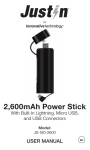
Charge the Power Stick until it is fully charged. This may
take up to 4-5 hours and may fluctuate depending on the
charging power source.
Important: Before first use, charge the Power Stick a
full 6 hours. After the initial charge, normal charging
will take 4-5 hours.
1. Charging the Power Stick:
Plug the supplied Micro USB cable into the Power
Stick’s Micro USB input. Next, insert the USB end of
the charging cable into a computer or AC power
source with a USB Output Port of 5V. While charging,
the LED Indicator will flash red. Once fully charged,
the red LED Indicator will remain lit.
2. Charging Your Smartphone, Etc:
Using your device’s supplied charging cable (Apple®
Lightning™ cable, Micro USB cable, etc.), plug your
smartphone, tablet or other USB powered device
into the USB Output Port of the Power Stick. The
blue LED indicator will remain lit while charging.
Charging will continue until your device is fully
charged or the Power Stick has drained. If the
Power Stick is running low on power while charging
your device, the blue LED indicator will flash.
Important: Please check for voltage compatibility with
your device prior to use.
2