1
R
Chapter 3: Simulation Model Generator (Simgen)
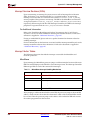
Simgen Syntax
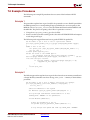
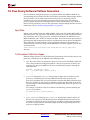
At the prompt, run Simgen with the MHS file and appropriate options as inputs.
For example, simgen <system_name>.mhs [options]
Requirements
Verify that your system is properly configured to run the Xilinx ISE tools. Consult the
release notes and installation notes that came with your software package for more
information.
Options
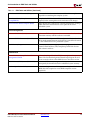
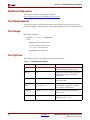
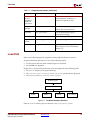
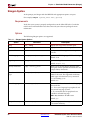
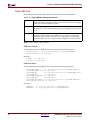
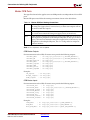
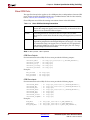
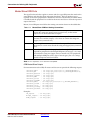
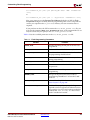
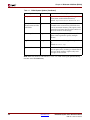
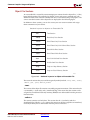
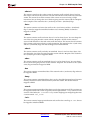
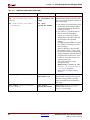
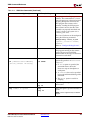
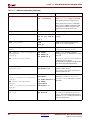
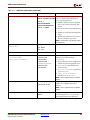
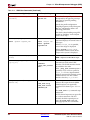
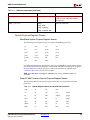
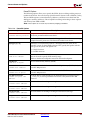
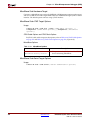
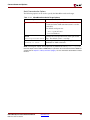
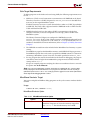
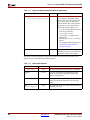
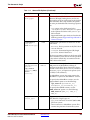
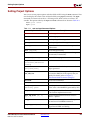
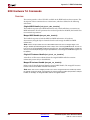
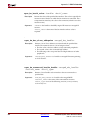
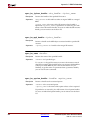
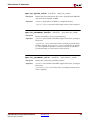
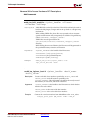
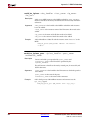
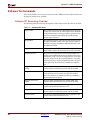
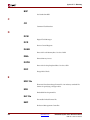
The following Simgen options are supported:
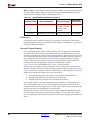
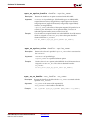
Table 3-1:
Simgen Syntax Options
Option
Command
Description
Help
-h, -help
Displays the usage menu and then quits.
Version
-v
Displays the version and then quits.
Options File
-f <filename>
Reads command line arguments and options
from file.
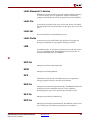
HDL Language
-lang [vhdl|verilog]
Specifies the HDL language: VHDL or Verilog.
Default: vhdl
Log Output
-log <logfile.log>
Specifies the log file.
Default: simgen.log
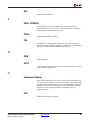
Library Directories
-lp <library_path>
Allows you to specify library directory paths.
This option can be specified more than once for
multiple library directories.
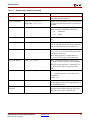
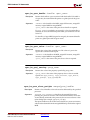
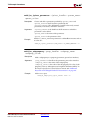
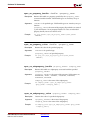
Simulation Model
Type
-m [beh|str|tim]
Allows you to select the type of simulation
models to be used. The supported simulation
model types are behavioral (beh), structural
(str) and timing (tim).
Default: beh
Mixed Language
Allows or disallows the use of mixed language
behavioral files.
-mixed [yes|no]
yes - Use native language for peripherals and
allow mixed language systems.
no - Use structural files for peripherals not
available in selected language.
Note: Only valid when -m beh is used
Default: yes
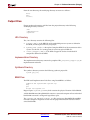
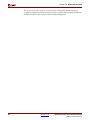
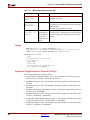
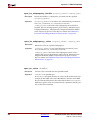
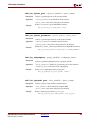
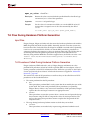
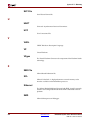
Output Directory
50
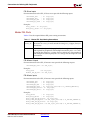
Specifies the project directory path. The default
is the current directory.
-od <output_dir>
www.xilinx.com
Embedded System Tools Reference Manual
EDK 10.1, Service Pack 3