1
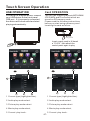
Basic Operation
Main Menu Operation
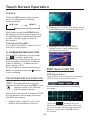
In many modes, touch the
icon
or In DVD/VCD mode , touch the
range to enter the main menu,
the message like following as below.
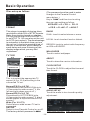
Setup interface 1
(4)
10:00 AM
ILLUMINATION COLOR
Setup interface 2
(1)
(2)
(3)
(5)
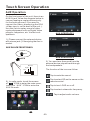
ADJUSTABLE ITEMS:
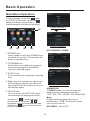
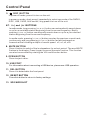
1. POWER icon
In any modes, touch the POWER icon
to switch the unit off . The monitor will
draw in automatically .
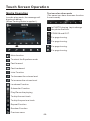
GENERAL
ANIMATION
2. UP/DOWN icon
Touch this icon to adjust the angle of
the monitor upward or downward
until your desired angle .
2 MINUTE
KEY BEEP
ON
DISC
...
RADIO
...
General setup interface1
GENERAL
3. EJECT icon
Touch to allow for inserting or ejecting
disc.
4. When the unit is power on, tap to turn
off the display and the unit still work,
tap anywhere of the display to turn on
the display again.
WALLPAPER
...
ABOUT
...
General setup interface2
ANIMATION
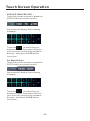
In RADIO mode, you can change the
playing time of animation among of
“OFF, 10S, 30S, 1M,90S, 2M, 3M and 4M ”.
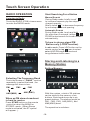
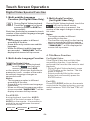
5. SETUP icon
Touch to enter the SETTING mode,
the message will display as follow :
Note:
Please set the playing time of the
animation to “ 10S ” for the first, when
you turn the unit on .
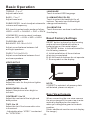
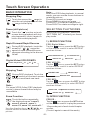
Touch the “
” section on the
setting menu, touch the “
/ ”
ranges to select the adjustment item,
Touch the “
” icon to return to the
previous playback .
KEY BEEP : ON or OFF.
-13-