1
USER’S MANUAL
31-AUG-10
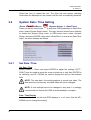
Date Display Mode
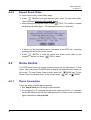
This function allows users to set the OSD display type of the date. There are
three options to select from: <Y/M/D>, <M/D/Y> or <D/M/Y>. “Y” represents
“Year”, “M” represents “Month” and “D” represents “Day”.
Move to the item and press ENTER, the option starts blinking. Use UP /
DOWN keys to change the setting.
Time Display Mode
Users can set the time format to <12 HR> or <24 HR>. Use the UP / DOWN
keys to change the format.
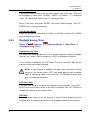
3.4.2
Daylight Saving Time
(Route:
<Menu>
<Daylight Saving Time>)
<System Setup> Æ <Date/Time> Æ
Daylight Saving Time
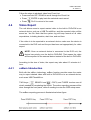
The item is for those people who live in certain regions to observe Daylight
Saving Time. Select <ON> to enable, or <OFF> to disable the function.
If the function is disabled, the DST Start / End time and DST Bias will be
grayed out and cannot be accessed.
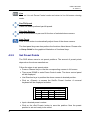
NOTE: If this function is enabled, the date/ time information will be
shown on the screen with a DST icon when playing back recorded
video or searching video in the event list. “S” indicates summer time
and “W” indicates wintertime.
DST Start / End
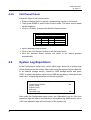
The items are used to program the daylight saving duration. Use LEFT /
RIGHT keys to move the cursor to the next or previous field, UP / DOWN to
change the settings in the selected field.
DST Bias
The item allows users to set the amount of time to move forward from the
standard time for daylight saving time. The available options are in minutes.
17