1
USER’S MANUAL
31-AUG-10
3.5.3
Preset Record Configuration
(Route:
<Menu>
< Preset Record Configuration>
<Record Schedule Setting> Æ
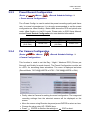
The <Preset Config> is used to select the preset recording quality and frame
rate. In normal circumstances, it is strongly recommended to set the preset
configuration as <Best Quality>. Below table shows the PPS and picture size
under <Best Quality> in Half-D1 mode. Please refer to OSD Setup Manual,
section Preset Record Configuration for more detailed information.
Halfl-D1 mode (NTSC: 720*240@240PPS; PAL: 720*288@200PPS)
Normal PPS
Normal Size
Event PPS
Event Size
15 NTSC
30 NTSC
10 KB / PIC
10 KB / PIC
(12.5 PAL)
(25 PAL)
3.5.4
Per Camera Configuration
(Route:
<Menu>
<Camera Configuration>
<Record Schedule Setting> Æ
This function is used to set the Day / Night / Weekend PPS (Picture per
Second) and Quality for each channel. The Preset Configuration must be set
to <OFF> for accessing these schedules. The menu is displayed as below
(Record Mode: 720*240@240PPS in NTSC / 720*288@200PPS in PAL).
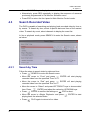
• Firstly, select a Camera for setting its record configuration. The image and
recording settings from the selected camera will be displayed on the
screen.
• Move the cursor using Direction keys and press ENTER to select an item.
• Change the value using UP / DOWN keys.
• Press
ENTER to confirm the settings or
ESC to abort.
21