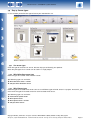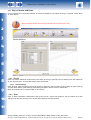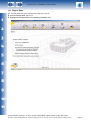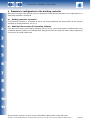
1
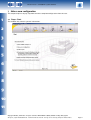
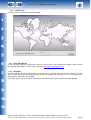
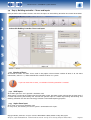
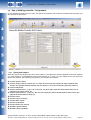
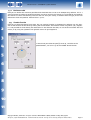
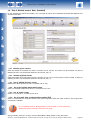
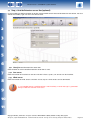
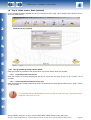
Owner´s manual PC software animeo IB+ System software ® Rev: 2.0 Language: English Date: 2003-10-15 File: Somfy animeo IB+ System software 2.0- Owners manual - English Changes can be made without notice. Copyright © 2003, SOMFY SAS. All rights reserved. IDDN.FR.001.270044.000.D.P.2003.000.31500 Somfy SAS, capital 20.000.000 Euros - RCS Bonneville 303.970.230 Owner manual : animeo® IB+ system software Table of Contents 1 2 3 Table of Contents 1 1 Welcome to animeo 4 1.1 General note 1.2 Terminology 2 Introduction to animeo 2.1 Unique features in animeo 2.2 Product overview 2.2.1 2.2.2 2.2.3 2.2.4 Building controller Outside sensor box Inside sensor box Motor controller 2.2.4.1 Motor controller extension box 4 5 6 7 2.2.5 RS485 adapter 2.2.6 animeo Operating software 2.3 «Technical Background» 2.3.1 Architecture 2.3.2 How functions are handled in the system 2.3.3 IB+ protocol 2.4 Specification of the system 2.4.1 How to decide the number of zones in a system 2.4.2 How to choose and install sensors 2.4.3 What type of switches to use? 10 6 6 7 8 9 10 10 11 11 11 12 12 12 12 12 4 Installation of the operating PC software 14 4.1 Configure Windows for best performance 5 Configure animeo IB+ System software 6 Overview of the animeo IB+ System software 6.1 Menu 6.1.1.1 6.1.1.2 6.1.1.3 6.1.1.4 6.1.1.5 6.1.1.6 6.1.1.7 Open configuration Save Configuration Import project Download to building controller Upload from building control to PC Print report Exit 6.1.2 Configuration 6.1.2.1 Com port setting 6.1.2.2 Units 11 5 5 13 6.1.1 File 9 5 3 PC requirements 5.1 animeo automatic start up sequence 5.2 Configure step by step 8 4 4 6.1.3 Help 6.1.3.1 Help 14 16 16 16 17 18 18 18 18 18 18 19 19 19 19 19 19 19 19 Copyright © 2003, SOMFY SAS. All rights reserved. IDDN.FR.001.270044.000.D.P.2003.000.31500 Somfy SAS, capital 20.000.000 Euros - RCS Bonneville 303.970.230 - Changes can be done by Somfy SAS without notice. Page 1 Owner manual : animeo® IB+ system software 6.2 Quick access buttons 20 6.2.1 Overview picture 20 6.3 Communication visualization 1 2 3 4 5 6 7 7 Make a new configuration 7.1 Step 1: Start 7.2 Step 2: Project - General Settings 9 22 23 7.2.2 Help web address 7.2.3 Password 7.3 Step 3: Project - Units and Language 7.3.1 7.3.2 7.3.3 7.3.4 7.3.5 Wind unit Time format. Temperature unit Language Length unit 7.4 Step 4: Building controller - Zones and Inputs 7.4.1 Number of Zones 7.4.2 HVAC inputs 7.4.3 Major Alarm input 7.5 Step 5: Building controller - End products 7.5.1 Type of end product 7.5.2 Maximum wind 7.5.3 Facade direction 7.6 Step 6: Outside sensors Box 1 (standard) 7.6.1 7.6.2 7.6.3 7.6.4 7.6.5 7.6.6 Number of sun sensors Number of wind sensors Use of a Wind direction sensor Use of an Outside temperature sensor Use of a Rain sensor Use of a radio time synchronization module (DCF) 23 23 24 24 24 24 24 24 25 25 25 25 26 26 27 27 28 28 28 28 28 28 28 29 7.7.1 Use of an outside extension sensor box 7.7.2 Sun sensor 7.7.3 Wind sensor 29 29 29 7.8 Step 8: Inside sensors Boxes (optional) 30 7.8.1 Use of number of inside sensors boxes 7.8.1.1 Inside temperature sensors box 7.8.1.2 Inside temperature extension sensor box 7.9.1 Sun sensor type 7.9.2 Wind direction sensor type 7.9.3 Wind Sensor type 7.10 Step 10: Motor controller - Local control 11 21 22 7.2.1.1 Location map 7.9 Step 9: Sensor types 10 21 7.2.1 Project settings 7.7 Step 7: Outside Extension sensor Box (optional) 8 20 7.10.1 Local control possible 7.10.1.1 Switch ergonomy 30 30 30 31 31 31 31 32 32 32 7.10.2 Presence detector enabled 32 7.10.2.1 Presence detector output 32 Copyright © 2003, SOMFY SAS. All rights reserved. IDDN.FR.001.270044.000.D.P.2003.000.31500 Somfy SAS, capital 20.000.000 Euros - RCS Bonneville 303.970.230 - Changes can be done by Somfy SAS without notice. Page 2 Owner manual : animeo® IB+ system software 7.11 Step 11: Service and Errors 7.11.1 Service 7.11.1.1 Service settings 1 7.11.2 Error 7.12 Step 12: Done 8 Edit an existing configuration 8.1 Open the existing configuration 2 3 4 5 6 7 8 8.1.1 Open configuration file 8.1.2 Upload from building controller 8.1.3 Import a project 8.2 Make your changes 8.3 Download your configuration 33 33 33 33 34 35 35 35 35 35 35 35 9 Download a configuration to the building controller 36 9.1 Building controller connected 9.2 Download from animeo IB+ Operating software 36 36 10 Legal information 10.1 Copyright information 10.2 Trademarks Information 10.3 animeo ® software licence agreement 10.3.1 10.3.2 10.3.3 10.3.4 10.3.5 10.3.6 Definitions License Grant Restrictions Ownership Copies of the Software Term and Termination 10.3.6.1 Term 10.3.6.2 Termination 10.3.7 10.3.8 10.3.9 10.3.10 10.3.11 10.3.12 10.3.13 Consideration Export Requirements Audit Warranty Limitation of Liability Confidentiality Miscellaneous 11 Contacts 37 37 37 37 38 38 38 38 39 39 39 39 39 39 39 39 40 40 40 41 9 10 11 Copyright © 2003, SOMFY SAS. All rights reserved. IDDN.FR.001.270044.000.D.P.2003.000.31500 Somfy SAS, capital 20.000.000 Euros - RCS Bonneville 303.970.230 - Changes can be done by Somfy SAS without notice. Page 3 Owner manual : animeo® IB+ system software 1 Welcome to animeo Thanks for buying the animeo control system for sun protection and windows. We advise you to carefully study this manual to get the full benefit of the system. This manual does not only contain information needed to install and run the program, it also explains all functions and possibilities in detail. 1 This document is both the product user manual and help file for the animeo IB+ System software. From time to time you will find the picture to the left in the manual. This indicates tip and trick information that can be useful. 2 When you’ll find this picture to the left in the manual it indicates very important information. 3 4 5 1.1 General note The animeo IB+ System software is the link between the hardware and the user. Using the software, you configure the limits and outlines of your project, its outline. You can make a pre configuration of your installation, e.g. the number of zones, number and type of sensors the project should contain. animeo Operating and System software should not be run simultaneously, when it is not possible to share a COM Port. Note: animeo IB+ Operating and System software should not be run simultaneously, when it is not possible to share a COM Port. 1.2 Terminology Here follows some terminology that is important to understand the system correctly. ✤ End products : With end products we mean any product that a motor is controlling. Examples: Windows and awnings. 6 7 ✤ Position : When talking about position, we use 0% and 100% to mean - Blinds 0% fully up 100% down - Windows 0% closed 100% open - Awnings 0% retracted 100% extended ✤ Angle: 8 By an angle of 0 degree, we mean that the slats are in horizontal position. An angle of 90 degrees means that they are in vertical position. Angles are only used for venetian blinds. 9 ✤ HVAC: Heating, Ventilation and Air Condition control system. 10 ✤ Security functions: Functions related to avoiding damage of the end product or safety of the user. A security command will lock the end product in a 0% or 100% position. Local control in not possible in this mode. 11 ✤ Non security functions: Functions not related to avoiding damage of the end product or safety of the user. After a non security command, you can control locally if local control is allowed. ✤ Local functions: Function set up at a local level with the local switches and active only at a motor controller level. Copyright © 2003, SOMFY SAS. All rights reserved. IDDN.FR.001.270044.000.D.P.2003.000.31500 Somfy SAS, capital 20.000.000 Euros - RCS Bonneville 303.970.230 - Changes can be done by Somfy SAS without notice. Page 4 Owner manual : animeo® IB+ system software 2 Introduction to animeo 2.1 Unique features in animeo 1 ✤ The Operating PC software Instead of using small LCD’s and multifunction pushbuttons, we use a standard PC computer to control, configure and monitor the system. The result is a to a real user-friendly interface. Note: The system will work even if you turn OFF the PC! 2 3 ✤ Energy modes The sun protection works both in retaining and gaining heat.Windows can be controlled by using signals from the HVAC system, for ventilation. This means that when a room is empty, the solar protection and windows functions ensure maximum energy savings. When it is cold inside, windows are closed and solar protections are opened to gain heat from the sun and vice versa. When it is hot inside, the windows are used to ventilate the building. When the room is occupied the system ensures maximum user comfort in terms of light, glare, temperature and air quality. 4 ✤ Sun tracking When configuring a system for the first time, you enter latitude and type of sun protection (e.g. venetian blind and awning) for each group. This data is then used to position the sun protection to its optimal position for the day and for the year. Sun protection corresponds to the angle of the sun. 5 ✤ Remote Access and Email functions By using a PC, the system can be remotely controlled from any another computer anywhere in the world over the Internet. When service is required e.g. for sun protection or if an error occurs an email can be generated automatically. 6 2.2 Product overview animeo consists of only a small number of devices. Each product is available for either DIN rail or wall mounting and a 110 or 230V power supply. Below the different devices are explained. Note: Separate data sheets are available for each device. 7 8 9 10 11 Copyright © 2003, SOMFY SAS. All rights reserved. IDDN.FR.001.270044.000.D.P.2003.000.31500 Somfy SAS, capital 20.000.000 Euros - RCS Bonneville 303.970.230 - Changes can be done by Somfy SAS without notice. Page 5 Owner manual : animeo® IB+ system software 2.2.1 Building controller 1 2 3 4 This unit is the brain of the system. All decisions and automatic commands are carried out here. Each building controller can control a maximum of 8 different zones. If you need to control even more zones, an additional building controller can be added as an extension. 16 zones is the maximum number of zones the system can handle. To configure the hardware (e.g. number of zones), make settings (e.g. wind thresholds) and make manual commands for a PC computer running the animeo IB+ Operating software is required. The building controller communicates with the PC and sensor boxes over RS485 and with the motor controllers via the own protocol ➞ IB+. Data Building controller Number of Zones Number of Alarm input Number of HVAC cold Number of HVAC heat Number of Key building lock input Number of Error relay output Data Building controller – Extension Number of Zones 5 6 1-8* 0-1* 0-1* 0-1* 1 1 1-8* * This may vary due to configuration. 2.2.2 Outside sensor box This sensor box makes it possible for you to connect external sensors (e.g. sun and wind sensors) and also a radio time synchronization module (DCF). Depending on the number of sensors required in a project, you can connect up to two outside sensor boxes. Note: For a system to function, outside sensor box must be connected. Data Outside sensor box – Standard 7 8 Number of Sun sensors that can be connected Number of Wind sensors that can be connected Number of Wind direction sensor that can be connected Number of Outside temperature sensor that can be connected Number of Rain sensor that can be connected Number of DCF module that can be connected 0-8* 0-2* 0-1* 0-1* 0-1* 0-1* Data Outside sensor box – Optional 9 Number of Sun sensors that can be connected Number of Wind sensors that can be connected 0-4* 0-2* * This may vary due to configuration. 10 11 Copyright © 2003, SOMFY SAS. All rights reserved. IDDN.FR.001.270044.000.D.P.2003.000.31500 Somfy SAS, capital 20.000.000 Euros - RCS Bonneville 303.970.230 - Changes can be done by Somfy SAS without notice. Page 6 Owner manual : animeo® IB+ system software 2.2.3 Inside sensor box 1 2 3 On this box you connect internal sensors. Depending on the number of sensors needed, up to two internal sensor boxes can be connected in a system. You will also find inputs to externally control or lock any zone via a key switch . There is one input for each zone. The key zone inputs are quite smart - if you give a short pulse (less then 1,2s) the system interprets the command as a command to order the sun protection up or down. If a pulse is longer than 1,2s in an up direction the system interprets the command as a locking command. This is very useful when you want to lock a zone for example window cleaning. Data Inside sensor box – 1 Number of Internal temperature sensors that can be connected Number of Key zone inputs (used for zone 1-8) that can be connected 0-2* 1-8* Data Inside sensor box – 2 4 5 Number of Internal temperature sensors that can be connected Number of Key zone inputs (used for zone 9-16) that can be connected 0-2* 1-8* * This may vary due to configuration. 6 7 8 9 10 11 Copyright © 2003, SOMFY SAS. All rights reserved. IDDN.FR.001.270044.000.D.P.2003.000.31500 Somfy SAS, capital 20.000.000 Euros - RCS Bonneville 303.970.230 - Changes can be done by Somfy SAS without notice. Page 7 Owner manual : animeo® IB+ system software 2.2.4 Motor controller This is the unit on which you connect the motors and switches. There are different models, for AC and for DC motors. You can install up to 100 motor controllers per zone for AC. Only one motor must be connected per output, parallel connection of motors is not allowed. Up to four motors can be connected per motor controller. 1 2 3 4 5 6 ✤ Local groups: Each motor controller allows you to connect up to 4 switches for local manual control. The switches can be programmed from the PC to build local groups within a motor controller. This means for example that switch 1 can control motor 1, 2 and 3 in a local group. Switches can also be connected in parallel, even between different motor controllers. This is useful to be able to build big local groups. ✤ Ergonomics: There is built in running time in the motor controller, so you do not have to press the switch continuously to control the motor. The way this exactly works varies depending on the type of sun protection. ✤ Intermediate positions: You can also program a specific position for a motor, an intermediate position. The intermediate position is very useful to build local scenarios, e.g. meeting. To program this position, just run the motor to the desired position and press both up and down pushbutton at the same time for at least 2 seconds. The motor will rapidly run down and up to confirm that your intermediate position is programmed. To recall the position locally, just press both up and down pushbutton and the motor will directly take up the programmed position. The intermediate position can also be recalled from the PC. In this case, each motor in a zone will take its own unique Intermediate position. ✤ User Feedback (performance mode): When a local command is given, the motor controller understands that you want to take over the control of your local end product. The motor controller will stop acknowledging non-security functions. This semiautomatic mode will be reset to fully automatic by the reset local control to the automatic PC function. If there are presence detectors installed, a time out will also reset to fully automatic. The functionality leads to avoiding the irritating fact that the end products might move after a local command is given, for example, sun function turns active or inactive. When energy modes are used the local switches might be disabled to ensure for example maximum energy saving. ✤ Security: 7 Security functions always have higher priority than the local switches. This results in no risk in controlling local end products when there is a risk of damage to, e.g, wind. (a) To be able to use the local intermediate position function the switch must either have a stop button or have the possibility to press both up and down buttons at the same time. 8 ((b) The animeo IB+ System software cannot monitor a single motor position in a system, only at a zone level. Data Motor controller 9 Number of motors that can be connected Number of switches that can be connected 4 4 10 11 Copyright © 2003, SOMFY SAS. All rights reserved. IDDN.FR.001.270044.000.D.P.2003.000.31500 Somfy SAS, capital 20.000.000 Euros - RCS Bonneville 303.970.230 - Changes can be done by Somfy SAS without notice. Page 8 Owner manual : animeo® IB+ system software 2.2.4.1 Motor controller extension box This box contains inputs and features that expand the motor controller’s functionality. You can add one extension module to each motor controller. 1 2 3 4 5 6 ✤ Presence detector inputs This box contains four inputs for presence detectors. The presence detectors are used to automatically change the operational mode in the room. The inputs adopt the same configuration as the configuration for local switches. A presence detector can be connected to more than one input. ✤ Local control input These four inputs are copies of the switch inputs you find on the motor controller. ✤ Window contact input There are four inputs for window contacts, one for each motor. The window contact is used to stop the system, or user, being able to control sun protection when a window is opened. This avoids damaging the end product if a window is opened. The inputs adopt the same configuration than the local switches that have been programmed. The window contacts can be connected in parrel to more than one input. 2.2.4.1.1 Infrared (IR) remote control module and receiver The module is plugged into the extension box or motor controller to add local remote control functionality. You must also connect IR receivers to the module. An IR receiver can be connected to more than one extension box to build bigger local groups. The remotes will adopt the configuration for which the local switches have been programmed. The IR receiver must, as all IR products, be installed so that the beam from the remote can hit the receiver. Data Extension box Number Number Number Number of of of of presence detectors inputs switches inputs window contact inputs remote control (IR) modules inputs 4 4 4 1 7 8 9 10 11 Copyright © 2003, SOMFY SAS. All rights reserved. IDDN.FR.001.270044.000.D.P.2003.000.31500 Somfy SAS, capital 20.000.000 Euros - RCS Bonneville 303.970.230 - Changes can be done by Somfy SAS without notice. Page 9 Owner manual : animeo® IB+ system software 2.2.5 RS485 adapter This unit is an interface that converts the system´s protocol (RS485), to a protocol that the PC can handle (RS232). RS485 is used to communicate over long distances. 1 2 3 4 2.2.6 animeo Operating software The software is the link between the system and the user. From the software you make all settings of parameters (e.g. wind and sun threshold and delays), configuration of switches, manual and locking commands. The software also visualizes the status of all functions, sensors and position of end products. There is also a built in log that tracks all sensor values, actions, errors and changes of any parameter. If the PC is connected to the Internet and/or a mail server the software can be remotely controlled and can automatically generate emails when servicing is required, or when an error occurs. The software is developed for international usage, so any unit (e.g. wind: m/s, km/h and mph) and a various number of languages (e.g. English, German and French) can be chosen and changed in runtime. To make the software as user-friendly as possible e.g. all sensors and zones can be given a specific name - an alias. Functions that are not used for a specific end product will not be visible in the software. An example could be that wind and precipitation functions are disabled for internal venetian blinds. You can also import any picture of the building to get immediate access to a good overview of the system. The system works even when the PC is not connected, but you will not be able to make any settings or give any commands by PC. 5 6 7 8 9 10 11 Copyright © 2003, SOMFY SAS. All rights reserved. IDDN.FR.001.270044.000.D.P.2003.000.31500 Somfy SAS, capital 20.000.000 Euros - RCS Bonneville 303.970.230 - Changes can be done by Somfy SAS without notice. Page 10 Owner manual : animeo® IB+ system software 2.3 «Technical Background» It is always an advantage to know a little about how a system works technically. Here follows some basic topics that are useful to know. 1 2 3 4 2.3.1 Architecture animeo is a centralized system using IB+ protocol, but it works in many ways like a de-centralized system such as EIB or LONWorks. The great advantage of animeo is that it contains many of the de-centralized functionality strengths. The PC, sensor boxes and building controller use bi-directional communication ➞ data is transferred in both directions. Communication from the building controller to the motor controllers is uni-directional ➞ data is only transferred in one direction. This means that it is not possible to get feedback from the motor controllers. Each zone in animeo has its own physical cabling. Settings (e.g. wind threshold) are common for all motors in a zone. Each zone can use any sensor. 2.3.2 How functions are handled in the system Functions are divided into two different types - security and non-security. Security functions refer to functiosn that are crucial for the safety of the user (e.g. major alarm) or to ensure that the end products will not be damaged (e.g. wind). The other functions are non-security functions (e.g. sun). All functions are prioritized. If more than one function is active at the same time, only the function with the highest priority will be executed. In the animeo IB+ Operating software you can easily get an overview of which functions are active and their priority. 5 6 7 8 9 10 11 Copyright © 2003, SOMFY SAS. All rights reserved. IDDN.FR.001.270044.000.D.P.2003.000.31500 Somfy SAS, capital 20.000.000 Euros - RCS Bonneville 303.970.230 - Changes can be done by Somfy SAS without notice. Page 11 Owner manual : animeo® IB+ system software 2.3.3 IB+ protocol 1 2 3 The building controller communicates with the motor controller via 4 wires. Three of these wires are used to give up, down and stop commands in a traditional way. This function is more or less the same as any other centralized controller on the market. The fourth wire is unique and allows for several interesting possibilities. This wire is used for sending data (in a digital uni directional format) to the motor controllers. The advantage is that the animeo system is sending positions and angles to the motor controllers, instead of just time, which was the traditional way. in the past. Why is this an advantage? It is explqined in the example below: Any end product in an animeo system can be programmed with its own unique running time - very useful when you have different heights of windows in a zone. This is not possible in other centralized systems where you need a physical zone for all different window heights. animeo will then automatically become a more economic and user-friendly system. A motor controller knows both its connected motors exact position and running time. So when the system commands a zone to go, for example to position 40% ➞ each end product will be positioned to 40% of its window height. The advantage of sending positions is also used for functions like sun tracking, intermediate positions and building local groups for switches and/or remotes. 4 2.4 Specification of the system 5 Please discuss this topic with experts before selecting, but the basic rules are: This chapter deals with topics that are good to keep in mind when a system is being specified. 2.4.1 How to decide the number of zones in a system ✤ One zone per weather direction / facade. If there is for example surrounding buildings that will shadow parts of the facade you might need to make a more detailed segmentation. 6 ✤ If the building is very high or wide it could be good to split up many zones when the wind situation varies. ✤ You cannot combine motor controllers with and without presence detectors installed in a zone. ✤ There should only be one type of end product per zone, e.g. when the wind resistance varies according to 7 8 9 10 ✤ end products. As mentioned, you can have different running times on each individual end product. This means that a zone can contain the same type of end products but with different heights. But keep in mind: ✔ If the difference of heights is too great it might affects, for example, the wind resistance. ✔ The suntracking will not work properly for some type of end products if the window height varies. ✔ For venetian blinds this is not a problem, but could be for e.g. awnings. Use rather too many than too few zones. 2.4.2 How to choose and install sensors Which sensors to use is linked to the type of functions required. The physical installation of sensors is linked to how the zones are divided and built. If there is for example no surrounding buildings that are shadowing the building normally all sensors are installed at the highest point of the building. If a facade is divided vertically you might need to place some sensors on the facade. 2.4.3 What type of switches to use? To be able to use the intermediate functions, the local switches must work as follows: ➞ You must either be able to press both up and down pushbuttons at the same time, or the switch must have a stop button. Somfy can supply switches with these features. 11 Copyright © 2003, SOMFY SAS. All rights reserved. IDDN.FR.001.270044.000.D.P.2003.000.31500 Somfy SAS, capital 20.000.000 Euros - RCS Bonneville 303.970.230 - Changes can be done by Somfy SAS without notice. Page 12 Owner manual : animeo® IB+ system software 3 PC requirements 1 Minimum: Intel Pentium2 500 Mhz / 128Mb internal memory / 40Mb free hard disc space / True color graphic card / 17’’ monitor / CD-ROM / Mouse and Keyboard / Windows 2000 / Adobe Acrobat Reader and a free serial RS232 communication port. 2 Recommended: Intel Pentium4 2 Ghz / 256Mb internal memory / 40Mb free hard disc space / True color graphic card / 17" monitor / CD-ROM / Mouse and Keyboard / Windows 2000 / Adobe Acrobat Reader and a free serial RS232 communication port. 3 4 Optional: Access to email server and the Internet is required for email functionality. For remoteaccess functionality, you need access to the Internet. Note 1: To be able to use the email functions, the computer must be connected to an email server and have a configured email account in Outlook Express. We do not recommend modem connections. animeo IB+ Operating software uses this account to send emails. An email account is not needed by the animeo IB+ Operating system as it does not receive emails. 5 6 Note 2: To be able to use Remote Access functions, the computer must be connected to the Internet and have a permanent IP address. The software Symantec PC Anywhere must also be installed and configured . We recommend a minimum communication speed of 512k to have a correctly running system. Modem connections are not recommended. Remote Access functionality is an optional function. 7 8 Note 3: To ensure the functionality of the system, the PC should be dedicated to animeo. No other program should be running simultaneously on the PC. 9 10 11 Copyright © 2003, SOMFY SAS. All rights reserved. IDDN.FR.001.270044.000.D.P.2003.000.31500 Somfy SAS, capital 20.000.000 Euros - RCS Bonneville 303.970.230 - Changes can be done by Somfy SAS without notice. Page 13 Owner manual : animeo® IB+ system software 4 Installation of the operating PC software Installing the software on the computer is very easy. Please just follow the steps below: 1 There are two installation files on the CD , one for each software: • setup Somfy Animeo IB+ System Software.exe • setup Somfy Animeo IB+ Operating Software.exe 2 ✤ ✤ ✤ ✤ ✤ ✤ 3 ✤ 4 The installation software has now created an animeo IB+ System software folder on the Start bar, a shortcut to your desktop. Make sure that your computer meets the PC requirements. Close any other application running on your computer. Place the CD in the CD-ROM reader and run the "setup Somfy Animeo IB+ System Software.exe" file. Follow the on-screen instructions. For information, see 4.1 Restart your computer if this is not done automatically. When your computer is restarted, animeo IB+ System software shortcut should now appear on your monitor. Conditions of use for the animeo software are defined in the licence agreement supplied on the CR Rom. The installation, download and use of the animeo software are conditionned by the acceptance of these terms. 4.1 Configure Windows for best performance 5 6 7 8 9 10 Please make the following settings in Windows. If help is needed, refer to Windows help or contact your system administrator. ✤ Energy settings for the PC When animeo IB+ continously communicates between the PC and the Building controller, it is important that the PC does not enter an Energy saving sleep mode. If this occurs, the communication will be broken and there will be a risk of software failure. Proceed as follows: a) Open the Power Options by clicking Start/Settings/Control Panel/Power Options. b) Select Power Scheme "Always on" c) Click on "Apply" ✤ Font size The animeo IB+ software has been designed with a user-friendly graphic interface. A graphic interface is designed for a specific font size. animeo uses standard Windows font size. If you use different font size, the software will work correctly, but the interface may be corrupted. Proceed as follows: a) Open the Display by clicking on Start/Settings/Control Panel/Display. b) Select the Settings tab c) Click on the "Advanced" button d) Select "Small fonts (96dpi)" in the Display panel e) Click on "Apply" f) Restart Windows 11 Copyright © 2003, SOMFY SAS. All rights reserved. IDDN.FR.001.270044.000.D.P.2003.000.31500 Somfy SAS, capital 20.000.000 Euros - RCS Bonneville 303.970.230 - Changes can be done by Somfy SAS without notice. Page 14 Owner manual : animeo® IB+ system software ✤ Appearance 1 2 3 4 5 The animeo IB+ software has been designed with a user-friendly graphic interface. A graphic interface is designed for a specific appearance scheme. animeo uses the Windows standard. If you use another appearance scheme the software will work correctly but the interface may be corrupted. Proceed as follows: a) Open the Display by clicking on Start/Settings/Control Panel/Display. b) Select the Appearance tab c1) For Windows 2000: Select Scheme "Windows standard" c2) For Windows XP: Select Style "Windows classic style" d) Click on "Apply" ✤ Screen resolution The software is optimized for a 1024*768 resolution and at least a 16bit colour depth. The software will work in any resolution but the most user-friendly is in the suggested resolution. Proceed as follows: a) Open the Display by clicking on Start/Settings/Control Panel/Display. b) Select the Settings tab c) Select the colour: True Colour 32 bits or 16 bits (32 bits recommended) d) Select the screen area: 1024*768 minimum e) Click on "Apply" ✤ Auto hide the Start bar The software has been designed to use the maximum screen area for maximal user-friendliness. For this reason, we advise you to set the "Start bar" to auto hide. The software will work without auto hide enabled but the some functions might be croped. 6 Proceed as follows: a) Right click on the the Start bar and select Properties. b) Enable Auto hide c) Click on "Apply" 7 ✤ Adobe Acrobat Reader To be able to use the help files in the software, you must have Adobe Acrobat Reader installed. The software will work without Acrobat Reader installed but you will not be able to open the help files. You need at least Acrobat Reader version 4.0. 8 Proceed as follows: a) Go to www.adobe.com and download the desired Acrobat Reader language version. b) Follow the Adobe installation instructions. ✤ Configure the computer 9 10 a) Open the Control panel and open "Power Options". b) Select the following (options may vary from computer to computer): Power Scheme: Home/Office computer or server Switch off the monitor: Optional Switch off the hard disc: Never System standby: Never 11 Copyright © 2003, SOMFY SAS. All rights reserved. IDDN.FR.001.270044.000.D.P.2003.000.31500 Somfy SAS, capital 20.000.000 Euros - RCS Bonneville 303.970.230 - Changes can be done by Somfy SAS without notice. Page 15 Owner manual : animeo® IB+ system software 5 Configure animeo IB+ System software The following information explains how to configure the animeo IB+ System PC software after installation. 1 2 5.1 animeo automatic start up sequence As soon as you connect a PC with the animeo IB+ System software running to an animeo system, the building controller will start to upload its stored settings and configuration automatically to the PC. This means in practice that you can connect any PC computer with animeo IB+ Operating software installed and you will automatically be online! 5.2 Configure step by step 3 The following explains in detail how to configure the animeo IB+ System software from the very beginning to a fully running system. Configure the RS485 / RS232 converter (picture below) and connect the included 9V DC adapter supplied. Please study the animeo installation guide for a more detailed information. 4 5 6 7 Insert the RS232 serial communication cable to a serial port on the PC. Make sure that the RS485 serial communication cable is connected to the building controller (see installation guide) and that the building controller is powered and properly installed. Start the animeo IB+ Operating software. The software will ask you which communication port you are using on the PC (see picture below). Select the one which you connected to the RS232 cable to and press OK. 8 9 10 ✤ The building controller will now start to upload its stored parameters. The communicating window will be shown during the uploading (picture below) ✤ Select the wind unit you want to use, see 6.1.2.2. ✤ Done 11 Copyright © 2003, SOMFY SAS. All rights reserved. IDDN.FR.001.270044.000.D.P.2003.000.31500 Somfy SAS, capital 20.000.000 Euros - RCS Bonneville 303.970.230 - Changes can be done by Somfy SAS without notice. Page 16 Owner manual : animeo® IB+ system software 6 Overview of the animeo IB+ System software 1 With this software you configure the building controller, motor controllers and sensor boxes on the hardware level, e.g. the number of zones and number and type of sensors a building controller should contain. The configuration file you create can either by downloaded to the building controller directly (if a building controller is connected to the PC), or be opened in the animeo IB+ Operating software and then downloaded to the building controller. You can also open a configuration or import a project file from animeo IB+ Operating software to make adjustments in the configuration, e.g. add more zones. 2 3 4 5 6 7 8 9 10 11 Copyright © 2003, SOMFY SAS. All rights reserved. IDDN.FR.001.270044.000.D.P.2003.000.31500 Somfy SAS, capital 20.000.000 Euros - RCS Bonneville 303.970.230 - Changes can be done by Somfy SAS without notice. Page 17 Owner manual : animeo® IB+ system software 6.1 Menu The menu contains the following items. 1 2 File - Open configuration - Save configuration - Import project - Download to building controller - Upload from building controller to PC - Exit Configuration - COM port settings - Units --- Wind Help - Help - About All items are explained in detail later in this chapter. 3 4 5 6 7 8 6.1.1 File This menu contains the functions below. 6.1.1.1 Open configuration Here you open an exisiting configuration (*.c20. The "20" means "version 2.0". In the future e.g. version 3.1 will be e.g. called *.31). It is useful when you want to make some changes in an existing configuration. This function is also available in the quick button function set, see 6.2. 6.1.1.2 Save Configuration Here you save a configuration (*.c20).It is useful when you download the configuration from the animeo IB+ Operating software or save a project data as a backup. This function is also available in the quick button function set, see 6.2. 6.1.1.3 Import project The animeo IB+ Operating software generates a project file (*.p20) when you save a project. This project file also contains all the data that exist in a configuration file (*.c20). By using the import project file function, you can easily make changes in a project configuration without having access to the configuration file. When you have made your changes, you save a new configuration file that you either download to the building controller directly (if the building controller is connected to the PC), or open the configuration file in the animeo IB+ Operating software and then download it to the building controller. 6.1.1.4 Download to building controller By clicking this function your configuration will be downloaded to the building controller. When a download is in progress, the picture below will be viewed. If there is no building controller connected to the PC (offline), this function is disabled. This function is also available in the quick button function set, see 6.2. 9 10 11 Copyright © 2003, SOMFY SAS. All rights reserved. IDDN.FR.001.270044.000.D.P.2003.000.31500 Somfy SAS, capital 20.000.000 Euros - RCS Bonneville 303.970.230 - Changes can be done by Somfy SAS without notice. Page 18 Owner manual : animeo® IB+ system software 6.1.1.5 Upload from building control to PC By clicking this function the building controller uploads its configuration to the PC. When a upload is in progress, the picture above will be viewed. If there is no building controller connected (offline) to the PC, this function is disabled. This function is also available in the quick button function set, see 6.2. 1 2 3 4 6.1.1.6 Print report By clicking this function, the software prints a report of all settings in the configuration. Useful when documenting a project. This function is also available in the quick button function set, see 6.2. 6.1.1.7 Exit Exit the program. If you have made any changes without saving, you will be asked if you want to save before exiting. 6.1.2 Configuration In this menu, you make communication port settings and select the units you want the system software to use. 6.1.2.1 Com port setting Select the serial RS232 COM port to which the building controller is connected to in the PC. 5 6 6.1.2.2 Units You can select the wind unit you want the software to use. You can choose from m/s, km/h and mph. This is the only unit the System software will use. The unit the Operating software uses is set in 7.3.1. 7 6.1.3 Help 8 9 In this menu you find help function and information about the software and its versions. 6.1.3.1 Help Click this function to open the help file. In fact, it is the document you are just reading. When you open "About" you get information about the animeo System PC software (1) and building controller (2) software versions. You’ll only get the building controller software version if you are online. By clicking "system info..." (3) you will get access to your PC’s hardware status. 10 11 Copyright © 2003, SOMFY SAS. All rights reserved. IDDN.FR.001.270044.000.D.P.2003.000.31500 Somfy SAS, capital 20.000.000 Euros - RCS Bonneville 303.970.230 - Changes can be done by Somfy SAS without notice. Page 19 Owner manual : animeo® IB+ system software 6.2 Quick access buttons In this bar you find quick access buttons. Following functions are accessible: 1 2 1. Open configuration, see 6.1.1.1 2. Save configuration, see 6.1.1.2 3. Print Report, see 6.1.1.6 4. Download to building controller, see 6.1.1.4. When there is no building controller connected (offline) this icon is disabled, see (4 and 5). 5. Upload from building controller, see 6.1.1.5. When there is no building controller connected (offline) this icon is disabled, see (4 and 5). 6. Overview picture, see 6.2.1 3 4 In the screen shot above the building controller is online, see (7). 5 6.2.1 Overview picture When you are making a configuration you can open an overview picture (5) showing graphically which products you are setting in the current window. 6 7 8 9 10 6.3 Communication visualization When a building controller is online then the green online diode lights up. When there is communication between the PC and the Building controller the yellow traffic diode flashes. 11 Copyright © 2003, SOMFY SAS. All rights reserved. IDDN.FR.001.270044.000.D.P.2003.000.31500 Somfy SAS, capital 20.000.000 Euros - RCS Bonneville 303.970.230 - Changes can be done by Somfy SAS without notice. Page 20 Owner manual : animeo® IB+ system software 7 Make a new configuration This chapter explains step by step how to make a complete configuration from the start. 1 7.1 Step 1: Start This window only contains general information. 2 3 4 5 6 7 8 9 10 11 Copyright © 2003, SOMFY SAS. All rights reserved. IDDN.FR.001.270044.000.D.P.2003.000.31500 Somfy SAS, capital 20.000.000 Euros - RCS Bonneville 303.970.230 - Changes can be done by Somfy SAS without notice. Page 21 Owner manual : animeo® IB+ system software 7.2 Step 2: Project - General Settings This window contains general information linked to the project. 1 2 3 4 5 6 7 8 9 7.2.1 Project settings This data is always accessible, even in the animeo IB+ Operating software, for the user. Very useful if you want to contact the installer. 1. Project name: Enter the name of the building, e.g. Somfy Headquarters 2. Installer company: Enter the name of the installer, e.g. Somfy. 3. Installer contact: Enter the customers contact at e.g. Somfy. 4. Installer phone: Enter the phone number of the installer contact 5. Installer email: Enter the email address of the installer contact 6. Location: Enter the latitude of the building. You can also use the location map (6.2.1.1). Just click on the map to set you location. The location data is used in the animeo IB+ Operating software to calculate the sun tracking. 7. Programmed by: Enter the name of the person who made the configuration 10 11 Copyright © 2003, SOMFY SAS. All rights reserved. IDDN.FR.001.270044.000.D.P.2003.000.31500 Somfy SAS, capital 20.000.000 Euros - RCS Bonneville 303.970.230 - Changes can be done by Somfy SAS without notice. Page 22 Owner manual : animeo® IB+ system software 7.2.1.1 Location map Click the map to set the location of the building. 1 2 3 4 5 6 7 7.2.2 Help web address In the animeo IB+ Operating software the user can directly open a pre-defined web address. Enter here the pre-defined web address. In most cases it should be www.pro.somfy.com/animeo 7.2.3 Password In the animeo IB+ Operating software the user must enter a password to be able to make settings. Here you define the password. Up to three different passwords are possible. The password can be 1-6 characters long. Both numbers and letters are accepted. If you don't type any password then the program will automatically create a default password PASSWD. 8 9 10 11 Copyright © 2003, SOMFY SAS. All rights reserved. IDDN.FR.001.270044.000.D.P.2003.000.31500 Somfy SAS, capital 20.000.000 Euros - RCS Bonneville 303.970.230 - Changes can be done by Somfy SAS without notice. Page 23 Owner manual : animeo® IB+ system software 7.3 Step 3: Project - Units and Language Here you define the unit and language the animeo IB+ Operating software should use. Note: The wind unit you want to use in the animeo IB+ System software is set at 6.1.2.2. 1 2 3 4 5 6 7 8 7.3.1 Wind unit You can choose between m/s, km/h and mph. 7.3.2 Time format. You can choose between a 12 hour and a 24 hour format 7.3.3 Temperature unit 9 You can choose between Celsius and Fahrenheit. 7.3.4 Language 10 You can choose between English, French, German , Swedish, Dutch, Danish, Finnish, Norwegian, Italian, Spanish. More languages will be provided in the future. 7.3.5 Length unit You can choose between mm and inch. 11 Copyright © 2003, SOMFY SAS. All rights reserved. IDDN.FR.001.270044.000.D.P.2003.000.31500 Somfy SAS, capital 20.000.000 Euros - RCS Bonneville 303.970.230 - Changes can be done by Somfy SAS without notice. Page 24 Owner manual : animeo® IB+ system software 7.4 Step 4: Building controller - Zones and Inputs Here you define the number of zones and what the inputs on the building controller that should be enabled. 1 2 3 4 5 6 7 8 9 10 7.4.1 Number of Zones Set number of zones and their aliases used in the project. The maximum number of zones is 16. For more information, refer to 2.4.1 How to decide the number of zones in a system. If you use more then 8 zones, an additional building controller is needed. 7.4.2 HVAC inputs Set if HVAC “get heat” and “get cold” should be used. These inputs are used to get information from the HVAC system. The HVAC system activates the get heat input if it needs help heating the buiding and activates the get cold input if it needs help cooling the building. The building controller uses the data for energy functions and window opening purposes. 7.4.3 Major Alarm input 11 Set if major alarm input should be used. In many cases, the building´ fire alarm system is connected to this input. Copyright © 2003, SOMFY SAS. All rights reserved. IDDN.FR.001.270044.000.D.P.2003.000.31500 Somfy SAS, capital 20.000.000 Euros - RCS Bonneville 303.970.230 - Changes can be done by Somfy SAS without notice. Page 25 Owner manual : animeo® IB+ system software 7.5 Step 5: Building controller - End products In this window you define for each zone; the type of end product; the maximum settable wind threshold; and the direction of the facade. 1 2 3 4 5 6 7 8 7.5.1 Type of end product Select the type of end product per zone. The functions in the Operating software depend on the end products e.g. wind functions are disabled for internal end products. As a result, it is very important that you select the correct end product. The following end products are available for selection: ✤ Internal venetian blind ✤ Internal venetian blind 2-speed: This is a motor that tilts with one speed and moves up/down with another. The speed difference between the two speeds is set in the animeo IB+ Operating software. 9 10 11 ✤ Interior roller blind. ✤ Exterior venetian blind – (+90°/-90°): The slats are closed (90°) when the blind moves down and in horizontal (0°) when moving up. ✤ Exterior venetian blind – (+90°/0°): The slats are closed (90°) when the blind moves down and in the ✤ ✤ ✤ ✤ ✤ ✤ ✤ opposite directioin when moving up. Exterior Screen Exterior Drop arm awning Exterior Roller shutter Exterior Markisolette Exterior Folding arm awning Windows opened indoors Windows opened outdoors Copyright © 2003, SOMFY SAS. All rights reserved. IDDN.FR.001.270044.000.D.P.2003.000.31500 Somfy SAS, capital 20.000.000 Euros - RCS Bonneville 303.970.230 - Changes can be done by Somfy SAS without notice. Page 26 Owner manual : animeo® IB+ system software 7.5.2 Maximum wind 1 2 Here you can define the maximum possible wind threshold that can be set in the Operating software. This is a security feature to avoid that too high thresholds are set by mistake. This feature isn’t available for end products that do not use wind functionality. Please make sure that your setting is coherent with the type, brand and dimension of the end product. Default value is 15 m/s. 7.5.3 Facade direction Here you set the orientation of each zone. The sun tracking function in the Operating software uses this data. You set the direction of the zones by clicking the wizard button. The direction values are gradual 5 to 5 degrees. It is not possible to write directly the orientation in the direction text box, so use the wizard either with the mouse, or by using the up/down and right/left arrows on your keyboard. 3 4 In the wizard you select the zone (1) to set up, and click on the potentiometer, and turn it (2) to the needed zone direction. 5 6 7 8 9 10 11 Copyright © 2003, SOMFY SAS. All rights reserved. IDDN.FR.001.270044.000.D.P.2003.000.31500 Somfy SAS, capital 20.000.000 Euros - RCS Bonneville 303.970.230 - Changes can be done by Somfy SAS without notice. Page 27 Owner manual : animeo® IB+ system software 7.6 Step 6: Outside sensors Box 1 (standard) In this window you define the number, alias and type of sensors that should be connected (enabled) on the outside sensor box. 1 2 3 4 5 6 7.6.1 Number of sun sensors 7 Enter the number of installed sun sensors and their aliases. Up to 8 sun sensors can be installed. If more are needed you must use the outside extension sensor box, see 7.6. 7.6.2 Number of wind sensors 8 Enter the number of installed wind sensors and their aliases. Up to 2 wind sensors can be installed. If more are needed you must use the outside extension sensor box, see 7.7. 7.6.3 Use of a Wind direction sensor Enter whena wind direction sensor is installed and its alias. 9 7.6.4 Use of an Outside temperature sensor Enter if an outside temperature sensor is installed and its alias. 7.6.5 Use of a Rain sensor Enter if a rain sensor is installed and its alias. 10 11 7.6.6 Use of a radio time synchronization module (DCF) Enter if a DCF module is installed. The DCF unit reads the present time sent from Frankfurt. The range of this transmitter is 1000km. If an intended sensor is configured but is not installed, an error message is generated. Always avoid this scenario in all cases! Copyright © 2003, SOMFY SAS. All rights reserved. IDDN.FR.001.270044.000.D.P.2003.000.31500 Somfy SAS, capital 20.000.000 Euros - RCS Bonneville 303.970.230 - Changes can be done by Somfy SAS without notice. Page 28 Owner manual : animeo® IB+ system software 7.7 Step 7: Outside Extension sensor Box (optional) In this window you define whether or not the system should contain the outside extension sensor box. You also define the number, type and alias that will be used. 1 2 3 4 5 6 7.7.1 Use of an outside extension sensor box Enter whether or not the outside extension sensor box is used. 7 7.7.2 Sun sensor Enter the number of installed sun sensors and their aliases. Up to 4 sun sensors can be installed. 7.7.3 Wind sensor 8 9 Enter the number of wind sensors and their aliases. Up to 2 wind sensors can be connected. If an intended sensor is configured but is not installed, an error message is generated. Always avoid this scenario in all cases! 10 11 Copyright © 2003, SOMFY SAS. All rights reserved. IDDN.FR.001.270044.000.D.P.2003.000.31500 Somfy SAS, capital 20.000.000 Euros - RCS Bonneville 303.970.230 - Changes can be done by Somfy SAS without notice. Page 29 Owner manual : animeo® IB+ system software 7.8 Step 8: Inside sensors Boxes (optional) In this window you define whether or not any inside sensor box is used. You also define the number and alias of the installed sensors. 1 2 3 4 5 6 7 8 7.8.1 Use of number of inside sensors boxes Enter the number of installed inside sensor boxes. Up to two sensors boxes are possible. 7.8.1.1 Inside temperature sensors box Enter the number of installed temperature sensors on sensor box and their aliases. Up to 2 sensors can be installed. 7.8.1.2 Inside temperature extension sensor box Enter the number of installed temperature sensors on the extension sensor box and their aliases. Up to 2 sensors can be installed. 9 If an intended sensor is configured but is not installed, an error message is generated. Always avoid this scenario in all cases! 10 11 Copyright © 2003, SOMFY SAS. All rights reserved. IDDN.FR.001.270044.000.D.P.2003.000.31500 Somfy SAS, capital 20.000.000 Euros - RCS Bonneville 303.970.230 - Changes can be done by Somfy SAS without notice. Page 30 Owner manual : animeo® IB+ system software 7.9 Step 9: Sensor types In this window you define the type of sensor you intended for use. 1 2 3 4 5 6 7.9.1 Sun sensor type Enter the type of installed sun sensor. Pictures help you to identify your product. Note: Only one type of sun sensor can be used in a single project. 7 7.9.2 Wind direction sensor type Enter the type of installed wind direction sensor: 8 9 10 The following types are available: ✤ Wind direction sensor / station ✤ Compact wind direction sensor 7.9.3 Wind Sensor type Enter the type of installed wind sensor. You can use different types of wind sensor in a project. Due to this, you must enter the type of installed sensor for each installed wind sensor. The following types are available: ✤ Heated wind speed sensor ✤ Wind speed sensor ✤ Wind speed sensor / station ✤ Compact wind sensor 11 Copyright © 2003, SOMFY SAS. All rights reserved. IDDN.FR.001.270044.000.D.P.2003.000.31500 Somfy SAS, capital 20.000.000 Euros - RCS Bonneville 303.970.230 - Changes can be done by Somfy SAS without notice. Page 31 Owner manual : animeo® IB+ system software 7.10 Step 10: Motor controller - Local control In this window you define whether or not local control should be enabled and the switch type. You also define whether presence detectors are used and the type of presence detector output. 1 BDo not combine motor controllers with / without presence detectors in a zone. 2 3 4 5 6 7 7.10.1 Local control possible Enter for each zone whether local control should be possible. Local control refers to wired switches and remotes. The default value is always enabled. 8 9 10 11 7.10.1.1 Switch ergonomy Enter the type of switch function. Only one type of switch function can be used in a project. The following modes are available: ✤ European: In the first two seconds of pushing the switch, it acts like a dead mcn switch (the motor stops when you release the button). When the button is pressed continuously for more than two seconds, the motor will run during the programmed running time. This mode is useful for venetian blinds. ✤ US: If you continue pressing on the push button, it will run during the programmed running time. 7.10.2 Presence detector enabled Enter for each zone if presence detectors are installed. 7.10.2.1 Presence detector output Enter the type of presence detector output. Only one type of presence detector output can be used in a project. The following types of outputs are available: ✤ Normally open: When inactive the output is open. ✤ Normally closed: When inactive the output is closed. Copyright © 2003, SOMFY SAS. All rights reserved. IDDN.FR.001.270044.000.D.P.2003.000.31500 Somfy SAS, capital 20.000.000 Euros - RCS Bonneville 303.970.230 - Changes can be done by Somfy SAS without notice. Page 32 Owner manual : animeo® IB+ system software 7.11 Step 11: Service and Errors In this window you can enable whether or not email should be sent when servicing is required and/or when an error occurs. 1 These functions require access to the Internet and an email server, see 3. 2 3 4 5 6 7 7.11.1 Service 8 9 Enter if an email should be automatically sent when servicing is required. You can define up to two addresses for the servicing mail. At least one address must be entered. 7.11.1.1 Service settings Enter for each zone the interval for which service is required. Interval refers to the number of cycles (one up and one down orders) generated by the building controller. Default value is 2000 orders. Note: Local commands are not counted in the interval. 7.11.2 Error 10 Enter an email should be automatically sent in the case of a major error occuring. You can define up to two addresses for the the servicing mail. At least one recipient must be entered. 11 Copyright © 2003, SOMFY SAS. All rights reserved. IDDN.FR.001.270044.000.D.P.2003.000.31500 Somfy SAS, capital 20.000.000 Euros - RCS Bonneville 303.970.230 - Changes can be done by Somfy SAS without notice. Page 33 Owner manual : animeo® IB+ system software 7.12 Step 12: Done You are now done with your configuration. Now you have to: ✤ Save the configuration, see 6.1.1.2. ✤ Download the configuration to the building controller, see 9. 1 2 3 4 5 6 7 8 9 10 11 Copyright © 2003, SOMFY SAS. All rights reserved. IDDN.FR.001.270044.000.D.P.2003.000.31500 Somfy SAS, capital 20.000.000 Euros - RCS Bonneville 303.970.230 - Changes can be done by Somfy SAS without notice. Page 34 Owner manual : animeo® IB+ system software 8 Edit an existing configuration This chapter explains in detail how to edit an existing configuration. 1 8.1 Open the existing configuration The first step is to open an existing configuration. This can be done in three different ways. 8.1.1 Open configuration file 2 3 4 The easiest way is to open the projects existing configuration file, see 6.1.1.1. 8.1.2 Upload from building controller If the building controller is connected to the PC running the System software, you can simply upload the configuration, see 6.1.1.5. 8.1.3 Import a project If you don’t have access to either the project´s configuration file or the building controller, you can import the project file from the project, see 6.1.1.3. 8.2 Make your changes Now you make the required changes, see 7.1 to 7.11. 8.3 Download your configuration 5 Now you should save your new configuration and then download it to the building controller, see 9. 6 7 8 9 10 11 Copyright © 2003, SOMFY SAS. All rights reserved. IDDN.FR.001.270044.000.D.P.2003.000.31500 Somfy SAS, capital 20.000.000 Euros - RCS Bonneville 303.970.230 - Changes can be done by Somfy SAS without notice. Page 35 Owner manual : animeo® IB+ system software 9 Download a configuration to the building controller After you have made a configuration, you must download it to the building controller. This chapter explains in detail how to perform a download. 1 2 9.1 Building controller connected If the building controller is connected to the PC you simply download the configuration to the building controller by clicking download, see 6.1.1.4. 9.2 Download from animeo IB+ Operating software If you don’t have access to the building controller, you can also at a later stage import the configuration in the animeo IB+ Operating software and download the configuration from that software. Please study the Operating user manual for further information. 3 4 5 6 7 8 9 10 11 Copyright © 2003, SOMFY SAS. All rights reserved. IDDN.FR.001.270044.000.D.P.2003.000.31500 Somfy SAS, capital 20.000.000 Euros - RCS Bonneville 303.970.230 - Changes can be done by Somfy SAS without notice. Page 36 Owner manual : animeo® IB+ system software 10 Legal information 1 2 3 4 5 10.1 Copyright information The animeo Software and the information of this manual are protected by copyright. Except as specifically permitted, the animeo Software or this manual, in part or in all, may not be distributed or reproduced by any means, or in any form, without Somfy SAS prior written permission. The animeo Software is registered with the Agency for the Protection of Programs under the Inter Deposit Digital Number (IDDN) : IDDN.FR.001.270044.000.D.P.2003.000.31500 10.2 Trademarks Information ✤ ✤ ✤ ✤ ✤ ✤ ✤ Somfy, Somfy (logo), animeo, Powered by Somfy (logo) are registered trademarks of Somfy SAS. Microsoft, Windows, Outlook Express are registered trademarks of Microsoft Corporation. Symantec is a registered trademark of Symantec Corporation. Intel, Pentium are registered trademarks of Intel Corporation. Adobe, Acrobat, Reader, Acrobat Reader are registred trademarks of Adobe Systems Incorporated. EIB is a registered trademark of European Installation Bus Association. Lonworks is a registered trademark of Echelon Corporation. All other brands and products names mentioned in this manual are trademarks of their respective owners. Use of these trademarks without the prior written consent of Somfy or third parties concerned is not permitted. 6 10.3 animeo ® software licence agreement 7 The following license agreement is between You and Somfy and governs your use of the enclosed animeo Software and its Documentation. For reference purpose, is reproduced hereafter the terms and conditions of the animeo Software license agreement you accepted, when you have downloaded and installed the animeo Software : You and Somfy hereby agree: 8 9 10 11 Version 1.0 (9 July 2003) Copyright © 2003, SOMFY SAS. All rights reserved. IDDN.FR.001.270044.000.D.P.2003.000.31500 Somfy SAS, capital 20.000.000 Euros - RCS Bonneville 303.970.230 - Changes can be done by Somfy SAS without notice. Page 37 Owner manual : animeo® IB+ system software 10.3.1 Definitions “Somfy" means the French Company Somfy S.A. whose head office is 50 avenue du Nouveau Monde, 74300 Cluses, France. 1 2 3 4 "You" means your company or organisation. “Documentation" means all the documents related to and distributed with the animeo Software. “Software” means the animeo Software and its Documentation. The Software shall be dedicated to work only with Somfy products. "Content" means the trademarks, logo, designs, legends, symbols, labels, copyright and other proprietary notices included in the Software. 10.3.2 License Grant Somfy grants to You a non-exclusive and non-transferable license to use, store, load, install, execute and display the Software. 10.3.3 Restrictions 5 6 7 8 9 You shall not : • remove, modify or create any derivate works of the Software including translation, • disassemble, decompile, reverse engineer or otherwise attempt to derive the source code for the Software, unless required for interoperability, • remove or alter the Content of the Software, • make the Software available in any manner to any third party for use in the third party's business operations, • redistribute, sell, rent, lease, sublicense or otherwise transfer rights to the Software to any third party. 10.3.4 Ownership The Software and its Content are protected by copyright and other intellectual property laws and by international treaties. Somfy retains all ownership and intellectual property rights related to the Software and its Content. You acknowledge such ownership and intellectual property rights and shall not take any action to jeopardize, limit or interfere in any manner with Somfy's ownership of or rights with respect to the Software and its Content. This license agreement confers You no title or ownership in the Software and in its Content and is not a sale of any rights in the Software and in its Content. 10 Amendments in this Documentation can be made by Somfy without prior notice. 11 Version 1.0 (9 July 2003) Copyright © 2003, SOMFY SAS. All rights reserved. IDDN.FR.001.270044.000.D.P.2003.000.31500 Somfy SAS, capital 20.000.000 Euros - RCS Bonneville 303.970.230 - Changes can be done by Somfy SAS without notice. Page 38 Owner manual : animeo® IB+ system software 10.3.5 Copies of the Software 1 You are authorized to make copies of the Software for archival purposes or when copying is an essential step in the authorized use of the Software. You are authorized to make one copy of the Software for backup purposes when your system is inoperative. 10.3.6 Term and Termination 2 3 10.3.6.1 Term This license agreement is effective from the date on which You download the Software. You may terminate this license agreement at any time by destroying the Software. 10.3.6.2 Termination Without prejudice to any other rights, this license agreement shall terminate automatically and without notice if You fail to comply with any term or condition of it. 4 Somfy may terminate this license agreement by notice immediately should the Software become, or in the opinion of Somfy is likely to become, the subject of a claim to infringement of a patent, trade secret, copyright or other intellectual property rights. This termination shall not raise any right whatsoever to your benefit. 5 10.3.7 Consideration 6 This license agreement is granted to be used by You together with the Somfy products purchased by You. Therefore this license agreement is granted with no itemized consideration. 10.3.8 Export Requirements 7 8 9 You shall not export or re-export, or allow the export or re-export of the Software or any copy, in violation of any applicable laws and regulations. 10.3.9 Audit Upon 45 days written notice, Somfy may audit your use of the Software. You agree to cooperate with Somfy's audit and provide Somfy with reasonable assistance and access information. 10.3.10 Warranty 10 Somfy warrants that the Software will operate appropriately as described in the Documentation provided : • you shall comply with the PC requirements mentioned in the owner's manuals for the Software, • the PC on which the Software is run, shall be exclusively dedicated to the Software, • no other program shall be run or installed on the PC. 11 SOMFY DOES NOT WARRANT THAT THE SOFTWARE WILL PERFORM ERROR-FREE OR UNINTERRUPTED, OR THAT SOMFY WILL CORRECT ALL SOFTWARE ERRORS. TO THE EXTENT PERMITTED BY LAW, THESE WARRANTIES ARE EXCLUSIVE AND THERE ARE NO OTHER EXPRESS OR IMPLIED WARRANTIES OR CONDITIONS, INCLUDING WARRANTIES OR CONDITIONS OR MERCHANTABILITY, SATISFACTORY QUALITY, AND FITNESS FOR A PARTICULAR PURPOSE. Version 1.0 (9 July 2003) Copyright © 2003, SOMFY SAS. All rights reserved. IDDN.FR.001.270044.000.D.P.2003.000.31500 Somfy SAS, capital 20.000.000 Euros - RCS Bonneville 303.970.230 - Changes can be done by Somfy SAS without notice. Page 39 Owner manual : animeo® IB+ system software 10.3.11 Limitation of Liability IN NO EVENT SHALL SOMFY SHALL BE LIABLE FOR ANY INDIRECT, INCIDENTAL, SPECIAL, PUNITIVE OR CONSEQUENTIAL DAMAGES UNDER THIS LICENSE AGREEMENT OR ANY LOSS OF PROFITS, REVENUE, DATA, OR DATA USE. 1 2 10.3.12 Confidentiality The Software and its Contents are confidential. Therefore You shall not disclose the Software and its Contents to any third party during the execution of this license agreement and after its termination. 10.3.13 Miscellaneous 3 4 5 6 If any of the provisions of this license agreement are judged to be illegal or unenforceable, the continuation in full force and effect of the remaining provisions of this license agreement shall not invalidate or otherwise be rendered ineffective. This license agreement is the sole and entire agreement between You and Somfy with respect to its subject matter and is deemed to be made under, and shall be construed in accordance with, the laws of France, without giving effect to the conflict of laws principles thereof. All disputes in connection with the present license agreement, including any question regarding its existence, validity or termination, shall be settled by the competent Court of Paris , France. This license agreement supersedes all proposals or other prior agreements, oral or written and all other communications between the parties relating to the subject matter hereunder. No modification of this license agreement will be binding the parties, unless in writing and signed by an authorized representative of each party. 7 I ACCEPT THE LICENCE AGREEMENT 8 II DECLINE TO ACCEPT THE LICENCE AGREEMENT 9 10 11 Version 1.0 (9 July 2003) Copyright © 2003, SOMFY SAS. All rights reserved. IDDN.FR.001.270044.000.D.P.2003.000.31500 Somfy SAS, capital 20.000.000 Euros - RCS Bonneville 303.970.230 - Changes can be done by Somfy SAS without notice. Page 40 Owner manual : animeo® IB+ system software 11 Contacts For all contacts, see www.Somfy.com or phone Somfy International +00 33 (0)4 50 96 70 00. 1 2 3 4 5 6 7 8 9 10 11 Copyright © 2003, SOMFY SAS. All rights reserved. IDDN.FR.001.270044.000.D.P.2003.000.31500 Somfy SAS, capital 20.000.000 Euros - RCS Bonneville 303.970.230 - Changes can be done by Somfy SAS without notice. Page 41