1
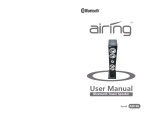
Table of Contents GENERAL INFORMATION User Manual Rechargeable Vibration Bluetooth Speaker 2 Introduction 2 Features 2 Bluetooth Wireless Communication Technology 2 Parts Included in the Box 3 OPERATION INSTRUCTION 4 Switching on/off AIR04 4 Pairing AIR04 with Bluetooth Devices 4 Music Playback 5 Battery Charging 6 MAINTENANCE 7 Battery Precautions 8 Product Registration 9 Limited Warranty 9 Specifications 10 Trouble Shooting / FAQ 11 Contacting Customer Service 13 AIR04 1 Introduction Thank you for purchasing this Airing Vibration Bluetooth Speaker. This product has been manufactured with the highest standards of safety and quality, can play music on any hard surface, such as a wooden desk or a glass table, you surely will enjoy using this speaker! Parts Included in the Box A: Bluetooth Speaker (x1) B. 2-in-1 USB cable (x1) C. AC adapter (x1) D. Wooden socket (Optional) E. Suction cup( Optional) Overview: Features Collapsible design for ultimate portability, twist to expand in use, close for travel Bluetooth Class 2, transmitting / receiving working distance up to 10m Support Bluetooth V2. 1+EDR Supports A2DP, AVRCP Bluetooth wireless audio profile for use with iPhone, iPod touch, iPad and other Bluetooth enabled devices Pure digital technology, DSP gives your music purity and clarity Vibration driver technology to enrich bass sound quality Mini hamburger design to enhance high frequency BQB approved and fully compatible with other Bluetooth enabled devices Bluetooth Wireless Communication Technology Bluetooth is a standard of close range radio-communication technology that was drawn up by Ericsson, IBM, Intel, Nokia and Toshiba. With Bluetooth technology, we can achieve the highest transmission rate among cell phones, computers, printers, PDAs and other devices. The max transmission range of class II is 10 meters while the max transmission ranges of class I can reach up to 100 meters. 2 Operation Instruction 1. Switching on/off AIR04 Function Operation LED indicator Switching on Switch ON/OFF/BT Bluetooth LED indicator is on in AIR04 button to ON green Switching off Switch ON/OFF/BT Bluetooth LED indicator is off AIR04 button to OFF Switching Switch ON/OFF/BT Bluetooth LED indicator is flashing AIR04 to button to BT in green pairing mode 2. Pairing AIR04 with Bluetooth devices A. Pairing with a Bluetooth cell phone Please make sure your cell phone is Bluetooth-enabled. Specific pairing steps may vary with different cell phones. Please refer to your cell phone’s user’s manual for further information. The general pairing steps are as follows: a) Keep AIR04 and Bluetooth cell phone within 1 meter when pairing. b) Slide the switch to “BT” and let it enter pairing mode (Bluetooth LED will flash in green). c) Switch on your cell phone’s Bluetooth function and search for Bluetooth devices. After the search is completed, select “Bluetooth” from the Bluetooth device list. d) According to indication, enter password or PIN No: “0000” and press “Yes” or “confirm”. e) After successful pairing, select “Bluetooth” from the Bluetooth device list and press “connect”. The Bluetooth LED indicator will remain green on when connected successfully. B. Pairing with a Bluetooth stereo transmitter Different Bluetooth transmitters have different pairing ways. Please refer to the user manual of your Bluetooth transmitter for further information. The general pairing steps are as follows: a) Keep AIR04 and Bluetooth transmitter within 1 meter when pairing. b) Slide the switch to “BT” and let it enter pairing mode (Bluetooth LED will flash in green). c) Switch on your cell phone’s Bluetooth function and search for Bluetooth devices. After the search is completed, select “Bluetooth” from the Bluetooth device list. d) According to indication, enter password or PIN No: “0000” and press “Yes” or “Confirm”. e) After successful pairing, select “Bluetooth” from the Bluetooth device list and press “Connect”. The Bluetooth LED indicator will remain green when connected successfully. 3. Music Playback A. Connecting with a A2DP cell phone or Bluetooth transmitter a) Connect your cell phone or Bluetooth transmitter with AIR04. b) You can listen to your music from AIR04 now when playing it back. to turn up the volume, and long press to turn down c) Long press the volume. to skip to the next song, and short press to skip to d) Short press the previous song. to pause, and then press to resume the playing. e) Press B. Connecting with a non-Bluetooth music player a) Connect your music player with AIR04 by using the Micro USB to 3.5mm audio cable, and slide the switch to “ON”. b) You can listen to your music from AIR04 now when playing it back. 3 Remarks: If there is an incoming call while AIR04 is connected to your cell phone for music playback, the call (subject to the phone settings) will be automatically transferred to AIR04, press to answer a call, and long press reject a call. After finish the call, press to again to end. Maintenance Read the following recommendations before using AIR04. Following these you will be able to enjoy our product for many years. internal circuit being affected. When AIR04 is connected to a non-Bluetooth audio device, the Bluetooth is off and the Bluetooth function will not be available. If you want to play music plastic parts. AIR04 with your Bluetooth device. The “Play/Pause” “Next” “Previous” “VOL+” “VOL-” buttons are Keep the product away from direct sunlight or hot places. High temperatures will shorten the life of electronic devices, destroy the battery or distort certain from a Bluetooth device you have to slide the switch to “BT” and reconnect Keep it dry and don’t take it to damp places so as to avoid the product’s Don’t expose the product to cold areas. It may damage the internal circuit board. unavailable when you connect AIR04 with a non-Bluetooth music player. Don’t try to disassemble the product as it may get damaged if you are not professional. 4. Battery Charging AIR04 has a built-in rechargeable lithium battery. This can be charged by supplied might get damaged. AC adaptor or connecting to the USB port of your computer. Refer to the battery indicator (The LED indicator will change to red color) for the charging status. LED indicator quick green light Needs charging LED indicator stays at Red color Charging in progress LED indicator turns off Charging completed Don’t let it fall down onto the floor or other hard surfaces. The internal circuit Don’t use intensive chemical products or detergent to clean the product. Don’t scratch the surface with sharp things. After charging, AIR04 can be used without the power connection. Charge AIR04 again when you see the LED indicator flashes quick green light. 4 Product Registration Battery Precautions The device can be powered by a built-in rechargeable lithium battery. Please charge the battery for at least 8 hours before your first use of the device. If the device is not used for a long period of time, the battery may lose its charge. Please recharge the battery. Rechargeable batteries are only to be charged under adult supervision. Use only the supplied USB cable or AC adapter to recharge the battery. Improperly charging a battery may damage it or the device. Do not attempt to open the rechargeable battery or battery pack. There are no user serviceable parts inside. Should a battery leak, the device may become damaged. Clean the battery compartment immediately, avoiding contact with your skin. Keep batteries out of reach of small children. If swallowed, consult a physician immediately. Leaving the battery in hot or cold places, such as in a closed car in summer or winter conditions, will reduce the capacity and lifetime of the battery. Always try to keep the battery between 15°C and 25°C (59°F and 77°F). A device with a hot or cold battery may not work temporarily, even when the battery is fully charged. DO not dispose of batteries in a fire as they may explode. Batteries may also explode if damaged. Dispose of batteries according to local regulations. Do not dispose as household waste. Thank you for purchasing Airing Indoor Bluetooth Speaker. Please register your product at www.airing.nl for your warranty. Please reference your item# (AIR04) and/or UPC (851489004047) to register it. For technical assistance and more information, please feel free to contact UniStrong technical support or customer service at www.airing.nl Limited Warranty The manufacturer warrants this product to be free from defects in materials and workmanship for a period of one (1) year from date of purchase. This warranty applies only to the original consumer purchaser and only to products used in normal use and service. If this product is found to be defective, the manufacturer’s only obligation, and your exclusive remedy, is the repair or replacement of the product at the manufacturer’s discretion, provided that the product has not been damaged through misuse, abuse, accident, modifications, alterations, neglect or mishandling. This warranty shall not apply to any product that is found to have been improperly installed, set-up, or used in any way not in accordance with the instructions supplied with the product. This warranty shall not apply to a failure of the product as a result of an accident, misuse, abuse, negligence, alteration, or faulty installation, or any other failure not relating to faulty material or workmanship. This warranty shall not apply to the finish on any portion of the product, such as surface and/or weathering, as this is considered normal wear and tear. The manufacturer does not warrant and specially disclaims any warranty, whether expressed or implied, of fitness for a particular purpose, other than the warranty contained herein. The manufacturer specifically disclaims any liability and shall not be liable for any consequential or incidental loss or damage, including any labor/ expense costs involved in the replacement or repair of said product. 5 Specifications Trouble Shooting / FAQ Problem/Question Bluetooth Version Bluetooth V 2.1+EDR Bluetooth Profile A2DP, AVRCP Frequency Response 40Hz-20KHz Operating Distance 10 meters, class II Power Supply USB cable or AC adaptor Working Temperature 0℃~55℃ Storage Temperature -20℃~70℃ Dimensions Ф2.16" x 2.79"H Weight 0.6 lbs AIR04 cannot be powered on. AIR04 cannot connect to a Bluetooth device. AIR04 is connected to a Bluetooth cell phone but doesn’t play music. The sound of AIR04 crackles or has a loud hum or buzzing. The adhesive base is dirty. Solution/Answer 1. Make sure the battery of AIR04 has power. 2. Ensure that the Power ON / OFF switch is at ON position. When the speaker is powered ON, the LED Indicator will be lighted up. 1. Ensure AIR04 already entered pairing mode. 2. Ensure the Bluetooth device is in the effective working range. 3. Delete the AIR04 name entry from your Bluetooth device paired memory list and re-pair your device with AIR04. 4. Ensure that both your Bluetooth device and AIR04 are not connected to any other devices. 5. On some Bluetooth device, you may need to select AIR04 as your default output device after pairing is completed. 1. Ensure your cell phone supports Bluetooth A2DP or AVRCP profile. 2. Ensure your cell phone is in the effective Bluetooth working range. 1. Turn your Bluetooth device or other source component’s volume down. 2. Move unit away from potential sources of interference, such as microwave ovens, fluorescent lights, etc. Turn off the speaker, and then use a slightly damp micro fiber towel to clean the area carefully. Avoid any liquid contact with any electronic components. 6 Trouble Shooting / FAQ Problem/Question Contacting Customer Service Solution/Answer The sound of the speaker is low. Put the speaker anywhere in the house to find your preferred resonance surface. Our favorites are glass, wooden desk, and filing cabinets. Twist and extend the top tweeter for a bigger sound. AIR04 has no sound. 1. Verify that the volume is not muted. 2. Verify that there is no other device connected to AIR04. 3. Check the connection between your Bluetooth device and AIR04. 4. Try restarting AIR04 or your Bluetooth device. According to the Bluetooth standard, the maximum controllable range of Class II speaker is 10 meters. But it varies under different environments and depends on the paired cell phone. A2DP means the Advanced Audio Distribution Profile. It’s a Bluetooth profile that allows for the wireless transmission of stereo audio from an A2DP source to an A2DP receiver. AVRCP means the Audio/Video Remote Control Profile. It’s a Bluetooth profile that allows Bluetooth devices to control media playback on remote devices. It’s typically used with A2DP devices for next/previous track selection and pause/play functions. How far is the effective range between AIR04 and a Bluetooth device? What is A2DP? What is AVRCP? Still have questions? Please feel free to contact our customer service. Airing The Netherlands website: www.airing.nl email: [email protected] 7