1
11. CUSTOMIZING YOUR UNIT
This section describes the various options
which allow you to set up your unit to suit your
needs.
11.1 CHART SETUP
OPTIONS menu
The chart offset options menu provides three
menus: chart offset, track control, and chart
details.
1. Press the [MENU] key to open the main
menu.
2. Press the CHART SETUP OPTIONS soft
key.
CHART OFFSET menu
In some instances position may be off by a few
minutes. For example, the position of the ship
is shown to be at sea while it is in fact moored
at a pier. You can compensate for this error by
offsetting chart position as follows:
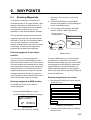
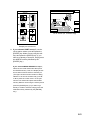
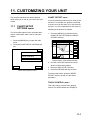
1. Press the [MENU] key followed by the
CHART SETUP OPTIONS and CHART
OFFSET soft keys.
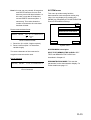
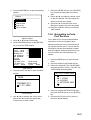
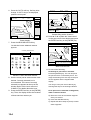
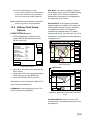
34° 12.345' N
135° 12.345' E
FROM 16.41 nm
276.9°
OS
ZOOM
IN
ZOOM
OUT
CHART
SETUP
SET
OFFSET
RESET
OFFSET
CHART OFFSET
TRACK CONTROL
DGPS 3D
CHART DETAILS
DGPS 3D
CHART
OFFSET
RETURN
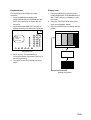
Chart setup options menu
RETURN
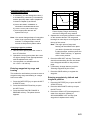
Plotter display, chart offset selected
2. Use the cursor pad to place the cursor
where to offset chart position.
3. Press the SET OFFSET soft key.
4. Press the RETURN soft key to finish.
To cancel chart offset, press the RESET
OFFSET soft key at step 3 in the above
procedure.
TRACK CONTROL menu
This menu mainly controls track plotting
interval. For further details see Chapter 4.
11-1