1
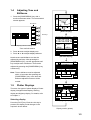
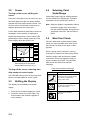
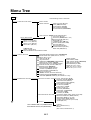
Display setup menu description
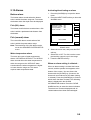
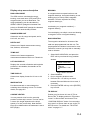
BEARING
RNG & BRG MODE
A navigation device outputs both true and
magnetic bearings. A magnetic bearing is true
bearing plus (or minus) earth’s magnetic
deviation. Thus the equation for finding
magnetic bearing is;
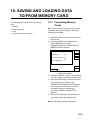
The GPS receiver calculates the range,
bearing, cross track error (XTE) and ETA to
waypoint when you set a destination. The
range and bearing can be calculated by
GREAT CIRCLE (straight line between two
points) or RHUMB LINE (straight line between
two points on nautical chart) method.
RANGE/SPEED UNIT
Selects the unit for range and speed; nm/kt,
km/ km/h, sm/ sm/h.
DEPTH UNIT
Selects unit of depth measurement among,
feet, fathoms, and meters.
true bearing ± x (magnetic variation)° =
magnetic bearing
You can display your ship’s course and bearing
to waypoint in true or magnetic bearing.
MAG VARIATION
The magnetic variations for all areas of the
earth are preprogrammed into this unit. The
preprogrammed variation is accurate for most
instances, however you may wish to manually
enter a variation.
TEMP UNIT
Selects unit of water temperature
measurement between Celsius or Fahrenheit.
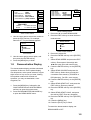
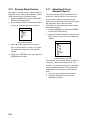
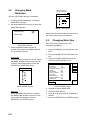
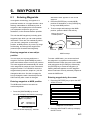
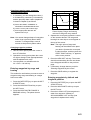
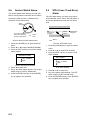
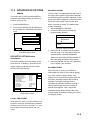
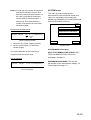
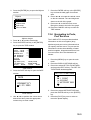
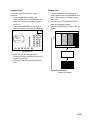
1. Select MAG VARIATION, and press the
EDIT soft key to show the mag variation
window.
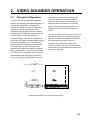
LAT/LON DISPLAY
MAG VARIATION
Displays the seconds of latitude and longitude
positions in hundredths, thousandths or ten
thousandths.
▲
TIME DISPLAY
Selects time display format for 12 hour or 24
hour.
WAYPOINT SW
Provides automatic or manual waypoint
switching when following a route. For further
details, see page 8-5.
▼
AUTO
MANUAL 0.7°W
Mag variation window
2. Select MANUAL.
3. Key in magnetic deviation value.
4. Press the W<-->E soft key to switch
between East and West and vice versa, if
necessary.
5. Press the ENTER soft key or the [ENTER]
key to finish.
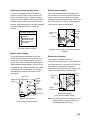
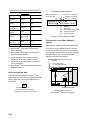
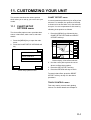
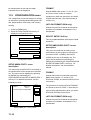
TD DISPLAY
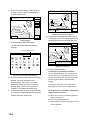
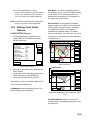
COURSE VECTOR
You may extend a line from the own ship
position to show ship’s course. The line can be
a vector (the length depends on the ship’s
speed.) or a line (course bar). Note that this
bar may be hidden when the landmass is set to
BRT (bright).
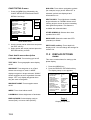
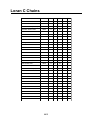
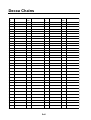
Position may be shown in Loran C TDs or
Decca TDs. To display position in TDs select
Loran C or Decca here and choose TD at
“POSITION DISPLAY” below. You can select
the Loran C or Decca chain to use on the TD
SETUP menu. For details see “TD SETUP
menu” on page 11-7.
11-3