1
9
Control Buttons
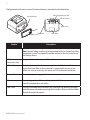
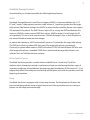
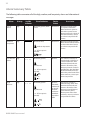
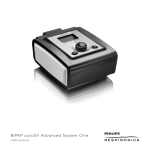
The figure below shows the display screen and primary control buttons on the device.
LCD Display Screen
Humidifier Icon
and Number Settings
Alarm Silence/
Indicator Button
Feature
Display Screen
Humidifier Icon
Humidifier
Numbers
Control Wheel/
Push Button
Ramp Button
Alarm Silence/
Indicator Button
Control Wheel/
Push Button
Ramp Button
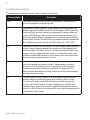
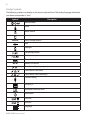
Description
Shows therapy settings, patient data, and other messages. The startup
screen is shown temporarily when the device is first powered.
This Icon lights up (different colors) when the optional humidifier and/
or heated tube is attached and heat is being applied. White means classic
humidification is selected. Blue means System One humidification is
selected. Orange means the heated tube is attached. Please refer to the
humidifier user manual for more information.
The humidifier number settings are only visible when the humidifier is
attached and therapy is active. You can use the control wheel to change
the number settings for the humidifier. When the heated tube is being
used with the humidifier, these numbers will control the heated tube
temperature setting.
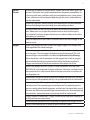
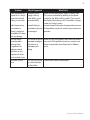
Turn the Wheel to toggle between options on the screen. Press the Wheel
to choose an option. Primary function is to turn airflow on/off. Pressing the
Wheel also resets alarms.
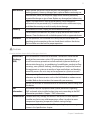
When the airflow is on, this button allows you to activate or restart the ramp
function. This button lights up when therapy is active or during specific alerts.
Silences the audible portion of the alarm for a period of time and indicates
an alarm condition.
Chapter 1 Introduction