1
4. OPERATION
Control Panel
Operation
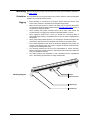
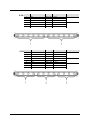
To access the control panel functions, use the four buttons located underneath the
display. Please refer to the Product Overview to see the button locations on the control
panel.
Button
<MENU>
<UP>
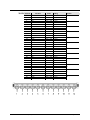
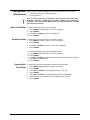
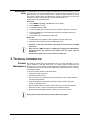
Menu Map
Function
Press to find an operation mode or to back out of the current menu
option
Press to scroll up the list of options or to find a higher value
<DOWN>
Press to scroll down the list of options or to find a lower value
<ENTER>
Press to activate a menu option or a selected value
Mode
Static Colors
Auto Programs
Program Speed
Programming Steps
C--
P--
S--
Slave Mode
Custom Color
Mixing
C1
Red
C2
Green
C3
Blue
C4
Cyan
C5
Magenta
C6
Yellow
C7
White
P1
7-Color Switching
P2
7-Color Fading
P3
3-Color Switching
P4
3-Color Fading
P5
Chase Program
P6
7-Color Sound Active
P7
7-Color Sound Active Chase + Strobe
S001-S100 Selects auto program speed
SLA
U--
Description
Sets Slave Mode
r--
Red
g--
Green
b--
Blue
3-CH
4-CH
6-CH
DMX
Personalities
7-CH
9-CH
d001-d512
Selects DMX starting address
12-CH
18-CH
36-CH
Page 10 of 19
COLORband PiX™ User Manual (Rev. 3)