1
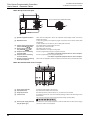
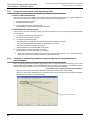
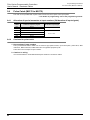
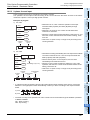
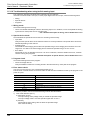
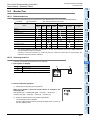
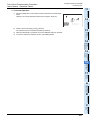
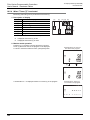
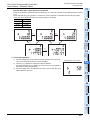
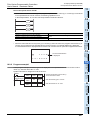
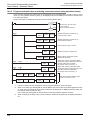
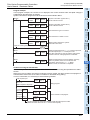
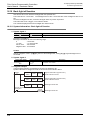
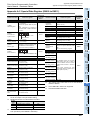
FX3S Series Programmable Controllers User's Manual - Hardware Edition 5.5 Cautions on using transparent port (2-port) function of GOT-F900 Series 1 Cautions on using transparent port (2-port) function of GOT-F900 Series Introduction 5.5 5 Version Information and Peripheral Equipment Connectability When monitoring circuits, device monitor, etc. in an FX3S PLC from GX Works2 using the transparent (2-port) function in the GOT-F900 Series, make sure to execute the following setting. 2. Double-click [Serial USB] of the PC side I/F to display [PC side I/F Serial Setting]. Double-click it. 3 Product Introduction 3. Select [RS-232C] in setting shown below, and set [COM port] and [Transmission Speed]. 2 Features and Part Names 1. Double-click the Connection Destination view [Connection Destination] [(Connection target data name)] in the Navigation window of GX Works2. The [Transfer Setup Connection1] is displayed. 4 Specifications 5 Version and Peripheral Devices 6 System Configuration 4. Double-click [GOT] of the PLC side I/F to display [PLC side I/F Detailed Setting of GOT]. 7 Installation 5. Select [FXCPU], [via GOT[direct coupled] transparent mode] in setting shown below and put a check mark to the check box [via GOT-F900 transparent mode] . 8 Preparation and Power Supply Wiring Select [FXCPU] Select [via GOT[direct coupled] transparent mode] 9 Input Wiring Put a check mark to the check box [via GOT-F900 transparent mode] 10 High-Speed Counters 6. Click the [OK] button to finish the setting. 47