1
OPTIPAC SYSTEM FUNCTIONS
Utilities Submenu
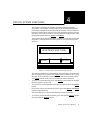
REMOVABLE DISK
UTILITIES SUBMENU
This function shows cartridge information; locks and unlocks, verifies,
and formats the cartridge, one side at a time.
1. Press the ENTER button when the Removable disk utilities function is
displayed on the Utilities submenu.
The Removable disk utilities submenu then appears displaying the
following functions:
Show CARTRIDGE information
Unload cartridge
Verify cartridge
Format cartridge
Erase cartridge
Previous menu
2. Press the SELECT button to scroll through the information or functions.
3. You can return to the Utilities menu by pressing the ENTER button when
you see Previous menu.
Show CARTRIDGE
Information
This function displays information similar to the following list about
one side of the cartridge.
Number of rings
Ring capacity
Ring size (cylinders)
Ring cylinder size (tracks)
Ring track size in sectors
Sectors in ring
Total capacity of drive (kbytes)
Logical sector size
Physical sector size
Interleave
Date cartridge last formatted*
Date cartridge last written*
Date cartridge last accessed*
* Not displayed for unformatted cartridges.
1. Press the ENTER button to scroll through each field.
Unload Cartridge
This is the same as Unload cartridge in the Main menu.
OptiPac 7619F User's Manual
27