Transcript
BOOMPODS
TM
music . anywhere . everywhere
hello!
8hr
®
Bluetooth 4.0
rechargeable battery
360 sound
voice prompt
o
User Manual
BOOMPODS designed in the UK by DT-Design Ltd. All rights reserved ©2014.
This product uses BOOMPODS technology and is covered by international
patents, quadpod - IP: 201330440540.8
TM
TM
Introduction:
Before using your Quadpod speaker for the first time, please take a few moments
to read through the user manual.
④
......
OFF
LINE IN
① ②
4. Please adjust the sound to a moderate volume and enjoy the music. To answer/
end conference calls, quickly press > button ⑥.
5. When the battery is less than 10%, you will hear “battery low”, please start
charging speaker.
6. To switch off your Quadpod speaker, push the on/off button ③ to “off”, you
will hear “goodbye”.
Wired connection:
You can use your Quadpod as a wired speaker to increase battery life. Simply
connect the 3.5mm cable to your audio source and the other end to the audio
port on the Quadpod speaker ①
ON
③
Control panel
①
⑥
⑦
3.5mm audio cable
......
OFF
LINE IN
BOOMPODS
USB charging cable
General guidelines:
Keep away from high temperature or prolonged exposure to direct sunlight.
Avoid contact with liquids.
Do not insert any conductive objects into the sound box.
Do not disassemble.
Do not drop the product.
Keep out of reach of children.
Warranty:
Your BOOMPODS product is guaranteed against any defects in material or
workmanship for one full year from the date of original purchase providing it has
not been disassembled and it has not suffered accidental damage such as a knock
TM
or immersion in water,
etc.
The device must be used in accordance with the user manual. The warranty is subject
to presentation of the original invoice or receipt from the retailer and does not
apply to normal wear and tear or to any device that has been misused or tampered
with. It should be returned to the local service centre, the service centre will not
bear any shipping cost of the returned item.
②
Operation & voice prompt:
1. Activate your phone’s Bluetooth function and then enter its searching mode.
3. Your mobile phone will automatically find a new Bluetooth device called
“ QUADPOD”. Connect this device and you will hear “your device is connected”,
& it will pulse blue slowly this indicates that your speaker is successfully connected.
ON
③
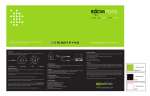
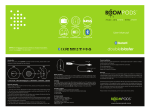
① Audio port ② Charging port ③ Power On/off ④ MIC
⑤ - Quickly press this button to decrease volume, hold down to play last track
⑥ Quickly press this button to play/pause/answer call/end call, hold down to
start pairing with Bluetooth device
⑦ + Quickly press this button to increase volume, hold down to play next track
2. To pair your Quadpod for the first time, push the on/off button ③ to “on”, you
will hear “hello” and it will flash blue which means it’s now in pairing mode.
......
OFF
LINE IN
BOOMPODS
⑤
Technical details:
Package contents:
• Power supply: DC5V- 500MA
1 x quadpod wireless speaker
• Max output power: 5W
1 x 3.5mm audio cable
• Battery capacity: 2000mAh
1 x Micro USB/standard USB charging cable
• Charge time: 5 hours
1 x user manual
• Bluetooth range: 10m (open space)
• Bluetooth: 4.0 CSR
ON
Micro USB
Charging:
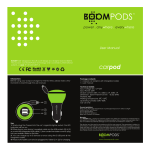
To charge, simply connect the standard USB cable directly to a mains USB socket
and the Micro USB end to the charging port on the Quadpod speaker ②. The
Control panel will turn red whilst charging, and turn off when fully charged. Please
note that the speaker will not charge and play at the same time.
Please check www.boompods.com for your local service centre.
www.boompods.com