1
M2 Series
Instruction Manual 9R68-A
Mar, 2008
Header Name
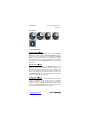
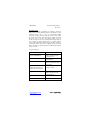
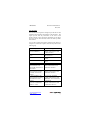
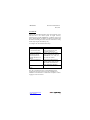
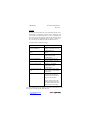
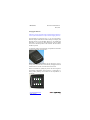
Follow the steps below to edit the Header Name.
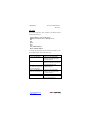
Keystroke
1. From the Measure Mode
press the PRGM key.
2. Press the up arrow key
twice.
3. Press the PRGM key.
4. Press the up arrow key
five times.
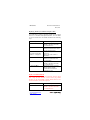
5. If header is correct press
backspace key. If editing is
desired proceed to step 7.
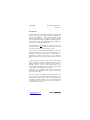
6. Press the left arrow key.
7. Press the up or down
arrow keys to set the
correct alpha-numeric
value.
8. Press the right arrow key
to accept entry.
9. Repeat steps 8 and 9
until the desired Header is
shown.
10. If an error is made press
the back arrow key until the
cursor is over the incorrect
value. Follow step 8 to
correct. Press the right
arrow key to advance the
cursor without changing
values.
11. When the Header is
complete press the PRGM
key until header accepted.
12. Press the left arrow key.
www.meriam.com
page 21 of 36
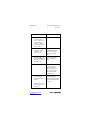
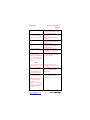
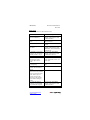
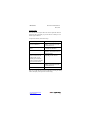
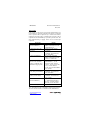
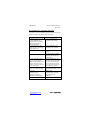
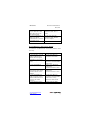
Display
Top line reads “PROGRAM
MODE” and bottom line reads
“UNITS SELECT”.
Bottom line changes to “USER
INFO SELECT”.
Bottom line shows serial
number.
Top line reads “HEADER
NAME” and bottom line reads
“MERIAM”. The cursor flashes
at bottom left.
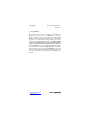
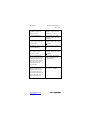
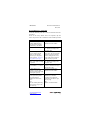
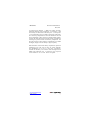
Top line reads “PROGRAM
MODE” and bottom line reads
“USER INFO SELECT”.
Returns to Measure Mode.
Displays a number between 0
and 9, a letter from A to Z, / or a
blank space.
Cursor advances one space to
right.
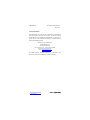
Top line reads “PROGRAM
MODE” and bottom line reads
“UNITS SELECT”.
Returns to Measure Mode.