1
7640 LIGHT & UV MONITOR
USER MANUAL
LITTLEMORE SCIENTIFIC ENGINEERING (ELSEC)
Gutchpool Farm
Gillingham
Dorset
UK
Tel:
(+44) (0)1747 835550
Fax: (+44) (0)1747 835552
Email: [email protected]
7640.DOC
V3.702
CONTENTS
INTRODUCTION ............................................................................................... 1
BASIC OPERATION ......................................................................................... 2
Set Button...................................................................................................... 2
UNITS OF MEASUREMENT............................................................................. 4
Ultra-Violet (UV) ............................................................................................ 4
Visible Light ................................................................................................... 5
MAXIMUM AND MINIMUM ............................................................................... 6
DISPLAY ........................................................................................................... 7
Contrast ......................................................................................................... 7
Backlight ........................................................................................................ 7
MAINTENANCE ................................................................................................ 8
Battery ........................................................................................................... 8
Mains Power Supply...................................................................................... 8
Software Version ........................................................................................... 8
CALIBRATION .................................................................................................. 9
UV & Visible Light.......................................................................................... 9
SERVICE AND SUPPORT.............................................................................. 10
SPECIFICATIONS .......................................................................................... 11
PRINTED 31-Aug-07
INTRODUCTION
One of the primary responsibilities of the custodian of artworks and museum artefacts
is to preserve them for future generations. How they are stored and displayed is
central to this, the 7640 Environmental Monitor is an easy to use tool to help in
achieving the safest long term protection.
For many years it has been recognised that one of the major causes of damage to
museum objects and other antiquities is the fading and rotting effect of light on the
object. The most damaging part of the illumination is its ultraviolet (UV) content.
Using the 7640 measurements can be taken of the proportion of UV present as
microwatts per lumen (mW/lumen), the total amount of UV as milliwatts per square
meter (mW/M2) and the amount of visible light present (Lux).
We always want to improve our products. If you have any suggestions please send
them to us.
1
BASIC OPERATION
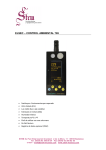
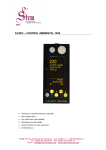
To take a reading the appropriate yellow button is pushed depending on the
measurement required and the reading is taken.
UV= Ultra Violet (µW/lumen or mW/M2 )
Vis= Visible light (Lux or Foot-candles)
The unit automatically turns off 10 seconds after the button is released unless a button
is held down for over 5 seconds, this will cause readings to be taken continuously until
a button is pressed.
Note that the buttons should be pressed firmly for a second or so to ensure reliable
operation.
A
A:
B:
C:
D:
Typical display:
Lux
B
1234
C
D
Min: 1.2 21-08:14
Max: 3456 14-09:34
E
B
H
3/11/06
10:20
Units of measurement
Current reading
Minimum reading since last reset, day of month and time of minimum
Maximum reading since last reset, day of month and time of maximum
E: H shows that the reading is “held” and the unit will turn itself off after 10 seconds
of inactivity. A round blob shows the unit is in continuous reading mode until a
button is pushed, nothing here means that a single reading is being taken.
The current time and date are also shown. Unless they are hidden by pressing
Set\Clock\Hide-Unhide.
If a battery symbol appears at B it means that the batteries need to be replaced.
Min & Max are reset by pressing Set\Max-Min\Reset (Press Set 3 times)
The above format is slightly different for some parameters and can be altered by the
user if required, see below.
Set Button
The blue Set button is used to access advanced functions, change units etc. If it is
pushed once a menu similar to that below is shown:
2
Max-Min>
Display>
Units>
Clock>
Calibrate>
The first menu item “Max-Min” is highlighted, different menu items can be
highlighted using the é and ê buttons. The wanted action is done by highlighting the
appropriate menu item and pressing the Set button. To abort without doing anything
press the X button. In some cases a further sub-menu is displayed with more choices.
Elsewhere in this manual directions in the form Set\item1\item2 are given. This means
Press Set, select item1 in the first menu, press Set again, select item2 in the next menu
and press Set.
To take a measurement without having to look at the display while the reading is
taken (for example where the operators head may effect the reading) proceed as
follows:
1. Position the monitor where the reading is to be taken.
2. Push the appropriate button for 1-2 seconds and release.
3. Hold the monitor in position for at least 2 seconds.
4. Without operating any buttons by mistake move the monitor so the reading
can be noted before it turns itself off.
3
UNITS OF MEASUREMENT
Ultra-Violet (UV)
Traditionally UV has been measured in museums as the proportion of ultraviolet
present. This result is useful for checking a particular lamp or window because the
proportion of UV does not change with the distance from the light source. Using a
simple rule the amount of UV on an object can be limited. It is usual to arrange that
the proportion of UV should not exceed 75µW/lumen in museums and galleries,
though some organisations try to keep UV levels below 25µW/lumen
The damage is done by the total amount of UV falling on the object so it is useful to
be able to measure this directly, especially if non standard amounts of illumination are
required. The amount of UV should be as little as possible but in general should not
exceed 20mW/M2, again some organisations keep the level below 6mW/M2.
Both the above units are displayed when the UV button is pressed, one in large
characters, the other smaller at the bottom of the screen. Which is displayed where can
be swapped by pressing Set\Units\µW/Lumn-mW/M².
4
Visible Light
This can be displayed either in Lux or Foot-candles. To change the units press
Set\Units\Lux-Footcandl.
A visible light readout is provided to control illumination and limit damage done by
visible light. Normal museum light levels should be limited to 150-250 Lux.
Once measurements have been made the light level can be altered if necessary and UV
filters can be fitted on windows, fluorescent tubes or other UV producing light sources
as required. These filters often deteriorate over a period of years so it is essential to recheck them periodically.
Magazine reprints on the subject of museum lighting , UV etc can be obtained from
the manufacturer.
Suggested light levels for various other purposes are given below:
Corridor, stairs etc
100/150 Lux
Warehouses, storage bays
100/150 Lux
General office work
300/500 Lux
Rough bench/machine work
300/500 Lux
Medium bench/machine work 500/700 Lux
Drawing offices
750/1000 lux
Fine bench work
1000/1500 Lux
Fine inspection
1500/3000 Lux
Minute work
3000/5000 Lux
5
MAXIMUM AND MINIMUM
The maximum and minimum values for each unit are displayed along with the day of
the month and time the maximum or minimum occurred.
The values can be reset by pressing Set\Max-Min\Reset (This equates to pressing Set
3 times).
To find the date when maxima & minima occurred press Set\Max-Min\Date or Time,
repeat to display the times again.
6
DISPLAY
Contrast
The display contrast can be increased/decreased by pressing Set\Display\Contrast UP
or DOWN. If this is done the menu continues to be displayed and the set button can be
pressed repeatedly until the required contrast is achieved.
Backlight
The display backlight operation can be adjusted from the Set\Display menu as
follows:
Menu item
Lamp off
Lamp mostly off
Lamp mostly on
Lamp on
Action
Backlight always off
Backlight initially off, turns on if visible light is less
than 10 Lux
Backlight is initially on, turns off if visible light is more
than 10 Lux
Backlight always on
The backlight uses a considerable amount of power, the more it is used the less time
the batteries will last.
7
MAINTENANCE
The sensor windows should be kept clean and grease free. Grease and finger marks
that look clear may be opaque to UV. Ensure that solvents do not come into contact
with plastic parts, especially the perspex window over the visible (left-hand) sensor.
Battery
The batteries should be replaced as soon as the battery symbol is seen on the bottom
left of the display. Any 1.1 to 2.5 volt AA style battery can be used, though it is
preferable to use alkaline cells because of their longer life and much reduced tendency
to leak.
The battery compartment can be accessed by removing the single screw in the bottom
centre of the case.
Suggested battery types (2 off required):
MANUFACTURER
TYPE
Duracell
MN1500
Ever Ready
LR6B4
Nickel Cadmium rechargeable types can be used but they cannot be charged inside the
instrument.
Mains Power Supply
The optional external mains power supply can be connected to the power input socket
on the right hand side of the instrument. This socket is only fitted if requested with
order because the hole required compromises the moisture seal on the casing.
Software Version
The internal software version is displayed when the 7640 is turned on. A typical startup message might be “ELSEC 7640 V2.1”, in this case the software version is 2.1
8
CALIBRATION
The calibration information is kept in non-volatile EEPROM. If this fails the
instrument displays “Mem Fail” when turned on and will load default calibration
values and future readings may be 25% in error. If this happens a question mark “?” is
displayed on the top right of the display with suspect readings.
UV & Visible Light
The 7640 calibration should not drift with time but to be sure of accuracy the
instrument can be returned to the manufacturer for a calibration check every 2-5 years.
The 7640 has a very carefully defined frequency response (i.e. which wavelengths of
light it is sensitive to). Other light meters are often more sensitive to infra red light
than they should be and so will give a higher reading with light sources that contain
infrared (e.g. ordinary filament light bulbs).
Because the 7640 has a cosine angular response it may give different readings to a
type 762 which is relatively directional. In other words the 7640 is more sensitive to
light coming at an oblique angle than the 762.
Note that the human eye has a logarithmic response, this means that if two luxmeters
are placed side by side they may give different readings even if it looks like they are
getting a similar amount of light. To compare the readings on 2 meters they each need
to be placed in the exactly same position under exactly the same lighting conditions
with the operator being very careful not to shade the meters differently.
9
SERVICE AND SUPPORT
For support and repairs contact:
Littlemore Scientific Engineering
Gutchpool Farm
Gillingham
Dorset UK
SP8 5QP
Tel: 01747 835550
Fax: 01747 835552
Email: [email protected]
http://www.elsec.co.uk
This equipment complies with EU Directive 2002/96/EC
The symbol of the crossed container on the equipment shows that the product, at the
end of its useful life, must be collected separately from other refuse. When it is
disposed of in the European Union it should be placed with other electronic waste at
the place designated by the waste collection authority.
10
SPECIFICATIONS
Method of radiation detection Twin silicon photodiodes connected to microprocessor.
Visible wavelength range
400-700nM (CIE response). No correction required for different
light sources.
Visible power range
0.1 - 200,000 Lux (0.1 – 20,000 Foot-candles)
UV wavelength range
300-400 nM
UV power range
UV proportion range
Display resolution
2 - 50,000 mW/M2
0 - 10,000 mW/Lumen
Lux: 0.1 up to 100 then 1
Foot-candles: 0.1 up to 100 then 1
UV: 0.1 up to 100 then 1
Proportion of UV: 1 mW/Lumen
Accuracy
Light: 5% ±1 displayed digit
UV: 15% ±1 displayed digit
Angular response
Readout
Date functions
Batteries
Battery Life
Cosine (Light & UV)
8 line graphical Liquid Crystal Display with automatic backlight
Display as day-month-year or month-day-year.
2 off alkaline AA type.
Approx 100 Hours continuous use or 12,000 readings taking 30
seconds each.
Battery life will be less if the display backlight is used
External Power Supply
(If available)
4.0-5.2V DC, 100mA A suitable mains power supply can be
provided as an optional extra (please specify mains voltage
required).
Operating Temperature
Dimensions
0-50°C
120 x 65 x 25mm 4.7 x 2.5 x 1 inches.
Weight
160g (5.4 oz) with batteries.
11