1
Bridge mode
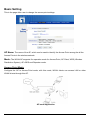
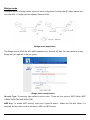
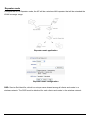
Configure the AP to Bridge mode; a point-to-point configuration in which the AP relays frames from
one other 802.11 bridge onto an adjacent Ethernet LAN.
Bridge mode application
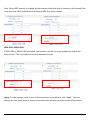
The Bridge need to fill all the AP’s MAC address in the “Remote AP Mac” list, the maximum of one
Bridge can join eight AP to be one group.
Bridge mode configuration
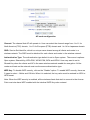
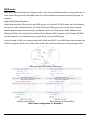
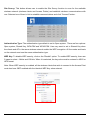
Security Type: The security type default is set to none. There are four options: WEP 64bits; WEP
128bits; WPA-PSK and WPA2-PSK.
WEP Key: To enable WEP security, there are 2 types to select – 64bits and 128 bits. When it is
selected, the key value must be entered in ASCII or HEX format.
18