1
ESTN_body_0204_QX6
5/20/04
10:51 AM
Page 1
Table of Contents
Overview of the Network Software . . . . . . . . . 2
Setting Up the Software . . . . . . . . . . . . . . . . . . . . 3
Setup by the Network Administrator . . . . . . . . . . 3
Logging In as a Network Administrator. . . . . . . . 3
Entering Personal Information. . . . . . . . . . . . . . . 3
Creating New Users. . . . . . . . . . . . . . . . . . . . . . . 4
Entering Additional Network Administrator,
Teacher and School Administrator/Specialist
Names or Passwords . . . . . . . . . . . . . . . . . . . . . . 4
Importing a Preformatted Teacher List . . . . . . . . 5
Entering Student Names . . . . . . . . . . . . . . . . . . . 6
Importing a Preformatted Student List . . . . . . . . 6
Creating New Schools on a
Wide Area Network (WAN) . . . . . . . . . . . . . . . . 7
Updating User Information and
Deleting Users or Classes. . . . . . . . . . . . . . . . . . . 7
Installing Earobics Games on
Client Workstations. . . . . . . . . . . . . . . . . . . . . . . 8
Uploading Existing Student Data from
Non-Network Versions of Earobics Step 2 . . . . . . 8
Using Cache . . . . . . . . . . . . . . . . . . . . . . . . . . . 11
Backup . . . . . . . . . . . . . . . . . . . . . . . . . . . . . . . 11
License Management . . . . . . . . . . . . . . . . . . . . . 12
Setting Monitor Resolution . . . . . . . . . . . . . . . . 12
Automatic Logoff after 20 Minutes
of Inactivity . . . . . . . . . . . . . . . . . . . . . . . . . . . . 12
Setup by Teachers &
School Administrators/Specialists . . . . . . . . . . . 13
Logging In. . . . . . . . . . . . . . . . . . . . . . . . . . . . . 13
Main Screens for Teachers and
School Administrator/Specialists . . . . . . . . . . . . 13
Entering Student Names . . . . . . . . . . . . . . . . . . 14
Modifying Student Names and
Student Usernames . . . . . . . . . . . . . . . . . . . . . . 15
Changing Teacher Names, Usernames,
or Passwords . . . . . . . . . . . . . . . . . . . . . . . . . . . 15
Creating Groups . . . . . . . . . . . . . . . . . . . . . . . . 15
Editing Group Names/Descriptions. . . . . . . . . . 15
Updating a Group/Assigning Students to
a Group . . . . . . . . . . . . . . . . . . . . . . . . . . . . . . . 15
Deleting a Group. . . . . . . . . . . . . . . . . . . . . . . . 17
This document includes information proprietary to Cognitive Concepts, Inc., and may
not be reproduced in whole or in part without the express written permission of
Cognitive Concepts.
Protected by U.S. Patent Nos. 6,146,147, 6,435,877 and 6,511,324 and other
pending patents.
©1998-2004 Cognitive Concepts, Inc., and its licensors. All rights reserved.
Earobics®, Earobics Literacy Launch®, the Earobics® logo, Solutions for Literacy and
Language® and Sound Foundations for Language and Literacy® are registered trademarks of
Cognitive Concepts, Inc. Cognitive Concepts™ is a trademark of Cognitive Concepts, Inc.
Using Earobics Step 2 Network in
the Classroom . . . . . . . . . . . . . . . . . . . . . . . . . . . . 18
Student Log In . . . . . . . . . . . . . . . . . . . . . . . . . . . . 18
Earobics Step 2 Games . . . . . . . . . . . . . . . . . . . . 20
General Features of Earobics Games. . . . . . . . . . 20
Calling All Engines . . . . . . . . . . . . . . . . . . . . . . 22
Paint by Penguin . . . . . . . . . . . . . . . . . . . . . . . . 24
Pesky Parrots . . . . . . . . . . . . . . . . . . . . . . . . . . . 26
Hippo Hoops . . . . . . . . . . . . . . . . . . . . . . . . . . 28
Duck Luck . . . . . . . . . . . . . . . . . . . . . . . . . . . . 30
Learning Objectives for
Earobics Step 2 Games . . . . . . . . . . . . . . . . . . . . 32
Professional Management Features . . . . . . . . . . 38
Progress Chart . . . . . . . . . . . . . . . . . . . . . . . . . . 38
Preferences. . . . . . . . . . . . . . . . . . . . . . . . . . . . . 45
DataView . . . . . . . . . . . . . . . . . . . . . . . . . . . . . 48
Classroom Management . . . . . . . . . . . . . . . . . . . 61
Scheduling with the Earobics Software. . . . . . . . 61
Motivation and Reward Ideas . . . . . . . . . . . . . . 67
Getting Students Started . . . . . . . . . . . . . . . . . . 71
Facilitation Techniques . . . . . . . . . . . . . . . . . . . 72
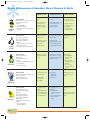
Scope & Sequence of
Earobics Games and Skills . . . . . . . . . . . . . . . . . 74
Technical Information & Support . . . . . . . . . . . . 75
Minimum System Requirements . . . . . . . . . . . . 75
Information & Customer Service . . . . . . . . . . . 75
Technical Support Form . . . . . . . . . . . . . . . . . . 76
Index . . . . . . . . . . . . . . . . . . . . . . . . . . . . . . . . . . . . . 77
Sensimetrics Copyright ©1992, 1993 Sensimetrics Corp. Cambridge MA 02139.
DIRECTOR® Copyright ©1993 Macromedia, Inc.
Made with Macromedia is a trademark of Macromedia, Inc.
All other registered trademarks are property of their respective holders.
For more information call (888) 328-8199.